
Seedance 2.5 Supported Languages: Complete Guide to Multilingual AI Video
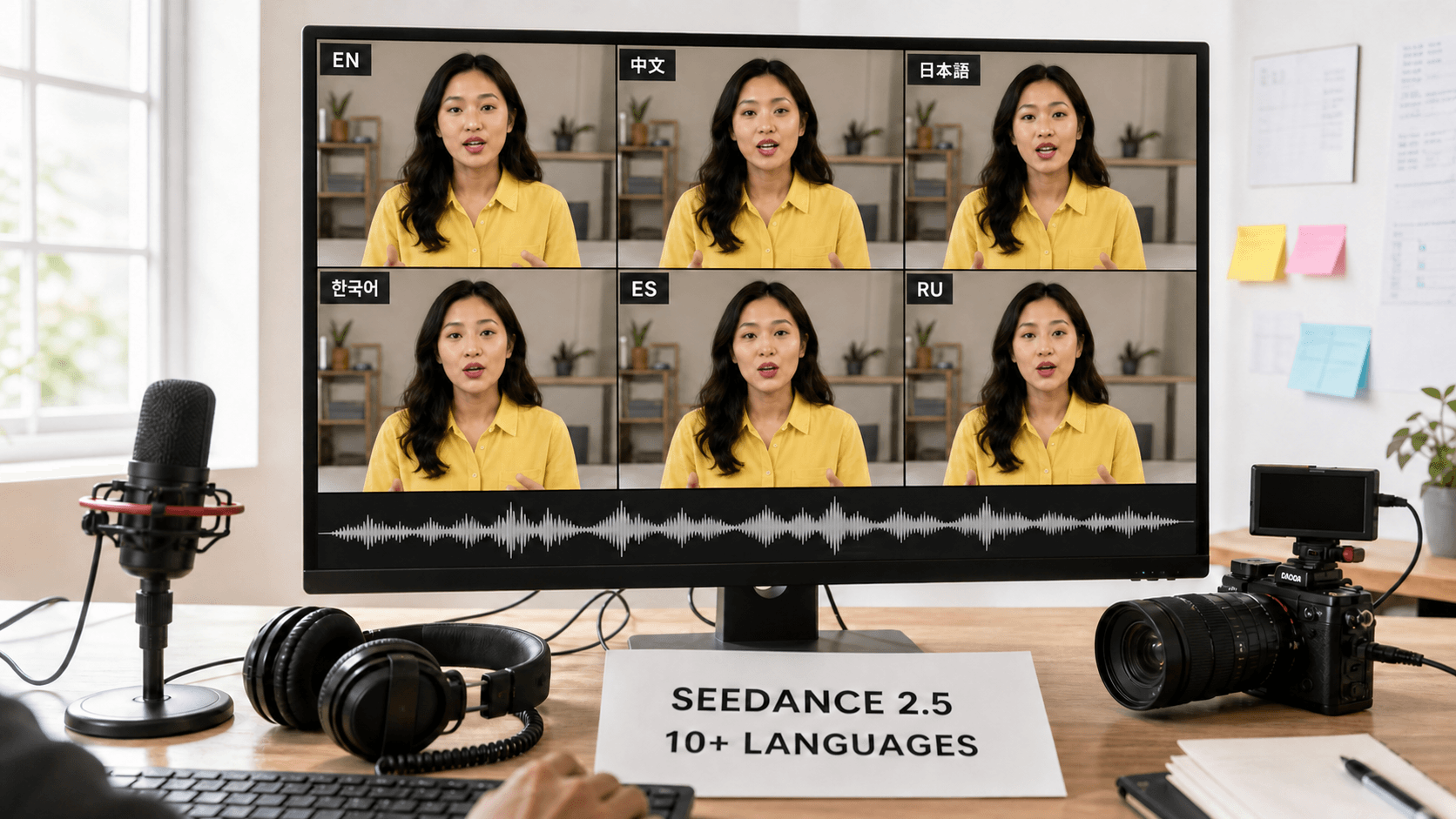
AI Overview
How many languages does Seedance 2.5 support?
Seedance 2.5 can generate dialogue in more than ten languages. This guide covers English, Mandarin Chinese, Japanese, Korean, Spanish, French, German, Portuguese, Russian, and Arabic.
Does Seedance 2.5 support native lip-sync in non-English languages?
Yes. It jointly generates the voice, performance, and visible mouth movement, although pronunciation and sync quality should still be reviewed for every language and take.
Can I switch languages within a single Seedance 2.5 video clip?
Yes. Assign each language to a named speaker or timestamped beat, keep the lines short, and repeat the character anchors whenever the speaker changes.
What's the difference between Seedance 2.5 language support and traditional dubbing?
Traditional dubbing replaces audio after picture lock; Seedance 2.5 can generate or localize speech and matching lips together, reducing the correction work between voice and image.
What Languages Does Seedance 2.5 Support?
Current Seedance 2.5 guidance describes dialogue generation in more than ten languages. The practical set most creators begin with is English, Mandarin Chinese, Japanese, Korean, Spanish, French, German, Portuguese, Russian, and Arabic. “10+” should not be read as a permanent closed list: access routes evolve, and a language appearing in one interface does not guarantee identical pronunciation quality in every accent or scene.
| Language | Recommended script | Useful direction |
|---|---|---|
| English | Standard Latin text | Name the regional accent only when it matters |
| Chinese | Simplified or Traditional Chinese | Specify Mandarin or the intended dialect |
| Japanese | Natural kanji and kana | Avoid romanized dialogue |
| Korean | Hangul | Keep fast lines short |
| Spanish | Standard Spanish spelling | Choose Latin American or Castilian |
| French | French spelling with accents | Preserve punctuation and contractions |
| German | Standard German spelling | Break long compound-heavy lines into beats |
| Portuguese | Standard Portuguese spelling | Choose Brazilian or European Portuguese |
| Russian | Cyrillic | Avoid romanized transliteration |
| Arabic | Arabic script | Specify regional variety when essential |
The model’s native-audio workflow matters more than the raw list. A prompt can describe the scene, dialogue, sound, and delivery in one request, so the voice is not merely attached to a finished silent clip. Select a route that exposes audio and run a short pronunciation test before generating a complete campaign.
How Language Control Works in Seedance 2.5
The most reliable control is direct: write the spoken line in the target language. Keep scene direction in the language you use most clearly, place dialogue in quotation marks, identify the speaker, and describe the voice separately. A useful block looks like this:
Speaker: Aiko, the woman in Image 1.
Dialogue: “新しい一日を、もっと自由に。”
Voice: natural Japanese, warm and conversational, medium pace.
Audio: quiet room tone, no singing, no subtitles.
Some API or hosted routes expose an audio toggle such as audio_enable; in a visual interface, the equivalent may be a model or sound setting. Verify that audio is enabled before judging a silent preview. If accent is important, use a specific but neutral descriptor—“Brazilian Portuguese,” “Castilian Spanish,” or “British RP”—instead of asking for a vague “foreign accent.”
Treat language, voice, and character as three separate locks. The line controls words, the voice description controls delivery, and the visual reference controls identity. Review dialogue, ambience, effects, and music as separate layers even when the model generates them in the same pass.
Native Lip-Sync Across Languages — How It's Different
In a conventional localization pipeline, editors record or synthesize a translated voice, place it under an existing picture, stretch timing, and correct visible mouth mismatches. Seedance 2.5 uses joint audiovisual generation: speech rhythm and mouth motion can be created or regenerated as part of the same model pass. That does not make every frame perfect, but it removes the assumption that the original mouth performance must survive unchanged.
Official demonstration footage is useful evidence of capability, not a guarantee that every prompt will reproduce the same result.
English is usually the safest baseline for testing a reference image. Chinese, Japanese, and Korean benefit from native writing systems because the model receives the intended words directly rather than guessing from transliteration. Across all languages, front-facing or three-quarter faces, moderate speech speed, and unobstructed mouths improve reviewability.
Failures still occur: a mouth may lag a syllable, a voice may shift between cuts, or the model may compress a long translation into unnatural pacing. Review the entire clip with sound, not a contact sheet. The lip-sync troubleshooting guide covers line length, face angle, speaker assignment, and regeneration strategy.
Switching Languages Within One Clip
Seedance 2.5 can move between languages inside one generation, but the prompt must make ownership and timing explicit. Use named speakers for a conversation or assign one language to each time range. Do not put two translations in the same quotation marks and expect the model to infer where the switch belongs.
[0–4s] Lina faces camera and says in English: “Ready to begin?”
[4–8s] Ken answers in Japanese: “はい、始めましょう。”
[8–12s] Both look toward the product; only café ambience, no speech.
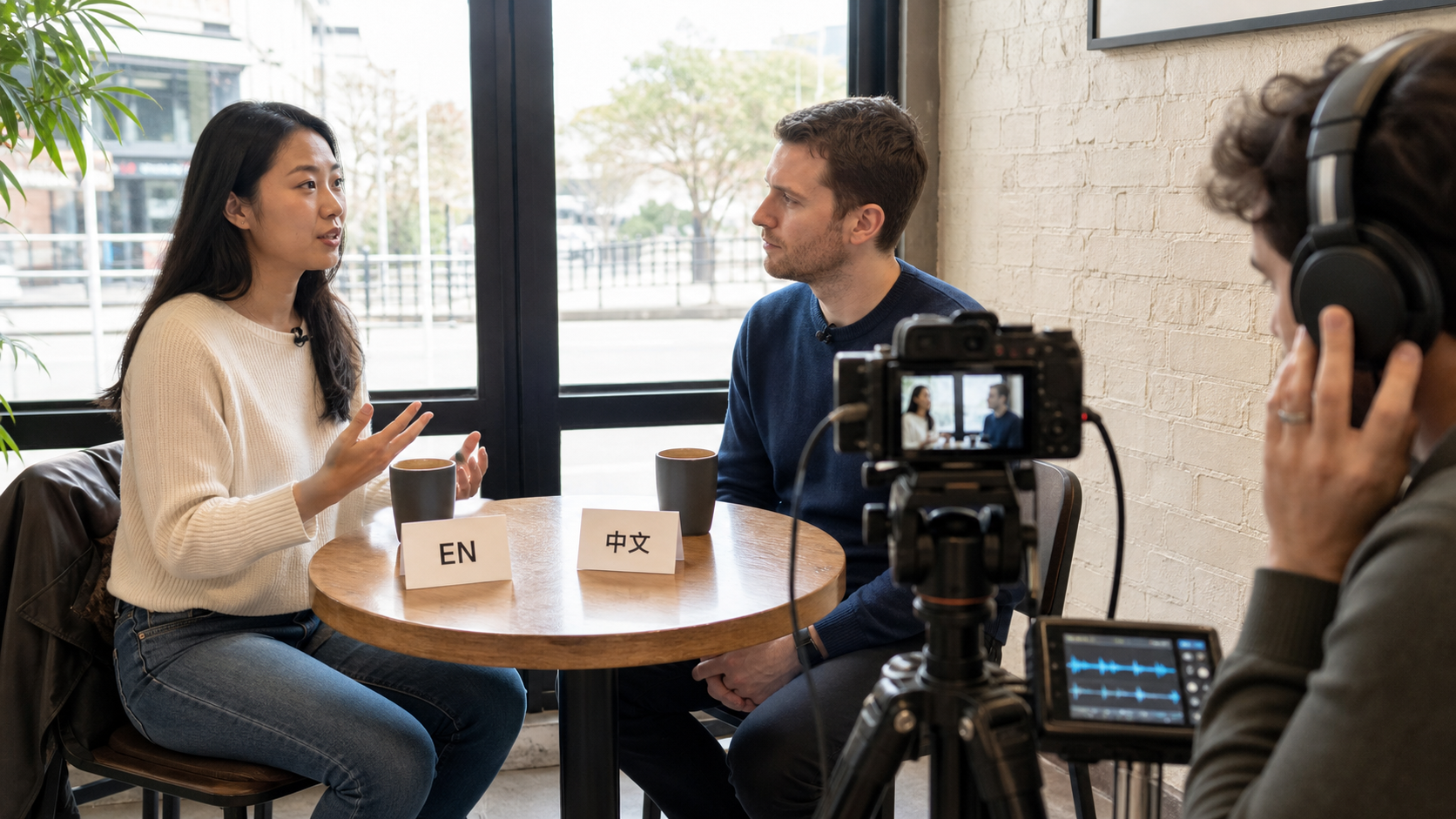
A bilingual shot is easier to direct when speaker, language, eyeline, and listening reaction are visible in the same plan.
This pattern works for an English introduction followed by a localized call to action, a bilingual product review, or a conversation between characters from different regions. Keep wardrobe, hair, props, seating, and screen direction identical in every beat. For scenes with two recurring people, the multi-character dialogue guide provides reusable speaker anchors and turn-taking structures.
Multilingual Video Workflow with Seedance 2.5
- Write the script in the target language. Translate for meaning and timing, not word count. Read it aloud and remove phrases that feel formal or too long.
- Prepare the character reference. Use the same clean portrait, wardrobe, product, and setting references for every market so language is the main changed variable.
- Insert the dialogue into the prompt. Name the speaker, quote the exact line, specify language or regional variety, and define pace and tone.
- Generate picture, voice, and lips together. Keep the first run short enough to diagnose. Change one variable at a time when refining.
- Archive by language. Save prompt, reference IDs, settings, accepted clip, and review notes in a separate folder for each locale.
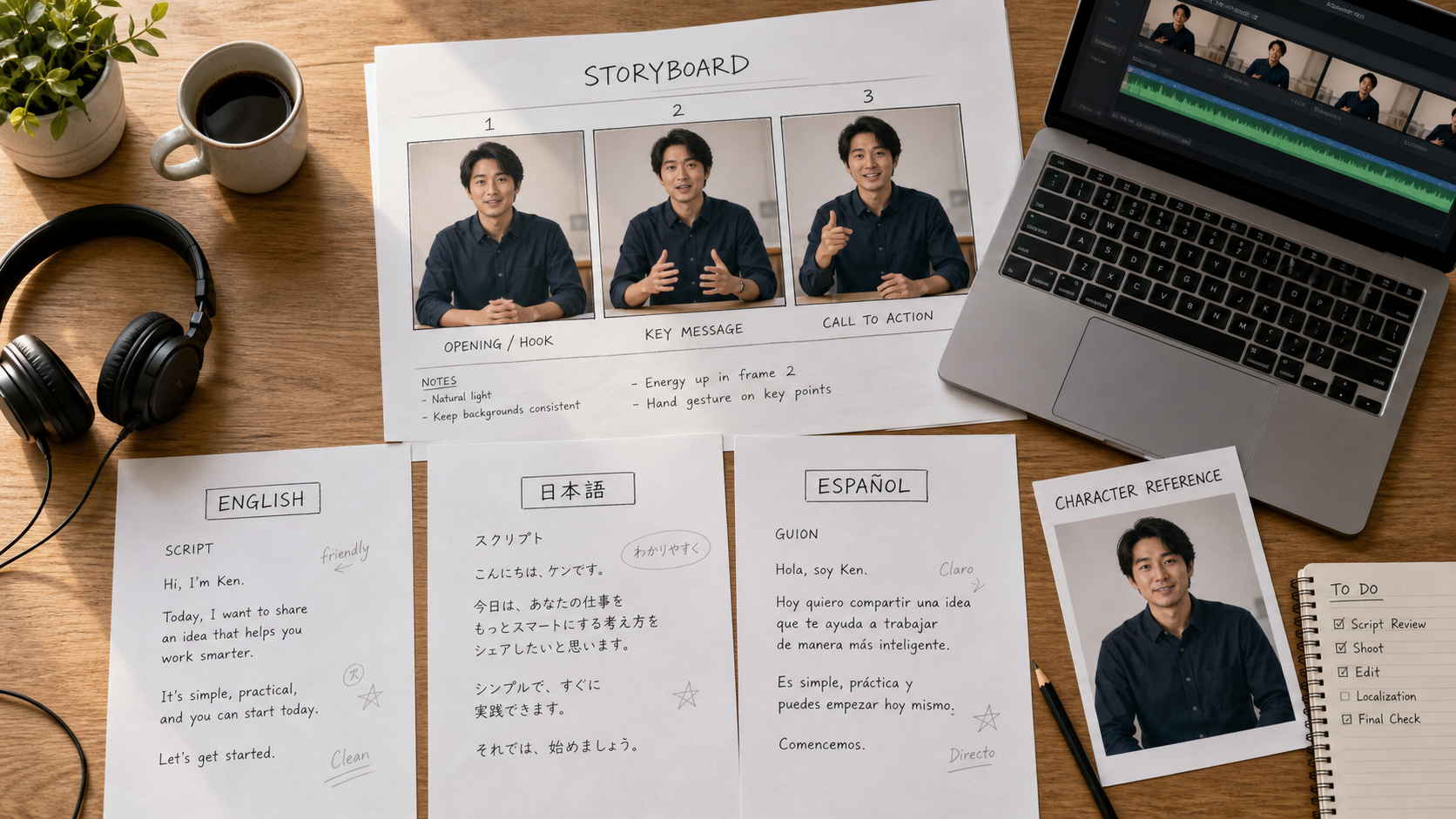
One locked visual package plus separate language scripts makes localized variants easier to compare and approve.
The time saving comes from collapsing voice creation, visible performance, and first-pass sync into one generation. Human review remains essential: a native speaker should check meaning, pronunciation, emphasis, numbers, brand terms, and whether the performance fits local expectations. When one campaign contains several timed beats, adapt the beat structure from the timeline prompt guide.
Use Cases — Where Seedance 2.5 Multilingual Support Shines
Ecommerce product video. Lock one approved product shot and presenter, then create English, Japanese, and Korean versions with market-specific lines. The visual concept stays recognizable while each audience receives native speech and a matching call to action.
Global brand campaigns. A team can reuse the same character, color system, camera move, and product reveal while changing spoken language. Generate each locale separately for final delivery; reserve in-clip language switching for concepts where bilingual speech is part of the idea.
Education and training. An instructor reference can remain consistent across course modules and languages. Short explanatory sentences work better than dense paragraphs, and technical terms should be reviewed by a subject expert as well as a native speaker.
Regional social accounts. TikTok, Reels, and Shorts teams can adapt the hook, idiom, and pacing for each account rather than posting one dubbed master everywhere. Compose the source frame for the final aspect ratio, then keep captions as an editorial layer when spelling must be exact.
For reference-led localization—where the person, product, or setting must remain fixed—begin in the reference-to-video workspace and label every uploaded asset by role.
Seedance 2.5 vs Other AI Video Tools for Multilingual Output
| Tool | Multilingual workflow | Lip-sync approach | Best fit |
|---|---|---|---|
| Seedance 2.5 | Dialogue placed directly in the generation or edit prompt | Joint audiovisual generation or localized regeneration | Cinematic scenes, ads, and reference-led content |
| HeyGen | Translation or dubbing workflow around an existing speaker | Post-process speech replacement and mouth alignment | High-volume presenter localization |
| Synthesia | Script-to-avatar production with a large TTS catalog | Avatar-specific speech animation | Structured training and corporate explainers |
| Runway Gen-4 | Visual generation with audio handled separately in many workflows | Depends on external audio or editing steps | Visual-first shots and post-production pipelines |
| Kling 2.5 | Route-dependent audio and language availability | Varies by host and model mode | Short visual clips with selected speech support |
Seedance 2.5’s advantage is creative integration: the scene, performance, sound, and mouth movement can be planned as one output instead of treating localization as an attachment. Its trade-off is breadth and predictability. Dedicated avatar platforms may list many more languages and make repeatable presenter localization easier, while Seedance is better suited to expressive, cinematic, or multi-reference shots. Compare approved outputs, not language-count marketing alone.
Tips for Getting the Best Results in Each Language
English: Use it as the baseline reference test, then name a regional accent only when the brief requires one. Russian: Write Cyrillic, add “Russian speaker,” and split dense consonant clusters across shorter phrases. Chinese: Use Chinese characters and specify “Mandarin Chinese” if dialect ambiguity would matter.
Japanese: Mix kanji and kana naturally rather than romanizing the line; keep the face close enough to inspect articulation. Korean: Hangul and a moderate pace work well for dialogue-heavy scenes. Spanish: Distinguish Latin American and Castilian Spanish. Portuguese: Separate Brazilian and European Portuguese because rhythm and pronunciation differ.
French and German: Preserve punctuation, accents, and natural contractions; do not translate literally if the result becomes too long for the shot. Arabic: Name the intended regional variety when it matters and have a native reviewer check pronunciation, register, and reading direction in any added captions.
The comparison below keeps the presenter, framing, lighting, meaning, and eight-second duration fixed. Only the written dialogue and spoken language change, making pronunciation, pacing, and lip-sync easier to review side by side.
Across every language, keep one speaker per beat, avoid long sentences, and generate each final locale as its own take. If the model adds melody to ordinary dialogue, restate “spoken voice, no singing, no chant” and use the fixes in how to stop Seedance from singing.
Conclusion
Seedance 2.5 supports dialogue in more than ten languages and makes multilingual production practical by generating or localizing voice, performance, and lip movement together. Write every line in its target language, lock the same visual references across locales, separate speakers and timed beats, and give each version a native-language review. That workflow can turn a multi-day dubbing and correction process into one controlled generation pass per language—without treating quality control as optional.
Ready to try it yourself?
Put the steps from this guide into practice with Seedance and turn prompts or images into polished videos in minutes.
Free credits on signup. Plans from $28/month.
Related Articles
More posts in the same locale you may want to read next.

Seedance App Preview Video Generator 2026: Create App Store and Product Launch Clips
Use Seedance to turn app screenshots, feature copy, and launch goals into App Store previews, Google Play promo videos, and product launch clips.
Read article
AI Halloween Costume Transformation Video Guide
Turn one photo into a Halloween costume transformation video with AI: vampire, witch, zombie, and skeleton glow-ups, with prompts and step-by-step tips.
Read article
AI Halloween Dance Video: Skeleton & Zombie Dances
Make a viral AI Halloween dance video: dancing skeletons, zombie dance-offs, witches, and costume dance trends. Step-by-step with prompts and motion control.
Read article