
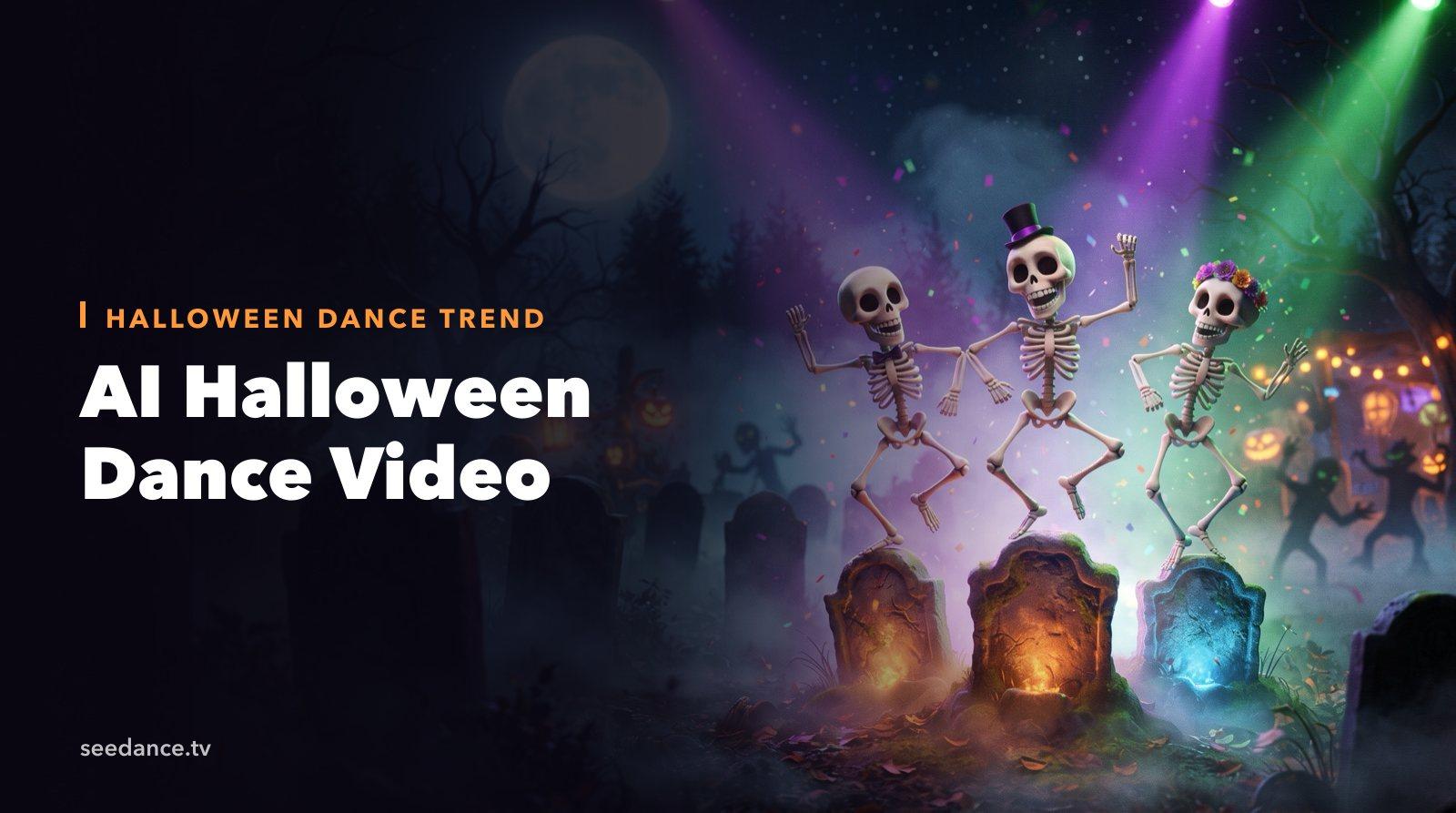
Quick Answer: The fastest way to make an AI Halloween dance video is to pick a character, such as a skeleton, zombie, witch, or you in a costume, and either describe the dance in a prompt or copy the moves from a reference dance clip with motion control. Keep it 10–20 seconds, vertical, and on the beat.
Dancing skeletons and zombie dance-offs come back every October, and they are some of the most shared Halloween clips on TikTok and Reels. They are also perfect for AI video: the characters don't need to look realistic, the moves are short and repetitive, and the music does most of the work.
This guide shows two ways to make a Halloween dance video with AI. You can describe the dance in a prompt, or transfer real dance moves onto any Halloween character. It also includes prompts you can copy.
Two Ways to Make an AI Halloween Dance Video
| Method | Best for | Tool |
|---|---|---|
| Prompt-only | Fun, stylized dances where exact moves don't matter | Text to Video or Seedance 2.5 |
| Motion transfer | Copying a specific trend or choreography onto a character | Motion Control |
Most creators start with prompt-only for speed, then use motion transfer when they want to match a trending dance exactly.
Method 1: Describe the Dance in a Prompt
Prompt-only dance videos work best when you describe one clear dance style, the beat, and a fixed camera.
A good structure:
[Character] + [dance style and moves] + [setting] + [lighting] + [camera] + [music/sound]
Example:
A cartoon skeleton in a tiny top hat does an energetic Charleston dance on a gravestone in a foggy graveyard at night, bones clacking on every beat, purple and green spotlights, static full-body shot, playful 1920s swing music with a strong beat.
Tips for prompt-only dances:
- Keep the camera still. A static full-body shot keeps limbs readable.
- Name a dance style. Charleston, hip-hop, breakdance, line dance, and robot each give the model a clear pattern.
- Describe the sound. Seedance 2.5 can generate music and effects with the video, so a beat and "bones clack on every step" help the motion feel rhythmic.
- Stay short. 10–15 seconds of one dance loop beats 30 seconds of drifting moves.
For more dance prompt patterns, see our AI dance video prompt examples.
Method 2: Transfer Real Dance Moves onto a Halloween Character
When you want a specific trending dance, motion control is more reliable than describing the moves.
- Create the character image. Generate a full-body Halloween character with Text to Image, for example "a friendly cartoon zombie in a torn prom suit, full body, standing, plain dark background." Or upload a full-body photo of yourself in costume.
- Get the reference dance clip. Use a clip of yourself or a friend doing the dance, filmed full-body with a steady camera. Use footage you have the rights to.
- Open Motion Control. Upload the character image and the dance clip. Kling 3.0 Motion Control maps the movement from the video onto your character while keeping its face, clothing, and style.
- Generate and pick the best take. Video orientation supports up to 30 seconds of continuous movement.
Image tips for motion transfer:
- Use a full-body, front-facing character with arms and legs clearly visible.
- Match the pose of the first frame of the dance clip if you can.
- Keep the background simple. You can add a graveyard or party scene later.
Want a dedicated dance tool? The AI Dance Video Generator is built for exactly this kind of clip.
15 Halloween Dance Video Prompts
Skeletons
- A group of five cartoon skeletons does a perfectly synchronized line dance in a foggy graveyard under a full moon, bones clacking on every beat, static wide shot, upbeat country-style music.
- A skeleton breakdances on a dance floor made of glowing tombstones, spins on its skull, purple neon light, low-angle static shot, hip-hop beat.
- A tall elegant skeleton in a tuxedo waltzes alone in an abandoned ballroom, dust drifting in moonlight beams, slow orbit shot, old gramophone waltz music.
Zombies
- Zombies in torn office clothes do a slow, stiff-legged synchronized dance on a dark city street, streetlights flicker, static wide shot, retro 80s synth beat.
- A zombie dance-off in a high school gym decorated for a Halloween party, two zombies take turns with exaggerated moves, crowd of zombies cheering, disco lights, handheld party footage.
- A single zombie does the robot dance in a cornfield at dusk, jerky precise movements, orange sky, static medium shot, electronic beat.
Witches, Vampires, and Ghosts
- Three witches dance around a bubbling cauldron in a forest clearing, robes swirling, green smoke rises with each spin, firelight, slow circling camera, folk drum rhythm.
- A vampire in a long red cape does a dramatic tango with his own shadow on a castle wall, candlelight, static wide shot, tango music.
- A cute sheet ghost floats and bounces to a pop beat in a cozy living room decorated for Halloween, fairy lights, static shot, cheerful music.
Pumpkins and Animals
- A row of jack-o'-lanterns on a porch bounce and sway to the beat, their candle faces flicker in rhythm, night, static shot, funky bass line.
- A black cat in a tiny witch hat does a little two-step dance on a windowsill, full moon behind, static close shot, playful jazz.
- A dog in a pumpkin costume spins and wiggles happily in a pile of autumn leaves, warm afternoon light, static shot, upbeat music.
You in Costume
- The person in the photo, dressed as a vampire, performs a smooth hip-hop routine in a gothic hallway with candelabras, static full-body shot, dark trap beat.
- A group of friends in Halloween costumes, a witch, a skeleton, and a pumpkin, dance together at a house party, colorful lights, handheld camera, party pop music.
- The person in the photo transforms mid-dance from everyday clothes into a skeleton costume on the beat drop, static full-body shot, club lighting.
Make It Go Viral: Format Tips
- Hook in the first second. Start mid-move, not with the character standing still.
- Loop it. End on the same pose you started with so the video replays seamlessly.
- Vertical 9:16, 10–20 seconds. This is the sweet spot for TikTok, Reels, and Shorts.
- Use the trending sound on the platform. Generate the dance, then add the trending audio in the app's editor so the video can join the trend.
- Post a series. Skeleton on Monday, zombie on Wednesday, costume version on Friday. Same format, new character.
FAQ
How do I make a skeleton dance video with AI?
Describe a cartoon skeleton, one dance style, and a static camera in Text to Video, or generate a skeleton image and transfer a real dance onto it with Motion Control.
Can I make myself dance in a Halloween costume with AI?
Yes. Upload a full-body photo of yourself in costume and a reference dance clip to Motion Control. The AI keeps your face and costume and applies the movement from the clip.
Why do the arms and legs look strange in my AI dance video?
Fast, complex moves and a moving camera are the usual causes. Use a static full-body shot, a simpler dance, and a clean reference image with all limbs visible.
How long should a Halloween dance video be?
10–20 seconds for TikTok and Reels. Short loops get more replays, which helps reach.
Can I use popular songs in my AI dance video?
Generate the video without copyrighted music, then add licensed or trending audio inside TikTok, Instagram, or YouTube, where those sounds are licensed for use on the platform.
Start Dancing
Pick a character, choose one dance, and keep the camera still. Try a prompt in Seedance 2.5 for a quick stylized clip, or use Motion Control to put a real trend on a skeleton. Halloween dance videos are short, fun, and very shareable.
Ready to create your own AI video?
Turn ideas, text prompts, and images into polished videos with Seedance. If this article helped, the fastest next step is to try the product.
Free credits on signup. Plans from $28/month.
Related Articles
More posts in the same locale you may want to read next.

Seedance App Preview Video Generator 2026: Create App Store and Product Launch Clips
Use Seedance to turn app screenshots, feature copy, and launch goals into App Store previews, Google Play promo videos, and product launch clips.
Read article
AI Halloween Costume Transformation Video Guide
Turn one photo into a Halloween costume transformation video with AI: vampire, witch, zombie, and skeleton glow-ups, with prompts and step-by-step tips.
Read article
How to Make an AI Horror Short Film (Seedance 2.5)
Make a 1–2 minute AI horror short film for Halloween with Seedance 2.5: story beats, shot list, consistent characters, sound design, and copy-ready prompts.
Read article