
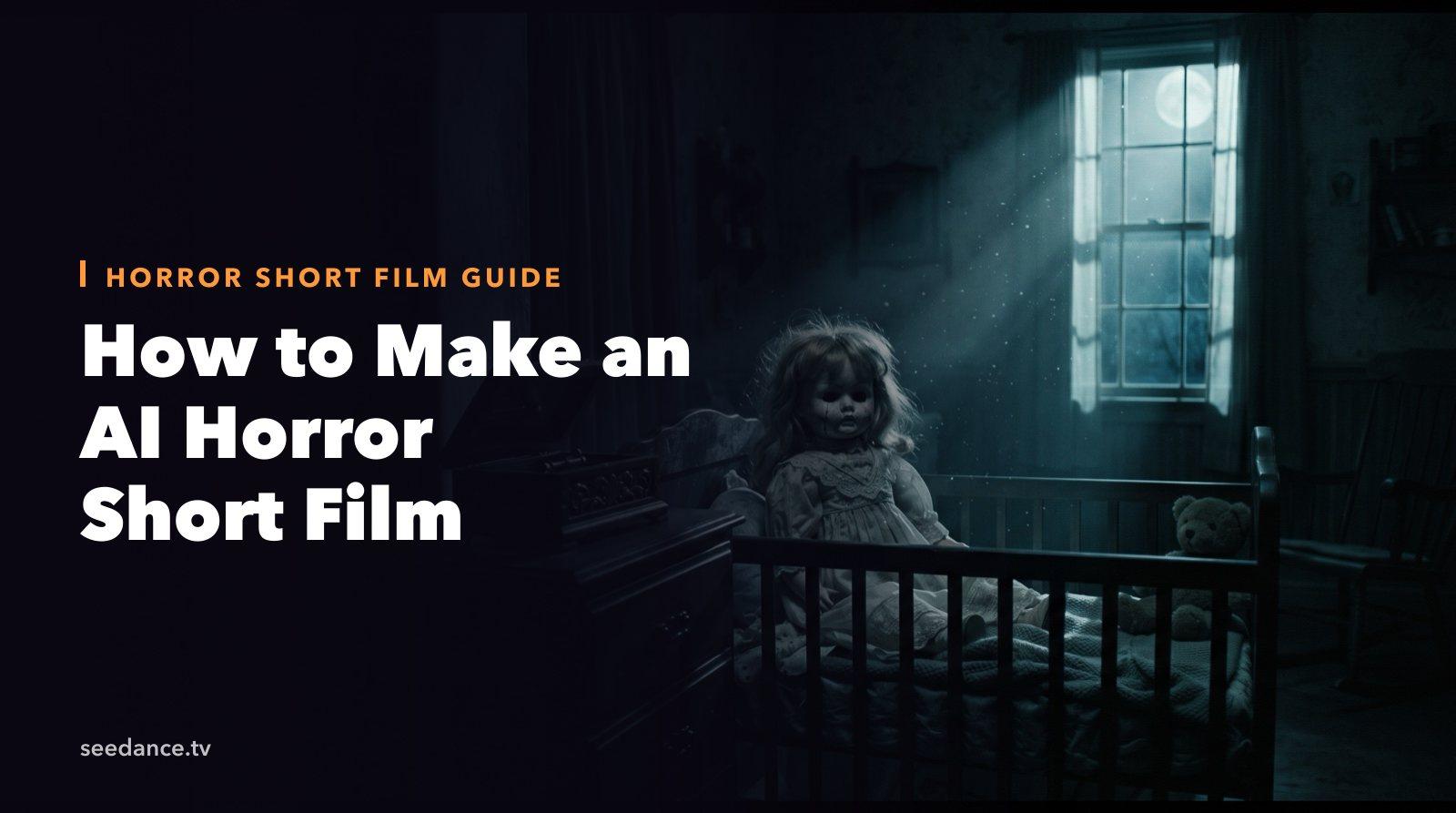
Quick Answer: To make an AI horror short film, write a five-beat story, turn each beat into one 10–30 second shot, keep your character consistent with reference images, and direct sound in every prompt. Seedance 2.5 can generate up to 30 seconds per clip with native audio and multi-shot direction, so a 1–2 minute Halloween short usually takes four to six clips.
Halloween is the one month when audiences go looking for scary short videos. A tight one-to-two-minute horror short can travel far on TikTok, YouTube Shorts, and Reels, and AI video now makes it possible without actors, sets, or a night shoot.
This guide walks through a complete AI horror short film workflow with Seedance 2.5: story, shot list, character consistency, sound, and editing. Every prompt is ready to copy.
Why Horror Works So Well with AI Video
Horror relies on things AI video handles well:
- Darkness and atmosphere. Fog, candlelight, and deep shadows hide small artifacts and look intentional.
- Slow movement. A slow push-in down a hallway is easier to generate cleanly than a fast action scene, and it is scarier.
- Sound. Half of a scare is audio. Seedance 2.5 generates ambient sound, effects, and music together with the picture, so a creaking door can land on the exact frame the door moves.
- Short runtimes. A good horror short is 60–120 seconds, which is four to six AI clips.
Step 1: Write a Five-Beat Horror Story
Keep the story simple enough to explain in one sentence. A classic structure that fits a 90-second short:
| Beat | Purpose | Length |
|---|---|---|
| 1. Normal | Show a calm, ordinary moment | 10–15s |
| 2. Wrong | One small detail is off | 15–20s |
| 3. Investigate | The character moves toward it | 20–30s |
| 4. Reveal | The threat appears | 10–20s |
| 5. Sting | A final twist or jump scare | 5–10s |
Example logline: A babysitter hears a music box playing in an empty nursery. When she checks, the doll in the crib is facing a different way.
Pick one location and one character. Every extra location or character adds work and makes consistency harder.
Step 2: Create a Reference Image for Your Character
Consistency is what separates a short film from a pile of clips. Before you generate any video:
- Generate your main character with Text to Image, for example: "a young woman in her twenties with shoulder-length dark hair, oversized grey cardigan, standing in a dim hallway, cinematic, 35mm film look."
- Generate one image of your location, such as the nursery, the hallway, or the attic.
- Keep both images. You will attach them as references to every shot.
Seedance 2.5 accepts many references in one request, including up to 30 images, 10 video clips, and 10 audio files, so you can include the character, the location, and a style frame together. If you want a deeper look at keeping faces and outfits stable, see Reference to Video and our guide on the best AI video generator for consistency.
Step 3: Turn Each Beat into a Shot Prompt
A strong horror prompt names the subject, the single action, the light source, the camera, and the sound. Here is the full babysitter short as five shots.
Shot 1 — Normal (15s)
A young woman in a grey cardigan sits on a couch reading a book in a dim living room at night, a baby monitor on the table beside her, warm lamp light, rain against the window, slow push-in from across the room. Sound: soft rain, a clock ticking, pages turning.
Shot 2 — Wrong (20s)
Close-up of the baby monitor on the table, static crackles and a faint music box melody starts playing through the speaker, the woman slowly lowers her book and looks at it, warm lamp light with cold blue light from the monitor screen. Sound: music box melody through a cheap speaker, static, the rain stops.
Shot 3 — Investigate (25s)
First-person handheld walk down a dark upstairs hallway toward a half-open nursery door, a thin line of moonlight under the door, the music box melody gets louder with each step, the floorboards creak, slow and steady movement. Sound: footsteps on old wood, music box getting closer, breathing.
Shot 4 — Reveal (15s)
The nursery door swings open slowly to reveal a dark room lit only by moonlight from the window, an old porcelain doll sits in the crib facing the wall, the music box on the dresser winds down and stops, static wide shot, long silence. Sound: the music box slows and stops, then complete silence.
Shot 5 — Sting (8s)
Extreme close-up of the porcelain doll's face as it slowly turns its head toward the camera, cracked glaze, glass eyes catching the moonlight, sudden cut to black. Sound: a sharp porcelain creak, then a single low impact hit.
Total: roughly 85 seconds, five generations.
Want more timing control inside a clip? Seedance 2.5 supports time-coded direction, covered in our Seedance 2.5 timestamp prompts guide.
Step 4: Direct the Sound on Purpose
Generated audio is what makes Seedance horror shorts feel finished. Three rules:
- Name every sound you want. "Floorboards creak, distant thunder, a door latch clicks" works much better than "scary sound."
- Use silence. Write "then complete silence" before a reveal. The quiet is what makes the next sound hit.
- Keep music minimal. A single repeated melody, like a music box, a lullaby, or a slow piano note, is creepier than a full score.
Step 5: Generate, Pick, and Extend
- Generate each shot two or three times and keep the strongest take. In horror the best take is usually the one with the slowest, smoothest motion.
- If a shot needs to run longer, extend it rather than regenerating. See how to extend a video in Seedance 2.5.
- If a face drifts between shots, regenerate with the character reference image attached again rather than fixing it in the edit.
Step 6: Edit and Export
Put the five clips in order in any editor, such as CapCut, Premiere, DaVinci Resolve, or OpenShot (our OpenShot guide). Then:
- Add a title card at the start, for example "The Night Shift" in a thin serif font on black.
- Lower the overall brightness slightly and add light film grain so every clip shares one look.
- Export 9:16 for TikTok and Shorts, and 16:9 for YouTube.
- If any clip looks soft, run it through the Video Upscaler before the final export.
10 More Horror Short Film Ideas
- The Last Train: a passenger realizes every other rider has the same face.
- Doorbell Camera: a figure on the porch gets one step closer in every clip.
- Mirror Lag: a reflection blinks a second too late.
- The Attic Tape: a found VHS shows the family's house, filmed from inside the walls.
- Trick or Treat: a child in a sheet costume who never says a word and never leaves.
- The Scarecrow: a field at dusk where the scarecrow is in a different place each shot.
- Lighthouse Keeper: the lamp keeps turning, and something keeps signaling back.
- Group Chat: messages arrive from a friend who is standing behind you.
- Pumpkin Patch: every carved face slowly turns to watch the visitors leave.
- Night Shift: a security guard watches a mannequin move between monitor feeds.
Each one fits the same five-beat structure. Swap in the location and the scare, and keep the light source and sound cues.
FAQ
Can AI make a full horror movie?
AI video is best for short films of one to five minutes. Each Seedance 2.5 clip can run up to 30 seconds, and you join clips in an editor. Longer films are possible but need careful planning for character consistency.
How do I keep the same character in every shot?
Generate one clear reference image of the character and attach it to every shot. Describe the same outfit in every prompt, and avoid changing hairstyle or lighting color between shots.
Is Seedance good for scary videos?
Yes. Seedance 2.5 handles slow, atmospheric camera moves, dark lighting, and coordinated sound effects well, which is what most horror depends on. Fast action and fights need more retries.
How long should a Halloween horror short be?
60–120 seconds for social platforms. Keep the first scare or strange detail within the first ten seconds so viewers don't scroll away.
Can I post AI horror films on YouTube and TikTok?
Yes. Label AI-generated content where the platform asks you to, avoid graphic gore, and add a content warning for intense jump scares.
Start Your Halloween Short
Pick one location, one character, and one scare. Write the five beats, generate the shots with Seedance 2.5, and let the sound do half the work. A finished Halloween horror short is an evening's project, not a production.
Ready to create your own AI video?
Turn ideas, text prompts, and images into polished videos with Seedance. If this article helped, the fastest next step is to try the product.
Free credits on signup. Plans from $28/month.
Related Articles
More posts in the same locale you may want to read next.

Seedance App Preview Video Generator 2026: Create App Store and Product Launch Clips
Use Seedance to turn app screenshots, feature copy, and launch goals into App Store previews, Google Play promo videos, and product launch clips.
Read article
AI Halloween Costume Transformation Video Guide
Turn one photo into a Halloween costume transformation video with AI: vampire, witch, zombie, and skeleton glow-ups, with prompts and step-by-step tips.
Read article
AI Halloween Dance Video: Skeleton & Zombie Dances
Make a viral AI Halloween dance video: dancing skeletons, zombie dance-offs, witches, and costume dance trends. Step-by-step with prompts and motion control.
Read article