
Seedance 2.0 vs Veo 3: Which AI Video Generator Wins in 2026?

AI Overview
What Is the Main Difference Between Seedance 2.0 and Veo 3?
Seedance 2.0 is better for reference-heavy production; Veo 3.1 is better for short cinematic clips with dialogue and sound.
Which Is Better for Free Users: Seedance 2.0 or Veo 3?
Google Flow offers the stronger recurring free allowance; Seedance offers 6 signup credits and more models in one workspace.
Is Seedance 2.0 Faster Than Veo 3?
Veo 3.1 Fast is usually faster; choose Seedance 2.0 Fast when you need its multimodal reference workflow.
Which Model Wins Overall?
Choose Seedance 2.0 for control and references; choose Veo 3.1 for fast, short cinematic clips.
Seedance 2.0 vs Veo 3 at a Glance
| Decision factor | Seedance 2.0 | Veo 3 / current Veo 3.1 |
|---|---|---|
| Best for | Reference-heavy ads, controlled motion, multi-shot production | Short cinematic scenes, dialogue, fast ideation |
| Native audio | Yes—dialogue, ambience, effects, and music | Yes—dialogue, ambience, effects, and music |
| Current duration | Up to 15 seconds in the current Seedance route | 4, 6, or 8 seconds in the current API; some Flow modes differ |
| Resolution | Up to 1080p in the current Seedance Standard route | Veo 3: up to 1080p; Veo 3.1 routes can support 4K |
| Image to video | First frame, first/last frame, and reference workflows | First frame and first/last frame; Veo 3.1 adds reference images |
| Multimodal references | Up to 9 images, 3 videos, and 3 audio clips officially | Up to 3 reference images in the Gemini API |
| Prompt control | Detailed camera, timing, motion, subject, and reference instructions | Detailed natural-language cinematography and audio cues |
| Fast option | Seedance 2.0 Fast | Veo 3.1 Fast and Lite |
| Free entry | Free credits at signup on Seedance | 50 daily Flow credits for eligible non-subscribers |
| Main limitation | Higher cost and longer waits on quality-first routes | Short clip window and fewer mixed-media reference types |
The biggest divider is not native audio—both models have it. It is workflow: Seedance 2.0 accepts a broader mix of references and longer shots, while Veo 3.1 emphasizes fast, cinematic generation inside Google’s ecosystem.
Video Quality: Motion, Detail, and Consistency
Motion and Complex Scenes
Both models handle simple motion well. Veo 3.1 Fast is an efficient choice for a single eight-second cinematic shot.
Choose Seedance 2.0 for multi-subject action, timed events, reference-heavy product work, or sequences up to 15 seconds. Vendor claims are not a head-to-head result, so compare matched outputs for important projects.

Original editorial visualization created for this guide. It highlights the details to inspect in a model test—subject geometry, camera tracking, rain motion, and continuity—rather than presenting a generated benchmark result.
Image-to-Video Detail Retention
Seedance 2.0 is especially useful when the source image is the contract: a package, character, location, wardrobe, or product silhouette must remain recognizable. You can use first and last frames for a bounded transition or move to Reference to Video when several assets must influence the result.
Veo 3.1 also supports first/last-frame generation and up to three reference images in the Gemini API. Its route is easier to understand when the brief is “animate this frame with this camera move.” Seedance is more flexible when the brief is “borrow the product from image one, motion from video two, sound from audio three, and composition from image four.”
Veo 3 Fast vs Quality
“Fast” and “Quality” are workflow choices, not just a good/bad switch. Fast is for composition tests, prompt iterations, and social variants. Quality is for a final pass where texture, lighting, and small details justify more credits and waiting.
Google Flow currently lists separate Lite, Fast, and Quality routes. On Seedance, the model picker exposes Veo 3.1 and Veo 3.1 Lite, while the Seedance family offers Standard, Fast, and Mini. Start cheap, validate the shot, then move only the approved prompt to the quality-first route.
A five-second Veo 3.1 example with native audio, shown on the Veo 3.1 model page. Use it to inspect camera movement, fabric motion, fine architectural detail, and sound together. It is a product example—not a same-prompt benchmark against Seedance 2.0.
Quality Verdict
Seedance 2.0 has the edge when consistency depends on several references and explicit constraints. Veo 3.1 has the edge when you want a polished, short cinematic idea with fewer setup steps. Neither claim replaces a controlled test.
Audio Generation: Built-In vs Built-In
The common comparison that says “Veo has audio and Seedance needs post-production” is outdated. Both Seedance 2.0 and Veo 3 generate native audio.

Original editorial visualization created for this guide. The scene separates the audio layers worth reviewing: spoken dialogue, room tone, rain, a door bell, and close-range production sound.
Choose Veo 3.1 for short, dialogue-led scenes: describe the spoken line, voice, ambience, and effects in one prompt. Choose Seedance 2.0 when sound is part of a larger reference workflow or the scene needs up to 15 seconds of directed action.
Both still need a final audio check. Review pronunciation, speaker assignment, lip sync, unwanted music, and usage rights before publishing.
Prompt Control and Creative Flexibility
Seedance 2.0 responds well to prompts that separate subject, action, camera, timing, audio, and negative constraints. It is also designed to reference composition, motion, camera language, rhythm, and sound from uploaded media.
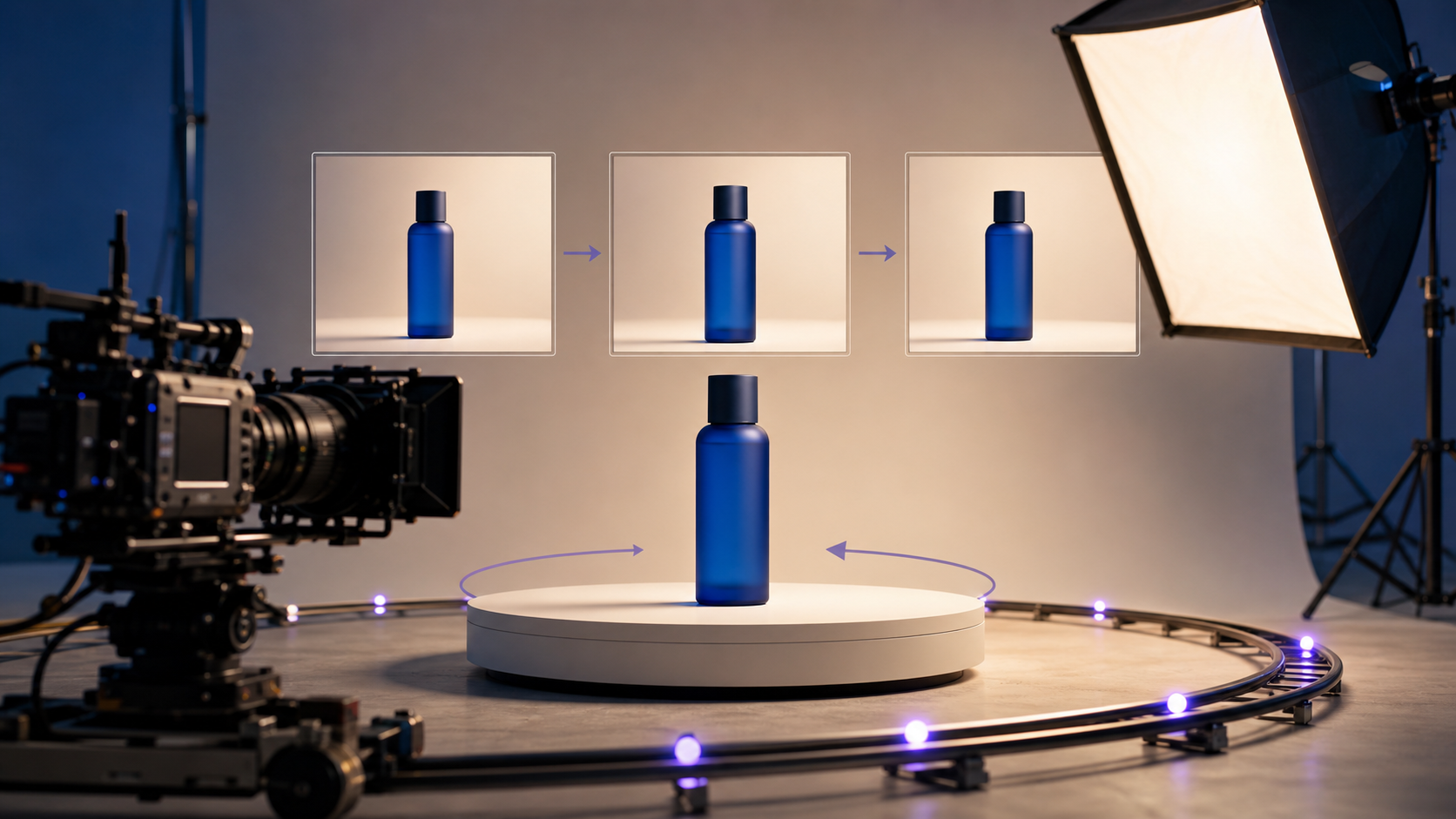
Original editorial visualization created for this guide. It shows how a prompt can lock product identity while separately directing rotation, camera path, lighting, timing, and shot progression.
Copy-Ready Seedance 2.0 Product Prompt
Prompt: A premium skincare bottle on a seamless warm-white studio background. Preserve the exact label, cap shape, bottle proportions, and brand colors from the reference image. Slow 360-degree clockwise rotation over 8 seconds. Camera locked at product height, 85mm lens look, soft key light from camera left, subtle shadow on the surface. No extra objects, no label changes, no warped text, no scene cut. Quiet studio ambience only.
Open Image to Video for a one-image test or Reference to Video when the product must be combined with motion or audio references.
Copy-Ready Veo 3 Dialogue Prompt
Prompt: Cinematic close-up in a quiet midnight diner. A tired courier in a yellow rain jacket looks toward the camera, surprised, then exhales and says, “I finally made it.” Hold the reaction for one second. Stable face, no scene change, subtle push-in, warm practical lights, cool rain outside the window. Audio: natural room tone, distant rain, one soft door bell, clear synchronized dialogue, no music.
**
**
Veo’s natural-language prompt style is approachable, but it still rewards specificity. Define framing, movement, lighting, character, location, action, dialogue, and audio cues. Google’s own prompt guide recommends those same building blocks.
For reusable structures, see the Seedance 2.0 prompt guide and camera movement prompt library.
Pricing and Free Access
Quick answer: Google Flow is the better no-cost route for repeated Veo tests. Seedance is the more flexible paid workspace when you want to compare Veo, Seedance, Kling, and other models without moving the brief between products.
Prices and credit rules change frequently. The figures below were checked on July 27, 2026, and Google credits are not equivalent to Seedance credits.
What Can You Generate for Free?
| Free route | Current allowance | What it realistically covers |
|---|---|---|
| Seedance signup | 6 one-time credits; no credit card required | One 8-second Veo 3.1 Lite clip at 720p under the current model pricing |
| Google Flow | 50 credits per day for eligible non-subscribers; unused credits do not roll over | Up to five Veo 3.1 Lite generations or two Veo 3.1 Fast generations per day |
Google Flow lists Veo 3.1 Lite at 10 credits per generation for non-Ultra users, Fast at 20, and Quality at 100. This means the free daily allowance is useful for Lite and Fast testing, but it does not cover one Quality generation by itself.
Seedance’s signup credits are best treated as a product trial rather than a full Seedance 2.0 production budget. They currently cover the lowest-cost Veo route in the workspace, but not a five-second Seedance 2.0 generation.
Seedance Prices and Example Generation Costs
| Seedance purchase option | Current price | Credits |
|---|---|---|
| One-time credit pack | From $20 | 200 credits, valid for one month |
| Mini subscription, monthly | $39 per month | 400 credits per month |
| Mini subscription, annual | $336 per year, equivalent to $28 per month | 4,800 credits per year |
| Example route on Seedance | Current starting cost |
|---|---|
| Veo 3.1 Lite, 8 seconds, 720p | 6 credits |
| Veo 3.1, 8 seconds, 720p | 10 credits |
| Seedance 2 Mini, 5 seconds, 720p | 30 credits |
| Seedance 2.0 Fast, 5 seconds, 720p | 55 credits |
| Seedance 2.0 Standard, 5 seconds, 720p | 66 credits |
See Seedance pricing for the latest subscription and credit-pack options. The estimate shown beside the Generate button is the final price to check before submitting because duration, resolution, audio, and reference video length can change the cost.
Which Option Is Better Value?
- Choose Google Flow if your priority is repeated free Veo 3.1 Lite or Fast testing.
- Choose Seedance if you want one balance and one workflow for comparing several video model families.
- Use a one-time Seedance pack when you have a short project and do not want a recurring subscription.
- Use a subscription when you generate every month and can use the included credits before they expire.
Judge value by cost per approved clip = credits per attempt × attempts required, not by the price of the first generation. Also count usable duration, retries, queue time, upscaling, and post-production.
How to Run a Fair Seedance 2.0 vs Veo 3 Test
Start with one matched eight-second baseline in Text to Video, or use Image to Video with one shared source frame. Keep the prompt, aspect ratio, resolution, audio requirement, and attempt count identical, then generate once with each model without rewriting the brief.
Review both clips at normal speed, muted, frame by frame, and again with audio. Compare prompt adherence, subject consistency, camera continuity, dialogue timing, artifacts, and retries. Only then run a reference-heavy round, since different reference limits measure workflow fit rather than pure model quality. Reuse the courier prompt above, or follow the character consistency guide for identity-led work.
Which Model Should You Choose?
| Your project | Recommended route | Why |
|---|---|---|
| Reference-heavy product ad | Seedance 2.0 Standard | Broad image, video, and audio reference mix |
| Short dialogue or comedy scene | Veo 3.1 | Clear native-audio workflow and fast eight-second output |
| High-volume storyboard drafts | Seedance 2 Mini or Veo 3.1 Lite | Lowest-cost routes for composition testing |
| 15-second multi-shot clip | Seedance 2.0 | Longer native output window |
| Fast cinematic social variant | Veo 3.1 Fast | Quick iteration with audio |
| First/last-frame transition | Test both | Both support bounded image-to-video workflows |
| Campaign hero video | Test both | Approval rate matters more than vendor demos |
If you are also evaluating other model families, read Seedance 2.0 vs Kling 3.0.
Conclusion
There is no universal winner. Seedance 2.0 wins on multimodal references, 15-second production, and fine-grained direction. Veo 3.1 wins on fast short-form generation, straightforward dialogue, and current Flow free access. Both generate native audio, both can create polished results, and both still need human review.
Start generating for free - no credit card required
Create videos with free signup credits, then scale with affordable plans whenever you need more generations.
Free credits on signup. Plans from $28/month.
Related Articles
More posts in the same locale you may want to read next.

Seedance App Preview Video Generator 2026: Create App Store and Product Launch Clips
Use Seedance to turn app screenshots, feature copy, and launch goals into App Store previews, Google Play promo videos, and product launch clips.
Read article
How to Make a Talking AI Avatar You Can Reuse
Make a talking AI avatar with Seedance: design one consistent character, give it a voice, and make it speak in a talking photo or a full Seedance 2.5 scene, episode after episode.
Read article
Best AI Video-to-Video Models in 2026
The best AI video-to-video models in 2026 for editing footage you already shot: Higgsfield Genjutsu, Seedance 2.x, Runway Aleph, Luma Modify and Kling Omni compared.
Read article