
Seedance 2.0 Prompt Guide: Generator, Examples, and Best Practices
A strong Seedance 2.0 prompt tells the model what the shot is, what should move, how the camera behaves, and what must stay stable. Use this guide when you need Seedance 2.0 prompts, prompt examples, or a repeatable prompt generator workflow for Text to Video, Image to Video, product demos, social ads, and cinematic clips.
Quick Answer
The best Seedance 2.0 prompt format is:
[Shot type], [subject], [main action], [camera movement], [scene/background], [lighting/style], [quality controls], [negative constraints].
Example:
Vertical product video, a matte black wireless earbud case opening on a clean acrylic surface, slow camera push-in, soft studio lighting, realistic reflections, premium ecommerce style, keep the logo sharp, no extra text, no distorted product shape.
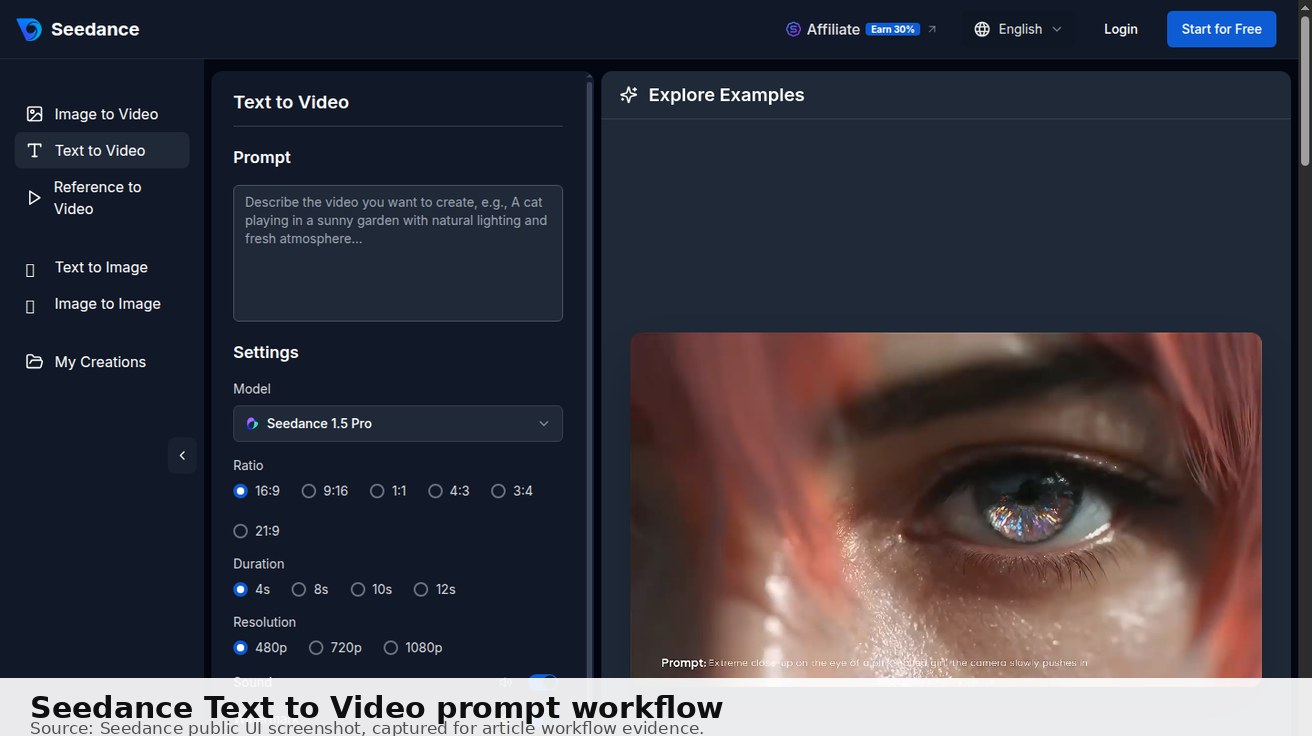
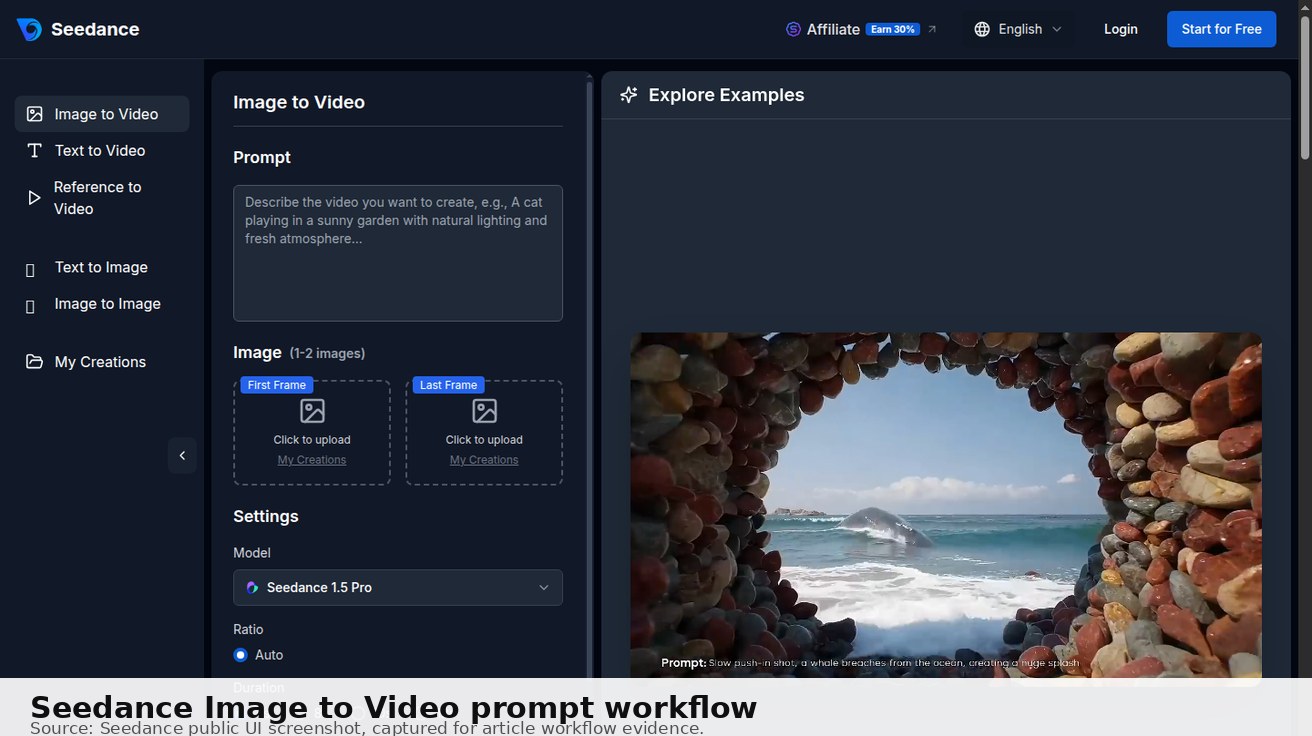
If you already have a product image, use the same structure in Image to Video and focus the prompt on motion. If you only have an idea, start in Text to Video and describe the whole scene.
Seedance 2.0 Prompt Generator Formula
Use this simple prompt generator before spending credits. Fill in each field, then combine them into one natural sentence.
| Prompt part | What to write | Example |
|---|---|---|
| Shot type | vertical close-up, wide cinematic shot, product macro | 9:16 vertical product close-up |
| Subject | product, person, app screen, room, character | a skincare bottle on a white podium |
| Action | what changes during the clip | slowly rotates as light moves across the label |
| Camera | push-in, orbit, dolly, handheld, top-down | slow 180-degree camera orbit |
| Scene | background and environment | minimal studio background |
| Style | realistic, cinematic, UGC, ecommerce, anime | premium ecommerce lighting |
| Guardrails | what must stay correct | no extra text, no logo distortion, stable product shape |
This works well for Seedance 2.0 because AI video prompts need both creative direction and QA constraints. Do not write only adjectives like “beautiful, cinematic, cool.” Tell the model what to do.
10 Seedance 2.0 Prompt Examples
1. Product demo prompt
9:16 vertical product demo, a matte black wireless earbud case opens on a reflective acrylic surface, slow camera push-in, soft studio lighting, realistic reflections, premium ecommerce style, keep the product shape accurate, no extra text, no logo distortion.
2. Image-to-video product prompt
Animate this product image with a subtle camera orbit and soft light sweep across the packaging, keep the label readable, preserve the product color and shape, clean white studio background, no new objects, no warped text.
3. TikTok ad prompt
Vertical creator-style video, a designer picks up a phone and shows a clean app dashboard, fast opening motion, bright desk setup, smooth zoom toward the key feature, leave safe space for captions, no fake buttons, no distorted UI text.
4. App preview prompt
SaaS app preview, camera zooms into the main analytics dashboard, cursor moves from empty state to success state, clean UI, crisp text, smooth tutorial pacing, modern blue-and-white interface, no extra menu items.
5. Character consistency prompt
Medium shot of the same young explorer in a red jacket walking from a forest trail toward a campsite, keep face, outfit, backpack, and hair consistent, gentle handheld camera motion, natural afternoon light, realistic movement.
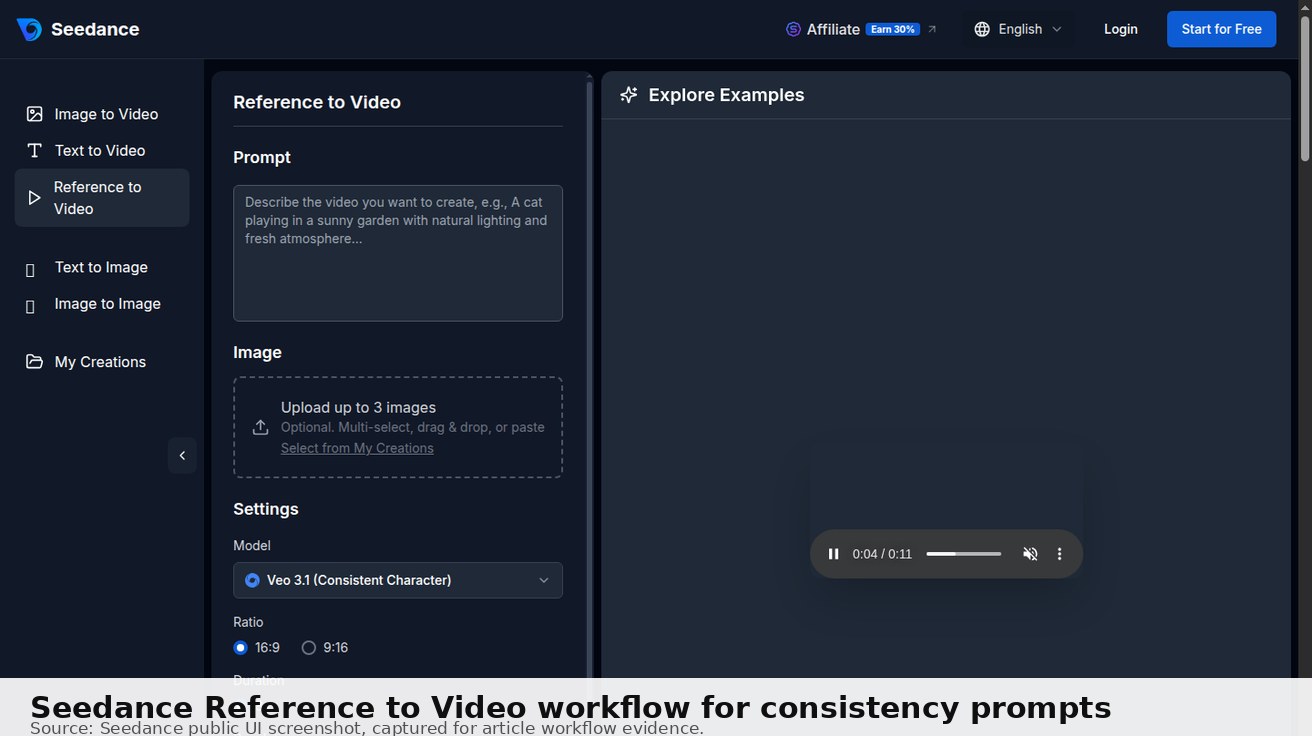
If character identity matters across multiple scenes, test Reference to Video rather than relying on a single text prompt.
6. Food commercial prompt
Macro food commercial, noodles lifted from a ceramic bowl, steam rising, slow push-in, appetizing highlights, shallow depth of field, realistic texture, warm restaurant lighting, no text overlay, no floating ingredients.
7. Real estate prompt
Smooth real estate walkthrough of a bright modern living room, slow forward dolly movement, natural daylight, stable walls and furniture, premium listing style, no people, no warped windows, clean wide-angle composition.
8. Fashion prompt
Editorial fashion video, model walking through a minimal concrete gallery, medium tracking shot, visible fabric movement, soft directional lighting, neutral background, premium brand mood, stable hands and face.
9. Cinematic scene prompt
Wide cinematic shot of a cyclist crossing a neon-lit city bridge at night, gentle tracking shot from behind, wet road reflections, blue and magenta lighting, realistic motion blur, stable horizon, high-detail atmosphere.
10. Landing page hero prompt
16:9 landing page hero video, abstract AI video interface forming from glowing panels, slow parallax camera movement, clean dark background, premium SaaS style, no readable fake text, smooth loopable motion.
How to Improve a Weak Seedance 2.0 Prompt
If the output is messy, do not rewrite everything. Change one variable at a time.
| Problem | Likely cause | Fix |
|---|---|---|
| Product shape changes | Too much motion or vague subject | Add “keep product shape accurate” and reduce motion |
| Logo/text warps | Model is asked to animate tiny details | Ask for “no new text” and use cleaner source images |
| Camera ignores prompt | Camera command is too late or unclear | Move camera direction near the start |
| Scene feels generic | Missing environment and lighting | Add background, time of day, and style |
| Character changes | Single prompt lacks identity anchor | Use reference images or Reference to Video |
Best Practices for Seedance 2.0 Prompts
- Start with the output format. Write 9:16 for TikTok/Reels, 16:9 for landing pages or YouTube-style embeds.
- Use one main motion. Push-in, orbit, dolly, or handheld drift is easier than five movements at once.
- Protect important details. Add constraints for logo, product shape, face, hands, UI text, or background.
- Generate variants. Use the same prompt 2–3 times before deciding the prompt is bad.
- Check credits and output settings. If you are testing free workflows, review the current pricing, model cost, duration, and export rules before using the clip publicly.
Seedance 2.0 Prompt Patterns by Use Case
Product videos
Product prompts should be strict because small details matter. Mention the product material, the surface, one camera move, and what must remain stable. Avoid asking for dramatic transformations unless the product shape is not important.
Good pattern:
[Format], [product] on [surface], [one camera move], [lighting], [commercial style], keep [logo/label/shape] stable, no extra text, no distorted details.
Use this for ecommerce, Amazon-style product clips, landing page hero videos, and paid social tests.
Social ads
Social prompts should include hook speed and framing. A TikTok or Reels prompt needs faster motion than a product page hero clip, but it still needs guardrails.
Good pattern:
9:16 vertical video, [subject/action], fast opening motion, bright creator-style lighting, leave safe space for captions, smooth camera push, no text overlays, no warped hands.
Cinematic scenes
Cinematic prompts work best when the model understands shot size, camera movement, environment, and light. Do not write only “cinematic.” Describe the actual frame.
Good pattern:
Wide cinematic shot, [subject] in [location], [camera movement], [time of day/light], [mood], realistic motion, stable horizon, no extra objects.
Image-to-video prompts
Image-to-video prompts should not redescribe every object in the source image. The image already provides identity. Focus on motion, camera, and constraints.
Good pattern:
Animate this image with [motion], keep [subject] accurate, preserve [logo/face/UI], [lighting/style], no background change, no extra objects.
Seedance 2.0 Prompt Generator Workflow
When you need a prompt quickly, do not start from a blank page. Build it in four passes:
- Write the plain idea. Example: “a product video for a skincare bottle.”
- Add the shot and format. Example: “9:16 vertical product close-up.”
- Add one motion. Example: “slow push-in with soft light sweep.”
- Add guardrails. Example: “keep label sharp, no extra text, no distorted bottle.”
The finished prompt becomes:
9:16 vertical product close-up, a skincare bottle on a clean bathroom counter, slow camera push-in with soft light sweep, soft morning light, premium lifestyle style, keep label sharp, no extra text, no distorted bottle shape.
This is the safest way to use a Seedance 2.0 prompt generator mindset: the “generator” is not a magic phrase machine; it is a checklist that prevents missing the details AI video models need.
Seedance 2.0 Prompt QA Checklist
Before using the output publicly, check the full clip:
- Does the subject stay consistent from first frame to last frame?
- Does the camera movement match the prompt?
- Are product labels, UI text, and logos stable enough?
- Are hands, faces, and objects physically believable?
- Does the video fit the platform ratio and safe-space needs?
- Would a viewer understand the product or story without extra explanation?
If one item fails, simplify the prompt. Shorter prompts with one clear motion often beat long prompts with too many creative instructions.
Conclusion
A good Seedance 2.0 prompt is specific enough to direct the shot and simple enough for the model to follow. Use the formula, copy the examples, test one motion at a time, and add QA constraints for product shape, logo, text, faces, camera movement, and export format. For the fastest workflow, start with Text to Video for ideas, Image to Video for existing assets, and Reference to Video when consistency matters.
Ready to create your own AI video?
Turn ideas, text prompts, and images into polished videos with Seedance. If this article helped, the fastest next step is to try the product.
Free credits on signup. Plans from $28/month.
Related Articles
More posts in the same locale you may want to read next.

Seedance App Preview Video Generator 2026: Create App Store and Product Launch Clips
Use Seedance to turn app screenshots, feature copy, and launch goals into App Store previews, Google Play promo videos, and product launch clips.
Read article
Best AI Video-to-Video Models in 2026
The best AI video-to-video models in 2026 for editing footage you already shot: Higgsfield Genjutsu, Seedance 2.x, Runway Aleph, Luma Modify and Kling Omni compared.
Read article
Kling 4.0 vs Seedance 2.5: Full Comparison
Kling 4.0 vs Seedance 2.5 compared by spec: 30-second clips, keyframes vs 50 references, audio, 4K and 10-bit color, editing, and which model fits which job.
Read article