

AI Overview
Which Model Is Better Overall—Seedance 2.0 or Kling 3.0?
Recommendation: Seedance 2.0 for reference-heavy production; Kling 3.0 for short stories, dialogue, and lower-cost testing. Neither model wins every prompt.
Which Model Is Better for Multimodal References and Native Audio?
Recommendation: Seedance 2.0 for mixed-media references; Kling 3.0 for multilingual speaking scenes. Seedance accepts more reference types, while Kling offers the clearer speech workflow.
Which Model Offers Better Value for Money?
Recommendation: Kling 3.0 for the cheapest 720p test; Seedance 2 Mini for high-volume drafts. Compare cost per approved clip, not only the first-run price.
Should You Choose Seedance 2.0, Fast, Mini, or Kling 3.0?
Choose Standard for finals, Fast for iteration, Mini for batch drafts, and Kling 3.0 for short multi-shot stories and dialogue.
Seedance 2.0 vs Kling 3.0 at a Glance
| Decision factor | Seedance 2.0 Standard | Kling 3.0 |
|---|---|---|
| Best for | Complex references, controlled motion, final-quality output | Short stories, dialogue, multi-shot pacing, value |
| Current availability on Seedance | Available | Available |
| Text to video | Yes | Yes |
| Image to video | Yes, including first/last-frame workflows | Yes |
| Reference inputs | Officially up to 9 images + 3 videos + 3 audio clips | Start/end frames and element references; Omni expands element workflows |
| Multi-shot control | Yes, up to 15 seconds | Yes; automatic or custom multi-shot in the official product |
| Native audio / dialogue | Yes, dual-channel audio-video generation | Yes, with multilingual speech and character-level voice targeting |
| Subject consistency | Strong reference-led control; multi-subject drift can still occur | Element consistency across shots; complex scenes can still drift |
| Maximum duration | 15 seconds in the current Seedance route | Officially 3–15 seconds; current Seedance route exposes 5 or 10 seconds |
| Resolution on Seedance | 480p, 720p, 1080p | 720p, 1080p |
| Typical wait shown on Seedance | About 7–12 minutes by route | About 4–5 minutes |
| Five-second 720p starting cost on Seedance | 66 credits, audio included | 30 credits without audio; 50 with audio |
| Main limitation | Highest credit cost; complex references still need review | Some official 15-second and Omni controls are not exposed in every integrated route |
Pricing above is Seedance platform pricing, not a claim that the model makers charge the same rate elsewhere. Queue time is an estimate, not a guarantee.
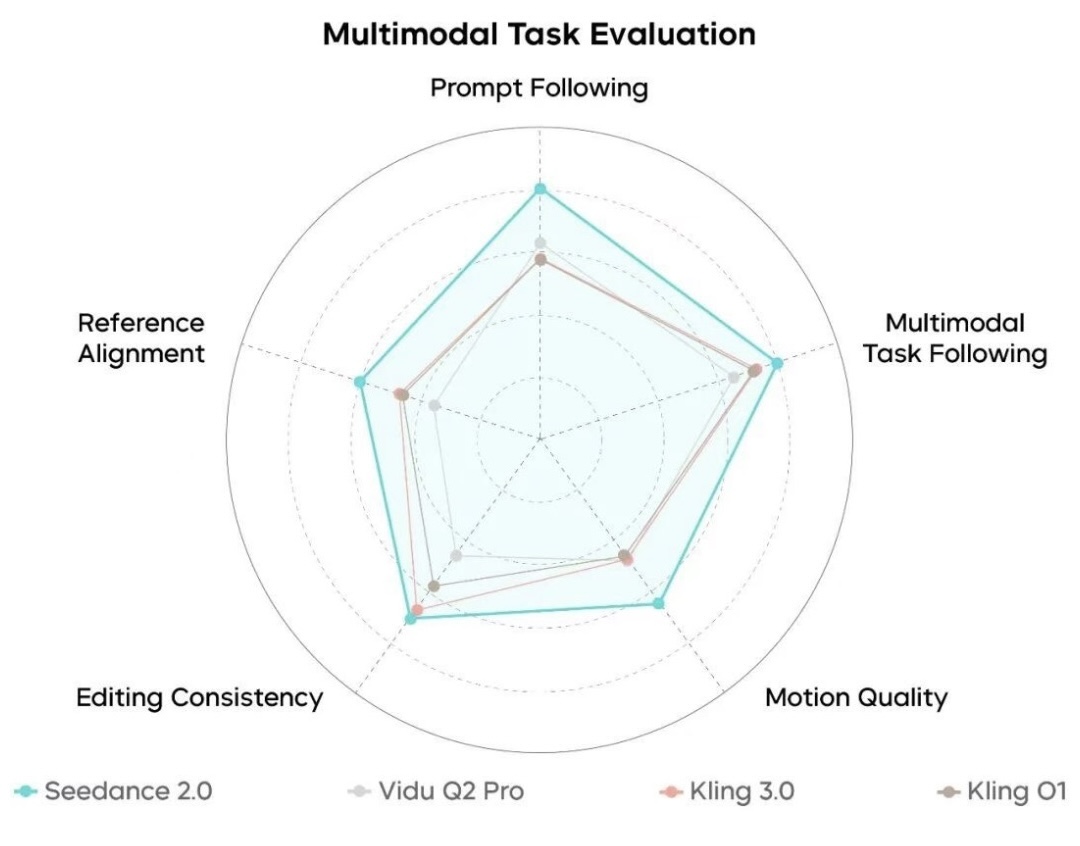
ByteDance's internal multimodal benchmark reports Seedance 2.0 ahead on prompt following, reference alignment, editing consistency, motion quality, and multimodal task following. This is useful vendor evidence, but it is not an independent benchmark. Source: ByteDance Seed's official launch article.
Which Versions Are We Comparing?
Version names are easy to mix up. This guide uses the names currently shown in Seedance's model routes and the names in each vendor's official documentation.
Seedance 2.0 Standard
Seedance 2.0 Standard is the quality-first route. It supports text-to-video, image-to-video, and mixed-media reference generation, with 480p, 720p, and 1080p output on Seedance. It is the best fit when reference fidelity, motion detail, or a client-facing final matters more than cost and queue time.
Seedance 2.0 Fast
Fast is the iteration-oriented route. It retains native audio and mixed-media workflows but currently tops out at 720p on Seedance. Use it to validate composition, timing, and prompt structure before paying the Standard rate for the final.
Seedance 2 Mini
Mini is the volume option. At 30 credits for five seconds at 720p, it is the cheapest Seedance-family route in this comparison. It is useful for hooks, storyboards, social variants, and batch creative testing. Its limitation is a lower resolution ceiling and a smaller quality margin on demanding scenes.
Kling 3.0 and Kling 3.0 Omni
Kling's official guide describes a model family: VIDEO 2.6 became VIDEO 3.0, while VIDEO O1 became VIDEO 3.0 Omni. VIDEO 3.0 focuses on native audio, multi-shot generation, element references, and longer output. Omni extends the reference-led workflow, including richer element creation and video-character references. “Omni” is not merely a higher-quality toggle; it is a broader multimodal control path.
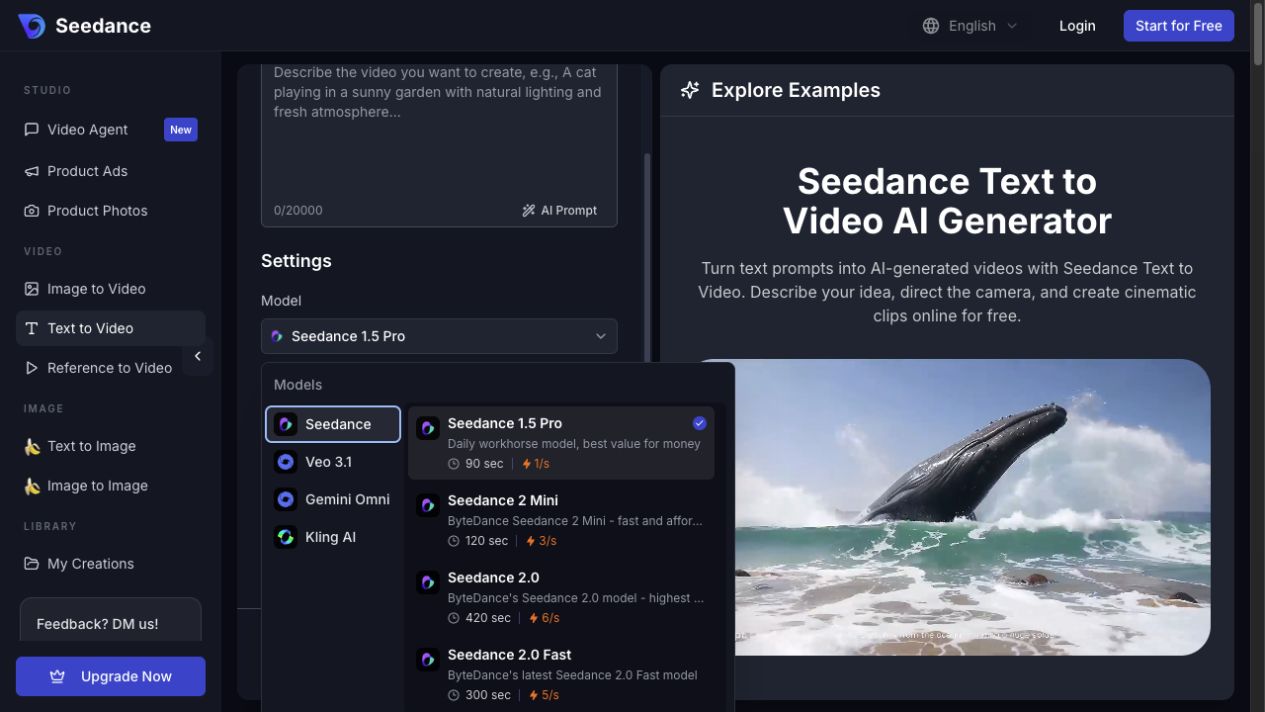
Seedance's Text to Video workspace keeps prompting, model selection, settings, and examples in one view. Open the model picker to move between Seedance 2 Mini, Seedance 2.0, Fast, Kling AI, and other available model families.
How We Compared Seedance 2.0 and Kling 3.0
We used three evidence layers:
- Official capability documentation. ByteDance's February 12 launch article and Kling's February 6 model guide establish the documented input types, duration, audio, and control features.
- Current Seedance product configuration. We checked available routes, durations, resolutions, estimated wait times, and credit calculation on July 27, 2026.
- Representative visual review. We reviewed official or product-page examples for composition, motion intent, continuity, text, and audio use. These examples illustrate capability; they are not a controlled same-prompt benchmark.
We did not spend generation credits to manufacture a new winner, and we did not reuse private customer generations as public evidence.
Seedance 2.0 vs Kling 3.0—Same-Prompt Results
A defensible same-prompt comparison needs more than two attractive clips. Both runs should use the same prompt, input image, duration, aspect ratio, resolution, audio setting, attempt count, and review rubric. The current official examples do not meet that standard, so this article does not label them “same prompt.”
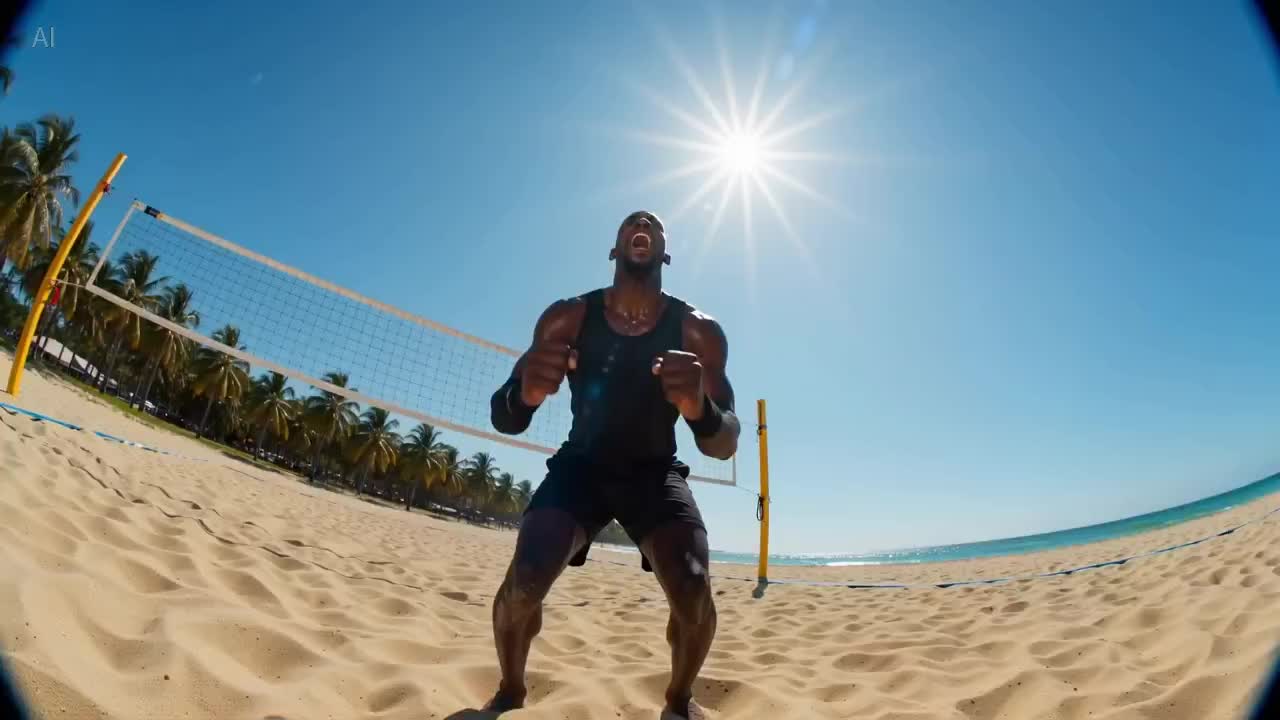
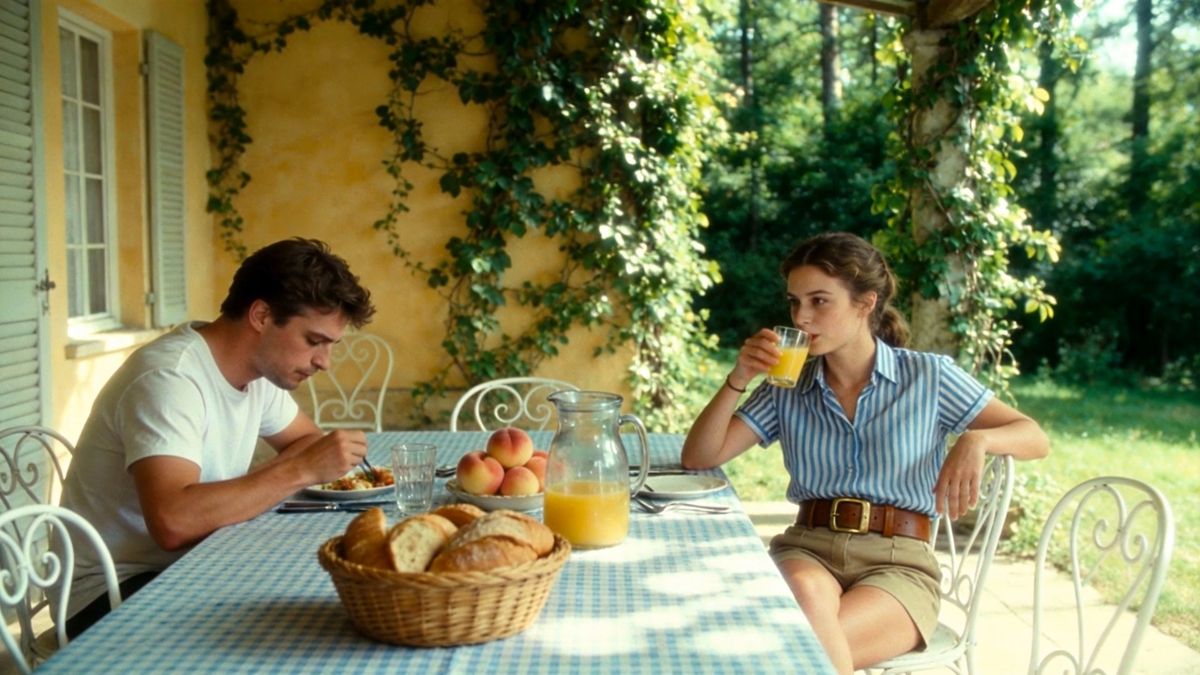
Representative frames from the Seedance 2.0 model page and Kling's official model guide. They show each model's visual language and framing, but use different prompts and must not be scored as a controlled A/B test.
Use this neutral test prompt in Text to Video:
Test prompt: A tired courier enters a small neon-lit noodle shop during heavy rain. Shot 1: wide exterior through the wet window, slow push-in. Shot 2: medium interior as the courier removes a red helmet and places it on the counter. Shot 3: close-up of steam rising from a bowl while the courier says, “One quiet minute.” Keep the courier's face, yellow jacket, red helmet, shop layout, rain direction, and warm-cool lighting contrast consistent. Natural rain, door bell, room tone, and synchronized dialogue. No subtitles or extra people.
Score each output from 1–5 for:
- prompt and shot-order adherence;
- face, wardrobe, prop, and environment consistency;
- hand and body anatomy;
- camera continuity and transition quality;
- dialogue clarity, lip sync, ambience, and sound timing;
- visible artifacts, text errors, and the number of retries.
What current evidence suggests: Seedance 2.0 has the stronger documented reference envelope and scores higher in ByteDance's internal multimodal benchmark. Kling 3.0 exposes a clearer custom multi-shot and multilingual speaker workflow in its official interface. That supports different hypotheses, not a universal winner.
Seedance 2.0 vs Kling 3.0 Omni
Compare Seedance 2.0 with Kling 3.0 Omni when your job begins with several assets rather than a blank prompt. Seedance can combine text, images, video clips, and audio clips in one documented workflow. Omni is designed around reusable Elements and richer multimodal references, including video character references.
Use Seedance 2.0 when the prompt must borrow composition from one asset, motion from another, sound from a third, and identity from several images. Test Kling 3.0 Omni when reusable characters or objects must survive shot changes and the official Omni controls are available in your route.
The practical limitation is access parity: an integration may expose the core Kling 3.0 video route without every control shown in Kling's own app. Check the model picker before designing a workflow around a feature.
Seedance 2.0 vs Kling 3.0 Pricing
Current Seedance Credits
| Route | 5s at 720p | 5s at 1080p | Audio |
|---|---|---|---|
| Seedance 2 Mini | 30 credits | Not available | Included / optional |
| Seedance 2.0 Fast | 55 credits | Not available | Included / optional |
| Seedance 2.0 Standard | 66 credits | 120 credits | Included / optional |
| Kling 3.0 | 30 credits | 38 credits | Off |
| Kling 3.0 | 50 credits | 63 credits | On |
Kling's direct official guide lists its own VIDEO 3.0 per-second rates. Those rates and Seedance's integrated credits are different pricing contexts, so do not mix them in one cost claim.
The useful metric is cost per approved clip:
cost per approved clip = credits per attempt × number of attempts
A 30-credit draft that needs four tries costs more than a 66-credit result approved on the first try. Track retries, usable seconds, generation time, and post-production—not only the first button price.
For current account plans, see Seedance pricing. For prompt efficiency, use the Seedance 2.0 prompt guide.
Seedance 2.0 Fast vs Kling 3.0
Choose Seedance 2.0 Fast when you want the Seedance prompt and reference workflow with faster iteration. Choose Kling 3.0 when 720p or 1080p output, multi-shot storytelling, and optional native audio matter more than importing several media references.
At five seconds and 720p, Fast currently costs 55 credits; Kling costs 30 without audio or 50 with audio. Kling is the better first-pass value. Fast becomes more attractive when its reference behavior reduces retries or when you plan to move the approved prompt into Seedance 2.0 Standard.
Seedance 2 Mini vs Kling 3.0
Mini and Kling share the same 30-credit starting point for five seconds at 720p, but they serve different workflows.
- Pick Mini for high-volume Seedance drafts, mixed-media experiments, or a pipeline that will later move to Standard.
- Pick Kling 3.0 for 1080p availability, custom multi-shot intent, or dialogue. Native audio raises Kling's five-second 720p cost to 50 credits.
Mini's current strengths are throughput and price. Kling's are resolution, narrative control, and speech features.
Which Model Should You Choose?
| Your project | Recommended route | Why | Watch out for |
|---|---|---|---|
| Reference-heavy product ad | Seedance 2.0 Standard | Broad image/video/audio reference mix | Packaging text and small details still need frame review |
| Multilingual dialogue scene | Kling 3.0 | Character-level voice targeting and five documented languages | Lip sync and speaker assignment can still vary |
| High-volume social hooks | Seedance 2 Mini | Lowest Seedance-family cost | 720p ceiling and lower detail margin |
| Rapid story or shot exploration | Seedance 2.0 Fast | Faster Seedance iteration before a final render | No 1080p on the current route |
| Short cinematic multi-shot clip | Kling 3.0 | Automatic/custom multi-shot workflow | Current integrated route may stop at 10 seconds |
| Final hero video with complex controls | Test Standard and Kling | Approval rate matters more than first-run price | Budget at least one controlled A/B round |
For recurring characters, read the character consistency guide. For more precise camera language, use these camera movement prompts.
How to Compare Both Models in Seedance
- Open Text to Video for a text-only test or Image to Video for one shared source image.
- Set one prompt, duration, aspect ratio, resolution, and audio choice.
- Generate once with Seedance 2.0 and once with Kling 3.0. Do not rewrite the prompt between runs.
- Save the model, settings, credits, generation time, and attempt number.
- Review both at normal speed, muted, and frame by frame. Then listen again with audio.
- Approve against the rubric before changing any variable.
Use Reference to Video for a second test only after the text/image baseline. Different reference limits make a mixed-media test useful for workflow fit but less clean as a quality benchmark.
Conclusion
Seedance 2.0 is the stronger choice for complex multimodal reference work and quality-first production. Kling 3.0 is the sharper value for short 720p/1080p clips, multi-shot storytelling, and multilingual dialogue. Fast and Mini fill the gap: Fast for iteration, Mini for volume.
The best default is not “always Seedance” or “always Kling.” Start with the cheapest route that exposes the controls your brief actually needs, then compare cost per approved clip.
Start generating for free - no credit card required
Create videos with free signup credits, then scale with affordable plans whenever you need more generations.
Free credits on signup. Plans from $28/month.
Related Articles
More posts in the same locale you may want to read next.

Seedance App Preview Video Generator 2026: Create App Store and Product Launch Clips
Use Seedance to turn app screenshots, feature copy, and launch goals into App Store previews, Google Play promo videos, and product launch clips.
Read article
Gemini AI Video Prompt Examples: Copy-Ready Veo Scenes and a Better Prompt Formula
Copy Gemini AI video prompt examples for cinematic motion, product ads, dialogue, and vertical clips, then adapt them with a practical Veo prompt formula.
Read article
How to Keep Product Shape Consistent in AI Video Ads
Lock product geometry, packaging, labels, references, camera angles, and approval checks so AI video ads preserve the real SKU across every shot.
Read article