
Gemini Omni vs Seedance 2.5: Which Works Better for Your Videos?
AI Overview
Is Gemini Omni better than Seedance 2.5?
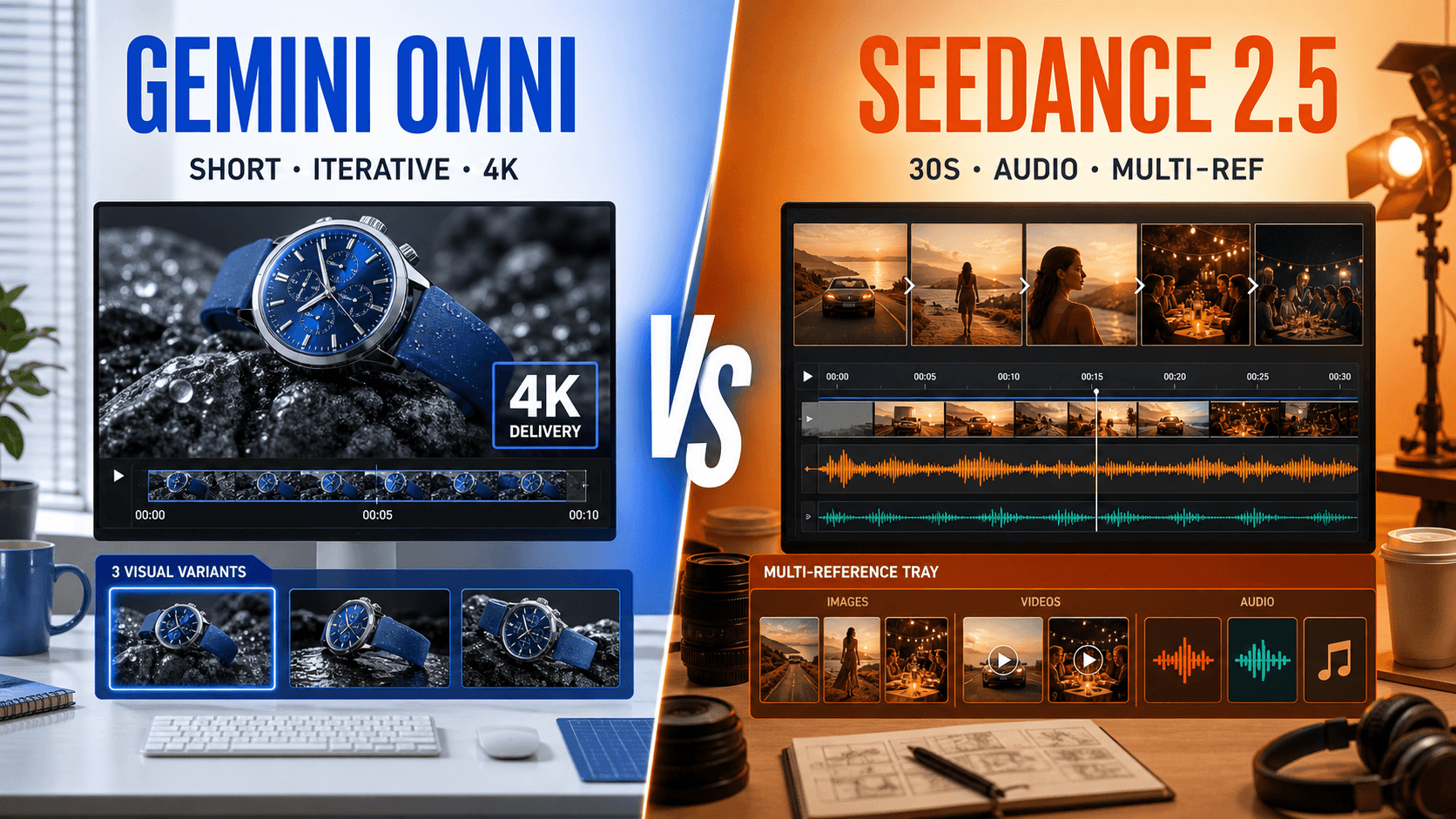
Gemini Omni is better for short generation and conversational video edits. Seedance 2.5 is stronger for 30-second storytelling, native audio, targeted edits, and extension.
Which model creates longer AI videos?
Gemini Omni Flash 1.1 generates 4–10 seconds. Seedance 2.5 can create up to 30 seconds in one pass and officially supports extending an approved clip.
Can Gemini Omni extend an existing video?
Not yet. Google lists Extend as coming soon for Omni Flash and currently limits Flow extension to Veo outputs. Omni can edit a selected source segment instead.
Which model offers better value?
Gemini Omni usually costs less for short tests. Seedance 2.5 can cost less per approved deliverable when one longer audiovisual scene replaces several clips and repairs.
Gemini Omni vs Seedance 2.5 at a Glance
There is no universal winner. Gemini Omni is a short-form generation and editing engine; Seedance 2.5 is a longer-form audiovisual production engine. Gemini favors rapid 4–10 second drafts and prompt-led changes to an existing clip. Seedance favors one-pass stories, native sound, timestamp edits, extension, and larger reference packs.
| Decision factor | Gemini Omni | Seedance 2.5 |
|---|---|---|
| Best for | Short ads, concept variants, conversational edits | Longer stories, native audio, continuity, mixed references |
| Official generation length | 4, 6, 8, or 10 seconds | Up to 30 seconds in one pass |
| Current Seedance route | 4, 6, 8, or 10 seconds | Any integer duration from 4 to 30 seconds |
| Resolution context | Flow: 360p draft or 720p standard; Seedance.tv route: 720p, 1080p, or 4K | Seedance.tv route: 480p or 720p |
| Audio on Seedance.tv | No generated audio on the current route | Optional native synchronized audio |
| Reference workflow | First/last frames or up to seven reference slots | First/last frames or up to 50 mixed references |
| Video editing | Up to a 10-second selected segment, with up to three conversational turns in Flow | Timestamp and reference-based edits on 4–30 second source clips on the current media route |
| Video extension | Not currently supported by Omni Flash in Flow | Supported; the official product page describes up to two extensions |
Quick verdict
Choose Gemini Omni for a 4–10 second social clip, product shot, or an existing clip that needs a prompt-led visual change. Choose Seedance 2.5 for dialogue, ambience, timed beats, or an approved scene that must continue beyond its first generation. When both can complete the job, compare approved seconds—not one attractive frame.
Which Versions Are We Comparing?
Search results shorten the name to “Gemini Omni,” while Google's current Flow capability table names Gemini Omni Flash 1.1. It supports text-to-video, first and last frames, ingredients, and video-to-video editing. It does not currently support Extend; 1080p and 4K in Flow are separate upscaling operations rather than native generation modes.
Seedance 2.5 generates picture and sound together across 4–30 seconds. Its media mode can combine character photos, locations, movement clips, voice, and music—useful when a campaign must preserve a product or cast across several beats.
Keep official capability and the current Seedance.tv route separate
Google Flow exposes standard 720p and draft 360p Omni generation, plus an editor that can select up to ten seconds from uploaded or generated footage and preserve context for up to three revision turns. The Gemini Omni Flash model page on Seedance.tv exposes 4/6/8/10 seconds, two aspect ratios, 720p/1080p/4K settings, first/last frames, and reference modes, but not Google's conversational editor.
Seedance 2.5 generates picture and optional sound together across 4–30 seconds. Its media route supports editing and extension, while official materials describe up to 30 images, 10 video clips, and 10 audio clips. Feature availability can differ by route, so check the live controls before submitting.
Gemini Omni vs Seedance 2.5 Same-Prompt Tests
A fair Gemini Omni vs Seedance 2.5 same-prompt test uses a duration and frame both routes share. Ten seconds, 16:9, and 720p form a practical baseline. Keep the prompt, source image, attempt budget, and enhancement setting fixed. Save rejected outputs; otherwise the comparison measures luck rather than reliability.
Test 1: cinematic text-to-video
Use a scene with one adult, one prop, one camera move, and a visible interaction:
Create a 10-second, 16:9 cinematic product scene in a bright apartment studio.
An adult designer lifts an amber skincare bottle from a pale oak table, turns the
label toward camera, and places it beside a folded white towel. Begin with a wide
locked shot, then make one slow push-in. Preserve the bottle shape, label position,
hands, daylight direction, and table layout. No added text, extra products, cuts,
camera shake, warped fingers, or object duplication.

Prompt-matched editorial reference frame. Use this composition as the shared visual brief; it is not presented as an output from either model.
Run it from the Gemini Omni Flash model page. Score prompt coverage, hand contact, bottle geometry, camera path, temporal flicker, and whether the final frame is usable. Gemini's shorter generation loop makes rerolls inexpensive; Seedance has room to hold the action and, if enabled, build room tone and object sound into the same pass.
Test 2: fast motion and physics
Replace the product action with a cyclist braking beside a puddle. Review wheel shape, water, clothing, reflections, and horizon stability frame by frame.
Test 3: multi-beat audiovisual story
Ask for three timed beats: establish the room, demonstrate the product, then close on the hero frame. Keep the shared test at ten seconds; test Seedance's longer duration separately.
Real Seedance 2.5 capability sample, not a same-prompt A/B result.
For another production-focused model comparison and scoring pattern, see Wan 3.0 vs Seedance 2.5.
Image-to-Video, References and Editing Control
Image-to-video asks which model protects the approved source while adding motion. Labels, hair edges, fingers, reflections, and straight lines expose drift.
Same-image test
Upload the same source and request one slow orbit, no cut, no new object, and a stable final frame. Compare identity, labels, lighting, geometry, and usable frames in Image to Video.
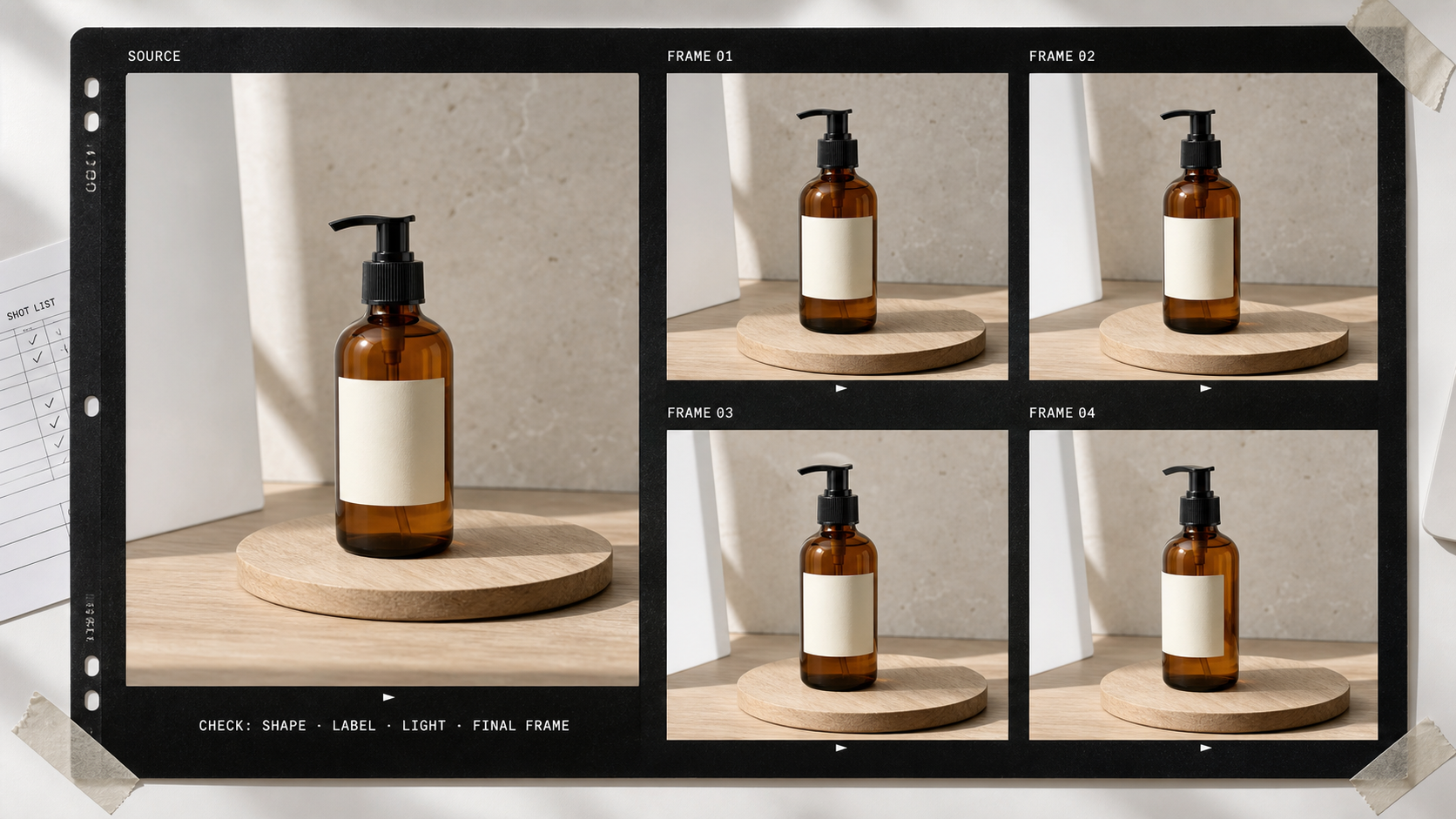
Editorial test design: inspect shape, label, light direction, and the final stable frame across the whole motion—not only the most attractive still.
First/last frames versus multi-reference direction
Use two frames when the landing pose is known. Use Seedance's media mode for campaign assets, and give every input one job: Image 1 locks the person; Image 2 locks the bottle; Video 1 supplies hand movement; Audio 1 supplies voice. The Seedance 2.5 reference guide shows how to avoid competing references.
Edit, extend, or regenerate?
Gemini Omni Flash editing selects up to ten seconds from an uploaded or generated clip and keeps context for up to three turns. It suits relighting, object changes, restyling, or refining one short action. A longer upload does not increase the editable segment.
Gemini Omni Flash cannot currently extend that clip in Flow. Seedance 2.5 can edit a time range or continue a clip through its media route. Name the exact seconds for edits; restate the subject, setting, camera, audio, and next action for extension.
| Task | Better starting point | Important limit |
|---|---|---|
| Restyle or alter one short source segment | Gemini Omni | Edit selection is up to 10 seconds; up to three conversational turns in Flow |
| Continue an approved scene | Seedance 2.5 | Extension uses the media route and must stay within the route's total-duration rules |
| Replace a precise action or line | Seedance 2.5 | Give a timestamp range and freeze all other elements |
| Create a new 4–10 second shot | Test both | Match duration, ratio, source, and attempt budget |
Duration, Resolution, Speed and Pricing
Gemini Omni's 4–10 second window suits one hook or product action. Seedance 2.5 can carry setup, action, reaction, and a final hold through 30 seconds. Longer prompts still fail when too many subjects, props, cameras, and sound cues compete.
720p, 1080p and 4K
Google Flow documents 360p draft and 720p standard Omni generation, with 1080p and 4K as separate upscaling. Seedance.tv offers 720p, 1080p, and 4K Gemini settings; Seedance 2.5 offers 480p and 720p. Upscaling cannot repair unstable identity, motion, or geometry.
Current Seedance.tv credit comparison
At the review date, Seedance.tv charges Gemini Omni Flash at 3 credits per output second for 720p/1080p and 6 for 4K: 30 or 60 credits for ten seconds. Google Flow uses a separate per-generation table.
Seedance 2.5 starts at 8.5 credits per second for 480p and 19.5 for 720p without reference video: 85 or 195 credits for ten seconds. Video references use an input-plus-output calculation.
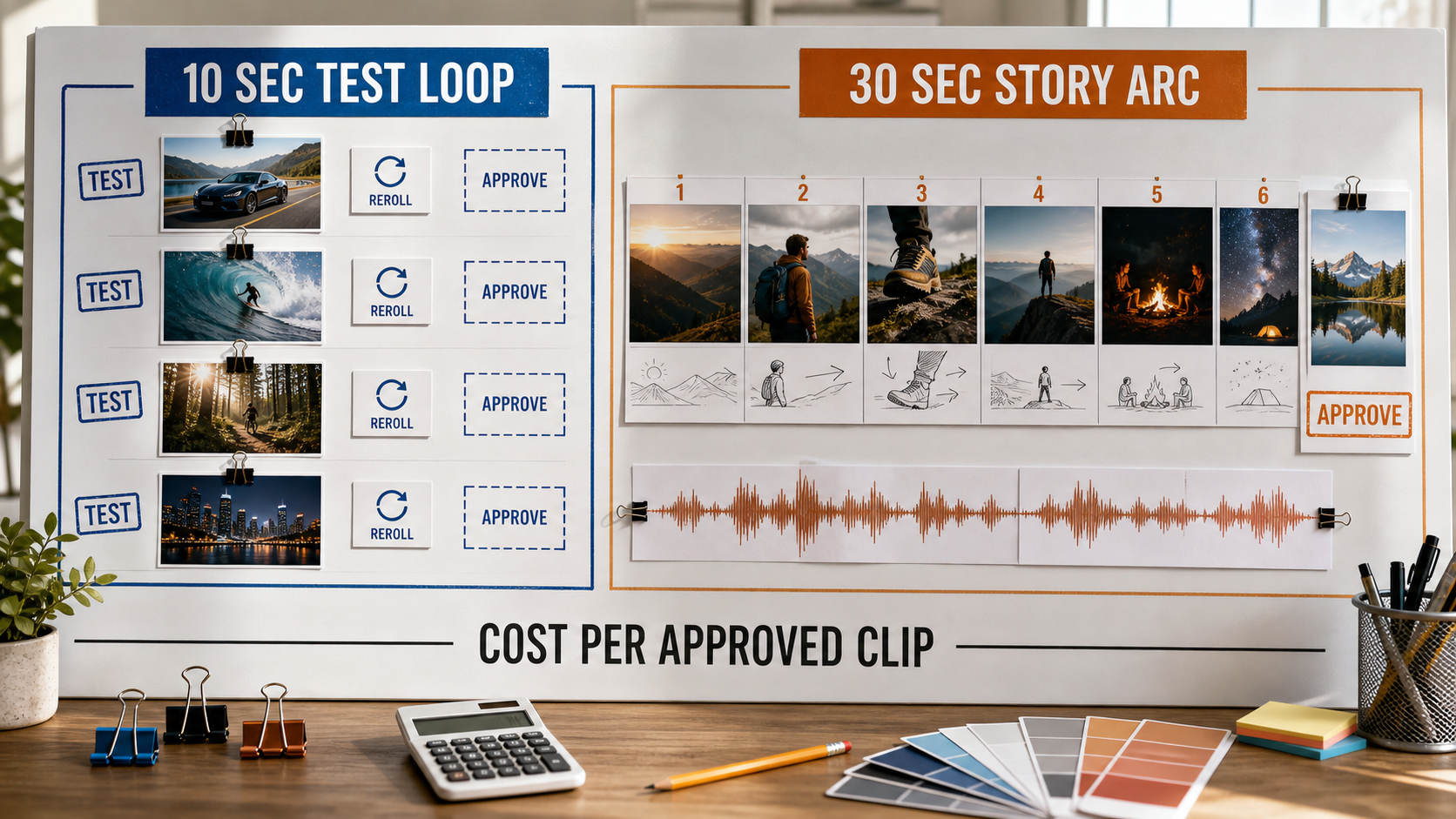
Production-planning visual: short iterations create more approval decisions; a longer pass can remove joins and separate sound work when the story holds together.
The list price is not the useful final metric:
Cost per approved clip = total credits spent ÷ approved outputs
Gemini can win short exploration; Seedance can win a 30-second deliverable by removing joins, separate sound design, and continuity repair. Include queue time and failed attempts; the Seedance 2.5 render-time guide provides a planning baseline.
Which Model Should You Choose?
Choose Gemini Omni or Seedance 2.5 by the deliverable
Choose Gemini Omni for a 4–10 second hook, fast exploration, a short source segment that needs conversational editing, or the current route's 1080p/4K settings. Choose Seedance 2.5 for a continuous 15–30 second story, native audio, many mixed references, timestamp editing, or extension.
| Use case | Better starting point | Reason |
|---|---|---|
| Four short ad variants | Gemini Omni | Lower credit cost and faster iteration loop |
| 30-second narrative ad | Seedance 2.5 | One-pass continuity and native audio |
| High-resolution product insert | Gemini Omni | 1080p and 4K delivery tiers |
| Character campaign with many assets | Seedance 2.5 | Larger mixed-media reference package |
| Restyle a 10-second source segment | Gemini Omni | Conversational video-to-video editing |
| Extend an approved story beat | Seedance 2.5 | Gemini Omni Extend is not yet available |
| Silent same-image animation | Test both | Source preservation and rerolls decide |
| Dialogue-led scene | Seedance 2.5 | Audio and longer performance window |
Many projects should route shots instead of forcing one winner: short inserts to Gemini Omni, longer dialogue or continuity shots to Seedance 2.5, then one final color and sound pass.
Conclusion
Gemini Omni is the stronger starting point for short generation and prompt-led edits to a ten-second source segment, while Seedance 2.5 is the better fit for 30-second storytelling, native audio, timestamp changes, extension, and large mixed-media reference sets. Test both at ten seconds and 720p with the same inputs, keep every attempt, and choose by approved seconds and repair time rather than a feature checklist. Compare Gemini Omni and Seedance 2.5 on Seedance →
Start generating for free - no credit card required
Create videos with free signup credits, then scale with affordable plans whenever you need more generations.
Free credits on signup. Plans from $28/month.
Related Articles
More posts in the same locale you may want to read next.

Seedance App Preview Video Generator 2026: Create App Store and Product Launch Clips
Use Seedance to turn app screenshots, feature copy, and launch goals into App Store previews, Google Play promo videos, and product launch clips.
Read article
Kling 4.0 vs Seedance 2.5: Full Comparison
Kling 4.0 vs Seedance 2.5 compared by spec: 30-second clips, keyframes vs 50 references, audio, 4K and 10-bit color, editing, and which model fits which job.
Read article
Kling 4.0 Keyframes & Omni Reference Guide
Learn how Kling 4.0 uses up to 10 keyframes and 15 Omni Reference assets in one 30-second video, with 3 worked plans, common mistakes, and Seedance 2.5 tips.
Read article