
FLUX 3 Video Review: Multimodal Power, 20-Second Clips, and Honest Limitations
AI Overview
What is FLUX 3 Video and who made it?
FLUX 3 Video is Black Forest Labs’ unified multimodal model for video, audio, images, and actions. Announced in July 2026, its video release generates text-to-video and image-to-video clips up to 20 seconds with native audio.
How good is FLUX 3 Video quality compared to other models?
FLUX 3 is especially strong at animated typography, broad visual styles, dialogue, and natural-looking simple scenes. MiniMax H3 remains the safer choice for hosted 2K delivery, difficult physics, and long-range object consistency.
How much does FLUX 3 Video cost?
Partner API pricing is about $0.17 per second, or roughly $1.70 for 10 seconds. Black Forest Labs does not list a simple public per-second rate, so verify the active provider price before a batch.
Can I run FLUX 3 Video in ComfyUI locally?
Not yet with official consumer-downloadable weights. Hosted API workflows may appear in ComfyUI or Comfy Cloud, but local self-hosting depends on the planned FLUX 3 Dev open-weight release, which has no confirmed date.
What FLUX 3 Video Actually Is — One Model for Everything
FLUX 3 is not a video-only checkpoint with separate speech and sound tools attached afterward. It is a multimodal foundation model trained across images, video, audio, and actions in one architecture. The Self-Flow approach aligns those modalities so a generated impact can influence sound, a spoken line can shape mouth movement, and an image reference can guide later video frames.
That design is the product’s central advantage. A creator can move between text, an opening image, keyframes, existing footage, dialogue, and ambience without treating each asset as an unrelated job. The tradeoff is equally important: a broad foundation does not automatically beat a specialized video model on every motion, resolution, or consistency test.
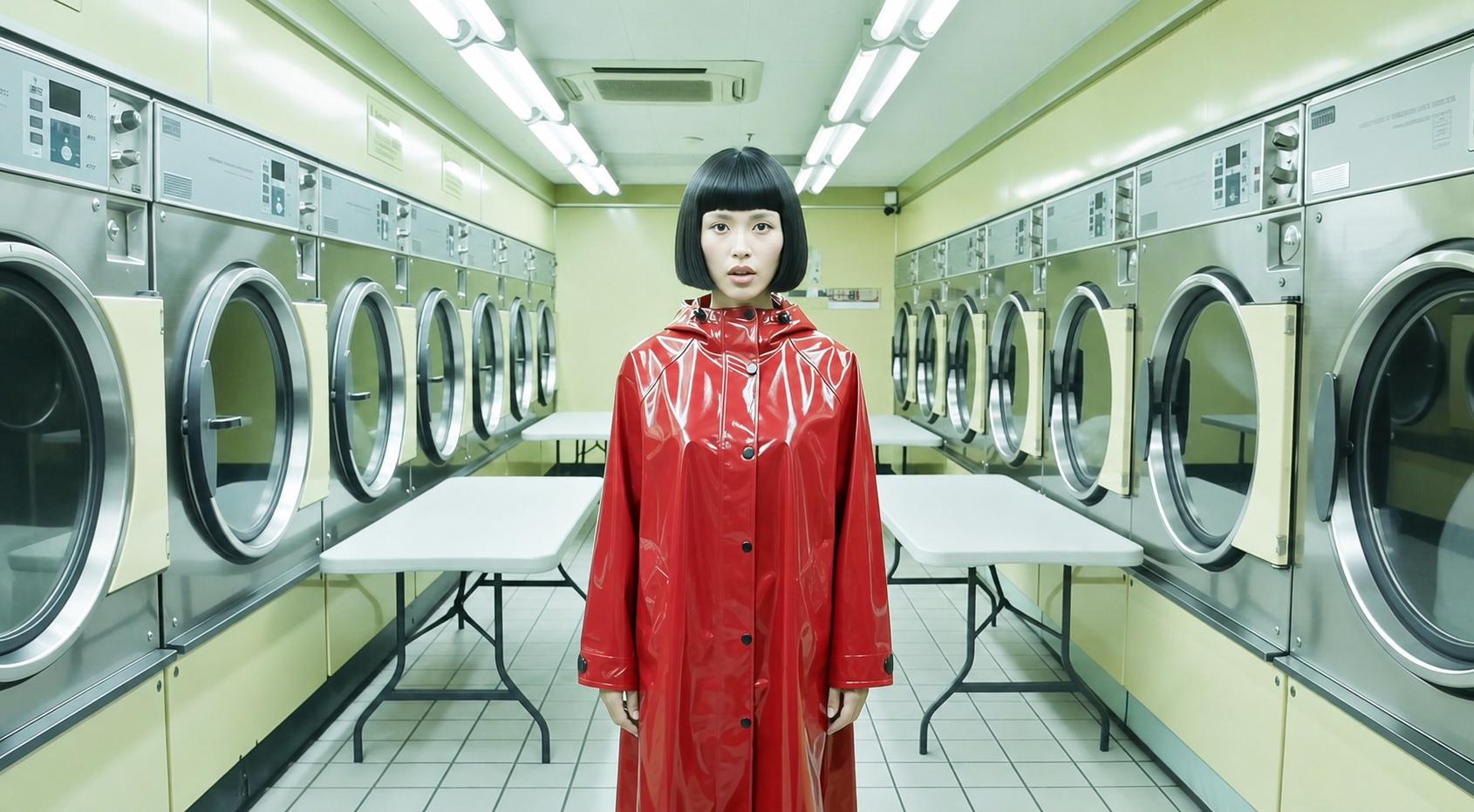
The official generated frame above is a stronger example of FLUX 3’s visual range: a lone figure in a glossy red coat stands inside a fluorescent green laundromat. The centered subject, repeated circular machines, and hard complementary color contrast create an immediate graphic hook while keeping the scene readable.
What FLUX 3 Video Can Do — Features and Specs
The current generation release includes a wider control set than basic text-to-video:
- Up to 20 seconds: one generation can hold a complete dialogue beat or short ad scene instead of stopping after five or ten seconds.
- Native audio: dialogue, effects, and ambience are generated with the frames rather than added as a separate voiceover pass.
- Text, image, and keyframe inputs: begin from a prompt, animate a starting image, define an ending image, or connect multiple keyframes.
- Video continuation: provide up to four seconds of existing video and audio, then continue motion, camera behavior, dialogue, and sound across the seam.
- Multiple shots: switch scenes or camera angles inside one generation while keeping the sequence related.
- Typography: render titles, signs, screen graphics, and animated lettering as part of the scene.
- Style range: move from candid camcorder footage to animation, advertising, nostalgia, or polished cinema.
- Resolution: generation is offered in HD, with Full HD output available through upscaling; 1080p should not be confused with native 2K rendering.
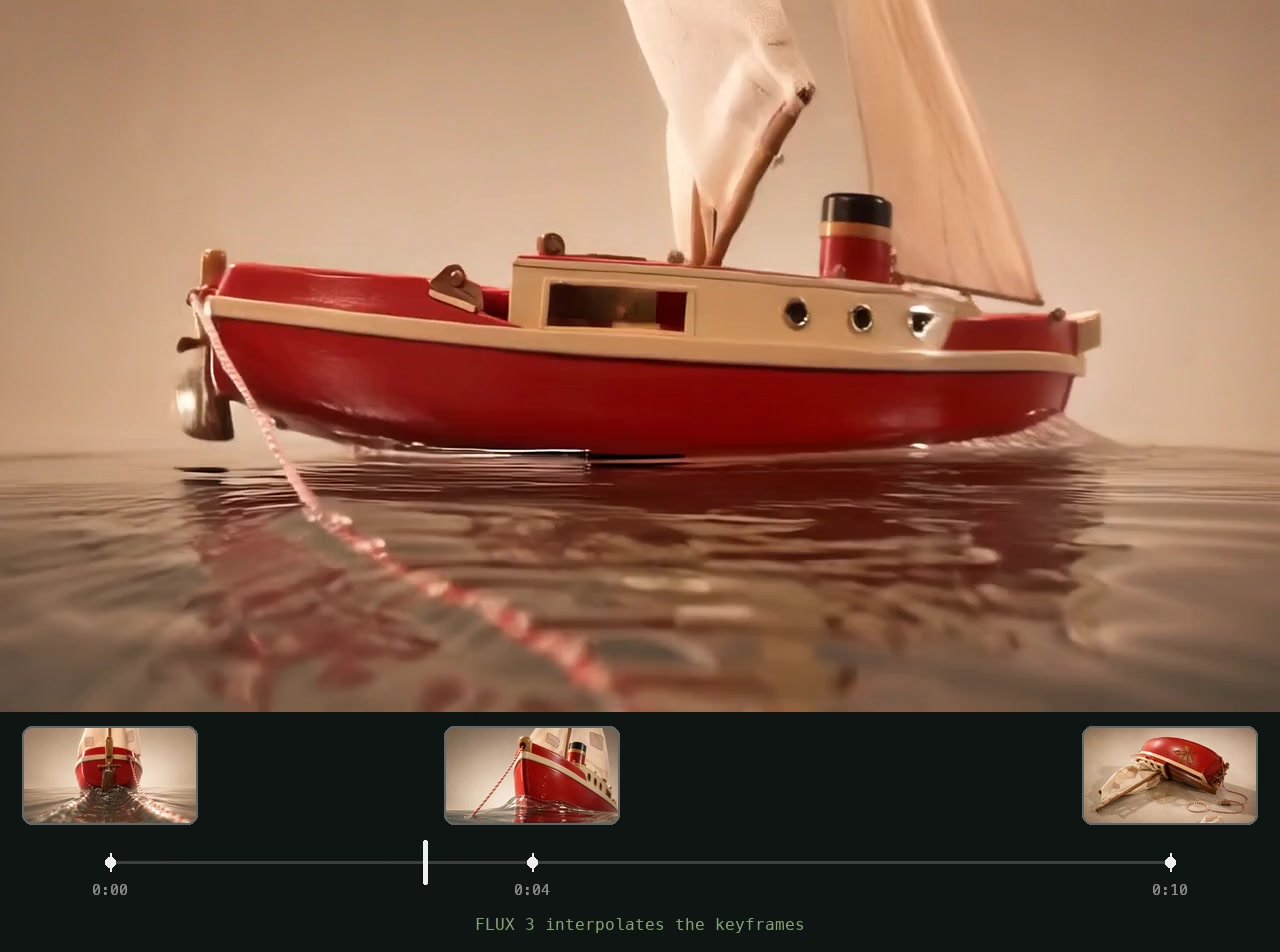
An official FLUX 3 output showing three supplied keyframes connected into a ten-second sequence. The timeline makes the control method easier to understand than an isolated final frame.
The typography example is a real generated clip, not a designed mockup. To test a comparable concept before choosing a production model, start with the Seedance text-to-video workflow and use the same brief, duration, and aspect ratio.
Real-World Quality — Where FLUX 3 Leads and Where It Falls Short
FLUX 3’s clearest lead is graphic content inside motion. Terminal text, title cards, signage, and designed lettering remain more intentional than the garbled marks many video models produce. It also moves comfortably between candid, retro, animated, and commercial styles. Dialogue scenes benefit from the shared audio-video model: speech, expressions, and room sound are planned together.
This full 20-second sample demonstrates the real duration advantage. Listen after unmuting, but also watch eye lines, facial changes, microphone geometry, and shot stability over the entire clip—longer output only matters when the last seconds remain usable.
The limitations are visible in tougher production tests. The native generation path is HD with Full HD upscaling, while H3’s hosted workflow can reach a 2K regeneration path. Fast interactions, collisions, hands contacting props, and persistent objects can still drift. Duration is capped at 20 seconds, but an action may finish early or stretch unnaturally if the prompt lacks timing. Community criticism that H3 can look sharper is reasonable when the comparison uses dense motion and delivery resolution, not a typography showcase.
Prompt structure still changes the result. Use chronological direction—subject, action, camera, dialogue, and sound—rather than stacking adjectives. The MiniMax H3 prompting guide offers a transferable shot-by-shot syntax for fair testing.
Pricing — What $0.17/Second Actually Means
The frequently quoted $0.17-per-second figure comes from partner API listings, not a simple public BFL price card. Treat it as a planning estimate and check the live endpoint before committing spend.
| Production volume | Estimated generation cost |
|---|---|
| One 10-second clip | About $1.70 |
| Ten 10-second clips | About $17 |
| One hundred 10-second clips | About $170 |
| One 20-second clip | About $3.40 |
Those totals exclude failed takes, retries, upscaling, storage, editing, and platform markup. A campaign that needs four candidates for every approved clip should budget from the candidate count, not the final deliverables. Published partner pricing for MiniMax H3 can be closer to $0.08 per second, making FLUX 3 roughly twice as expensive at the API stage. Comfy Cloud follows compute or credit billing, which is a different cost path rather than free local inference.
The practical verdict: current API pricing is reasonable for prototypes, typography-led ads, and high-value creative tests. It is difficult to justify for unattended high-volume production until approval rates improve or open weights shift the variable cost toward owned infrastructure.
ComfyUI and Local Setup — Current Status
There is no official FLUX 3 Dev checkpoint for consumer local inference yet. Black Forest Labs has announced an open-weight multimodal variant, but it has not committed to a public date or hardware target. That means downloading similarly named community files does not create an official local FLUX 3 Video workflow.
The available route is hosted: use an API workflow inside ComfyUI when the corresponding partner node or cloud catalog is available, supply the provider key, and let remote infrastructure return the clip. You still gain a repeatable node graph for prompts, references, post-processing, and export, but the model itself does not run on the workstation.
If local control is the priority today, LTX 2.5 is the more practical open-weights option. H3 also has downloadable weights, although its video-and-audio pipeline benefits from substantial VRAM, system memory, and fast storage.
FLUX 3 Video vs MiniMax H3 — Which One for Your Workflow
The decision is less about a universal winner than the bottleneck in the job. Before comparing outputs, establish a stable H3 control with the best MiniMax H3 settings; otherwise a weak baseline can make any challenger look better than it is.
| Dimension | FLUX 3 Video | MiniMax H3 |
|---|---|---|
| Longest clip | Up to 20 seconds | Typically 10 seconds in the compared hosted path |
| Highest delivery path | HD generation, Full HD upscaling | Hosted 2K regeneration |
| Native audio | Yes | Yes, 32kHz stereo |
| Typography / text animation | Leading strength | Basic |
| Complex physical motion | Mixed | Stronger |
| Local open weights | Planned FLUX 3 Dev | Available now |
| Approximate partner API price | About $0.17/second | About $0.08/second |
| Best fit | Brand ads, text motion, multimodal and long-form tests | Precise motion, quality-first delivery, cost-sensitive work |
Choose FLUX 3 when readable motion graphics, a 20-second scene, varied aesthetics, or dialogue-in-one-pass carries the concept. Choose H3 when physical detail, hosted 2K finishing, local weights, or generation cost matters more. For a broader quality and workflow comparison, see Seedance 2.5 vs MiniMax H3.
Conclusion
FLUX 3 Video is a genuine multimodal foundation, not simply another specialist video model. Its typography, style range, native audio, keyframes, continuation, and 20-second clips create real advantages; its HD-to-1080p delivery path, partner pricing, difficult physics, and unreleased local weights remain real constraints. FLUX 3 Dev may change that balance when it arrives. For strong hosted quality and a simpler production path today, create your next video on Seedance →.
Ready to try it yourself?
Put the steps from this guide into practice with Seedance and turn prompts or images into polished videos in minutes.
Free credits on signup. Plans from $28/month.
Related Articles
More posts in the same locale you may want to read next.

Seedance App Preview Video Generator 2026: Create App Store and Product Launch Clips
Use Seedance to turn app screenshots, feature copy, and launch goals into App Store previews, Google Play promo videos, and product launch clips.
Read article
Gemini AI Video Prompt Examples: Copy-Ready Veo Scenes and a Better Prompt Formula
Copy Gemini AI video prompt examples for cinematic motion, product ads, dialogue, and vertical clips, then adapt them with a practical Veo prompt formula.
Read article
How to Keep Product Shape Consistent in AI Video Ads
Lock product geometry, packaging, labels, references, camera angles, and approval checks so AI video ads preserve the real SKU across every shot.
Read article