
MiniMax H3 Prompting Guide: Best Prompts & Examples for 2026
AI Overview
Write MiniMax H3 prompts as a production timeline: define the subject, timed action, camera move, visual style, and sound. For complex clips, use shot-by-shot timing, observable verbs, and explicit continuity constraints.
MiniMax H3 Prompting Basics: What You Need to Know
MiniMax H3 can generate 4–15 second clips at 24 fps with native 32 kHz stereo audio. Its current public system supports text-to-video, first-frame, last-frame, first-and-last-frame, and omni-reference workflows; the reference model accepts multiple images, videos, and audio files. For prompt writers, the practical change is simple: describe what unfolds through time, not only what a frame looks like.
The 4-Part Prompt Formula
Use this compact formula for everyday work:
Subject and scene + timed action + camera and shot design + style, lighting, and sound
Example:
Live-action cinematic product film. A coral glass perfume bottle stands on black stone as a silk ribbon moves in a light breeze. The camera pushes in slowly with small amplitude toward the label while a narrow warm spotlight travels across the glass. Quiet studio room tone, soft fabric movement, and three sparse piano notes; no dialogue.
Generated from the prompt above with Seedance 2.0: 5 seconds, 16:9, 720p, with native audio.
For multi-shot work, make the structure explicit: [Shot 1] ... [Shot 2] At 00:04.000, the camera cuts to .... Keep visible actions inside the shot timeline, then add one short soundscape paragraph and one music paragraph.
If you want a simpler browser workflow, draft the same idea in Seedance Text to Video and keep the model, duration, ratio, and resolution fixed while testing prompt revisions.
What H3 Responds Best To
- Concrete nouns and observable verbs: “cyclist turns her head,” not “dynamic energy.”
- One primary camera move per shot, aimed at a visible subject or reveal.
- Exact cut times when the viewpoint changes.
- Consistent identity, wardrobe, props, position, and lighting anchors.
- Dialogue inside quotation marks with the language named and wording unchanged.
- Separate instructions for physical sound and non-diegetic music.
H3 accepts long prompts, but length is not the goal. Add detail only when it controls something visible or audible.
Camera Movement Prompts for MiniMax H3
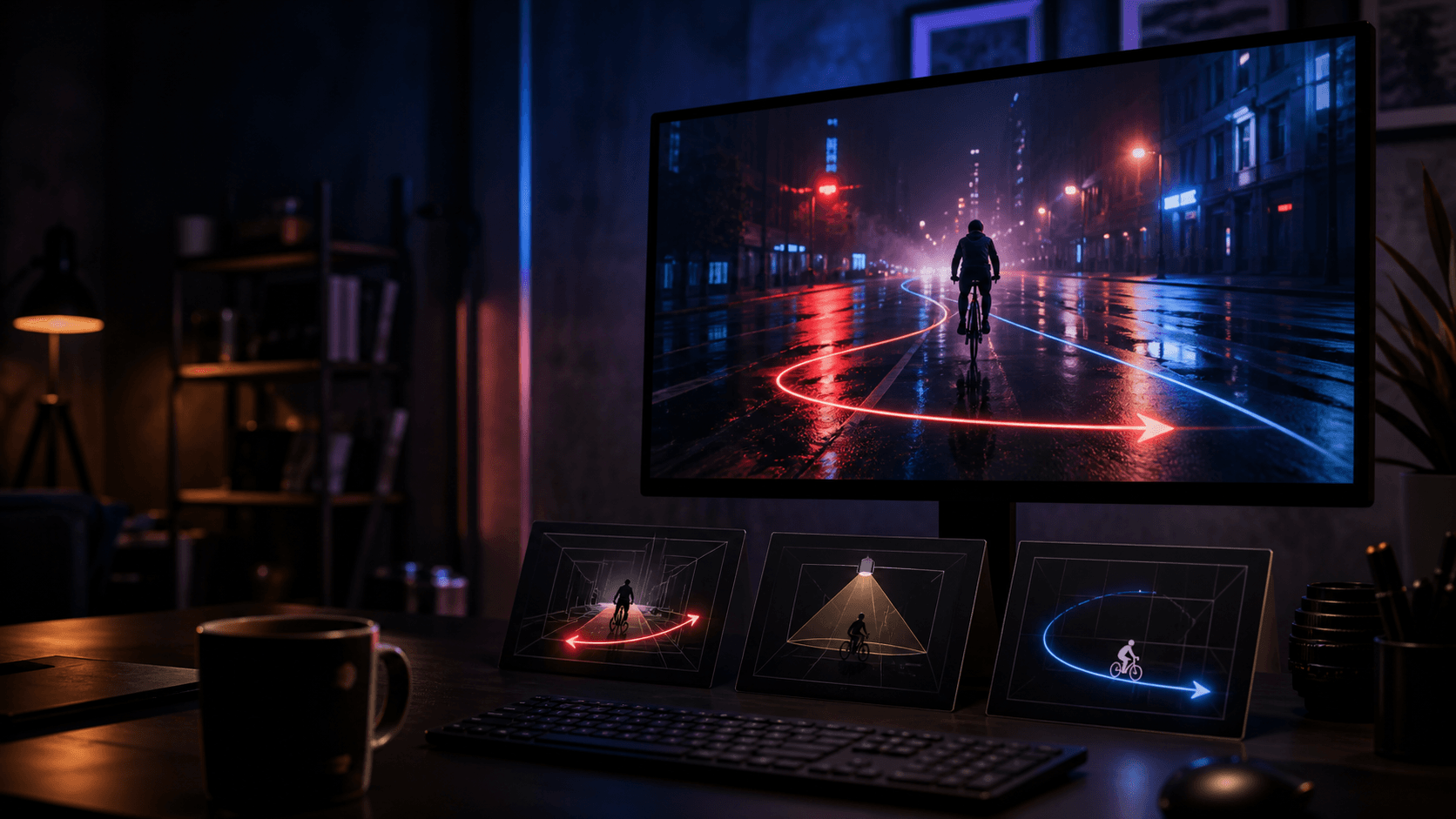
H3 camera language works best as motion type + amplitude + speed + target.
| Goal | Useful wording | Prompt example |
|---|---|---|
| Reveal detail | push in / pull out / zoom | “The camera pushes in with small amplitude at slow speed toward the watch face as the second hand begins moving.” |
| Reframe space | pan / truck / tilt / pedestal | “The camera trucks right with large amplitude, revealing the open kitchen beyond the doorway.” |
| Follow action | tracking shot / POV | “A low tracking shot follows the skateboarder at matching speed while the background parallax stays smooth.” |
| Add cinematic orbit | arc shot / roll | “The camera arcs clockwise halfway around the statue at slow speed while the pedestal remains centered.” |
| Protect composition | static shot / slight shake | “The camera holds a static medium shot as steam rises and the chef plates one final garnish.” |
Avoid combining moves that fight each other. “Fast handheld crash zoom, slow static shot, smooth orbit” does not communicate a usable path. If a camera idea matters, test it alone before adding a second movement. The camera movement prompt guide has more copy-ready motion patterns.
Style & Mood Prompts That Work in H3
Style works when it changes production choices. Pair a visual register with real lighting, texture, lens behavior, and color—not a pile of references.
- Cinematic realism: “Live-action, 35mm lens, shallow depth of field, restrained film grain, soft halation, cool shadows.”
- Film noir: “High-contrast black and white, hard venetian-blind shadows, wet pavement, deep blacks, practical streetlamp.”
- Hand-drawn animation: “2D animated ink outlines, watercolor backgrounds, limited palette, gentle frame-to-frame texture.”
- Hyperreal product: “Macro commercial photography, crisp glass texture, controlled highlights, clean black-to-charcoal gradient.”
- Analog memory: “Handheld Super 8 look, warm color cast, visible grain, slight gate weave, natural overexposure at the window.”
Lighting needs a source and behavior: “golden hour backlight through dust,” “overcast skylight with soft shadows,” or “neon signs reflecting across wet asphalt.” Mood words such as “epic” become useful only after those physical choices are defined.

An approved source frame makes the subject, material, label area, and composition explicit before motion begins.
MiniMax H3 Prompt Examples by Use Case
Social Media Clip
Vertical live-action street-food clip. A cook lifts one dumpling from a smoking pan and looks toward camera. Handheld micro-movement only; quick push in during the lift, then hold. Warm stall light, cool night background, sharp sizzle and crowd ambience, no music, no captions.
Cinematic Long Take
Live-action cinematic single shot. A woman in a red coat walks beside a silver suitcase along a rain-wet street. The camera tracks backward at her pace with small amplitude, keeping her full body centered. Blue-hour skylight, warm shop reflections, natural footsteps, suitcase wheels, and distant traffic.
Product and Brand Video
Premium macro product film. A brushed-steel mechanical wristwatch rests on a dark basalt pedestal, with a deep blue dial, polished bezel, and visible crown. The second hand advances smoothly while a narrow warm edge light travels across the crystal. The camera arcs clockwise by 30 degrees at slow speed. Preserve the watch proportions and dial layout; no logos, no extra objects, no dialogue.
Generated from the prompt above with Seedance 2.0: 5 seconds, 16:9, 720p, no added audio.
Start with a clean source still and use Image to Video when product fidelity matters. For a ready-made commerce workflow, open Product Ads.
Fantasy and Sci-Fi Scene
Cinematic science-fiction shot. An astronaut crosses a dark greenhouse inside a damaged orbital station while floating droplets catch emergency red light. The camera trucks left with small amplitude, revealing Earth through cracked glass. Low ventilation hum, soft suit movement, one distant metal impact, no music.
For multi-asset identity or style references, use the Reference to Video workflow and assign every image a single role.
Common Prompting Mistakes and How to Fix Them
1. The prompt is too vague
❌ “A cinematic woman walking in a beautiful city.”
✅ “A woman in a red coat walks toward camera on a rain-wet street at blue hour; slow backward tracking shot, warm shop reflections, natural footsteps and distant traffic.”
2. Camera instructions conflict
❌ “Static camera, fast handheld orbit, slow zoom and rapid cuts.”
✅ “Static medium shot for three seconds. At 00:03.000, cut to a slow 30-degree arc around the subject.”
3. Lighting is only a mood word
❌ “Dramatic and premium lighting.”
✅ “One narrow warm spotlight from camera right creates a clean edge highlight; the background remains charcoal with soft falloff.”
4. Too many actions compete
❌ “She runs, spins, talks, opens the box, waves, and the room transforms.”
✅ “She opens the box and pauses as warm light reaches her face. Everything else remains still.”
Change one variable per revision. The Seedance video prompt guide shows a repeatable diagnose-test-review loop.
MiniMax H3 vs Other AI Video Prompting Styles
H3 benefits from an integrated audiovisual timeline: shots, dialogue, ambient sound, and music are coordinated in one prompt. Kling-style prompts often transfer better when you add explicit cut timing and sound. Runway-style visual directions transfer better when camera terms become complete actions with a speed and target.
Seedance works well with the same anchor-first discipline, but you can usually begin more compactly: subject, one visible action, one camera path, physical lighting, and preservation rules. The transferable lesson is not to copy syntax; it is to keep the subject constant and make the change channel observable.
Quick-Reference Prompt Templates
- Text to video:
[Style]. [Subject] in [scene] performs [one action]. The camera [move + speed + target]. [Lighting source and behavior]. [Soundscape]. [Music or no music]. - Image to video:
Preserve [identity/product anchors]. From the source frame, [one action develops]. The camera [single move]. Keep [composition/lighting/text] unchanged. - First and last frame:
Begin exactly from the first frame. [Observable transition path]. Progressively match [pose/object/lighting changes]. Land exactly on the last frame at the end. - Dialogue:
[Speaker identity and voice] says in [language], “[exact line].” Accurate lip sync. [Other character] listens silently. Static medium shot. - Product reveal:
Preserve [shape/material/color/label]. [One material-motion cue]. Slow [push/arc] toward [detail]. Controlled [light source]. No deformation, text changes, or extra branding. - Cinematic scene:
[Shot 1] [composition and action]. [Shot 2] At 00:SS.mmm, cut to [new information]. [Physical sound]. [Non-diegetic music].
Conclusion
The best MiniMax H3 prompts read like a compact production brief: a stable subject, a visible action, a camera path, a physical lighting plan, and an audio timeline. Start with one shot, inspect the complete result, and add complexity only when the basic motion is reliable.
To compare the same prompt logic in a streamlined browser workflow, try it in Seedance and keep every generation setting fixed while you revise the words.
Ready to try it yourself?
Put the steps from this guide into practice with Seedance and turn prompts or images into polished videos in minutes.
Free credits on signup. Plans from $28/month.
Related Articles
More posts in the same locale you may want to read next.

Seedance App Preview Video Generator 2026: Create App Store and Product Launch Clips
Use Seedance to turn app screenshots, feature copy, and launch goals into App Store previews, Google Play promo videos, and product launch clips.
Read article
15 Faceless YouTube Channel Ideas You Can Make with AI (2026)
15 faceless YouTube channel ideas for 2026, with the format, a sample AI video prompt and difficulty for each, plus how to make them with Seedance AI.
Read article
How to Use Seedance in Claude: MCP Setup and Automated Video Workflows
Use Seedance 2.5 inside Claude: connect the Seedance MCP server, generate videos by chat, batch variations and schedule daily video jobs with Claude scheduled tasks.
Read article