
Seedance 2.5 vs MiniMax H3: Which AI Video Generator Wins in 2026?

AI Overview
What is the difference between Seedance 2.5 and MiniMax H3?
Seedance 2.5 is a multimodal production model for text, image, reference, editing, and extension workflows. MiniMax H3 is an audiovisual video model built around cinematic motion, continuity, and timeline-style prompting.
Which is better for realistic motion — Seedance 2.5 or MiniMax H3?
MiniMax H3 is a strong pick for natural human and character motion. Seedance 2.5 gives creators more control over camera timing, multi-reference scenes, and production edits.
Is MiniMax H3 free to use?
MiniMax H3 can be tested through the current free credit allowance on its consumer platform. Seedance also offers signup credits; limits, speed, and output settings depend on the live plan and generation route.
Which model should I use for social media videos?
Choose Seedance 2.5 for fast, controlled product, ad, and multi-reference clips. Choose MiniMax H3 when a portrait or character performance depends most on fluid, natural motion.
Seedance 2.5 vs MiniMax H3 — Quick Verdict
Seedance 2.5 wins for controlled production; MiniMax H3 wins for motion-first character work. Seedance 2.5 is the better all-round choice when a project needs timed camera direction, several references, product fidelity, video editing, or extension. MiniMax H3 is compelling when the shot is built around a person, a character, or a single cinematic movement.
| Decision factor | Seedance 2.5 | MiniMax H3 |
|---|---|---|
| Best overall fit | Ads, products, multi-asset scenes, controlled edits | Portraits, characters, cinematic motion |
| Prompt style | Mapping manifest, timeline, shot plan, constraints | Subject, timed action, camera, style, sound |
| Reference workflow | Large image, video, and audio sets | Multi-image, video, and audio references |
| Production control | Strong camera timing, editing, extension, keyframes | Strong audiovisual continuity and motion direction |
| Learning curve | Moderate; rewards structured prompts | Moderate; rewards clear timelines |
The practical choice is not “which model is always better?” It is “which model reduces retries for this shot?”
Model Overview — What Each Tool Actually Does
Seedance 2.5.
Seedance 2.5 is designed as a production route, not merely a text-to-video generator. It supports text-led generation, image and multi-reference workflows, first/last-frame control, video editing, extension, strict keyframe sequences, and longer single-run narratives. It is especially useful when each input has a defined job: one image locks a character, another locks a product, a video contributes camera movement, and an audio file contributes performance.
Its strongest advantage is coordination. A prompt can map assets, divide the result into contiguous time ranges, direct camera behavior, and state what must stay unchanged. That makes it a practical fit for commercials, product videos, story scenes, and revisions that would otherwise require full regeneration.
MiniMax H3.
MiniMax H3 generates short audiovisual clips from text, endpoint frames, and reference assets. It responds well to observable action, exact cut timing, camera amplitude and speed, physical sound, music, and continuity constraints. The result is a director-style workflow that is particularly effective for character performance, portrait animation, and motion-led cinematic shots.
For ready-to-copy syntax and examples, use the MiniMax H3 prompting guide. If you want the broader platform comparison behind the MiniMax ecosystem, read Seedance vs Hailuo AI.
Video Quality and Motion Realism Compared
MiniMax H3 has the edge when the evaluation begins with how naturally a person or character moves. Its prompt language encourages a complete audiovisual timeline: action, camera, dialogue, ambience, and music develop together. For a portrait turning toward camera, a character crossing a room, or a single expressive performance, that focus can produce convincing motion with less setup.
Seedance 2.5 has the edge when quality means holding more production constraints at once. It can map many references, follow integer-second timing, preserve an approved visual system, and handle edit or extension instructions without rebuilding the entire idea. Camera choreography, product presentation, ensemble scenes, and multi-stage commercial beats benefit from that structure.
This real Seedance 2.5 clip demonstrates sustained camera and scene continuity. It is an illustrative output, not a controlled head-to-head benchmark against H3.
Neither model eliminates drift. Faces, hands, labels, fine geometry, fast turns, and crowded scenes still deserve frame-by-frame review. Compare outputs with the same input, duration, ratio, and resolution before choosing a production route.
Prompt Control and Workflow — Side by Side
Both models reward specific direction, but they organize it differently.
Seedance 2.5 prompt pattern.
Start with an asset map, then write a one-line scene goal, contiguous timestamps, camera behavior, sound, and global constraints.
Image 1 defines the exact product; Image 2 defines the studio lighting.
0–3s: locked macro shot as a narrow highlight crosses the glass.
3–7s: slow 30-degree clockwise orbit; the label remains readable.
7–10s: hold on the front hero angle. Quiet room tone, no dialogue.
Keep shape, materials, colors, label placement, and background unchanged.
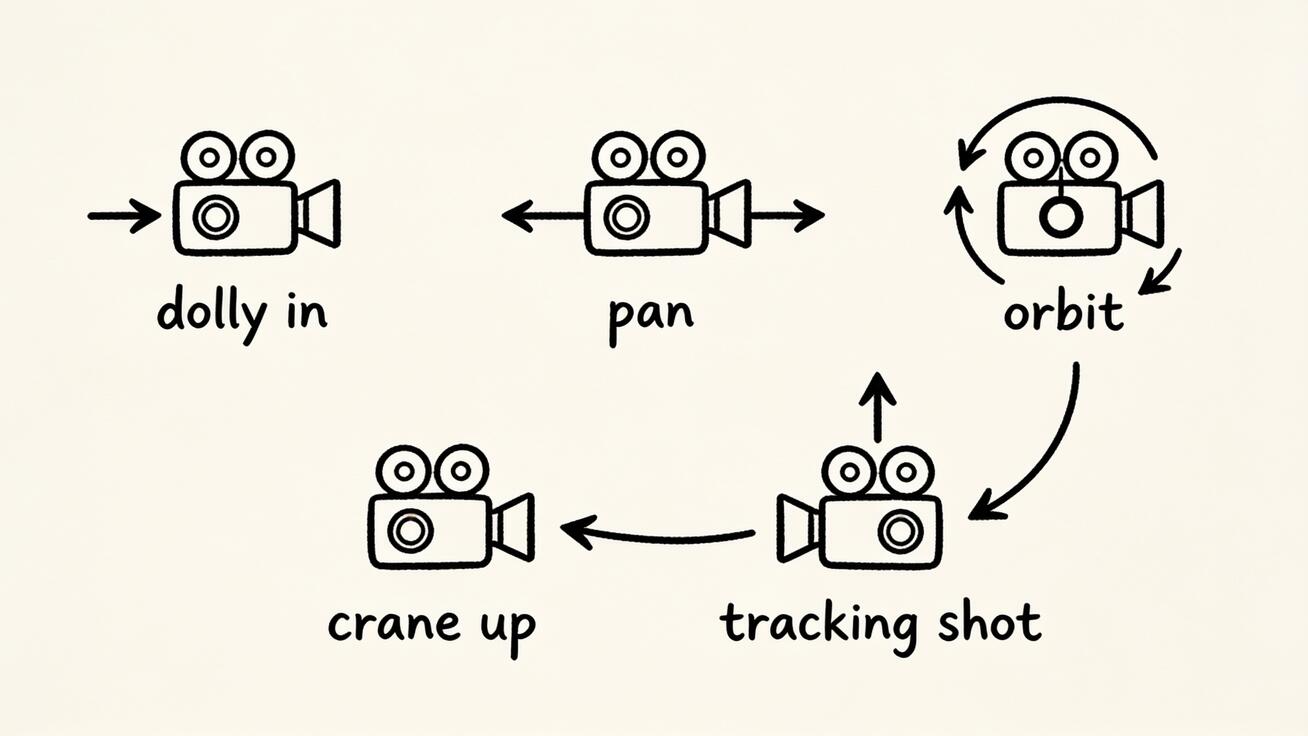
One visible action and one camera path are easier to control than a stack of competing movements.
MiniMax H3 prompt pattern.
Write the subject and scene first, then define timed action, one camera move per shot, physical lighting, and sound.
Live-action cinematic portrait. A woman in a red coat turns toward camera
beside a rain-wet street. Slow backward tracking shot at matching pace,
small amplitude, subject centered. Blue-hour skylight, warm shop reflections,
natural footsteps and distant traffic. Preserve identity and wardrobe.
The shared rule is simple: keep the subject fixed and make the change observable. If a result fails, revise one variable—motion size, camera speed, timing, or constraint—rather than rewriting everything. The Seedance 2.5 prompt guide expands this into reusable templates.
Free Plan and Pricing Compared
Both workflows are credit-based, so “free” means enough access to test, not unlimited production.
| Cost question | Seedance | MiniMax H3 |
|---|---|---|
| Can you test before paying? | Signup credits are currently available | Free account credits may be available on the consumer platform |
| What changes the cost? | Model route, duration, resolution, and references | Model mode, duration, quality, and reference inputs |
| Best way to compare value | Price one real brief and count usable results | Run the same brief and count usable results |
Do not compare plans by credit count alone: credits are not equivalent across platforms. Compare the cost of a usable clip, including failed generations and retries. Check the live allowance and displayed generation cost before committing, because plan terms can change.
Best Use Cases — When to Use Each Model
Choose Seedance 2.5 when:
- A product, label, character, or scene must be anchored by several references.
- The camera or story must hit ordered beats at specific seconds.
- You need to edit, extend, bridge, or continue existing footage.
- A commercial or social clip needs a controlled hook, demo, and payoff.
For product or character anchoring, begin with Image to Video and keep the identity block unchanged across revisions.
Choose MiniMax H3 when:
- Natural portrait or character motion is the main quality test.
- A short cinematic shot needs coordinated action, camera, and native sound.
- You prefer a compact timeline prompt over a large asset manifest.
- The shot can be evaluated as one focused performance.
For mixed projects, use each model for the shot it handles best, then assemble only the accepted takes.
How to Get Started with Seedance 2.5 Today
- Open Text to Video for an idea-led shot, or use an image-led workflow when fidelity matters.
- Define the one result you need: hook, product reveal, portrait beat, or story moment.
- Add only the references that have a clear role.
- Write one camera path, contiguous timing when needed, and a short “keep unchanged” block.
- Generate one difficult test shot before expanding into a batch.
- Review motion, identity, product geometry, text, audio, and the final frame.
When the first shot works, reuse its anchors and settings instead of improvising a new visual system. Try Seedance 2.5 on the Seedance homepage →
Conclusion
In the Seedance 2.5 vs MiniMax H3 comparison, the winner depends on the job. MiniMax H3 is the sharper choice for motion-first portraits and character performances. Seedance 2.5 is the stronger production tool for camera timing, multi-reference control, products, edits, extensions, and longer structured scenes.
If you create ads, product videos, or repeatable social content, start with Seedance 2.5. If the emotional credibility of one moving character matters more than workflow breadth, test MiniMax H3 with the same brief and keep the better take.
Ready to try it yourself?
Put the steps from this guide into practice with Seedance and turn prompts or images into polished videos in minutes.
Free credits on signup. Plans from $28/month.
Related Articles
More posts in the same locale you may want to read next.

Seedance App Preview Video Generator 2026: Create App Store and Product Launch Clips
Use Seedance to turn app screenshots, feature copy, and launch goals into App Store previews, Google Play promo videos, and product launch clips.
Read article
Gemini AI Video Prompt Examples: Copy-Ready Veo Scenes and a Better Prompt Formula
Copy Gemini AI video prompt examples for cinematic motion, product ads, dialogue, and vertical clips, then adapt them with a practical Veo prompt formula.
Read article
How to Keep Product Shape Consistent in AI Video Ads
Lock product geometry, packaging, labels, references, camera angles, and approval checks so AI video ads preserve the real SKU across every shot.
Read article