
LTX 2.5 Review: Speed, Multi-Shot, and How It Compares to MiniMax H3
AI Overview
What is LTX 2.5 and what's new compared to LTX 2.3?
LTX 2.5 is a 22B open-weights audio-video model with native multi-shot generation, Diffusion Fidelity Rendering, auto duration, 4K HDR output, and precise video editing. The update targets softer faces, weak fine detail, and single-clip workflows.
How fast is LTX 2.5 compared to other AI video models?
LTX reports a 10-second clip in 6.8 seconds on two NVIDIA GB200 GPUs. That proves the Fast path can be extremely quick on flagship servers, but it is not a consumer-GPU promise; local time depends on resolution, memory, decoder, and quantization.
Is LTX 2.5 better than MiniMax H3 for local generation?
LTX 2.5 is the stronger choice for rapid local iteration and native multi-shot drafts. MiniMax H3 remains more dependable for complex prompts, sharp final frames, coherent motion, and quality-first delivery.
Can I run LTX 2.5 in ComfyUI and fine-tune the weights?
Yes. LTX 2.5 has open weights, official ComfyUI support, and a trainable development path. Start from the official template, match the decoder to the workflow, and review the current license before commercial deployment.
What LTX 2.5 Actually Is — and the Problem It Solves
LTX has always competed on openness and speed. LTX 2.5 keeps that identity but addresses two limits that made earlier releases harder to use in finished work: fine detail could look soft, and one generation usually behaved like one isolated shot. The new release is designed to carry a subject, location, lighting plan, and voice through a connected sequence.
The practical question is no longer whether LTX can make a quick clip. It is whether that speed now survives a production review. This review evaluates five things: multi-shot continuity, frame detail, audio-video coherence, local workflow cost, and how the result compares with H3. For background on the previous generation, see our Seedance 2.0 vs LTX Video comparison.
New Features in LTX 2.5 — What Changed
The upgrade is more than a larger checkpoint. Each headline feature removes a specific production bottleneck:
- Diffusion Fidelity Rendering: builds a scene from high-fidelity keyframes and spends detail where the shot needs it, improving faces, textures, and motion boundaries.
- Native multi-shot: generates wide, medium, and close-up coverage in one connected sequence while carrying character, environment, light, and sound across cuts.
- Auto duration: predicts clip length from the described action instead of forcing every idea into the same timing preset.
- Fast and Pro paths: Fast is for low-cost previews and storyboards; Pro prioritizes detail and motion stability. Current published configurations reach 1080p, 1440p, and 4K, with duration limits depending on the path and resolution.
- Precise editing: Retake and Extend revise a region or continue a scene without rebuilding the whole sequence from zero.

A native 16:9 frame from an official LTX output. The visible fibers, shallow depth of field, and clean silhouette make fine-detail rendering easier to judge at a glance.
Before committing to a local graph, you can validate the shot concept in our text-to-video workflow and carry the approved brief into LTX.
Speed Benchmark — The 6.8-Second Claim, Tested
The 6.8-second figure is real within its stated setup: a 10-second generation on two NVIDIA GB200 GPUs. Those are flagship data-center accelerators, so the number demonstrates architecture efficiency rather than expected laptop or desktop performance. The same published comparison lists 180 seconds for MiniMax H3 and 317 seconds for Seedance 2.5 through their respective test paths.
Use the claim as a relative signal, not a stopwatch guarantee:
| Hardware and path | What to expect | Best use |
|---|---|---|
| Dual GB200, Fast | Published best-case 6.8-second run | Server benchmarking and high-throughput previews |
| High-memory workstation or cloud GPU | Clear speed advantage, but slower than the headline | Daily local or private generation |
| 32GB-class setup with official offloading | Workable short-form iteration; decoder choice matters | Prompt and composition tests |
| Lower-memory consumer setup | Quantization and offloading become the workflow | Drafts before a hosted final render |
Benchmark your own graph with one fixed prompt, seed, duration, and resolution. Changing the decoder or switching from Fast to Pro invalidates the comparison. For a reusable H3 control result, begin with the best MiniMax H3 settings guide.

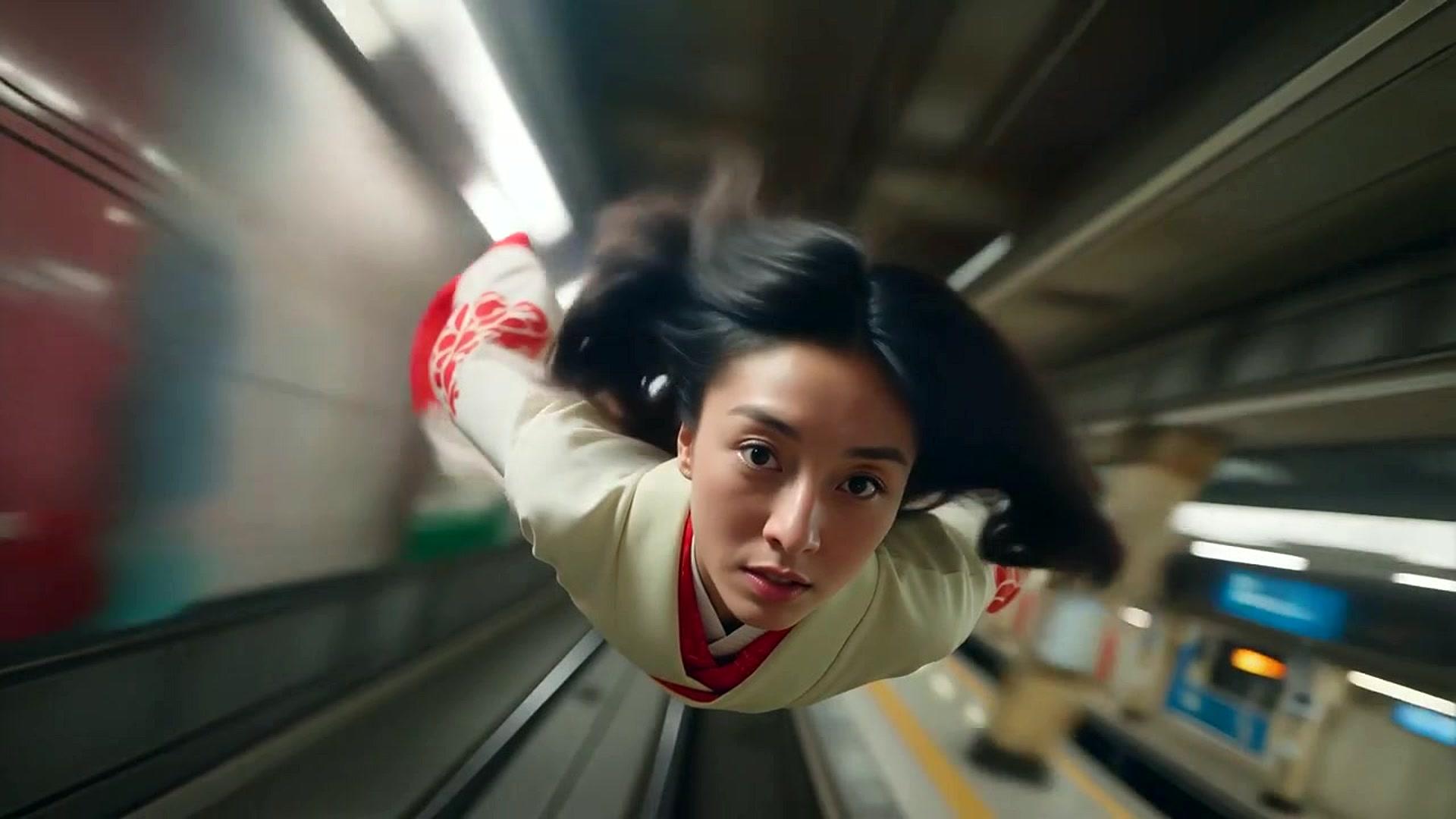
The centered subject and strong leading lines come from an official LTX camera-control output, shown here as a complete native widescreen frame rather than a crop.
LTX 2.5 in ComfyUI — Setup and Key Settings
LTX 2.5 is built into the current ComfyUI workflow family. A clean setup is more reliable than importing an old graph and replacing one checkpoint:
- Update ComfyUI and open Template Library → Video.
- Choose the current LTX 2.5 text-to-video or image-to-video template so the audio, decoder, and model nodes match.
- Download the checkpoint, text encoder, and the decoder files requested by that template.
- Use the diffusion decoder for quality-focused faces, textures, and final frames; use the convolutional decoder when preview speed matters more than maximum detail.
- Begin with Fast, a short duration, and 1080p. Move only the approved shot to Pro or a higher resolution.
Keep prompts chronological: describe the opening shot, the action, the cut, and the next framing in order. The MiniMax H3 prompting guide offers a useful structure for turning long direction into shot-by-shot instructions. If the character changes between shots, simplify the wardrobe and environment before raising resolution. The goal of the first run is continuity, not a 4K master.
LTX 2.5 vs MiniMax H3 — Honest Head-to-Head
LTX 2.5 wins the iteration loop; MiniMax H3 still has the safer quality ceiling for demanding final shots. The right choice depends on where your bottleneck lives.
| Dimension | LTX 2.5 | MiniMax H3 |
|---|---|---|
| Local speed | Significantly faster, especially with Fast | Slower standard path |
| Image detail | Improved, but some scenes can remain soft | Sharper fine detail and cleaner final frames |
| Prompt understanding | Strong for direct, chronological briefs | More precise with long, complex direction |
| Native multi-shot | Yes; a headline 2.5 feature | Yes; better suited to quality-first sequences |
| Native audio | Joint audio-video generation | Native 32kHz stereo audio |
| Open weights | Downloadable and fine-tunable | Downloadable open weights |
| Best fit | Rapid iteration, storyboards, short sequences | Final delivery, dense scenes, complex narratives |

A native 1920×1080 frame from an official LTX style-consistency output. The character, boat, water, and sunset lighting remain clean and readable in the same shot.
For a fair test, use the same creative brief rather than forcing identical technical settings. LTX is the better sketchbook; H3 is the stronger finishing path when small errors remain visible.
Open Weights, Licensing, and Fine-Tuning
LTX 2.5 publishes its weights and code, so teams can run privately, inspect the pipeline, and adapt the model to a visual domain. Fine-tuning is most useful when a production repeatedly needs the same character, product, environment, or tactile style—not as a repair tool for one weak prompt.
Open weights do not automatically mean unrestricted commercial use. Check the current license against company revenue, redistribution, hosted-service, and derivative-model requirements before deployment. Also budget for model storage, GPU memory, testing, and maintenance; the checkpoint is only one part of the operating cost.
If your goal is a reusable branded video adapter, the dataset and validation principles in our MiniMax H3 LoRA training guide transfer well: consistent captions, controlled shot variety, and a held-out prompt set matter more than simply adding clips.
Conclusion — Who Should Use LTX 2.5
Choose LTX 2.5 when fast local iteration, open weights, multi-shot drafts, and custom deployment matter most. Choose MiniMax H3 when the final deliverable needs stronger detail, long-prompt obedience, and fewer visible continuity errors. Creators with modest hardware can validate the concept before scaling up, while teams that do not want to maintain checkpoints, decoders, and ComfyUI graphs can generate with optimized models on Seedance →.
Ready to try it yourself?
Put the steps from this guide into practice with Seedance and turn prompts or images into polished videos in minutes.
Free credits on signup. Plans from $28/month.
Related Articles
More posts in the same locale you may want to read next.

Seedance App Preview Video Generator 2026: Create App Store and Product Launch Clips
Use Seedance to turn app screenshots, feature copy, and launch goals into App Store previews, Google Play promo videos, and product launch clips.
Read article
Gemini AI Video Prompt Examples: Copy-Ready Veo Scenes and a Better Prompt Formula
Copy Gemini AI video prompt examples for cinematic motion, product ads, dialogue, and vertical clips, then adapt them with a practical Veo prompt formula.
Read article
How to Keep Product Shape Consistent in AI Video Ads
Lock product geometry, packaging, labels, references, camera angles, and approval checks so AI video ads preserve the real SKU across every shot.
Read article