
Seedance 2.0 vs LTX Video (LTX-2): Speed & Quality 2026
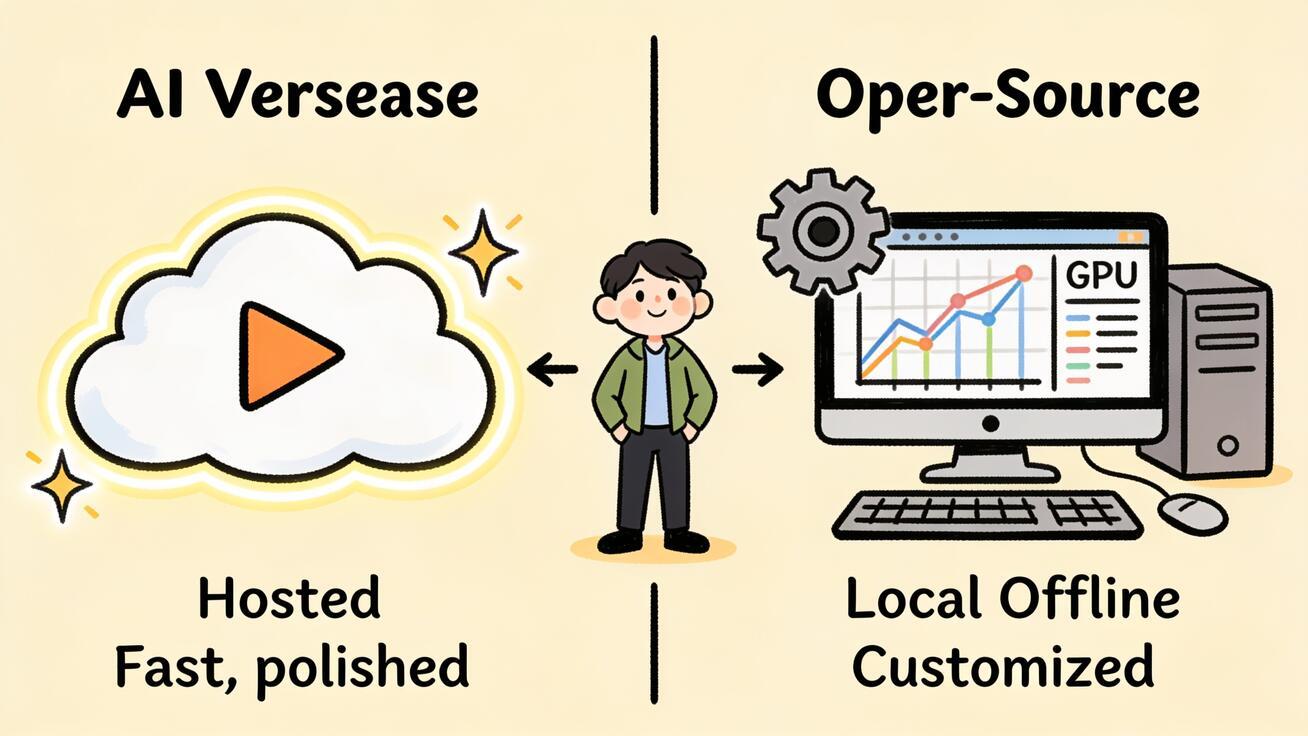
<p>If you are choosing an AI video model in 2026, the decision often comes down to one question: do you want a hosted, director-grade model that just works, or an open-source model you can run on your own GPU? That is exactly the <strong>Seedance 2.0 vs LTX Video</strong> matchup. Seedance 2.0 is ByteDance's cloud video model built for fast, high-quality, multi-shot output with native audio. LTX Video — the open-source LTX-2 line from Lightricks — is built to run locally inside ComfyUI on your own hardware. This guide compares them on speed, quality, control, and cost so you can pick the right one for your workflow and start generating today.</p>
<p>We will look at how each model handles text-to-video, image-to-video, and reference-driven shots, where each one wins, and a copy-ready Seedance workflow you can run in minutes. By the end you will know which tool fits your project — and how to test both without wasting a weekend.</p>
<h2>Quick Answer: Seedance 2.0 vs LTX Video</h2>
<p>Here is the short version for people who need to choose now.</p>
<ul> <li><strong>Pick Seedance 2.0</strong> if you want the fastest path to polished, multi-shot video with synced audio, strong character consistency, and director-style camera control — without owning a GPU or managing a local install. It runs in the browser, so your laptop's hardware does not matter.</li> <li><strong>Pick LTX Video (LTX-2)</strong> if you are a developer or technical creator who wants an open-source model you can run locally in ComfyUI, fine-tune with LoRAs, wire into custom pipelines, and keep fully offline for privacy or batch experimentation.</li> </ul>
<p>Most teams that care about turnaround, consistency, and finished output reach for Seedance 2.0. Most tinkerers who want full control of weights, nodes, and local rendering reach for LTX. They are not really competitors so much as two answers to two different questions: <em>"How fast can I ship a great clip?"</em> versus <em>"How much do I want to control the machine?"</em></p>
<img src="https://r2.seedance.tv/blog/seedance-2-0-vs-ltx-video-cover.jpeg" alt="Seedance 2.0 vs LTX Video comparison illustration" /> <p><em>Seedance 2.0 (hosted, director-grade) vs LTX Video / LTX-2 (open-source, local in ComfyUI) — two different answers to two different questions.</em></p>
<h2>What Each Model Actually Is</h2>
<p>Before comparing specs, it helps to understand the design philosophy behind each tool, because that philosophy shapes everything downstream.</p>
<h3>Seedance 2.0 — hosted, multimodal, director-first</h3>
<p>Seedance 2.0 is ByteDance's video model built on a unified multimodal architecture that accepts text, image, audio, and video inputs. In practice that means you can describe a scene, drop in a reference image, and get a coherent clip back with native audio-video sync — no separate sound pass. It is designed around three jobs creators actually do: <strong>text-to-video</strong>, <strong>image-to-video</strong>, and <strong>reference-to-video</strong>, where you feed it reference images to lock a character, product, or style across shots.</p>
<p>The standout traits are multi-shot consistency (a character stays recognizable across cuts), motion stability, and director-style control over camera movement, lighting, and mood from a single prompt. Clips run in the short-form range that social and ad workflows live in, and output supports up to 1080p across the aspect ratios you need for TikTok, Reels, YouTube, and landing pages. Because it is hosted, you open a browser, type, and generate. You can try it directly with <a href="/text-to-video">Text to Video</a> or <a href="/image-to-video">Image to Video</a>.</p>
<h3>LTX Video (LTX-2) — open-source, local, ComfyUI-native</h3>
<p>LTX Video refers to Lightricks' open-source video generation line, with LTX-2 as the current open-weights audio-video model. Its defining feature is not a single benchmark — it is openness. The weights are public, the inference code and a LoRA trainer ship on GitHub, and the model is designed to run inside ComfyUI through dedicated custom nodes. That means a technical user can pull the model onto their own machine, build a node graph, and generate video locally without sending anything to a cloud service.</p>
<p>LTX-2 also generates synced audio and video together, and the community positions it as a model you can run on consumer-grade GPUs with optimized checkpoints. The trade-off is that "run it yourself" means you handle setup, VRAM, drivers, node graphs, and troubleshooting. The reward is total control, offline privacy, free local rendering once you own the hardware, and the ability to fine-tune the model on your own footage.</p>
<p>So the honest framing is: Seedance 2.0 optimizes for <em>output quality and speed with zero setup</em>; LTX optimizes for <em>control, openness, and local ownership</em>. Keep that lens as we go dimension by dimension.</p>
<h2>Speed: Time-to-First-Usable-Clip</h2>
<p>"Speed" means two very different things here, and conflating them is the most common mistake.</p>
<p><strong>Seedance 2.0 speed</strong> is about wall-clock time from idea to finished clip. You open the tool, write a prompt or upload an image, choose the model, and a render comes back in the time it takes hosted infrastructure to process it — no install, no GPU warmup, no dependency hell. For a marketer who needs three ad variants before a 3 p.m. meeting, this is the only definition of speed that matters. The "setup time" is effectively zero, and you can generate multiple versions back-to-back to compare.</p>
<p><strong>LTX Video speed</strong> is about local render performance once everything is installed. On capable hardware with optimized checkpoints, LTX-2 can render quickly and even reach high resolutions locally — that is genuinely impressive for an open model. But the clock that matters for most people starts earlier: installing ComfyUI, downloading multi-gigabyte weights, configuring nodes, and resolving CUDA/PyTorch versions. For a developer who has already done this once, iteration is fast and free. For a first-timer, "time to first usable clip" can be an afternoon.</p>
<p><strong>Verdict on speed:</strong> If you measure from a cold start with no prior setup, Seedance 2.0 wins decisively — it is browser-instant. If you measure raw local render speed after a tuned install on strong hardware, LTX is competitive and has the advantage of being free per render. Pick based on which clock you are actually racing.</p>
<img src="https://r2.seedance.tv/blog/seedance-2-0-vs-ltx-video-workflow.jpeg" alt="Seedance 2.0 workflow: prompt, choose model, generate, compare, export" /> <p><em>The Seedance 2.0 path: upload or prompt → choose model → generate 2–3 versions → compare → export. No local install in the loop.</em></p>
<h2>Quality: Consistency, Motion, and Audio</h2>
<p>Quality is where the gap between "I made a clip" and "I can ship this" lives. Four things decide it: subject consistency, motion realism, audio sync, and prompt adherence.</p>
<p><strong>Subject and multi-shot consistency.</strong> Seedance 2.0's reference-to-video mode is built specifically for this. Feed it reference images of a person or product, and it holds that identity across multiple shots — critical for ads, episodic content, and brand work where the character or product cannot drift. This is one of its strongest practical advantages for commercial use. LTX-2 can be guided toward consistency with reference conditioning and LoRAs trained on your subject, but achieving rock-solid multi-shot identity usually takes more manual effort and experimentation.</p>
<p><strong>Motion stability.</strong> Seedance 2.0 emphasizes stable, physically plausible motion and clean camera moves, which reduces the warping and morphing that make AI video look "off." LTX-2 produces strong motion as well, especially with good prompts and settings, but as an open model running across varied hardware and configurations, results are more dependent on the operator's tuning.</p>
<p><strong>Native audio.</strong> Both models can generate synced audio with video, which is a meaningful 2026 upgrade over the silent-clip era. With Seedance 2.0 it is part of the hosted generation flow; with LTX-2 it is part of the open model you run locally. If you specifically want music-driven or sound-aware output, see our guide to making <a href="/blog/ai-video-generator-with-music-2026">AI videos with music</a>.</p>
<p><strong>Prompt adherence and control.</strong> Seedance 2.0 leans into director language — you can specify shot type, camera movement, lighting, and mood and expect the model to follow. LTX gives you control at a different layer: node graphs, sampler settings, and trained LoRAs. One is control through natural language; the other is control through the pipeline. Neither is "better" universally — they suit different temperaments.</p>
<p><strong>Verdict on quality:</strong> For consistent, ship-ready commercial output with minimal tuning, Seedance 2.0 is the safer bet, largely because of reference-to-video and motion stability. For creators who enjoy dialing in a custom pipeline and training on their own data, LTX can reach excellent results — it just asks more of you.</p>
<h2>Control and Customization</h2>
<p>This dimension is where LTX has a real, structural edge — and where it is worth being honest as a Seedance-first publication.</p>
<p>Because LTX-2 is open-source, you can:</p>
<ul> <li>Run it fully offline, keeping footage and prompts on your own machine.</li> <li>Train LoRAs on your own characters, products, or styles for repeatable looks.</li> <li>Wire it into ComfyUI graphs alongside other nodes for upscaling, frame interpolation, or custom conditioning.</li> <li>Batch-generate at scale without per-render fees once you own the hardware.</li> </ul>
<p>That is genuine power for developers, studios with ML engineers, and privacy-sensitive workflows. If those bullets describe your team, LTX deserves a serious look.</p>
<p>Seedance 2.0's control is different in kind. Instead of node graphs, you get conversational and director-style control: describe the shot, the camera, the mood; supply reference images; generate variations; refine. For most marketers, founders, and content creators, that is the <em>right</em> abstraction — they want to direct, not to engineer. Seedance 2.0 also covers the three input modes (text, image, reference) that the majority of real projects need, so you rarely have to leave the tool to assemble a shot.</p>
<p><strong>Verdict on control:</strong> LTX wins on deep, programmable, offline customization. Seedance 2.0 wins on accessible, high-level creative control that does not require ML skills. Be honest with yourself about which kind of control you will actually use.</p>
<h2>Cost: Subscription vs. Hardware</h2>
<p>The cost comparison is not "paid vs. free" — it is "pay for renders" vs. "pay for hardware and time."</p>
<p>LTX-2 is open-source, so the model itself carries no license fee, and once it runs locally each render costs only electricity. That looks free, but the real cost is a capable GPU (often a meaningful upfront or cloud expense), the engineering time to set everything up, and ongoing maintenance as the ecosystem updates. For a developer who already owns a strong GPU and bills their time to other work, this is very economical.</p>
<p>Seedance 2.0 is hosted, so you trade hardware ownership for usage-based access — you pay to use the service rather than to own and run a machine. For someone without a high-end GPU, or whose time is better spent creating than configuring, hosted access is usually cheaper in total cost of ownership, even if the per-render line item is not zero. There is no $1,500 graphics card or weekend of setup in the equation. To get a feel for free, low-friction generation first, see our roundup of a <a href="/blog/free-ai-video-generator-no-sign-up">free AI video generator with no sign-up</a>.</p>
<p><strong>Verdict on cost:</strong> If you already own strong hardware and value your independence from any service, LTX can be the cheapest long-run option. If you do not want to buy a GPU or spend hours on setup, Seedance 2.0 is the lower total-cost-of-ownership path — your money buys finished clips, not infrastructure.</p>
<h2>Seedance 2.0 vs LTX Video: Decision Matrix</h2>
<p>Use this to map your situation to a model.</p>
<table> <thead> <tr><th>If you…</th><th>Choose</th><th>Why</th></tr> </thead> <tbody> <tr><td>Need polished clips today, no GPU</td><td><strong>Seedance 2.0</strong></td><td>Browser-instant, zero setup, hosted rendering</td></tr> <tr><td>Want consistent characters across shots</td><td><strong>Seedance 2.0</strong></td><td>Reference-to-video and multi-shot consistency</td></tr> <tr><td>Need director control via plain language</td><td><strong>Seedance 2.0</strong></td><td>Camera, lighting, mood from the prompt</td></tr> <tr><td>Want to run everything offline/private</td><td><strong>LTX Video</strong></td><td>Open weights, fully local in ComfyUI</td></tr> <tr><td>Want to train LoRAs on your own footage</td><td><strong>LTX Video</strong></td><td>Open LoRA trainer and custom pipelines</td></tr> <tr><td>Already own a strong GPU, bill your own time</td><td><strong>LTX Video</strong></td><td>No per-render fee after setup</td></tr> <tr><td>Are a marketer, founder, or solo creator</td><td><strong>Seedance 2.0</strong></td><td>Lower total cost of ownership, faster to ship</td></tr> </tbody> </table>
<img src="https://r2.seedance.tv/blog/seedance-2-0-vs-ltx-video-matrix.jpeg" alt="Decision matrix doodle comparing Seedance 2.0 and LTX Video by need" /> <p><em>Match your real constraint — hardware, time, consistency needs, privacy — to the model instead of chasing a single "best."</em></p>
<h2>How to Make a Multi-Shot Clip in Seedance 2.0 (Step by Step)</h2>
<p>Here is a concrete workflow you can run right now to produce a consistent, multi-shot clip — the kind of task where Seedance 2.0's hosted approach saves the most time.</p>
<ol> <li><strong>Open the tool and pick your input.</strong> Go to <a href="/image-to-video">Image to Video</a> if you have a product photo or character image, or <a href="/text-to-video">Text to Video</a> if you are starting from a description.</li> <li><strong>Add a reference (for consistency).</strong> Upload one or more reference images of your subject so the model can hold its identity across shots. This is the step that prevents your character or product from "drifting" between cuts.</li> <li><strong>Write a director-style prompt.</strong> Describe the subject, the action, the camera move, the lighting, and the mood. Treat the prompt like shot notes, not a vague wish.</li> <li><strong>Choose Seedance 2.0 as the model.</strong> Select the model and your aspect ratio (9:16 for TikTok/Reels, 16:9 for YouTube, 1:1 for feed posts).</li> <li><strong>Generate 2–3 versions.</strong> Render a few variations from the same prompt and reference so you have options to compare instead of betting on one output.</li> <li><strong>Compare and QA.</strong> Check subject consistency, motion stability, audio sync, and whether any on-screen text reads correctly. Reject any clip with warping or identity drift.</li> <li><strong>Export and reuse.</strong> Download the winner and drop it into your edit, ad set, or landing page. Keep the prompt and reference so you can produce matching shots later.</li> </ol>
<h2>Copy-Ready Prompt Templates</h2>
<p>Prompts do more for output quality than any single setting. Here are templates you can paste into Seedance 2.0 and adapt.</p>
<p><strong>Product demo (image-to-video):</strong></p> <blockquote>Upload: product photo on clean background. Prompt: "Slow 180-degree orbit around the product, soft studio lighting, shallow depth of field, subtle reflections, premium and minimal mood, smooth camera motion, 9:16."</blockquote>
<p><strong>Character scene with consistency (reference-to-video):</strong></p> <blockquote>Reference: 1–2 images of the character. Prompt: "Same character walks toward camera through a neon-lit street at night, medium tracking shot, confident expression, cinematic color grade, steady motion, 16:9."</blockquote>
<p><strong>Social hook (text-to-video):</strong></p> <blockquote>"Close-up of a steaming coffee cup on a wooden café table, morning light through a window, gentle steam motion, warm cozy mood, slow push-in, 9:16, ready for a TikTok hook."</blockquote>
<p>If you are newer to prompting, our guide to <a href="/blog/ai-video-prompts-for-beginners">AI video prompts for beginners</a> breaks down the structure shot by shot.</p>
<h2>Best Use Cases for Each Model</h2>
<p><strong>Reach for Seedance 2.0 when you are:</strong></p>
<ul> <li>Producing TikTok, Reels, or Shorts ads where you need several consistent variants fast.</li> <li>Making product demo videos that must keep the product accurate across shots.</li> <li>Building landing-page hero clips or app previews on a deadline.</li> <li>A solo creator or small team without a high-end GPU or ML engineer.</li> <li>Working in the browser across devices and want zero local setup.</li> </ul>
<p><strong>Reach for LTX Video when you are:</strong></p>
<ul> <li>A developer building a custom video pipeline in ComfyUI.</li> <li>Training LoRAs on proprietary characters, mascots, or styles.</li> <li>Required to keep all generation offline for privacy or compliance.</li> <li>Running large local batches where per-render cost matters and you already own the hardware.</li> <li>Experimenting with the model itself, not just its output.</li> </ul>
<p>If your shortlist also includes other hosted models, compare them in <a href="/blog/sora-2-vs-veo-3-vs-seedance">Sora 2 vs Veo 3 vs Seedance</a> and <a href="/blog/seedance-2-0-vs-higgsfield">Seedance 2.0 vs Higgsfield</a> to see where each one fits.</p>
<h2>Honest Limitations</h2>
<p>No model is magic, and pretending otherwise wastes your time.</p>
<p><strong>Seedance 2.0 limitations:</strong> it is hosted, so you depend on a service and usage-based access rather than fully owning the model; clips are short-form by design, so it is built for hooks, ads, and demos rather than long continuous takes; and like all AI video, complex hands, dense on-screen text, and intricate physics still need a QA pass and sometimes a re-roll.</p>
<p><strong>LTX Video limitations:</strong> setup is a real barrier for non-technical users; quality and speed depend heavily on your hardware and tuning; and you own the maintenance burden as the ecosystem evolves. The openness that is its biggest strength is also what makes it more work.</p>
<p>Naming these up front is the point — choose the tool whose limitations you can live with, not the one with the flashiest demo.</p>
<h2>FAQ</h2>
<p><strong>Is LTX Video free?</strong> The model is open-source, so there is no license fee, and local renders cost only electricity. But running it well requires a capable GPU and setup time, which is the real cost. Seedance 2.0 is hosted with usage-based access, so you pay to use the service instead of buying hardware.</p>
<p><strong>Which is better for beginners?</strong> Seedance 2.0, clearly. It runs in the browser, needs no install, and uses plain-language director controls. LTX is aimed at technical users comfortable with ComfyUI.</p>
<p><strong>Do both generate audio?</strong> Yes — both LTX-2 and Seedance 2.0 can produce synced audio with video in 2026, a big upgrade over silent-clip models.</p>
<p><strong>Can I keep a character consistent across shots?</strong> Yes. Seedance 2.0's reference-to-video mode is purpose-built for this; LTX can approach it with reference conditioning and custom LoRAs, with more manual effort.</p>
<p><strong>Can they replace each other?</strong> Not really. Seedance 2.0 is the fastest path to polished output; LTX is the most open, controllable, local option. Many advanced creators use both — Seedance for client-ready clips, LTX for custom pipelines.</p>
<h2>Conclusion</h2>
<p>The <strong>Seedance 2.0 vs LTX Video</strong> choice is not about which model is "best" in the abstract — it is about which constraint you are optimizing for. If you want fast, consistent, ship-ready video with native audio, director-style control, and zero setup, Seedance 2.0 is the practical winner for most marketers, founders, and creators. If you want an open-source model you can run locally in ComfyUI, fine-tune with LoRAs, and keep fully under your control, LTX Video is a genuinely strong open option worth the setup cost.</p>
<p>The fastest way to decide is to test the easy one first. Open <a href="/text-to-video">Text to Video</a> or <a href="/image-to-video">Image to Video</a>, run the multi-shot workflow above with a reference image, and judge Seedance 2.0 on your own footage in a few minutes. Then, if you have the hardware and the appetite, spin up LTX locally and compare. Either way, you will know exactly which model belongs in your stack — and you will have a finished clip to show for the experiment. <a href="/text-to-video">Try Seedance free</a> and generate your first multi-shot clip today.</p>
Ready to create your own AI video?
Turn ideas, text prompts, and images into polished videos with Seedance. If this article helped, the fastest next step is to try the product.
Free credits on signup. Plans from $28/month.
Related Articles
More posts in the same locale you may want to read next.

Seedance App Preview Video Generator 2026: Create App Store and Product Launch Clips
Use Seedance to turn app screenshots, feature copy, and launch goals into App Store previews, Google Play promo videos, and product launch clips.
Read article
How to Keep Product Shape Consistent in AI Video Ads
Lock product geometry, packaging, labels, references, camera angles, and approval checks so AI video ads preserve the real SKU across every shot.
Read article
How to Make AI Video Follow a Multi-Step Action
Plan atomic actions, state transitions, timing, continuity, and shot handoffs so an AI video completes a sequence in the intended order.
Read article