
Best AI Video Generation Models in 2026: Ranked by Quality, Speed, and Access

AI Overview
What is the best AI video generation model in 2026?
Seedance 2.0 is the best all-around choice in 2026 for prompt control, consistent image-to-video, native audio, mixed references, and browser access. Veo 3.1 leads in cinematic realism, Kling 3.0 in motion, and Wan 2.2 in open source.
Which AI video model has the best quality in 2026?
Veo 3.1 leads in cinematic realism and sound, Seedance 2.0 in prompt and reference control, and Kling 3.0 in character motion. No model wins every shot, so test the same brief and settings before choosing.
What is the best open-source AI video generation model?
Wan 2.2 is the best open-source model here. Its Apache 2.0 code and weights support text-to-video and image-to-video up to 720p. HunyuanVideo 1.5 is lighter, but uses Tencent's community license.
The Best AI Video Generation Models at a Glance
Start with workflow fit, then compare quality on your own brief.
| Rank | Model | Best for | Access and key caveat |
|---|---|---|---|
| 1 | Seedance 2.0 | Best all-around creator workflow | Web and API; closed, credit-based |
| 2 | Veo 3.1 | Cinematic realism, dialogue, and sound | Gemini, Flow, and APIs; pricing varies by route |
| 3 | Kling 3.0 | Character motion and motion control | Web and APIs; generation can be slower |
| 4 | Wan 2.2 | Self-hosting and custom pipelines | Apache 2.0; requires local GPU infrastructure |
| 5 | HunyuanVideo 1.5 | Lighter local research | Open weights; community license |
| 6 | Sora 2 | Historical reference only | Product discontinued April 26, 2026 |
For most creators, choose Seedance 2.0 for breadth, Veo 3.1 for cinematic sound, Kling 3.0 for motion, or Wan 2.2 when self-hosting matters.

Original editorial artwork visualizing six model choices through product, cinematic, motion, open-compute, research, and archival scenes. Compare them in the live Text to Video workspace.
Video Output Quality: Motion, Realism, and Detail
1. Seedance 2.0 — Best overall for creators
ByteDance's official Seedance 2.0 launch describes a unified audio-video model that accepts text, images, video, and audio. It supports as many as nine images, three video clips, and three audio clips, plus 15-second multi-shot output. That breadth matters more than a single benchmark score: one model can preserve a product, borrow camera movement from a reference clip, follow a storyboard, and generate synchronized sound.
On Seedance, the same model family is available through Text to Video, Image to Video, and Reference to Video. The managed workflow removes GPU setup and shows the credit estimate before generation. Its weaknesses are real: the launch notes remaining issues with fine-detail stability, hyper-realism, multiple subjects, text rendering, and occasional audio distortion.
This new five-second Seedance 2.0 generation shows a continuous studio action with a moving subject, transparent panels, and red fabric. It was created specifically for this guide rather than reused from an existing asset.
2. Veo 3.1 — Best for cinematic realism and sound
Google positions Veo 3.1 as its leading video model, with native dialogue, sound effects, ambient audio, strong physics, and improved prompt adherence. It is the strongest choice here when audio is central to the idea rather than an afterthought. Ingredients-to-video, first-and-last-frame, scene extension, and object insertion also make Veo more controllable than a text-only model.
The tradeoff is a narrower, often more expensive eight-second generation unit and route-dependent availability. Choose it for hero shots, dialogue moments, and cinematic scenes where one polished clip matters more than rapid volume. For a focused feature-by-feature breakdown, read Seedance 2.0 vs Veo 3.
This new eight-second Veo 3.1 generation combines a continuous cello performance with rain, ocean movement, lightning, cinematic camera motion, and native stereo audio. It was created specifically for this guide rather than reused from an existing asset.
3. Kling 3.0 — Best for character motion
Kling VIDEO 3.0 supports native audio, 720p and 1080p output, multi-shot narratives, and clips up to 15 seconds in Kling's own workflow. Its motion-control mode can extend to longer character-performance tasks on supported routes. That makes Kling especially attractive for dance, action, fashion, and repeatable character motion.
Kling is slower in the current Seedance model selector than the fastest Seedance or Veo routes, so it is less suitable when a social team needs many quick drafts. It is a deliberate quality choice for movement-heavy shots. See the direct workflow and pricing comparison in Seedance 2.0 vs Kling 3.0.
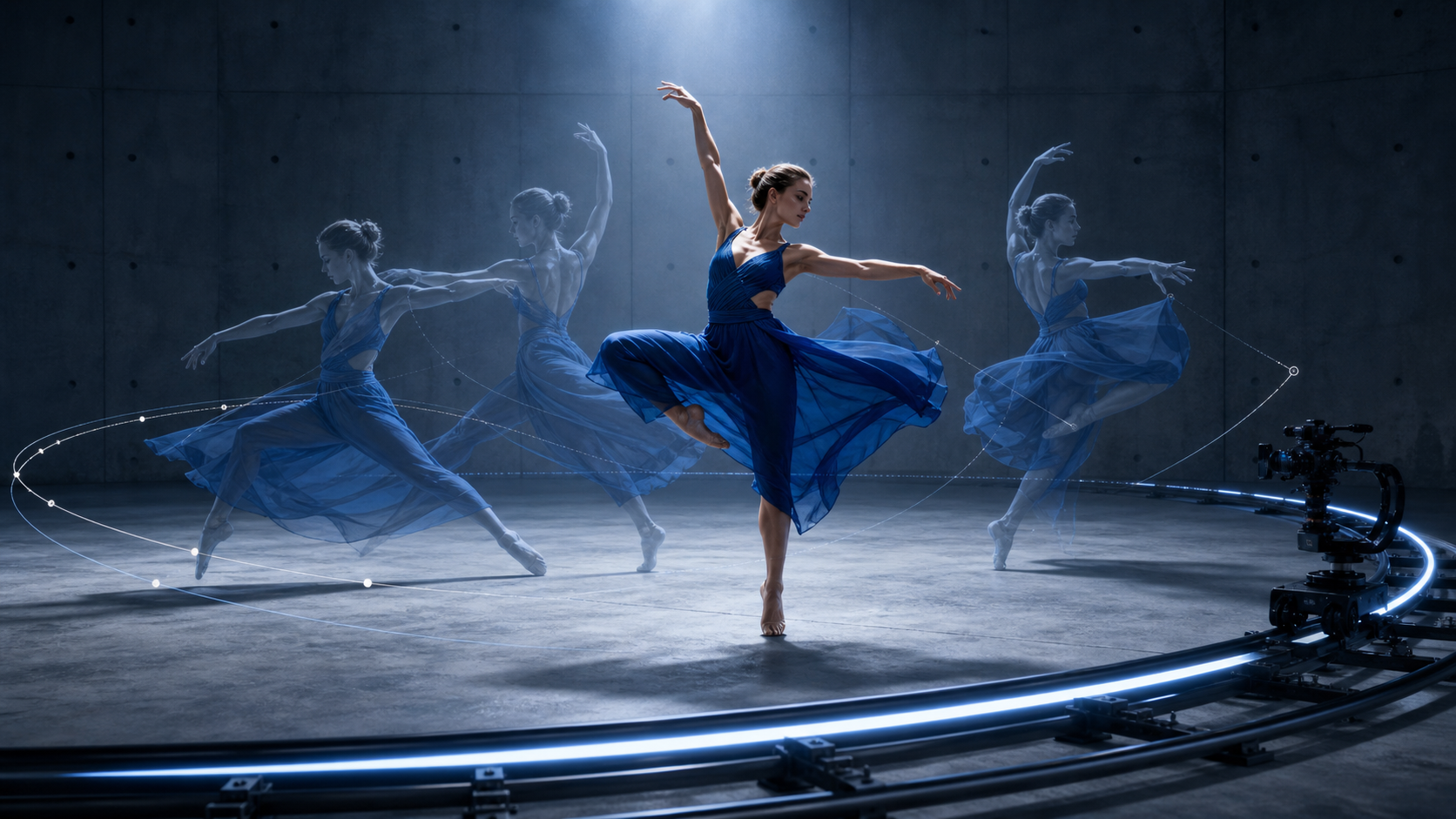
Original editorial artwork illustrating the character-performance and camera-path controls to examine in a movement-heavy test.
Ease of Use: Platform vs Open Source
The access model changes the work before generation even begins. Seedance 2.0, Veo 3.1, and Kling 3.0 are managed services: choose a model, upload permitted source media, set the output, and submit. Wan 2.2 and HunyuanVideo 1.5 give you more infrastructure control, but setup, memory, inference speed, storage, and failures become your responsibility.
The Managed Creator Path
- Open Text to Video, Image to Video, or Reference to Video.
- Choose Seedance 2.0, Veo 3.1, Kling 3.0, or another available managed model.
- Add one brief and the source media you have permission to use.
- Match duration, aspect ratio, resolution, and audio settings.
- Review the credit estimate, generate, inspect the full clip, and download the approved result.
The Self-Hosted Open-Model Path
- Select a checkpoint that fits the task and available VRAM.
- Install the NVIDIA driver, CUDA/PyTorch stack, repository, and dependencies.
- Download the weights and configure offloading, dtype, resolution, frame count, and prompt extension.
- Run inference, monitor memory and speed, then encode and store the output.
- Maintain the environment, security boundary, licenses, and recovery process.
A managed platform is usually faster for a creator who needs a clip today. Self-hosting is better when reproducible seeds, private on-premise media, custom nodes, or inspectable inference justify the operational work.
Best Open-Source Models
1. Wan 2.2 — Best open-source model
Wan 2.2 is the best open-source option here. Its Apache 2.0 code and weights support text-to-video and image-to-video up to 720p, with control over seeds, checkpoints, frame count, offloading, and custom nodes. The 5B model needs at least 24GB VRAM with offloading, while A14B examples need 80GB. It lacks native audio, so choose it when private deployment and pipeline ownership matter more than browser convenience.
2. HunyuanVideo 1.5 — Best lighter open-weight alternative
HunyuanVideo 1.5 is the lighter local alternative. Its 8.3B architecture supports text-to-video and image-to-video at 720p, optional 1080p super-resolution, and a stated 14GB minimum GPU memory with offloading. It uses Tencent's community license rather than Apache or MIT, so check territory and commercial-use terms before production.
Prompt Control and Image-to-Video
The best video generation AI model is the one whose control surface matches the brief. Seedance 2.0 accepts text, images, video, and audio references; Veo 3.1 combines text or image inputs with native sound and first/last-frame tools; Kling 3.0 emphasizes element consistency, storyboards, and motion control. Wan 2.2 and HunyuanVideo expose lower-level pipeline parameters but do not generate native audio in their core video checkpoints.
Both clips were generated from the same original robot image with matched five-second, 16:9, 480p settings. Only the motion instruction changed: the first locks the camera and moves the subject; the second locks the subject and moves the camera.
Why Seedance 2.0 Ranks First
Seedance 2.0 covers the broadest creator task chain in one place. A marketer can start with a text concept, animate a product image, combine character and scene references, add audio direction, choose 1080p output, review a visible credit estimate, and download without managing a CUDA environment.
That does not mean it wins every isolated frame. Veo 3.1 may produce a more cinematic dialogue shot; Kling 3.0 may be the better motion specialist; Wan 2.2 offers deeper deployment control. Seedance wins the all-around recommendation because it reduces the tools, handoffs, and technical decisions between an idea and a usable clip.
For the best chance of a first-pass result, define the subject anchor, one primary action, camera movement, timing, lighting, audio, and negative constraints. Start from Image to Video when product or character identity matters. Use Text to Video for concept exploration, and move to Reference to Video when the shot must borrow composition, motion, or sound from several assets. For reusable prompt structure, read the Seedance 2.0 prompt guide and character consistency guide.
Copy-Ready Five-Second Benchmark Prompt
Prompt: The clockwork hummingbird unfolds its translucent teal-and-violet wings, beats them twice, lifts slightly above the brass ring, hovers briefly, then settles back onto the same perch. Use a slow camera push-in while preserving the silver body, coral throat, wing colors, conservatory setting, and golden-hour light. One continuous shot, stable geometry, no extra birds, no text, no logo, no watermark.
Matched test settings: Send the prompt unchanged to each model at 16:9, 720p, five seconds, with audio disabled and one attempt. If a model does not expose a setting, record that difference instead of silently substituting another configuration.
This July 28, 2026 matched test started from the same original clockwork-hummingbird image and used the same prompt, 16:9 aspect ratio, 720p output, five-second duration, disabled audio, and one attempt per model. Both clips were generated specifically for this guide. Read the complete methodology in Seedance 2.0 vs Wan 2.2.
Pricing and Free Access
Quality rankings are incomplete without the path to a result. Managed models charge for generation and hide the infrastructure; open models remove the per-call license fee but make you operate the GPU stack.
| Option | Current access | Practical speed context | Cost context |
|---|---|---|---|
| Seedance 2.0 | Browser workflow; no local GPU | Managed queue; 5–15-second output | 5s, 720p Standard: 66 credits |
| Seedance 2.0 Fast | Same browser workflow | Faster iteration route | 5s, 720p: 55 credits |
| Seedance 2 Mini | Same browser workflow | Lowest-cost draft route | 5s, 720p: 30 credits |
| Veo 3.1 | Gemini, Flow, APIs, and partner routes | Eight-second generation unit on current routes | Credits or provider pricing |
| Kling 3.0 | Kling and partner routes | Motion-focused jobs can take longer | Credits or provider pricing |
| Wan 2.2 / HunyuanVideo 1.5 | Self-hosted or third-party | Depends on checkpoint, GPU, offloading, and queue | Hardware or cloud compute |
These Seedance figures were checked on July 28, 2026. See pricing for current plans and check the live estimate before Generate because resolution, duration, audio, and reference-video length can change the final amount.
Which One Should You Choose?
| If you need | Choose | Why |
|---|---|---|
| Best all-around creator workflow | Seedance 2.0 | Quality, control, native audio, mixed references, and browser access |
| Premium cinematic or dialogue shot | Veo 3.1 | Strong realism, physics, dialogue, and sound |
| Dance, action, or character motion | Kling 3.0 | Motion quality and dedicated motion-control options |
| Self-hosting and deep customization | Wan 2.2 | Apache-2.0 code, weights, and inspectable inference |
| A lighter local research stack | HunyuanVideo 1.5 | Lower stated GPU minimum with offloading |
| A new production workflow | Not Sora 2 | OpenAI discontinued the Sora product on April 26, 2026 |
If you are buying for a team, run one paid task through the top two candidates and measure the number of manual actions, generations, credits, failures, and minutes needed to reach a directly usable clip.
How to Run a Fair AI Video Model Test
Use the same five-second prompt or source image for every model. Match aspect ratio, resolution, audio, seed policy, and attempt count; record any setting a model cannot match.
- Result quality. Score prompt adherence, subject consistency, motion, camera and audio continuity, and visible artifacts.
- Time and cost. Count setup, queueing, retries, upscaling, review time, credits, and GPU spend.
- Control and access. Check the inputs you need, API availability, privacy, licensing, and hardware requirements.
Run one attempt per model before allowing retries. The winner is the model that reaches a usable clip with the least time, repetition, and spend.

Original editorial visualization: one source, two identical test conditions, and two equally measured outputs.
Conclusion
The best AI video generation model in 2026 is Seedance 2.0 for most creators, Veo 3.1 for cinematic audio-first work, Kling 3.0 for character motion, and Wan 2.2 for open-source deployment. The right choice depends on the result you need, so test one real brief with a fixed attempt budget in Text to Video and compare the complete clips instead of relying on a generic leaderboard.
Ready to try it yourself?
Put the steps from this guide into practice with Seedance and turn prompts or images into polished videos in minutes.
Free credits on signup. Plans from $28/month.
Related Articles
More posts in the same locale you may want to read next.

Seedance App Preview Video Generator 2026: Create App Store and Product Launch Clips
Use Seedance to turn app screenshots, feature copy, and launch goals into App Store previews, Google Play promo videos, and product launch clips.
Read article
How to Make a Talking AI Avatar You Can Reuse
Make a talking AI avatar with Seedance: design one consistent character, give it a voice, and make it speak in a talking photo or a full Seedance 2.5 scene, episode after episode.
Read article
Best AI Video-to-Video Models in 2026
The best AI video-to-video models in 2026 for editing footage you already shot: Higgsfield Genjutsu, Seedance 2.x, Runway Aleph, Luma Modify and Kling Omni compared.
Read article