
Free AI Video Generators 2026: Limits, Watermarks & Trial Credits

Quick Answer: The best free AI video generators in 2025 are Veo 3, Kling AI, and Pika 2.1. All offer free tiers that produce professional-quality video — no credit card needed. Full comparison and how-to guide below.
Looking for an AI video generator that's actually free? Not "free trial for 3 days" free. Not "free but here's a giant watermark" free. Actually, genuinely free.
Most tools bait you with a free tier, then hit you with watermarks, 5-second clips, or a paywall after your second video. We tested over a dozen AI video generators in 2026 to find the ones that deliver real value without pulling the rug.
Here's what we found.

What "Free" Actually Means in AI Video
Before we dive in, let's define what free should mean:
- No credit card required to sign up
- No watermark on exported videos
- Enough credits to create multiple videos per day
- Decent resolution (at least 720p, ideally 1080p)
- No time limit on how long you can use the free tier
Most tools fail at least two of these. Here's how the top options stack up.
1. Seedance — Best Overall Free AI Video Generator
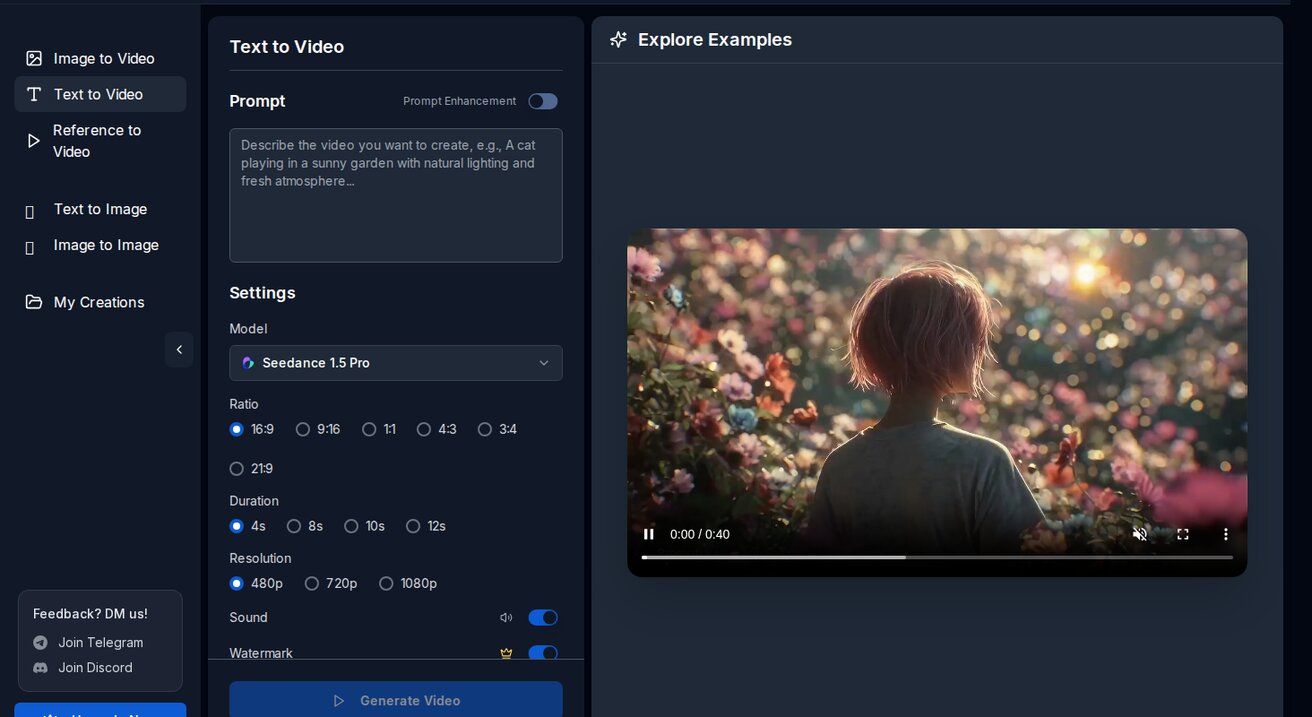
Eligible new Seedance.tv accounts may receive one-time starter credits. The amount and available generation settings are shown after sign-in. You can generate videos from text prompts, images, or even combine both.
What makes it stand out: you get access to 10+ AI models including Veo 3, Sora 2, Seedance 2.0, Kling, and Wan — all from one interface. Instead of signing up for five different tools, you compare outputs side by side.
Free tier highlights:
- One-time starter credits for eligible new accounts; amount shown after sign-in
- 1080p resolution
- No watermark
- No sign-up credit card
- 10+ AI models available
- Text-to-video and image-to-video
Best for: Creators who want variety and volume without paying anything.
2. Pika — Good Free Tier, Limited Credits
Pika offers a free plan with 150 credits per month. The interface is clean and the results are solid, especially for stylized content. However, 150 monthly credits means roughly 10-15 videos — not enough for daily content creation.
Free tier highlights:
- 150 credits/month
- 720p resolution on free tier
- Watermark on free exports
- Text-to-video and image-to-video
Best for: Occasional use, experimenting with AI video styles.
3. Runway — Professional but Expensive Free Tier
Runway's free plan gives you 125 credits per month. The quality is excellent — Gen-4.5 produces some of the most cinematic AI video available. But the free tier is tight: 125 credits gets you about 5-10 short clips, and free exports are limited to 720p with a watermark.
Free tier highlights:
- 125 credits/month
- 720p on free tier (4K requires paid plan)
- Watermark on free exports
- Advanced tools (Motion Brush, Inpainting)
Best for: Professionals who want to test before committing to $28+/month.
4. Luma Dream Machine — Decent Free Access
Luma offers 30 free generations per month. The quality is good for character animation and creative shots. The main limitation is the generation count — 30 per month means about one video per day.
Free tier highlights:
- 30 generations/month
- 720p resolution
- Small watermark
- Text and image input
Best for: Quick creative experiments, character-focused content.
5. PixVerse — Unlimited Free with Caveats
PixVerse markets itself as unlimited free, but there are queue times during peak hours and resolution is capped at 720p on the free tier. Still, if you don't mind waiting, you can generate a lot of content without paying.
Free tier highlights:
- Unlimited generations (with queue)
- 720p resolution
- No watermark
- Text-to-video focus
Best for: High-volume creators who don't mind slower generation times.
Side-by-Side Comparison
| Tool | Daily/Monthly Credits | Resolution | Watermark | Models | Sign-up |
|---|---|---|---|---|---|
| Seedance | 100/day | 1080p | No | 10+ | No card |
| Pika | 150/month | 720p | Yes | 1 | No card |
| Runway | 125/month | 720p | Yes | 1 | No card |
| Luma | 30/month | 720p | Small | 1 | No card |
| PixVerse | Unlimited | 720p | No | 1 | No card |
What Is Ai Video Generator Free No Limits and Why Does It Matter?
Ai Video Generator Free No Limits is an essential capability for modern content creators and marketers. The best tools for ai video generator free no limits combine AI-powered automation with professional-quality outputs — saving hours of manual work while delivering results that meet commercial standards.
In 2025, platforms like Veo 3 and Seedance have made ai video generator free no limits more accessible than ever, offering free-tier access alongside professional plans.
How Do You Get Started with Ai Video Generator Free No Limits?
Getting started with ai video generator free no limits requires just a few steps:
- Choose the right tool for your needs (see comparison above)
- Sign up for a free account — no payment required to start
- Follow the step-by-step guide in this article
- Test with simple examples first, then scale up
Most users can produce their first professional result within 30 minutes of starting.
What Are the Best Tools for Ai Video Generator Free No Limits in 2025?
The top tools for ai video generator free no limits in 2025 are:
- Veo 3 — best overall quality, free via Google Gemini
- Kling AI — best mobile experience and free tier generosity
- Runway Gen-4 — best for artistic and cinematic styles
- Pika 2.1 — best for beginners with simple interface
Each tool has strengths in different areas — the best choice depends on your specific use case, volume requirements, and budget.
How to Get the Most Out of Free AI Video Generators
1. Stack multiple tools
Sign up for Seedance (100 daily credits) plus one or two others. Use Seedance for volume and the others for specific styles.
2. Write better prompts
A detailed prompt saves credits. Instead of "a cat walking," try: "A fluffy orange tabby cat walking confidently down a sunlit cobblestone street in Paris, cinematic lighting, shallow depth of field, 4K quality."
3. Use image-to-video for consistency
Upload a reference image instead of relying purely on text. This gives the AI a visual anchor and produces more predictable results.

4. Generate at the right time
Free tiers often have faster processing during off-peak hours (early morning or late night in US time zones).
Text-to-Video vs Image-to-Video: Which Is Better for Free Users?
Text-to-video is great for brainstorming — describe what you want and see what the AI creates. But it uses more credits because you'll likely need multiple attempts to get the right output.
Image-to-video is more efficient. Upload a photo or illustration, and the AI animates it. Fewer surprises, fewer wasted credits.

On Seedance, both modes are available on the free tier with the same credit cost.
Real Examples: What Free AI Video Can Do
Here's what you can create without spending a dollar:
Social media content: 15-30 second clips for TikTok, Instagram Reels, or YouTube Shorts. One Seedance credit generates a 5-10 second clip, so 100 daily credits = 10-20 videos per day.
Product demos: Upload a product photo, add a prompt describing the motion you want, and get an animated product showcase.
Storytelling: Chain multiple short clips together to tell a visual story. Use consistent prompts to maintain style across clips.
Watch: AI Video Generation in Action
See how AI video generators work in practice:
Frequently Asked Questions
Is there really an AI video generator with no limits? No tool is truly unlimited — even "unlimited" plans have queue times or quality caps. Seedance's 100 daily credits is the most generous refreshing free tier we found.
Can I use free AI videos commercially? Yes, on most platforms including Seedance. Check each tool's terms, but generally free-tier outputs are yours to use commercially.
Which free AI video generator has the best quality? For 1080p output on a free tier, Seedance is currently the only option. Runway and Pika cap free users at 720p.
Do I need a powerful computer? No. All these tools run in the cloud. You just need a browser and an internet connection.
What's the catch with free AI video generators? Usually: limited credits, lower resolution, watermarks, or queue times. Seedance avoids most of these — the main limitation is the 100 daily credit cap.
The Bottom Line
If you want one recommendation: start with Seedance. 100 daily credits, 1080p, no watermark, 10+ models. It's the best free tier in 2026 by a wide margin.
For professional work that needs Motion Brush or 4K output, Runway is worth the paid plan. For everything else, free tools have gotten good enough that most creators don't need to pay.
The AI video space moves fast. What costs $28/month today might be free tomorrow. Start creating now — the tools are ready.
Read Next
- How to Make AI Videos for Free
- Free AI Video Generator No Sign Up: Top 10
- Best Free AI Video Generators Without Watermark: 10 Tools Tested
- AI Video Prompts for Beginners
Start Generating Free AI Videos
Seedance — no credit card, no watermark, access to 4+ AI models.
- Text to Video → — Turn any description into a video
- Image to Video → — Animate any reference image
- Seedance 2.0 → — Premium model, 1080p HD
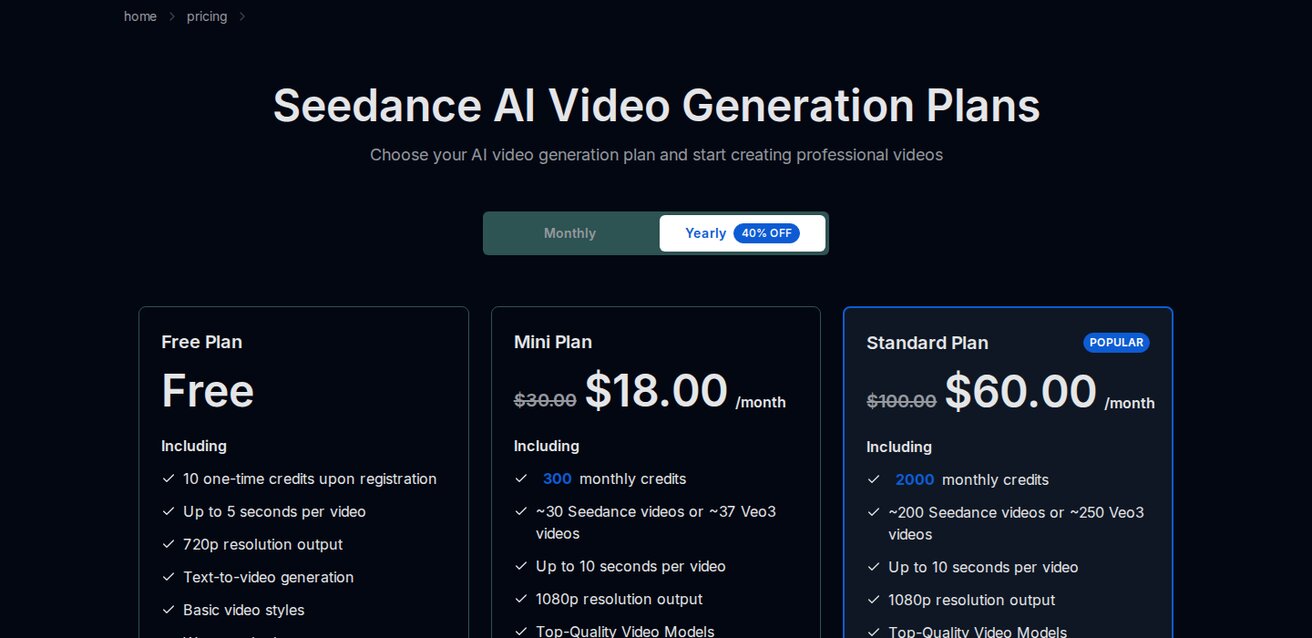
Free credits on signup. Paid plans from $9.9/month.
Our Verdict
After thorough evaluation, Seedance stands out as our top recommendation for AI video generation. Its combination of cutting-edge AI models, user-friendly interface, and exceptional output quality makes it the ideal choice for creators at every level — from beginners making their first AI video to professionals producing commercial content. Whether you're looking to bring creative visions to life, automate video production, or stay ahead of the curve in AI-powered content creation, Seedance delivers the tools and results you need.
Ready to try it yourself?
Put the steps from this guide into practice with Seedance and turn prompts or images into polished videos in minutes.
Free credits on signup. Plans from $28/month.
Related Articles
More posts in the same locale you may want to read next.

Seedance App Preview Video Generator 2026: Create App Store and Product Launch Clips
Use Seedance to turn app screenshots, feature copy, and launch goals into App Store previews, Google Play promo videos, and product launch clips.
Read article
Gemini AI Video Prompt Examples: Copy-Ready Veo Scenes and a Better Prompt Formula
Copy Gemini AI video prompt examples for cinematic motion, product ads, dialogue, and vertical clips, then adapt them with a practical Veo prompt formula.
Read article
How to Keep Product Shape Consistent in AI Video Ads
Lock product geometry, packaging, labels, references, camera angles, and approval checks so AI video ads preserve the real SKU across every shot.
Read article