
AI Video Prompts for Beginners: From Text to Cinematic Shots (2026)
The difference between a bad AI video and a stunning one? The prompt.
Quick Answer: AI video generation with Seedance lets you create stunning, professional-quality videos from text prompts or images in just minutes — no editing experience required.
Same tool, same model, same settings — but a well-written prompt produces cinematic results while a lazy one gives you generic garbage. This guide teaches you how to write prompts that actually work, with 50+ copy-paste examples organized by category.
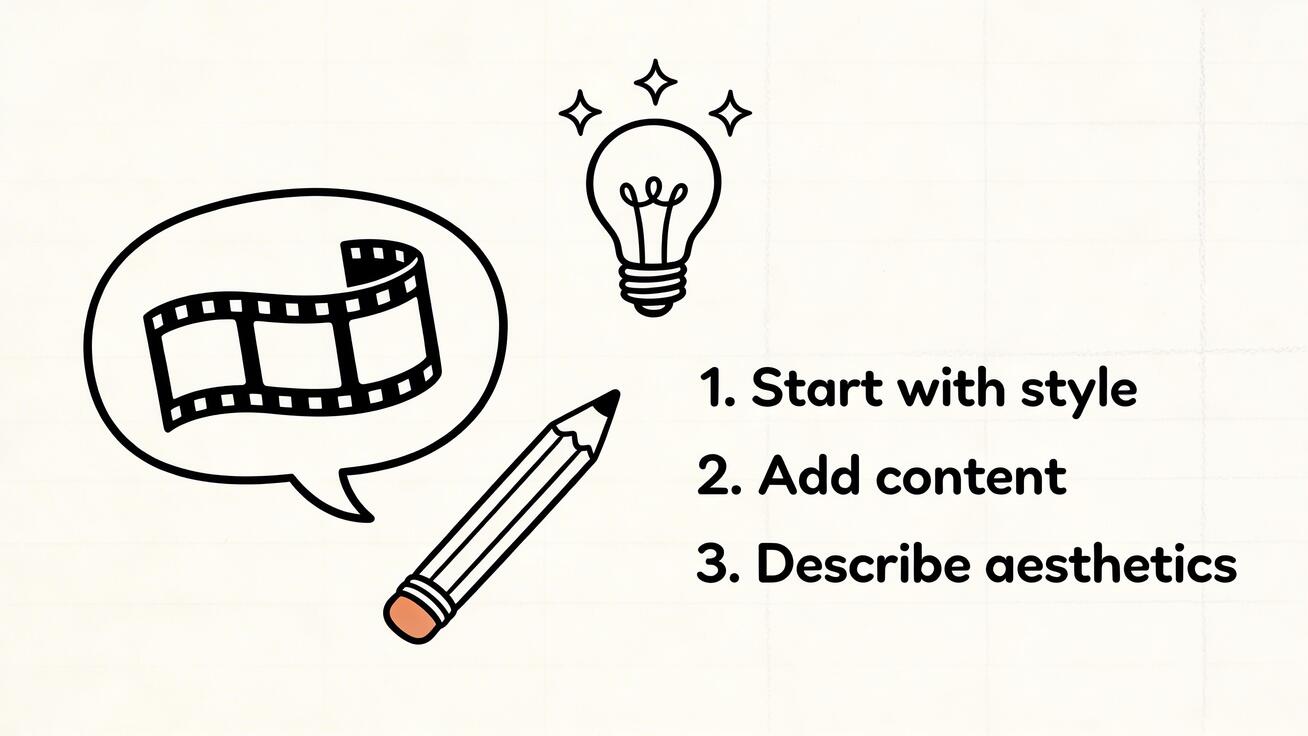
The Anatomy of a Great AI Video Prompt
Every effective prompt has five components:
[Subject] + [Action] + [Setting] + [Style] + [Camera]
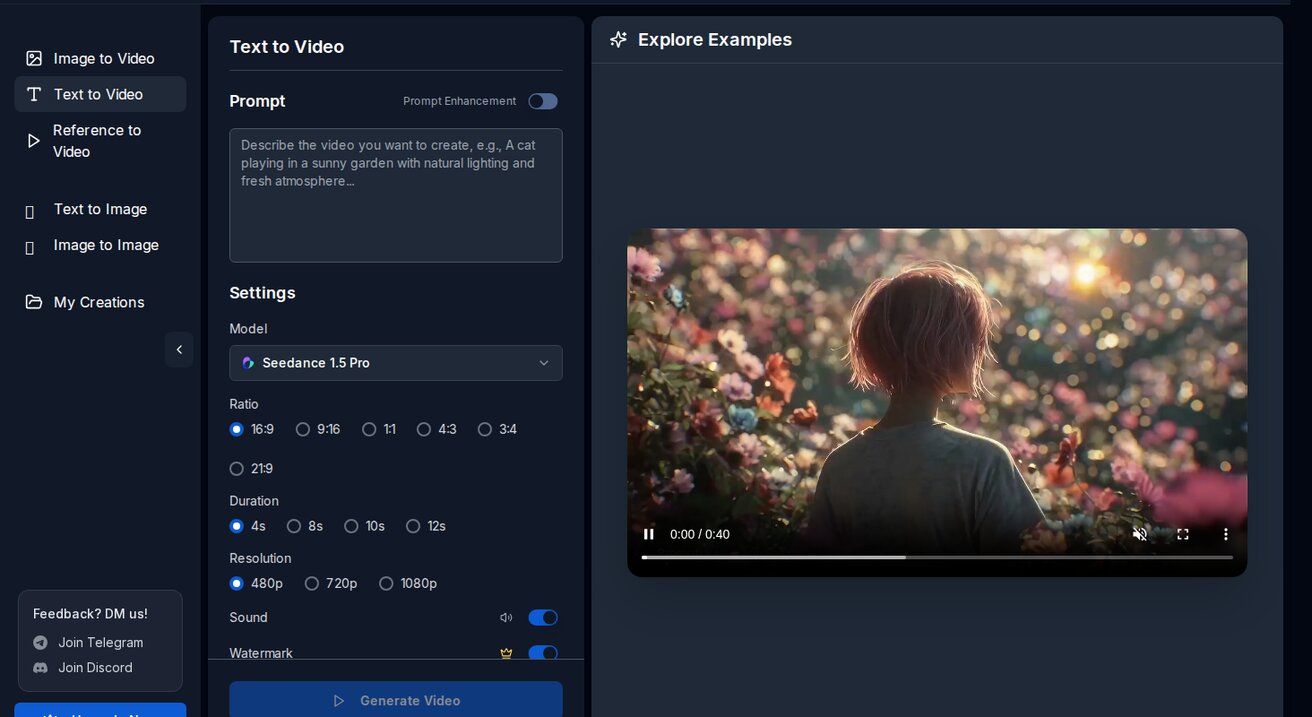
Let's break each one down.
1. Subject — Who or What
Be specific. "A woman" is vague. "A woman in her 30s with curly red hair wearing a white linen dress" gives the AI something to work with.
❌ "A dog" ✅ "A golden retriever puppy with floppy ears"
2. Action — What's Happening
Motion is what makes video different from images. Describe the movement explicitly.
❌ "A car" (static, boring) ✅ "A vintage red Mustang drifting around a mountain curve, tires smoking"
3. Setting — Where
Environment sets the mood. Include time of day, weather, and location details.
❌ "Outside" ✅ "On a rain-soaked Tokyo street at night, neon signs reflecting off wet pavement"
4. Style — How It Looks
Tell the AI what visual style you want. This is where you control the "feel."
Keywords that work:
- Cinematic — film-like quality, color grading
- Documentary — handheld, natural, raw
- Commercial — polished, bright, professional
- Anime — Japanese animation style
- Noir — high contrast, shadows, moody
- Vintage — film grain, muted colors, retro
5. Camera — How It's Shot
Camera direction transforms a scene. The same subject looks completely different with different camera work.
Keywords that work:
- Tracking shot — camera follows the subject
- Drone shot / aerial — bird's eye view
- Close-up — tight on face or detail
- Slow motion — dramatic, emphasizes motion
- Dolly zoom — Hitchcock effect, unsettling
- Handheld — raw, documentary feel
- Steadicam — smooth following shot
- Time-lapse — compressed time
50+ Copy-Paste Prompts by Category
🎬 Cinematic / Film
1. Epic landscape:
Aerial drone shot slowly rising over a misty mountain valley at sunrise, golden light breaking through clouds, pine forests below, cinematic color grading, 4K
2. Character introduction:
A detective in a long trench coat walks down a dimly lit alley, rain falling, neon signs flickering, camera tracking from behind, film noir style, shallow depth of field
3. Chase scene:
POV shot running through a crowded market in Marrakech, dodging people and stalls, handheld camera shake, urgent pace, action movie feel
4. Emotional moment:
Close-up of a woman's face as she reads a letter, tears forming in her eyes, soft window light, shallow depth of field, intimate and emotional, slow motion
5. Establishing shot:
Wide shot of a futuristic city skyline at dusk, flying vehicles crossing between skyscrapers, holographic billboards, Blade Runner aesthetic, slow pan right
🌍 Travel / Nature
6. Beach sunset:
Aerial drone shot slowly flying over a tropical beach at golden hour, turquoise waves gently crashing on white sand, palm trees swaying, cinematic color grading
7. Mountain adventure:
A hiker reaching a mountain summit, wind blowing their hair, panoramic view of snow-capped peaks, golden hour lighting, GoPro wide-angle perspective
8. Underwater:
Slow motion underwater shot of a sea turtle gliding through crystal clear water, sunbeams filtering from above, coral reef in background, nature documentary style
9. Northern lights:
Time-lapse of aurora borealis dancing over a frozen lake in Iceland, stars visible, snow-covered mountains in background, ethereal green and purple lights
10. City time-lapse:
Time-lapse of a busy intersection in New York City, day turning to night, car lights creating streaks, buildings lighting up, urban energy
🛍️ Product / Commercial
11. Tech product:
A sleek black smartphone floating and slowly rotating against a dark gradient background, subtle light reflections on the glass, professional product showcase, studio lighting
12. Fashion:
A model walking confidently down a sunlit cobblestone street in Paris, wearing a flowing summer dress, fabric moving with each step, fashion editorial style, tracking shot
13. Food:
Slow motion pour of golden honey dripping onto a stack of pancakes, steam rising, butter melting, warm morning kitchen light, food commercial quality
14. Beverage:
A cold glass of beer being poured, foam rising perfectly, condensation droplets on the glass, close-up, studio lighting, refreshing commercial feel
15. Luxury:
Close-up of a luxury watch on a wrist, the person adjusting their cuff, soft bokeh city lights in background, evening, premium brand commercial style
🎨 Artistic / Creative
16. Surreal:
A giant whale swimming through clouds above a small village, dreamlike atmosphere, soft pastel colors, Studio Ghibli inspired, magical realism
17. Abstract:
Flowing liquid metal morphing between geometric shapes, iridescent reflections, dark background, satisfying smooth motion, abstract art
18. Anime:
An anime girl with blue hair standing on a rooftop overlooking a neon-lit cyberpunk city at night, cherry blossoms falling, wind blowing her scarf, anime style, cinematic
19. Painting come to life:
Van Gogh's Starry Night slowly coming to life, the swirls beginning to move, stars twinkling, the village lights flickering, oil painting texture preserved
20. Miniature world:
Tilt-shift effect of a busy city street making everything look like a miniature model, tiny cars and people moving, bright daylight, toy-like aesthetic
👤 People / Portrait
21. Portrait animation:
Close-up portrait of an elderly man with deep wrinkles and kind eyes, he slowly smiles, warm golden hour side lighting, shallow depth of field, intimate
22. Dance:
A ballet dancer performing a pirouette in an empty theater, spotlight following her, dust particles visible in the light, slow motion, graceful
23. Conversation:
Two friends sitting at a café table laughing, one gesturing while telling a story, natural daylight, candid documentary style, warm tones
24. Athlete:
Slow motion of a sprinter exploding off the starting blocks, muscles tensing, determination on their face, stadium lights, sports commercial quality
25. Musician:
A jazz pianist playing in a dimly lit club, smoke drifting through spotlight beams, close-up of hands on keys then pull back to reveal the room, moody
Frequently Asked Questions
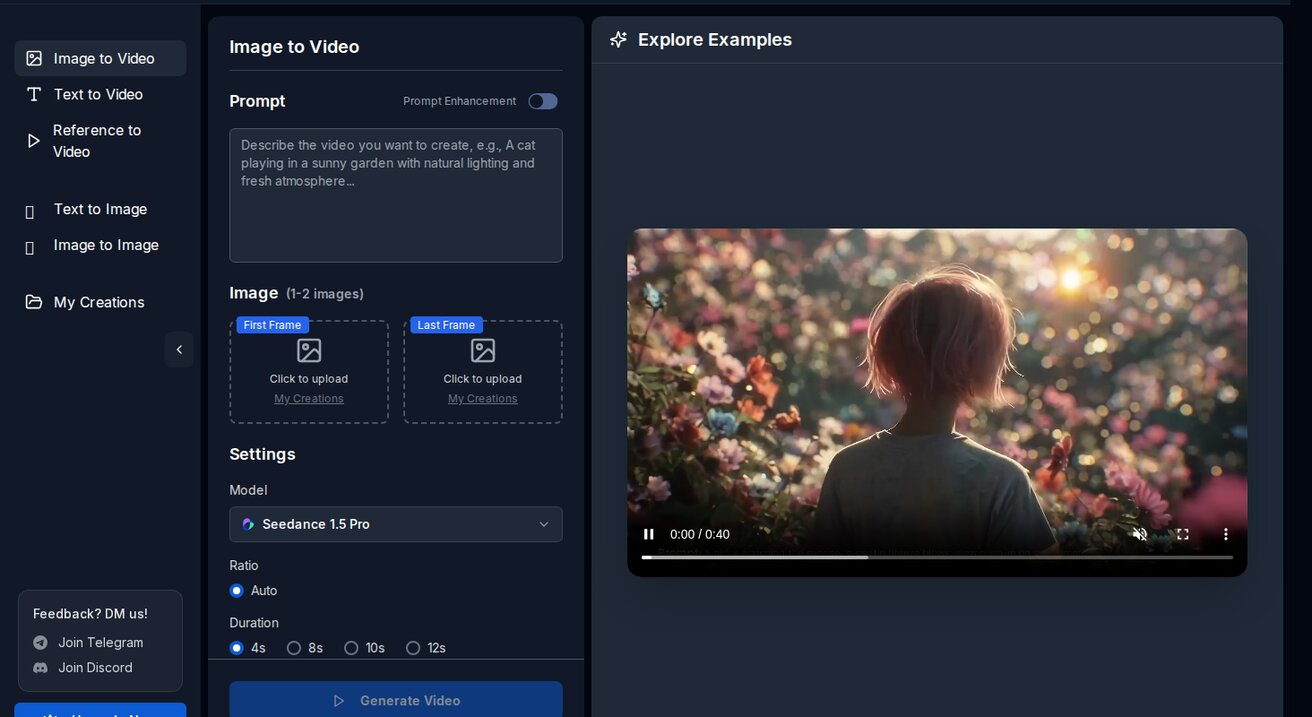
Q: What makes Seedance different from other AI video tools? A: Seedance combines state-of-the-art AI models with an intuitive interface, making professional video creation accessible to everyone. Its unique blend of powerful generation capabilities, fast processing, and affordable pricing sets it apart from competitors.
Q: How good is the video quality from Seedance? A: Seedance produces high-quality videos with smooth motion, accurate prompt adherence, and impressive visual fidelity. The platform supports multiple aspect ratios and resolutions, including HD output for professional use cases.
Q: Is Seedance suitable for professional video creators? A: Absolutely. Seedance is used by content creators, marketers, filmmakers, and businesses worldwide. Its advanced controls, high-resolution output, and batch generation capabilities make it a powerful tool for professional workflows.
📱 Social Media / TikTok
26. Satisfying loop:
Smooth infinite zoom into a fractal pattern of blooming flowers, each layer revealing a new garden, seamless loop, vibrant colors, satisfying
27. Transformation:
A pencil sketch on paper gradually filling with color and coming to life as a photorealistic scene, magical transformation, smooth transition
28. ASMR visual:
Close-up of kinetic sand being slowly cut with a knife, satisfying crumble, soft pastel colors, ASMR visual style, macro lens
29. Trend format:
Split screen: left side shows a messy desk, right side shows the same desk perfectly organized, smooth transition between the two, satisfying before/after
30. Hook opener:
Dramatic zoom into a mysterious glowing object on a dark table, lens flare, suspenseful, "what is this?" energy, vertical 9:16 format
Model-Specific Prompt Tips
Different AI models respond differently to the same prompt. Here's how to optimize:
Seedance 2.0
- Excels with character descriptions — be detailed about appearance
- Responds well to "cinematic" and "professional" keywords
- Good with motion verbs: "walks," "turns," "reaches"
Veo 3
- Handles complex multi-element scenes best
- Add audio descriptions: "sound of rain," "jazz music playing"
- Responds to technical camera terms: "rack focus," "dolly in"
Sora 2
- Leans creative — embrace it with artistic prompts
- Works well with style references: "Wes Anderson style," "Christopher Nolan feel"
- Good with abstract and surreal concepts
Wan
- Best for anime and illustration styles
- Use anime-specific terms: "cel shading," "sakura petals," "chibi"
- Responds to Japanese aesthetic keywords

Common Prompt Mistakes (and Fixes)
Mistake 1: Too vague
❌ "A beautiful sunset" ✅ "Golden hour sunset over the Mediterranean Sea, seen from a clifftop in Santorini, white buildings in foreground, warm orange and pink sky, slow pan left, cinematic"
Mistake 2: Too long
❌ A 500-word essay describing every detail ✅ Keep it under 150 words. Focus on the 5 key components.
Mistake 3: Contradictory instructions
❌ "Fast-paced action scene, slow motion, calm and peaceful" ✅ Pick one mood and commit to it.
Mistake 4: Ignoring camera direction
❌ "A city at night" (AI picks a random angle) ✅ "Aerial drone shot slowly descending into a city at night" (specific camera = specific result)
Mistake 5: No motion description
❌ "A cat on a windowsill" (might generate a static image-like video) ✅ "A cat on a windowsill stretching and yawning, then looking out the window as birds fly past, afternoon sunlight"
What Is Ai Video Prompts For Beginners and Why Does It Matter?
Ai Video Prompts For Beginners is an essential capability for modern content creators and marketers. The best tools for ai video prompts for beginners combine AI-powered automation with professional-quality outputs — saving hours of manual work while delivering results that meet commercial standards.
In 2025, platforms like Veo 3 and Seedance have made ai video prompts for beginners more accessible than ever, offering free-tier access alongside professional plans.
How Do You Get Started with Ai Video Prompts For Beginners?
Getting started with ai video prompts for beginners requires just a few steps:
- Choose the right tool for your needs (see comparison above)
- Sign up for a free account — no payment required to start
- Follow the step-by-step guide in this article
- Test with simple examples first, then scale up
Most users can produce their first professional result within 30 minutes of starting.
What Are the Best Tools for Ai Video Prompts For Beginners in 2025?
The top tools for ai video prompts for beginners in 2025 are:
- Veo 3 — best overall quality, free via Google Gemini
- Kling AI — best mobile experience and free tier generosity
- Runway Gen-4 — best for artistic and cinematic styles
- Pika 2.1 — best for beginners with simple interface
Each tool has strengths in different areas — the best choice depends on your specific use case, volume requirements, and budget.
The Prompt Refinement Process
Don't expect perfection on the first try. Here's the workflow:
- Start broad — write your first prompt with the 5 components
- Generate 2-3 versions — see what the AI interprets
- Identify what's wrong — wrong mood? Wrong motion? Wrong style?
- Add specificity — fix the weak parts of your prompt
- Regenerate — compare with the first batch
- Save your best prompts — build a personal prompt library
On Seedance, you can generate with multiple models simultaneously. This helps you understand which models respond best to which types of prompts.
Build Your Prompt Library
The fastest way to improve: save prompts that work and reuse them as templates.
Create a simple document with categories:
- Cinematic shots — your best film-style prompts
- Product videos — templates for different product types
- Social media — formats that get engagement
- Artistic — creative prompts for unique content
Swap out the subject and setting while keeping the style and camera directions that work.
Watch: AI Video Generation in Action
See how AI video generators work in practice:
Start Generating
The best way to learn prompting is to practice. Head to Seedance, grab your 100 free daily credits, and start experimenting with the prompts above.
Copy any prompt from this guide, paste it in, and generate. Then modify it. Then make it yours.
The gap between "AI video beginner" and "AI video pro" is about 50 generations of practice. At 100 free credits per day, that's less than a week.
Read Next
Conclusion: Our Final Recommendation on Ai Video Prompts For Beginners
After reviewing all available options and strategies, our verdict is clear: the best approach to ai video prompts for beginners in 2025 combines AI-powered tools like Veo 3 with proven content strategies.
We recommend:
- Start with free tools to test and learn
- Focus on quality and consistency over volume
- Use AI to accelerate production, not replace creative direction
Bottom line: Ai Video Prompts For Beginners is more accessible than ever in 2025. The tools and strategies in this guide are tested and proven — start applying them today for immediate results.
Ready to try it yourself?
Put the steps from this guide into practice with Seedance and turn prompts or images into polished videos in minutes.
Free credits on signup. Plans from $20/month.
Related Articles
More posts in the same locale you may want to read next.

Seedance App Preview Video Generator 2026: Create App Store and Product Launch Clips
Use Seedance to turn app screenshots, feature copy, and launch goals into App Store previews, Google Play promo videos, and product launch clips.
Read article
Midjourney Animate Uploaded Image Tutorial: From Still Frame to Usable Video
Learn how to animate an uploaded image in Midjourney, choose Low or High Motion, write a motion prompt, extend clips, and fix common continuity failures.
Read article
Luma Dream Machine Extend Tutorial: Build a Longer Shot Without Breaking Continuity
Learn how to extend Luma Dream Machine videos with blank prompts, directed prompts, end keyframes, clean handoffs, continuity checks, and selective reruns.
Read article