
6 Best Vidu AI Alternatives in 2026: Free and Paid Options
AI Overview
What is the best Vidu AI alternative?
The best choice depends on the shot. Seedance is a strong all-round option for text- and image-led creation, while specialist tools may fit editing, realism, speed, or effects better.
Is there a free Vidu AI alternative?
Yes, but free access may mean limited credits, slower queues, watermarks, or lower resolution. Compare the number of usable exports, not the number of advertised generations.
Which Vidu AI alternative is best for image-to-video?
Test the same image and motion prompt in every shortlisted tool. Favor the result that preserves identity, product geometry, hands, and background detail throughout the shot.
How should I compare Vidu AI pricing?
Calculate cost per approved clip, including failed attempts and retries. A low generation price is not a bargain if several outputs must be discarded.
Best Vidu AI Alternatives at a Glance
People searching for Vidu AI alternatives need to know which option can replace a specific task: text-to-video, image animation, reference consistency, fast experimentation, or production editing. Use this shortlist as a routing table, then test the top two with your own material.
| Alternative | Best fit | First test to run | Main trade-off to inspect |
|---|---|---|---|
| Seedance | Flexible cinematic text- and image-led creation | One character action with a controlled camera move | Prompt complexity versus repeatability |
| Kling AI | Realistic people, motion, and physical interaction | Walking, turning, cloth, and object contact | Queue time and consistency across retries |
| Runway | Production control and an editing-centered workspace | Generate, revise, and assemble one finished shot | Credit use across experimentation and export |
| Luma Dream Machine | Rapid visual concepts and camera-led scenes | One atmospheric scene with depth and movement | Character and object stability over time |
| Hailuo AI | Quick image-to-video experiments | Animate one portrait with subtle movement | Fine-detail stability in faster motion |
| Pika | Short social effects and transformations | A simple effect with a clear start and end state | Suitability for longer narrative continuity |
Start with the task, not the brand name. If you need a flexible place to create and compare motion ideas, the Seedance AI video generator is the practical first stop. If the brief is still only a sentence, turn it into one action, one subject, and one camera instruction before testing it in Text to Video.
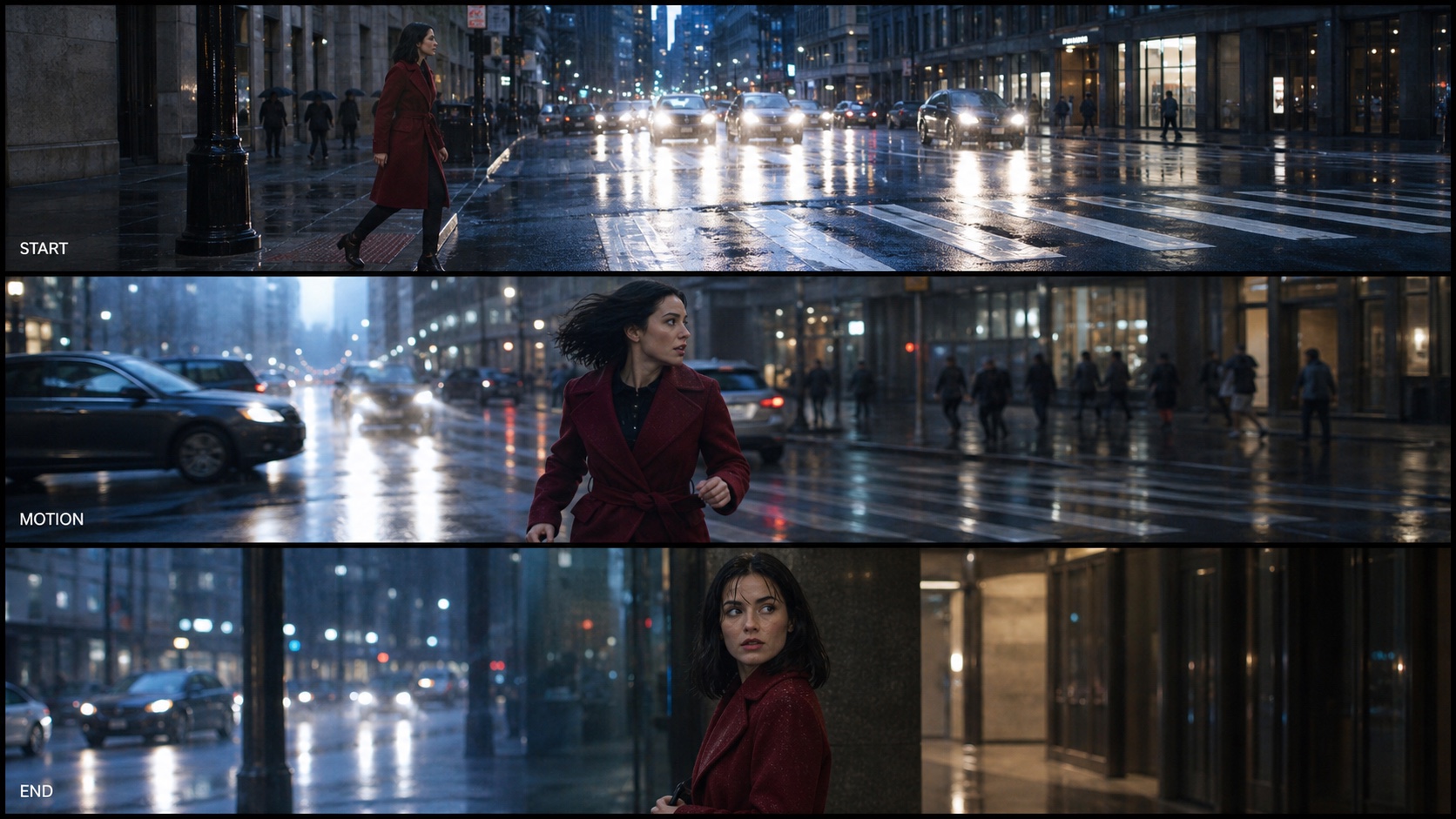
A useful alternative test has visible progression. The subject, wardrobe, location, and lighting should survive the move from the opening pose to the final frame.
Best Vidu AI Alternatives by Use Case
Seedance: Best all-round alternative for cinematic creation
Choose Seedance when a project mixes written prompts, source images, character motion, product shots, and several delivery formats. For a still-led brief, begin in Image to Video so the identity, palette, and composition are anchored before motion is introduced.
Kling AI: Best for realistic motion tests
Shortlist Kling when human movement, object contact, or physical weight is the main acceptance criterion. Test a complete action rather than an attractive idle pose: a person should reach, turn, make contact, and settle. Watch hands, feet, fabric, reflections, and the final balance. A beautiful opening frame does not compensate for broken motion halfway through the clip.
Runway: Best for an editing-centered workflow
Runway deserves consideration when generation is only one part of a broader production process. A creator may value revision, timeline decisions, team review, and export control as much as the raw first result. Price the complete path from idea to approved asset. Extra control can save time, but a complex workspace is unnecessary when the job is a single short social shot.
Luma Dream Machine: Best for fast visual exploration
Luma is a sensible candidate for mood, spatial depth, camera energy, and early concept exploration. Test it with an environment that has foreground, subject, and background layers, then inspect whether the camera move preserves the scene rather than rebuilding it. For a deeper alternative-focused comparison, see the Luma Dream Machine alternatives guide.
Hailuo AI: Best for quick image-to-video experiments
Hailuo belongs on the shortlist when you want to see whether a still can become a lively short clip without a long setup. Use subtle facial motion, a controlled turn, or one product interaction. Faster experimentation is useful only if the output survives close review; hair, eyes, fingers, packaging edges, and background patterns reveal instability quickly.
Pika: Best for effects and social transformations
Pika is most relevant when the creative idea is an obvious transformation or a short visual beat designed for social viewing. Define the start state, transformation, and end state clearly. If the project needs recurring characters across multiple scenes, test continuity before committing; an effective isolated effect does not automatically translate into a coherent sequence.
Free Vidu AI Alternatives: What You Actually Get
Compare usable seconds, not free credits
Free credits are difficult to compare because models charge differently by duration, resolution, mode, and speed. Ask how many five- or eight-second tests you can run and export at a useful quality.
Check watermarks, queues, resolution, and rights
Before testing, record whether the free output has a watermark, whether it can be used commercially, the maximum resolution, and whether generation enters a slower queue. These limits matter more than a signup bonus. Do not build a campaign around a trial until the exported file meets the real delivery requirement.
Separate exploration from repeatable production
A free tier is ideal for testing prompt understanding and basic motion, but it may not support a weekly content schedule. Run one easy, one typical, and one difficult shot. If only the easy shot succeeds, the tool is an experiment—not yet a replacement.
Image-to-Video and Reference Consistency Tests
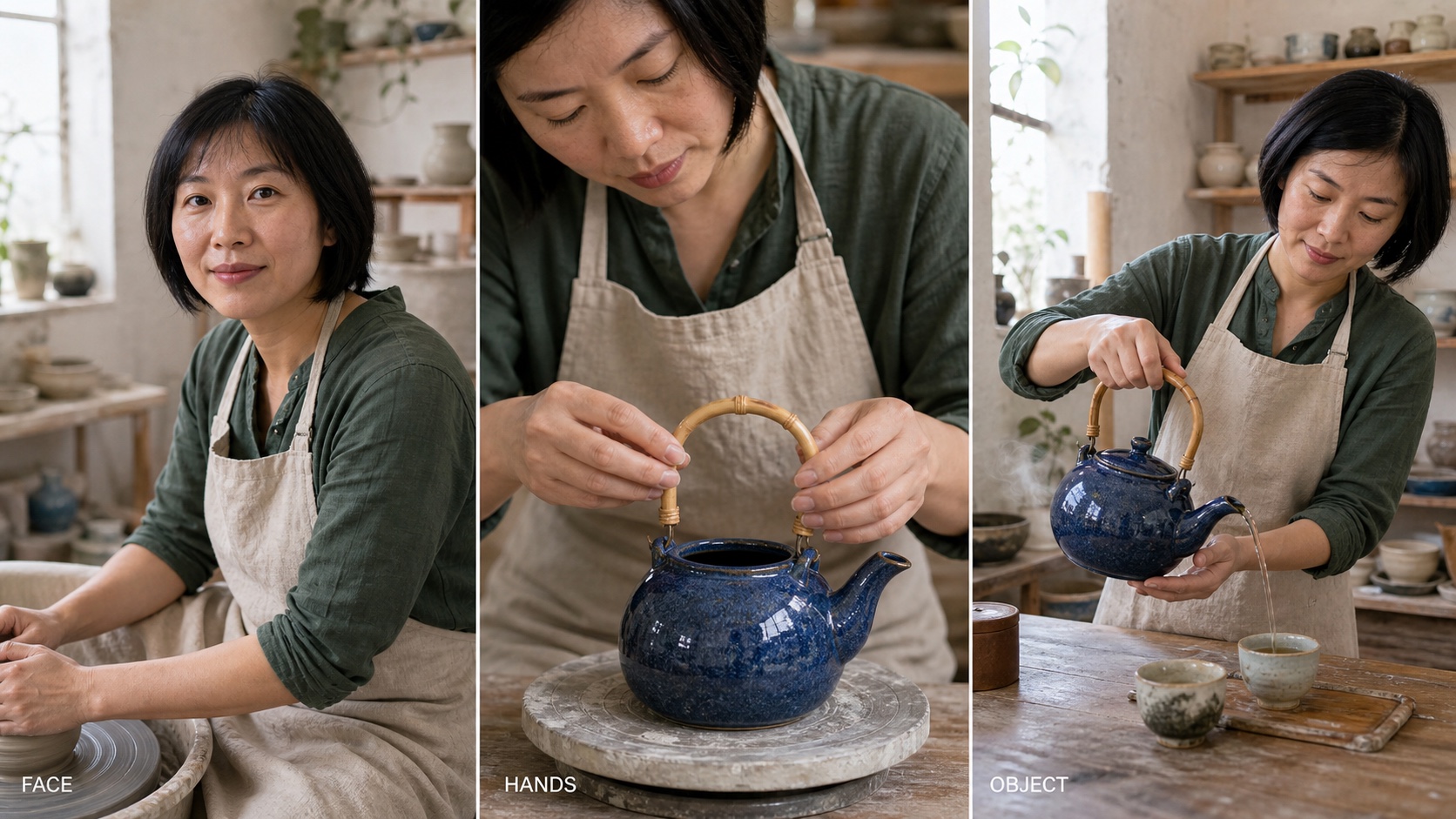
Reference consistency means more than keeping a similar face. Clothing, product geometry, materials, color, and the surrounding space must remain recognizable as the shot changes.
This finished 8-second Seedance 2 Mini test uses the portrait as the first frame and the tea-pouring shot as the last frame. The 9:16 action remains fully visible inside the blog player, while the middle transition tests whether the artist, apron, blue teapot, bamboo handle, and studio stay recognizable.
Use one reference and one controlled prompt
Choose a reference with a clear face or product, readable hands, a distinctive color, and enough background context to expose drift. Use exactly the same prompt, duration, aspect ratio, and intended camera move in every tool. Do not improve the wording for one candidate and leave another with the first draft; that turns a model comparison into a prompt-writing comparison.
Inspect identity, anatomy, and background stability
Review the clip at normal speed and frame by frame. Check the hairline, jaw, clothing seams, fingers, product silhouette, reflections, and repeated patterns. A less dramatic result that protects the subject may be more valuable for client work.
Test start, motion, and final pose
Many clips look convincing at the start and fail during a turn, occlusion, or contact event. Require a readable final pose rather than letting the scene dissolve into motion blur. When different shots need different strengths, route them separately instead of forcing one generator to handle everything; the multi-model AI video workflow explains that production strategy.
Vidu AI Pricing vs Alternatives
Record the cost of the exact mode
Pricing pages often mix text-to-video, image-to-video, reference modes, fast queues, and several resolutions. Record the model, duration, resolution, and mode used for every test.
Calculate cost per approved clip
Use a simple production metric: total credits or dollars spent divided by approved clips. If ten attempts produce two usable shots, the effective cost is five attempts per approved result. Add upscale, interpolation, audio, watermark removal, and editing costs only when they are required for delivery. This reveals whether a cheaper attempt is actually cheaper work.
Include waiting and review time
Measure time from submission to approved export, not just seconds to the first preview. Slow queues can block a campaign, while unstable fast outputs create extra review. The fastest AI video generator comparison separates latency from production throughput.
How to Choose the Right Vidu AI Alternative
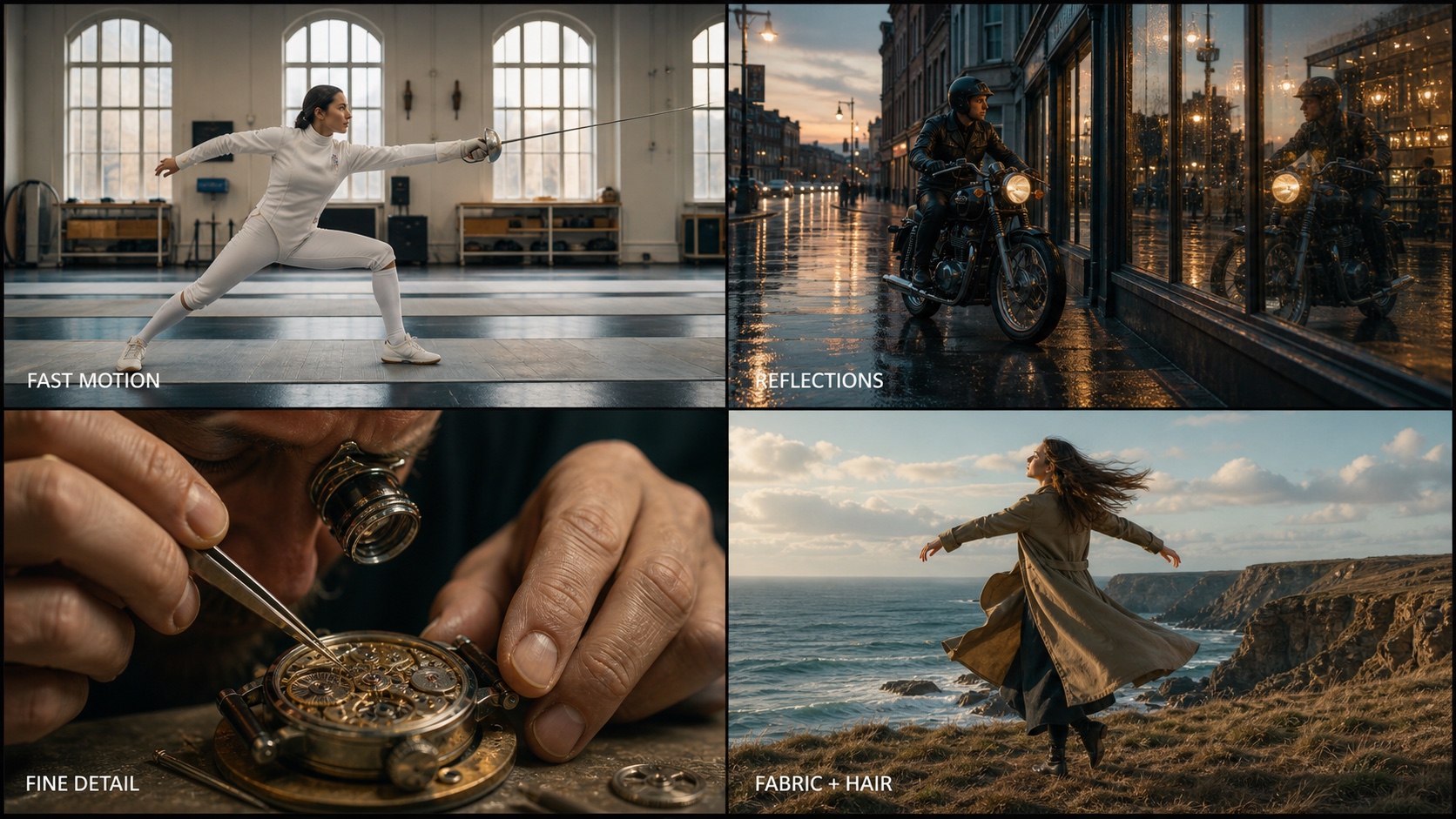
A subscription decision should follow a stress test. Fast motion, reflections, fine geometry, hands, hair, and fabric expose weaknesses that a static beauty shot can hide.
Build a three-shot scorecard
Score each candidate from one to five for prompt adherence, identity, motion, camera control, generation time, and usable cost. Use the same easy, normal, and difficult shots. Mark anatomy, product geometry, or identity changes as hard failures.
Match the tool to the production risk
For a one-off social effect, speed and simplicity may outrank continuity. For a product ad, geometry and commercial export terms matter. For narrative work, character consistency and repeatable camera behavior deserve more weight. Select the tool that protects the most expensive part of your brief, then use other models only where they provide a clear advantage.
Run the test before buying a long plan
Use monthly access or trial credits until the tool passes your actual footage test. Save prompts, seeds when available, settings, failed outputs, and approval notes. Recheck the shortlist when a model changes. The goal is not to find a permanent winner; it is to maintain a reliable route from brief to approved video.
Conclusion
The best Vidu AI alternative is the one that completes your real shot with the fewest damaging retries. Start with Seedance for a flexible text- and image-led workflow, then compare specialist options using the same references, prompts, durations, and acceptance rules. Judge free access by usable exports, judge pricing by approved clips, and stress-test motion and consistency before committing to a subscription. Create your first comparison shot with Seedance →
Start generating for free - no credit card required
Create videos with free signup credits, then scale with affordable plans whenever you need more generations.
Free credits on signup. Plans from $28/month.
Related Articles
More posts in the same locale you may want to read next.

Seedance App Preview Video Generator 2026: Create App Store and Product Launch Clips
Use Seedance to turn app screenshots, feature copy, and launch goals into App Store previews, Google Play promo videos, and product launch clips.
Read article
Best AI Video-to-Video Models in 2026
The best AI video-to-video models in 2026 for editing footage you already shot: Higgsfield Genjutsu, Seedance 2.x, Runway Aleph, Luma Modify and Kling Omni compared.
Read article
Kling 4.0 vs Seedance 2.5: Full Comparison
Kling 4.0 vs Seedance 2.5 compared by spec: 30-second clips, keyframes vs 50 references, audio, 4K and 10-bit color, editing, and which model fits which job.
Read article