
Best Luma Dream Machine Alternatives in 2026: Free and Paid Options Compared

AI Overview
What is the best Luma Dream Machine alternative?
The best choice depends on the shot. Seedance suits flexible multi-model creation, Runway emphasizes production control, and Kling is worth testing for motion-heavy scenes.
Is there a free alternative to Luma Dream Machine?
Yes. Several tools provide free credits or trials, but watermarks, queue priority, commercial rights, resolution, and recurring access vary.
Why are creators looking for Luma Dream Machine alternatives?
Most want lower cost, fewer queue limits, native audio, longer clips, stronger consistency, or a workflow that produces usable footage in fewer attempts.
Is Luma Dream Machine better than Runway or Kling?
Not for every project. Test the same prompt, reference, duration, aspect ratio, and camera direction, then compare approved outputs instead of promotional demos.
What to Look for in a Luma Dream Machine Alternative
People comparing Luma Dream Machine alternatives usually need to solve one specific production problem. Identify your two most important requirements before comparing tools. Otherwise, the longest feature list can distract you from the result you actually need.
| Your priority | What to verify |
|---|---|
| Fewer failed generations | Prompt accuracy, stable faces and hands, and consistent subjects during motion |
| Faster delivery | Queue time, render speed, revision workflow, and the number of attempts needed |
| Lower real cost | Cost per approved clip, including rejected renders, upscaling, audio, and watermark removal |
| More creative control | Reference images, camera controls, first/last-frame input, duration, and aspect ratios |
| Finished video with sound | Native dialogue, ambient audio, effects, and audio-video synchronization |
| Dependable free access | Recurring credits, export resolution, watermark rules, queues, and commercial-use terms |
Choose the priorities that match your project, then use the comparison below to find the strongest option for that requirement. A better alternative should remove your current bottleneck without creating a costlier one.
Best Luma Dream Machine Alternatives at a Glance
Use this shortlist as a routing map, not an absolute ranking. Features and free allowances change often, so verify current terms before committing a large project.
| Option | Best for | Main strength | Main trade-off | Free-access question |
|---|---|---|---|---|
| Seedance | Flexible everyday creation | Multiple generation paths in one workflow | Fewer built-in editing tools than a full suite | How many clean test clips can you approve? |
| Runway | Professional control and finishing | Mature creative and editing toolkit | Credits can disappear quickly during iteration | Are free exports usable for delivery? |
| Kling AI | Complex motion and longer actions | Strong movement and subject dynamics | Results and queues can vary by mode | Is recurring access available in your region? |
| Veo | Cinematic scenes with sound | Native audio and strong scene understanding | Access can depend on plan and product surface | Does the available tier include the mode you need? |
| Hailuo | Budget-friendly motion tests | Expressive movement and quick exploration | Fine detail may need more retries | Are daily credits enough for a real test? |
| Pika | Stylized social content | Fast effects and playful transformations | Less suited to strict product fidelity | Does the export include a watermark? |
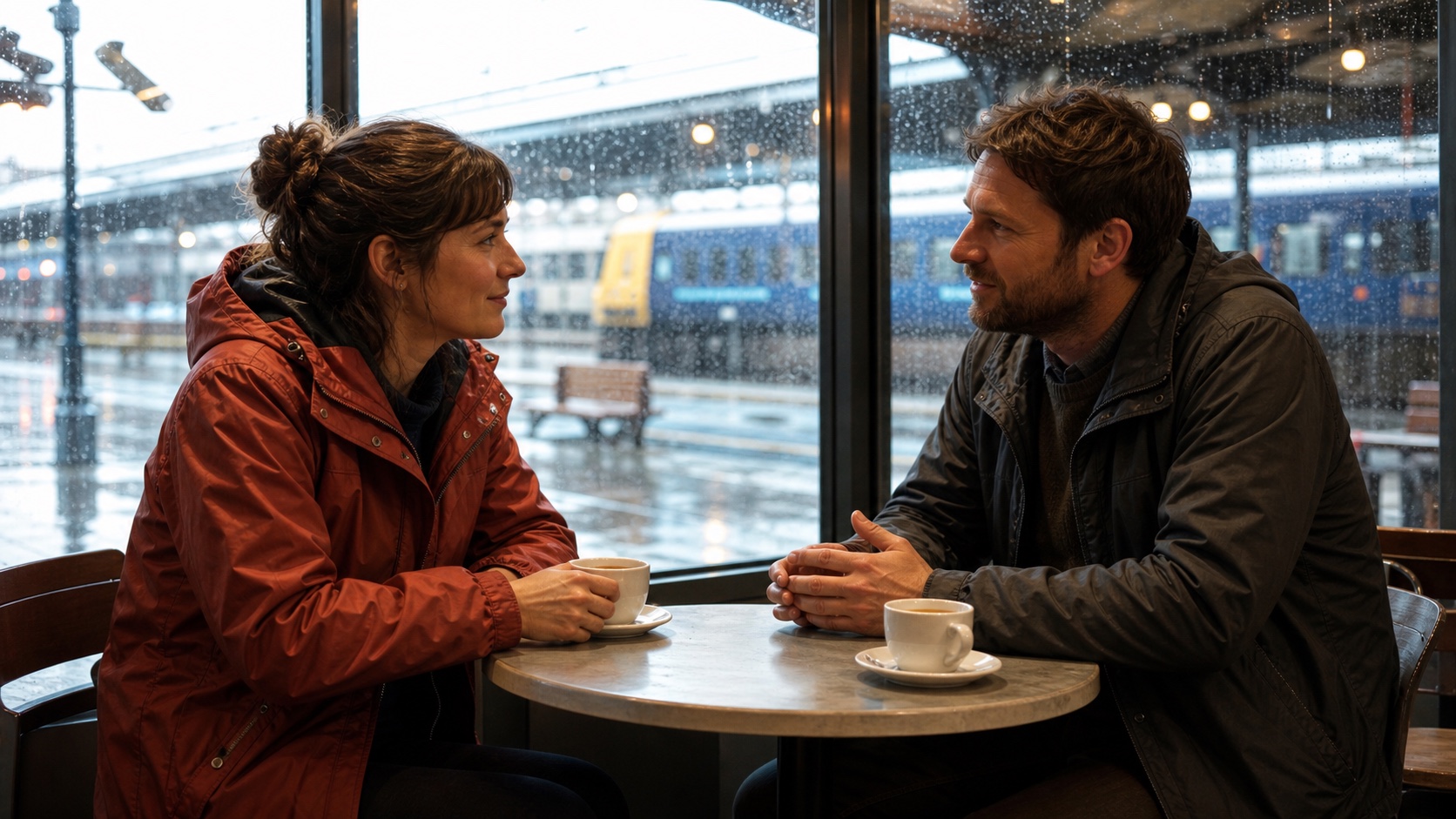
A dialogue benchmark created for this guide. Compare facial structure, eye direction, hands, mouth movement, rain continuity, and background stability—not just the prettiest first frame.
For an open-ended scene, start with Text to Video. If a product, character, location, or composition is already approved, lock that decision with Image to Video before testing alternative models.
Best Luma Dream Machine Alternatives by Use Case
Seedance — best overall for flexible AI video creation
Seedance is a practical first choice for moving from prompt to footage without rebuilding the workflow for every shot. Its multi-model approach makes difficult scenes easier to reroute.
Choose it for ad concepts, product demos, social variants and storyboards. The project stays organized while creators test different visual strengths; final finishing still belongs in an editor.
Runway — best for editing and production control
Runway fits filmmakers and motion designers who need selective changes, compositing, transformation, asset organization and a developed post-generation environment.
Choose it when those controls replace other production steps, because unnecessary experiments consume both time and credits.
Kling AI — best for complex movement
Kling is a useful Luma alternative for running, dancing, interacting characters, camera travel, and shots where momentum must stay believable. Give it one clear action, one camera instruction, and an explicit final state. Overloaded prompts make it harder to diagnose whether the failure came from anatomy, choreography, or camera direction.
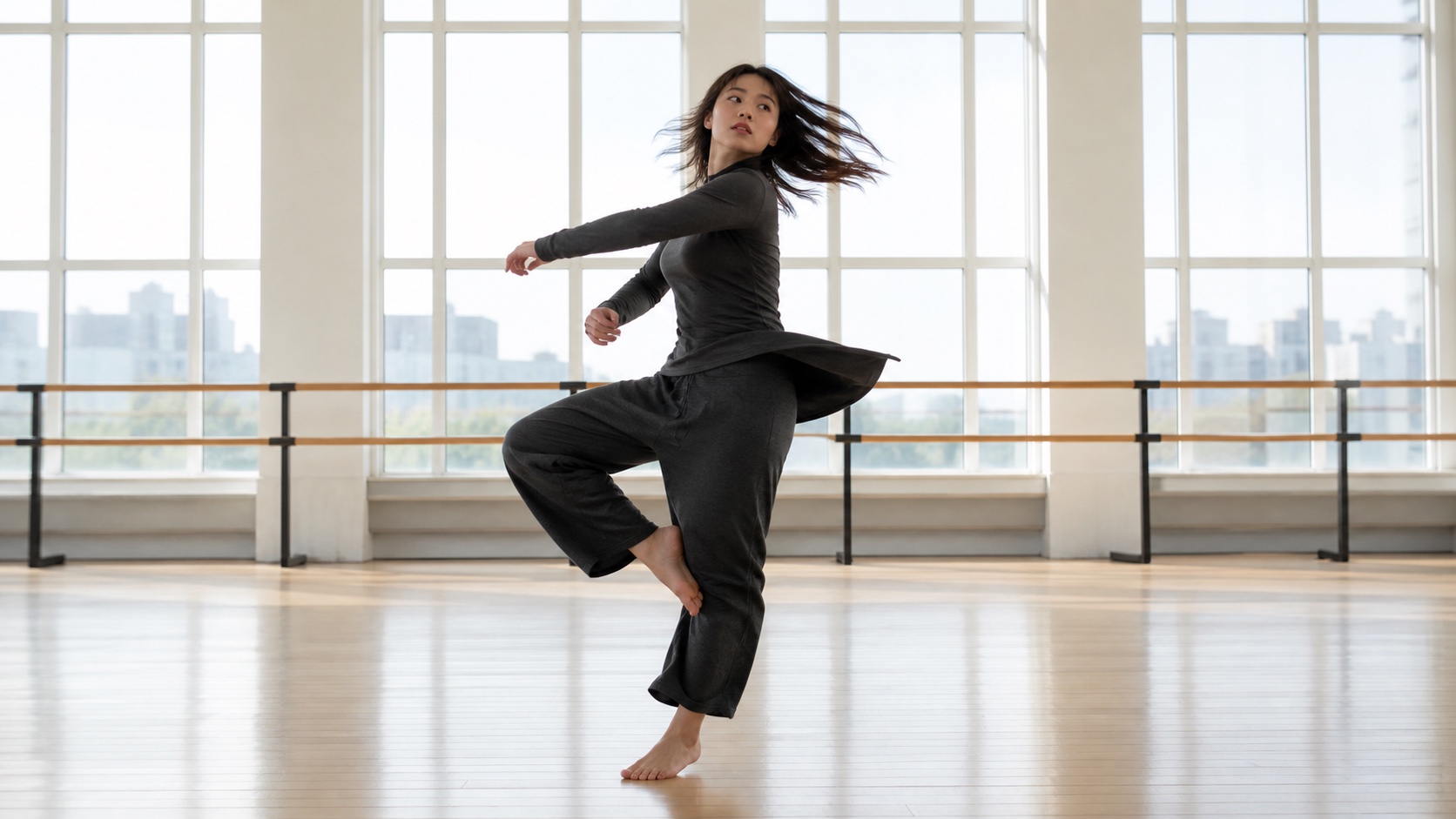
A motion test should reveal the full body and floor contact. Review balance, hands, feet, garment movement, window geometry, and whether the turn accelerates naturally.
Veo — best when native audio matters
Veo belongs on the shortlist when dialogue, effects, environmental sound, or musical timing must be generated with the picture. Native audio reduces handoffs, but it does not remove the need for review. Listen for voice changes, missing impacts, duplicated effects, room-tone jumps, and lip synchronization.
Hailuo and Pika — best for quick exploration
Hailuo is useful for expressive motion drafts, while Pika fits effects-led social clips. Use them when a realistic route feels too restrained, not as automatic upgrades from Luma.

A stylized benchmark tests material consistency as well as creativity: paper fibers, wing shape, miniature scale, lighting direction, and a readable motion path should remain coherent.
Luma Dream Machine vs Runway, Kling and Seedance
Luma Dream Machine vs Runway
Choose Luma for rapid cinematic ideation and fluid camera movement. Choose Runway when the clip must enter a broader editing or finishing workflow. The trade-off is simplicity versus production depth.
Luma Dream Machine vs Kling AI
Compare these with one fixed action brief. Score completed action, plausible limbs, camera obedience and an editable final frame. Kling may suit difficult movement; Luma may reach a cinematic result with less setup.
Luma Dream Machine vs Seedance
Luma is a focused creative environment. Seedance offers a straightforward starting point and multiple generation approaches without rebuilding the project—useful when one campaign contains several shot types.

Product footage is unforgiving. Check silhouette, cap alignment, label shape, liquid level, reflections, splash direction, and whether the item still matches the approved reference.
Best Free Luma AI Alternatives—and What “Free” Really Means
Evaluate usable access, not the word free
The keyword luma ai alternatives free mixes two different needs: casual experimentation and footage that can actually be published. A useful free route should disclose whether credits recur, how long queues take, what resolution exports use, whether a watermark appears, and whether commercial use is permitted.
One signup bonus is enough for a model test but not a weekly workflow. Daily credits may offer more practice, yet slow queues can block deadlines. Watermarked output can be fine for storyboards and unacceptable for a client. Review our free AI video generator comparison for a broader checklist before relying on any free tier.
Run a controlled free-tier test
Use three five-to-eight-second briefs: a medium dialogue shot, a full-body action, and a clean product close-up. Generate each brief twice. Do not add more references or a longer duration until the base composition works. Record queue time, failed jobs, watermarks, export resolution, rights, and the number of clips you would genuinely publish.
The winning free alternative is the one that gives you enough usable evidence to choose confidently. It does not need to fund the entire production.
How to Test and Choose the Right Luma Alternative
Use the same input package
Prepare one prompt, reference image, negative instruction set, duration, aspect ratio, camera move, and delivery target. Keep these fixed across tools. If one platform uses different terminology, translate the control without changing the creative requirement.
Score prompt adherence, identity, anatomy, object geometry, temporal stability, camera behavior, audio, render time, and cost. Add a binary publishable: yes/no field. A beautiful clip that changes the product or misses the final action is still a failure.
Match the tool to the bottleneck
Choose Seedance when you need a flexible home base, Runway when editing control saves downstream labor, Kling when difficult movement is the central risk, Veo when picture and sound must arrive together, and Luma when its cinematic motion already fits the brief.
Keep a backup route only for shots that fail repeatedly. Too many tools create inconsistent color, faces, lenses, and audio. The most efficient workflow uses the fewest models required to approve the sequence.
Conclusion
The best Luma Dream Machine alternative is not the platform with the longest feature list; it is the one that solves your specific failure—cost, motion, control, sound, consistency, or free access—and produces an approved clip with fewer retries. Test matched inputs, calculate cost per usable result, and keep Luma whenever it still wins the shot. Start your first comparison with Seedance →
Ready to create your own AI video?
Turn ideas, text prompts, and images into polished videos with Seedance. If this article helped, the fastest next step is to try the product.
Free credits on signup. Plans from $28/month.
Related Articles
More posts in the same locale you may want to read next.

Seedance App Preview Video Generator 2026: Create App Store and Product Launch Clips
Use Seedance to turn app screenshots, feature copy, and launch goals into App Store previews, Google Play promo videos, and product launch clips.
Read article
Best AI Video-to-Video Models in 2026
The best AI video-to-video models in 2026 for editing footage you already shot: Higgsfield Genjutsu, Seedance 2.x, Runway Aleph, Luma Modify and Kling Omni compared.
Read article
Kling 4.0 vs Seedance 2.5: Full Comparison
Kling 4.0 vs Seedance 2.5 compared by spec: 30-second clips, keyframes vs 50 references, audio, 4K and 10-bit color, editing, and which model fits which job.
Read article