
Sora 2 vs Kling AI: Choose a Video Workflow You Can Actually Use

AI Overview
Is Sora 2 or Kling AI the better choice now?
For a new ongoing project, start by checking availability, not a highlight reel. Sora's API is scheduled to shut down on September 24, 2026, which changes this comparison.
Which is better for image-to-video control?
Kling VIDEO 3.0 documents start and end frames plus element references. Test your actual subject and selected mode; a feature list does not guarantee stable details.
Which model produces better motion and sound?
Both model families have supported synchronized audio. Compare contact, timing and speaker consistency in complete clips; stills cannot establish a winner.
Where does Seedance Agent fit into the workflow?
Use Seedance Agent to plan references and shots, then check available models and costs. It organizes production but cannot restore a discontinued service.
Check Access and Model Versions Before Comparing
A useful Sora 2 vs Kling AI comparison should help you finish a project, not simply choose the most impressive demo. The first question in September 2026 is whether the tool you are comparing remains a dependable route for new work.
OpenAI's current video API documentation marks Sora as deprecated and schedules permanent shutdown for September 24, 2026. Its consumer web and app experiences have already ended. Treat old signup tutorials and subscription comparisons as historical material, not evidence of current access. A third-party page displaying a Sora name also needs a fresh availability check.
Kling AI is a platform and model family, rather than one fixed model. Here, the control comparison uses documented VIDEO 3.0 capabilities. Do not silently apply its features to Kling 2.5, an older preset or every hosted integration. Write down the model, mode and date beside every test result.
| Decision | What to establish | Why it matters |
|---|---|---|
| New recurring production | Current access and service continuity | A good sample is not a reliable future workflow |
| Image-led animation | Supported references and selected mode | An upload field may not control every shot |
| Dialogue or action | Audio support and visible synchronization | Attractive frames can conceal timing errors |
| Paid delivery | Export settings, rights and accepted-shot cost | Attempts and usable clips are different units |
If you already have approved Sora footage, keep its original file and production notes. Evaluate whether it still serves the edit before replacing it. Existing accepted footage and a new model subscription are separate decisions.
Compare Image-to-Video and Reference Control
Start with the details that must survive
For a courier story, the recognizable anchors might be a blue jacket, white helmet, red bicycle and bakery doorway. An image-to-video test should preserve those details while performing one readable action. A fresh camera angle is useful only if the subject still belongs to the same scene.
Use a clean source image with visible hands, unobstructed clothing and enough space for movement. A crowded collage can introduce ambiguity about the main subject. The image-to-video prompt guide explains how to separate source-image requirements from motion instructions.

Newly generated editorial illustration, not a Sora or Kling benchmark. Use a reference like this to define recognizable details before testing motion.
Match the comparison to the controls you need
Kling VIDEO 3.0's guide lists image-to-video, start/end frames and start-frame-plus-element references. Its reference tools are relevant when a subject must remain recognizable across changing compositions. These are documented controls, not a promise that every generated frame will pass inspection.
The Sora API has supported prompts and optional reference assets. However, its approaching shutdown makes a new long-term integration a different proposition from reviewing historical outputs. If reference control is the deciding factor, test an available route rather than comparing screenshots of discontinued interfaces.
Do not force identical settings when the tools expose different inputs. Keep the creative brief equivalent, record each route's actual configuration and explain the mismatch. That produces a more honest comparison than pretending every model has the same controls.
Judge Motion, Physics and Native Audio Together
Watch contact and action completion
Use a short event with a clear beginning and end: a baker hands over a paper bag, and the courier receives it. Check whether both people touch the same object, whether fingers remain plausible and whether the bag keeps its volume. A beautifully lit opening cannot compensate for the object changing halfway through.
Play the result normally before inspecting individual frames. Frame inspection helps locate a defect, but the final judgment concerns movement. Watch for sliding feet, weightless props, sudden acceleration and an action that never reaches its intended endpoint.

A newly generated contact illustration. In video, the handoff must remain believable throughout; this still is not evidence that either model completed the action.
An existing Seedance-library moving example for playback inspection, not a matched Sora-versus-Kling test. Look at the person's motion and the changing background together.
Listen for the right sound at the right moment
Native audio means sound is part of the generation route, not that every result is ready for delivery. Check who speaks, whether the voice remains stable and whether an impact or paper rustle coincides with its visible event. Background sound should support the scene rather than mask unclear speech.
Sora 2 has supported synchronized audio; Kling VIDEO 3.0 documents native audio and character-referenced speech. Those capabilities justify testing, not a blanket quality ranking. The native-audio video guide offers a closer look at sound evaluation and practical prompt structure.
Test One Shared Brief Before Choosing a Winner
Define a small, repeatable creative test
Start with this original brief: “A bicycle courier in a blue rain jacket and white helmet receives an unmarked paper bag from a baker outside a teal-tiled shop. One steady medium shot. The courier takes the bag naturally, smiles and says, ‘Thank you.’ Soft street ambience, no music, no added lettering.”
Set the same delivery shape and approximate duration where supported. Use the same reference only when both selected routes accept it. Keep the first test simple enough that a failure has an identifiable cause. Save the prompt, configuration, output and reason for acceptance or rejection.
Run several attempts within a fixed budget, not until one tool happens to produce an exceptional clip. If only one route is currently available, assess it against the brief; do not describe that as a live head-to-head benchmark.
Score the full result rather than a favorite frame
Use five checks: recognizable subject, completed action, stable environment, usable audio and clean delivery framing. Mark each as acceptable or needing revision. Then record the number of attempts required for a clip you would publish. This keeps the decision connected to actual work.
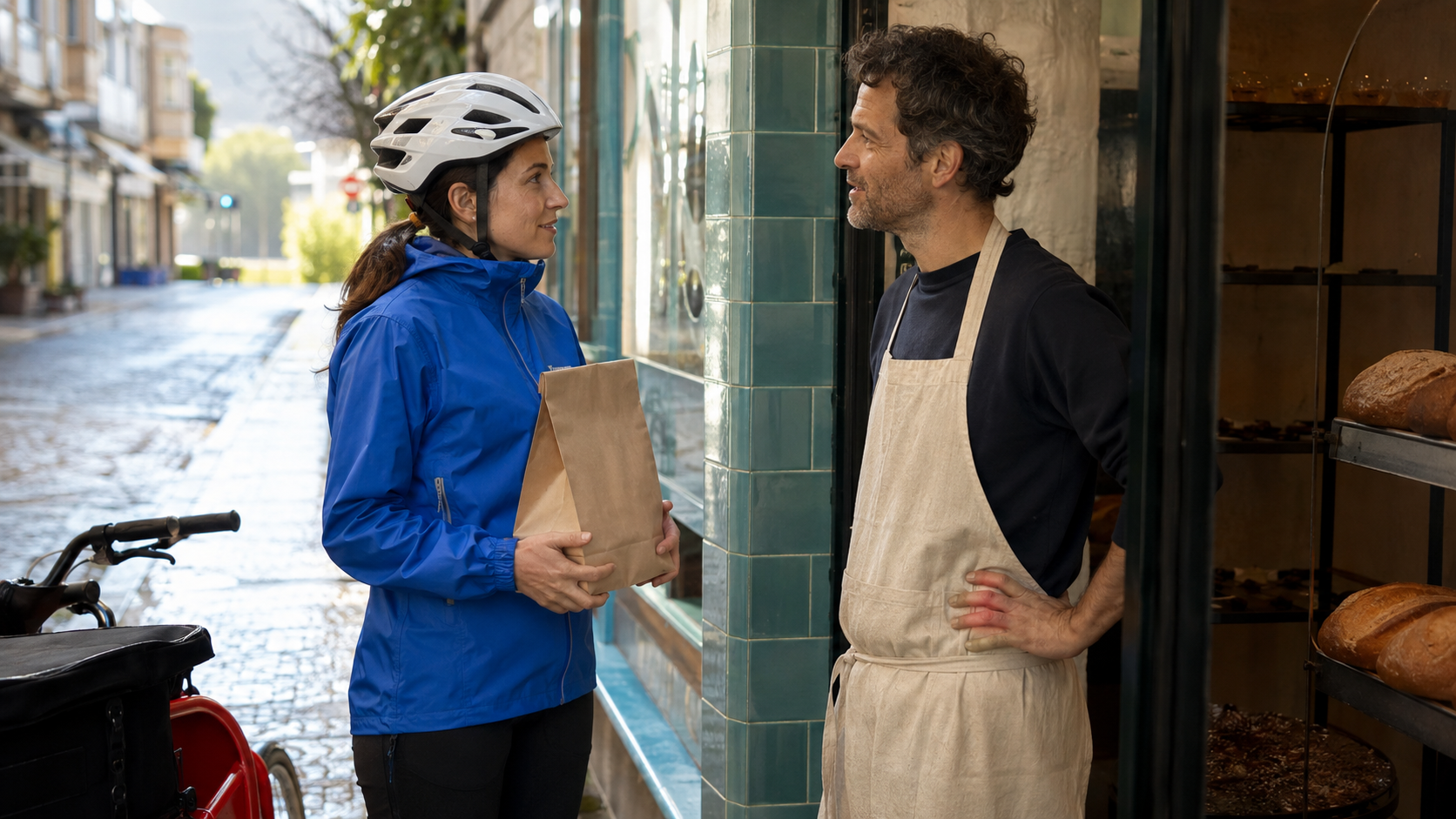
A newly generated dialogue illustration. A moving test should preserve speaker identity, eyelines and the paper bag while the exchange unfolds.
Compare Pricing Through Cost per Accepted Clip
Do not compare one platform's monthly credit total with another route's price per second as though they were equivalent. Model, resolution, duration, audio mode and account plan can all change what a generation costs. Check the current confirmation screen and export entitlement before committing.
A practical measure is generation spend divided by accepted clips. In a hypothetical test, spending $12 to obtain three usable clips means $4 per accepted clip, before editing time. Spending less per attempt can still cost more overall if most outputs need replacement.
Include waiting, review and revision time in the decision. If you need a vertical social post, assess the actual crop and text-safe area before approving a landscape result. The AI Instagram Reels maker is a relevant destination for planning that delivery format.
For archived Sora work, the next cost may be editing or replacement, not another generation. For new Kling work, begin with a small permitted test. Neither a model ranking nor a free-credit headline substitutes for checking your account's current limits.
Use Seedance Agent to Keep the Project Moving
The production problem often extends beyond choosing a model. You still need a clear brief, approved references, a shot sequence and a record of which outputs deserve to stay. Keeping those decisions organized makes switching an unavailable route less disruptive.
Bring the courier brief into Seedance Agent, along with the reference image, target format and required action. Review the proposed direction and currently available generation options before approving paid work. Judge the returned shots individually and revise the weak section instead of automatically restarting the entire idea.
A real existing Agent output, with its portrait composition preserved. It demonstrates a finished deliverable, not the courier brief or a comparative model score.
Keep approved footage portable: save masters, references and prompt notes outside a single generation session. The multi-model AI video workflow explains how planning, generation and finishing can remain separate responsibilities. Check live model availability; an Agent does not override a provider's shutdown.
Conclusion
Sora 2 vs Kling AI is now an availability decision as well as a quality comparison. Protect useful existing footage, verify the exact current model and test reference control, action, sound and cost against one clear brief. Avoid treating old demos as current access or isolated stills as motion evidence. For a project that needs organized references, shot planning and review, start with Seedance Agent and choose an available production route before spending on repeated generations.
Looking for a Sora alternative? Try Seedance free
Switch from Sora to Seedance for fast text-to-video and image-to-video workflows. Start free and compare the results yourself.
Free credits on signup. Plans from $28/month.
Related Articles
More posts in the same locale you may want to read next.

Seedance App Preview Video Generator 2026: Create App Store and Product Launch Clips
Use Seedance to turn app screenshots, feature copy, and launch goals into App Store previews, Google Play promo videos, and product launch clips.
Read article
Best AI Video-to-Video Models in 2026
The best AI video-to-video models in 2026 for editing footage you already shot: Higgsfield Genjutsu, Seedance 2.x, Runway Aleph, Luma Modify and Kling Omni compared.
Read article
Kling 4.0 vs Seedance 2.5: Full Comparison
Kling 4.0 vs Seedance 2.5 compared by spec: 30-second clips, keyframes vs 50 references, audio, 4K and 10-bit color, editing, and which model fits which job.
Read article