
AI Overview
What is an AI video generator with native audio?
It creates the moving image and soundtrack in the same generation. Dialogue, ambience, music, and physical effects can therefore follow the action instead of being added to a silent clip later.
Which AI video generators create audio and video together?
Current options include Seedance 2.0, Veo 3.1, Kling 3.0 Omni, and MiniMax H3. Sora 2 remains a useful quality reference, but the Sora product was discontinued in April 2026.
Is there a free AI video generator with audio?
Yes, but “free” usually means starter credits, limited models, slower queues, or watermarked exports. Confirm audio support on the selected route before spending credits.
How do you improve dialogue and sound synchronization?
Use one visible speaker, quote a short line exactly, name one sound per action, and keep music below speech. Test six to eight seconds before attempting a longer scene.
What Is an AI Video Generator with Native Audio?
An AI video generator with native audio treats sound as part of the scene, not a separate attachment. A pan can hiss at contact and a presenter’s mouth can move with the generated voice. That differs from adding music, text-to-speech, or automatic lip sync to silent footage afterward.
Native audio versus added voiceover
Added voiceover can be cleaner and easier to revise, but native generation can connect speech, footsteps, rain, room tone, and music to the evolving picture. It is valuable when timing sells a product demo, dialogue scene, social ad, or story clip.
Native does not mean finished. Review pronunciation, speaker identity, legal music use, loudness, captions, and background noise before publishing. A model may produce convincing ambience while missing one critical word.
What can appear in the finished video?
A native soundtrack may include voices, doors, engines, crowds, impacts, score, and narration. Strong prompts establish priority: dialogue first, one or two action-linked effects second, ambience underneath, and music only when it improves the scene.
Native audio feature checklist
Confirm that the tool generates sound with the frames, accepts quoted dialogue, supports your language, and downloads audio with the video. Also check duration, ratio, resolution, references, watermarks, and the credit cost of an audio-enabled retry.
Best AI Video Generators with Native Audio in 2026
The best model depends on the shot. Seedance is practical for product and social work; Veo 3.1 prioritizes cinematic quality; Kling 3.0 Omni is strong for multilingual characters; and MiniMax H3 combines stereo audio with flexible references.
Quick comparison table
| Model | Native-audio strength | Best use | Main watch-out |
|---|---|---|---|
| Seedance 2.0 | Dialogue, ambience, effects, music, multi-reference control | Product ads, creator clips, short stories | Keep the mix simple on short clips |
| Veo 3.1 | Natural dialogue, layered ambience, precise effects | Cinematic hero shots and narrative scenes | Short speech can still become unclear |
| Kling 3.0 Omni | Multilingual speech, accents, character performance | UGC, regional campaigns, dialogue-led video | Audio-enabled generations use more credits |
| MiniMax H3 | Native stereo sound, multimodal context, music-aware motion | Environmental scenes and flexible workflows | Features vary between hosted and local routes |
| Sora 2 | Historically strong synchronized dialogue and effects | Benchmark reference only | Product discontinued in April 2026 |
Best for dialogue and lip sync
Veo 3.1 and Kling 3.0 Omni are strong when face and voice carry the scene. Seedance is useful when the job also needs product or character references. Keep lines short, show the speaker’s face, separate turns, and do not cover the mouth.
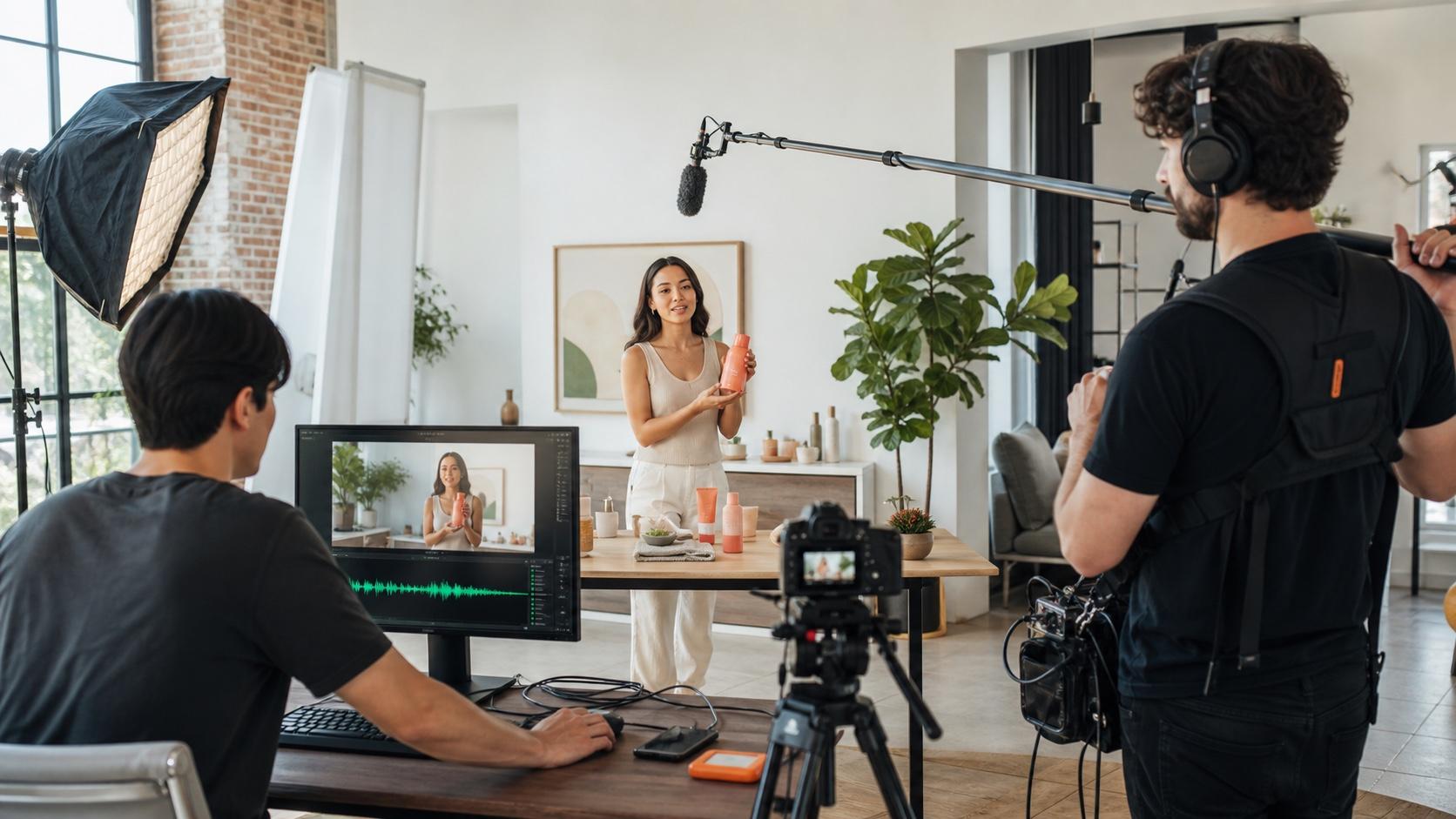
Freshly generated for this guide. Listen for voice priority, room tone, the cap click, and stable product shape across the full shot.
Best for sound effects and ambience
Veo 3.1 handles layered rain, traffic, footsteps, and foreground impacts well. Seedance suits commercial actions such as a click, pour, tear, or splash. MiniMax H3 is compelling when stereo space and environmental continuity matter.
Best for music, references and multi-shot video
MiniMax H3 can use text plus image, video, and audio context, while Seedance supports reference-led creation for repeatable products and characters. Use Reference to Video when visual identity matters more than starting from a blank prompt. If you supply music, describe whether the action follows its beat or the track only sits under the scene.
Native Audio Quality Test: Dialogue, SFX, Music and Sync
Run one compact brief through every candidate with matched duration, ratio, resolution, and seed settings where available. Generate twice, then judge the first usable result—not the luckiest clip from twenty attempts.
One prompt, matched settings
Use a six-to-eight-second scene with one speaker and one action: “In a bright kitchen, a chef says, ‘Dinner starts with the sound,’ then drops sliced peppers into a hot pan. Medium-wide shot, slow push-in. Audio: clean voice, one sharp pan hiss exactly on contact, quiet kitchen room tone, no music, no subtitles.”
Score dialogue, lip sync, effect timing, ambience, continuity, and retries from one to five. Cost per approved clip matters more than cost per attempt.
Dialogue and lip-sync test
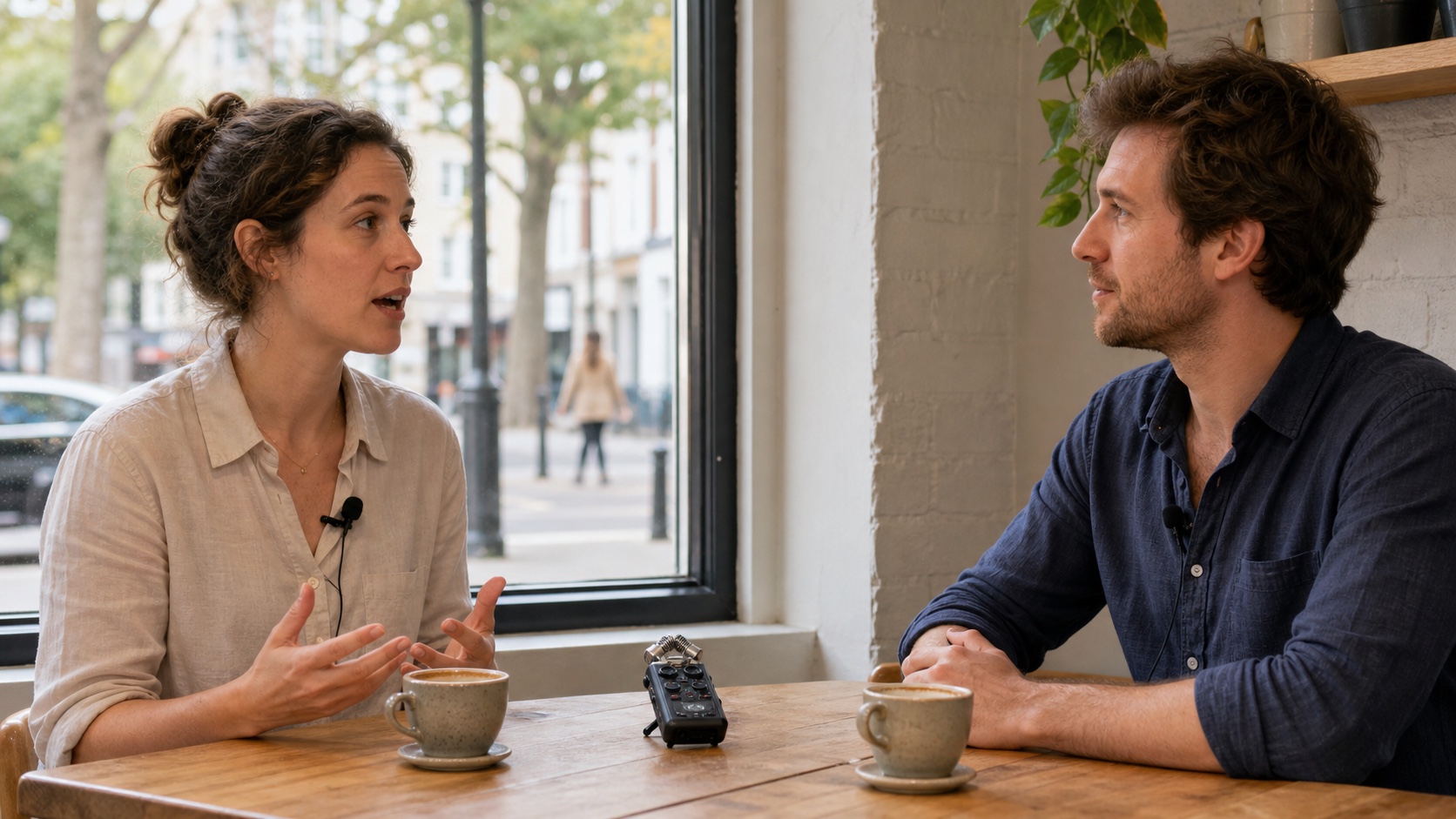
Keep both faces visible. Check whether the voice starts with the active mouth, stops when the lips close, and remains attached to the same speaker.
Freshly generated for this guide. Watch the full exchange: the woman speaks, the man listens, and the cup sound should arrive after the line.
For a deeper two-speaker workflow, use the multi-character dialogue guide.
Action-to-sound timing test
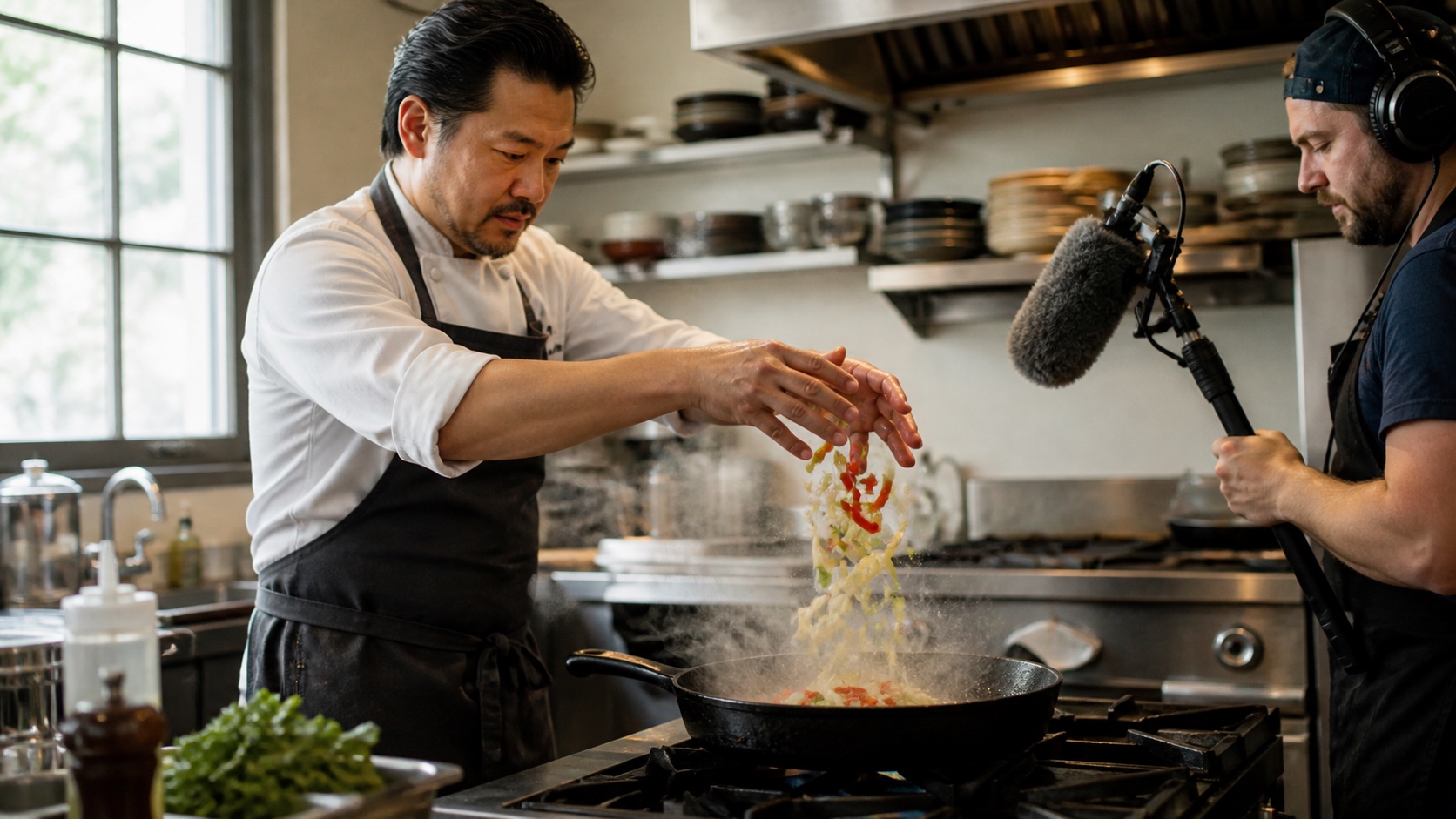
Choose one visible contact event. The hiss should begin at the pan—not before the vegetables fall or after the shot has moved on.
Scrub around the contact point, then replay on phone speakers. A modest effect that lands on action beats a dramatic effect that arrives late.
Ambience and music continuity test

A good mix separates near rain, tire splash, the waiting traveler, distant traffic, and music without making every layer equally loud.
Listen for ambience resets during camera motion. Music should not change without a visual reason, and dialogue must remain understandable as the environment grows busier.
How to Generate Text-to-Video AI with Sound
Choose the right model and audio mode
Start in Text to Video, select a route that explicitly supports native audio, choose a short duration, and confirm the sound toggle before generating. For an existing key visual, use Image to Video so the model spends less effort inventing composition and more effort following motion and audio instructions.
Use a visual-plus-audio prompt structure
Write the picture first: subject, action, location, shot size, light, and camera. Then add speaker, exact line, effects, ambience, music, and exclusions. Connect sounds to events with “exactly as,” “after,” or “throughout.”
Copy-ready native audio prompt
Eight-second lifestyle product video in a sunlit apartment. A creator opens an unbranded travel mug, pours coffee, looks to camera, and says, “Ready before you are.” Slow side track, natural hand movement. Audio: clear warm voice, quiet morning room tone, lid click exactly on opening, gentle pour from 00:02 to 00:04, distant city birds, no music, no captions, no extra voices.
Keep dialogue under roughly ten words for the first pass. If the result fails, change one variable at a time: shorten the line, reduce effects, remove music, slow the action, or move the face closer.
Image-to-video with sound workflow
Use a clean source image with visible hands, mouth, prop, and context. Describe motion instead of repeating every visual detail. Name which object makes each sound, then check the output for identity drift. The Seedance audio prompting guide provides more dialogue and mix patterns.
Use headphones to inspect stereo placement, voice clarity, and whether cafe ambience remains stable across the shot.
Free AI Video Generator with Audio: Pricing, Credits and Watermarks
What “free” actually means
A free AI video generator with audio usually offers starter credits, not unlimited creation. It may exclude the newest model, reduce resolution, add a watermark, limit downloads, or use a slower queue. Check the live generation panel before budgeting.
Free-plan comparison table
| Route | What to verify before generating | Best free test |
|---|---|---|
| Seedance | Signup credits, selected model, audio toggle, export resolution | One product action plus a five-word line |
| Veo access | Trial availability, region, quota, selected Veo version | Dialogue with one environmental effect |
| Kling access | Daily credits, Native Audio cost, watermark, language | One visible speaker and one prop sound |
| MiniMax H3 access | Hosted quota versus local setup, duration, 2K regeneration | Stereo ambience with one foreground cue |
Cost per usable video
Record credits, render time, retries, and usable seconds. A cheap attempt needing six rerolls and voice repair can cost more than a premium attempt that passes twice as fast.
How to Choose the Right Native-Audio Workflow
Decision guide by use case
Choose Seedance for rapid product, social, and reference-led production; Veo 3.1 for cinematic hero shots; Kling 3.0 Omni for multilingual characters; and MiniMax H3 for native stereo sound or open, multimodal workflows.
Common native-audio failures and fixes
For swapped speakers, identify each person and separate turns. For weak lip sync, shorten the line and show the face. For late effects, use one contact event. For unwanted music, repeat “no music” in the audio block and exclusions. For noisy dialogue, reduce ambience layers.
When a separate audio workflow is better
Use separate audio when exact brand voice, music licensing, long-form continuity, localization, or frame-accurate control matters more than one-pass speed. Native audio is excellent for short clips, but high-risk soundtracks still deserve professional mixing.
Final pre-export checklist
Listen once on headphones and once on a phone. Confirm dialogue words, speaker identity, lip closure, effect timing, ambience continuity, music level, clean ending, captions, and usage rights. Export the original generation before editing so every revision can be traced back to its prompt and settings.
Conclusion
The best AI video generator with native audio is the one that turns your real brief into usable picture and sound with the fewest rerolls. Seedance is the practical starting point for product, social, and reference-led work; Veo 3.1 leads quality-first cinematic tests; Kling 3.0 Omni suits multilingual character scenes; and MiniMax H3 adds native stereo flexibility. Run one short matched prompt, judge dialogue, effects, ambience, music, and total repair cost, then create your first native-audio video with Seedance.
Ready to try it yourself?
Put the steps from this guide into practice with Seedance and turn prompts or images into polished videos in minutes.
Free credits on signup. Plans from $28/month.
Related Articles
More posts in the same locale you may want to read next.

Seedance App Preview Video Generator 2026: Create App Store and Product Launch Clips
Use Seedance to turn app screenshots, feature copy, and launch goals into App Store previews, Google Play promo videos, and product launch clips.
Read article
Gemini AI Video Prompt Examples: Copy-Ready Veo Scenes and a Better Prompt Formula
Copy Gemini AI video prompt examples for cinematic motion, product ads, dialogue, and vertical clips, then adapt them with a practical Veo prompt formula.
Read article
How to Keep Product Shape Consistent in AI Video Ads
Lock product geometry, packaging, labels, references, camera angles, and approval checks so AI video ads preserve the real SKU across every shot.
Read article