
Seedream 5.5 Free Online: AI Image Generator for Your Next Seedance Video
Make Seedream 5.5 images free with your Seedance TV welcome credits: a 1K image costs 1 credit. ByteDance's newest image model gives lifelike photos, clear small text and transparent PNGs, and edits that stay stable across 100 rounds. Then turn your image into a video with Seedance 2.5. Seedance TV is independent and not affiliated with ByteDance.
Text to Image
 Seedream 5.5
 Key Features
Lifelike Photos
ByteDance says Seedream 5.5 renders light, materials and skin more naturally than Seedream 5.0 Pro, so scenes read like photography.
| Prompt | Made with Seedream 5.5 on Seedance TV |
|---|---|
Realistic photo of an elderly fisherman mending a net on a wooden pier at sunrise, weathered hands in sharp focus, warm low light, natural skin texture | 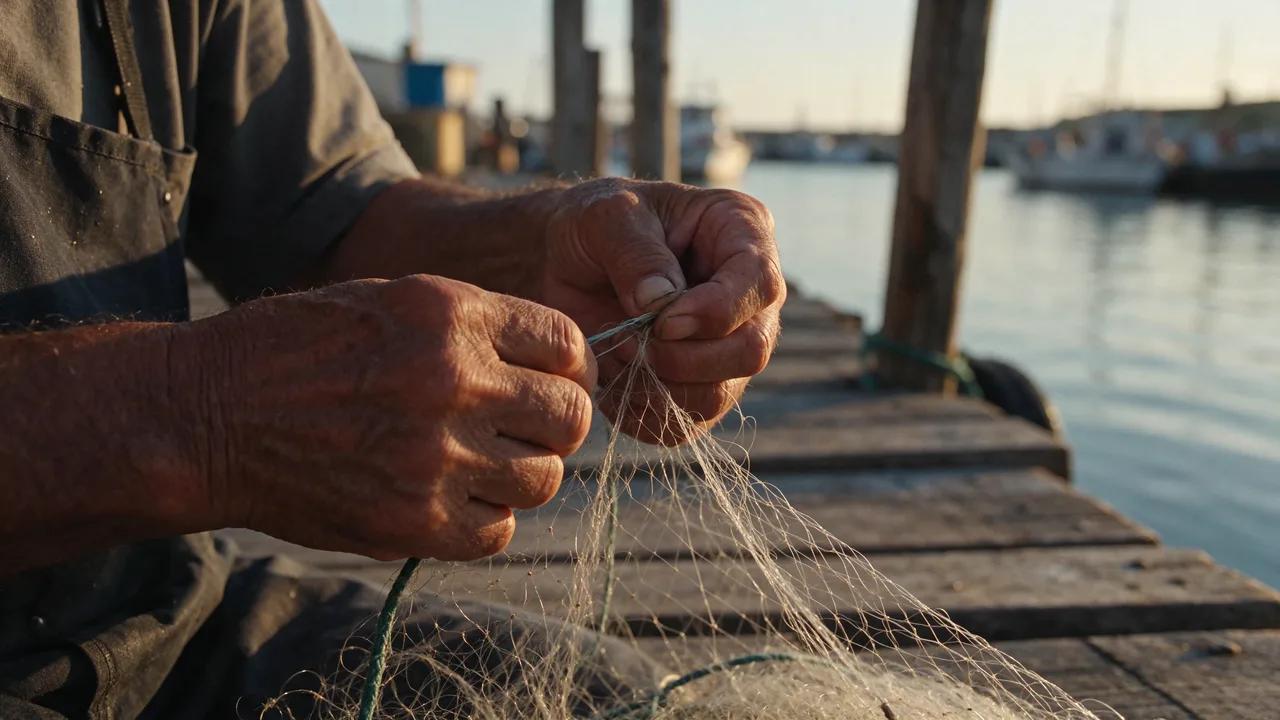 |
Clear Small Text
ByteDance reports a severe text corruption rate of 0.4% on Chinese and English text. Put the exact words in quotes and keep one language per block.
| Prompt | Made with Seedream 5.5 on Seedance TV |
|---|---|
Minimal coffee shop menu board poster with clear small printed text: title "MORNING MENU", items "Latte 4.50", "Flat White 4.20", "Cold Brew 4.80", "Croissant 3.20", clean sans-serif typography on cream paper | 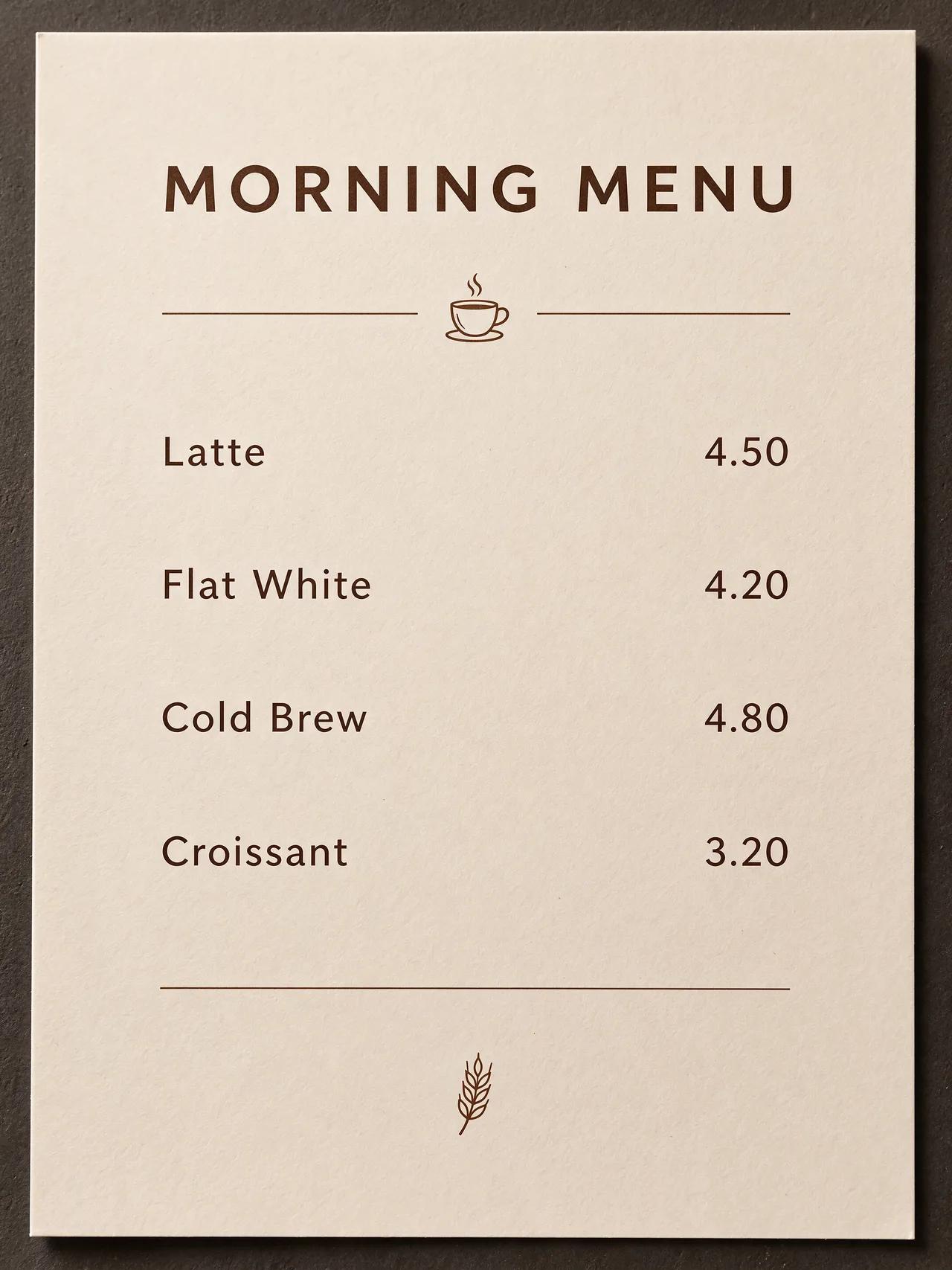 |
Transparent PNG in One Step
Turn on the transparent background switch in Text to Image to get a cut-out PNG for stickers, product cut-outs and overlays, with no background remover needed.
| Prompt | Made with Seedream 5.5 on Seedance TV |
|---|---|
A cute cartoon cactus character sticker wearing sunglasses, thick white outline, isolated, no background (transparent background switched on) |  |
A First Frame for Seedance 2.5
Generate the exact opening shot you want, then upload it on Image to Video and let Seedance 2.5 animate it with sound.
| Prompt | Made with Seedream 5.5 on Seedance TV |
|---|---|
Cinematic still of a red vintage car parked on a desert highway at golden hour, dust in the air, wide composition with empty road ahead, film grain |  |
How to Use Seedream 5.5 on Seedance TV
From prompt to image, and from image to video.
Write a Prompt or Upload a Reference
Use Text to Image for a new picture, or Image to Image to edit with up to 10 references.
Pick Size, Ratio and Background
Choose 1K, 1.5K or 2K and an aspect ratio. Switch on a transparent background when you need a cut-out PNG.
Animate It with Seedance 2.5
Download the image, open Image to Video, upload it as the first frame and describe the motion and sound.
Best Uses for Seedream 5.5
Seedream 5.5 suits images that need to look real, carry text or be reused in a video.
First Frames for Videos
Design the opening shot, then animate it with Seedance 2.5.
Product Photos
Lifelike product shots for listings and ads.
Stickers and Overlays
Transparent PNGs ready to drop into an edit.
Menus, Posters and Signs
Layouts with small, readable text.
Step-by-Step Edits
Change one detail per round while the rest stays the same.
Social Posts
Images planned for 9:16, 3:4 or 1:1 feeds.
Seedream 5.5 vs Seedream 5.0 Pro on Seedance TV
| Feature | Seedream 5.5 | Seedream 5.0 Pro |
|---|---|---|
| Resolution | 1K, 1.5K, 2K | 1K, 2K |
| Credits per text-to-image | 1 (1K, 1.5K), 2 (2K) | 2 (1K), 4 (2K) |
| Reference images | Up to 10 | Up to 10 |
| Transparent background | ||
| Best for | Photos, small text, transparent assets, first frames | Infographics and detailed edits |
Seedream 5.5 Price on Seedance TV
Credit costs checked on November 21, 2026. The editor shows the exact cost before you create.
Text to image
1 credit per image at 1K or 1.5K, 2 credits at 2K.
Image to image
2 to 5 credits per image, depending on resolution and the number of reference images (up to 10).
Welcome credits
Most new accounts get 12 credits, enough for about a dozen 1K images.

Seedream 5.5 FAQ
Answers about using Seedream 5.5 on Seedance TV.
What is Seedream 5.5?
What is Seedream 5.5?
ByteDance Seed's image generation and editing model, released on November 9, 2026. It adds edits that stay stable across 100 rounds, native transparent output, more lifelike photos and clearer small text.
Is Seedream 5.5 free on Seedance TV?
Is Seedream 5.5 free on Seedance TV?
Most new accounts get 12 welcome credits. A 1K or 1.5K Seedream 5.5 image costs 1 credit, so the welcome credits cover about a dozen images. After that you can buy credits or choose a plan.
How much does Seedream 5.5 cost?
How much does Seedream 5.5 cost?
Text to image costs 1 credit at 1K or 1.5K and 2 credits at 2K. Image to image costs 2 to 5 credits, depending on resolution and how many reference images you use.
Can I turn a Seedream 5.5 image into a video?
Can I turn a Seedream 5.5 image into a video?
Yes. Upload the image on Image to Video and choose Seedance 2.5. A 5-second clip with sound costs 28 credits at 480p.
Does Seedream 5.5 make transparent PNGs?
Does Seedream 5.5 make transparent PNGs?
Yes. Switch on the transparent background in Text to Image and the image downloads as a PNG with no background.
How many reference images can I use?
How many reference images can I use?
Up to 10 in Image to Image. Say in the prompt what each one is for.
What is the difference between Seedream 5.5 and Seedream 5.0 Pro?
What is the difference between Seedream 5.5 and Seedream 5.0 Pro?
Seedream 5.5 adds transparent output, steadier multi-round edits and clearer small text, and on Seedance TV it costs less: 1 credit at 1K against 2 for Seedream 5.0 Pro.
Is Seedance TV the official Seedream site?
Is Seedance TV the official Seedream site?
No. Seedance TV is an independent site that runs ByteDance's Seedream and Seedance models. It is not affiliated with ByteDance.