
Meta AI Video Editing Prompts: Copy, Customize and Get Better Results
AI Overview
What are Meta AI video editing prompts?
They are instructions that restyle or transform a short video by changing elements such as wardrobe, location, lighting or visual style. The strongest prompts also state what must remain unchanged.
Can I type custom video editing prompts in Meta AI?
Meta now promotes custom editing and animation prompts in its Vibes experience, while available controls can differ across the Meta AI app, Meta.AI and Edits. Check the exact surface and region you use.
What makes a good Meta AI video editing prompt?
Name the subject to preserve, one primary change, the target look, motion and camera rules, then add explicit negatives. A focused prompt is easier to judge and revise than a list of unrelated effects.
Can I use Meta AI video editing for free?
Meta has offered limited free short-video transformations, but access, duration, presets and limits may change by account or country. Confirm the current interface before planning a production batch.
What Meta AI Video Editing Prompts Can Change
People searching Meta AI video editing prompts usually have a clip already. They are not asking how to invent a movie from nothing; they want to change an outfit, replace a location, improve lighting, apply a recognizable style or animate an image without destroying the original subject.
Meta introduced generative video editing across the Meta AI app, Meta.AI website and Edits with more than 50 preset transformations for short clips. The initial examples focused on wardrobe, setting, lighting and style. Meta's current Vibes experience also describes presets plus custom editing and animation prompts, but controls can vary by surface and rollout.
That distinction matters. A preset is a starting treatment chosen from a menu. A custom prompt is a production instruction. When custom text is available, you can specify which person, object and motion should survive the transformation. When only presets appear, use the prompt formula below as a planning brief: choose the closest preset, then finish the missing corrections in another editing step.
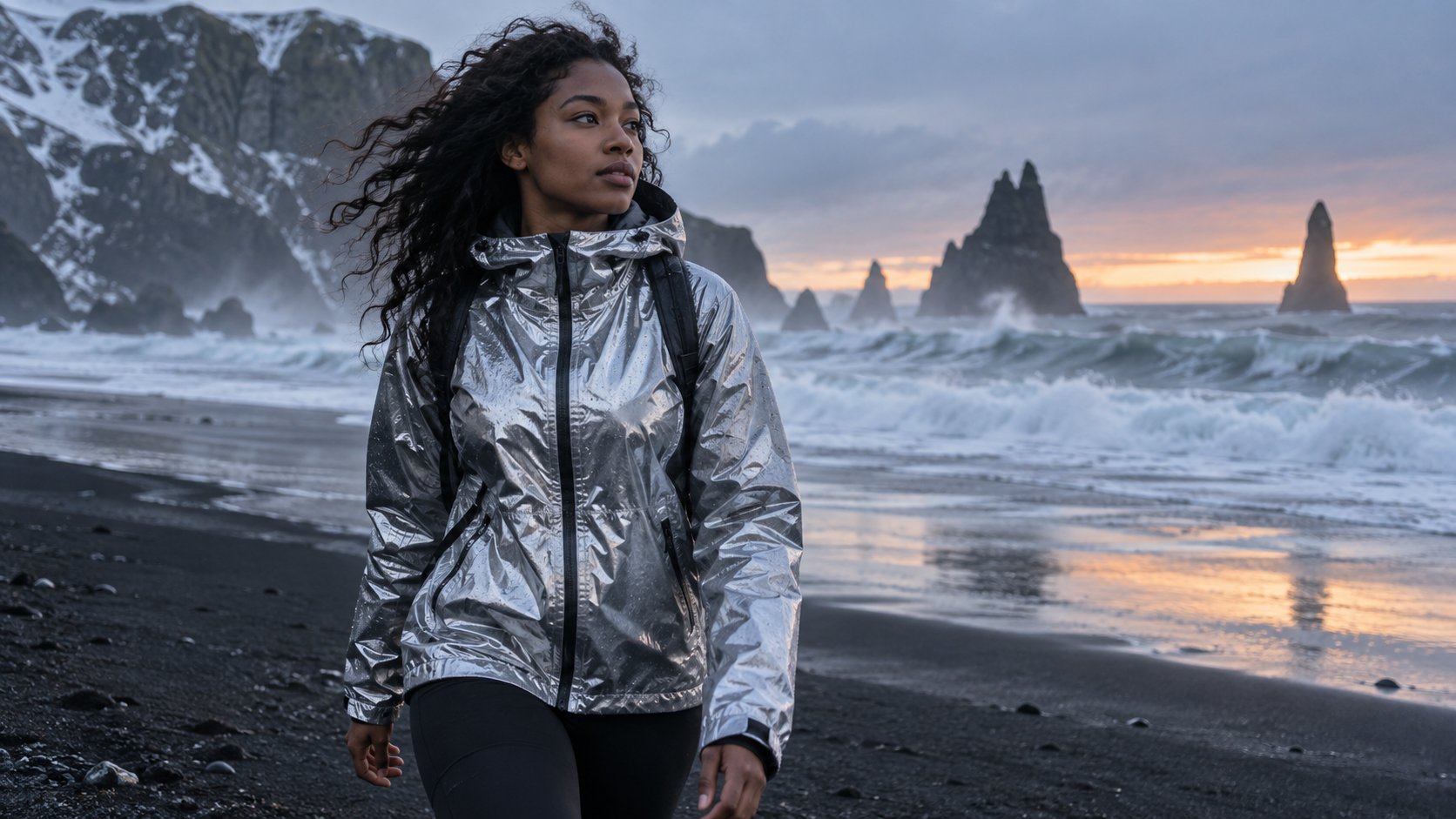
A useful edit preserves face, body proportions and movement while changing the jacket, weather and location.
A Prompt Formula for Controlled Video Edits
The best prompt is not the longest. It creates a clear contract between the source clip and the requested result. Use this sequence:
Preserve + Change + Look + Motion + Camera + Avoid
1. State what must be preserved
Begin with the anchors that make the clip recognizable: the same person, face, body proportions, product shape, clothing item, action timing or camera path. If the source contains more than one person, identify the subject by position and wardrobe instead of saying “her” or “them.”
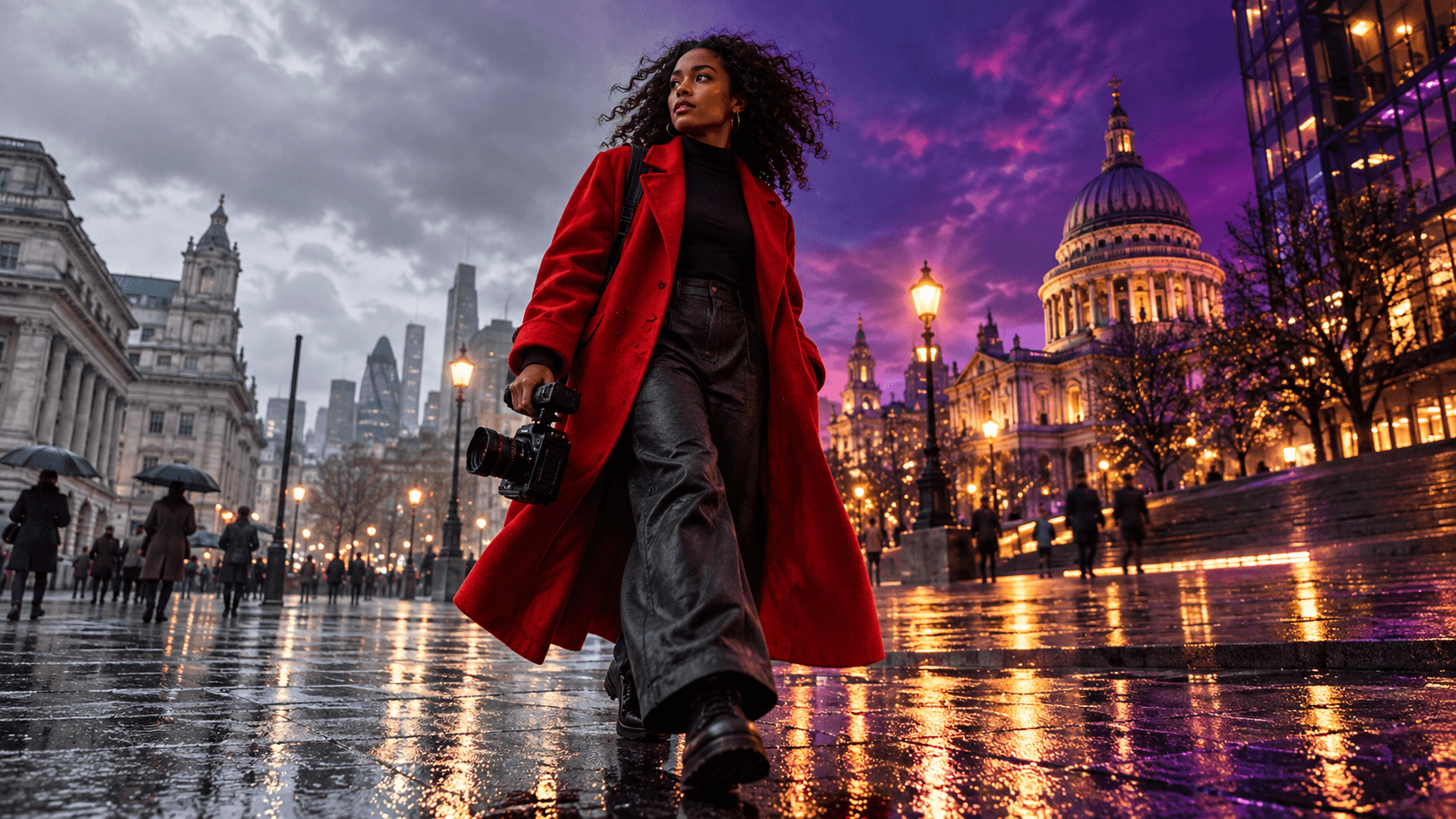
Example: “Keep the woman in the red coat, her face, walking pace and the low tracking camera unchanged.” This is more useful than “make it cinematic” because it defines the cost of a failed edit.
2. Request one primary transformation
Choose one dominant edit per pass: change the location, replace the outfit, alter the lighting or convert the visual style. Combining a wardrobe swap, new city, creature transformation, camera orbit and explosion makes it difficult to know which instruction caused a failure.
After the primary change is stable, add a second controlled pass. The Seedance video effects workspace is useful when you want to test a specific effect without rebuilding the whole creative brief.
3. Describe motion and camera separately
Style words do not explain movement. State how the subject moves and how the camera observes it. “Skater carves left while the camera tracks parallel at waist height” is testable; “energetic cyberpunk motion” is not. Add “no jump cuts,” “no camera orbit” or “background only” when those boundaries matter.
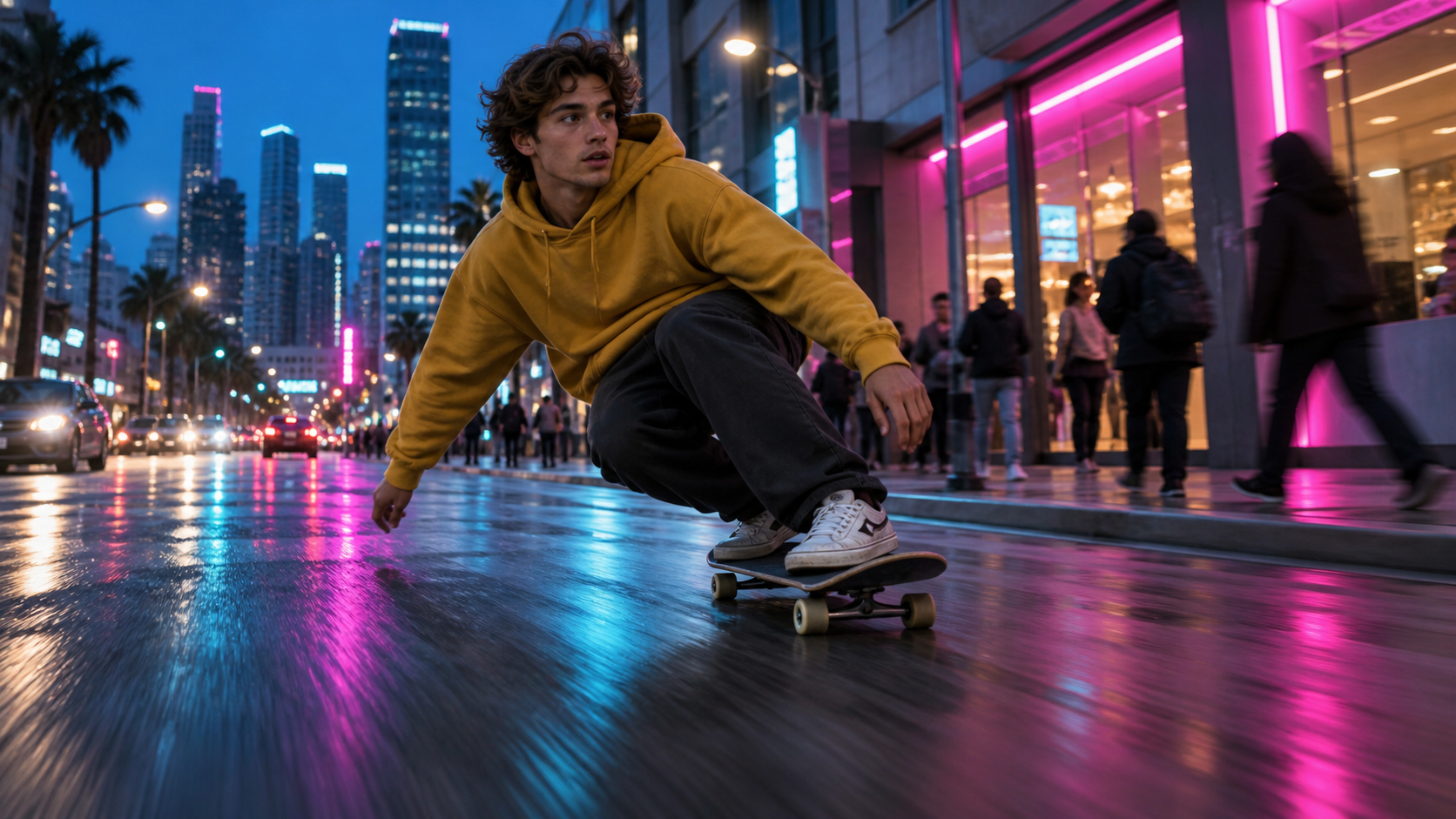
Lighting changes should not break wheel contact, body balance or the original camera logic.
Copy-and-Paste Meta AI Video Editing Prompts
These templates are written for short source clips. Replace the bracketed terms, keep the first test simple and judge the complete video rather than one thumbnail.
Outfit and location transformation
Keep the same [person], face, body proportions, action timing and camera movement. Change the outfit to [specific garment, material and color] and replace only the location with [place and time of day]. Match reflections, shadows, wind and fabric motion to the new environment. Preserve natural hands and facial detail. No extra people, no logos, no text, no camera cuts.
Use a source where the body and clothing silhouette are visible. If sleeves cross the torso or the subject leaves the frame, expect more ambiguity. For a surreal location rather than a realistic replacement, the psychedelic AI video guide shows how to keep the motion readable while pushing the visual treatment.
Lighting and cinematic mood
Preserve the subject, wardrobe, background geometry, movement and original shot length. Change the lighting to [golden hour / blue hour / soft studio daylight]. Add [specific color] reflections only where the surfaces would catch them. Keep skin tone natural and exposure consistent through the clip. No flicker, no new objects, no face changes, no sudden zoom.
Lighting prompts work best when they describe a motivated source: sun behind the subject, storefront neon from camera right, or warm window light from the left. “More dramatic” can produce unstable brightness because it does not define where the light comes from.
Product background replacement
Keep the [product] exactly unchanged: silhouette, color, label area, cap, reflections and position. Replace only the background with [new environment]. Add subtle [steam / condensation / dust] that interacts naturally with the scene. Maintain the original camera move and depth of field. No warped edges, no new branding, no floating object, no text changes.

Product prompts should lock shape, color and reflections before introducing a new environment.
Image animation prompt
Animate this image with subtle natural movement. The subject [breathes / turns slightly / looks toward camera] while [hair, fabric or leaves] respond gently to the same breeze. Use a slow [push-in / lateral slide] with stable perspective. Preserve identity, anatomy, wardrobe, product geometry and background layout. No morphing, no duplicated limbs, no sudden cut.
When the source is a still rather than a clip, begin in the image-to-video workspace and keep the animation brief focused on one continuous action.
Fix Common Prompt Failures
Do not rewrite everything after a bad result. Identify the first visible failure and change one instruction. This preserves what already worked and makes the next take easier to compare.
Before rerunning, watch the source and edited clip side by side at normal speed. Check the first frame, the most difficult movement and the final frame, then write one reject reason. Use five practical categories: identity, object geometry, motion continuity, camera continuity and delivery readiness. A clip can be visually attractive and still fail if the face changes during a turn, the product label stretches, the camera reverses direction or a platform crop removes the subject. Save the accepted prompt with the exact source file and aspect ratio; otherwise a later variation may look like a prompt failure when the real change was the input.
The subject changes identity
Move identity anchors to the first sentence. Replace broad words such as “model” with visible descriptors: “the same woman in the red coat, shoulder-length curls, oval face and silver earrings.” Reduce aggressive style transformations, because extreme material or character changes can override facial detail.
The edit changes too much
Use “replace only” and list protected elements. If the desired edit is lighting, explicitly preserve background geometry, wardrobe and action. If the desired edit is a background, preserve the product, reflections and camera path. Remove unnecessary adjectives before adding more negative instructions.
Motion becomes a slideshow or jump cut
Ask for one continuous action and one continuous camera move. Avoid phrases such as “then,” “next scene” and “montage” inside a single short clip. Review at normal speed: a collection of attractive frames is not a usable video.
An existing generated output from our media library, not an official Meta AI example. Inspect continuous body motion rather than isolated frames.
If the transformation is correct but timing, crop or transitions still need repair, use the OpenShot editing workflow instead of paying for another generation.
Meta AI App, Online and Free Access
Meta's video editing controls have appeared across the Meta AI app, Meta.AI website and Edits, while Vibes adds a creation and remix context. The exact interface may show presets, custom prompts or animation controls depending on account, country and current rollout. Use the official app or site available to your account; do not plan a client deadline from an old screenshot.
The launch offer allowed transformations of ten seconds for free for a limited time. That is not a permanent guarantee. Before batching, verify the current duration, export quality, watermark, queue and sharing options. Then test one representative clip and record the number of accepted edits, not merely the number of free attempts.
Scale Prompt Editing with Seedance Agent
Copy-and-paste prompts are useful for one clip. A campaign needs a system: source ownership, approved claims, aspect ratios, shot order, reference anchors, model choice, review notes and rerun reasons. Seedance Agent can turn that information into a reviewable plan before paid generation or editing begins.
Give the agent the original clip, the transformation goal and a short acceptance checklist. Ask it to separate invariant elements from allowed changes, propose one prompt per shot, and hold the draft for approval. After generation, mark the exact failure—identity, geometry, motion, camera or audio—so only that shot is revised.
This model-neutral process also makes it easier to route different shots to different tools without losing the brief. The multi-model AI video workflow explains how to preserve one acceptance standard across those handoffs.
Conclusion
Effective Meta AI video editing prompts protect the source before they request a transformation: name the subject or product to preserve, ask for one primary change, describe motion and camera separately, and state the failures to avoid. Use presets for quick exploration, custom prompts when the current surface supports them, and measure success by the complete exported clip. When you want to turn those prompt experiments into approved shots, controlled reruns and a repeatable campaign workflow, start with Seedance Agent.
Ready to try it yourself?
Put the steps from this guide into practice with Seedance and turn prompts or images into polished videos in minutes.
Free credits on signup. Plans from $28/month.
Related Articles
More posts in the same locale you may want to read next.

Seedance App Preview Video Generator 2026: Create App Store and Product Launch Clips
Use Seedance to turn app screenshots, feature copy, and launch goals into App Store previews, Google Play promo videos, and product launch clips.
Read article
Best AI Video-to-Video Models in 2026
The best AI video-to-video models in 2026 for editing footage you already shot: Higgsfield Genjutsu, Seedance 2.x, Runway Aleph, Luma Modify and Kling Omni compared.
Read article
Kling 4.0 vs Seedance 2.5: Full Comparison
Kling 4.0 vs Seedance 2.5 compared by spec: 30-second clips, keyframes vs 50 references, audio, 4K and 10-bit color, editing, and which model fits which job.
Read article