
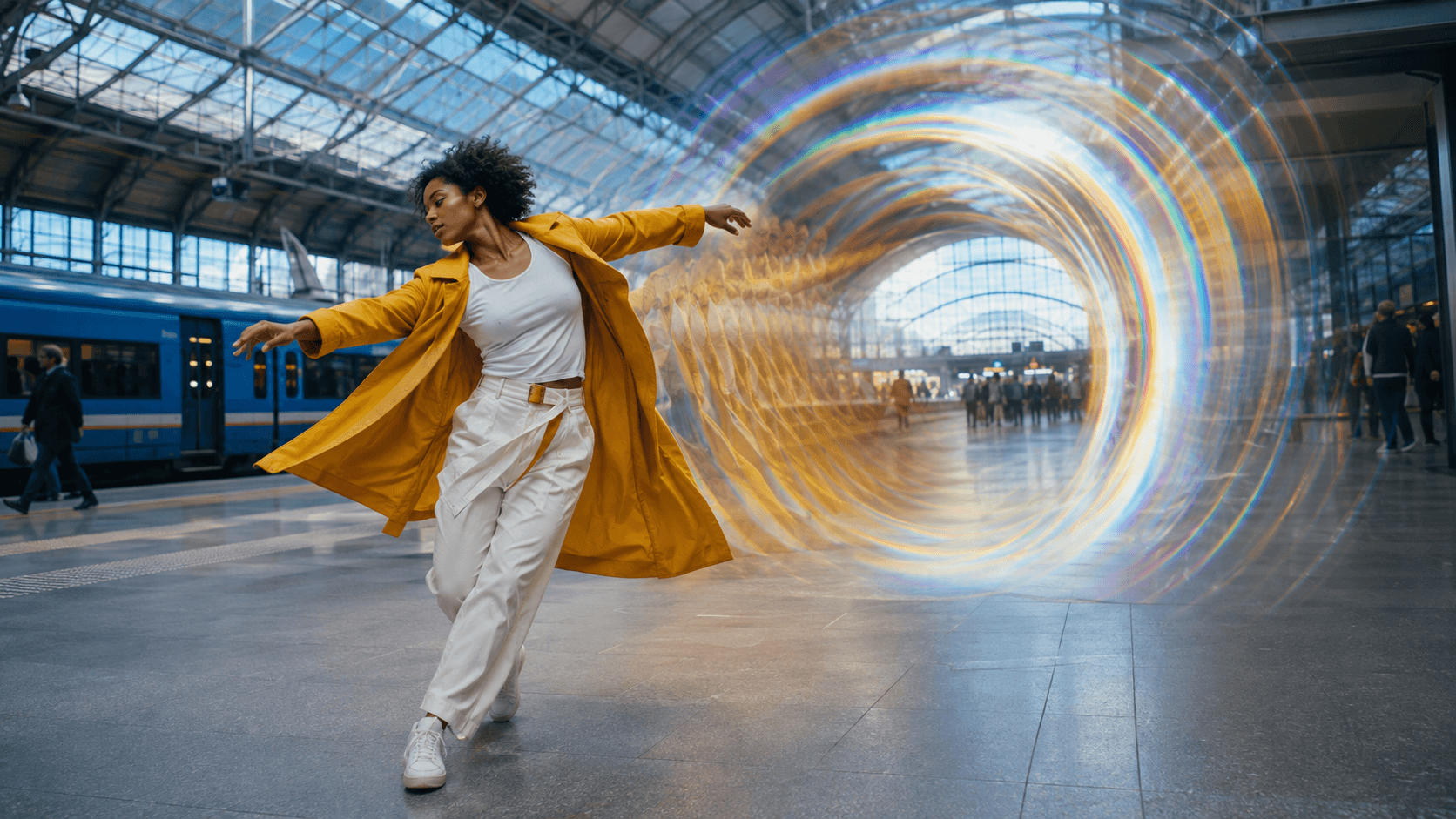
AI Overview
What is the easiest way to make psychedelic AI videos?
Choose one subject and visual rule, animate several short shots from a strong reference, then edit the best results to music.
Should I use text-to-video or image-to-video?
Use text-to-video to explore concepts. Use image-to-video when the subject, palette, or composition must stay recognizable.
What should a psychedelic AI video prompt include?
Specify the subject, transformation, palette, motion, camera, lighting, duration, final state, and constraints against flicker or drift.
Can I make a psychedelic AI music video for free?
Use planning and short tests before producing a full sequence. Spend early credits on the riskiest transformation or beat transition.
Choose the Psychedelic Look Before You Generate
The word “psychedelic” is not a production direction by itself. It can mean liquid metal, mirrored geometry, biological growth, spectral refraction, or infinite zooms. Pick one visual grammar before opening an AI psychedelic video generator free trial, or the shots may be impossible to cut together.
Pick one transformation family
A useful style brief combines a real subject with one dominant transformation: a liquid-chrome reflection, botanical symmetry, or repeating light gates. Limit the first test to one effect so you can judge whether motion is coherent.
Keep two or three anchor colors and describe how the effect grows. “Cyan and magenta refraction begins in the reflection, reaches the window edge, then settles” is more testable than “make it more trippy.”
Decide what cannot change
Lock the face, silhouette, wardrobe, product geometry, environment, camera direction, and final composition. Transform selected surfaces or space rather than silently replacing the subject.
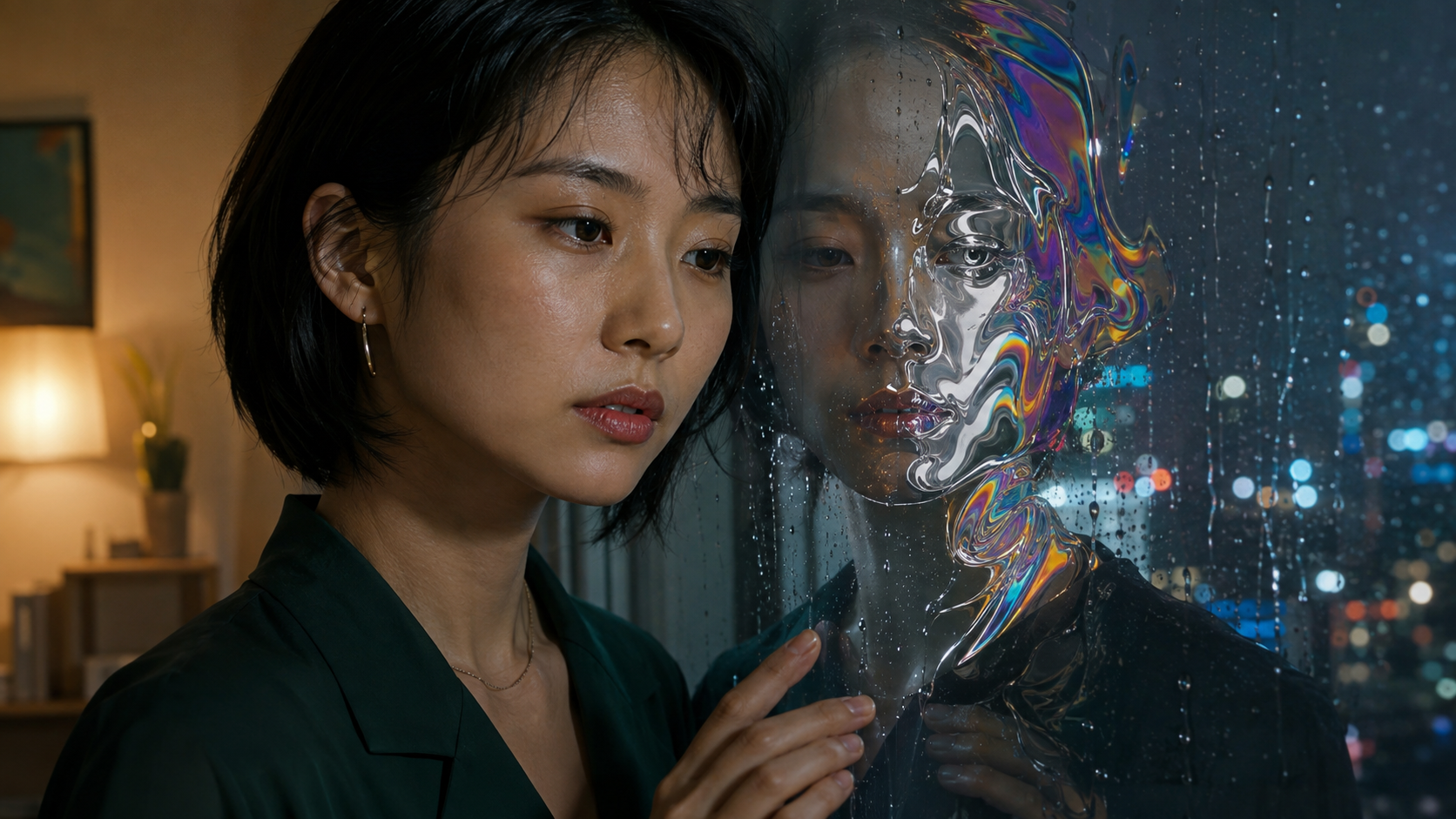
The practical test is not “does it look surreal?” but “can the viewer still recognize the approved subject while the transformation develops?”
Match the style to the deliverable
A concert loop can tolerate abstraction; a fashion or product film must preserve the model, fabric, shape, and label space. Define the platform, ratio, duration, audio source, and final frame before generation.
How to Make Psychedelic AI Videos Step by Step
This workflow turns the search how to make psychedelic AI videos into a repeatable task rather than a lucky prompt.
1. Write a definition of done
State the audience, format, duration, mood, soundtrack, and final frame. Example: “A 15-second 9:16 teaser, one dancer in a yellow coat, real station, prismatic arcs intensifying across three shots, clean final pose.”
2. Create or choose the reference frame
Use a clear image with one readable subject, separation from the background, and enough space for motion. Start in image to video when appearance is the priority. Start with text to video when you are still exploring worlds, materials, or camera ideas.
3. Turn the idea into a short beat map
Build four to six shots: establish, introduce distortion, expand the motif, reach the climax, then return to a stable frame or loop. Give each shot one action and a usable ending.
4. Test the hardest moment first
Test the moment most likely to fail: a face crossing a mirror, hands touching a transforming object, a body turn, or a transition landing on a musical drop. Simplify it before funding the complete sequence.
5. Review complete clips, not thumbnails
Inspect the opening, peak transformation, and final second for identity, hands, background continuity, camera direction, and a usable edit point. A beautiful thumbnail cannot hide temporal drift.
Psychedelic AI Video Prompts You Can Copy and Adapt
A strong psychedelic AI video generator prompt separates fixed facts from creative motion. Use this structure:
Preserve [subject and fixed features]. Begin in [readable real scene]. Over [duration], transform [specific surface or space] into [visual motif] using [palette]. Camera [one path]. End on [clear final state]. No [drift, duplicates, deformations, cuts, or unwanted text].
Liquid-chrome portrait prompt
Preserve the woman’s face, short black hair, dark green blouse, apartment, and rain-streaked window. Her reflection slowly becomes polished liquid chrome with restrained cyan, magenta, and gold refraction while her real face stays unchanged. Slow push-in, warm room light, cool city rain. End with both profiles aligned. No duplicate person, facial drift, plastic skin, cuts, or flashing.
Botanical kaleidoscope prompt
Preserve the singer, cream shirt, microphone, greenhouse center aisle, and golden-hour exposure. Glass reflections and vines expand into radial botanical symmetry from the frame edges, responding in smooth pulses while the singer remains stable and unobstructed. Static central camera. End with the pattern returning to the greenhouse structure. No repeated face, cloned body, broken hands, or full-frame abstraction.
Infinite neon tunnel prompt
Preserve one skateboarder, cobalt jacket, board contact, wet concrete, and forward direction. Repeating cyan-to-magenta light gates form a precise tunnel ahead while one continuous light trail follows the board. Low tracking camera, believable speed and physics. End centered on the brightest gate. No floating board, extra limbs, teleporting, random objects, or sudden cut.
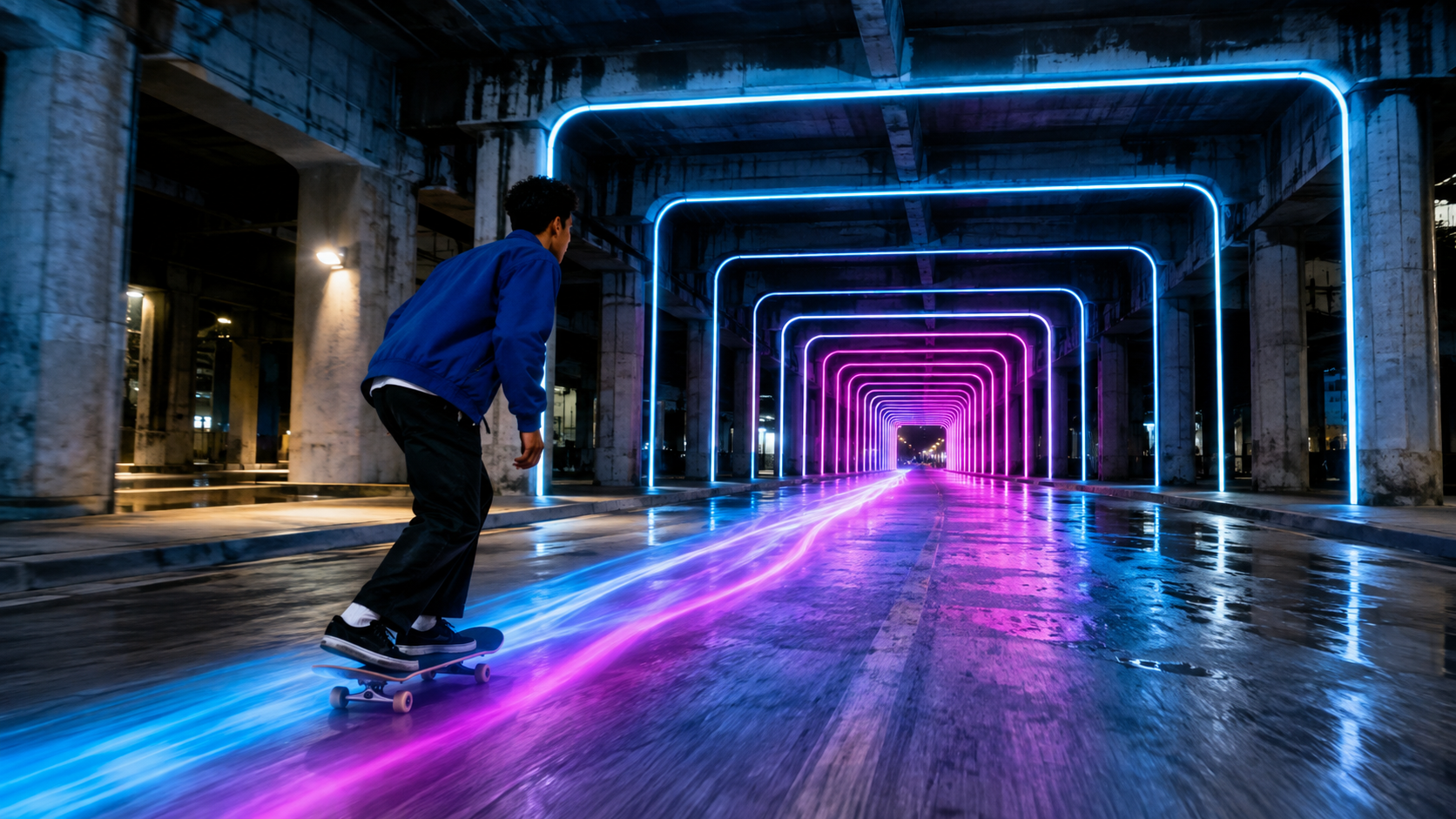
Specific geometry and a visible destination make an infinite-tunnel effect easier to control than a generic request for “crazy neon visuals.”
Change one variable per retry
If the result fails, revise only the camera, effect strength, duration, or reference. One-variable retries reveal what improved the shot.
Make a Psychedelic AI Music Video Follow the Beat
People searching for a psychedelic AI music video want motion composed with the track. Mark the intro, build, drop, bridge, and ending, then assign one visual event to each section.
Use motion intensity as rhythm control
Use slow deformation for the intro, spatial repetition for the build, and the fastest zoom or mirrored expansion for a major accent. Constant intensity produces no visual rhythm.
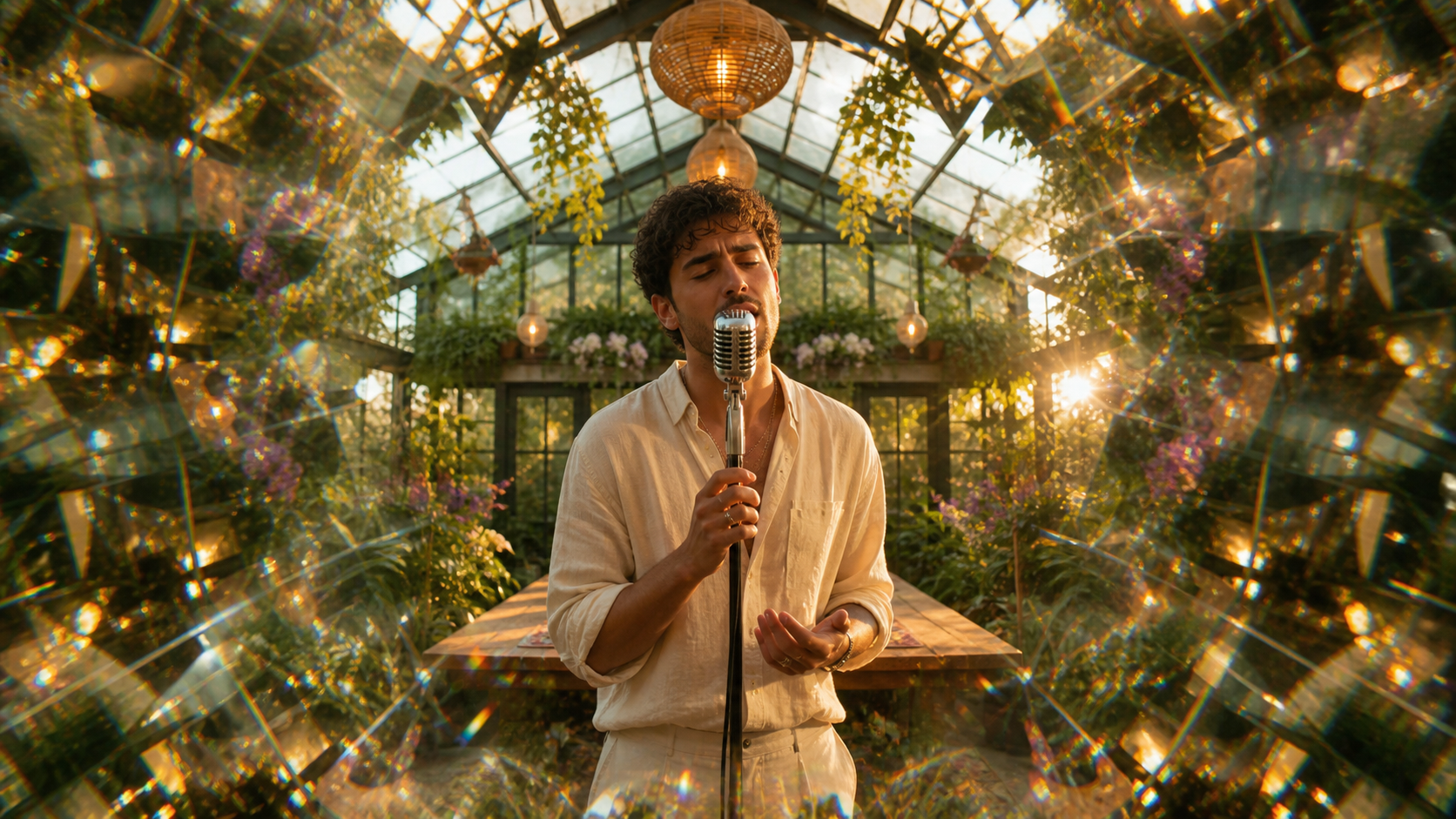
Protecting the performer and microphone gives the editor a stable center while the surrounding image carries the psychedelic movement.
Choose where audio belongs
For an existing song, generate clean visual shots and synchronize them in editing. For dialogue, performance, or environmental sound, an audio-capable route may reduce manual alignment; the native-audio AI video guide explains what to test. Always confirm music rights before publishing.
Design a loop intentionally
Match the final camera position, dominant color, subject pose, and effect intensity to the opening. A tunnel can return to its first gate; a mirrored flower can close into the original bloom. Generate a deliberate return rather than hiding a mismatched ending beneath a crossfade.
Keep Multi-Shot Visuals Consistent With Seedance Agent
Longer psychedelic work is an orchestration problem: references, shot purposes, model choices, paid attempts, approved clips, and repairs must stay connected. Seedance Agent turns the brief into a reviewable sequence and separates planning from paid generation.
Give the Agent a production brief
Provide the subject, style frame, track structure, format, fixed anchors, and unacceptable failures. Require one action, reference role, transition target, and acceptance check per shot; revise before approving generation.
Route shots by control requirement
Use an exploratory route for establishing worlds, a reference-led route for a protected performer or product, and an audio-capable route only where synchronized sound matters. The multi-model AI video workflow shows why one project may need several specialized passes instead of one model for every shot.
Keep approved work while repairing one stage
When shot three flickers, retain the other accepted shots. Describe the defect precisely and regenerate only the broken stage to reduce repeated spend and new continuity errors.
Fix Flicker, Random Morphs, and Weak Transitions
The image flickers or pulses unpredictably
Reduce tiny repeated textures, competing light sources, and stacked effects. Slow the camera or transformation and ask for one continuous change. Strong geometry with restrained detail is more stable than dense fractals moving in several directions.
The subject becomes unrecognizable
Name the features that must remain fixed and move the effect away from the eyes, mouth, hands, product outline, or label. Use a stronger reference and shorten the shot. If recognition is essential, transform the environment before transforming the subject.
The result is colorful but not psychedelic
Replace adjectives with an observable mechanism: recursive corridor, liquid refraction, mirrored botanical growth, chromatic afterimage, or impossible scale transition. Describe where the effect begins, how it travels, and what final state it reaches.
The edit points do not connect
Create bridge shots with matching screen direction, camera height, color, and end pose. Preserve the final frame of one shot as the compositional target for the next. Use a cut on a beat only when the action and geometry support it.
Final export checklist
Watch at full speed and frame by frame. Check consistency, sound sync, loop continuity, ratio, motion blur, compression, and safe framing. Select 24, 30, or 60 fps for the source and platform; the AI video frame-rate guide provides a decision table.
Conclusion
The best answer to how to make trippy visuals is controlled transformation: define a recognizable subject, choose one visual grammar, plan short shots, test the riskiest moment, synchronize intensity to the music, and repair only what fails. When you are ready to turn an image, track, or idea into a reviewable multi-shot plan and approve generation only after the creative direction is clear, start with Seedance AI Agent →
Ready to try it yourself?
Put the steps from this guide into practice with Seedance and turn prompts or images into polished videos in minutes.
Free credits on signup. Plans from $28/month.
Related Articles
More posts in the same locale you may want to read next.

Seedance App Preview Video Generator 2026: Create App Store and Product Launch Clips
Use Seedance to turn app screenshots, feature copy, and launch goals into App Store previews, Google Play promo videos, and product launch clips.
Read article
Best AI Video-to-Video Models in 2026
The best AI video-to-video models in 2026 for editing footage you already shot: Higgsfield Genjutsu, Seedance 2.x, Runway Aleph, Luma Modify and Kling Omni compared.
Read article
Kling 4.0 vs Seedance 2.5: Full Comparison
Kling 4.0 vs Seedance 2.5 compared by spec: 30-second clips, keyframes vs 50 references, audio, 4K and 10-bit color, editing, and which model fits which job.
Read article