
Luma Dream Machine Extend Tutorial: Build a Longer Shot Without Breaking Continuity

AI Overview
How do you extend a video in Luma Dream Machine?
Open a completed Dream Machine generation, choose Extend, and decide whether the next segment should continue naturally or follow a new prompt. Review the handoff before extending again, because each generation can compound continuity errors.
Should you leave the Extend prompt blank?
Leave it blank when you want the current subject, motion, camera, and environment to continue with minimal intervention. Add a prompt only when the next beat needs a specific action, camera change, or destination.
Can an end frame control a Luma video extension?
Yes. Add an image as the destination keyframe when the extension must arrive at a defined composition. The prompt should describe the movement between the existing video and that endpoint, not repeat every visible detail.
Why does an extended Dream Machine video drift?
Drift usually begins with a busy boundary frame, conflicting prompt, large camera change, or repeated extension beyond the strongest segment. Return to the last clean handoff and simplify one variable at a time.
Choose the Right Extend Mode Before You Generate
Natural continuation, directed continuation, or destination frame
Luma Dream Machine Extend adds time to an existing generated video. The official guide offers three useful levels of control. A blank prompt lets the scene continue on its current trajectory. A text prompt directs the next action or environmental change. An end keyframe asks the motion to arrive at a specific image.
Use the least control that can express the next beat. If a cyclist is already moving down a road and you only need more travel time, a blank continuation is the cleanest first attempt. If she must turn onto a bridge, describe that single action. If the story must end at a lake overlook, provide the destination frame and describe the transition toward it.
| Extend choice | Best for | Main risk | Approval test |
|---|---|---|---|
| Blank prompt | Continuing current motion | Aimless action | Direction and pace remain stable |
| Short prompt | One new story beat | Prompt resets the scene | Only the requested change appears |
| End keyframe | Reaching a planned composition | Forced morphing | The transition feels motivated |
| Reverse extend | Creating action before a clip | Unclear lead-in | The new beginning connects naturally |

Illustrative generated still, not a Luma output: the readable subject, road direction, weather, and background anchors make a stronger extension boundary than a crowded action frame.
Do not confuse Extend with Modify Video. Extend creates additional time around a generated clip; Modify transforms the appearance of source footage while preserving motion. The Luma Ray 3.2 reframe tutorial covers another distinct task: changing aspect ratio rather than continuing story time.
Prepare a Clean Handoff Frame
Extend from stable motion, not peak action
The final second of the source generation is the contract for the next segment. Inspect it frame by frame. The subject should be readable, the camera direction established, and important objects unobstructed. Avoid extending from a moment when a hand covers a face, a wheel crosses another object, the camera whips, or the subject is partly outside the frame.
Write down five continuity anchors before clicking Extend: subject identity, wardrobe or product geometry, direction of travel, camera behavior, and two environment markers. For the cycling sequence, those anchors might be the mustard jacket, dark-green touring bicycle, left-to-right travel, low side-tracking camera, misty lake, and pine shoreline.
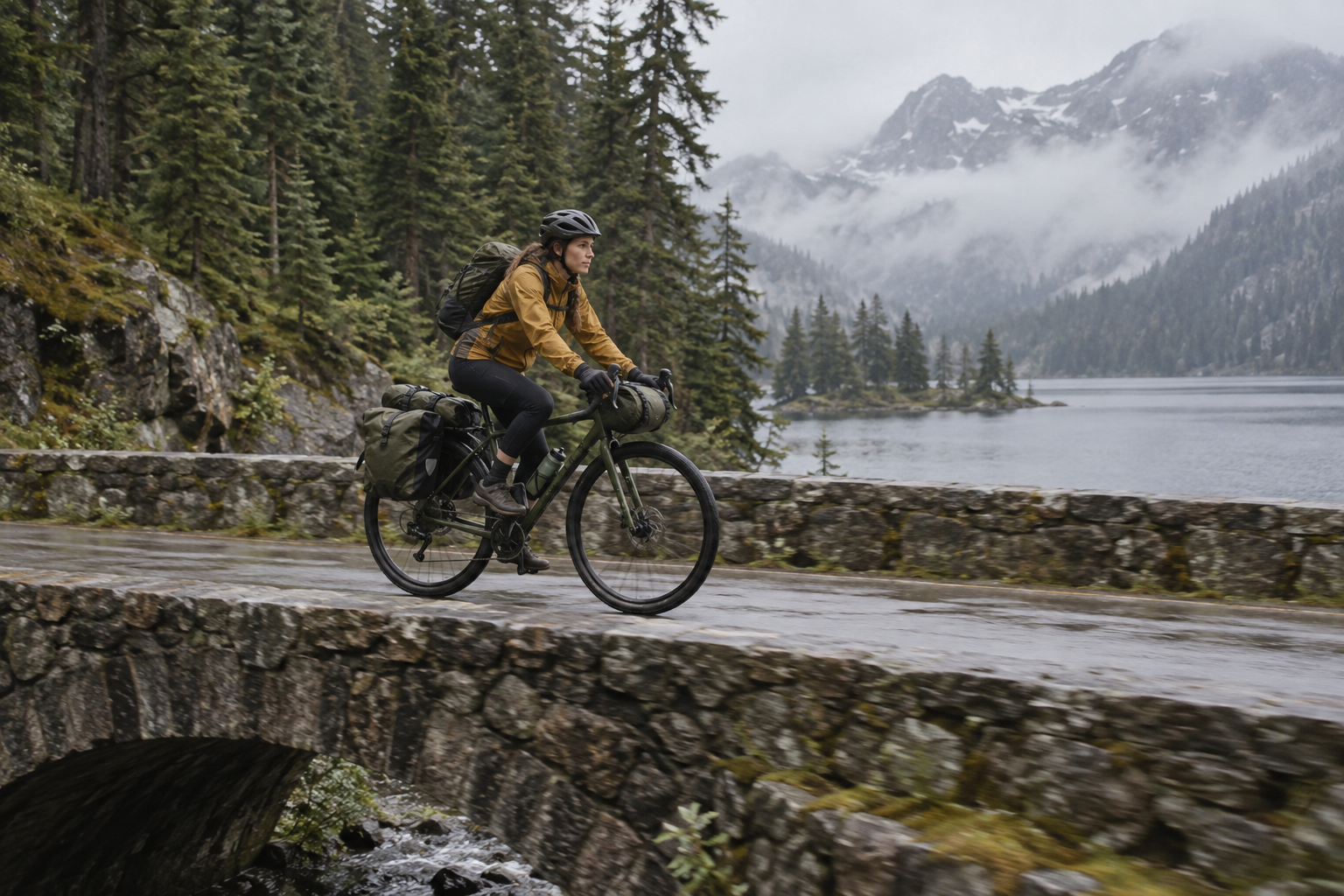
Illustrative continuity target: identity, bicycle design, travel direction, light, and landscape stay stable while the location advances.
Trim your narrative expectation as well as the frame. One extension should accomplish one visible change. Asking the cyclist to cross a bridge, enter a town, meet a friend, and reach sunset in one generation forces the model to compress several scenes into unstable motion. The checkpoint discipline in the resumable multishot workflow works here too: save the approved source, prompt, endpoint, output, and reason for rejection.
Write a Luma Dream Machine Extend Prompt
Describe only the next beat and preserved motion
A useful Extend prompt begins with the current action, names one progression, and finishes with the desired camera behavior. It does not rewrite the entire original prompt. Repeating every detail can accidentally invite regeneration rather than continuation.
The same cyclist continues across the stone bridge at the same steady pace. The low side-tracking camera remains parallel to her, with the misty lake and pine shoreline behind. She exits the bridge onto the rising road; no cut and no sudden acceleration.
Use positive, observable language. “The camera stays low and tracks beside her” is easier to judge than “do not change the camera.” Name the exact subject when several moving objects appear. Preserve direction with spatial words such as left-to-right, toward the ridge, or away from camera. If the source already contains the right motion, keep the prompt short.
Prompt changes should be incremental:
- Action: continue pedaling, slow near the rail, turn onto the bridge.
- Camera: maintain tracking, gradually widen, settle into a static final shot.
- Environment: mist thins, the lake opens below, morning light warms slightly.
- Timing: complete the turn first, then reveal the overlook.
Avoid a style change, time jump, new character, and aggressive camera move in the same extension. If a new visual style is essential, finish the temporal extension first and treat the transformation as a separate editing decision.
Extend Toward an End Keyframe
Design a reachable destination
An end frame provides a visual destination, not a full motion plan. Choose an image that keeps the subject's scale, identity, wardrobe, and major environment logic compatible with the source. A small change in angle or location is easier than jumping from a close-up forest road to a distant aerial cityscape.

Illustrative end-frame target: the new composition advances the story while retaining the cyclist, bicycle, route, lake, and daylight logic.
The prompt should explain the connective action: “She slows after the bridge and follows the curve toward the wooden overlook as the camera gradually widens.” Do not ask the endpoint image to perform an impossible teleport. Give the model enough visual overlap to infer a path.
Luma's official API documentation also distinguishes forward extend, reverse extend, and extend with an image keyframe. For creators working in the interface, the same mental model applies: an existing generation can anchor the beginning, the end, or one side of a directed transition. The multi-keyframe workflow offers a reusable way to test whether adjacent compositions are truly compatible before spending another generation.
Assemble Multiple Extensions Without Quality Collapse
Approve each segment before extending again
Official Ray2 guidance describes 5- or 10-second generations and an Extend route for longer work, with a current 30-second cap noted in the guide and a warning that quality can decline as extensions accumulate. Treat that figure as a product constraint, not a target. A strong 15-second sequence is more useful than a 30-second clip whose face, vehicle, or environment drifts.
Actual Seedance output, not a Luma Dream Machine result: use it as a review example for uninterrupted direction, camera momentum, and environmental continuity.
After every extension, compare the final frame with the source on five passes: identity, object geometry, camera path, environment, and motion rhythm. If one fails, rerun from the last approved generation instead of extending the flawed result. Keep versions such as A1, A2, and B1 so the lineage stays obvious.
For production work, separate generation from assembly. Export approved segments, place them on a timeline, trim duplicate hold frames, and cut where speed and camera direction match. The Seedance video-extension guide shows how the same boundary-frame logic can be applied in a different model family.
Fix Common Dream Machine Extend Failures
Diagnose the first frame where the contract breaks
If the subject changes identity, shorten the prompt and restore the exact visual anchors. If object geometry mutates, choose a cleaner boundary with less occlusion. If the camera jumps, remove the new camera instruction or describe a gradual transition. If the environment resets, repeat only two or three stable background features rather than an entire scene description.
When motion stalls, add a concrete verb and destination. When motion accelerates unnaturally, specify the same pace and ask the camera to maintain distance. When the transition to an end frame looks like a dissolve, select a closer endpoint or insert an intermediate keyframe.

Illustrative final hold: stable posture, object geometry, horizon, and light give the editor enough neutral material to finish the sequence cleanly.
Seedance Agent is useful when several branches need review. Keep the original clip, boundary still, Luma prompt variants, candidate extensions, and approval notes in one project; then rerun only the failed branch or try the same handoff through a controlled reference-to-video workflow. This turns extension into an auditable shot decision instead of a chain of anonymous generations.
Conclusion
A reliable Luma Dream Machine extension starts with a clean handoff, uses the least control necessary, changes one story beat at a time, and protects the last approved generation from accumulated drift. Leave the prompt blank for natural continuation, write a short positive prompt for directed action, and use a reachable end frame when the sequence must arrive at a planned composition. Review every segment before extending again, then assemble only the approved takes. To organize references, endpoints, prompt branches, continuity checks, and selective reruns in one place, start the extension project with Seedance Agent.
Ready to try it yourself?
Put the steps from this guide into practice with Seedance and turn prompts or images into polished videos in minutes.
Free credits on signup. Plans from $28/month.
Related Articles
More posts in the same locale you may want to read next.

Seedance App Preview Video Generator 2026: Create App Store and Product Launch Clips
Use Seedance to turn app screenshots, feature copy, and launch goals into App Store previews, Google Play promo videos, and product launch clips.
Read article
How to Make a Talking AI Avatar You Can Reuse
Make a talking AI avatar with Seedance: design one consistent character, give it a voice, and make it speak in a talking photo or a full Seedance 2.5 scene, episode after episode.
Read article
Best AI Video-to-Video Models in 2026
The best AI video-to-video models in 2026 for editing footage you already shot: Higgsfield Genjutsu, Seedance 2.x, Runway Aleph, Luma Modify and Kling Omni compared.
Read article