
Hailuo 3 on Runway Guide: Access, References, Credits and Better Shots

AI Overview
Is Hailuo 3 available on Runway?
Yes. Look for MiniMax H3 in Runway's video model picker. It is MiniMax's model inside Runway, with paid-plan access rather than a renamed Gen model.
Should I use keyframes or references?
Use keyframes to define a shot's opening and ending composition. Use references to guide identity, motion or sound; Runway keeps these input modes separate.
How much does Hailuo 3 cost on Runway?
Output starts at 10 credits per second for 768p or 15 for 2K, before reference charges. Review the estimate for your actual inputs before generating.
Can I use Seedance Agent for the same project?
Yes. Seedance offers MiniMax H3 and an Agent-led workflow. Check supported inputs, review steps and costs; controls can differ between platforms.
Find Hailuo 3 in the Correct Runway Workspace
This Hailuo 3 on Runway guide is for creators who want to make a usable shot, not install a local model. Runway's current naming can be confusing: the service calls the model MiniMax H3, while searchers often call it Hailuo 3 or Hailuo 3.0. It remains a third-party model from MiniMax. Runway supplies the workspace around it.
As checked on September 7, 2026, Runway's help page lists Standard or higher. Open Tools, choose Video, then search the bottom model selector for MiniMax H3. Confirm the selected model before adding media. An older tutorial showing a different model or workspace label is not proof that your account has the same controls.
Separate the browser workspace from Runway Dev. Developers use the model identifier hailuo3; a browser subscription should not be treated as an interchangeable API balance. The newer h3_max is a separate API identifier, not a substitute for the settings described here. This article focuses on the creative interface. The practical first milestone is a short saved test with known inputs, not a large campaign generated before you understand the billing and reference behavior. If comparing another hosted model, keep the Seedance on Runway guide separate from this H3 setup.
Choose Keyframes or References Before Uploading
Start with the composition when framing matters
A keyframe is a designed composition, not merely a picture of the subject. If the opening must show a guide beside a river, prepare that view first. Leave visible space in the direction of movement, keep important hands and feet inside the frame, and remove accidental distractions before animation.
Use a second endpoint only when the arrival matters. A standing figure and a distant overhead landscape ask for a substantial transition; they are not automatically a good pair. Matching clothing, light and geography makes the task easier to evaluate. For deeper endpoint planning, see the MiniMax H3 first-and-last-frame guide.
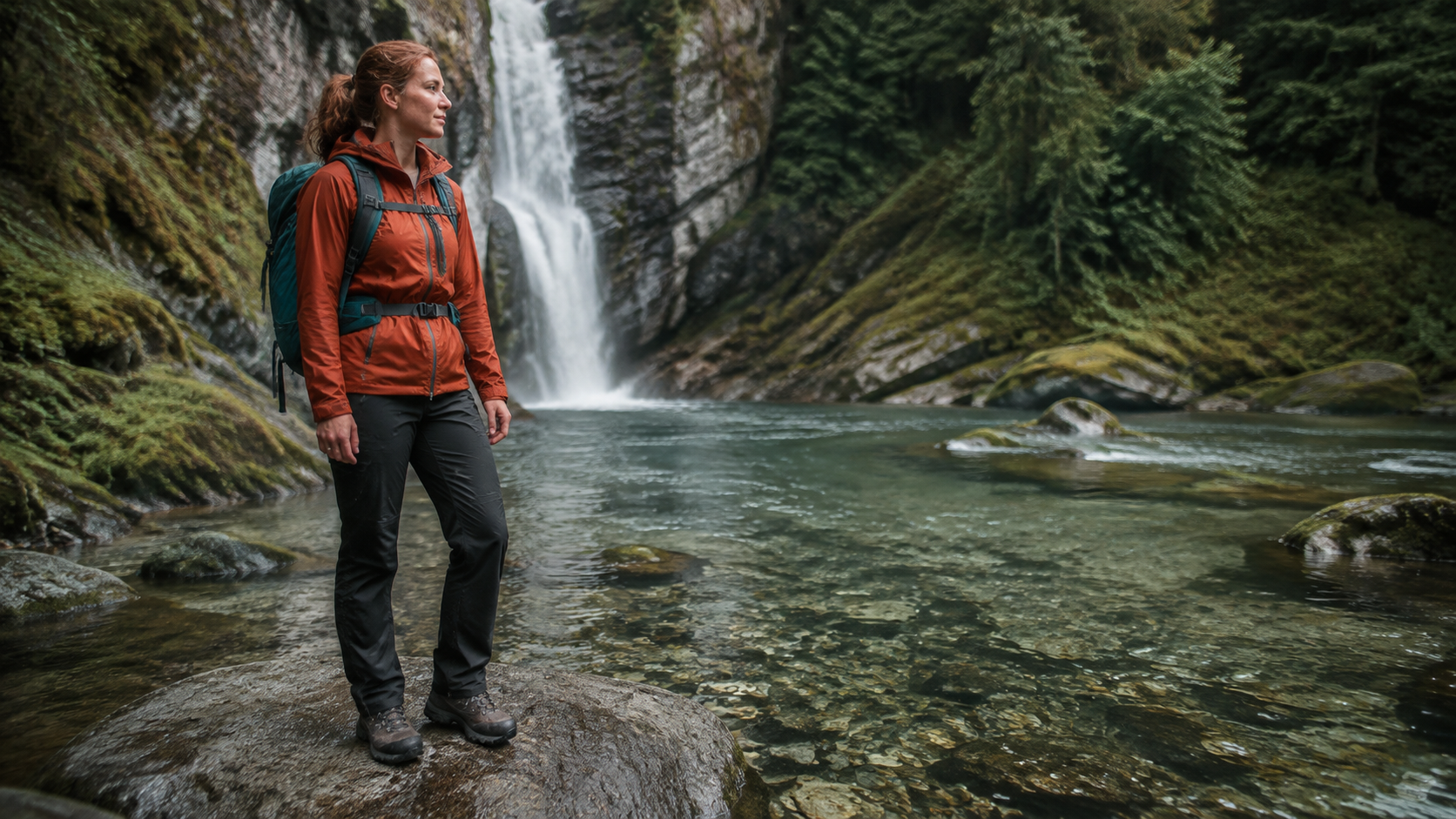
Newly generated reference illustration: inspect usable movement space and full-body framing. This is a planning example, not a claimed Runway test result.
Start with reference roles when identity matters
Runway documents up to nine images, three videos and three audio clips, with twelve reference files total. Audio references need an image or video alongside them. Keyframes cannot be combined with these references in the same generation; they are a separate mode. Keyframe images also determine the output aspect ratio.
Use fewer inputs than the maximum when possible. Assign one source to the person, another to the product, and a short clip to camera movement only if that movement is hard to describe. Conflicting examples are not extra insurance. Write which asset controls each property, and use the Ref2VA versus FL2VA comparison when the distinction between subject evidence and endpoint control remains unclear.
An existing reference-video example: watch the moving subject, not just the poster. It is not a new Runway generation or a controlled comparison of hosting platforms.
Build a Prompt That Produces an Inspectable Shot
Give the scene one clear action
A useful Hailuo 3 Runway prompt describes a change that fits the available time. Our suggested first test is a single river-crossing action, not a crossing, aerial reveal, product close-up and spoken slogan squeezed together. Define the opening, action and camera response in ordinary language.
An adult expedition guide in an orange jacket steps carefully from one broad river rock onto the next. The camera tracks gently right at waist height, keeping her boots visible. Her teal backpack stays secure while the jacket moves in the breeze. Water flows naturally around the rocks; the waterfall remains behind her. End with both feet settled and her gaze directed across the river.
Treat this as a starting brief, not a guaranteed result. If a reference is attached, describe its role explicitly. Avoid adding an orbit and a locked camera to the same instruction. A coherent five-second test reveals more than a visually ambitious prompt whose success criteria keep changing.
Make the product a separate acceptance test
For an outdoor advert, test the bottle separately before asking an actor to handle it. A clean product view makes changes to the cap, silhouette and color obvious. Once that survives a simple camera move, introduce hand contact or a busier setting. This isolates the difficult part instead of hiding it inside an attractive landscape.
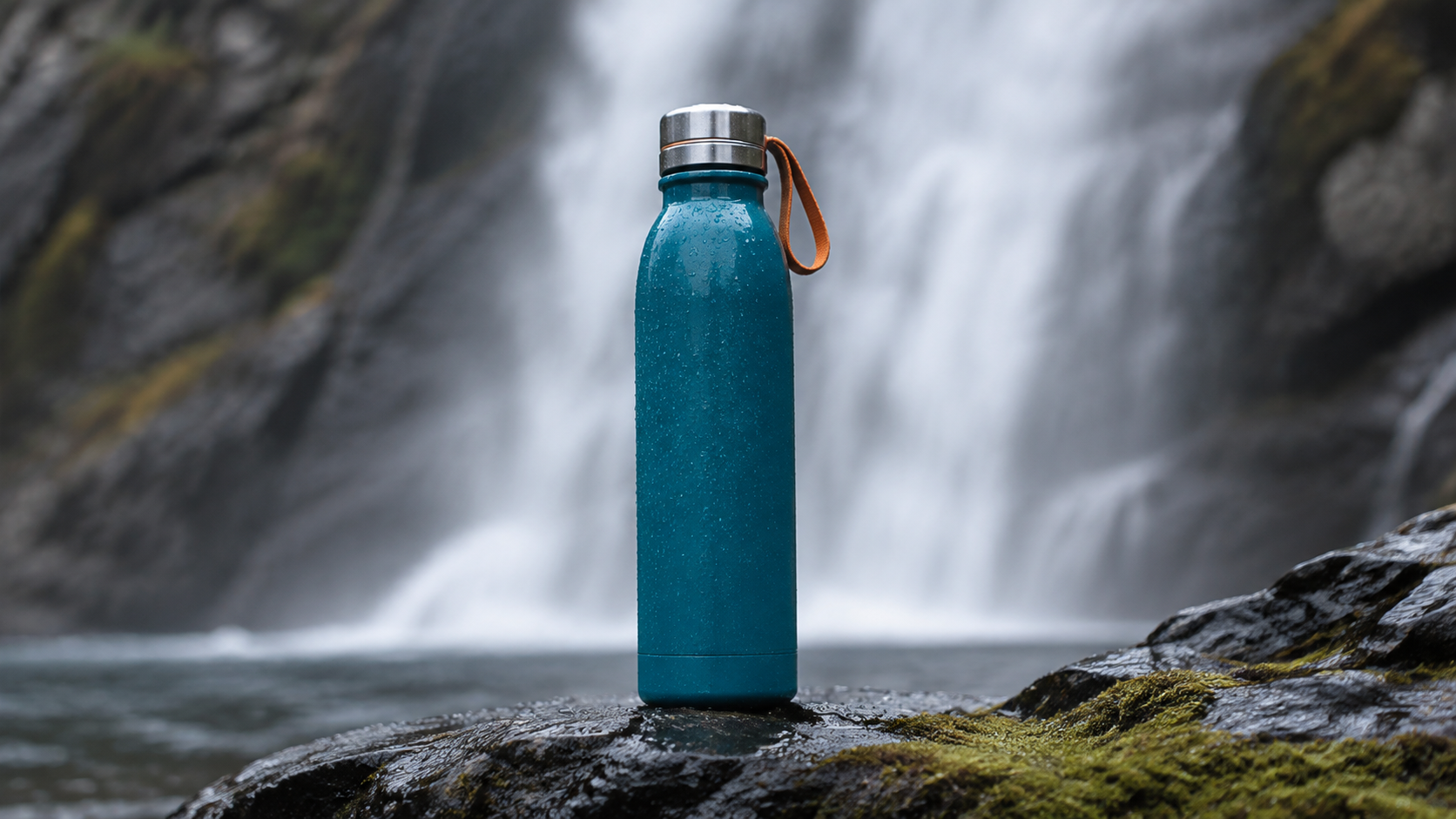
Newly generated product illustration: the cap, cylinder, loop and surface finish create concrete details to inspect during motion.
Keep a tiny shot log: source filenames, prompt, duration, resolution, reference roles and the reason you accepted or rejected the result. Save the actual output too. A remembered “good version” is difficult to reproduce when several settings changed between attempts.
Estimate Hailuo 3 Runway Credits Before Iterating
Compare the cost of the same test
Runway lists 5–15-second outputs at 768p or 2K. Its creative help page currently prices those at 10 and 15 credits per output second respectively, plus two credits per reference image. A five-second 768p test with two reference images therefore totals 54 credits under those listed rates; the equivalent 2K example totals 79. These are illustrative calculations, not quotes for every input combination.
Reference video needs particular care. Runway's creative help and API changelog describe its surcharge differently, so do not reuse an API estimate as a browser quote. The generation panel's current total is the figure to check for the route you actually use. Promotions mentioning unlimited access also need their own eligibility and model conditions checked.
Budget for accepted footage, not attempts
Set a small experiment budget before creating variants. Change one factor per test: first simplify the motion, then adjust the reference, then consider resolution. If three attempts fail for the same reason, pause and revise the shot rather than ordering three more at higher quality.
The useful metric is total credits spent divided by accepted clips, with editing time considered separately. A cheap render that cannot be used is not a cheap finished shot. Preserve successful takes while experimenting; a higher-resolution rerun is a new generation, not a promise of identical motion.
Fix Missing Controls and Unusable Results
When an input or model option is unavailable
First check the active workspace, plan and selected model. Then remove incompatible inputs. If you added keyframes and a reference clip together, simplifying the prompt will not resolve a mode restriction. Check the dimensions and length of the uploaded files and read the inline message before assuming the service is broken.
If an option remains unavailable, record the exact setting combination and error. Return to one allowed image or a text-only test. This distinguishes an input problem from a broader access problem without repeatedly spending credits on a complicated request.
When the video looks good but fails the brief
Review the entire clip at normal speed before inspecting individual frames. Does the action finish? Does the camera maintain its direction? Does the product change shape? Is the subject still recognizable after turning? If sound is present, listen for abrupt starts, clipped endings and timing that disagrees with visible contact.
Classify the failure before rerunning. Missing feet suggest framing; shifting identity suggests reference selection; a wandering camera suggests competing instructions. Trim an otherwise useful take when appropriate. For a travel edit, the Seedance travel-video workflow is a useful way to think about how a short approved shot contributes to the final sequence.

Newly generated delivery-direction illustration. A pleasing final frame is only one checkpoint; continuity and movement still need review in the actual video.
Use Seedance Agent When the Job Is Bigger Than One Clip
Stay in Runway when its workspace already suits your production. Consider Seedance Agent when the harder task is organizing references, planning shots and reviewing a sequence. Seedance lists MiniMax H3 alongside other models, while the Agent provides a project-oriented starting point. Check the selected model's available inputs and displayed cost rather than assuming every Runway control transfers unchanged.
For our outdoor concept, separate the environment introduction, product detail and closing beat. Approve the visual direction first, then review each moving result against that brief. This turns a vague request for “a better video” into a specific correction that can be handled without discarding everything else.
Existing Seedance Agent output: inspect product readability and shot progression. It is not the outdoor concept above or a Runway-versus-Seedance benchmark.
Conclusion
Find MiniMax H3 in the correct workspace, choose either keyframes or references, and prove one short shot before expanding the project. Keep billing specific to your creation route, judge complete moving clips, and preserve accepted results. When you need a coordinated sequence rather than another isolated experiment, start your project with Seedance Agent.
Ready to try it yourself?
Put the steps from this guide into practice with Seedance and turn prompts or images into polished videos in minutes.
Free credits on signup. Plans from $28/month.
Related Articles
More posts in the same locale you may want to read next.

Seedance App Preview Video Generator 2026: Create App Store and Product Launch Clips
Use Seedance to turn app screenshots, feature copy, and launch goals into App Store previews, Google Play promo videos, and product launch clips.
Read article
Best AI Video-to-Video Models in 2026
The best AI video-to-video models in 2026 for editing footage you already shot: Higgsfield Genjutsu, Seedance 2.x, Runway Aleph, Luma Modify and Kling Omni compared.
Read article
Kling 4.0 vs Seedance 2.5: Full Comparison
Kling 4.0 vs Seedance 2.5 compared by spec: 30-second clips, keyframes vs 50 references, audio, 4K and 10-bit color, editing, and which model fits which job.
Read article