
GPT Image 2.5 Flare vs Sunburst: Which Model Should You Use?

AI Overview
What is the main difference between GPT Image 2.5 Flare and Sunburst?
Flare is the faster default for everyday and high-volume image work. Sunburst is the premium option for valuable assets where fine editing control and production polish matter more than turnaround time.
Should I start every request with Flare?
Start with Flare for concepts, batches, prototypes, and ordinary edits. Escalate only when a defined failure—such as label drift, identity change, or unintended background edits—survives a clean retry.
Is Sunburst more expensive than Flare?
At publication, OpenAI lists the same token rates for both models. The practical cost difference comes from generation time, quality settings, image size, retries, and how much human rework an approved asset requires.
Can Flare or Sunburst generate a video?
No. Both models output images. Approve the strongest source frame first, then move it into an image-to-video workflow for camera movement, subject action, timing, or audio.
Flare vs Sunburst at a Glance
| Decision factor | GPT Image 2.5 Flare | GPT Image 2.5 Sunburst |
|---|---|---|
| Official positioning | Fast, high-quality everyday generation | Most capable generation and editing |
| Best first use | Concepts, variants, prototypes, routine edits | Campaign finals, precise revisions, premium product work |
| Latency priority | Highest | Lower than Flare; precision is the priority |
| Input and output | Text/image in, image out | Text/image in, image out |
| Quality settings | low through max, plus auto | low through max, plus auto |
| Published token rates | Same as Sunburst at publication | Same as Flare at publication |
The useful choice is not “fast versus good.” OpenAI positions both models as part of GPT Image 2.5, with the same major gains in detail, texture, lighting, reference fidelity, and focused edits. The difference is operational: Flare is the default route for most applications, while Sunburst is reserved for work where a more exact final pass can save an expensive round of manual repair.
This distinction prevents two common mistakes. Sending every rough idea to Sunburst spends time before the concept is stable. Keeping every near-final asset on Flare can create repeated retries after the team already knows exactly what must remain fixed. A routing policy should change models when the risk changes, not when someone merely prefers the word “premium.” For the wider release context, read the GPT Image 2.5 review.
What They Share
Both models accept text and image inputs and return images through the Image API or the image-generation tool in the Responses API. Both expose quality controls from low to max plus auto, and both have dated 2026-09-08 snapshots for teams that need reproducible production behavior. Neither produces audio or video, so downstream motion remains a separate approval stage.
At publication, the official model pages list identical token rates: text input at $5 per million tokens, cached text input at $1.25, image input at $8, cached image input at $2, and image output at $30. Those rates do not mean every job costs the same. Image dimensions, quality, prompt context, number of references, retries, and human review determine the real cost of a deliverable.
They also share the same fundamental review risks. A persuasive image can still contain a wrong label, changed face, bent product edge, inconsistent reflection, or newly invented background object. Evaluate at delivery size and at 200 percent zoom. Keep legal copy and exact pricing as editable type when accuracy is mandatory. Approve the still before it enters any downstream animation step.
The model name should be recorded with every approved file. Save the exact alias or snapshot, quality, dimensions, reference files, prompt, negative constraints, and revision count. Without that record, a successful output becomes a lucky thumbnail rather than a repeatable production recipe.
Start with Flare
Flare is the sensible default when the next decision matters more than the final pixel. Use it to discover composition, test art direction, produce social variants, generate ecommerce concepts, explore crops, and validate whether a brief works at all. OpenAI specifically frames it for creator and social workflows, product experiences, visual search, rapid prototyping, and high-volume generation.
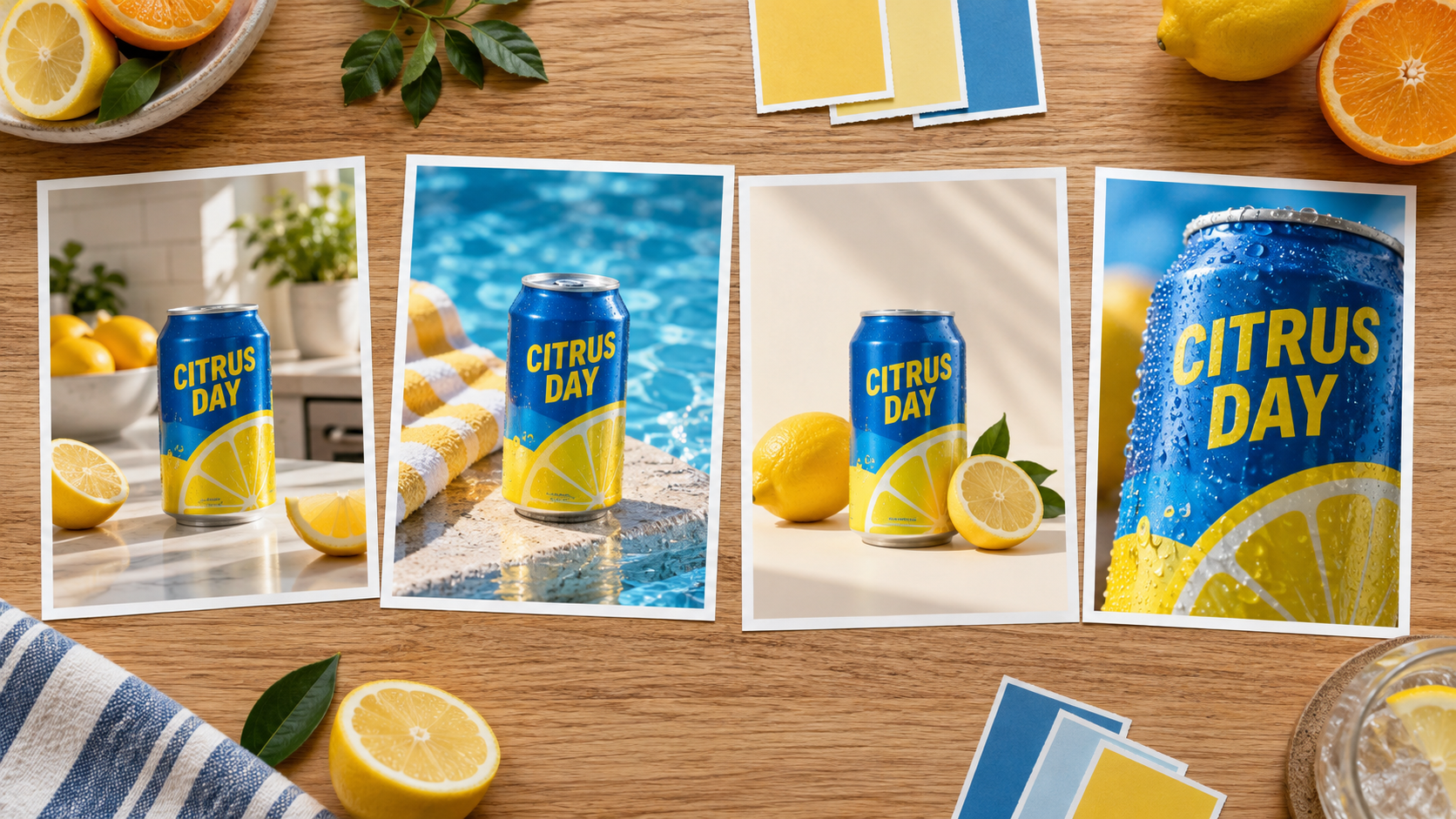
A useful batch test asks for meaningful variety while holding product geometry, palette, and required copy steady. This fresh illustration is a neutral inspection target, not a claimed Flare benchmark result.
Use Flare for breadth before polish
Begin with four to eight genuinely different directions, not eight color filters applied to one frame. Ask for changes in camera distance, surface, time of day, prop hierarchy, and negative space while locking the product shape and brand palette. Eliminate weak concepts quickly, then continue only with the two directions that survive a thumbnail review.
For edits, give Flare one change at a time. “Replace the countertop with pale stone; preserve the bottle, label, crop, reflection, fruit, and lighting” is measurable. “Make it better and more premium” gives the model permission to redesign everything. Save an approved checkpoint after each successful change so a later failure does not erase earlier work.
Flare also fits interactive products because responsiveness affects whether users explore. A fast result encourages comparison and correction; a slow result encourages premature acceptance. The goal is not simply lower latency. It is more useful decisions per review session.
Escalate to Sunburst
Sunburst belongs at a value threshold, not at the beginning of every request. Consider it when the concept, crop, references, and acceptance criteria are already stable, but an unresolved defect threatens the final deliverable. Typical triggers include a product label that drifts during a local edit, a face that changes across revisions, a reflective object whose geometry collapses, or a late material replacement that alters unrelated details.
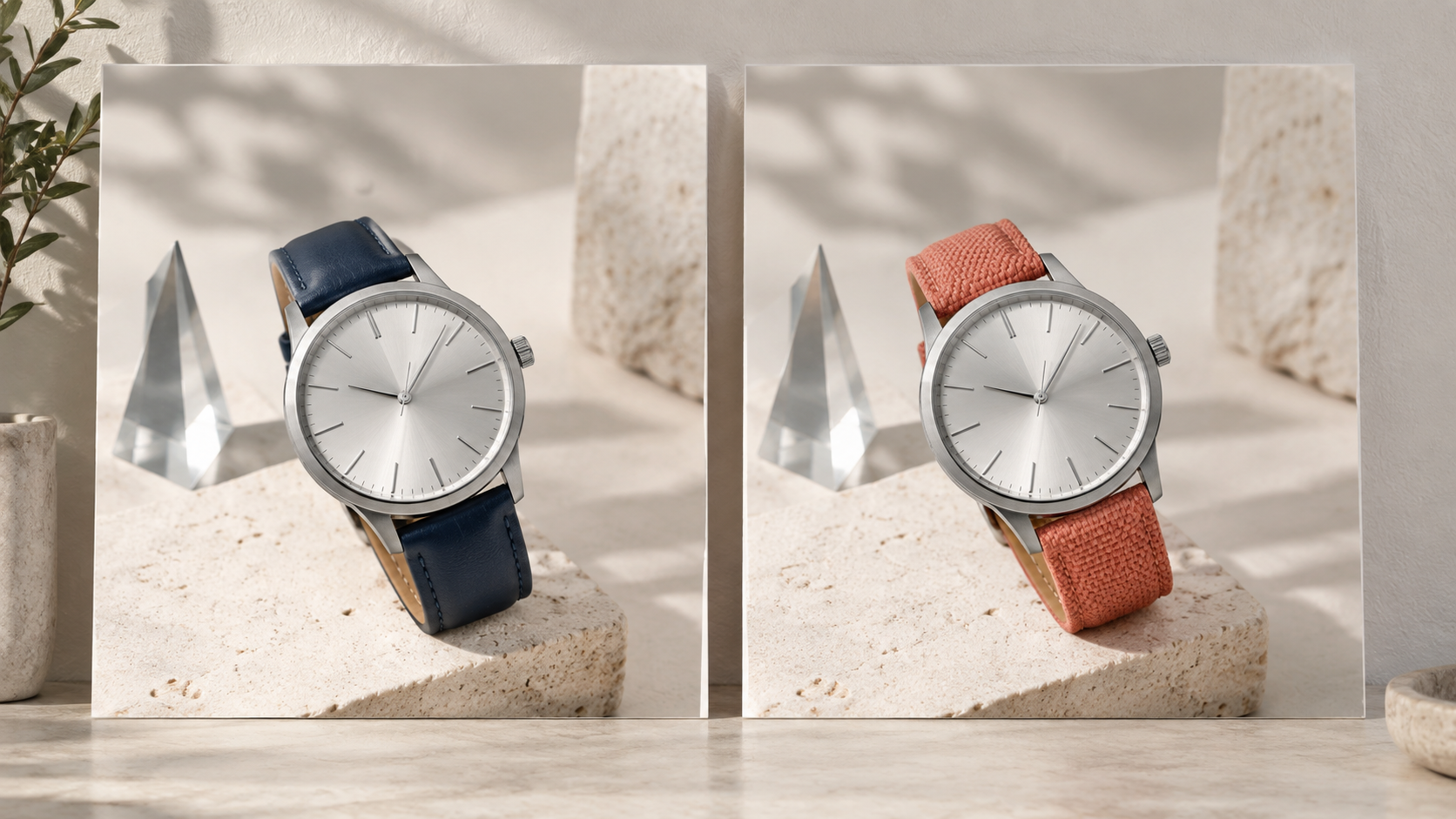
A precision test should lock the dial, case, camera, props, shadows, and crop while changing only one named material. Compare pixels outside the edit region as carefully as the requested change.
Define the escalation condition first
Before the first generation, write a one-sentence failure rule: “Escalate if two clean Flare attempts change any locked label character,” or “Escalate if the subject identity score falls below approval in two of three views.” This prevents subjective switching after every imperfect output. It also creates evidence about where Sunburst actually adds value for your workload.
Do not carry a cluttered conversation into the premium pass. Return to the last approved image, restate the one requested change, enumerate locked regions, and provide the cleanest references. If Sunburst still fails, diagnose the source or brief instead of buying repeated precision attempts. Low-resolution references, contradictory lighting, hidden hands, illegible source text, and impossible geometry remain input problems.
Premium campaign work is the clearest Sunburst case because one approved image may feed paid ads, retail pages, packaging mockups, and motion assets. A few extra seconds matter less than preserving the asset through the final revision.

For a final campaign frame, inspect glass edges, liquid level, label rectangle, fabric weave, citrus detail, flower count, shadows, and physically plausible reflections before approval.
Benchmark with Approved-Asset Cost
Model comparisons often count only generation price or first-image beauty. A useful benchmark counts the cost of an approved asset. Run the same brief through a fixed routing test: two Flare attempts, one controlled Flare revision, and—only if the written condition is met—one Sunburst pass. Cap the test so an unlucky prompt cannot consume the whole budget.
Use this worksheet for each candidate:
| Measure | What to record |
|---|---|
| Generation | model, quality, dimensions, input/output usage |
| Review | minutes to inspect copy, identity, geometry, and rights |
| Revisions | attempts before approval and reason for each failure |
| Repair | retouching, typography, compositing, or crop work |
| Handoff | whether the image survives animation or localization |
| Outcome | approved, rejected, or approved with conditions |
Then calculate approved-output cost as generation charges plus reviewer time plus repair time, divided by approved deliverables. Add median approval time and first-pass approval rate. One model may produce a cheaper image yet a more expensive campaign because every result needs retouching. Another may be slower but reduce late-stage drift on the small set of assets that reach production.
Test at least three workload classes separately: high-volume concepts, contained edits, and premium finals. Do not average them into one winner. Flare may dominate concepts while Sunburst improves the last five percent of campaign assets. If you also compare another model family, reuse the rubric from GPT Image 2.5 vs Nano Banana 2 so the inputs and acceptance rules remain consistent.
Put the Winning Frame into a Seedance Workflow
An approved image is often a production checkpoint rather than the final deliverable. Before animation, write two motion lines: one for the subject and one for the camera. “The ribbon lifts once in a light sea breeze; the camera makes a slow five-percent push-in” is easier to diagnose than a paragraph of simultaneous actions. Also state what must remain locked: bottle shape, label area, liquid level, citrus position, horizon, and lighting direction.
For a single shot, send the approved source through the Seedance image-to-video guide. For a campaign, Seedance Agent can hold the brief, references, shot list, approval notes, and partial reruns in one workflow. Flare can explore broadly, Sunburst can repair the valuable frame, and the Agent can preserve the decision trail as that frame becomes motion.
This is more reliable than asking one model to own ideation, precision editing, animation, and campaign management. Assign each stage a clear acceptance test, save the approved artifact, and rerun only the failed stage. That keeps image-model choice connected to business output: more publishable creative, fewer full-pipeline restarts, and a visible reason for every premium pass.
Conclusion
GPT Image 2.5 Flare should be the default for concepts, variants, prototypes, routine edits, and high-volume generation; Sunburst should be an evidence-based escalation for valuable finals that fail a defined precision test. Because their published token rates are currently the same, measure retries, review time, repair time, and approval rate instead of assuming one model is automatically cheaper. Record the exact model and settings, preserve checkpoints, and keep image approval separate from motion approval. When the final frame is ready to move, start the production in Seedance and rerun only the shot that needs improvement.
Ready to try it yourself?
Put the steps from this guide into practice with Seedance and turn prompts or images into polished videos in minutes.
Free credits on signup. Plans from $28/month.
Related Articles
More posts in the same locale you may want to read next.

Seedance App Preview Video Generator 2026: Create App Store and Product Launch Clips
Use Seedance to turn app screenshots, feature copy, and launch goals into App Store previews, Google Play promo videos, and product launch clips.
Read article
How to Make a Talking AI Avatar You Can Reuse
Make a talking AI avatar with Seedance: design one consistent character, give it a voice, and make it speak in a talking photo or a full Seedance 2.5 scene, episode after episode.
Read article
Best AI Video-to-Video Models in 2026
The best AI video-to-video models in 2026 for editing footage you already shot: Higgsfield Genjutsu, Seedance 2.x, Runway Aleph, Luma Modify and Kling Omni compared.
Read article