
GPT Image 2.5 Review: What Changed and Is It Worth Using?
AI Overview
What is GPT Image 2.5?
ChatGPT Images 2.5 is OpenAI's image-generation and editing release from September 8, 2026. It is available in ChatGPT and Codex, with Flare and Sunburst variants offered through the API.
Is GPT Image 2.5 better than Images 2.0?
OpenAI reports sharper detail, more natural lighting, stronger reference fidelity, more precise edits, and up to 50% lower latency. The biggest workflow improvement is keeping approved elements stable while changing one requested detail.
What is the difference between Flare and Sunburst?
Flare is the faster default for everyday and high-volume generation. Sunburst is positioned for premium creative work where tighter control across detailed edits matters more than generation speed.
Can GPT Image 2.5 generate video?
No. Flare and Sunburst output images, not video or audio. Use the finished frame as a reference in an image-to-video workflow when you need camera movement, subject motion, pacing, or sound.
What Changed in ChatGPT Images 2.5
The headline changes are not a new art-style filter. They target the expensive parts of production: fidelity, edit containment, iteration speed, and instruction handling. OpenAI says references should preserve recognizable subjects more reliably across new settings and compositions. It also says focused edits are less likely to alter the rest of the image, while longer editing conversations should accumulate changes with less quality loss.
That combination is valuable for marketing teams. A product image might need a new background, a corrected headline, and a regional prop change without redesigning the package. A character reference might need a different coat while keeping the face, posture, framing, and light. The model also adds support for more complex layouts and transparent-background work.
ChatGPT now wraps the model in several creation tools. Sketch lets a user draw a rough layout; templates provide a starting structure for formats such as posters and product shots; image comments can target feedback; and shared prompts let another person reuse an idea with their own details. These interface features are separate from model quality, but they reduce the gap between describing an idea and directing a revision.
A Practical Four-Output Review
We created four new prompt families for this page after the rollout: reference continuity, natural documentary texture, fictional product typography, and a constrained object-count still life. They are not a laboratory benchmark and are not compared against a hidden baseline. Instead, they let you inspect the exact failure points that usually decide whether an image is usable.
Natural light, skin, fabric, and clay
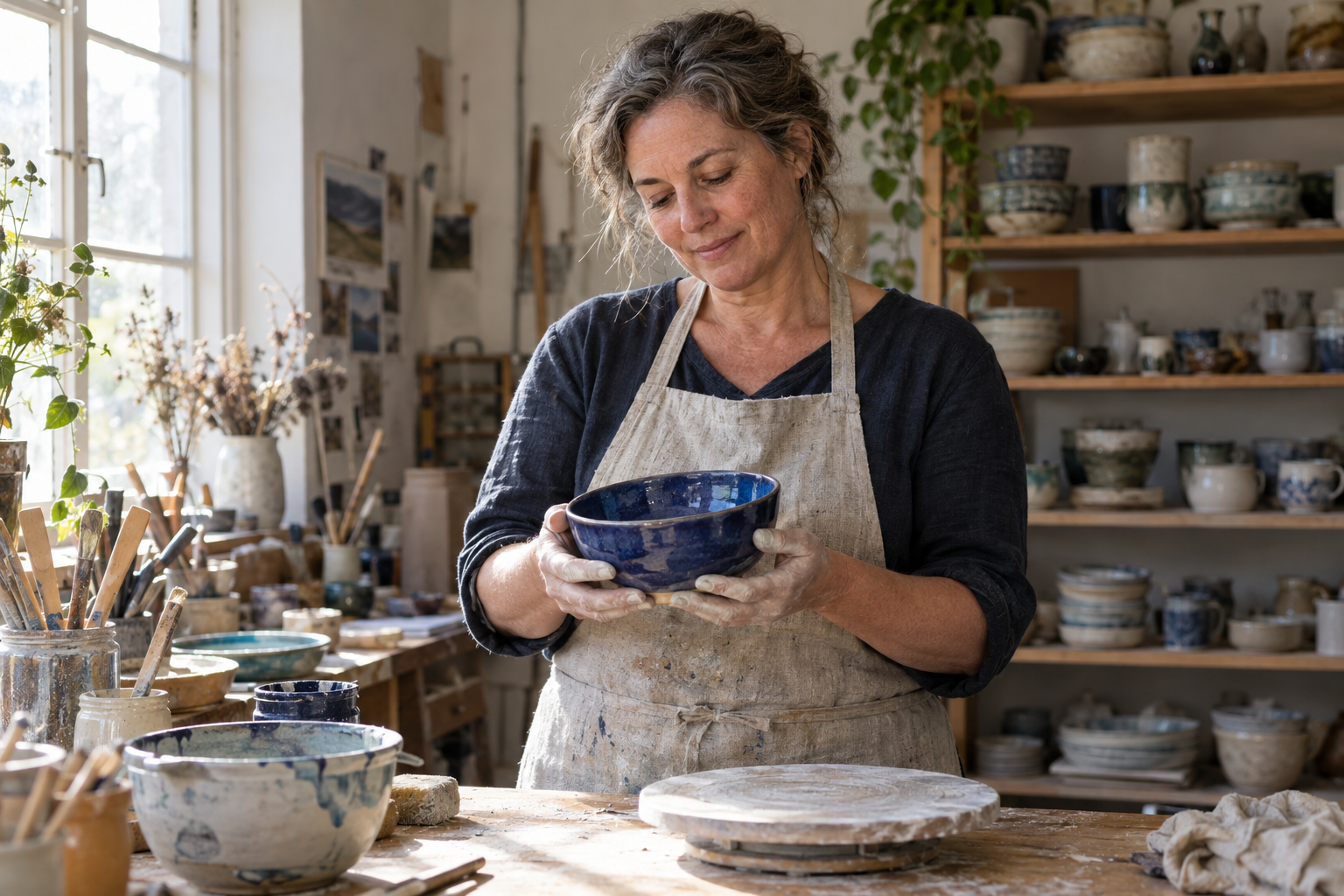
Inspect the skin texture, flyaway hair, dusty hands, worn linen, bowl glaze, and uneven workshop surfaces rather than judging only the face.
The pottery scene feels grounded because the materials disagree with one another in believable ways: glazed ceramic reflects light, dry clay stays matte, linen absorbs it, and skin has small tonal variation. The background is busy without becoming a random pile of objects. That is a better realism test than asking whether the image looks cinematic at thumbnail size.
Product geometry and requested text
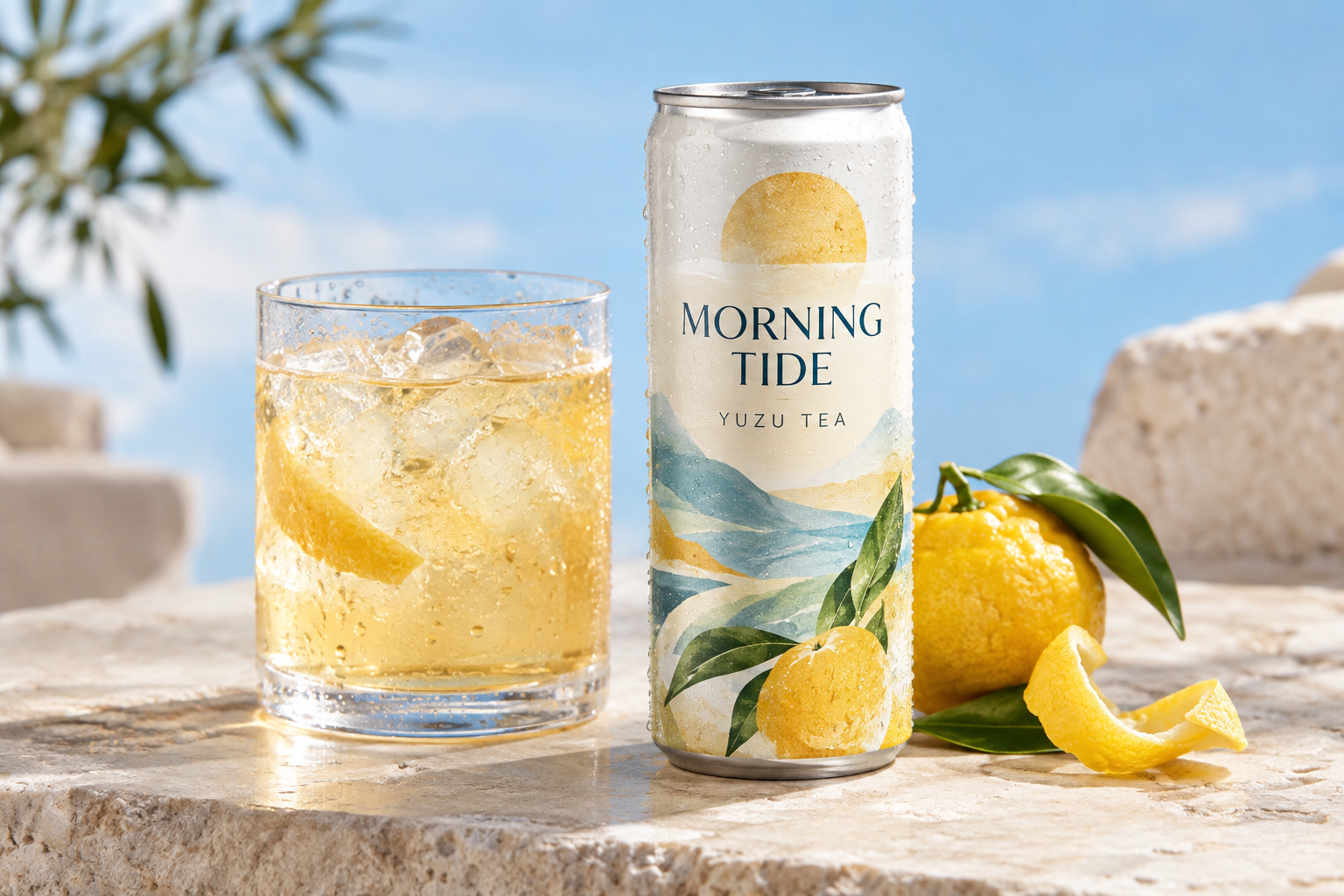
Check the cylindrical can, metal rim, condensation, glass refraction, and the two requested label lines.
The fictional tea shot gives the model fewer places to hide. Packaging has hard edges, repeated geometry, reflections, and exact copy. The requested words are readable and the can holds a coherent silhouette. A production reviewer should still zoom in: letter spacing, tiny decorative marks, nutrition text, and legal copy remain jobs for a design tool unless every character has been verified.
Counting objects in a complex brief
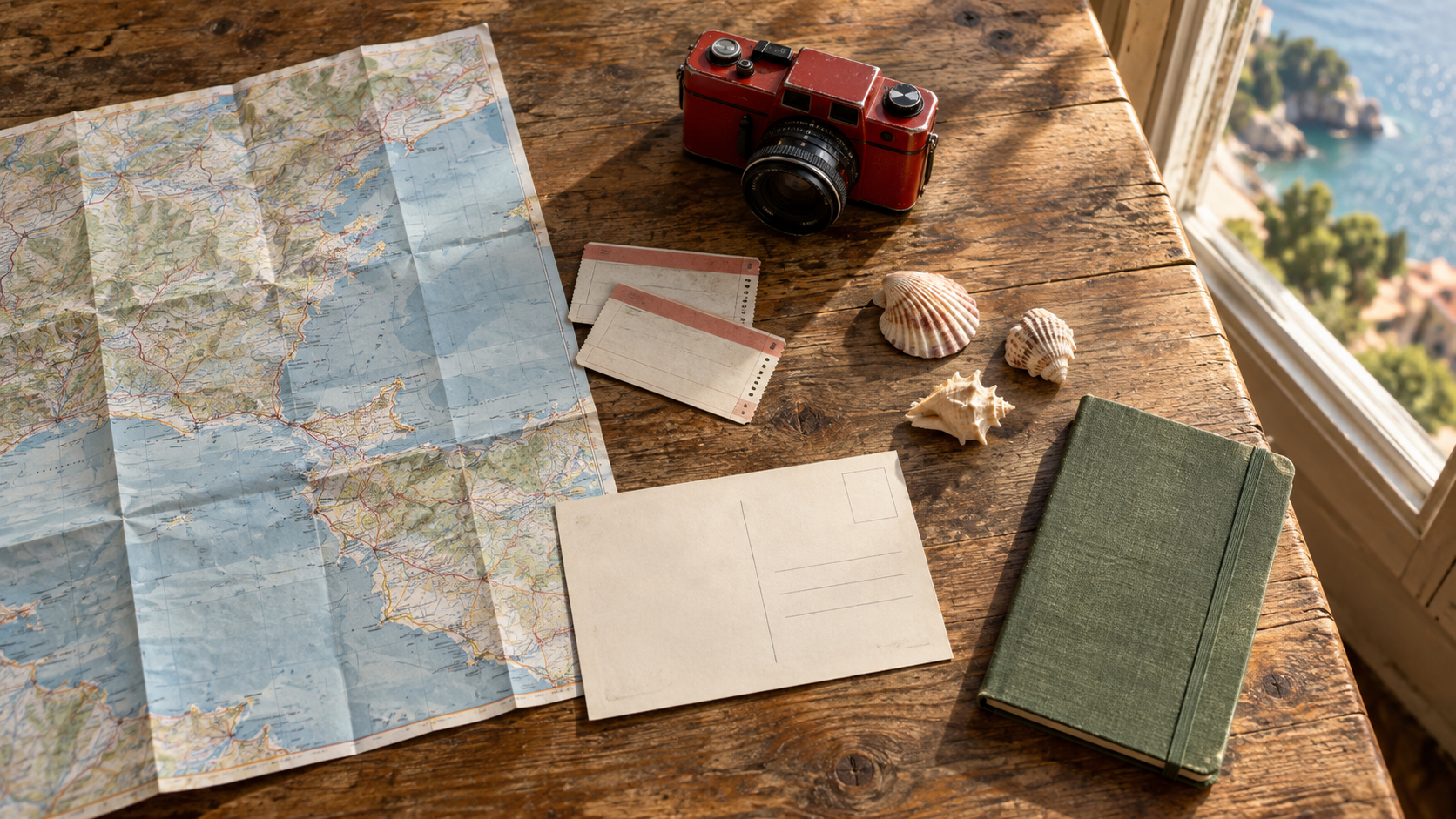
The prompt specified one map, two tickets, one camera, three shells, one blank postcard, and one notebook; count before approving composition.
Complex prompts often look convincing while quietly dropping an object. Here, the requested groups remain distinct and physically placed on the table. The scene also keeps coherent afternoon shadows across paper, metal, shell, and cloth. This is the kind of acceptance test teams can repeat: list the non-negotiable nouns before generation, then verify every noun after it.
Where Images 2.5 Is Strongest
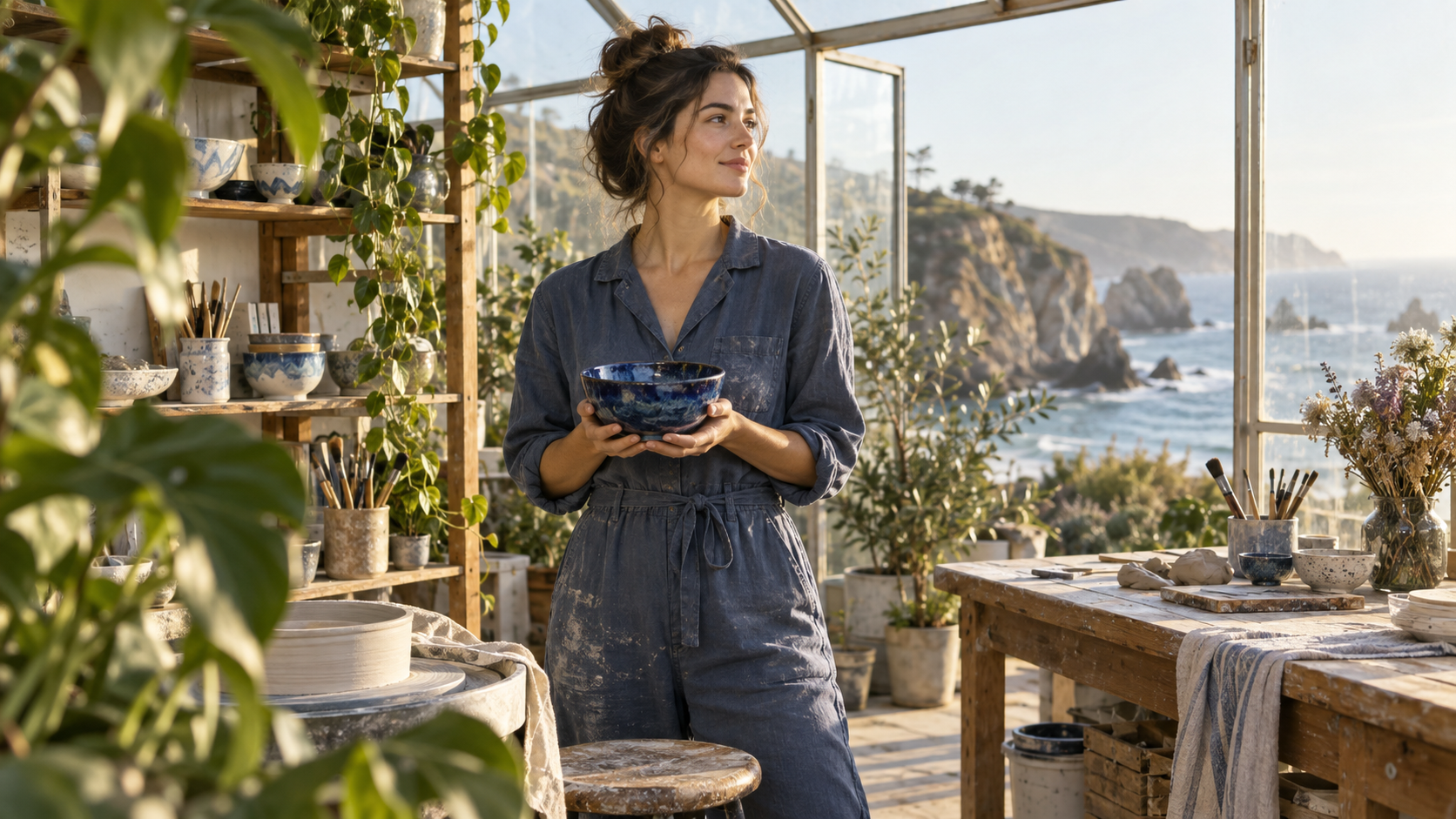
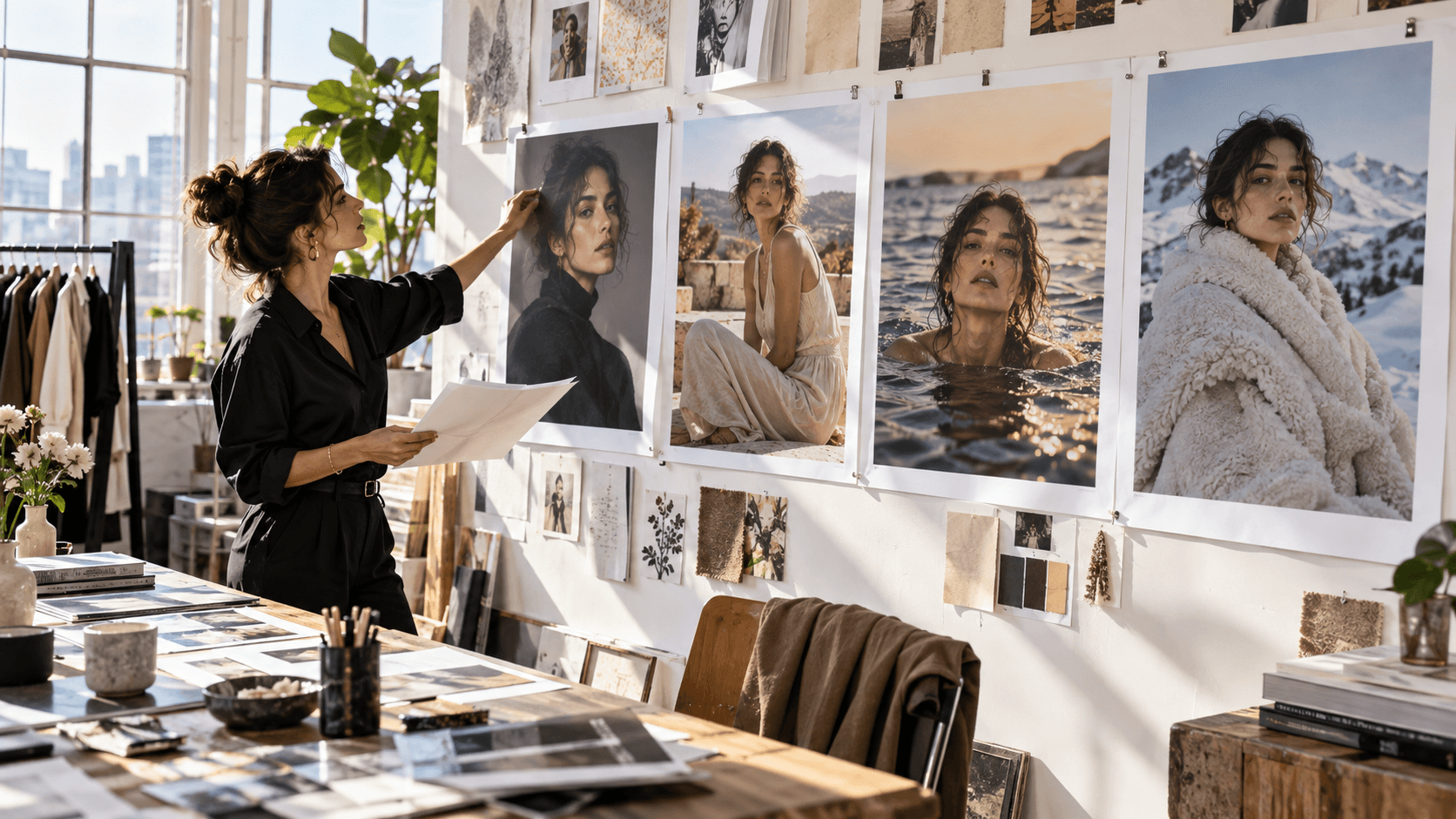
Inspect the clear foreground, readable hands and face, rigid bowl geometry, and separation between the subject and coastal background.
Images 2.5 is most compelling when the first generation is only the beginning. Reference-led portrait variations, product compositions, editorial story frames, ad concepts, presentation visuals, and UI imagery all benefit from changing one element without resetting everything else. For quick exploration, Flare's lower-latency positioning is particularly relevant because the creator can evaluate more directions before committing.
The new model also appears well suited to making strong source frames for motion. An image with stable identity, readable product geometry, clear depth layers, and a plausible pose gives a video model more useful information than a visually loud image with tangled limbs or ambiguous surfaces. You can begin with a still, explore the available Seedance video effects, approve the direction, and then decide which parts should move.
For imaginative work, the same discipline applies. A surreal image is easier to animate when foreground, subject, and background remain readable. Strong prompt patterns specify controlled transformations instead of asking for generic chaos.
Where the New Model Still Needs Human Review
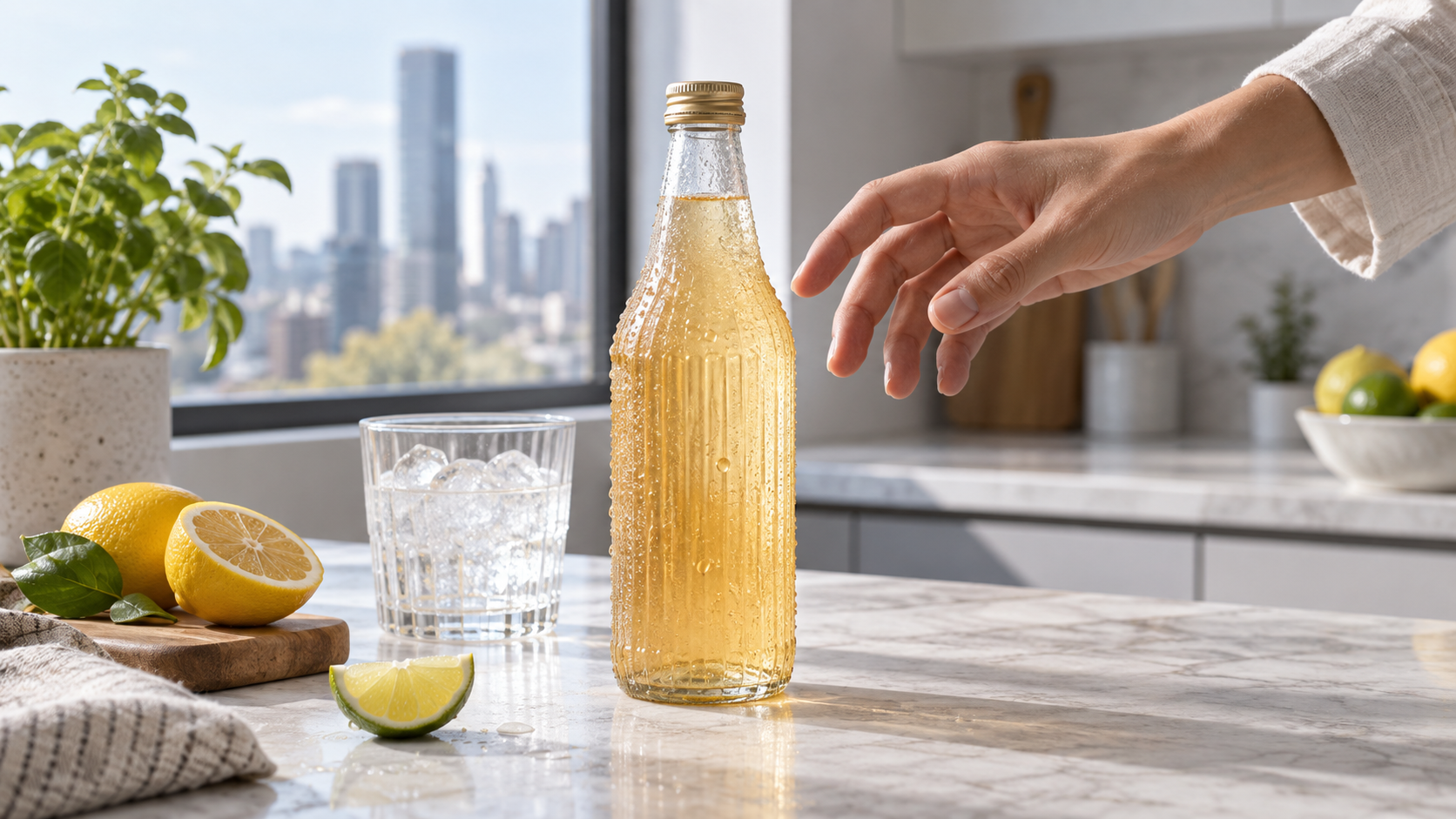
Zoom in on the fingers, bottle ribs, glass refraction, condensation, and contact shadow; attractive lighting does not replace close review.
“Better” does not mean “safe to ship without inspection.” Text can look correct at first glance while punctuation, spacing, or small print is wrong. Hands may be plausible in one pose and fail after a targeted edit. A brand object can drift in proportion between variants. A transparent cutout may have halos. Real-world information can be more accurate and still require verification.
Multi-turn editing also needs a change log. When a conversation reaches eight or ten revisions, compare the current image with the last approved version, not only with the original. Ask what changed unintentionally: crop, gaze, product size, color temperature, background props, typography, or negative space. Save checkpoints before large edits so a good direction is recoverable.
Finally, moderation and provenance remain part of the workflow. OpenAI says the release retains prompt and image safeguards, C2PA metadata, and invisible watermarking. Teams using reference photos should still confirm they have the right to use the person, product, location, and visual identity represented in the input.
Flare or Sunburst: Which One Fits the Job
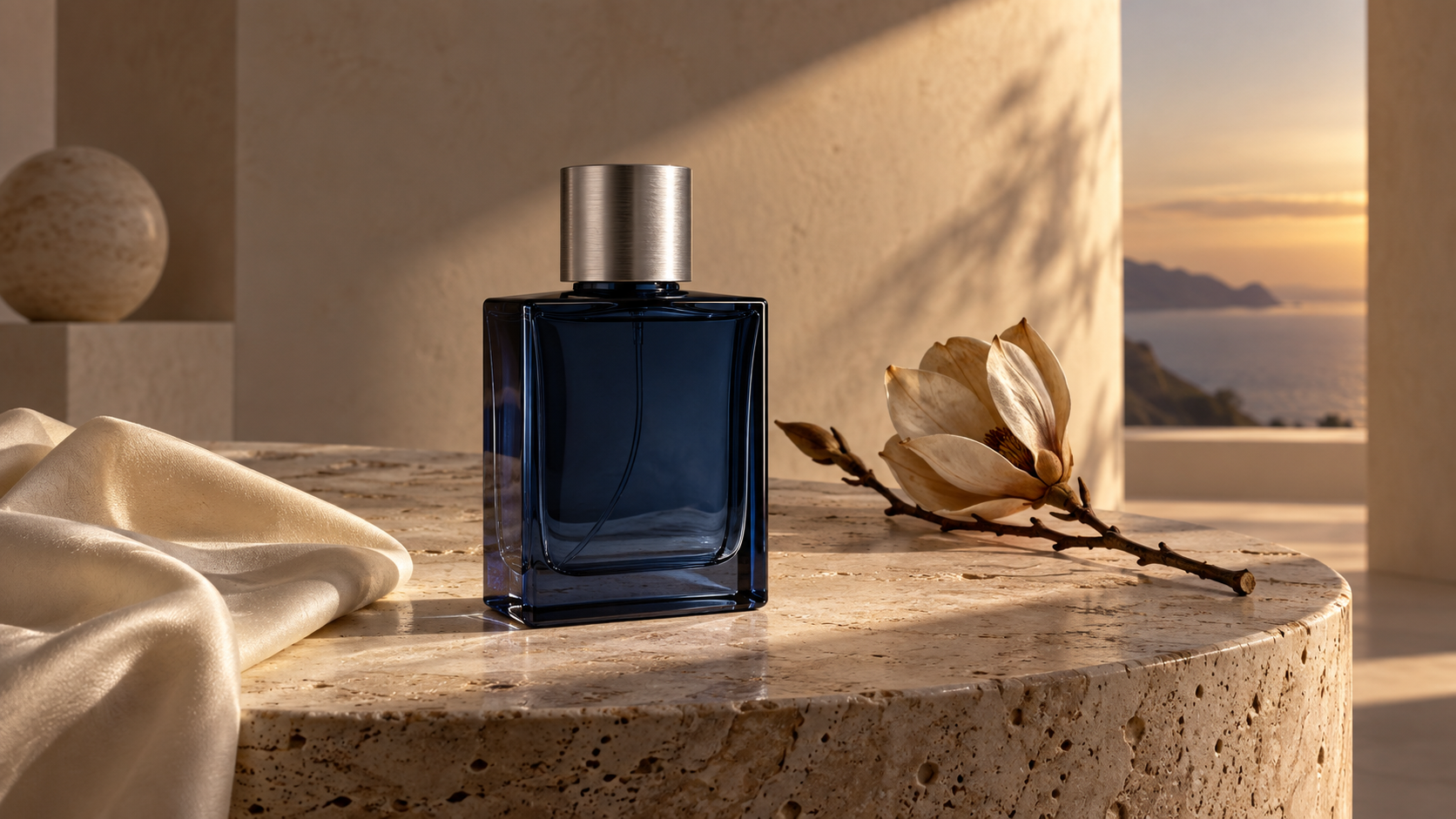
Use a high-value frame like this to judge bottle symmetry, cap edges, reflection control, silk texture, and stone detail before choosing a precision route.
Choose Flare when speed and throughput are the main constraint: social variants, idea exploration, visual search, rapid prototypes, and high-volume creative testing. Choose Sunburst when the asset is already valuable and the revision must be contained: a polished campaign frame, a product hero, a complex composite, or a late-stage edit where drift would create expensive rework.
Both official model pages currently list the same token rates: $5 per million text-input tokens, $8 per million image-input tokens, $2 per million cached image-input tokens, and $30 per million image-output tokens. That does not translate into one fixed price per picture because output dimensions, quality, and token use vary. The practical cost test is approved assets per dollar, not generations per dollar.
For teams, start a representative batch on Flare and escalate only the difficult or high-value frames to Sunburst. Record the prompt, inputs, quality setting, revision count, elapsed time, and approval result. A five-column log reveals more than a single “best model” score because it measures the work your team actually performs.
Turn a Strong Still into a Seedance Video
GPT Image 2.5 does not generate video, so treat the final image as a production reference. Before animation, inspect the face at full size, separate subject edges from the background, identify rigid objects that must not bend, and write one clear motion beat. “The camera pushes in while the artist rotates the bowl once” is easier to control than a paragraph containing five actions.
Then bring the approved frame into Seedance, set the aspect ratio and duration, and describe subject motion separately from camera motion. The step-by-step prompted image-to-video guide explains how to keep the instruction actionable. If the project has several shots or model handoffs, use a multi-model video workflow to preserve references and review criteria.
For campaign work, Seedance Agent can organize source images, shot intentions, approvals, and partial reruns. That is where a better still model creates conversion value: not by replacing video generation, but by delivering a cleaner, more consistent starting frame that requires fewer emergency fixes downstream.
Conclusion
GPT Image 2.5 is a meaningful production update because it focuses on the work between the first prompt and final approval: reference fidelity, local edits, natural detail, complex instructions, and faster iteration. Flare should cover most everyday exploration, while Sunburst makes sense when precision is worth more waiting time. The fresh outputs here show encouraging realism, label handling, geometry, and object compliance, but they also reinforce the need to inspect every deliverable at full size. When the image is approved and the story needs motion, turn your GPT Image 2.5 frame into a finished video with Seedance.
Start generating for free - no credit card required
Create videos with free signup credits, then scale with affordable plans whenever you need more generations.
Free credits on signup. Plans from $28/month.
Related Articles
More posts in the same locale you may want to read next.

Seedance App Preview Video Generator 2026: Create App Store and Product Launch Clips
Use Seedance to turn app screenshots, feature copy, and launch goals into App Store previews, Google Play promo videos, and product launch clips.
Read article
How to Make a Talking AI Avatar You Can Reuse
Make a talking AI avatar with Seedance: design one consistent character, give it a voice, and make it speak in a talking photo or a full Seedance 2.5 scene, episode after episode.
Read article
Best AI Video-to-Video Models in 2026
The best AI video-to-video models in 2026 for editing footage you already shot: Higgsfield Genjutsu, Seedance 2.x, Runway Aleph, Luma Modify and Kling Omni compared.
Read article