
AI Music Video Generator Free: Turn Your Song into a Finished Clip
AI Overview
Can I make an AI music video for free?
Yes, within plan limits. Check that free access includes rendering and export.
Can I upload my own song?
Choose an audio-upload workflow, or edit generated visuals over your original song. Test a short chorus first.
Can I export without a watermark?
It depends on the plan. Inspect a downloaded test before producing the full song; preview quality can differ.
Where does Seedance Agent fit?
Use it to plan and generate coordinated shots. Planning is free; paid generation begins after approval.
Choose the Music Video You Actually Want
Searching for an AI music video generator free usually means you already have a song and want something publishable without committing money first. The useful question is not which homepage says “free.” It is whether you can finish the specific video you need with the available allowance.
A visualizer, lyric video and performance film have different requirements. A visualizer can repeat a moving scene. A lyric video needs precise, readable text. A performance film asks viewers to believe that a person is singing or playing in time. Choose one before spending your first generation.
| Your intended result | Start with | Check before scaling |
|---|---|---|
| A chorus teaser | One strong scene and a short audio excerpt | Does the first movement match the musical hook? |
| A lyric video | Calm moving background plus editable text | Can you correct every word and its timing? |
| A performance video | Consistent character references and short shots | Do lips, hands and instruments behave plausibly? |
| A full-song visualizer | Several compatible motion loops | Are repetitions and transitions acceptable? |
These are production choices, not interchangeable product labels. For a first release, a convincing fifteen-second chorus teaser is a more manageable test than a three-minute performance with multiple singers.
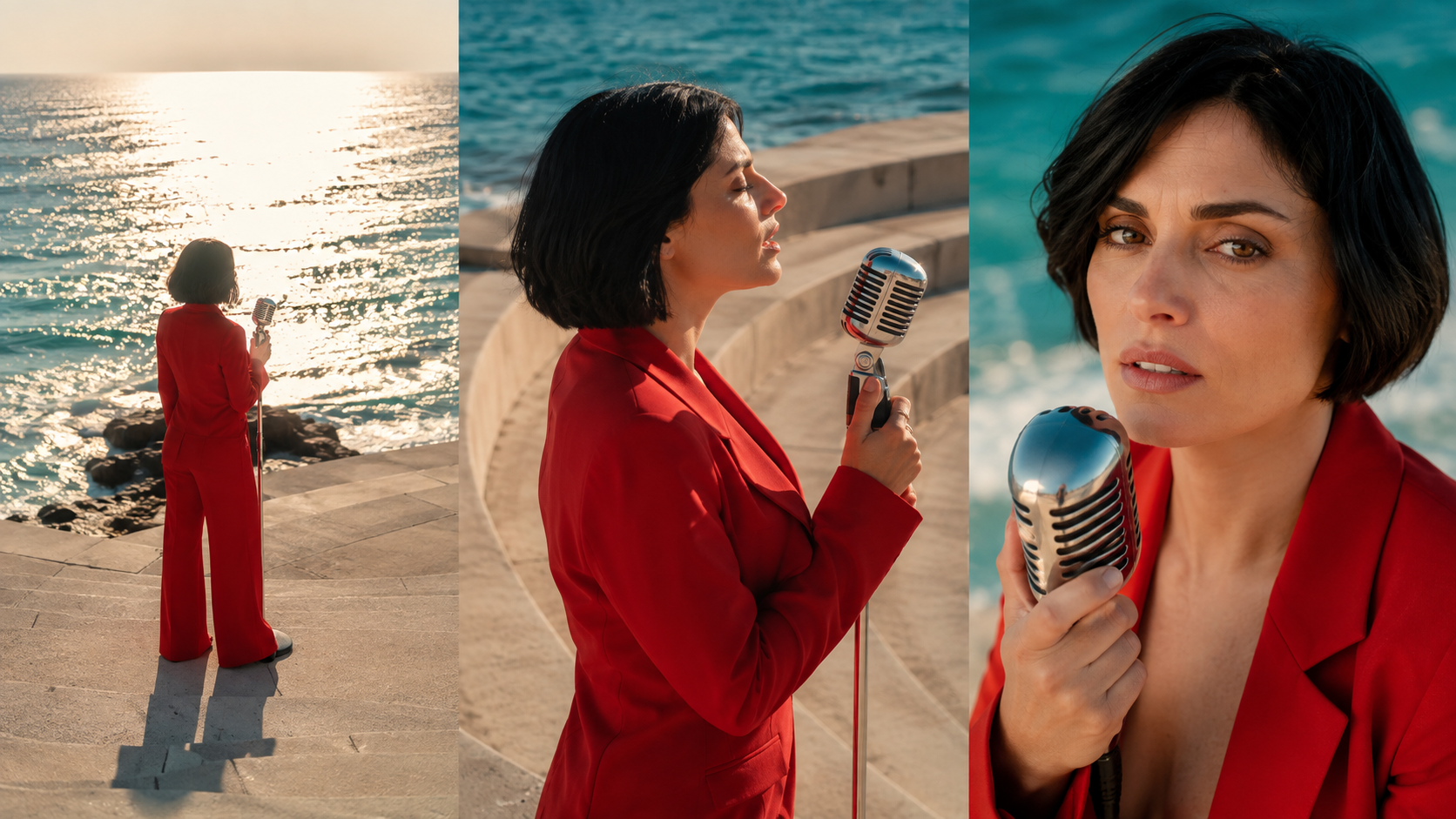
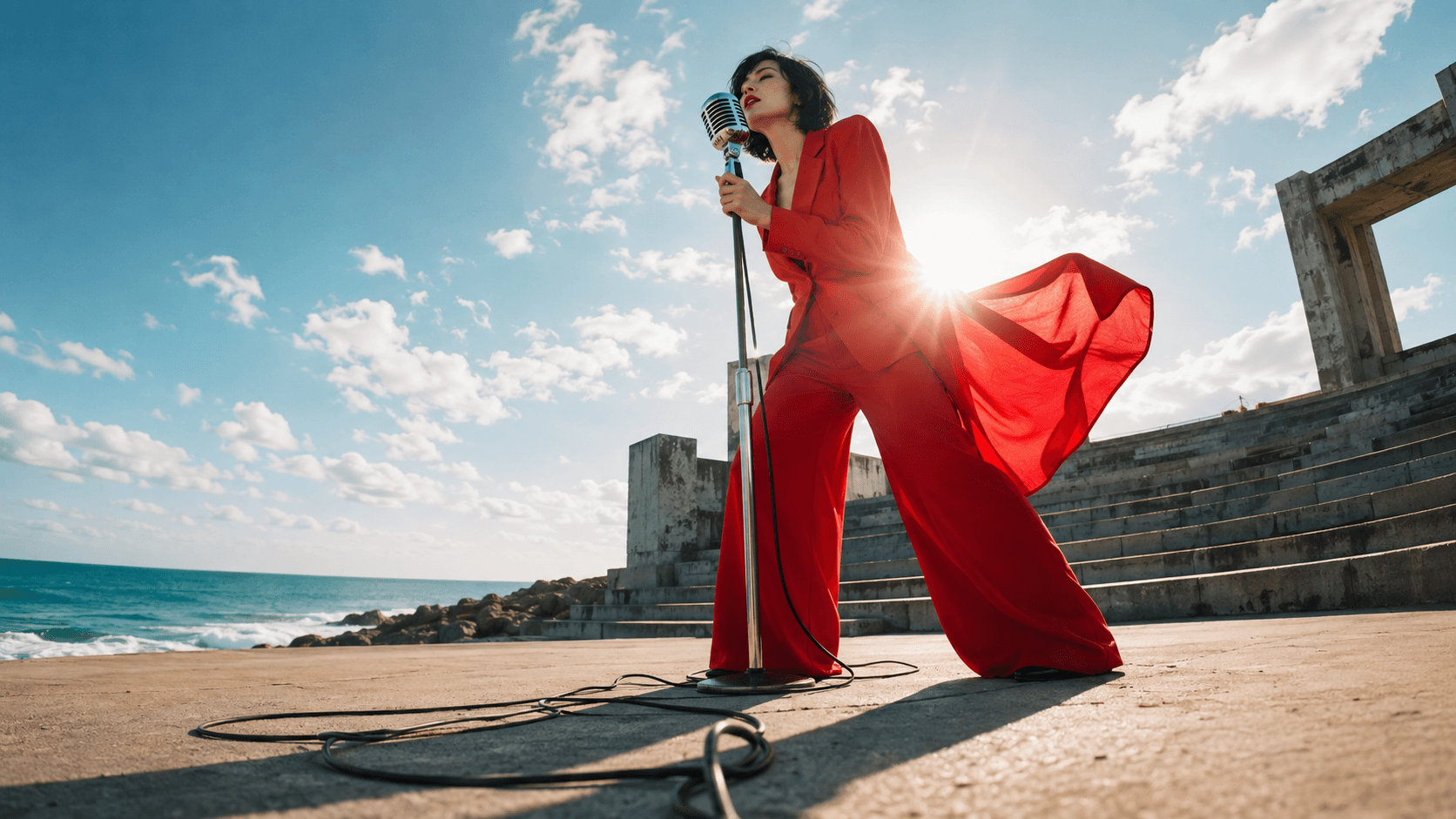
Newly generated editorial images: compare the singer, wardrobe and coastal setting across shot sizes. They illustrate continuity targets, not results from a free-tier benchmark.
Check What the Free Offer Really Includes
No watermark and no signup solve different problems
An AI music video generator free without watermark search expresses a delivery requirement. Look at the downloaded file, not just the browser player. Confirm resolution, duration, logo placement and whether the export contains the intended audio. Do not assume that a clean sample on the landing page represents the free plan.
An AI music video generator free no sign up search is about trying the workflow quickly. Some tools expose an example or planning step before asking for an account. That does not establish that your own song can be rendered and downloaded anonymously. Never upload an unreleased master merely to discover what a button does.
Compare the allowance with a complete test
Check generation credits, maximum clip length, export limits and what happens when a render fails. An AI music video generator free trial may have expiry or renewal conditions. Read the current checkout terms before entering payment details.
For context, Freebeat advertises music uploads, song-link inputs and a free plan, while Adobe Firefly describes creating music-video visuals with generative tools. Those are different starting points, not proof of identical free exports. Offers and access change; use one actual test to establish the boundary. This guide does not rank providers by an unperformed benchmark.
Turn Your Own Audio into a Short First Cut
Prepare a chorus excerpt and a clear brief
If you want an AI music video generator free from audio, first separate audio-driven generation from ordinary video generation with a soundtrack added afterward. Both can produce useful results. Only the former actually uses an audio input to influence the generated scene, and support depends on the selected model and interface.
Choose ten to fifteen seconds containing a recognizable phrase, beat change or chorus entrance. Keep an untouched copy of the song. Note the excerpt's start time, its mood and the moment that deserves a visual accent. Use a file type supported by the tool; avoid repeatedly converting a compressed track.
Write a brief describing the audience, format, character, setting and action. “A hopeful chorus, one singer at a coastal stage, wind moving her red jacket” gives the video a visual identity. “Make it cinematic” leaves nearly every production decision unresolved.
Generate one scene before building a whole song
Approve a character image first, then use image-to-video generation when you need that appearance to anchor the shot. Keep the first motion simple: a head turn, a step toward the microphone or a controlled camera move.
Place the clip over the original chorus. Judge the result with sound on and off. With sound on, does the action feel intentional? Muted, does the motion still look plausible? Save this test even if it fails; it tells you which instruction to change rather than sending you back to an empty prompt.
Existing generated performance sample from the Seedance blog library. Play with sound and inspect the apparent strikes; this is not a new upload test or a promise of exact beat synchronization.
Write Prompts That Leave Room for Music
Give each shot one musical job
A shot should introduce a performer, emphasize a phrase or provide a transition. Avoid asking a five-second clip to establish a location, change costumes, perform choreography and close on a perfect singing portrait. Separate those ideas into shots with a shared visual brief.
Try this starting prompt:
A five-second coastal performance shot. One adult singer with a short black bob wears a red trouser suit beside a silver microphone. She takes one measured step forward as the camera slowly pushes closer. Wind moves the jacket naturally. Preserve her face, outfit and sunny seaside location. No written text, extra performers or sudden cuts.
Treat the duration as a setting to confirm in the interface, not something the prompt can force. If you need singing, use a supported audio or lip-sync workflow and check the result. Describing a singer does not guarantee that the mouth matches your recording.
Add lyrics after the picture is stable
Use editable text for final lyrics so spelling and timing remain under your control. Keep important words away from faces and busy backgrounds. Preview on a phone; a beautiful desktop frame can leave almost no readable space in a vertical crop.
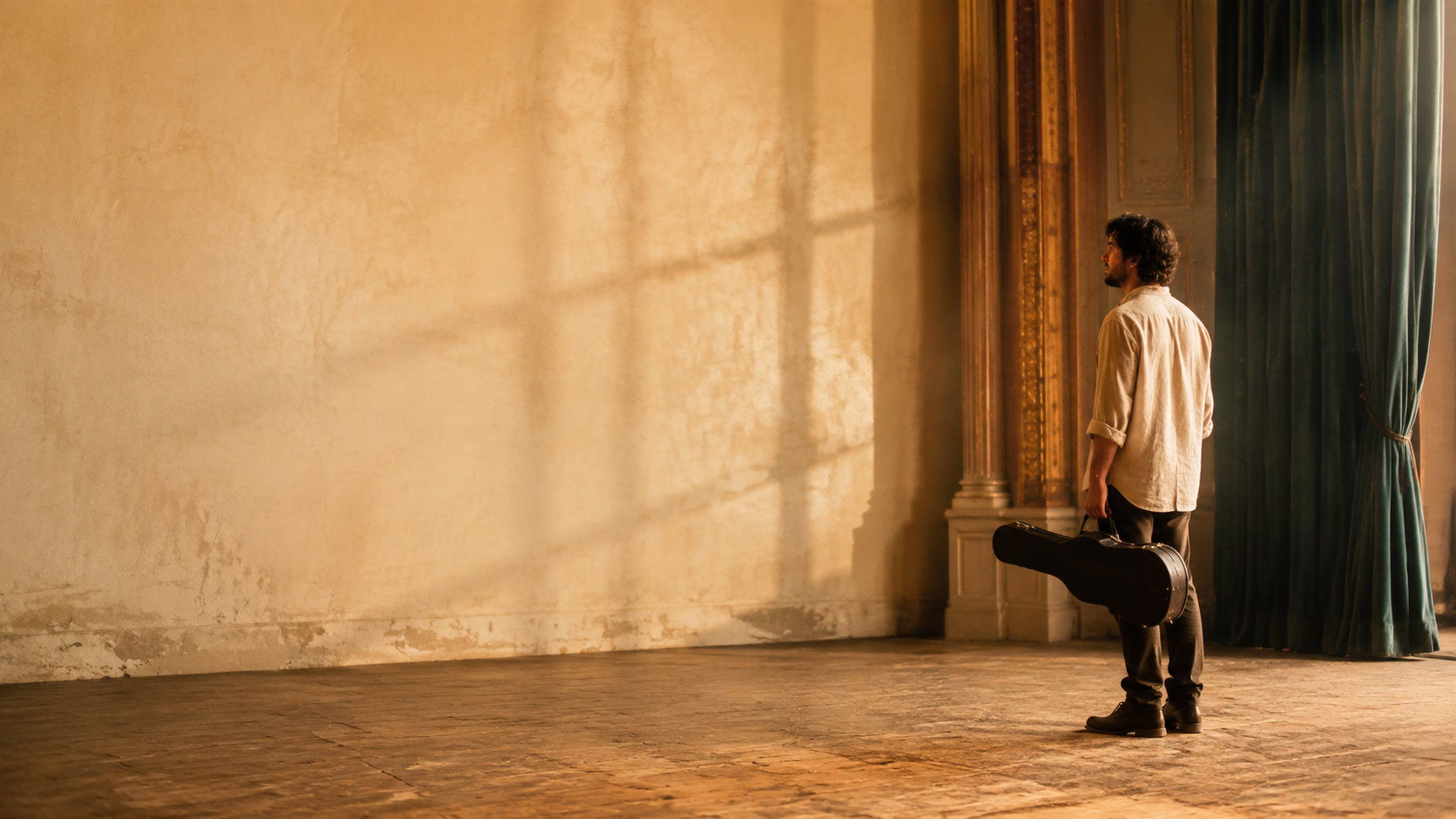
Newly generated background example. The quiet left side leaves room for lyrics added during editing; no text is baked into the image.
For movement-led choruses, start with a focused AI dance video concept. For abstract instrumental passages, the psychedelic AI video workflow offers another visual direction without requiring a believable singing performance.
Keep Rhythm, Identity and Sound Consistent
Cut to phrases, not every single beat
Mark the chorus entrance and a few strong musical accents. Let some shots breathe between them. Cutting constantly can make even strong footage feel like unrelated demonstrations. Use changes in framing or movement to support the song's energy instead of repeating the same transition.
Keep the original music continuous underneath the edit. If a generated clip includes its own sound, decide whether to mute it or deliberately mix it. Uncontrolled overlapping music can create a confusing result. Native audio is useful, but it is not automatically the same as synchronization to an uploaded song; the native-audio video guide explains that distinction.
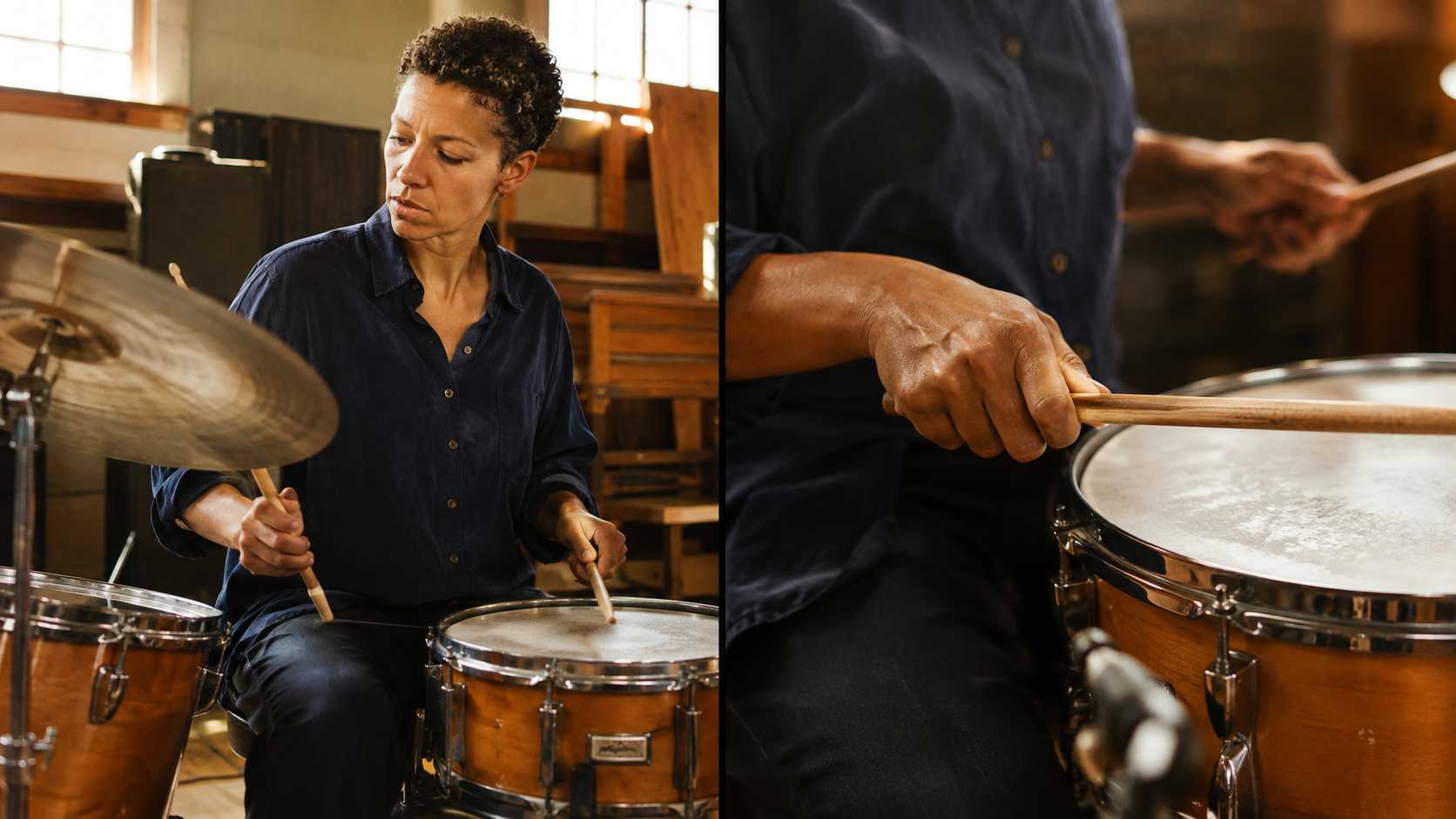
New editorial performance images: a cutaway can change the rhythm while retaining the same shirt, kit and lighting. Still images alone cannot demonstrate audio synchronization.
Keep one approved face reference, wardrobe description and lighting direction throughout a sequence. If a shot drifts, rerun that shot before changing the whole visual style. Small continuity decisions make separate generations feel like one release.
Existing moving output, included to assess body motion and usable cut points. It was not generated from the song in this tutorial; edit an authorized soundtrack separately.
Build a Controlled Sequence with Seedance Agent
Plan the shots before approving generation
Seedance Agent fits when your task grows beyond one attractive clip. Describe the chorus length, intended audience, aspect ratio and recurring performer. Ask for a small shot plan with references, actions and approximate durations. Review whether every shot earns its place before approving paid generation.
Planning is free; generation has a separate approval and credit boundary. Check the estimate and model capabilities shown for your project. Do not assume that every model accepts the same audio references, or that an Agent plan guarantees frame-accurate musical timing.
For a vertical release, the YouTube Shorts video workflow can help frame the deliverable around a short hook rather than a full song. Review the resulting shots, retain the useful ones and request a targeted revision for the weak section. Keep final lyric timing and music alignment in an editor when precise placement matters.
Before publishing, check the whole exported file from beginning to end: no unexpected watermark, missing audio, misspelled lyrics, abrupt ending or unwanted crop. Confirm that you have permission to use the music, reference images and any recognizable person's likeness. A free generation allowance is not a substitute for those checks.
Conclusion
The best free starting point is a small, downloadable test that proves your song, visuals and delivery requirements work together. Choose a clear format, build one coherent scene, check the export and expand only what succeeds. When coordinating references and multiple shots becomes the hard part, start planning your music-video sequence with Seedance Agent, review the plan freely and approve generation only when the direction is ready.
Ready to try it yourself?
Put the steps from this guide into practice with Seedance and turn prompts or images into polished videos in minutes.
Free credits on signup. Plans from $28/month.
Related Articles
More posts in the same locale you may want to read next.

Seedance App Preview Video Generator 2026: Create App Store and Product Launch Clips
Use Seedance to turn app screenshots, feature copy, and launch goals into App Store previews, Google Play promo videos, and product launch clips.
Read article
Best AI Video-to-Video Models in 2026
The best AI video-to-video models in 2026 for editing footage you already shot: Higgsfield Genjutsu, Seedance 2.x, Runway Aleph, Luma Modify and Kling Omni compared.
Read article
Kling 4.0 vs Seedance 2.5: Full Comparison
Kling 4.0 vs Seedance 2.5 compared by spec: 30-second clips, keyframes vs 50 references, audio, 4K and 10-bit color, editing, and which model fits which job.
Read article