
Where Can I Use Seedance 2.5? Free Access, Real Use Cases & What Unlimited Unlocks

AI Overview
Where can I use Seedance 2.5?
Use Seedance 2.5 in your browser on Seedance.tv. It works on desktop and mobile web, with no software download or app installation required.
Is Seedance 2.5 free to use?
Yes. New Seedance.tv accounts currently receive 10 welcome credits—enough for one video—with no credit card and no watermark. Paid access remains credit-based.
What can I use Seedance 2.5 for?
Use it for social clips, product ads, music visuals, talking portraits, short films, real-estate tours, and brand stories from text, images, or references.
How do I get started?
Create a free account, choose a generation mode, enter a prompt or upload an image, set the format, and generate. No local setup is needed.
What Is Seedance 2.5 and Where Does It Run?
Seedance 2.5 is a browser-based AI video model designed for longer, more directed production. It can turn a written brief into a shot, animate a still image, follow multiple references, coordinate camera movement with timed action, and generate dialogue, ambience, effects, or music with the picture. A single clip can run from 4 to 30 seconds, which makes it useful for complete social beats and connected narrative moments rather than only short visual tests.
You can access the model through the Seedance 2.5 workspace on Seedance.tv. Nothing needs to be installed: the generation work runs in the cloud, while the browser handles uploads, previews, and downloads. Desktop offers more space for comparing references, while mobile web is practical for drafts and finished-clip checks.
The entry point is a free account. Choose text-to-video when the idea is open, image-to-video when the first frame must stay recognizable, or a reference workflow when identity, motion, location, and audio come from different files.
A longer single-run output shows how one prompt can coordinate a continuous scene instead of producing disconnected fragments.
How to Use Seedance 2.5 for Free (Step-by-Step)
Step 1: Create a Free Account
Open Seedance.tv and sign in. A new account currently receives 10 welcome credits, enough for one starter video. No card is required, and the result has no watermark. These are welcome credits, not a guaranteed monthly allowance, so test one clear subject, action, and camera move.
Step 2: Choose Text or Image Input
Choose Text to Video when you need Seedance 2.5 to invent the scene from a description. Choose Image to Video when you already have the product, character, room, or opening composition. A clean image usually reduces visual drift because the model has a concrete shape and layout to preserve.
Step 3: Set the Shot Before You Generate
Write the subject, action, camera, lighting, audio, and anything that must not change. Use 9:16 for vertical feeds, 1:1 for flexible social placements, and 16:9 for presentations or cinematic scenes. Start short; longer duration costs more and creates more opportunities for drift.
Step 4: Review the Whole Clip
Watch the result from first frame to last with sound on. Check faces, hands, product geometry, text, continuity, dialogue timing, and the final pose. If one element fails, revise only that instruction so you can identify what improved the result.
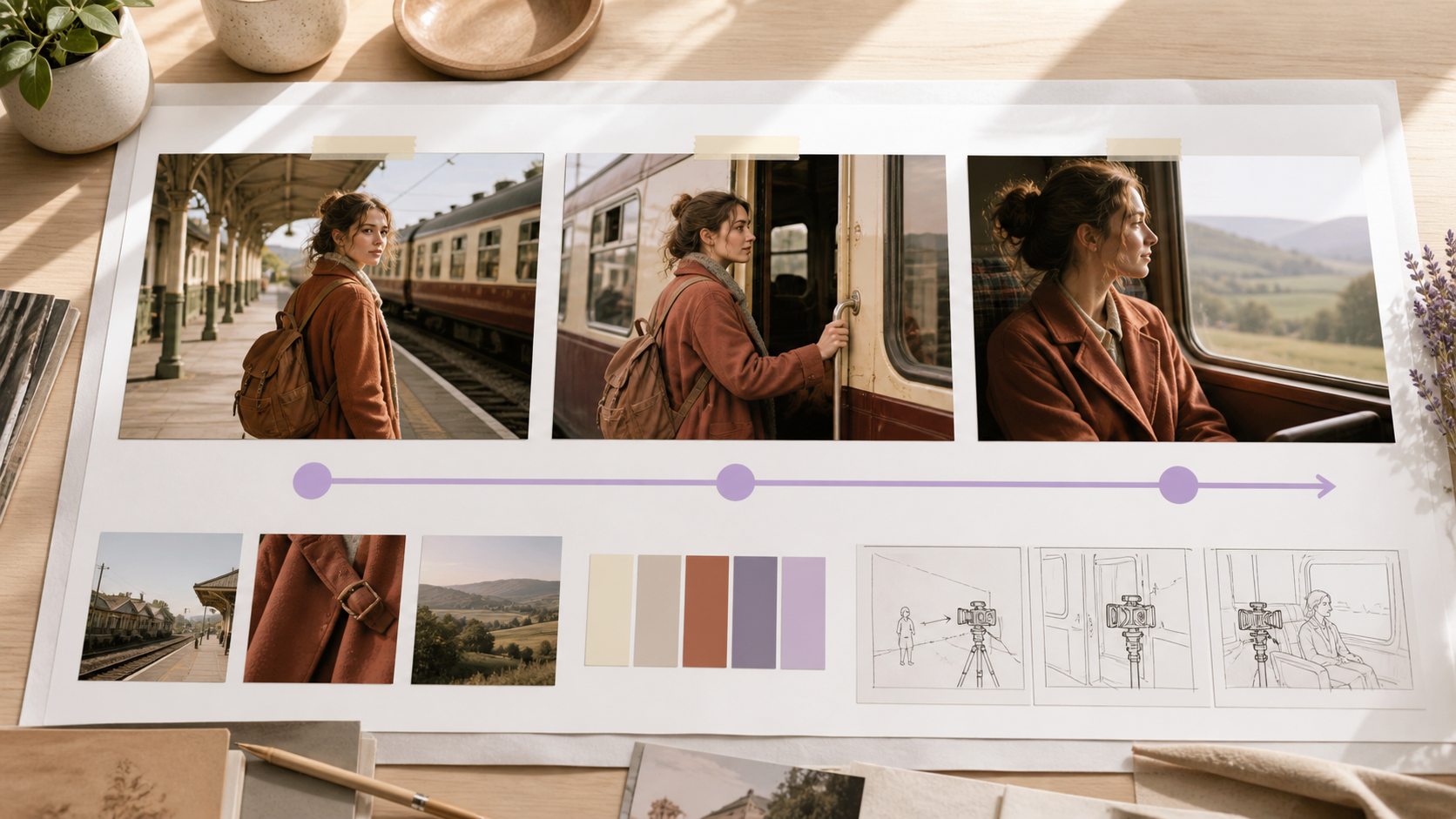
A simple start–middle–end review catches identity and continuity problems that a thumbnail can hide.
Seedance 2.5 Free vs Unlimited — What Changes?
“Unlimited” is often shorthand for production beyond a one-video trial. Seedance.tv’s current public plans are credit-based, so Mini, Standard, and Plus are not literally unlimited. Upgrading means more monthly capacity and room for variations; duration and resolution still depend on the route and plan.
| Access | Free starter | Paid / high-volume workflow |
|---|---|---|
| Cost to begin | No card required | Subscription or added credits |
| Included capacity | 10 welcome credits, about one video | Larger recurring credit allowance |
| Watermark | No watermark | No watermark |
| Resolution | Depends on the active route and settings | Plan and route determine export options |
| Iteration | One controlled test | Multiple prompt, camera, and format variations |
| Best for | Verifying quality and workflow | Campaigns, client work, and repeat production |
Seedance 2.5 is capable of native 4K generation, but not every Seedance.tv plan or route exports 4K. Check the displayed resolution before spending credits. Upgrade after the free test proves the workflow, not simply for a plan label. The Seedance 2.5 vs Seedance 2.0 comparison explains when duration and richer references matter more than maximum resolution.
7 Real Use Cases for Seedance 2.5
1. Social Media Clips
Build a vertical clip around one readable transformation. Put the visual hook in the first two seconds, keep the middle action simple, and leave clean space for captions added in post.
Prompt:
9:16 lifestyle clip. 0–2s: macro view of rain on a bright yellow sneaker. 2–6s: the wearer steps through a puddle in slow motion. 6–9s: clean side profile and confident landing. Natural city ambience, one continuous tracking shot, no text or logo changes.
2. Product Ads
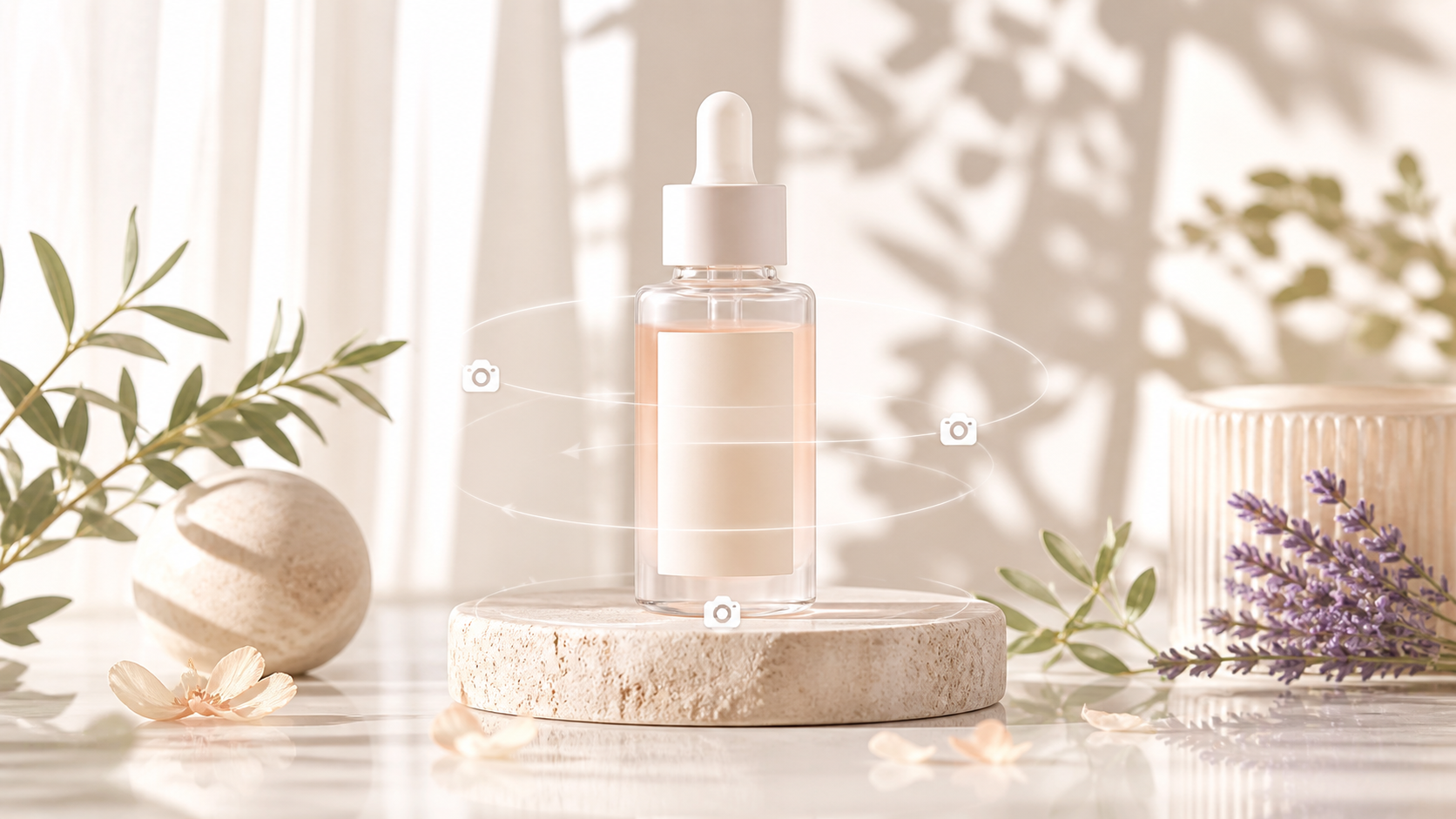
Start with an approved product image and lock its shape, color, logo placement, and label. Ask for one restrained orbit or light sweep.
Prompt:
Image 1 is the exact skincare bottle. Preserve its geometry, glass color, cap, label, and every printed character. Slow 25-degree clockwise orbit while soft morning light crosses the surface. Premium natural set, realistic condensation, no hands, new objects, deformation, or added text.
3. Music Videos
Use music to control energy and rhythm, but describe visual beats separately. Repeat the same wardrobe and color anchors across clips.
Prompt:
Image 1 is the exact performer. Audio 1 controls tempo and mood only. 0–5s: slow push-in as violet fabric moves in the wind. 5–10s: camera arcs left while the performer turns toward the light. Dreamlike mountain stage, stable face and wardrobe, motion aligned to the beat.
4. Talking-Head Videos
Talking portraits work best with a front-facing source, short sentences, natural pacing, and a camera that stays still. Generate the speech with the picture, then add exact subtitles after approval.
Prompt:
Image 1 is the exact presenter. Preserve face, age, hairstyle, skin texture, and navy shirt. Static medium shot with natural blinking. The presenter says: “One clear idea can become a finished video.” Calm pace, accurate lip sync, soft room tone, no captions or background music.
5. Short Films
Treat each generation as one shot with a clear endpoint. Reuse the character identity block, then change only action and camera. For complex continuity, follow the Seedance 2.5 reference guide.
Prompt:
Same traveler as image 1, rust coat, brown backpack, loose dark hair. 0–6s: she waits beside the train and hears a distant whistle. 6–12s: slow dolly forward as she turns toward the carriage. Warm late-afternoon light, restrained suspense, station ambience, no extra people.

6. Real-Estate Videos
Animate an approved interior or exterior photo without inventing structural features. Use slow camera movement, preserve the layout, and make lighting changes subtle enough to feel photographic.
Prompt:
Image 1 is the exact living room. Preserve the windows, walls, furniture layout, materials, and proportions. Slow stabilized dolly from the doorway toward the windows as morning light brightens gently. Real-estate photography style, no new furniture, people, doors, or architectural changes.
7. Brand Stories
Combine a person, process, and product into a compact narrative. Give each time range one visible job, then let sound connect the beats. Keep trademarks and precise packaging anchored to source images.
Prompt:
Images 1–2 define the exact maker and ceramic cup. 0–5s: close-up of hands shaping clay. 5–10s: medium shot as the maker lifts the finished cup. 10–15s: hero product on the workbench. Warm workshop light, wheel and room ambience, consistent apron and cup shape, no added text.
Prompt Tips to Get the Best Results
Put the Visible Action Before the Mood
“Cinematic and beautiful” does not explain what changes on screen. Name the action and camera first, then add atmosphere. Weak: Make a cinematic shoe ad. Better: A red running shoe lands on wet pavement; low tracking camera moves beside it; cool dawn light and crisp splash detail.
Protect the Details That Matter
For image-led work, state what must remain fixed. Weak: Animate this bottle. Better: Preserve the bottle shape, amber glass, black cap, label position, and all text; add only a slow clockwise orbit and a narrow light sweep. Do not lock every background detail unless it affects approval.
The subject remains visually anchored while the reveal, fabric motion, and lighting create the change.
Give Each Time Range One Job
Use contiguous beats and avoid stacking several actions into the same seconds. Weak: The actor runs, jumps, turns, and the camera circles while the room changes. Better: 0–4s: actor walks to the window, locked medium shot. 4–8s: camera pushes in as the actor looks outside.
Direct Sound as Carefully as the Picture
Name dialogue, ambience, effects, and music separately. Specify language and pacing for speech, and say when silence matters. If a supplied audio file controls only mood or tempo, state that it must not change the speaker’s identity or visual setting.
Who Is Seedance 2.5 Best For?
Creators
Creators can turn a still, hook, or spoken idea into a complete social clip. It fits repeatable series where one character, product, or visual language returns.
Marketing Teams
Marketing teams can test product angles and campaign concepts before a full shoot. Finish exact prices, claims, captions, and logos in a deterministic editor.
Indie Filmmakers
Independent filmmakers can prototype shots, build atmospheric inserts, or create difficult scenes. Seedance 2.5 helps when references and timed prompts reduce reshoots.
Ecommerce Sellers
Sellers can animate catalog images into reveals, demonstrations, and seasonal variants. Clean photography and strict packaging locks matter more than elaborate prompts. Test one SKU before scaling.
Conclusion
Seedance 2.5 runs in the browser and covers a broad production range: quick social hooks, product ads, music visuals, talking portraits, short-film shots, property tours, and compact brand stories. Start with the free 10-credit welcome test, judge the complete clip with sound, and move to paid credits only when additional variations have a clear production purpose. The best first prompt is not the longest one—it is one subject, one visible action, one camera move, and a short list of details the model must preserve.
Ready to try it yourself?
Put the steps from this guide into practice with Seedance and turn prompts or images into polished videos in minutes.
Free credits on signup. Plans from $28/month.
Related Articles
More posts in the same locale you may want to read next.

Seedance App Preview Video Generator 2026: Create App Store and Product Launch Clips
Use Seedance to turn app screenshots, feature copy, and launch goals into App Store previews, Google Play promo videos, and product launch clips.
Read article
Gemini AI Video Prompt Examples: Copy-Ready Veo Scenes and a Better Prompt Formula
Copy Gemini AI video prompt examples for cinematic motion, product ads, dialogue, and vertical clips, then adapt them with a practical Veo prompt formula.
Read article
How to Keep Product Shape Consistent in AI Video Ads
Lock product geometry, packaging, labels, references, camera angles, and approval checks so AI video ads preserve the real SKU across every shot.
Read article