
ViewMax Studio MCP Video Generation: Setup, Run, and Review

AI Overview
What is ViewMax Studio MCP video generation?
It lets an MCP-compatible agent discover video models, create a generation task, monitor its status, and return finished media URLs. The useful result is not the connection itself, but a controlled path from an approved brief to a reviewable clip.
Which ViewMax MCP tools matter for video?
Start with list_video_models, inspect a candidate with get_video_model, then use generate_video. Follow the returned task with wait_for_task or get_task, and check get_credits before a paid run when budget matters.
Does a successful MCP connection generate a video automatically?
No. Authentication only makes the tools available. The agent still needs a valid model, mode, prompt, supported duration, resolution, aspect ratio, optional references, and explicit approval before it makes a credit-consuming generation call.
How does Seedance Agent fit this workflow?
ViewMax MCP is an execution route; Seedance Agent is useful for organizing references, shot goals, continuity checks, approvals, and partial reruns around that execution. Keeping those roles separate makes an automated workflow easier to inspect and control.

Treat the agent as a production coordinator: inspect the planned deliverable before allowing it to spend credits.
What ViewMax Studio MCP Adds to Video Production
People searching for a ViewMax Studio MCP video generation workflow usually do not want another web-form tutorial. They want a conversational agent or coding assistant to call a media system directly, keep the job moving while it renders, and return a usable output without repeated browser work. MCP provides that tool boundary. The client discovers named operations, sends structured parameters, and receives a task identifier instead of guessing where a button sits on a page.
The current remote server covers more than video, but the video path is deliberately small: discover models, inspect one model, create a task, and monitor it. That simplicity is valuable because generation catalogs change. A model name that worked last month may support different modes, durations, resolutions, aspect ratios, audio settings, or prices today. A reliable agent reads the current catalog before it promises an option.
MCP is therefore best understood as an execution interface, not a complete creative strategy. It does not decide whether a shot should be a wide establishing view or a close product reveal. It does not know which face, prop, environment, or camera rule must remain stable across a campaign unless those requirements are in the brief. The multi-model AI video workflow guide explains why model access and production control should be treated as separate layers.

A useful MCP brief names the continuity anchors—the red paper body, bent antenna, satchel, kitchen light, and blue cup—not merely “make the next shot.”
Set Up ViewMax Studio MCP Without Guesswork
The documented endpoint is a remote Streamable HTTP MCP server. Supported connector clients can use OAuth; API-key clients send a bearer token created in ViewMax settings. Keep the key in the client's secret or environment configuration. Never paste it into the creative prompt, article copy, task label, or source-control file.
A typical header-based client entry has this shape:
{
  "mcpServers": {
    "viewmax": {
      "type": "http",
      "url": "https://viewmax.studio/api/mcp",
      "headers": {
        "Authorization": "Bearer ${VIEWMAX_API_KEY}"
      }
    }
  }
}
Restart or refresh the client, then ask it to list available video models. This is the first meaningful test. A healthy tool listing proves discovery; a successful model-list call proves the client can reach the service; a credit check proves authenticated account access. Do not start with a generation request, because that combines connection, authentication, parameter validation, moderation, and billing into one difficult-to-diagnose event.
Use this connection checklist:
- Confirm the server name and HTTPS endpoint.
- Confirm that the token is stored outside prompts and repositories.
- Call
list_video_modelsand receive a current catalog. - Call
get_creditswithout exposing the balance in public logs. - Inspect one model before attempting a paid task.
If the model list works but generation returns unauthorized, recheck the authentication method and key scope. If the selected option is rejected, inspect the model again instead of retrying the same billable instruction. If the task exists but appears stuck, preserve its task ID and query status; creating a second task may spend credits twice.
Plan the Generation Before Credits Are Spent
The most important agent behavior happens before generate_video. Convert the user's idea into a compact production brief with one observable subject action, one camera instruction, continuity anchors, delivery format, and acceptance criteria. Then map that brief to a current model capability. Text-to-video, image-to-video, frames-to-video, reference-to-video, and video-to-video are different jobs; the correct mode is determined by the input evidence, not by which label sounds most advanced.
Use a billable-call gate with seven fields:
| Field | Decision to show before generation |
|---|---|
| Deliverable | One sentence describing the finished clip |
| Model and mode | Current catalog ID plus supported mode |
| Inputs | Prompt and authorized image/video references |
| Format | Duration, resolution, aspect ratio, audio setting |
| Continuity | Face, clothing, object, environment, and camera anchors |
| Cost | Credits reported for the exact option set |
| Approval | An explicit yes before generate_video |
This gate prevents a common automation failure: the agent chooses an available model but silently changes the user's format or spends credits before the user sees the plan. Current ViewMax documentation explicitly expects agents to inspect the model and communicate cost before generation. Because catalogs and pricing can change, avoid hard-coding yesterday's credit value into a permanent workflow.
The image below is a generated planning asset, not a claimed ViewMax benchmark. It shows the level of product consistency a reviewer should ask for when turning one still into several advertising moments.
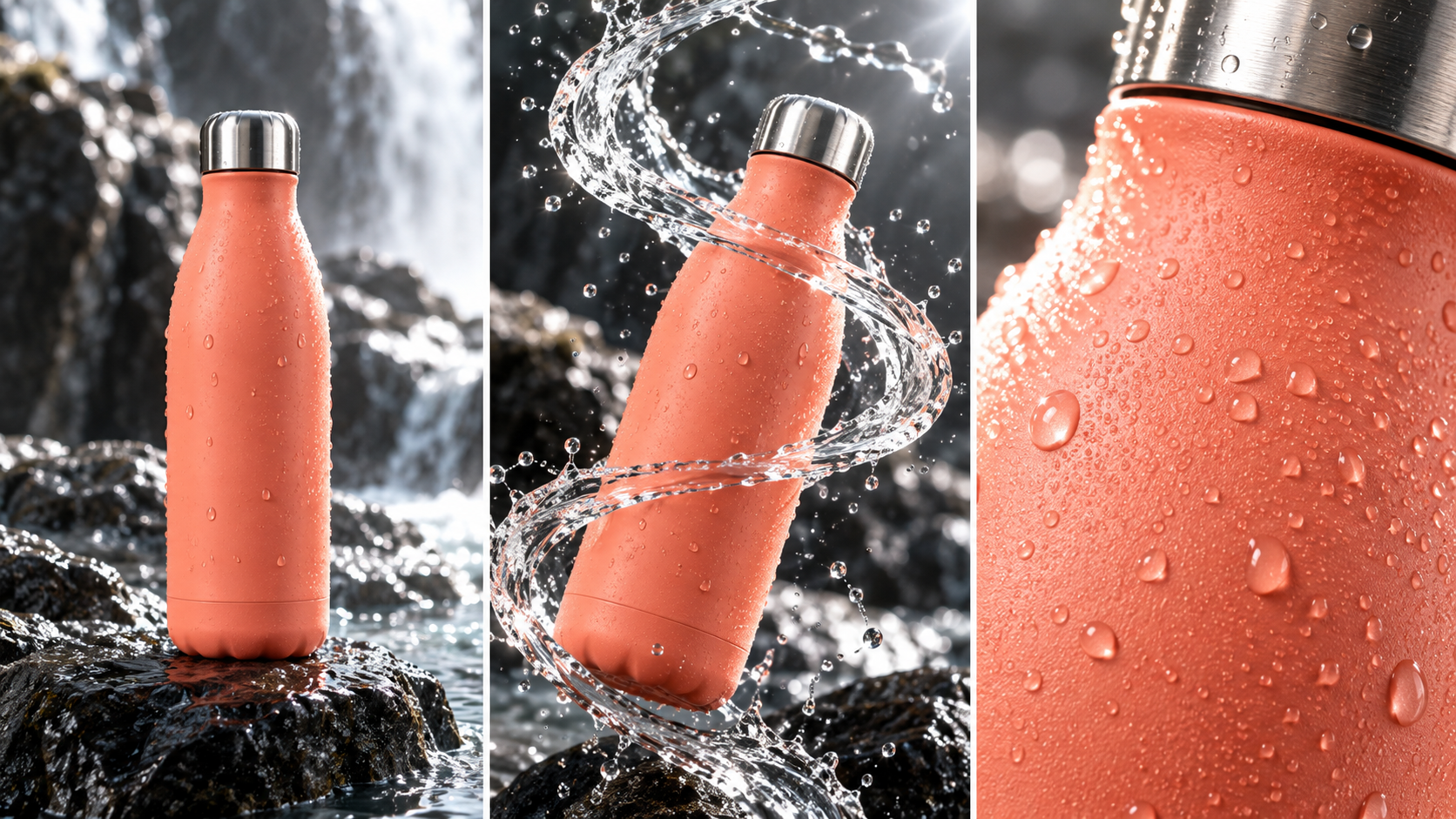
Lock the bottle silhouette, cap material, coral color, surface moisture, and lighting direction before approving motion.
For projects that start from a still, the image-to-video workspace offers a direct path for testing a reference before it becomes part of a larger agent run.
Run and Monitor a ViewMax MCP Video Task
After approval, call generate_video once and capture the returned task_id, initial status, reported credit cost, and polling hint. That record is the recovery handle. An orchestration layer should save it with the brief version and approval timestamp so the job can resume after a client restart without generating a duplicate.
The normal state loop is straightforward:
pendingorprocessing: keep the same task ID and wait.success: collect the returned output or video URLs.failed: stop, show the error, and revise only the rejected field.canceled: stop and ask whether the user wants a new approved task.
Use wait_for_task for a short conversational wait. Use get_task when the agent needs explicit polling, background orchestration, or recovery after interruption. Do not call generate_video again merely because a client timed out; a timeout can mean the client stopped waiting while the remote task kept running.
This existing Seedance library clip illustrates why the returned video—not a success status—must be reviewed for motion, identity, and background stability.
For teams building similar tool-driven systems, the Higgsfield MCP agent guide provides another way to separate tool calls from creative approval.
Judge the Finished Output, Not the Task Status
A successful task means the service produced a file. It does not mean the file meets the brief. Download or open the entire clip and score it against the approved deliverable. Inspect the first, middle, and final seconds, then replay at normal speed with sound. Single frames can hide body warping, object drift, abrupt camera changes, or audio that loses sync.
Use a five-part acceptance rubric:
- Subject: identity, anatomy, clothing, and defining details remain stable.
- Environment: architecture, props, lighting direction, and spatial relationships remain readable.
- Motion: contact, momentum, camera movement, and transitions look continuous.
- Audio: dialogue, ambience, effects, and lip timing support the intended scene.
- Delivery: duration, crop, resolution, safe areas, and file playback match the destination.

Review temporal evidence: the cyclist, jacket, bicycle, wet street, and motion direction should survive the change in framing.
If one criterion fails, revise the smallest controllable input. A geometry failure may need a stronger reference; a pacing failure may need a simpler action; a crop failure may need a new aspect ratio; a voice failure may need a clearer audio plan. Avoid rewriting every field at once, because then the next result cannot tell you which change helped.
Use headphones and watch the full exchange; native audio quality must be judged across speech, mouth timing, room tone, and shot continuity.
Where Seedance Agent Fits
ViewMax MCP can be the execution tool while Seedance Agent manages the production decisions around it. Start by giving the Agent the campaign objective, audience, delivery format, reference assets, and non-negotiable continuity details. Let it propose the shot plan and prompt, then approve the model call only after the plan, parameters, and cost are visible.
When results return, the Agent can compare them with the same acceptance rubric, preserve approved shots, and prepare a narrower rerun instruction for the failed part. This is especially useful for multi-shot work, where the expensive mistake is not one imperfect clip but losing track of which reference, prompt version, or camera rule produced the approved material. The MiniMax Hailuo agent workflow shows the same planning-versus-execution distinction in another production context.
Seedance Agent should not be described as a hidden shortcut into every third-party service. Its practical value is visible coordination: references stay organized, intent becomes a shot specification, approval happens before spend, and feedback becomes a targeted revision. Teams that want to package those instructions for repeated use can adapt the structure in the MiniMax H3 agent skill guide.
Conclusion
ViewMax Studio MCP video generation works best as a controlled production loop: connect securely, discover the current catalog, inspect one model, show the exact format and cost, generate once, preserve the task ID, and judge the complete output against subject, environment, motion, audio, and delivery criteria. MCP removes repetitive interface work, but the quality of the finished clip still depends on a clear brief and disciplined review. To coordinate references, shot plans, approvals, continuity checks, and selective reruns around that execution layer, start the project with Seedance Agent.
Ready to try it yourself?
Put the steps from this guide into practice with Seedance and turn prompts or images into polished videos in minutes.
Free credits on signup. Plans from $28/month.
Related Articles
More posts in the same locale you may want to read next.

Seedance App Preview Video Generator 2026: Create App Store and Product Launch Clips
Use Seedance to turn app screenshots, feature copy, and launch goals into App Store previews, Google Play promo videos, and product launch clips.
Read article
How to Make a Talking AI Avatar You Can Reuse
Make a talking AI avatar with Seedance: design one consistent character, give it a voice, and make it speak in a talking photo or a full Seedance 2.5 scene, episode after episode.
Read article
Best AI Video-to-Video Models in 2026
The best AI video-to-video models in 2026 for editing footage you already shot: Higgsfield Genjutsu, Seedance 2.x, Runway Aleph, Luma Modify and Kling Omni compared.
Read article