

AI Overview
Should I choose Seedance or Wan for my project?
Choose by your references, delivery format, and revision needs. Test the hardest shot before spending on the full project.
Is Wan always the better choice for local generation?
No. Wan 2.2 TI2V-5B's official 720P example targets at least 24GB VRAM; lower-memory routes may need separate optimizations and testing.
How can I compare Seedance and Wan fairly?
Match the source image, brief, duration, and output format. Review complete clips and count failed attempts as part of the cost.
Where does Seedance Agent fit into the decision?
Seedance Agent helps plan shots from your brief and references. Review the proposed work and credit estimate before generation.
Start with Your Project, Not a Model Ranking
A useful Seedance vs Wan decision begins with the video you need to deliver. A product reveal, a talking character, and an experimental animation have different failure conditions. The most attractive demo may still be the wrong starting point for your deadline.
This guide compares production choices across the two model families. For a specific release pairing, use our Wan 3.0 vs Seedance 2.5 comparison. If your immediate question is trial access, the free-generator comparison covers that separate angle; confirm current offers in the relevant account before relying on them.
Separate the model from the place you use it
Seedance is ByteDance's video model family. Seedance.tv is an independent platform, not ByteDance's official website. Wan is Alibaba's video model family; a hosted Wan service and a local Wan checkpoint are different operating environments. Features exposed by one provider may be absent elsewhere.
For example, ByteDance describes Seedance 2.5 as an audio-video generation model with reference and editing capabilities. The official Wan 2.2 repository provides downloadable models and inference workflows. These facts support different starting routes, not a claim that every Seedance endpoint includes every feature or that every Wan release is downloadable.
What GPU Do You Need for Wan 2.2 5B?
The official Wan 2.2 TI2V-5B single-GPU example targets at least 24GB of VRAM. Its command generates at 1280×704 or 704×1280 with model offloading, dtype conversion, and T5 on the CPU. Treat 24GB as that example's baseline, not a guarantee for every driver, dependency, background process, or input.
Use this hardware decision guide before downloading the checkpoint:
| Your setup | Practical decision |
|---|---|
| 24GB or more of VRAM | The official TI2V-5B example is a reasonable starting point. Confirm CUDA compatibility, free VRAM, system RAM, storage, and the exact dependency versions before a full render. |
| Less than 24GB of VRAM | The documented example is outside its stated target. Quantization, smaller VAE tiles, CPU offloading, or community runtimes may reduce memory use, but they can change speed, setup complexity, and failure modes. Validate the exact route rather than treating it as official support. |
| No suitable local GPU | Start with a hosted workflow and compare its output, queue time, revision controls, and accepted-clip cost against renting a GPU or maintaining a local machine. |
If local production will run more than one clip at a time, define queue and recovery behavior before scaling; our ComfyUI batch-processing guide covers that operational layer.
Do not collapse “Wan 2.2” into one hardware number. TI2V-5B, the A14B text-to-video model, and the A14B image-to-video model have different official examples. Choose the exact checkpoint first, then match the GPU plan to its documented command. If your goal is dependable delivery rather than local infrastructure, the hosted Seedance route avoids checkpoint installation while keeping the creative evaluation focused on the finished clip.
Define what would make the result unusable
Write three rejection rules before testing: perhaps a changed product silhouette, an unrecognizable face, or a camera move that hides the benefit. Then record your required aspect ratio, audio requirement, deadline, and revision budget. This short brief prevents visual spectacle from overruling the job.
Choose a Starting Route for Your Deliverable
Use the table to select a first test, not to declare a universal winner. Either model family still needs evaluation on your own material.
| Your project requirement | Seedance route to investigate | Wan route to investigate | Deciding check |
|---|---|---|---|
| Product ad from approved photos | Hosted reference-led generation | Hosted image-to-video or a compatible local checkpoint | Product shape survives motion |
| Dialogue-led short scene | Endpoint exposing audio-video generation | Exact model and audio workflow available to you | Speech, timing, and identity work together |
| Repeatable custom pipeline | Available API and provider controls | Downloadable release with a maintained local workflow | Settings and dependencies can be reproduced |
| Fast client review | Browser generation or guided Agent planning | Hosted service with useful review and export tools | Time to an accepted revision |
For product ad videos, prioritize recognizable materials, a clear benefit, and space for the final message. For narrative work, prioritize performance and continuity. Local control matters most when your team will actually maintain and reuse it; otherwise, setup can consume the time you intended to spend creating.
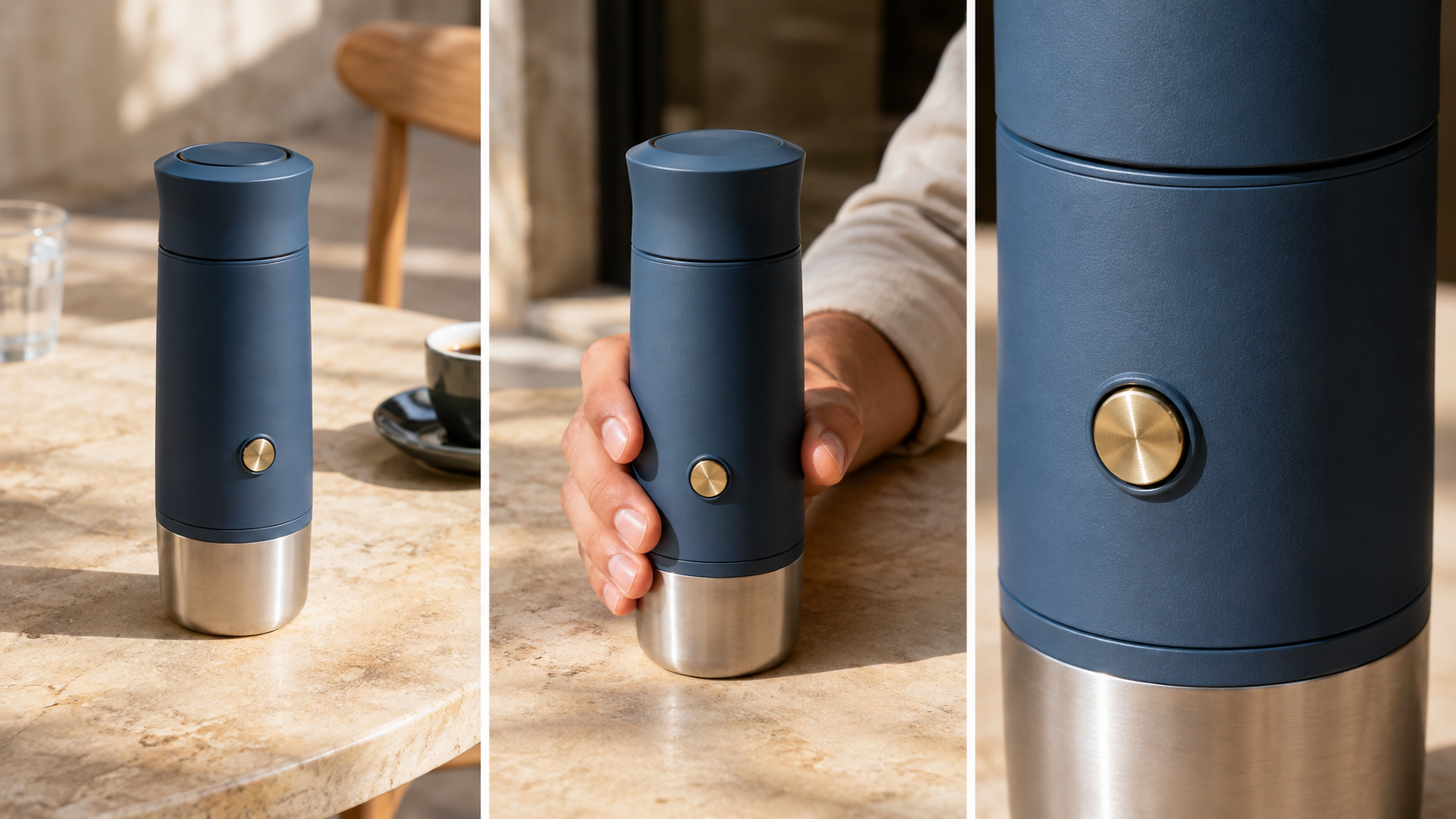
Newly generated editorial reference examples: inspect the button, seams, and proportions. These are not Seedance-versus-Wan benchmark outputs.
Compare Image-to-Video with the Same Reference
Keep the input fair, but use supported controls
A Seedance vs Wan image-to-video test should start with one clean, rights-cleared source image. Use the same crop and an achievable action. Where both endpoints support them, match duration, resolution, and aspect ratio. Record unavoidable differences rather than hiding them.
Do not force identical technical syntax onto incompatible interfaces. A reference attachment in one tool may need a different supported control in another. Keep the creative goal equivalent while documenting those differences. The image-to-video tool is a practical starting point for testing an approved still.
Try this brief: “Keep the blue espresso maker upright on the stone table. A hand gently turns it a quarter turn, revealing the side button. Maintain its proportions, finish, lighting, and background. One continuous shot; no new objects or text.”
Look beyond the opening frame
Watch the complete result before inspecting individual frames. Does the hand grip the object naturally? Does the circular button stretch? Does the base drift across the table? A perfect opening image cannot compensate for a product that changes halfway through.
Retain the original input alongside every output. If both routes fail similarly, simplify the requested movement or improve the reference before concluding that a different model is necessary.
Existing Seedance Agent product-ad output, shown in full. Inspect packaging through motion; this is a workflow example, not a matched comparison against Wan.
Evaluate Motion, Audio, and Connected Shots
Judge video quality during the action
For Seedance vs Wan video quality, choose an action that matters to your project: stepping onto a curb, pouring a drink, or turning toward a speaker. Keep the first test simple enough to diagnose. Multiple cuts, rapid camera movement, and several interacting characters make failures difficult to attribute.
Check weight transfer, contact, object permanence, and the ending pose. A successful shot should enter and leave at usable moments. Tiny defects can sometimes be trimmed; a broken action usually needs another generation.
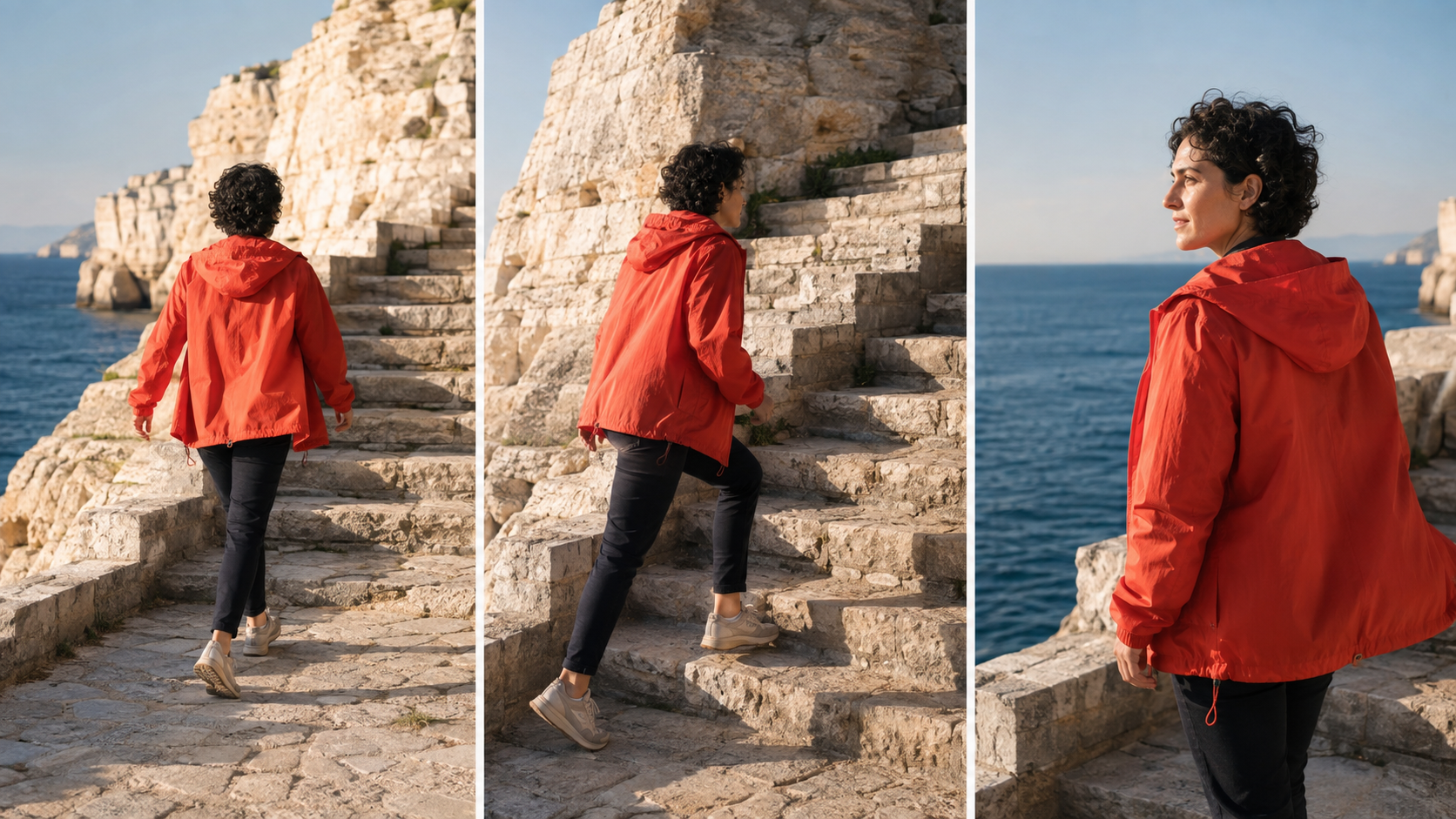
Generated planning references, not measured model results. Clothing, direction of travel, and location should remain recognizable when the framing changes.
Test sound and continuity as separate requirements
If speech matters, test a short line and listen without watching first. Then check mouth timing, voice stability, and background sound. An endpoint that produces silent video requires a separate audio plan; do not assume the family name guarantees native audio.
For connected shots, reuse approved references and record screen direction, lighting, wardrobe, and the previous ending position. Check adjacent clips together. A beautiful close-up can still fail if it contradicts the wide shot. Keep dialogue and music editable when the final sequence needs precise timing.
Existing generated motion example from our media library. Use the moving clip to practice review criteria; it does not establish either model family's superiority.
Measure the Cost of an Accepted Clip
The practical Seedance vs Wan cost comparison is not just credits per generation. Include failed attempts, queue time, review, editing, and the work required to keep a local environment running. Compare actual current quotes for the settings you intend to use.
Use a simple calculation: total generation spend divided by accepted clips. Track human review time separately. As an illustrative example, a route costing $12 for six accepted clips costs $2 per accepted clip; a $9 route producing only three accepted clips costs $3. These are hypothetical figures, not vendor prices.
For local Wan, count rented GPU time or hardware use, storage, dependencies, and troubleshooting. Downloadable weights do not make operation costless. For hosted services, record credit expiry, queue behavior, and available export settings. Also check the terms applicable to your assets and planned use.
Run a small matched batch, then test one revision to an accepted result. Can you change the camera movement without losing the subject? Revision performance often predicts real production cost better than the first impressive render.
Turn the Comparison into a Repeatable Production Plan
Seedance Agent is useful when the bottleneck is coordinating a brief, references, proposed shots, and generation approvals. Describe the deliverable and rejection rules first. Review the proposed plan and estimated credits before approving paid work. This is a hosted planning route, not a replacement for every custom local control.
Keep one approved reference pack and a short record for each shot: model version, provider, settings, prompt, output, and review notes. Preserve accepted outputs. When a shot fails, change one cause at a time instead of rebuilding the whole sequence.
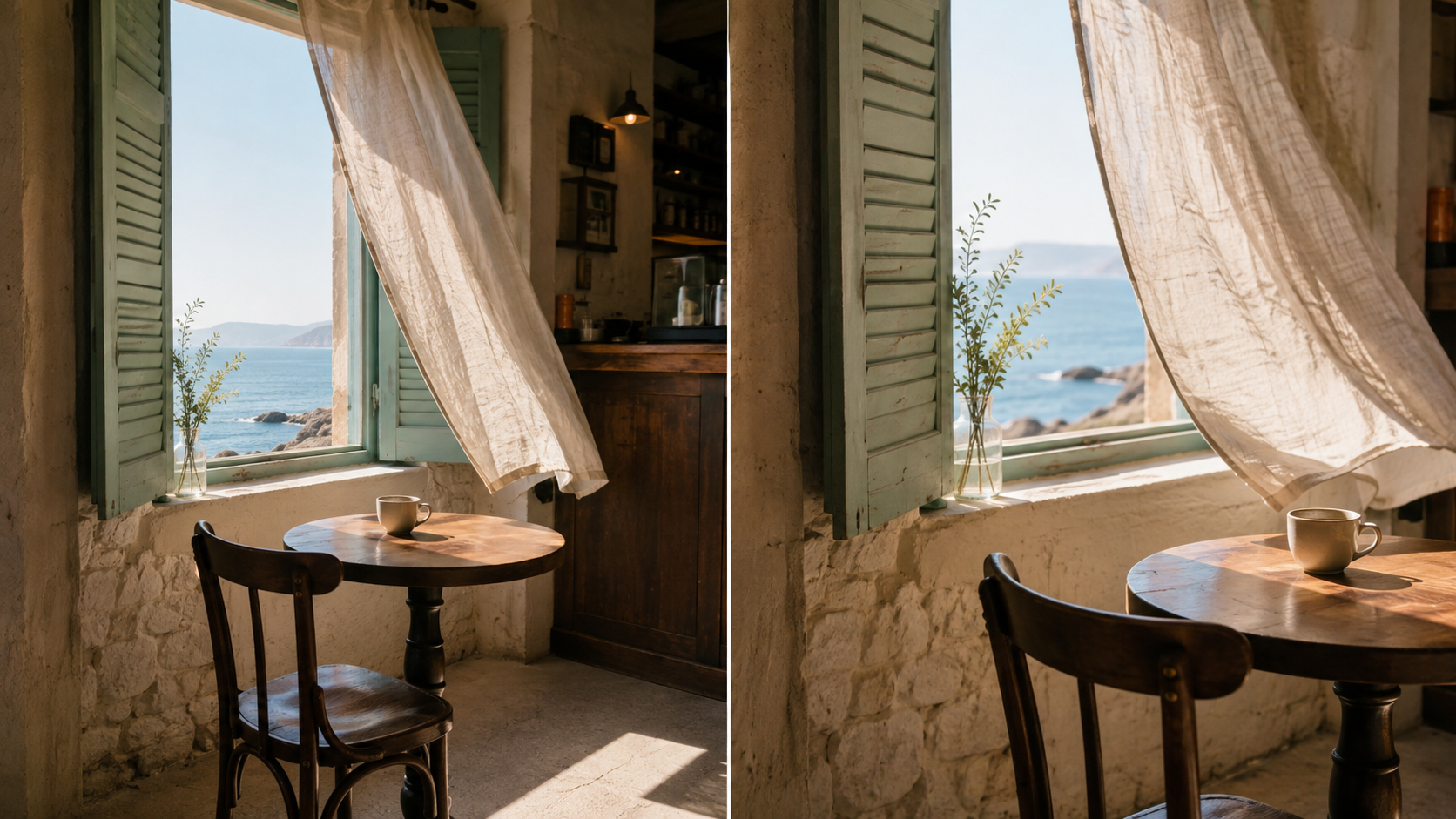
Generated environment references show what should remain consistent: furniture placement, window position, materials, and light direction.
Before choosing your main route, answer four questions:
- Can it produce the hardest required shot with your references?
- Can you repeat an acceptable result within the available budget?
- Can someone else understand and continue the project from your saved notes?
- Can the outputs be assembled into the required final format without excessive repair?
Choose one primary workflow for the project. Introduce another only for a specific unmet requirement, then test whether its output matches the accepted look. More model options are useful when they solve a production problem, not when they create inconsistent footage.
Conclusion
Choose Seedance or Wan around the project you need to finish: reference fidelity, usable motion, audio, revision control, and accepted-clip cost. Compare the exact versions and access routes available to you, run the same small test, and preserve the evidence behind your decision. A maintained local workflow can reward technical control; a hosted workflow can reduce coordination work. To begin with guided planning and a reviewable brief, start your project with Seedance Agent.
Ready to try it yourself?
Put the steps from this guide into practice with Seedance and turn prompts or images into polished videos in minutes.
Free credits on signup. Plans from $28/month.
Related Articles
More posts in the same locale you may want to read next.

Seedance App Preview Video Generator 2026: Create App Store and Product Launch Clips
Use Seedance to turn app screenshots, feature copy, and launch goals into App Store previews, Google Play promo videos, and product launch clips.
Read article
Best AI Video-to-Video Models in 2026
The best AI video-to-video models in 2026 for editing footage you already shot: Higgsfield Genjutsu, Seedance 2.x, Runway Aleph, Luma Modify and Kling Omni compared.
Read article
Kling 4.0 vs Seedance 2.5: Full Comparison
Kling 4.0 vs Seedance 2.5 compared by spec: 30-second clips, keyframes vs 50 references, audio, 4K and 10-bit color, editing, and which model fits which job.
Read article