
Seedance 2.5 Dreamina Access Guide: How to Find and Use It
AI Overview
Is Seedance 2.5 available in Dreamina?
Yes. Dreamina has a dedicated Seedance 2.5 entry, although the model, credits, and advanced modes visible to you can still vary by account, region, and current rollout.
How do I access Seedance 2.5 in Dreamina?
Open Dreamina's AI Video workspace, sign in, select Dreamina Seedance 2.5 in the model picker, confirm the mode and cost, then run a small test generation.
Is Seedance 2.5 free on Dreamina?
Dreamina may offer free or promotional generations, but the allowance, queue, resolution, watermark, and export rights shown in your account are the source of truth.
Why is Seedance 2.5 not showing in my account?
You may be in the general generator, signed out, outside the current rollout, or using an account without access; check the dedicated entry and model selector first.
How to Access Seedance 2.5 in Dreamina
People searching for a Seedance 2.5 Dreamina access guide usually want a working route, not another launch summary. The shortest path is to enter Dreamina's AI Video creation area, sign in, and confirm the exact model name before adding a complex prompt. A visible product page does not always mean every account receives the same modes, credit offer, or export options.
Use the dedicated AI Video entry
Open the creation workspace and choose AI Video rather than the image generator, template gallery, or general asset library. The composer should expose a prompt field plus controls for the model, reference mode, aspect ratio, resolution, duration, and generation cost. If the page opens on another creative tool, switch the creation type before looking for Seedance 2.5.
Confirm the model before spending credits
Read the model chip carefully. Dreamina can present several Seedance generations and other video models in one workspace. Confirm that it says Dreamina Seedance 2.5, then check the selected mode, duration, resolution, and the credit number beside the generate button. A quick screenshot of this state gives you a record if the charge or result later looks wrong.
If you simply need to turn an approved still into motion without navigating another product, the Seedance image-to-video workflow provides a direct alternative for testing composition and movement.
Account, Region, and Availability Requirements
Do you need a Dreamina account?
You can read public information without generating, but creation normally requires an account. Signing in determines which model version, modes, credits, queue level, and export options are available. Do not assume a feature shown on a public landing page is active until it appears in your signed-in composer.
Regional and staged availability
Dreamina describes Seedance 2.5 as globally available, yet account-level access may still differ. Product rollouts can vary by country, billing region, plan, language, and interface version. If the dedicated entry loads but the model picker does not show 2.5, record your region and plan, refresh the session once, and check again later rather than buying a plan based only on a headline.
Dreamina access is not API or local access
Dreamina is a creator workspace: your prompt and reference files are processed through a hosted service. API access is meant for teams automating large numbers of requests, while local access would require downloadable weights and a compatible runtime. Choose Dreamina when your goal is to create, review, and refine clips by hand. For a broader production setup that routes different shots to different tools, use the multi-model AI video workflow.
Seedance 2.5 Dreamina Price and Free Access
How many free credits can you use for Seedance 2.5 in Dreamina?
Dreamina's current official text-to-video page says free users receive 120 credits per day for image and video generation. Its Seedance 2.5 page also advertises free daily credits, but it does not promise that all 120 credits are reserved for Seedance 2.5 or that every account sees the same charge.
Use the signed-in composer as the source of truth. Select Seedance 2.5, duration, resolution, and mode, then read the cost beside Generate before submitting. Estimate the number of free attempts with:
Free Seedance 2.5 attempts = available credits ÷ displayed credits per generation, rounded down
| Example shown in your account | Approximate attempts from 120 credits |
|---|---|
| 30 credits per generation | 4 |
| 40 credits per generation | 3 |
| 60 credits per generation | 2 |
These are calculation examples, not fixed Dreamina prices. Promotions, account eligibility, region, model settings, and previous image or video generations can change the remaining balance.
Estimate your real cost per usable clip
Divide your available credits by the displayed cost for the exact duration and resolution, then account for retries. If one approved clip takes three generations, the practical cost is three times the visible single-generation charge. Start with the shortest setting that can answer the test question, then increase duration or resolution after motion and references work.
What a paid plan should change
Compare monthly credits, queue priority, watermark policy, resolution, download rights, and rollover rules. Pricing can change by region and promotion, so capture the checkout terms before paying. The Seedance pricing guide explains how to compare plans by cost per approved output instead of relying on a “free” or “unlimited” label.
How to Use Seedance 2.5 in Dreamina
Prepare one measurable first test
Avoid beginning with five characters, three locations, several camera moves, and dozens of references. Use one subject, one action, one environment, one camera instruction, and one success condition. For example: a ceramic cup remains recognizable while a hand rotates it on a studio table and the camera makes a slow push-in. This tells you whether identity, motion, and camera direction work without hiding the failure inside a complicated story.
Choose mode, aspect ratio, duration, and resolution
Select 9:16 for vertical social video, 16:9 for landscape ads or YouTube, and 1:1 when a square placement is genuinely required. Set these controls in the interface rather than repeating them throughout the prompt. Use standard generation for a fresh scene, first-and-last-frame mode when the ending composition matters, and a reference mode when identity, action, audio, or style comes from uploaded assets.
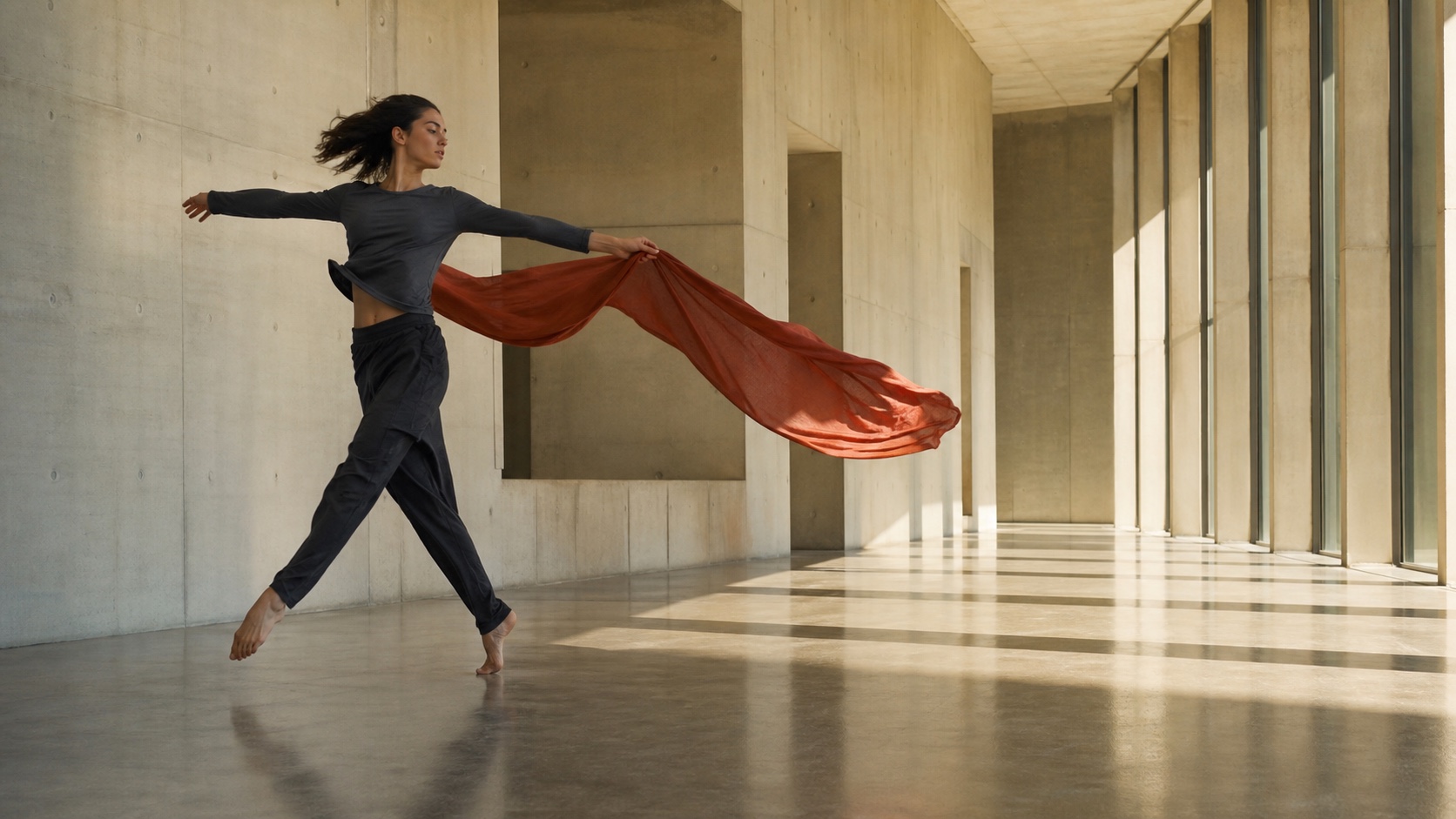
A wide frame gives lateral action room to develop. Lock the delivery format before generating, because changing aspect ratio later often means reframing or regenerating.
Write a prompt the model can execute
Use this order: subject, visible action, environment, camera, lighting, audio, and exclusions. Write what can be seen or heard instead of relying on adjectives such as “epic” or “professional.” A compact first prompt might be:
A blue ceramic teapot sits on a walnut table. A craftsperson lifts the lid, pours tea into one cup, and returns the pot to its original position. Slow waist-level dolly-in, soft morning window light, quiet room tone and ceramic contact sounds. Keep the teapot shape and glaze pattern unchanged; no text or extra hands.

This finished frame makes the test criteria visible: stable product geometry, correct hand contact, a clean liquid stream, and consistent morning light.
For more reusable structures, adapt the Seedance prompt guide rather than adding random descriptive phrases.
Dreamina Seedance 2.5 User Guide for References
Give every reference one job
Seedance 2.5 can accept multiple reference types, but volume is not the same as control. Label one image for character identity, another for product geometry, one video for movement, and one audio clip for voice or ambience. If two references give conflicting instructions for the same role, the model must guess which one to follow.
Begin with the smallest reference set that protects the non-negotiable detail. A product demonstration might need a clean product image and a short motion reference, not an entire campaign folder. Add a style frame only after the product and action are stable. This makes failures easier to diagnose and keeps the prompt readable.
Review the result against the brief
Watch the entire clip rather than judging the opening frame. Check subject identity, object shape, hand contact, action order, camera direction, lighting continuity, background stability, unwanted text, audio synchronization, and the final frame. Save the prompt, reference set, settings, and generation date alongside the exported result.
Use this official Dreamina sample as a review exercise: watch the climber's body mechanics, contact points, camera continuity, and synchronized ambience across the full shot.
Edit locally instead of restarting blindly
When the scene is strong but one object, face, or region is wrong, use the available editing workflow before discarding the full take. Preserve accepted motion, timing, lighting, and audio while describing only the correction. If the entire action or composition is wrong, return to the prompt and references instead. For text-led shots with no reference asset, the Seedance text-to-video tool is a faster way to validate the written direction first.
Troubleshooting Seedance 2.5 Access
Seedance 2.5 does not appear
Confirm that you are signed in, inside AI Video, and using the dedicated Seedance entry. Check the model picker rather than trusting the page headline. If 2.5 is still missing, note your region, account plan, and interface language, then retry after a new session. Avoid repeated purchases or account changes until the model is actually visible.
Generation fails or credits look wrong
Reduce the test to one subject and fewer references, verify the file formats and durations, and remove conflicting instructions. Before submitting again, capture the model name, settings, displayed credit charge, and error message. That evidence distinguishes a prompt problem from an account, upload, or billing issue.
The result ignores references
Assign one responsibility to each asset and state that responsibility in the prompt. Shorten long reference clips, remove decorative files, and change one variable per retry. If the model preserves the subject but misses the camera, revise only the camera instruction; do not rewrite identity, action, lighting, and sound at the same time.
Conclusion
The reliable Seedance 2.5 Dreamina access workflow is simple: enter AI Video, confirm the exact model and account terms, run one measurable test, and scale only after the prompt and references work. If you want a more direct creation path for prompts or reference images, start with the Seedance AI video generator and turn an approved idea into a testable clip.
Start generating for free - no credit card required
Create videos with free signup credits, then scale with affordable plans whenever you need more generations.
Free credits on signup. Plans from $28/month.
Related Articles
More posts in the same locale you may want to read next.

Seedance App Preview Video Generator 2026: Create App Store and Product Launch Clips
Use Seedance to turn app screenshots, feature copy, and launch goals into App Store previews, Google Play promo videos, and product launch clips.
Read article
Best AI Video-to-Video Models in 2026
The best AI video-to-video models in 2026 for editing footage you already shot: Higgsfield Genjutsu, Seedance 2.x, Runway Aleph, Luma Modify and Kling Omni compared.
Read article
Kling 4.0 vs Seedance 2.5: Full Comparison
Kling 4.0 vs Seedance 2.5 compared by spec: 30-second clips, keyframes vs 50 references, audio, 4K and 10-bit color, editing, and which model fits which job.
Read article