
Seedance 2.5 AI Film Cost: Budget a Short Film Before You Render

AI Overview
How much does a Seedance 2.5 AI film cost?
There is no single film price. Your real total depends on shot count, duration, resolution, sound, references, retries, and the plan used to buy generation credits.
How do I estimate Seedance 2.5 cost per video?
Multiply the displayed credit estimate for one render by planned shots, average attempts per approved shot, and a 15–25% pickup reserve. Price the keeper, not the first attempt.
Is Seedance 2.5 cheaper than traditional filmmaking?
It can remove many location, crew, camera, and reshoot costs for short-form work. Editing, creative direction, rights clearance, review time, and failed generations still belong in the budget.
Which Seedance plan is best for an AI short film?
Choose from the live estimate and your monthly render volume. A small proof may fit Mini; a multi-scene film normally needs Standard, Plus, or Max capacity.
What Seedance 2.5 Actually Costs on Seedance.tv
People searching Seedance 2.5 AI film cost want a number they can defend before starting. First check the plan; then use the estimate for the exact generation. Because model, length, resolution, audio, and reference mode change consumption, the confirmation shown before generation is the source of truth for an individual shot.
| Plan | Monthly billing | Annual equivalent | Monthly credits | Listed maximum output |
|---|---|---|---|---|
| Mini | $39 | $28/month | 400 | Up to 720p |
| Standard | $80 | $56/month | 1,600 | Up to 720p |
| Plus | $160 | $112/month | 4,800 | Up to 720p |
| Max | $360 | $252/month | 12,000 | Up to 4K |
These are plan allowances, not a fixed price per clip. Check the current Seedance pricing page before purchase, especially because annual billing is charged upfront. Starter credits are a trial, not an unlimited production budget.
Convert a render estimate into a usable-shot cost
Let R be the credits displayed for one proposed render. If the film has S approved shots, needs A attempts on average, and keeps a contingency factor P, the working estimate is:
production credits = S × A × R × P
Use P = 1.15 for a controlled product film and closer to 1.25 for dialogue, action, difficult hands, or changing environments. If a 30-shot short averages three attempts and holds 20% for pickups, the budget is 108 × R. That formula remains useful even when a provider changes its per-render price.
Cost per generation is not cost per finished video
One beautiful render can still fail editorially: the eyeline may not cut, the action may begin too late, or the last frame may not leave room for the next shot. A cheap render that needs five rerolls is more expensive than a higher-quality render accepted on the second pass. For plan details and practical volume estimates, compare the current Seedance 2.5 unlimited guide with the live confirmation card.
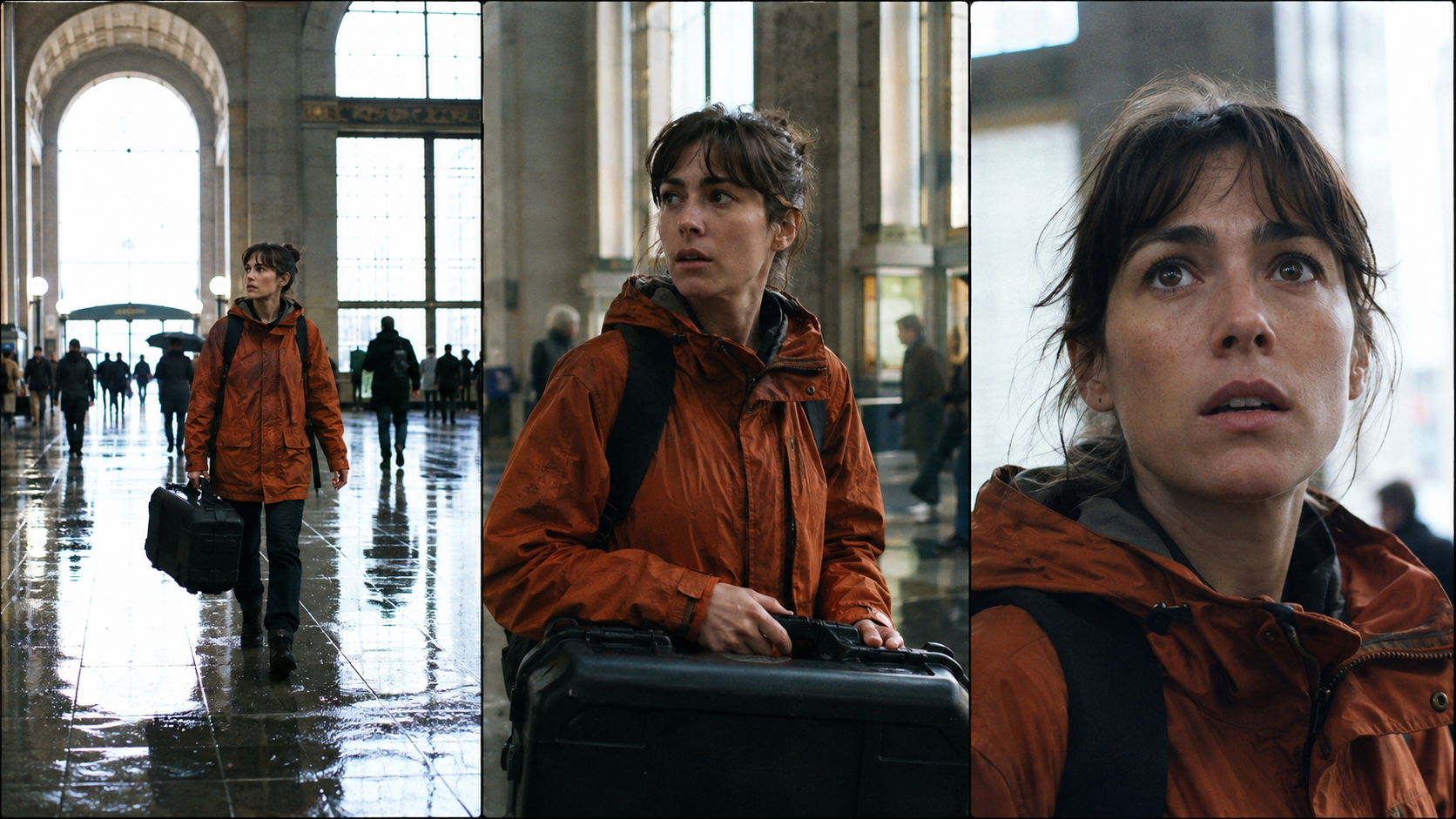
Budget identity tests as an approval gate: the same face, orange coat, black case, architecture, and light should survive every shot size before the sequence expands.
Build an AI Film Budget from Finished Minutes
The search phrase Seedance 2.5 cost per minute is tempting, but a minute of final film is not a minute of generation. A sixty-second montage might contain twelve five-second shots; a quiet scene might use six ten-second shots. Both finish at one minute, yet action complexity, coverage, dialogue, and retries can produce very different bills.
Break the script into approved shots
Create a numbered shot list before generating. Give every shot a duration, aspect ratio, sound requirement, reference set, expected difficulty, and acceptance test. Classify shots as simple, controlled, or demanding rather than pretending they all carry the same retry rate.
| Shot class | Typical example | Main risk | Planning allowance |
|---|---|---|---|
| Simple | Atmosphere, insert, static landscape | Composition or mood miss | 2 attempts |
| Controlled | Character walk, product reveal, dialogue close-up | Identity, geometry, timing | 3 attempts |
| Demanding | Fight, crowd, vehicle, multi-character exchange | Physics, continuity, hands, sound | 4–6 attempts |
For a three-minute film built from thirty simple shots, twenty controlled shots, and ten demanding shots, calculate each group separately. Do not apply one optimistic average to the whole project. Then add titles, edit renders, music, voice work, and delivery versions as separate lines even when they do not consume Seedance generation credits.
src=https://r2.seedance.tv/model-landing/seedance-2-5/feature-30s.mp4
poster=https://r2.seedance.tv/model-landing/seedance-2-5/feature-30s-poster.jpg
label=Seedance 2.5 continuous finished-output sample for long-scene review
A longer continuous result can replace several cuts, but approve story beats, character continuity, camera logic, and the ending frame before treating it as cheaper coverage.
Add the Human and Finishing Budget
The AI film production cost also includes time. Track script development, reference preparation, prompt direction, review, editing, sound mix, subtitles, upscaling, client approvals, rights checks, storage, and distribution masters. Even a solo filmmaker should assign an internal hourly value; otherwise a week spent rerolling appears falsely free.
For every scene, record credits spent, work time, generated seconds, and approved seconds. Cost per approved second is the clearest comparison between approaches.
Budget the Film in Passes, Not One Giant Render
A controlled film budget separates learning from delivery. Start with the shortest, least expensive test that can answer the current question. Increase duration or resolution only after the shot passes its cheaper gates.
Pass 1: prove the idea
Test subject, action, framing, and emotional beat. Use one clean prompt and minimal references. Reject a direction quickly if the core motion or composition is wrong; do not spend premium iterations polishing a broken concept.
Pass 2: lock continuity
Approve the canonical character image, wardrobe, hero prop, environment, screen direction, and light. Generate adjacent shots with the same reference roles. The Seedance 2.5 model workspace is useful when text, image, video, and audio references need to stay connected to the shot goal.

Action is expensive when geometry drifts. Approve the car, driver, coastline, weather, and travel direction as a set before buying more coverage.
Pass 3: render delivery candidates
Raise quality only for shots that already work. Generate the planned number of candidates, compare full clips rather than posters, and select one version. If only the ending fails, use an edit or extension path where available instead of rebuilding the entire shot.
Pass 4: keep a pickup reserve
Do not spend the last credits on the first assembly. Editing exposes missing reactions, handles, room tone, establishing shots, and transition frames. Reserve 15–25% of the planned credits for these pickups and for the one hero shot stakeholders will inevitably revisit.
For a broader production map, the AI short-film maker guide connects story planning, generation, editing, and delivery.
Where AI Film Costs Really Grow
The most expensive settings are not always the most obvious. Duration and resolution matter, but retry multipliers often come from continuity, interacting subjects, precise objects, ambitious camera motion, and synchronized sound.
Character and object continuity
A recurring actor or product creates a quality floor. If the face, costume, scale, color, or geometry changes, the shot may be unusable even when the motion looks attractive. Build a compact reference pack and reuse it consistently. Do not introduce five near-duplicate portraits that disagree about facial structure or lighting.
Action and camera complexity
Each simultaneous instruction adds failure surfaces. “Run, turn, open a case, reveal an object, orbit the camera, and end in a close-up” is not one request; it is a small sequence. Split it into shots or anchor a simpler continuous action. Spend on movement the audience will notice, not on camera vocabulary added for decoration.
Dialogue and native audio
Native audio can save separate voice, Foley, and synchronization work, but it also creates more acceptance criteria. A clip can be visually correct and still fail because the line restarts, ambience jumps, or an impact lands early. Keep dialogue short, specify who speaks, and review the full soundtrack with headphones. The voice-consistency guide gives a reusable approach for recurring characters.
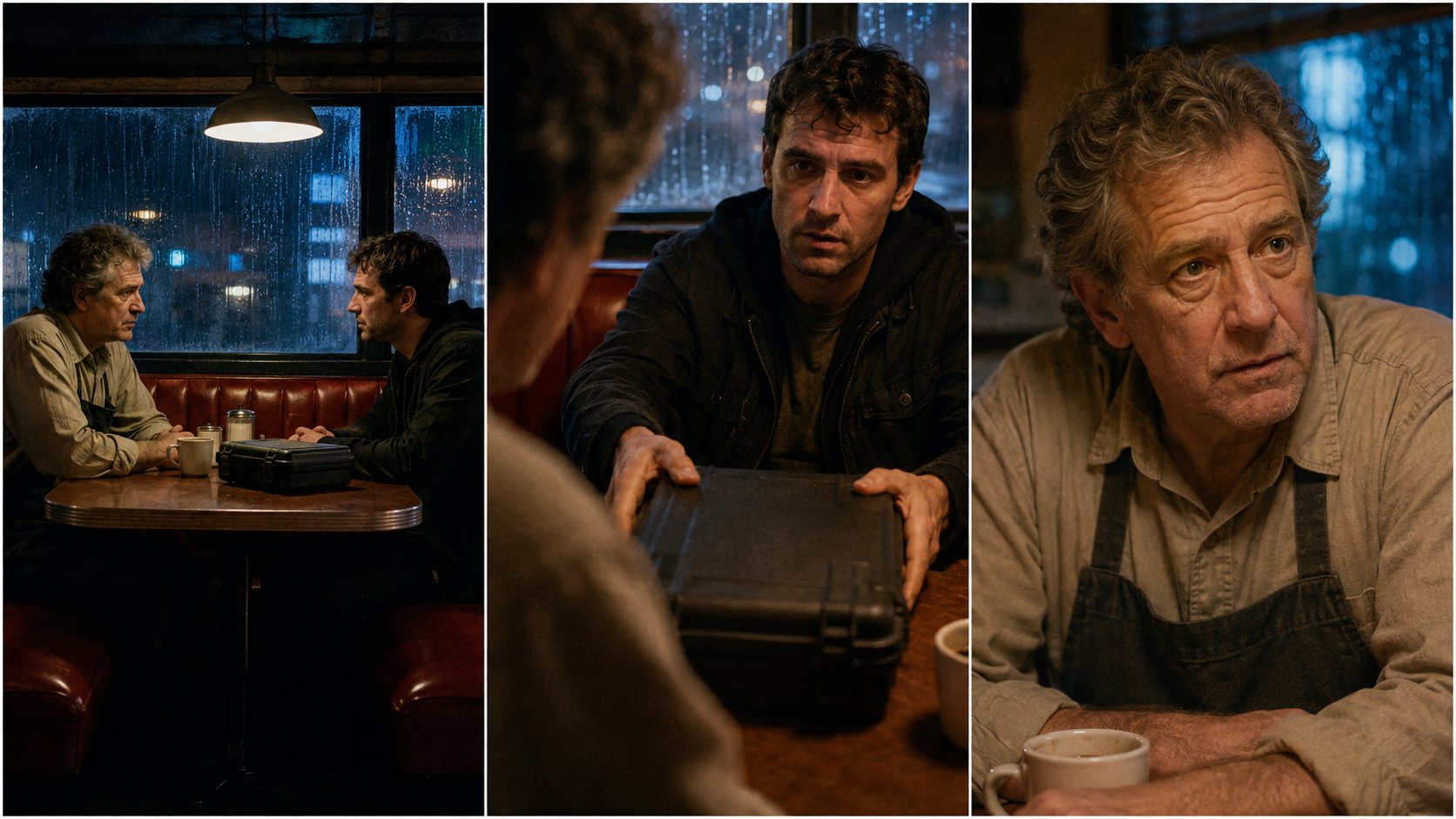
Dialogue coverage should preserve eyelines, booth geometry, props, wardrobe, and light. Count a visual-only pass as a failure when sound or continuity breaks the edit.
src=https://r2.seedance.tv/model-landing/seedance-2-5/feature-audio.mp4
poster=https://r2.seedance.tv/model-landing/seedance-2-5/feature-audio-poster.jpg
label=Seedance 2.5 finished-output sample with native audio
Judge native audio and picture together: timing, speech, ambience, visible action, and the edit point all affect whether the clip is a keeper.
Hidden operational costs
Storage, duplicate exports, version confusion, and approval delays do not appear on a rate card. Name every shot and take, keep one approved reference bundle, and archive rejected experiments so an accepted output is not recreated.
Use Seedance Agent to Cut Coordination and Rerun Waste
The Seedance 2.5 pricing plan determines capacity; the production system determines how efficiently it becomes a film. Seedance Agent helps before spending: set the story goal, references, shots, and acceptance criteria, then compare the plan before confirming paid generation.
Make every generation answer one decision
Ask whether the run is testing character identity, action timing, environment, camera, audio, or final polish. When a generation fails, change the smallest responsible variable. This makes each retry informative and prevents a full prompt rewrite from destroying elements that already passed.
Approve checkpoints and rerun only the failure
Treat the script, reference pack, shot plan, selected takes, rough cut, and master as checkpoints. Once a shot is approved, do not casually regenerate it. If a pickup fails, preserve the rest of the sequence and rerun only that section. This is where an agent-managed workflow can lower effective film cost without claiming that generation itself is free.
Compare scenarios before choosing a plan
Build three budgets: a proof-of-concept, a publishable short, and a high-ambition version. For each, multiply shots by expected attempts and the live credit estimate, then add contingency. Compare the result with monthly allowance, annual commitment, deadline, queue needs, and delivery resolution. A larger plan is sensible only when the pipeline can review and use the added volume.
Conclusion
Seedance 2.5 AI film cost is best estimated as a production equation, not a headline price: approved shots × realistic attempts × the live render estimate, plus pickups and human finishing time. Start with a shot list, separate tests from delivery renders, protect continuity, and measure cost per approved second. Before buying volume, plan the film with Seedance Agent, review the generation estimate for each shot, and spend credits only when the next render answers a clear production decision.
Start generating for free - no credit card required
Create videos with free signup credits, then scale with affordable plans whenever you need more generations.
Free credits on signup. Plans from $28/month.
Related Articles
More posts in the same locale you may want to read next.

Seedance App Preview Video Generator 2026: Create App Store and Product Launch Clips
Use Seedance to turn app screenshots, feature copy, and launch goals into App Store previews, Google Play promo videos, and product launch clips.
Read article
Best AI Video-to-Video Models in 2026
The best AI video-to-video models in 2026 for editing footage you already shot: Higgsfield Genjutsu, Seedance 2.x, Runway Aleph, Luma Modify and Kling Omni compared.
Read article
Kling 4.0 vs Seedance 2.5: Full Comparison
Kling 4.0 vs Seedance 2.5 compared by spec: 30-second clips, keyframes vs 50 references, audio, 4K and 10-bit color, editing, and which model fits which job.
Read article