
Qwen Image: Alibaba's AI Image Generator Explained (2026 Guide)

AI Overview
What is Qwen Image?
Qwen Image is Qwen's image-generation family for text-to-image and precise image editing, with unusually strong bilingual typography and layout control.
How realistic is Qwen Image compared to other AI image generators?
Qwen Image 2.0 can create detailed portraits, products, and architecture at native 2K, but prompt precision and human review still decide whether an image is publishable.
Can Qwen Image be used in AI agent workflows?
Yes. An agent can call Qwen Image as a tool, pass a structured brief, and save the returned image for later publishing, editing, or video steps.
Is Qwen Image free to use?
Eligible new Model Studio users currently receive a time-limited 100-image quota for Qwen Image 2.0; paid usage begins after the quota expires or is exhausted.
What Is Qwen Image?
Background
Qwen Image is the visual-generation branch of the Qwen model family. The first public Qwen-Image arrived in August 2025 as a 20-billion-parameter MMDiT foundation model focused on complex text rendering and precise editing. Qwen Image 2.0 followed in February 2026 with a lighter architecture, native 2K output, stronger instruction following, and generation plus editing in one model family.
The name now covers several hosted model IDs. qwen-image-2.0-pro prioritizes quality and supports up to six outputs per call, while qwen-image-2.0 is the faster, lower-cost option. Earlier qwen-image and separate edit models remain relevant to existing integrations, so developers should check the active model list before copying an old example.
Key Capabilities
- Text-to-image generation from English or Simplified Chinese prompts.
- Generation and image editing with the Qwen Image 2.0 family.
- Strong handling of posters, signs, presentation-style layouts, and mixed Chinese-English text.
- Photorealistic portraits, product scenes, architecture, illustration, and concept art.
- Up to six variants per API call on current Qwen Image 2.0 models.
- Negative prompts, prompt extension, seeds, aspect-ratio control, and output sizes up to 2048 × 2048.
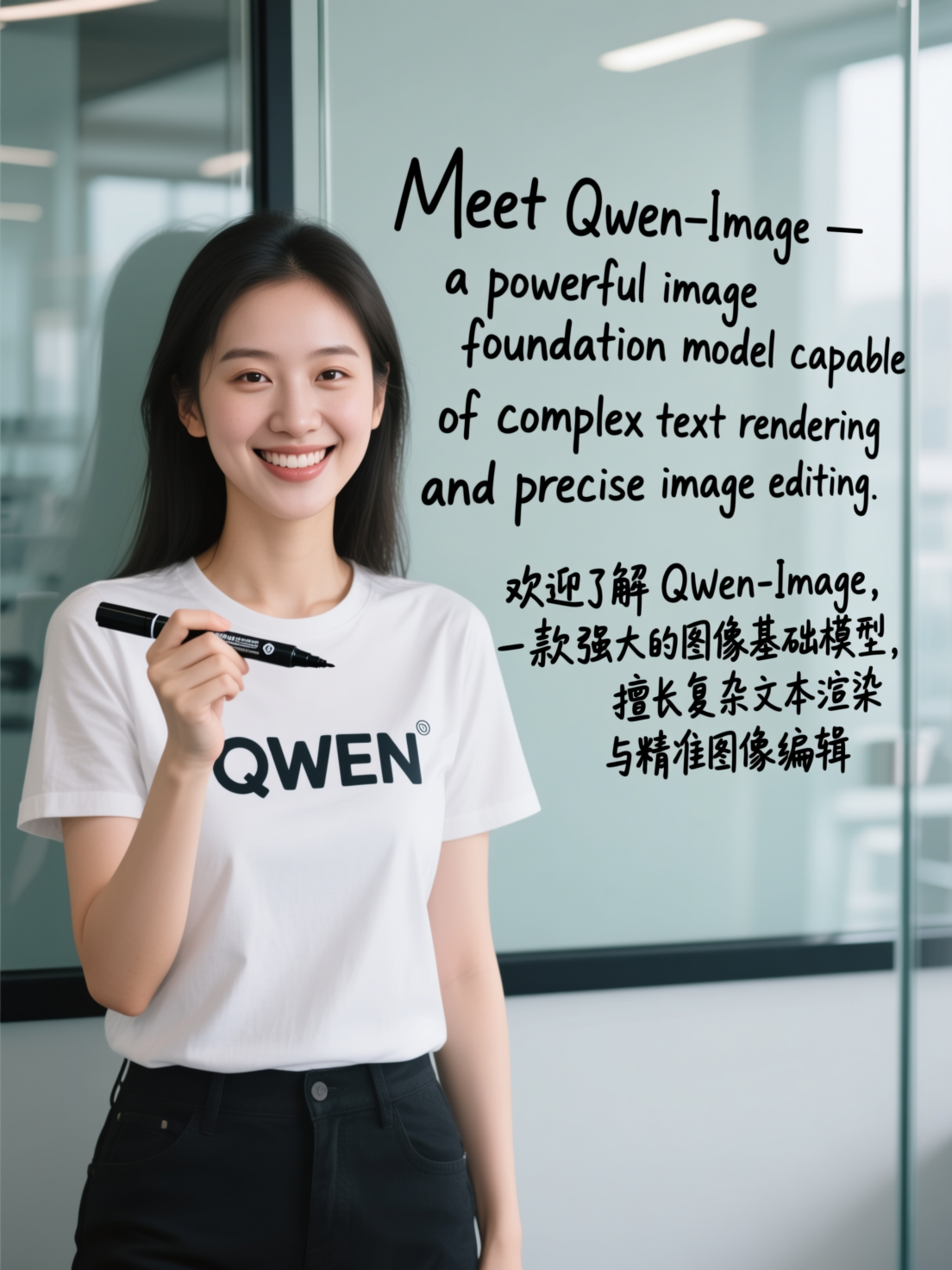
An official Qwen Image release example. The large English and Chinese handwriting is unusually legible, although production artwork should still be proofread at full size.
Qwen Image Realistic Output: What to Expect
Photorealism Performance
Qwen Image 2.0 is designed for detailed realistic scenes, including people, nature, products, and architecture. Native 2K generation gives skin, fabric, metal, glass, and building surfaces more room to resolve than a small draft. Good lighting language also matters: name the light source, direction, contrast, lens feel, and environment instead of relying on “photorealistic” alone.
Do not treat a clean thumbnail as proof. Inspect faces, fingers, product geometry, reflections, repeated patterns, and any small copy at full resolution. A technically successful generation can still be unusable for a campaign.
Text Rendering in Images
Text is Qwen Image's clearest differentiator. It can place headlines, shelf labels, poster copy, and bilingual text more reliably than many earlier image models. Large, high-contrast text is the safest case; dense paragraphs and small book spines remain harder.
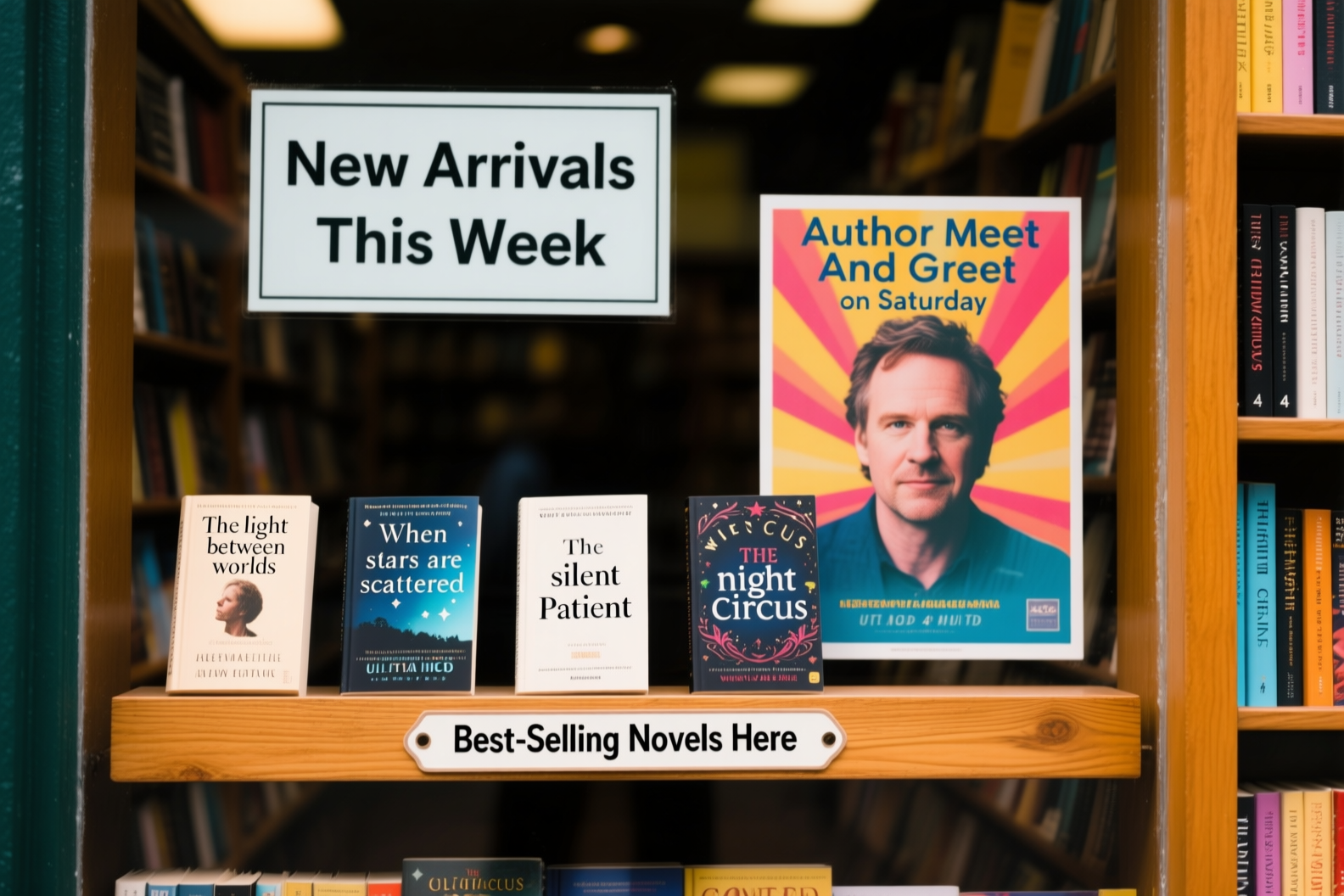
Official Qwen Image example: the main signs are readable, while tiny cover and spine text still shows artifacts. Use it as evidence of progress, not a promise of perfect typography.
For important copy, provide the exact wording in quotation marks, specify its position and hierarchy, and ask for no extra text. Proofread every character before publishing. For reusable image-prompt structures, see our ChatGPT trend prompt examples.
Style Range
Qwen Image can move between photography, illustration, anime-inspired scenes, posters, slides, and graphic layouts. Its strongest use is not choosing one signature aesthetic; it is combining a clear visual brief with readable typography and editable composition.
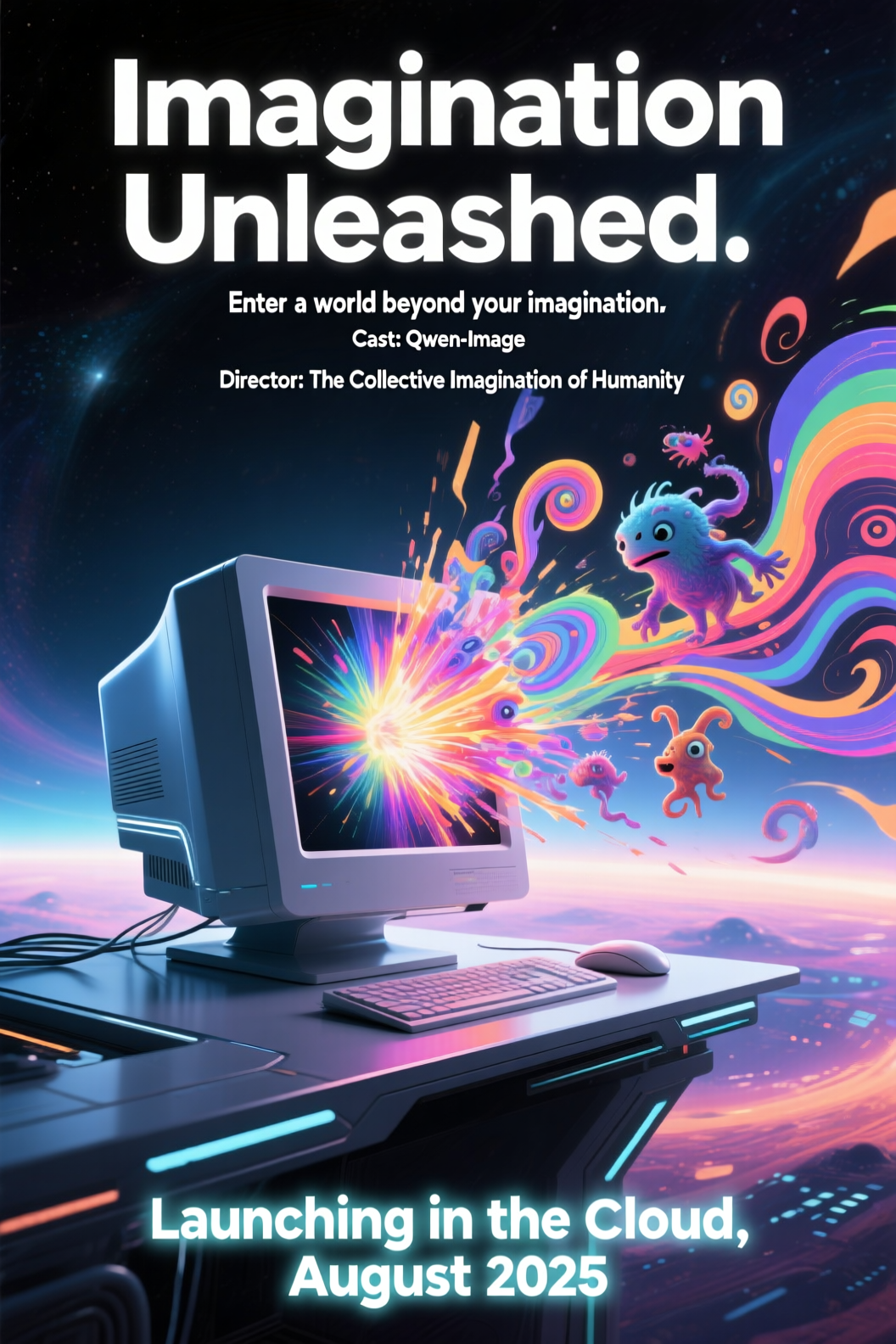
Official Qwen Image poster example combining a stylized scene, display type, supporting credits, and a launch line in one generated composition.
How to Use Qwen Image
Web Access (No API Required)
The easiest route is Qwen Chat: choose Image Generation, describe the scene, select a suitable format, and iterate. No code is required, but account availability and quotas vary by region. If you want one browser workspace for several image models, start with Text to Image.
Use a short first brief, inspect the composition, then change one variable per revision. Save the approved full-resolution file rather than relying on temporary result URLs.
API Access for Developers
For production workflows, Qwen Image is available through Alibaba Cloud Model Studio and the DashScope SDK. Current Qwen Image 2.0 calls use the multimodal-generation endpoint rather than the older text-to-image path found in many tutorials.
Model: qwen-image-2.0-pro
Endpoint: POST https://{WorkspaceId}.ap-southeast-1.maas.aliyuncs.com/
          api/v1/services/aigc/multimodal-generation/generation
Be explicit about region: Singapore and Beijing workspaces use different API keys and endpoints. Returned image URLs are temporary, so download approved outputs to durable storage immediately. Enable “free quota only” during testing if you want calls to stop before paid usage begins.
Prompt Tips for Best Results
- Subject: identify the person, product, building, or scene precisely.
- Action and environment: describe what is happening and where.
- Composition: specify crop, camera angle, focal length feel, and subject placement.
- Lighting and materials: name real sources and textures, such as soft window light, brushed aluminum, or wet pavement.
- Text: quote every required line and describe font style, size, color, and position.
- Constraints: list what must not change and what the model must not add.
When editing an existing image, state the change first, then freeze identity, composition, lighting, colors, and all untouched text. Use Image to Image when you want the same controlled edit pattern in Seedance.
Qwen Image Agent Integration
How It Works in Qwen Agent
Qwen-Agent is an open-source framework for building tool-using assistants. To add image generation, expose a small tool wrapper that validates the brief, sends a Qwen Image API request, polls only until the documented task state is final, downloads the result, and returns a durable asset reference to the agent.
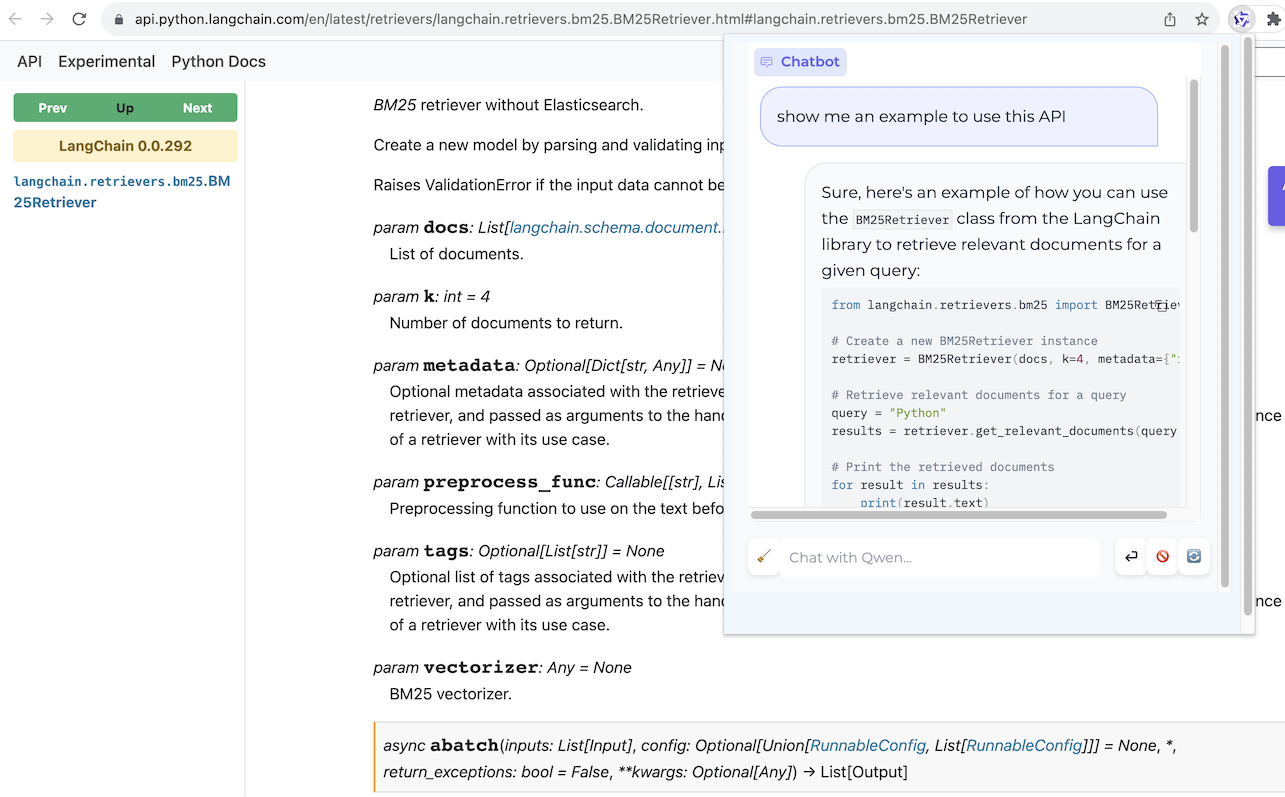
The official Qwen-Agent browser assistant interface, showing the agent working inside a live page.
The model call is only one stage. A dependable workflow also records prompt, model ID, size, seed, cost, moderation result, and file location. Require human approval before publishing brand copy, product claims, or images containing people.
Use Cases for Agent-Based Image Generation
- E-commerce: turn approved product data into consistent hero-image briefs.
- Content pipelines: create article covers from titles and editorial art direction.
- Reports: generate diagrams or section art, then place approved files into a document.
- Localization: adapt poster copy while preserving layout and visual hierarchy.
- Campaign variants: create format-specific versions from one locked concept.
Agents are most useful when they reduce repeated setup, not when they hide uncertainty. Keep generation, review, approval, and publishing as separate states.
Qwen Image vs Other AI Image Generators
| Dimension | Qwen Image | DALL-E 3 | Flux | Midjourney |
|---|---|---|---|---|
| Practical strength | Bilingual text, layout, generation plus editing | Natural-language concept generation | Open ecosystem and realistic image workflows | Strong aesthetic exploration |
| Chinese prompts | Native focus | Usable, but not the core differentiator | Varies by model and interface | Varies by prompt and version |
| Text in images | A central design goal | Often good for short copy | Model-dependent | Better for display text than dense copy |
| Developer path | Hosted API plus open Qwen Image releases | API access | Multiple hosted and local options | Web-first workflow |
| Best fit | Posters, localized graphics, editing, automated pipelines | Fast concept-to-image tasks | Customizable technical stacks | Art direction and visual ideation |
This is workflow positioning, not a permanent quality ranking. Models and hosted versions change quickly; compare them with the same prompt, aspect ratio, resolution, and review checklist.
Qwen Image + Seedance: From Still to Video
Qwen Image can create the source frame; Seedance can turn that approved still into motion.
- Generate the image. Create a portrait, product shot, or environment with a clear subject and enough space for the intended camera move.
- Approve the still. Fix text and identity before animation; do not ask the video model to repair a flawed source frame.
- Animate one action. Upload the final image to Image to Video, then describe one subject action and one camera move.
- Review the full clip. Check identity, geometry, text stability, motion, and the final frame before export.
For motion wording, copy a tested structure from the Seedance camera movement prompt guide. A restrained dolly-in, orbit, rack focus, or light environmental motion usually preserves the still better than several simultaneous actions.
Conclusion
Qwen Image is a practical 2026 choice for bilingual typography, poster and layout work, realistic scenes, and automated content pipelines. Use the web workflow to explore, the API for repeatable production, and review every generated word and fine detail before publishing. Once the still is approved, animate it separately so image quality and motion remain easy to evaluate.
Ready to try it yourself?
Put the steps from this guide into practice with Seedance and turn prompts or images into polished videos in minutes.
Free credits on signup. Plans from $28/month.
Related Articles
More posts in the same locale you may want to read next.

Seedance App Preview Video Generator 2026: Create App Store and Product Launch Clips
Use Seedance to turn app screenshots, feature copy, and launch goals into App Store previews, Google Play promo videos, and product launch clips.
Read article
How to Keep Product Shape Consistent in AI Video Ads
Lock product geometry, packaging, labels, references, camera angles, and approval checks so AI video ads preserve the real SKU across every shot.
Read article
How to Make AI Video Follow a Multi-Step Action
Plan atomic actions, state transitions, timing, continuity, and shot handoffs so an AI video completes a sequence in the intended order.
Read article