
7 Best Free Midjourney Alternatives in 2026 (No Subscription Needed)
AI Overview
What is the best free alternative to Midjourney?
Seedance is the best all-around option for high-quality images and a direct image-to-video workflow. Choose Firefly for Adobe editing, Leonardo.Ai for controls, or Ideogram for typography.
Is there a completely free alternative to Midjourney?
Yes. Bing Image Creator is free with a Microsoft account. Stable Diffusion can be self-hosted, although hardware or cloud costs still apply.
Which Midjourney alternative has the best image quality?
No tool wins every brief. Seedance is strongest overall, Firefly for commercial editing, Leonardo.Ai for control, and Ideogram for readable text.
Creators still look for alternatives because Midjourney's website and Discord have no free trial, and its main plans are subscriptions. Midjourney now has a web app and image-to-video, so “Discord-only” and “no video” are outdated claims; the real differentiators are free access, direct editing, local deployment, private workflows, and broader image-to-video tools.
The Best Midjourney Alternatives at a Glance
Start with workflow fit, then compare quality on one real brief.
| Rank | Tool | Best for | Access and key caveat |
|---|---|---|---|
| 1 | Seedance | Best all-around image-to-video workflow | Free starting path; closed, credit-based service |
| 2 | Adobe Firefly | Creative Cloud production and editing | Limited free generations; paid premium features |
| 3 | Leonardo.Ai | Image controls, models, and iteration | 150 free fast tokens/day; free creations are public |
| 4 | Ideogram | Posters, packaging, and readable text | 10 slow credits/week; free generations are public |
| 5 | Canva AI | Social graphics and presentation design | Limited free AI use; fewer specialist controls |
| 6 | Stable Diffusion | Self-hosting and custom pipelines | Requires hardware, setup, and license review |
| 7 | Bing Image Creator | Completely free casual ideation | Microsoft account required; fewer pro controls |
For most creators, choose Seedance for breadth, Firefly for Adobe handoff, Leonardo for controls, Ideogram for text, or Stable Diffusion when local ownership matters.

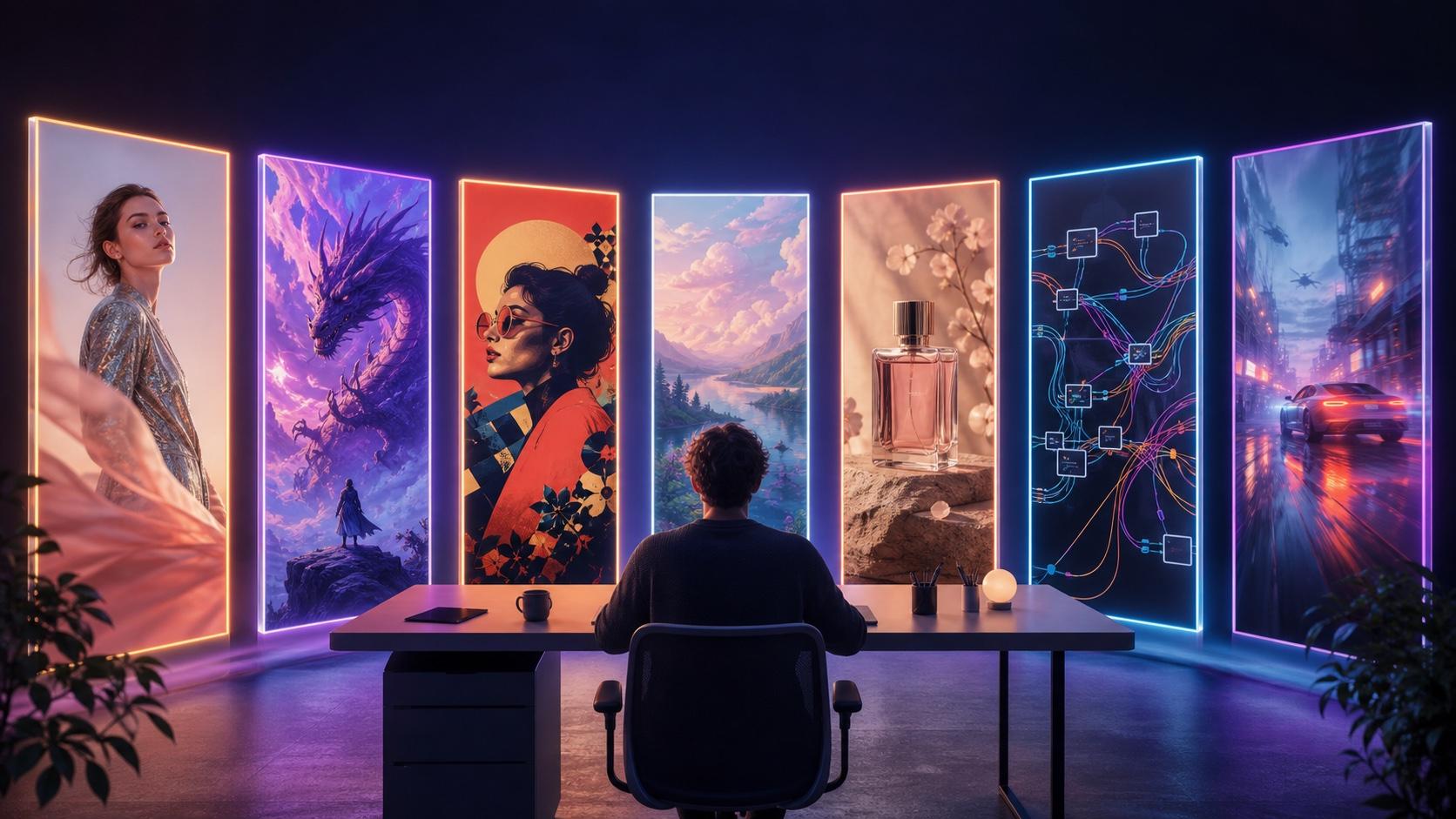
Original AI image generated for this guide from one structured prompt. Try the same subject, action, setting, composition, light, palette, and exclusions in the live Text to Image workspace.
Image Output Quality: Realism, Style, and Typography
1. Seedance — Best overall for creators
Seedance ranks first because it connects the complete creator task rather than stopping at one attractive image. A marketer can explore a concept, refine an approved still, carry that still into motion, review the credit estimate, and download from one browser workspace. This is especially useful for product visuals, character concepts, campaign key art, and social clips.
The main tradeoff is that Seedance is a managed, credit-based platform rather than a locally inspectable model stack. It is the best fit when speed from idea to usable media matters more than owning the inference environment.
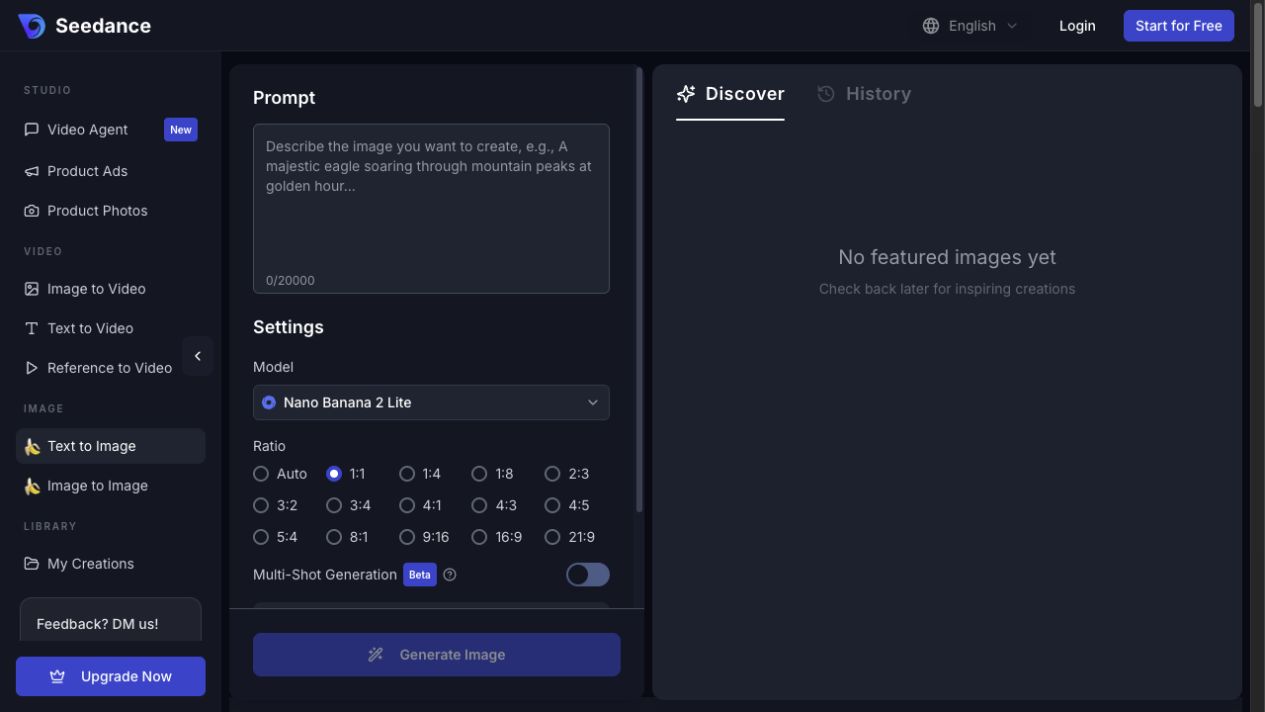
Seedance Text to Image generator with prompt, model, and aspect-ratio controls.
2. Adobe Firefly — Best for professional editing
Adobe Firefly combines image generation with Generative Fill, vector, video, audio, Photoshop, Illustrator, Express, and Premiere workflows. Its free plan includes limited daily generations, while paid plans add premium credits and unlimited standard image features.
Firefly is the strongest choice for designers who already finish work in Creative Cloud. It gives up some of Midjourney's distinctive aesthetic exploration in exchange for practical editing, handoff, and commercially oriented production tools.
3. Ideogram — Best for text in images
Ideogram is built for posters, book covers, packaging, signage, and social graphics where the words must be readable. Its text rendering and editable text layers make it more dependable than general image generators for headline-led designs.
The free plan is useful for testing but has a slow weekly allowance, public generations, and limited editing. Choose it when typography is the core requirement, not when video or a private high-volume workflow is the priority.
Ease of Use: Platform vs Open Source
The access model changes the work before generation begins. Seedance, Firefly, Leonardo, Canva, Ideogram, and Bing are managed services: choose a tool, enter a brief, generate, and review. Stable Diffusion gives deeper infrastructure control, but installation, models, memory, storage, updates, and failures become your responsibility.
The Managed Creator Path
- Choose the tool that matches the final deliverable, not just the prompt style.
- Add one brief and only source media you have permission to use.
- Match aspect ratio, quality, privacy, and output settings.
- Generate once, inspect the full result, then change one variable at a time.
- When the still is approved, move it into Image to Video if motion is part of the task.
Best Web-Based Options
Leonardo.Ai — Best for controlled iteration
Leonardo.Ai's pricing page lists 150 free fast tokens per day, presets, public creations, and basic quality settings. Paid tiers add private generation, personal models, enhanced controls, token rollover, and relaxed queues. It is a strong option when you want to compare multiple image models without managing a local stack.
Canva AI — Best for finished layouts
Canva Magic Studio places AI images inside templates, copy, resizing, animation, and collaborative design. It is less specialized than Midjourney for image craft, but often faster when the deliverable is a post, presentation, thumbnail, flyer, or short promo.
Bing Image Creator — Best completely free option
Microsoft Bing Image Creator is free with a personal Microsoft account and offers several leading image models. It is ideal for casual ideation and can animate finished images, but it provides fewer professional controls and workflow guarantees.
The Self-Hosted Open-Model Path
- Select a Stable Diffusion checkpoint and interface that fit the brief and available VRAM.
- Install the driver, runtime, repository, and model dependencies.
- Configure resolution, sampler, seed, steps, guidance, and optional LoRAs or ControlNet.
- Run inference, review memory and speed, then store and version the output.
- Maintain the environment, security boundary, licenses, and recovery process.
Best Open-Source Model
Stable Diffusion — Best for local control
Stable Diffusion is the best option here for local files, reproducible settings, custom checkpoints, LoRAs, and node-based pipelines. The Stability AI Community License permits research, non-commercial use, and commercial use for individuals or organizations below its stated $1 million annual-revenue threshold. Larger commercial users need an enterprise license.
A managed platform is usually faster when a creator needs an image today. Self-hosting is better when private on-premise media, reproducible seeds, custom nodes, or inspectable inference justify the operational work.
Prompt Control and Image-to-Video
The best Midjourney alternative is the one whose controls match the brief. Seedance and Leonardo support prompt-led image creation with editing and model choices; Firefly connects generation to production tools; Ideogram specializes in text; Stable Diffusion exposes seeds, samplers, checkpoints, and extensions.
For repeatable results, define a subject anchor, one primary action, composition, lens or camera distance, light, palette, materials, exact text, and negative constraints. When identity or product fidelity matters, lock the approved still before creating motion. For broader video model selection, see the best AI video generation models of 2026.

Original AI-generated illustration showing a controlled still becoming a consistent motion sequence.
Why Seedance Ranks First
Seedance covers the broadest task chain in one place. A creator can begin with a text concept, generate the still, refine visual anchors, animate the approved image, and evaluate the complete result without rebuilding the project in another tool.
That does not mean Seedance wins every isolated image. Firefly may be better for a Photoshop-heavy commercial edit, Ideogram for a typographic poster, or Stable Diffusion for a custom local pipeline. Seedance wins the all-around recommendation because it reduces handoffs and decisions between an idea and usable media.
Copy-Ready Image Benchmark Prompt
Prompt: A small clockwork hummingbird with a polished silver body, coral-red throat, and translucent teal-and-violet wings perches on a brass ring inside a glass conservatory at golden hour. Three-quarter side view, 85mm product photograph, shallow depth of field, realistic metal and glass, stable geometry, no extra birds, no text, no logo, no watermark.
Matched test settings: Send the prompt unchanged to every tool at 16:9 with one attempt and the closest available quality setting. Record any option the tool cannot match instead of silently substituting another configuration. The ChatGPT trend prompt examples and AI hairstyle prompt library provide more copy-ready structures.
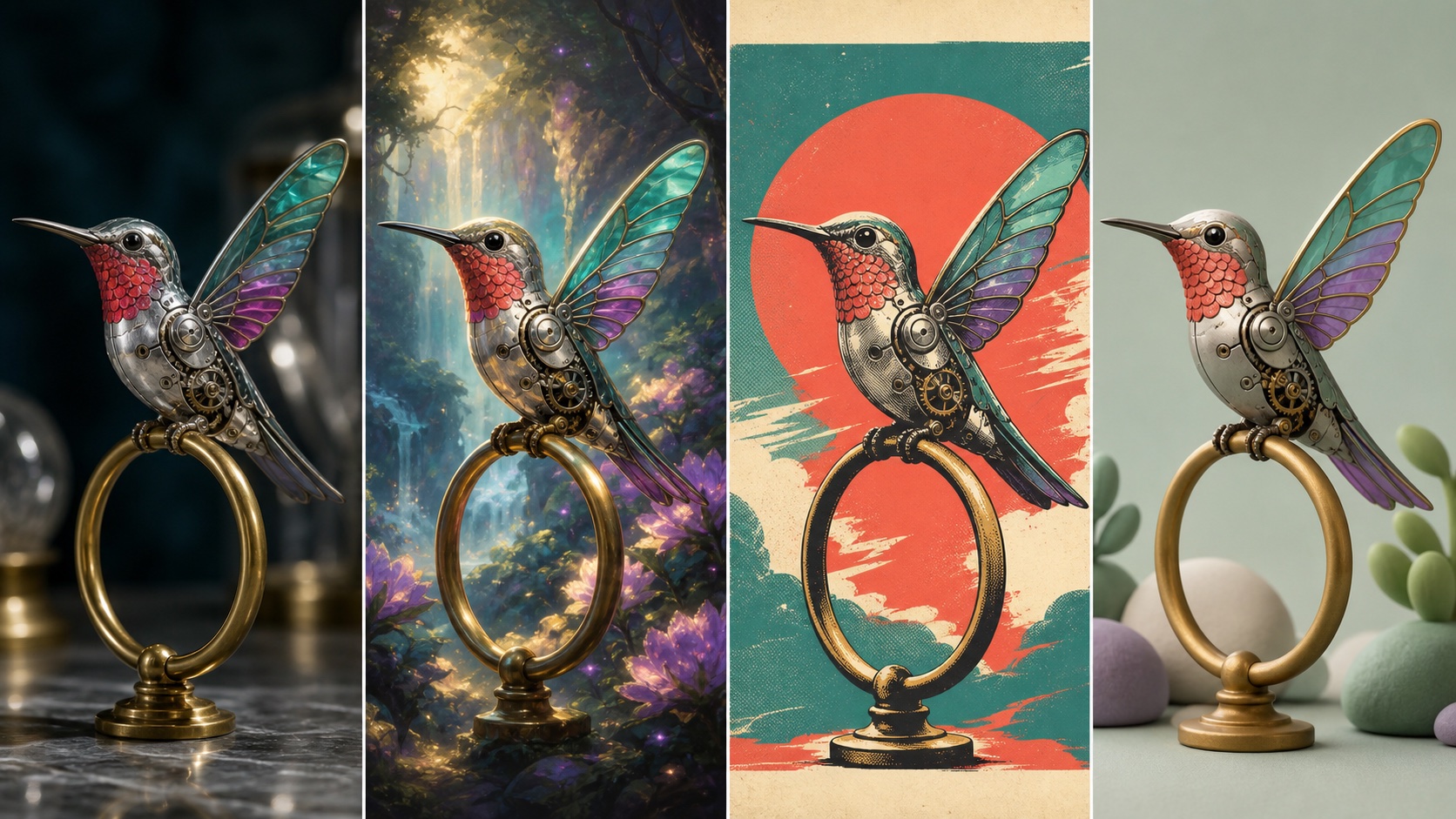
Original AI-generated style study: the same subject, colors, pose, and brass perch rendered as product photography, fantasy art, a retro print, and a clay-style 3D scene.
Pricing and Free Access
Quality rankings are incomplete without the path to a usable result. Hosted tools hide infrastructure behind plans or credits; local tools remove per-image platform fees but make you operate the compute stack.
| Option | Current free access | Paid starting point | Practical cost caveat |
|---|---|---|---|
| Seedance | Start free; no card required | $39 monthly or $28/mo annual equivalent | Images and video consume credits |
| Adobe Firefly | Limited daily generations | $9.99/mo | Premium video, audio, and partner models use credits |
| Leonardo.Ai | 150 fast tokens/day | $12/mo | Token cost varies by model and settings |
| Ideogram | 10 slow credits/week | $15/mo billed annually | Free generations are public |
| Canva AI | Limited use on the free plan | Plan and region dependent | AI limits vary by feature |
| Bing Image Creator | Free with a Microsoft account | $0 | Availability and speed can vary |
| Stable Diffusion | Model license free for eligible users | No platform subscription | GPU, cloud, storage, and maintenance cost money |
These figures were checked on August 3, 2026. Free limits, taxes, regional availability, and promotions can change, so verify the live plan before purchase.
Which One Should You Choose?
| If you need | Choose | Why |
|---|---|---|
| Best all-around image-to-video workflow | Seedance | One managed path from concept image to motion |
| Professional Creative Cloud editing | Adobe Firefly | Generative Fill and Adobe app handoff |
| Fine controls without self-hosting | Leonardo.Ai | Models, presets, personal models, and iteration tools |
| Posters, covers, or packaging with text | Ideogram | Strong typography and editable text layers |
| Fast social or presentation design | Canva AI | Templates, layout, copy, and collaboration |
| Completely free casual ideation | Bing Image Creator | Free access with a personal Microsoft account |
| Local deployment and customization | Stable Diffusion | Checkpoints, LoRAs, seeds, and inspectable pipelines |
If you are choosing for a team, run one real task through the top two candidates and count manual actions, generations, waiting time, failures, and total cost to the first directly usable result.
How to Run a Fair AI Image Generator Test
Use the same prompt or source image for every tool. Match aspect ratio, quality, privacy, seed policy, and attempt count; record any setting a tool cannot match.
- Result quality. Score prompt adherence, subject consistency, anatomy, materials, composition, text, and visible artifacts.
- Time and cost. Count setup, queueing, retries, upscaling, review time, credits, and GPU spend.
- Control and access. Check editing, references, privacy, API availability, licensing, and hardware requirements.
Run one attempt per tool before allowing retries. The winner is the workflow that reaches a usable result with the least time, repetition, and spend.
Conclusion
The best free Midjourney alternative in 2026 depends on the deliverable: choose Seedance for the strongest all-around image-to-video workflow, Adobe Firefly for Creative Cloud production, Leonardo.Ai for detailed controls, Ideogram for typography, Canva AI for fast layouts, Bing Image Creator for free ideation, or Stable Diffusion for local ownership. Test the top two on one fixed brief and compare usable quality, time, and total cost.
Ready to create your own AI video?
Turn ideas, text prompts, and images into polished videos with Seedance. If this article helped, the fastest next step is to try the product.
Free credits on signup. Plans from $28/month.
Related Articles
More posts in the same locale you may want to read next.

Seedance App Preview Video Generator 2026: Create App Store and Product Launch Clips
Use Seedance to turn app screenshots, feature copy, and launch goals into App Store previews, Google Play promo videos, and product launch clips.
Read article
How to Make a Talking AI Avatar You Can Reuse
Make a talking AI avatar with Seedance: design one consistent character, give it a voice, and make it speak in a talking photo or a full Seedance 2.5 scene, episode after episode.
Read article
Best AI Video-to-Video Models in 2026
The best AI video-to-video models in 2026 for editing footage you already shot: Higgsfield Genjutsu, Seedance 2.x, Runway Aleph, Luma Modify and Kling Omni compared.
Read article