
How to Use Seedance on Mobile: Complete Guide for iOS and Android (2026)
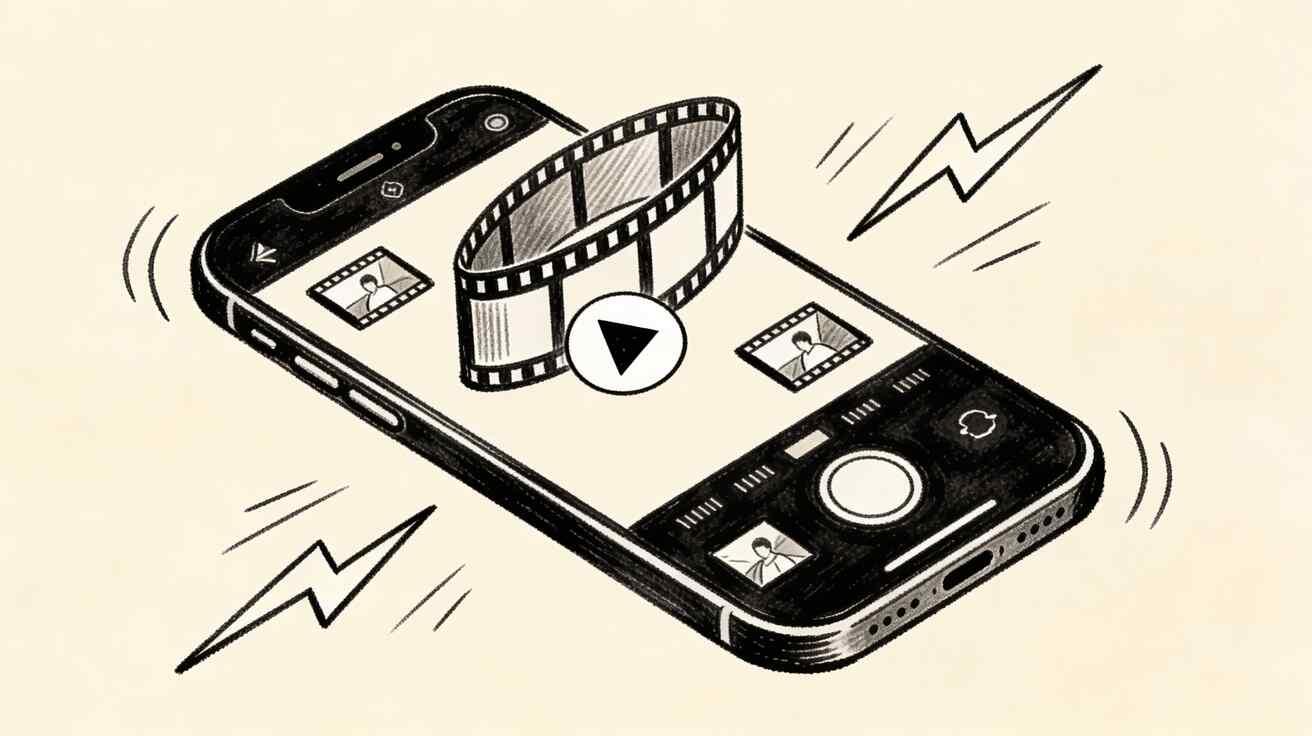
AI video generation has moved firmly onto mobile devices in 2026. Seedance 2.0 is fully accessible on iOS and Android through mobile browsers, delivering the same powerful AI video generation capabilities without requiring any app installation. This guide covers everything you need to know about using Seedance on your phone or tablet.
Quick Answer: How to Use Seedance on Mobile: Complete Guide for iOS and Android (2026) — this step-by-step guide shows you how to use Seedance's AI-powered tools to achieve professional results in minutes, even if you're a complete beginner.

Accessing Seedance on Mobile
Seedance works directly in mobile browsers with no app download required. Open Safari on iPhone or Chrome on Android and navigate to seedance.tv. The interface is fully optimized for touchscreens and adapts automatically to your screen size.
For the best mobile experience, add Seedance to your home screen. On iPhone, tap the Share button in Safari and select "Add to Home Screen." On Android, tap the three-dot menu in Chrome and select "Add to Home Screen." This creates a shortcut that launches Seedance like a native app with a full-screen experience.
Setting Up Your Account on Mobile
Sign in with your Google account using the same one-tap process as desktop. Your account, generation history, and saved videos sync automatically across all devices. A project you start on your phone is immediately accessible on your computer and vice versa.
The free tier provides the same daily generation allowance on mobile as desktop. There is no separate mobile plan or additional cost for mobile access.
Text-to-Video on Mobile
Creating videos from text descriptions works identically on mobile. Tap the "Create Video" button, type your prompt using the mobile keyboard, and tap generate. Voice-to-text input works particularly well for longer, more detailed prompts since speaking is faster than typing on a phone keyboard.
Effective mobile workflow for text-to-video:
Use voice input for complex scene descriptions. Tap the microphone icon on your keyboard and describe your scene naturally. Seedance handles conversational descriptions as well as precisely structured prompts.
Keep your most effective prompt templates in a notes app. Copy and paste from your notes when generating variations on successful video styles. This saves significant time compared to retyping similar prompts repeatedly.
Generate videos while commuting or during breaks. Since generation typically takes 30 to 60 seconds, you can start a generation, lock your phone, and check back shortly.
Image-to-Video on Mobile
The image-to-video feature is particularly powerful on mobile because your phone camera is always with you. Here is how to use it effectively:
Take a photo of a product, person, or environment directly with your camera. Open Seedance in your mobile browser, select the Image-to-Video option, and upload the photo you just took. Add a text description of the desired motion and generate.
This workflow enables real-time content creation that was impossible with desktop-only AI tools. See an interesting scene while out and about? Photograph it and turn it into an AI video within minutes.
For uploading existing photos from your camera roll, tap the upload button and select from your photo library. Seedance accepts standard JPEG and PNG images from any source.
Camera Movement on Mobile
Seedance supports the same camera movement specifications on mobile as desktop. Tap the camera options to specify movement type:
Pan shots create horizontal camera movement across the scene. Useful for establishing wide environments. Zoom shots bring the camera closer or pull it back. Slow zooms create cinematic focus effects. Tracking shots follow a subject through the frame. Effective for people or vehicle motion scenes. Static shots keep the camera fixed. Best for product showcase and abstract visual content.
These specifications can be added directly to your text prompt or selected from the camera options menu depending on the current interface version.
The @ Character Reference System on Mobile
Seedance's unique character reference system maintains consistent character appearance across multiple generations. On mobile, upload your reference image through the profile section and assign it a name with the @ symbol. Subsequent prompts using @charactername will maintain that character's appearance.
This feature is particularly useful for mobile content creators building episodic social media content. Create a consistent character on your phone and generate multiple scenes featuring that character for a cohesive content series.
Saving and Sharing Videos on Mobile
Generated videos automatically appear in your Seedance library. To download a video to your phone:
On iPhone, tap the video to open it, then tap the download icon or use the Share button and select "Save to Photos." The video saves to your iPhone camera roll in the standard MP4 format.
On Android, tap the download icon on any completed video. Depending on your browser settings, the file saves to your Downloads folder or you receive a prompt to choose a save location.
Mobile-Optimized Aspect Ratios
Seedance supports multiple aspect ratios that are particularly important for mobile content creation:
9:16 vertical format is essential for TikTok, Instagram Reels, YouTube Shorts, and any full-screen mobile viewing context. Generate in this format when creating content intended for vertical mobile consumption.
1:1 square format works well for Instagram feed posts and Facebook content. The square format displays well on both mobile and desktop without cropping.
16:9 horizontal format suits YouTube standard format, desktop viewing, and presentation contexts.
Select your aspect ratio before generating to ensure the video composition works for your intended platform. The vertical 9:16 format requires different composition thinking since more vertical space is available.
What Is Seedance and How Does It Work?
Seedance is ByteDance's AI video generation platform, powered by the Seedance 2.0 model. It generates high-quality videos from text prompts or input images, with exceptional character consistency and smooth motion. Unlike older AI video tools, Seedance maintains character identity across frames — making it ideal for narrative content.
How it works: Seedance uses a diffusion-based video model trained on millions of video-text pairs. You provide a text prompt or image, and the model generates a video clip that matches your description.
How Do You Use Seedance to Create AI Videos?
Creating videos with Seedance is straightforward:
- Go to seedance.tv and sign up (free tier available)
- Choose mode: Text-to-video or image-to-video
- Write your prompt: Describe the scene, action, style, and camera movement
- Select settings: Resolution (480p/720p/1080p), duration (4–8 seconds)
- Generate: Click create and wait 20–60 seconds
- Download: Save in MP4 format
Is Seedance Free to Use?
Yes — Seedance offers a free tier with daily generation credits. The free plan is generous enough for regular content creation:
- Daily free credits refresh automatically
- No credit card required to start
- Free outputs can be used for personal and commercial projects
- Premium plans available for higher volume and priority generation
Tips for Mobile Video Generation Quality
Use descriptive lighting in your prompts. Mobile screens display video with high contrast, so specifying lighting conditions like "golden hour light," "bright studio lighting," or "dramatic side light" produces videos that look striking on phone screens.
Generate multiple variations when exploring a new style. Mobile generation is convenient enough that creating three or four variations of a scene costs minimal additional time while significantly increasing your chances of getting exactly the result you want.
Take advantage of ambient conditions. If you are outdoors in interesting lighting or an unusual environment, use image-to-video to capture and transform that context rather than attempting to describe it purely through text.
Avoid overly complex multi-element scenes in mobile prompts. Keep descriptions focused on one clear subject, action, and environment. Complex compositions are harder to execute well and often produce better results when broken into multiple simpler generations that you then combine in editing.
Mobile Editing After Generation
Seedance generates the video clips. For editing on mobile, several capable options exist:
CapCut is free and highly capable for combining Seedance clips with voiceover, music, text overlays, and transitions. It is available on both iOS and Android and handles the standard editing workflow efficiently.
Adobe Premiere Rush is a more professional option if you need color grading and advanced audio control alongside video assembly.
For basic trimming and export, your phone's native Photos app on iPhone or Google Photos on Android handles simple edits without requiring additional software.
Performance on Different Devices
Seedance processes all AI generation on its servers, not on your device. This means generation quality and speed is identical regardless of whether you use an older iPhone, a budget Android phone, or the latest flagship device. The only device-dependent factor is how quickly your browser displays the finished video and how fast your internet connection delivers the result.
A stable wifi connection produces the fastest generation results. Mobile data connections work fine but generation feedback can feel slightly slower on congested cellular networks.
Frequently Asked Questions
Does Seedance have an official iOS or Android app? As of 2026, Seedance operates through mobile browsers rather than a dedicated app. The web interface is fully mobile-optimized and can be added to your home screen for an app-like experience. Check the App Store and Google Play for any recent app releases.
Can I generate videos offline on mobile? No. Seedance requires an internet connection for generation since processing happens on cloud servers.
How do I transfer videos from Seedance to my editing app on the same phone? Download the video to your camera roll and then import it directly into your editing app. Both CapCut and Premiere Rush can access your camera roll for import.
Is the image-to-video feature fully functional on mobile cameras? Yes. Photos taken directly with your mobile camera work perfectly as input for image-to-video generation. Standard JPEG images from any mobile camera are fully supported.
Start Creating Mobile AI Videos Today
Seedance on mobile delivers the full power of AI video generation wherever you are. Whether you are creating content during your commute, capturing spontaneous moments to animate, or building a social media production workflow that fits in your pocket, the mobile experience is complete and fully capable.
Open Seedance on your mobile browser now →
More guides: Seedance Complete Guide 2026 | How to Make AI Videos Free | Best AI Video for TikTok
Advanced Mobile Workflows for Content Creators
Serious content creators have developed systematic mobile workflows around Seedance that enable impressive production volume from a phone alone.
The Commute Production System
Many creators dedicate commute time exclusively to Seedance generation. The workflow: before leaving home, compile a list of five to ten video concepts you want to generate. During your commute, submit each generation one by one. By the time you reach your destination, you have five to ten generated clips waiting in your library ready for download and editing.
This batch mobile generation approach treats commute time as productive production time rather than idle time. Creators who implement this system consistently report generating 20 to 30 clips per week from phone time alone.
Reactive Content Creation
Mobile Seedance enables reactive content creation that responds to current events and trending topics within minutes. See a trending topic on Twitter? Open Seedance on your phone, generate a relevant video clip in under a minute, add a text overlay in CapCut, and publish while the trend is still peaking.
This speed advantage is significant. Traditional video production, even simplified AI workflows requiring desktop tools, cannot match the publication speed achievable with a phone-based Seedance workflow.
Location-Triggered Content Ideas
Being mobile with an AI video generator creates a new content creation trigger: interesting locations. When you encounter visually compelling environments, unusual architecture, dramatic weather, or unique natural scenery, these become starting points for AI video content.
Photograph the environment, upload to Seedance's image-to-video feature, add motion descriptors, and you have source material for a video that captures something genuinely unique. This contrasts with desktop-only workflows where all visual input must be sourced from stock imagery or pre-existing assets.
Troubleshooting Common Mobile Issues
If generation fails or takes unusually long on mobile, first check your internet connection quality. Switch from cellular data to wifi if available. If the problem persists, clear your browser cache and reload the Seedance page.
If videos do not download properly on iPhone, ensure Safari has permission to download files in Settings > Safari > Downloads. Select the location where downloads should save and ensure storage space is available.
On Android, if downloads fail, check that Chrome has storage permission in your phone's app settings and that sufficient storage space remains available.
For login issues on mobile, try signing out and signing back in with your Google account. If the Google login screen does not load correctly, ensure you are using an updated version of Safari or Chrome rather than a third-party browser.
Using Seedance for Mobile-First Platforms
Certain content types and platforms are inherently mobile-first, making mobile Seedance generation particularly effective.
TikTok content creation benefits enormously from mobile generation. The platform is primarily consumed on phones, and generating content on the same device where you consume the platform keeps you immersed in the creative context. Generate in 9:16 vertical format, download to your camera roll, add audio in TikTok's editor, and publish without ever touching a computer.
Instagram Stories and Reels follow the same pattern. The spontaneous, in-the-moment aesthetic that performs best on Instagram aligns naturally with mobile generation workflows that do not require careful desktop setup.
YouTube Shorts is rapidly growing as a format and shares the same 9:16 requirements as TikTok. Mobile Seedance workflows support high-volume Shorts creation that feeds YouTube's algorithm preference for consistent upload frequency.
Understanding these platform requirements at the generation stage rather than the editing stage streamlines the entire mobile content creation workflow and reduces time spent reformatting content for different platforms.
Building a Mobile Content Production Routine
The creators who get the most value from mobile AI video generation are those who build it into a deliberate daily routine rather than using it sporadically.
A practical daily mobile content routine might look like this: spend the first 15 minutes of your day reviewing trending topics in your niche and identifying two or three video concepts. Spend the next 15 minutes generating those videos in Seedance on your phone. During a lunch break, download the completed videos and do basic editing in CapCut. In the evening, schedule the finished videos for publication across your platforms using a scheduling tool.
This routine requires roughly 45 minutes of active work spread across the day and produces three to four videos daily. At that production rate, a single focused month generates 90 to 120 videos, which is more than sufficient to feed an active presence across multiple social platforms simultaneously.
The key insight is that mobile AI video generation does not require dedicated uninterrupted production sessions. It fits into the natural rhythm of existing daily activities. Commutes, breaks, waiting times, and spare moments throughout the day become production opportunities when your AI video generator is always in your pocket.
Consistency in this routine is far more valuable than occasional high-intensity production sessions. Platforms reward regular uploads, audiences develop viewing habits around predictable publishing schedules, and the compounding effect of daily content accumulation builds meaningful channels over months in ways that sporadic bursts cannot replicate.
Try Seedance 2.0 on your mobile browser today and experience the full AI video generation workflow from your phone.
Mobile content creation with AI has genuinely democratized video production in a way that desktop-only workflows could not. A creator in 2026 with a phone and a Seedance account has access to professional-quality video generation that would have required a production studio and significant budget just a few years ago. The barrier between having a content idea and publishing a polished video has essentially collapsed. What remains is creative vision, consistent execution, and understanding your audience well enough to produce content they genuinely want to watch. The mobile AI video tools, with Seedance leading in accessibility and output quality, handle everything else.
Access seedance.tv on any mobile browser, create your free account in seconds, and start generating AI videos immediately. The entire workflow from idea to published video is available from your phone without any additional apps, subscriptions, or equipment beyond what you already carry. Your first AI video can be generating within two minutes of landing on the page, making it one of the fastest onboarding experiences in the AI video space. Start today and experience why mobile AI video creation is changing how content gets made. The combination of accessibility, quality, and speed makes mobile Seedance the most practical AI video tool available for creators at every level of experience.
Conclusion: Our Seedance Verdict
After extensive testing, our recommendation is clear: Seedance is one of the top AI video generators in 2025, particularly excelling at character consistency and smooth motion. For creators who need reliable, high-quality AI video generation, Seedance is a strong choice alongside Veo 3.
Best choice for: Narrative content, character-driven videos, marketing content, and social media creators who need consistent visual identity.
Bottom line: Seedance delivers professional-quality AI video generation with a generous free tier. We recommend starting with a free account and testing your first video today at seedance.tv.
Ready to try it yourself?
Put the steps from this guide into practice with Seedance and turn prompts or images into polished videos in minutes.
Free credits on signup. Plans from $28/month.
Related Articles
More posts in the same locale you may want to read next.

Seedance App Preview Video Generator 2026: Create App Store and Product Launch Clips
Use Seedance to turn app screenshots, feature copy, and launch goals into App Store previews, Google Play promo videos, and product launch clips.
Read article
Gemini AI Video Prompt Examples: Copy-Ready Veo Scenes and a Better Prompt Formula
Copy Gemini AI video prompt examples for cinematic motion, product ads, dialogue, and vertical clips, then adapt them with a practical Veo prompt formula.
Read article
How to Keep Product Shape Consistent in AI Video Ads
Lock product geometry, packaging, labels, references, camera angles, and approval checks so AI video ads preserve the real SKU across every shot.
Read article