
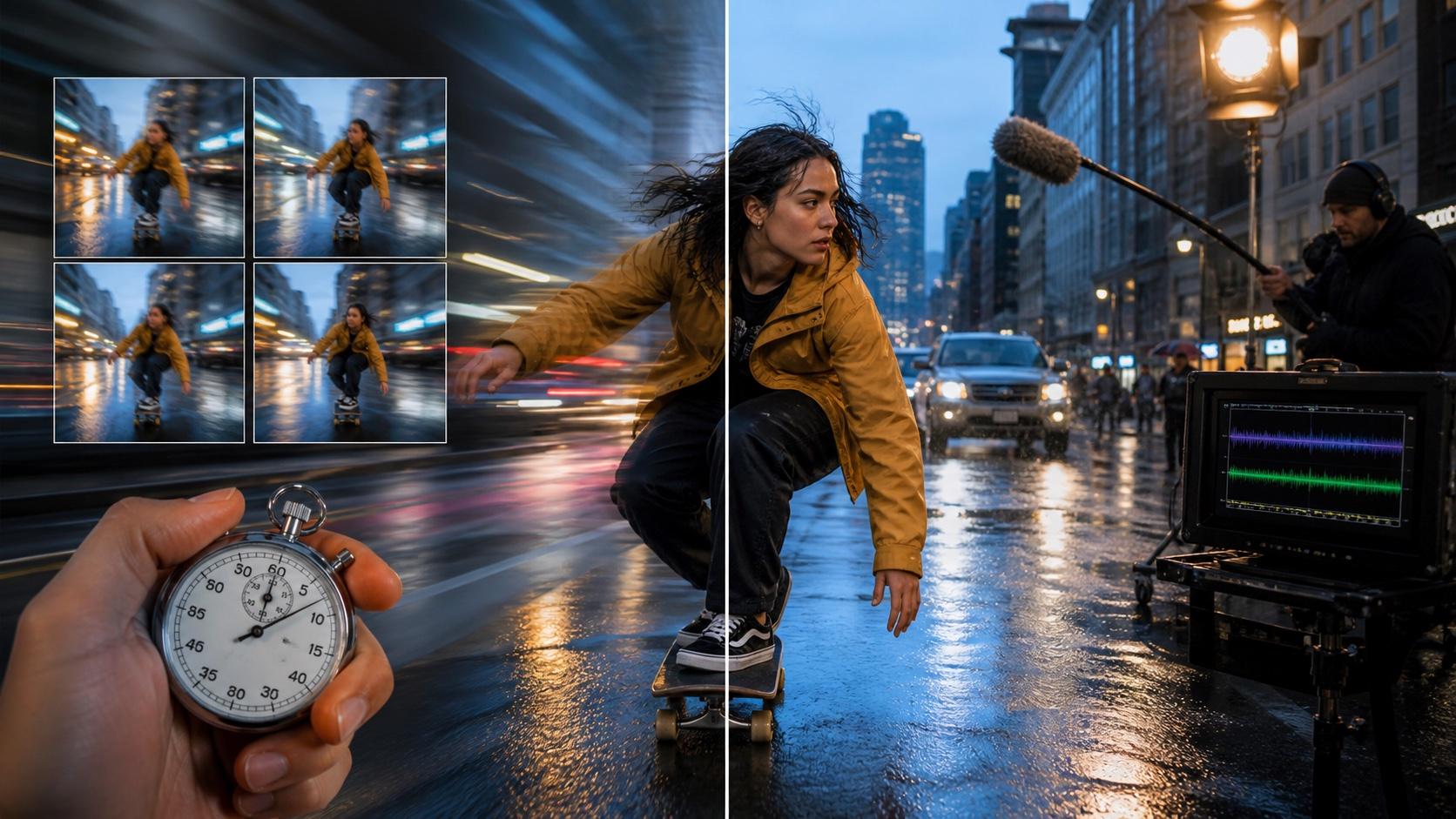
AI Overview
What is the difference between FastH3 and MiniMax H3?
FastH3 is a four-step distilled MiniMax H3 release built for faster text-to-video-and-audio inference. It accelerates H3 rather than replacing it with a separate foundation model.
Is FastH3 always faster than MiniMax H3?
It is fastest with the supported FastVideo VSA-H3 stack. Your result still depends on the GPU, kernel, precision, resolution, duration, and whether the model is already warm.
Does FastH3 match the quality of MiniMax H3?
It can preserve the scene and native audio well, but four-step generation may soften faces, hands, textures, or temporal detail. A controlled same-prompt test is the reliable answer.
Should I use FastH3 or the original MiniMax H3?
Use FastH3 for rapid T2VA drafts and throughput. Use base MiniMax H3 for first/last-frame control, multimodal references, 2K regeneration, or quality-first finals.
Quick Answer: FastH3 vs MiniMax H3 at a Glance
Short on time? FastH3 is the four-step speed path for rapid T2VA iteration; base MiniMax H3 is the broader, quality-first system for controlled and reference-driven production.
| Dimension | FastH3 Preview v1 | Base MiniMax H3 |
|---|---|---|
| Core identity | Four-step H3 distillation | Full H3 base model |
| Primary job | Fast T2VA drafts and throughput | Quality and broader control |
| Native audio | Yes, generated with video | Yes, generated with video |
| First/last frame | Not in the current preview checkpoint | Supported by FL2VA |
| Multimodal references | Separate distilled support is still developing | Supported by Ref2VA |
| Resolution strategy | Variable 768p-class shapes | 768p base plus optional 2K regeneration |
| Best backend | FastVideo with VSA-H3 | Official, Diffusers, or compatible local workflows |
| Main risk | Compatibility or detail loss at four steps | Longer iteration and higher compute cost |
FastH3’s headline speed comes from an optimized environment; a consumer GPU running a converted checkpoint is a different benchmark. Compare model, backend, precision, resolution, duration, and decoder—not just the name.
What FastH3 and MiniMax H3 Actually Do
This is not “new model versus old model.” MiniMax H3 is the multimodal foundation system; FastH3 Preview v1 is a post-trained, four-step acceleration of its T2VA path. It reuses H3 encoders, VAEs, tokenizers, and schedulers while reducing denoising work.
What FastH3 does
The two therefore share much of their visual and audio vocabulary. FastH3 aims to reach a useful result with four DiT calls and sparse attention, letting teams explore more shots in the same production window.
Base H3 spends more compute on sampling, which can help faces, hands, objects, cuts, and tightly synchronized sound. Before configuring local inference, establish a clean baseline with a short text-to-video test.
What base MiniMax H3 does differently
FastH3 Preview v1 centers on T2VA. MiniMax H3 also includes first/last-frame generation, multimodal references, and 2K regeneration. If a shot needs a reference actor, product packshot, motion clip, or controlled ending, do not assume that base-H3 inputs work in the distilled preview.
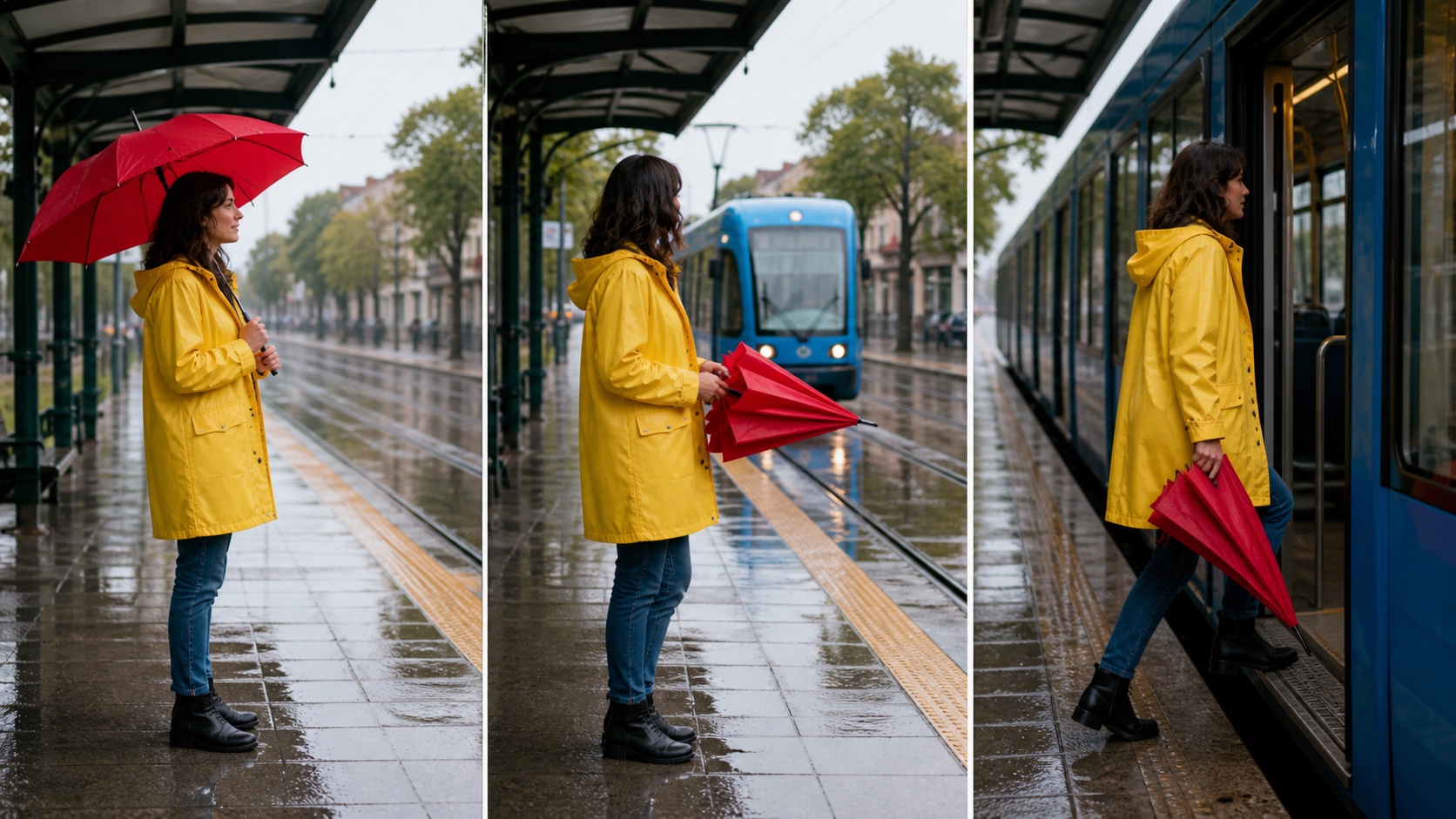
This finished-frame sequence illustrates why FL2VA matters: the opening subject, transition action, and final destination are specified states. Base H3 supports this control today; the current FastH3 preview is centered on T2VA.
Head-to-Head: Speed and Throughput
What the 14× speed claim actually measures
FastH3’s team reports up to 14× acceleration on one Blackwell GPU and a 15-second 768p result in under 13 seconds on eight B200s. That shows the optimized stack’s ceiling, not a promise for RTX cards, Macs, generic ComfyUI graphs, or cold servers.
Measure from submission to a playable MP4 with audio, including loading, denoising, decoding, export, and interpolation. Four-step denoising can still feel slow when weights reload or decoding dominates. The fastest AI video generator benchmark separates first-preview latency from approved-clips-per-hour.
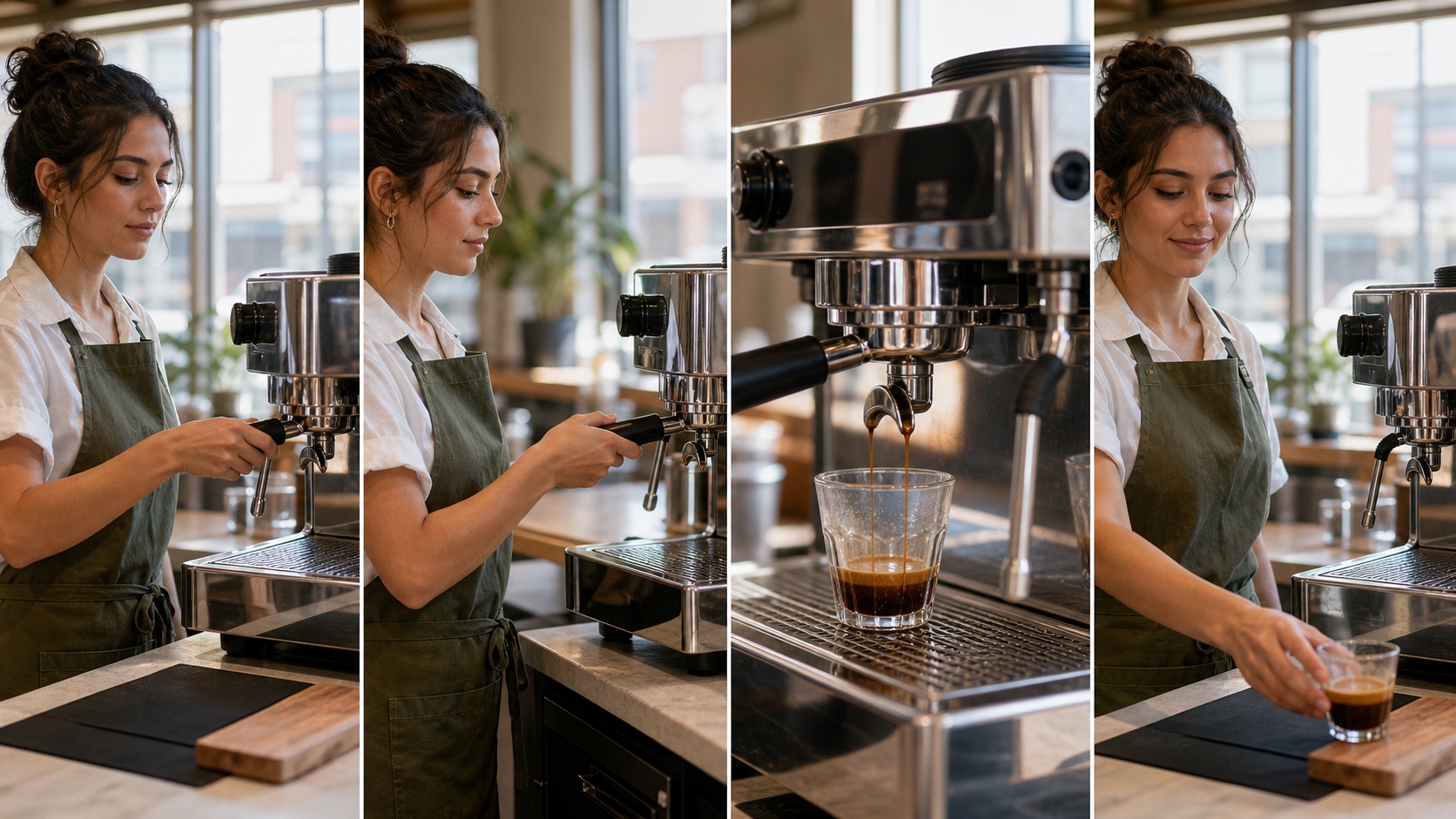
A useful speed test still needs continuity. Check the hand-to-portafilter contact, machine geometry, liquid streams, glass position, and final action before counting a fast result as usable.
Consumer GPUs, Apple Silicon, and cold starts
FastH3 runs beyond B200 systems, but “local” does not mean instant. The published Apple path needs at least 36GB of unified memory and processes work in phases. Quantization lowers memory; loading, dense attention, offloading, and full-quality decoding add time.
Record cold start, warm generation, peak memory, and export-ready duration while fixing the prompt, seed, dimensions, frames, audio, and decoder. If hardware is marginal, use the local versus cloud AI video guide to route drafts and finals.
Cost per usable clip beats seconds per render
A fast render that fails identity, hand geometry, or audio sync may create more work than a slower attempt. Divide total cost by approved clips, not submissions. FastH3 wins when its throughput creates more usable options; base H3 wins when one controlled render avoids several repairs.
Head-to-Head: Model Quality and Native Audio
Look beyond overall sharpness
Judge eye direction, fingertips, object edges, fabric, wet surfaces, and background faces, then play at normal speed. A sharp still can hide flicker, duplicated fingers, unstable objects, or irregular camera speed.

Controlled test illustration: compare the face, fingertips, wet clay ridges, apron weave, and background stability while keeping composition constant. Replace this with same-seed FastH3 and base-H3 captures when publishing measured results.
Test motion and identity across the whole shot
Use an action with clear geometry. Bicycles, instruments, handoffs, and turning subjects reveal temporal errors. Check the opening, fastest motion, close-up transition, and final two seconds.

A useful comparison asks whether identity, wardrobe, bicycle geometry, and environment survive camera and subject motion—not whether one isolated frame looks cinematic.
Native audio is part of the benchmark
FastH3 and H3 generate video and stereo audio together, so mute comparisons are incomplete. Listen for dialogue clarity, impact timing, ambience continuity, and changes in room tone after a cut. Musical scenes are especially revealing because hands, instruments, and rhythm must agree. The MiniMax H3 two-stage workflow includes a playable native-audio performance sample and a refinement checklist.
Play the full sample with sound. A valid FastH3 comparison should preserve visible rhythm, instrument geometry, impact timing, and the surrounding room tone—not only a sharp poster frame.
Head-to-Head: Workflow, VRAM, and ComfyUI
Choose the checkpoint before choosing the graph
FastH3 Preview v1 provides full weights and a pre-extracted LoRA for the four-step VSA/Data-Free release. Reported speed and quality require the FastVideo VSA-H3 backend and kernel. Dense attention is not a drop-in substitute, and the raw adapter is not an ordinary style LoRA.
Before downloading, choose the native FastVideo launcher, an MLX recipe, a ComfyUI conversion, or original H3. Verify model type, precision, folder, nodes, kernel support, and task mode. Keep checksums so updates do not silently change the baseline.
A safe ComfyUI validation sequence
- Run a known-good base H3 T2VA workflow with a short prompt.
- Save its seed, dimensions, frame count, sampler, audio, and render time.
- Install only the FastH3-specific backend or nodes required by the chosen release.
- Run the same prompt and settings, changing only the acceleration path.
- Save both MP4 files and compare motion, audio, memory, time, and failures.
If the graph reports missing kernels or shape mismatches, return to the base workflow instead of stacking fixes blindly. Change one dependency at a time and save each working version.
Do not confuse T2VA, FL2VA, and Ref2VA
T2VA starts from text; FL2VA uses a first frame, last frame, or both; Ref2VA accepts image, video, and audio references. Confirm the mode before comparing. For a person, product, or motion source, organize inputs in the reference-to-video workspace first.
Which Version Should You Use?
✅ Choose FastH3 if:
- You need prompt exploration, shot ideation, or batch variation.
- Your product needs lower latency or automated video-agent throughput.
- You can use the supported FastVideo stack and T2VA covers the shot.
- You want to approve composition, action, duration, and sound before a final pass.
✅ Choose MiniMax H3 if:
- The shot depends on first/last frames or several references.
- You need 2K regeneration, product detail, or stable close-up faces.
- Your existing H3 workflow is already validated for delivery.
- You value broader control more than maximum iteration speed.
Who should NOT use FastH3 yet?
Do not make FastH3 the default if your workflow requires FL2VA or Ref2VA today, if your backend cannot run VSA-H3 correctly, or if a converted LoRA introduces unresolved kernels and shape errors. A stable base-H3 graph is more valuable than an unverified “fast” graph.
A practical hybrid is to draft several directions with FastH3, reject weak motion, and promote the strongest prompt and seed. Rebuild that shot in the correct base-H3 mode and compare at normal speed. Keep FastH3 when viewers cannot see the difference; spend the full render where control or detail improves delivery.
Conclusion
FastH3 makes MiniMax H3 more useful for rapid iteration, but its value is not a universal “14× faster” label. The real decision is whether your hardware and backend convert fewer denoising steps into more approved clips without sacrificing the controls your shot needs. Use FastH3 for fast T2VA exploration, keep base H3 for reference-heavy or quality-first finals, and test both with the same prompt, seed, audio, and output settings. When you are ready to validate the creative brief without assembling a local graph first, start with the Seedance AI video generator.
Ready to create your own AI video?
Turn ideas, text prompts, and images into polished videos with Seedance. If this article helped, the fastest next step is to try the product.
Free credits on signup. Plans from $28/month.
Related Articles
More posts in the same locale you may want to read next.

Seedance App Preview Video Generator 2026: Create App Store and Product Launch Clips
Use Seedance to turn app screenshots, feature copy, and launch goals into App Store previews, Google Play promo videos, and product launch clips.
Read article
Best AI Video-to-Video Models in 2026
The best AI video-to-video models in 2026 for editing footage you already shot: Higgsfield Genjutsu, Seedance 2.x, Runway Aleph, Luma Modify and Kling Omni compared.
Read article
Kling 4.0 vs Seedance 2.5: Full Comparison
Kling 4.0 vs Seedance 2.5 compared by spec: 30-second clips, keyframes vs 50 references, audio, 4K and 10-bit color, editing, and which model fits which job.
Read article