
AI Video for E-commerce: Product Videos That Convert (2026)
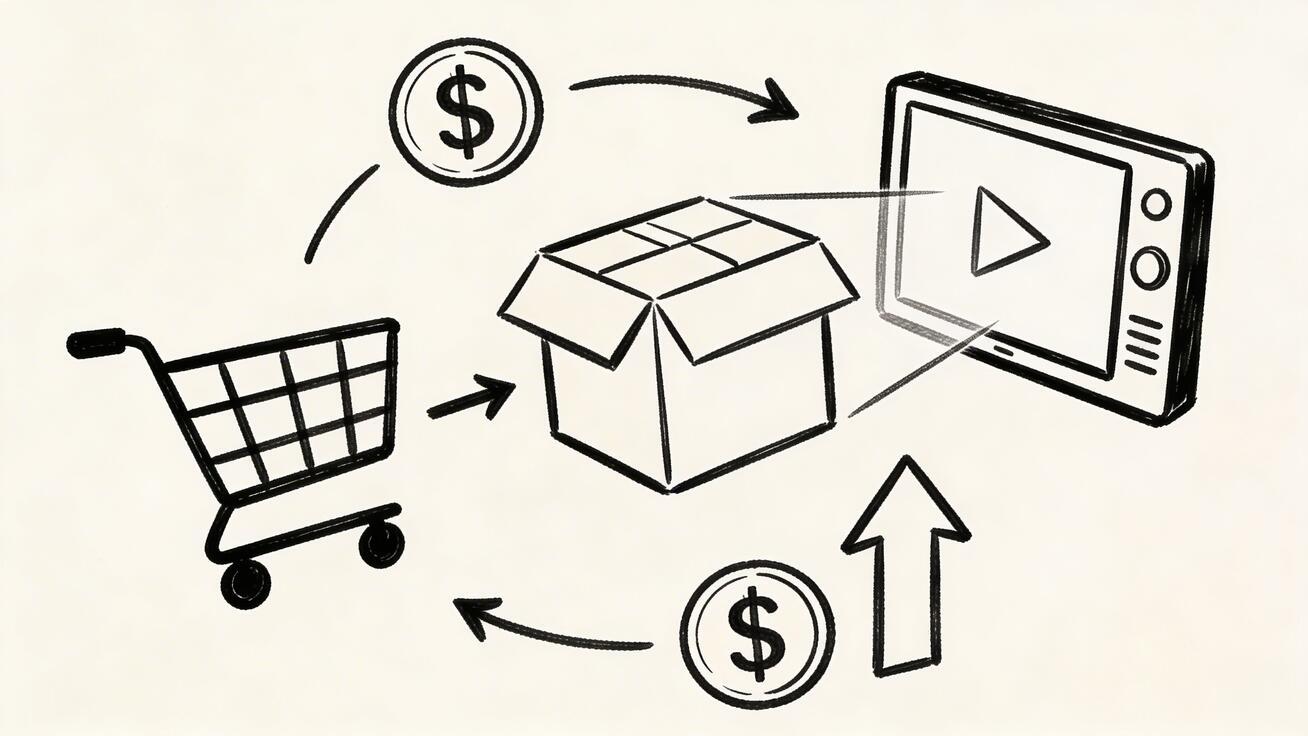
Product pages with video convert 80% better than those without. But producing professional product videos costs $500-5,000 per SKU with traditional methods.
Quick Answer: AI video generation with Seedance lets you create stunning, professional-quality videos from text prompts or images in just minutes — no editing experience required.
AI video generators have changed the math. One product photo + a text prompt = a polished product video in 90 seconds. Cost: zero.
Here's how e-commerce brands are using AI video to boost conversions without blowing their budget.
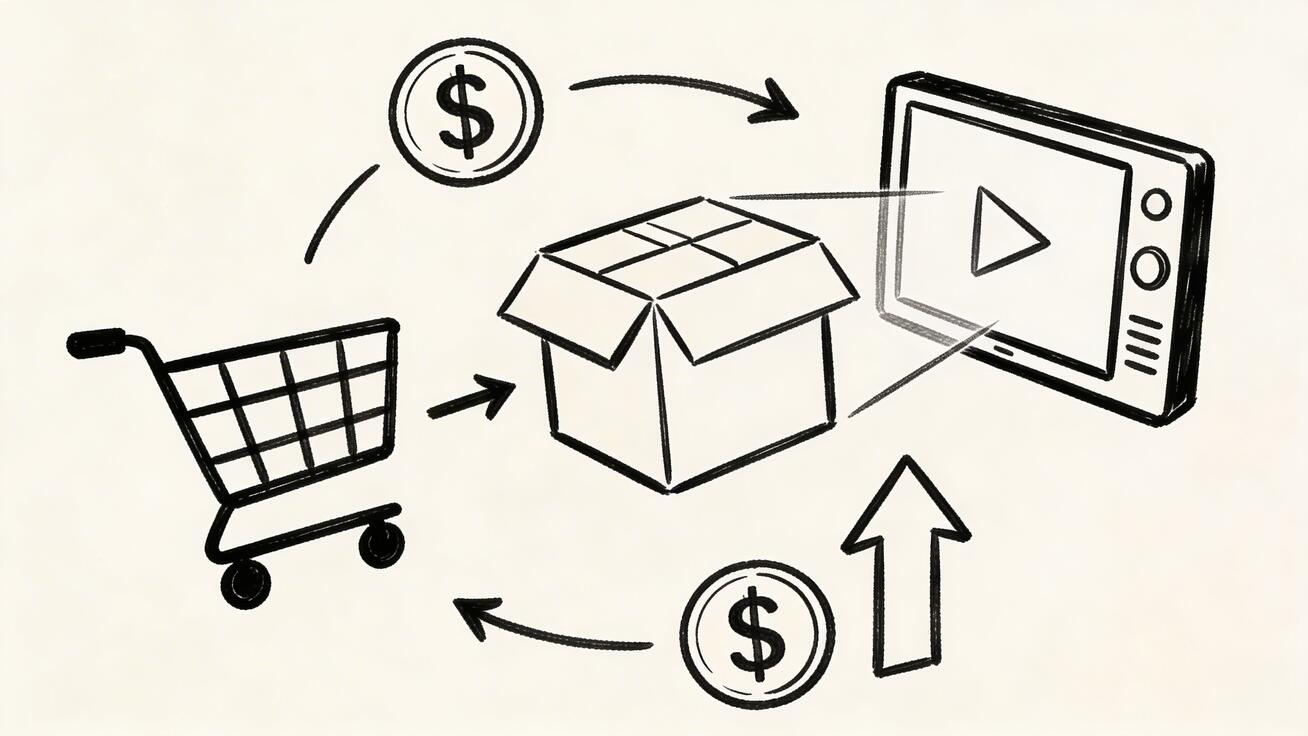
Why Product Video Matters (The Numbers)
- 73% of consumers are more likely to buy after watching a product video (Wyzowl 2025)
- 80% higher conversion rate on product pages with video vs without
- 88% of video marketers say video gives them positive ROI
- Amazon listings with video see 9.7% higher sales on average
The problem was never "should we have video?" — it was "how do we afford video for 500 SKUs?"
AI solves that.
5 Types of E-commerce Videos AI Can Create
1. Product Showcase / 360° Rotation
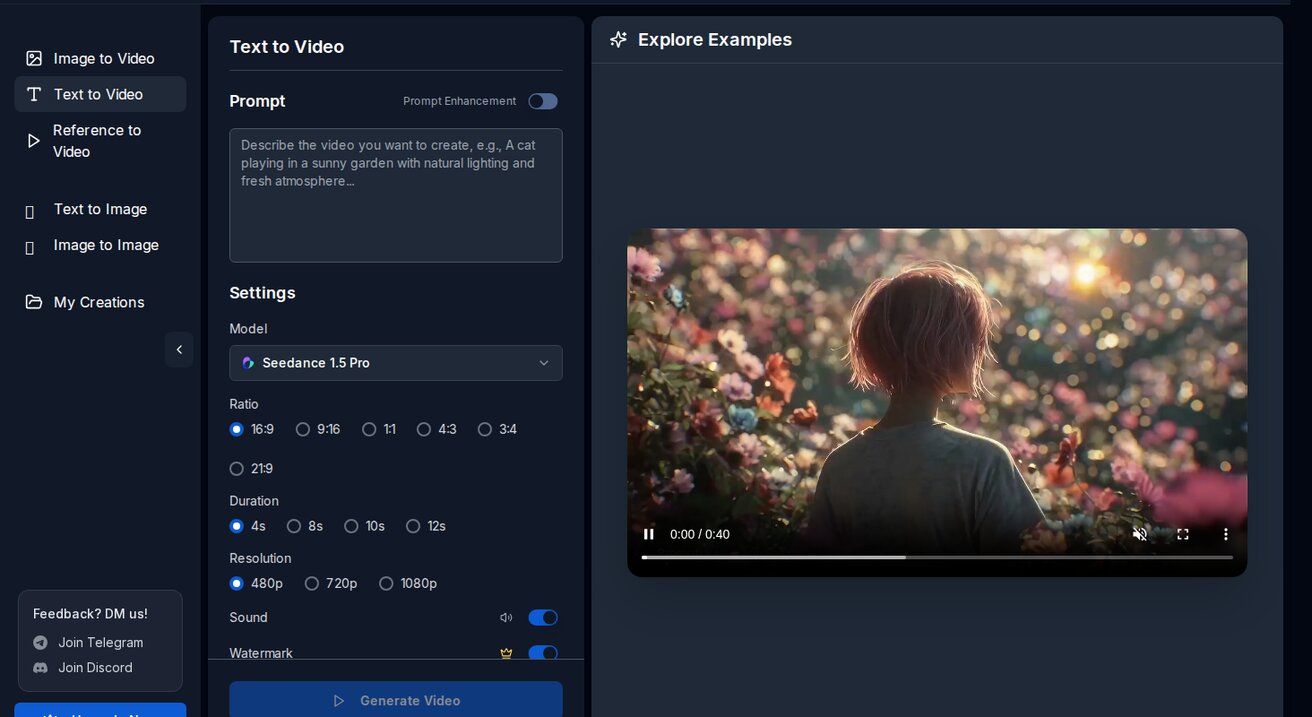
Turn a single product photo into a rotating showcase video.
How to create it:
- Upload your product photo (white background works best)
- Prompt: "Slow 360-degree rotation, soft studio lighting, subtle shadow, clean white background, professional product showcase"
- Generate on Seedance using Seedance 2.0 model
Best for: Product detail pages, Amazon listings, Shopify stores
2. Lifestyle / In-Context Videos
Show your product in use. A watch on a wrist, a bag on a shoulder, furniture in a living room.
How to create it:
- Upload a lifestyle product photo (or generate one with AI)
- Prompt: "Gentle camera movement, natural lighting, the person picks up the product and examines it, shallow depth of field, lifestyle commercial feel"
Best for: Social media ads, homepage hero sections, email campaigns
3. Unboxing Animation
Simulate an unboxing experience without filming one.
Prompt example:
A premium black box slowly opens to reveal [your product] inside, soft dramatic lighting, anticipation building, confetti particles, luxury unboxing experience
Best for: Product launches, premium brands, gift items
4. Before/After Demonstrations
Show transformation — skincare results, cleaning products, organization tools.
How to create it:
- Create or upload a "before" image
- Use image-to-video to animate the transformation
- Prompt: "Smooth transition from messy to organized, satisfying transformation, time-lapse feel"
Best for: Beauty, cleaning, home improvement products
5. Size and Scale Comparison
Show your product next to common objects for scale reference.
Prompt example:
The product placed next to a coffee cup and a smartphone for size comparison, camera slowly pans across all three items, clean white surface, soft studio lighting
Best for: Products where size is a common question (electronics, accessories)
Frequently Asked Questions
Q: What makes Seedance different from other AI video tools? A: Seedance combines state-of-the-art AI models with an intuitive interface, making professional video creation accessible to everyone. Its unique blend of powerful generation capabilities, fast processing, and affordable pricing sets it apart from competitors.
Q: How good is the video quality from Seedance? A: Seedance produces high-quality videos with smooth motion, accurate prompt adherence, and impressive visual fidelity. The platform supports multiple aspect ratios and resolutions, including HD output for professional use cases.
Q: Is Seedance suitable for professional video creators? A: Absolutely. Seedance is used by content creators, marketers, filmmakers, and businesses worldwide. Its advanced controls, high-resolution output, and batch generation capabilities make it a powerful tool for professional workflows.
Step-by-Step: Create Product Videos with AI
Step 1: Prepare Your Product Photos
The better your input image, the better your video output.
Photo requirements:
- High resolution (minimum 1024x1024, ideally 2048x2048)
- Clean, well-lit
- White or neutral background for product shots
- Multiple angles if possible
Pro tip: If you only have one angle, AI can still create a rotation effect, but it will "imagine" the unseen sides. For accurate 360° videos, provide 3-4 angles.
Step 2: Choose Your Platform
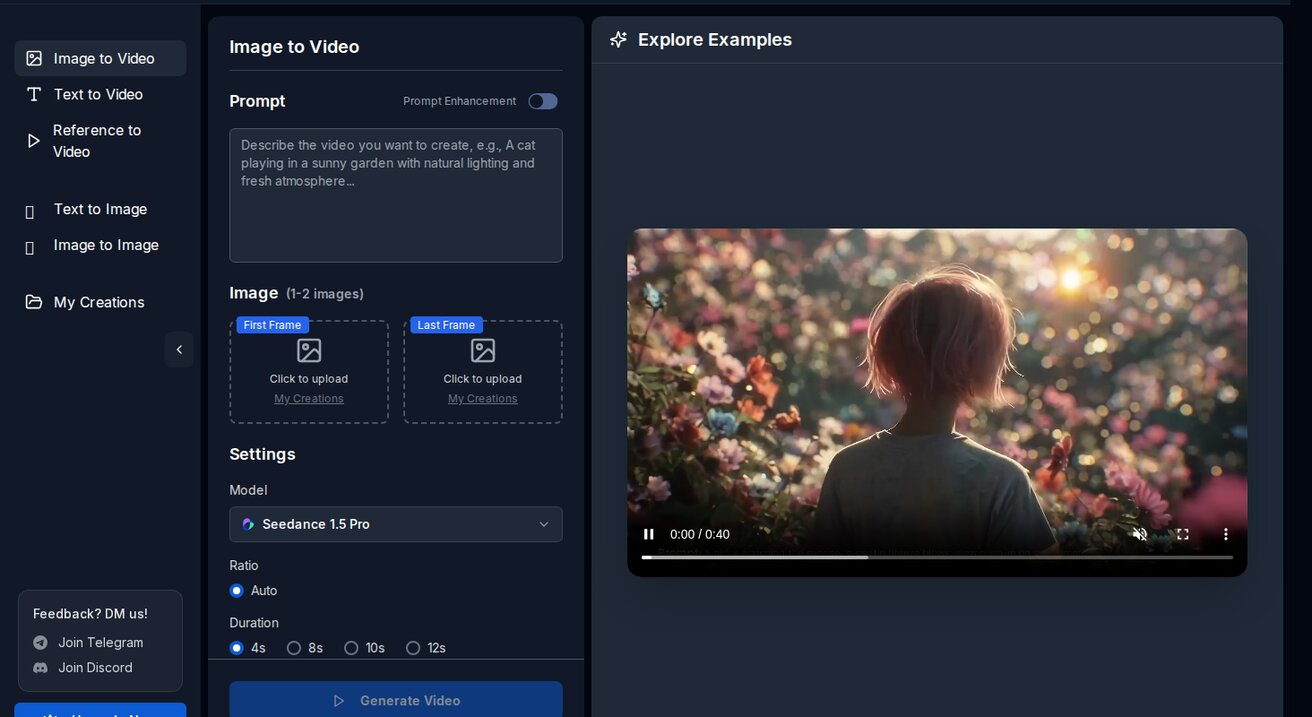
For e-commerce video, I recommend Seedance because:
- Starter credits for eligible new accounts — suitable for a small initial test
- No watermark — critical for commercial use
- 1080p output — meets platform requirements
- Multiple models — try Seedance 2.0 for realistic products, Veo 3 for complex scenes
- Image-to-video — start from your actual product photo
Step 3: Write Product-Specific Prompts
Generic prompts give generic results. Here are templates by product category:
Fashion/Apparel:
Model wearing the [item] walks toward camera, natural daylight, urban street background, fashion editorial style, wind slightly moving the fabric
Electronics:
Sleek [product] on a dark surface, subtle RGB lighting reflections, camera slowly orbits around it, tech product showcase, premium feel
Food/Beverage:
[Product] being poured/plated in slow motion, steam rising, droplets visible, warm kitchen lighting, food commercial quality, appetizing
Jewelry:
Close-up of [jewelry piece] catching light, slow rotation, sparkle and reflections, black velvet background, luxury jewelry commercial
Home/Furniture:
[Furniture piece] in a modern minimalist living room, natural window light, camera slowly pans to reveal the full piece, interior design magazine style
Step 4: Generate and Select
Generate 3-4 versions of each product video. Pick the best one based on:
- Does the product look accurate?
- Is the motion natural?
- Would this look professional on your product page?
Step 5: Optimize for Each Platform

| Platform | Aspect Ratio | Max Length | Format |
|---|---|---|---|
| Shopify PDP | 16:9 or 1:1 | 60 seconds | MP4 |
| Amazon | 16:9 | 60 seconds | MP4 <500MB |
| Instagram Shop | 1:1 or 9:16 | 60 seconds | MP4 |
| Facebook Ads | 1:1 or 4:5 | 15-30 seconds | MP4 |
| TikTok Shop | 9:16 | 15-60 seconds | MP4 |
Real ROI: What to Expect
Small Store (50-200 SKUs)
- Traditional video: $25,000-100,000 for all SKUs
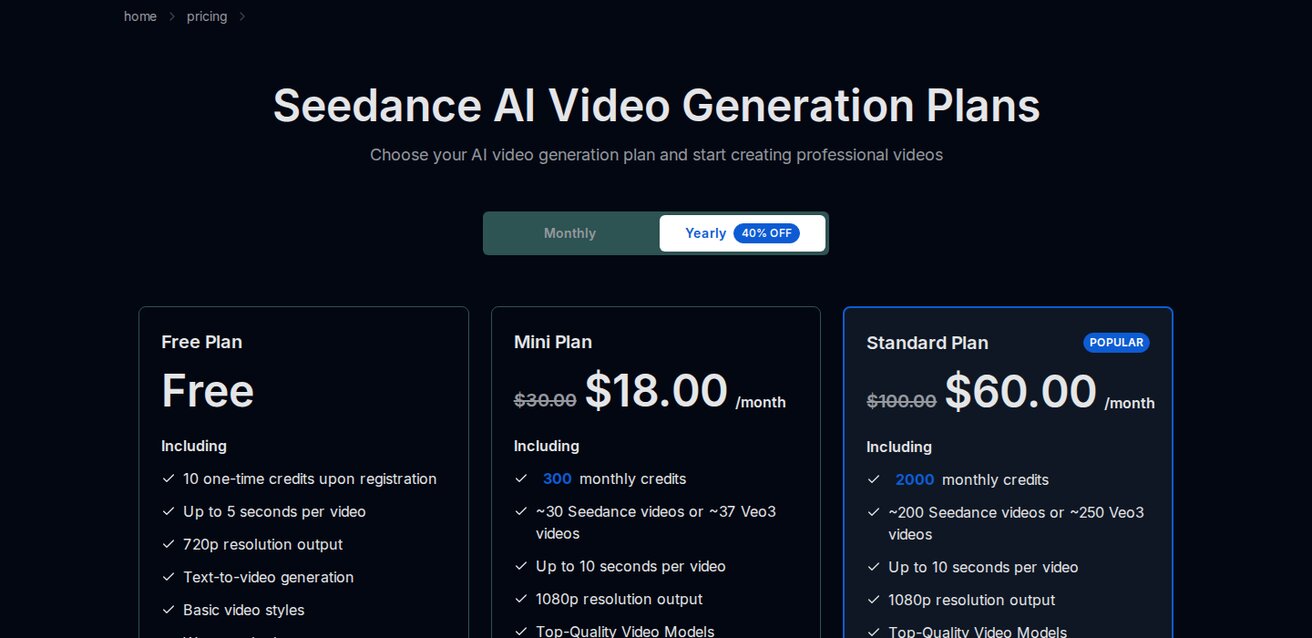
- AI video: $0-29/month (Seedance free or basic plan)
- Time: 1-2 weeks vs 2-3 months
- Expected conversion lift: 15-30%
Medium Store (200-1000 SKUs)
- Traditional video: $100,000-500,000
- AI video: $29-99/month
- Time: 2-4 weeks vs 6-12 months
- Expected conversion lift: 20-40%
The math is obvious. Even a 10% conversion lift on a store doing $50K/month = $5K additional monthly revenue. AI video pays for itself on day one.
Common Mistakes in E-commerce AI Video
1. Using text-to-video instead of image-to-video
For products, always start from your actual product photo. Text-to-video will generate a "similar" product that doesn't match your listing.
2. Ignoring aspect ratios
A 16:9 video on a mobile-first platform (TikTok, Instagram) wastes screen space. Generate in the right ratio from the start.
3. Over-animating
Product videos should be subtle. Gentle rotation, soft camera movement. Not dramatic zooms and explosions. Let the product be the star.
4. No call-to-action
Add a text overlay or end card with "Shop Now" or your URL. The video gets attention; the CTA gets the click.
5. One video per product
Create 2-3 variations: a showcase video for the product page, a lifestyle video for social ads, and a short clip for retargeting. AI makes this affordable.
What Is Ai Video For Ecommerce and Why Does It Matter?
Ai Video For Ecommerce is an essential capability for modern content creators and marketers. The best tools for ai video for ecommerce combine AI-powered automation with professional-quality outputs — saving hours of manual work while delivering results that meet commercial standards.
In 2025, platforms like Veo 3 and Seedance have made ai video for ecommerce more accessible than ever, offering free-tier access alongside professional plans.
How Do You Get Started with Ai Video For Ecommerce?
Getting started with ai video for ecommerce requires just a few steps:
- Choose the right tool for your needs (see comparison above)
- Sign up for a free account — no payment required to start
- Follow the step-by-step guide in this article
- Test with simple examples first, then scale up
Most users can produce their first professional result within 30 minutes of starting.
What Are the Best Tools for Ai Video For Ecommerce in 2025?
The top tools for ai video for ecommerce in 2025 are:
- Veo 3 — best overall quality, free via Google Gemini
- Kling AI — best mobile experience and free tier generosity
- Runway Gen-4 — best for artistic and cinematic styles
- Pika 2.1 — best for beginners with simple interface
Each tool has strengths in different areas — the best choice depends on your specific use case, volume requirements, and budget.
Advanced: Batch Production Workflow
For stores with hundreds of SKUs, here's an efficient workflow:
- Export product photos from your store (CSV with image URLs)
- Create prompt templates by category (fashion, electronics, home, etc.)
- Run a measured test batch on Seedance — check the live estimate and record the actual credit cost
- Review and select best outputs
- Upload to your store via bulk import
For larger catalogs, measure a representative batch before choosing a plan.
YouTube: See AI Product Videos in Action
Search "AI product video generator" on YouTube to see real examples of AI-generated e-commerce videos. The quality gap between AI and traditional production is shrinking fast.
Watch: AI Video Generation in Action
See how AI video generators work in practice:
Bottom Line
AI video for e-commerce isn't a "nice to have" anymore. It's a competitive advantage that costs almost nothing.
Start with your top 10 best-selling products. Generate videos. A/B test them on your product pages. Measure the conversion lift. Then scale to your full catalog.
Start creating free product videos on Seedance →
Last updated: March 2026
Read Next
Our Verdict
After thorough evaluation, Seedance stands out as our top recommendation for AI video generation. Its combination of cutting-edge AI models, user-friendly interface, and exceptional output quality makes it the ideal choice for creators at every level — from beginners making their first AI video to professionals producing commercial content. Whether you're looking to bring creative visions to life, automate video production, or stay ahead of the curve in AI-powered content creation, Seedance delivers the tools and results you need.
Ready to try it yourself?
Put the steps from this guide into practice with Seedance and turn prompts or images into polished videos in minutes.
Free credits on signup. Plans from $20/month.
Related Articles
More posts in the same locale you may want to read next.

Seedance App Preview Video Generator 2026: Create App Store and Product Launch Clips
Use Seedance to turn app screenshots, feature copy, and launch goals into App Store previews, Google Play promo videos, and product launch clips.
Read article
Midjourney Animate Uploaded Image Tutorial: From Still Frame to Usable Video
Learn how to animate an uploaded image in Midjourney, choose Low or High Motion, write a motion prompt, extend clips, and fix common continuity failures.
Read article
Luma Dream Machine Extend Tutorial: Build a Longer Shot Without Breaking Continuity
Learn how to extend Luma Dream Machine videos with blank prompts, directed prompts, end keyframes, clean handoffs, continuity checks, and selective reruns.
Read article