
AI Movie Behind the Scenes Video: BTS Reveal Effect, Prompt Templates, and Fake Production Footage Guide
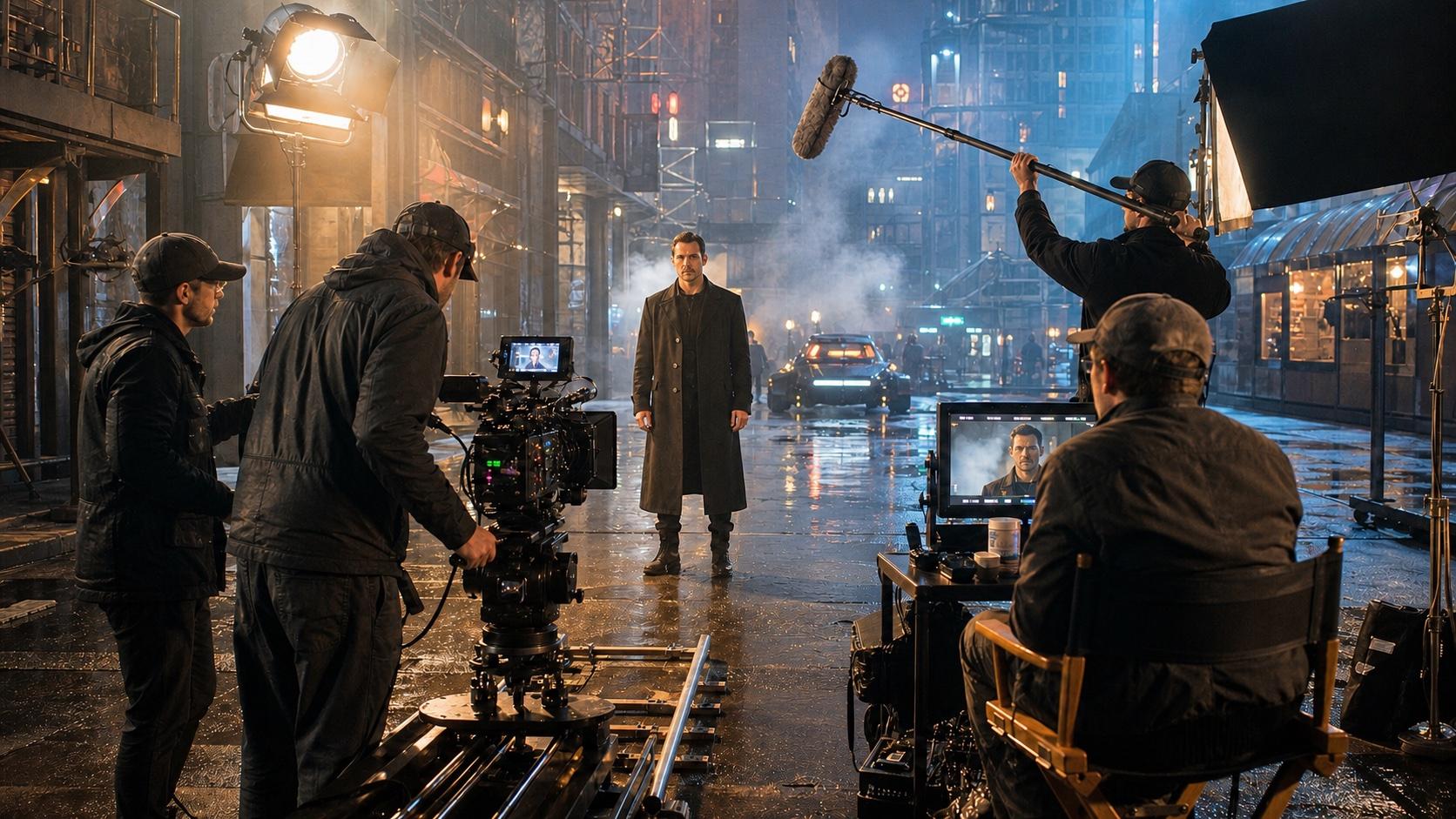
AI Overview
What is an AI movie behind the scenes video?
An AI movie behind-the-scenes video simulates a film production with camera crews, directors, lights, clapperboards, and on-set action. It can reveal a crew around an existing scene or generate entirely fictional production footage.
How does the AI behind the scenes effect work?
The effect animates a still image while the camera pulls back to expose the surrounding set. A controlled prompt defines the reveal move, crew entrances, equipment, lighting, and elements that must remain unchanged.
What prompts work best for AI movie behind the scenes videos?
Strong prompts specify the camera move, visible crew roles, practical equipment, mixed set lighting, and candid atmosphere. Concrete details such as a boom mic, video monitor, dolly track, and controlled handheld movement improve credibility.
What are AI movie behind the scenes videos used for?
Creators use them for social reveals, product-launch content, pitch decks, mood reels, and workflow tutorials. The format creates the impression of a larger production without requiring a physical film crew.
Two Types of AI Movie BTS Video — Which One Do You Need?
Choose the route by starting asset and final purpose.
Type A: BTS Reveal Effect
- Start: one existing photo or generated cinematic frame.
- Result: the camera pulls back and reveals operators, lights, monitors, and crew around the original scene.
- Best for: 6–10 second TikTok or Reels reveals and creator workflow showcases.
- Workflow: a one-click effect for speed, or image-to-video with a custom prompt for control.
This is the same fast, visual-first content category as the sky falling AI video and AI squish effect, but the reveal comes from exposing the production rather than changing the subject.
Type B: Fictional Production Footage
- Start: a text prompt or visual reference.
- Result: a complete invented set with a director, actors, camera movement, rehearsals, and wrap moments.
- Best for: brand storytelling, fictional production diaries, pitch decks, and mood reels.
- Workflow: generate separate text-to-video or image-to-video shots, then edit them into a short sequence.
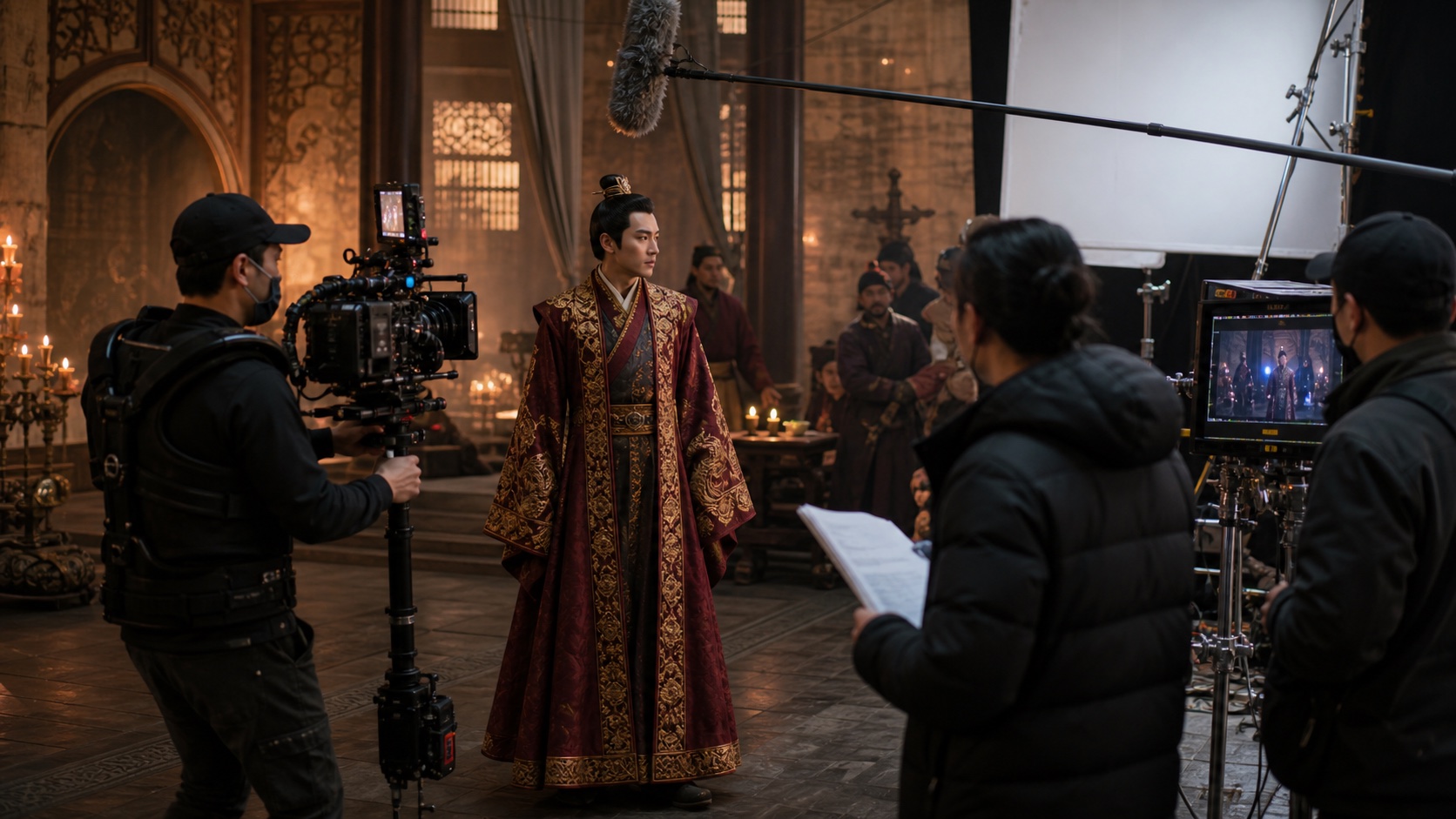
A convincing reveal keeps the original hero shot readable while production equipment enters the wider frame.
The BTS Reveal Effect — One-Click vs Prompt-Based
| Method | Setup | Control | Best for |
|---|---|---|---|
| One-click BTS effect | Upload a frame and apply the effect | Low; crew layout and camera path are model-led | Fast trend posts |
| Prompt-based Seedance I2V | Upload a frame and describe the reveal | High; define crew, equipment, timing, and locked subject details | Branded or art-directed results |
One-click generation is faster. Prompt control is more useful when the central subject must remain stable or the set needs specific equipment. For a second editing pass after generation, use the preservation language in the Runway Aleph 2 prompt guide.
Seedance BTS Reveal Prompt
The camera slowly pulls back from the original cinematic scene to reveal a
busy film set. A camera operator with a stabilized cinema rig enters frame.
A boom operator extends the microphone from above. The director watches from
a video monitor ten feet behind the action. HMI lights, bounce cards, C-stands,
and crew movement become visible. Controlled documentary handheld feel,
shallow depth of field, warm practicals mixed with cool fill. Keep the original
subject unchanged and centered throughout. Smooth reveal, 9:16 vertical.
Upload the source frame to Image to Video. Keep the first two seconds focused on the original scene, then reveal the crew gradually so the transformation is readable.
Prompt Templates for Fictional Film Set Scenes
Create these as independent shots. Use Text to Video when you do not need to preserve an existing hero image.
1. Director Calling Cut
A busy film set between takes. The director stands behind a large video
monitor, headset on, leaning forward and pointing at the screen. Two camera
operators wait beside a dolly track; a boom microphone hangs overhead; crew
adjust reflectors. Warm practical lights mixed with cool HMI fill. Candid
documentary handheld, shallow depth of field, medium-wide shot, 16:9.
2. Clapperboard Take
Close-up of a blank black-and-white clapperboard swinging in from frame right
and snapping shut. Behind it, a softly blurred film set with warm practical
lights and moving crew silhouettes. Eye-level camera, subtle film grain,
natural production energy, sharp board edges, no readable writing, 16:9.
3. Actor Between Takes
Between-takes moment on a film set. The lead actor sits in a director's chair
while a makeup artist completes a touch-up and a script supervisor reviews the
next scene. A lighting technician adjusts a flag in the background. Unposed,
candid documentary feel, natural set light, medium shot, 16:9.
4. Camera Rehearsal
A stabilized camera operator rehearses a slow arc around [product or person].
The rig and operator remain visible while the subject stays perfectly lit at
center. A second crew prepares another angle in the background. Warm tungsten
key, cool edge light, premium production atmosphere, smooth motion, 16:9.
5. Director and DP at the Monitor
A director and cinematographer study a large production monitor in a dark
video-village corner. Cinematic footage glows on the screen without readable
text. Coffee cups, lens cases, and handwritten notes rest nearby. Single warm
overhead practical, cool monitor light on faces, late-night documentary mood,
medium shot, 16:9.
Building a Full Fake BTS Sequence (Multi-Shot)
Build a 30–45 second piece from six short clips. Each shot should communicate one production idea immediately.
| Shot | Visual beat | Lens and movement | Lighting cue |
|---|---|---|---|
| 1. Establishing | Full location or soundstage | 24mm slow push-in | Base look for the sequence |
| 2. Crew Work | Clapperboard close-up | 50mm locked frame | Match the base color temperature |
| 3. Director POV | Director at the monitor | 35mm shoulder-level drift | Monitor glow plus practical key |
| 4. Camera Move | Operator circles the subject | 28mm stabilized arc | Preserve subject key direction |
| 5. Candid | Actor waits or rehearses | 50mm controlled handheld | Softer version of the base look |
| 6. Wrap | Crew applauds and relaxes | 35mm slow pull-back | Warmer finish, same environment |
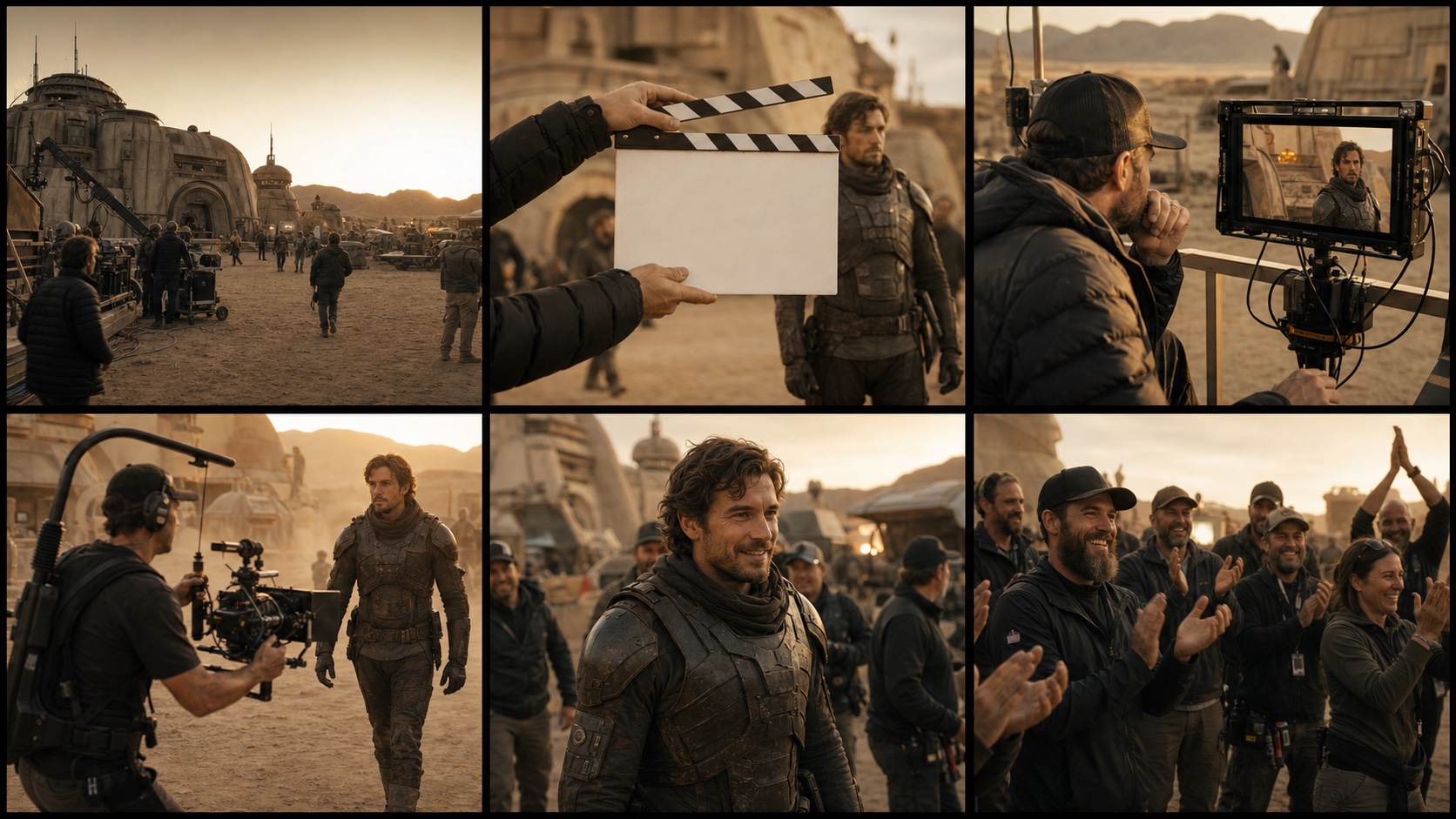
A six-shot sequence feels coherent when the lead actor, crew wardrobe, equipment, color grade, and camera language remain consistent.
Continuity Checklist
Repeat the same subject description, crew clothing, location, time of day, color palette, and film grain in every prompt. Change only the action and lens. Use one reference frame across shots when the workflow supports it, and reject clips with drifting wardrobe or reversed light direction before editing.
Making It Look Real — Authenticity Details That Matter
Use Specific Production Details
- Camera body: name a cinema-camera type or describe its shoulder rig, matte box, follow focus, and cables instead of writing only
professional camera. - Set markers: add
clapperboard,boom mic overhead,C-stand with flag,video monitor,walkie-talkie, andbounce cardselectively. - Mixed light: use
warm tungsten practicals mixed with cool HMI fillto separate the visible scene lighting from production fill. - Camera style: write
controlled documentary handheldrather than simplyhandheldto avoid chaotic shake. - Crew wardrobe: repeat
crew in black workwear with utility belts and headsetsfor continuity. - Blocking: state where each operator stands and what they are doing. Equipment without a human task often looks decorative or misplaced.
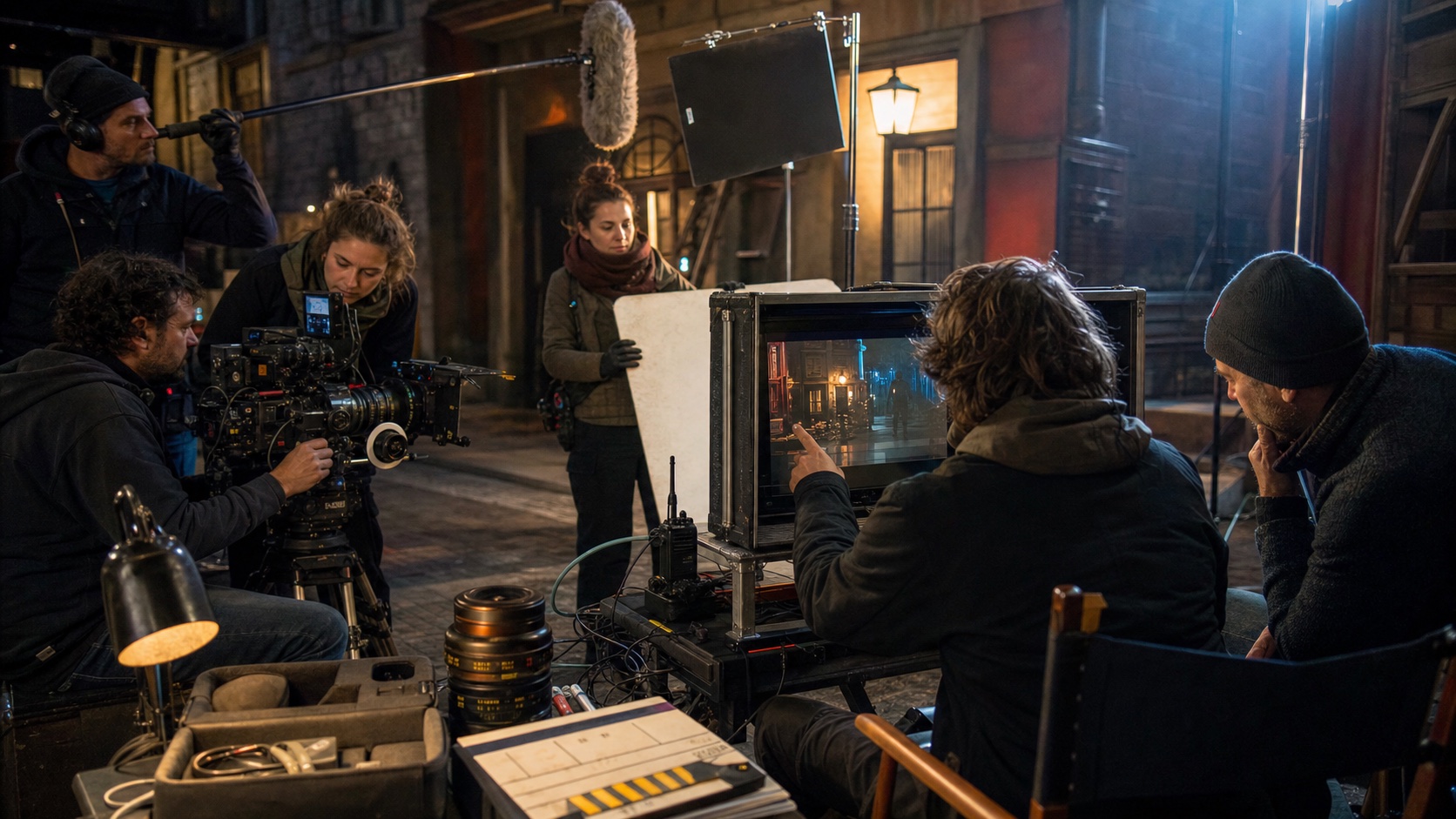
Realistic BTS detail comes from equipment being used for a clear task—not simply scattered around the frame.
Avoid Vague Prompt Language
Replace professional, high quality, or cinematic movie with observable details: lens distance, camera height, light direction, crew action, equipment placement, and atmosphere. Limit each shot to three or four hero elements; overcrowded prompts can create duplicated gear and anatomically broken crew.
Use Cases — Where AI Movie BTS Videos Actually Work
TikTok and Reels Creators
Use 9:16 and 6–10 seconds. Show the polished scene immediately, begin the pull-back within two seconds, and complete the crew reveal by second six. A short caption can explain that the entire crew is simulated.
Brand Product Launches
Use 16:9 and a 30–60 second sequence. Keep the product visibly positioned as the object being filmed so the BTS footage connects logically to the launch asset. Avoid adding claims, logos, or packaging text that were not present in the approved product reference.
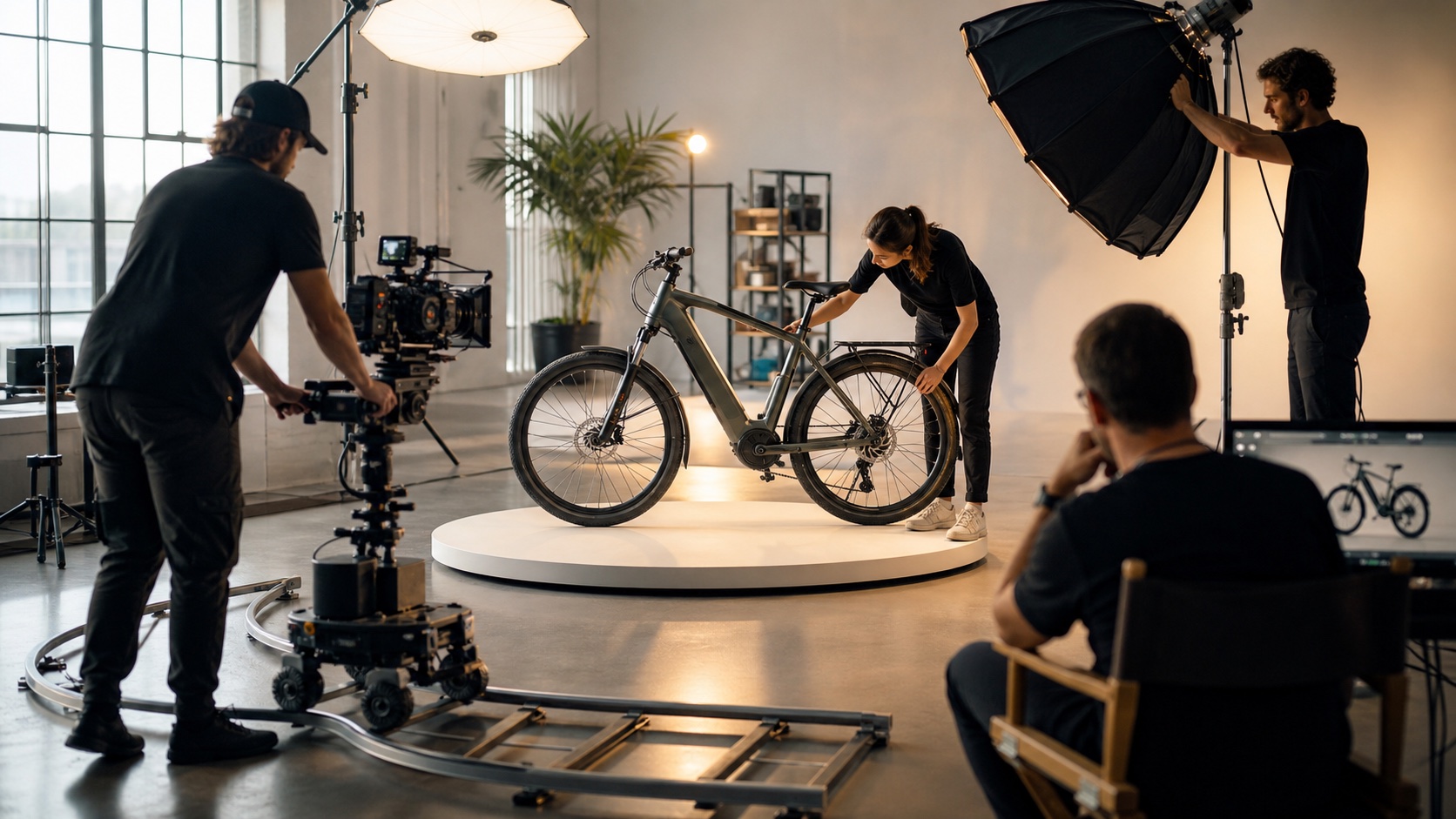
For a product-launch BTS shot, the product must remain the visual subject while the crew explains how the image is being made.
Independent Film and Creative Pitch Decks
Use 16:9 clips or selected still frames to communicate location scale, lighting, and production tone before real footage exists. Match the equipment and color language to the proposed project rather than using a generic studio look.
YouTube Workflow Tutorials
Use 16:9 inserts between screen recordings. A six-shot fictional production sequence gives the tutorial a visual narrative while the voice-over explains prompt design, reference consistency, and editing choices.
Conclusion
AI movie BTS video has two clear paths: a short BTS reveal effect built from one image, or a fictional production sequence built from multiple shots. For either route, believable results come from specific crew actions, equipment, lighting, blocking, and consistent visual rules—not vague quality adjectives.
Save this quick card: five scene prompts, six continuity anchors, and a six-shot sequence. Start with Seedance: upload one image for a controlled reveal, or generate the fictional set shot by shot from text.
Ready to try it yourself?
Put the steps from this guide into practice with Seedance and turn prompts or images into polished videos in minutes.
Free credits on signup. Plans from $28/month.
Related Articles
More posts in the same locale you may want to read next.

Seedance App Preview Video Generator 2026: Create App Store and Product Launch Clips
Use Seedance to turn app screenshots, feature copy, and launch goals into App Store previews, Google Play promo videos, and product launch clips.
Read article
Gemini AI Video Prompt Examples: Copy-Ready Veo Scenes and a Better Prompt Formula
Copy Gemini AI video prompt examples for cinematic motion, product ads, dialogue, and vertical clips, then adapt them with a practical Veo prompt formula.
Read article
How to Keep Product Shape Consistent in AI Video Ads
Lock product geometry, packaging, labels, references, camera angles, and approval checks so AI video ads preserve the real SKU across every shot.
Read article