
Kling Motion Control: Transfer Any Motion to Your Videos Free
Use Kling Motion Control free on Seedance. Upload a reference image plus a motion reference video, and apply that motion to your character — no watermark, no credit card, powered by Kling 3.0.
Motion Control
 Kling 3.0 Motion Control
Upload a character image to animate
What Is Kling Motion Control?
What's New in Kling 3.0 Motion Control
The newly released Kling 3.0 Motion Control builds upon the motion control AI video capability introduced in Kling 2.6, delivering key upgrades. Version 3.0 enhances facial consistency across scenarios, keeping facial features stable and expressions smooth even in complex, multi-angle, long-duration motion. This upgrade expands the kling AI motion reference video workflow into cinematic performance, high-precision motion capture, and diverse entertainment scenarios — making every generation more powerful and reliable.
Consistent Facial Identity from Any Angle
Kling 3.0 Motion Control locks character identity even under extreme camera rotation and complex multi-angle motion. Facial features stay sharp and recognizable across the entire shot — compare the binding-on output with the binding-off variant to see how identity preservation strengthens the result.
| Reference Image | Output A | Output B |
|---|---|---|
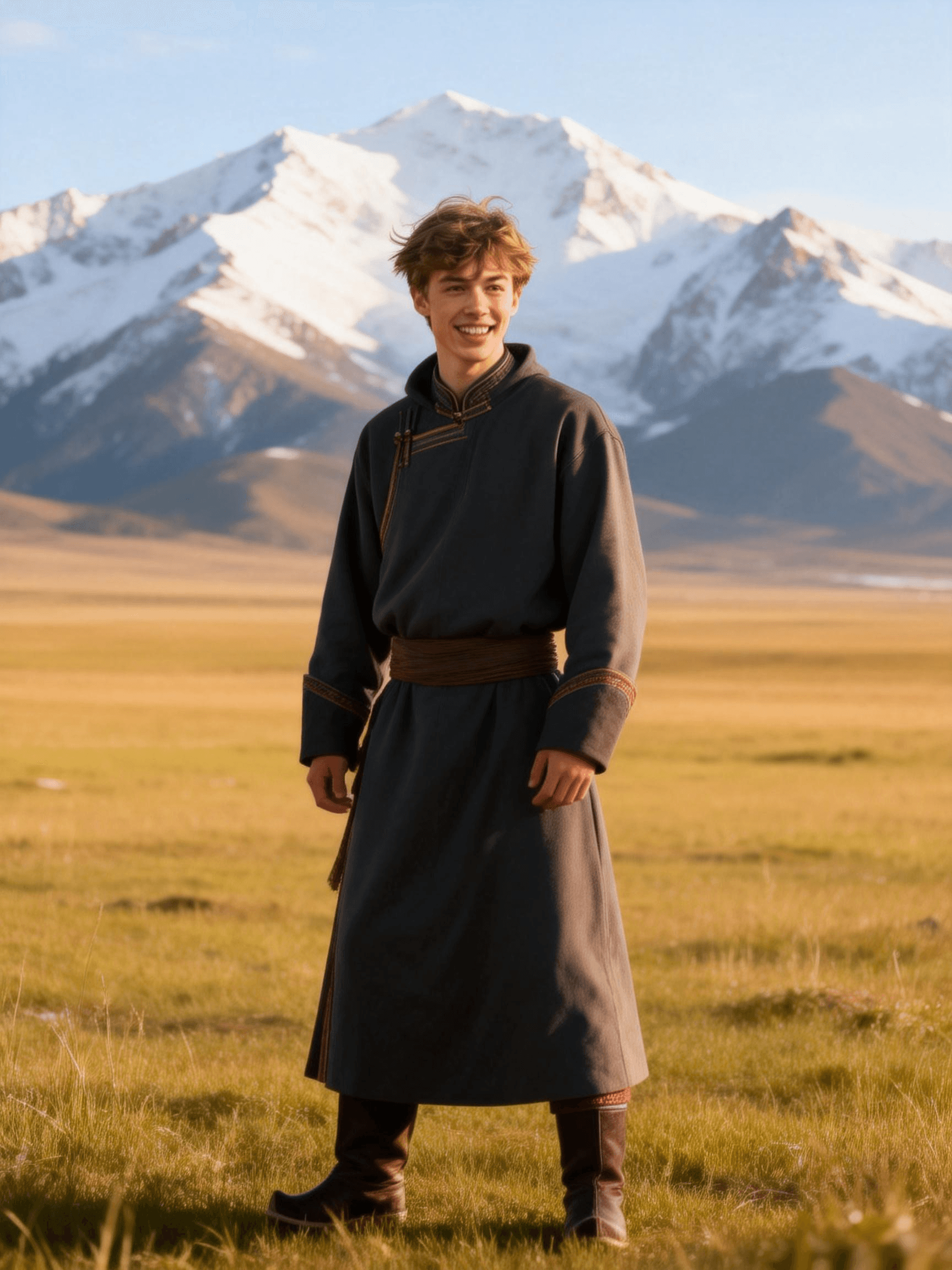 |
Complex Emotions, Faithfully Reproduced
Subtle micro-expressions, eye contact and blink timing from the motion reference video are transferred onto the character with high fidelity, so emotional performances feel real rather than animated. Two output samples below show different expression sets driven from the same reference image.
| Reference Image | Output A | Output B |
|---|---|---|
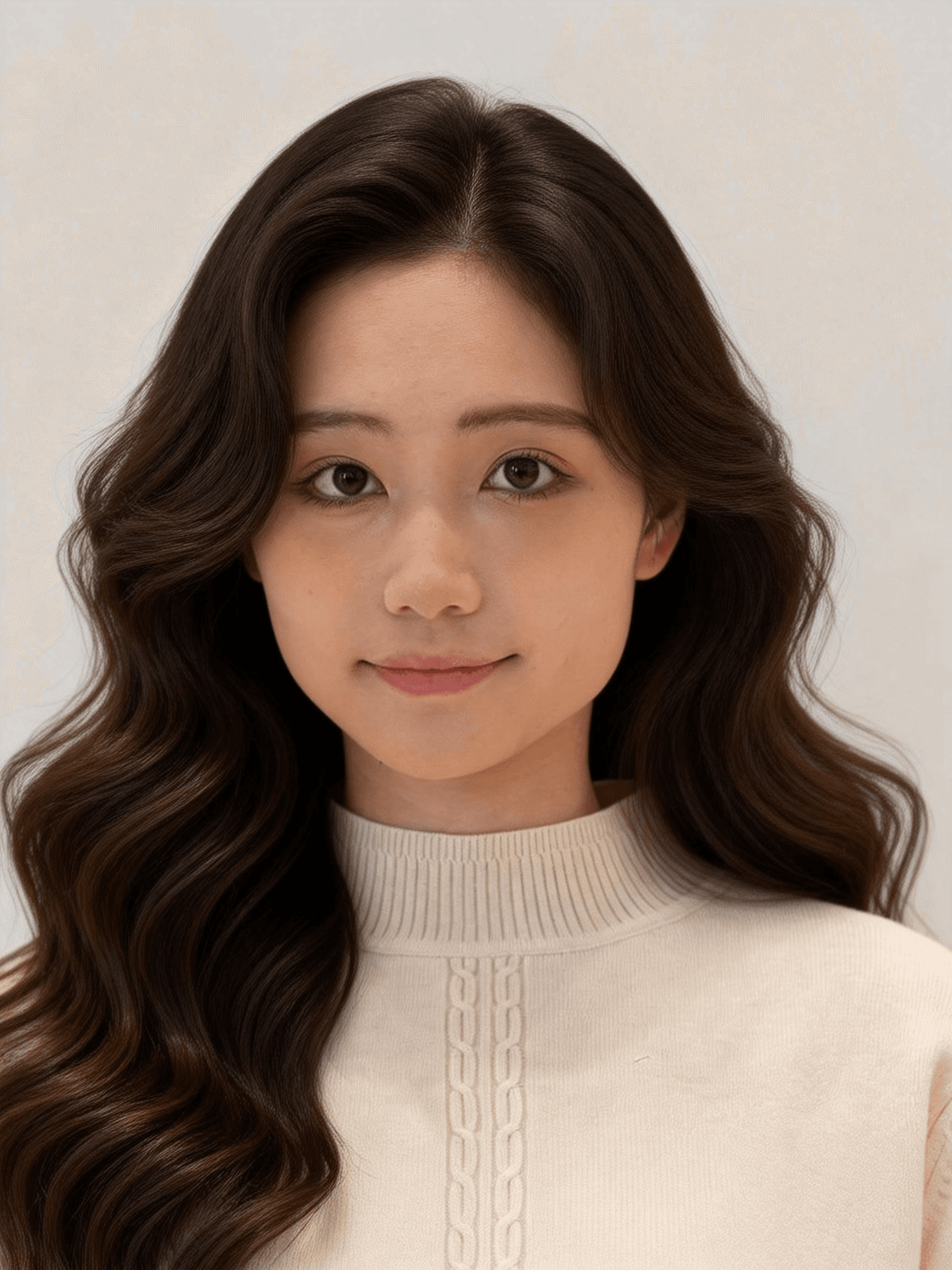 |
Face Occlusion, High-Fidelity Restoration
When hands, props or hair partially cover the face, Kling 3.0 reconstructs the occluded regions cleanly so the character's identity remains stable across the entire performance — particularly useful for dance, prop work and martial-arts scenes.
| Reference Image | Output A | Output B |
|---|---|---|
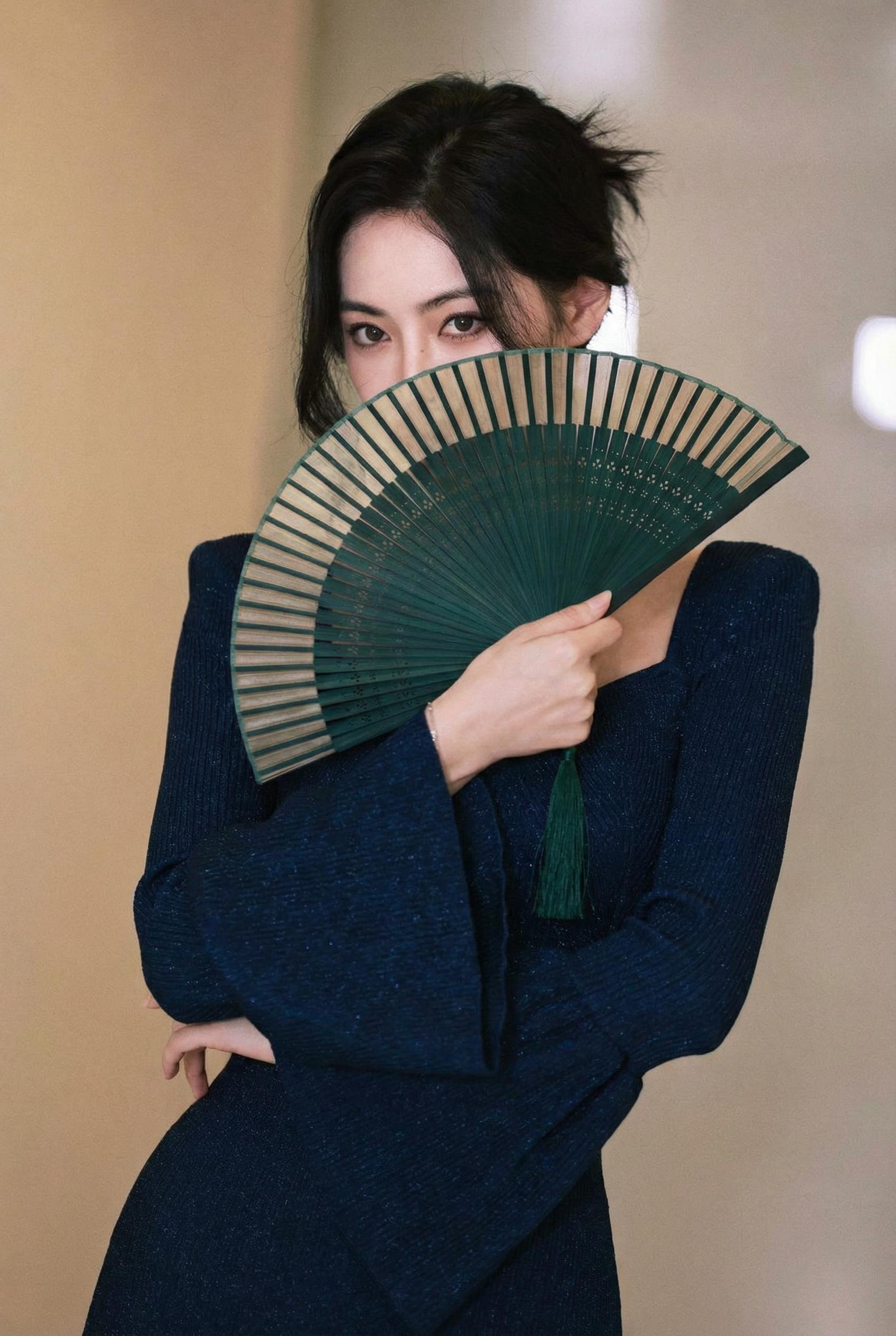 |
Consistent Facial Clarity Across Dynamic Framing
Even with aggressive camera moves — orbits, push-ins, whip pans — Kling 3.0 keeps facial details crisp and identity-locked, making it ideal for cinematic, performance and dance shots that switch between full-body and close-up framing.
| Reference Image | Output A | Output B |
|---|---|---|
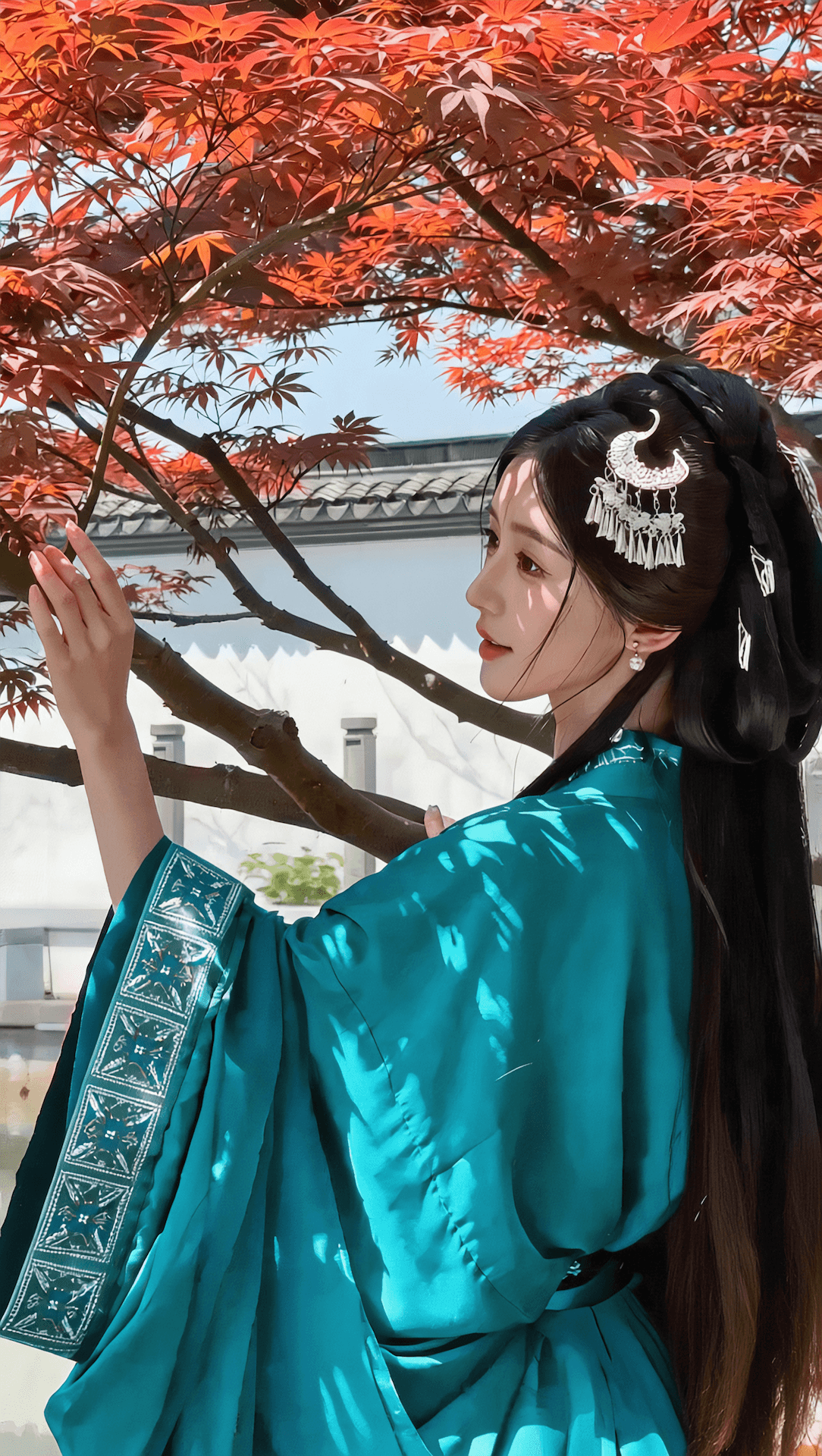 |
How to Use Kling Motion Control on Seedance
Transfer motion from any reference video to your character in four steps
Open Kling Motion Control
Go to veo3ai.io and select Kling 3.0 Motion Control from the model list on the Reference-to-Video page.
Upload Your Character Image
Upload a clear reference image of the character or subject you want to animate (JPEG/PNG, up to 10MB, 300px+, aspect ratio between 2:5 and 5:2).
Upload a Motion Reference Video
Add an MP4 or MOV motion reference video (3–30 seconds, up to 100MB). For best results use single-person footage with moderate motion amplitude and minimal positional drift, and match the framing (full-body vs half-body) to your character image.
Generate — Free, No Watermark
Write a short prompt covering only background and lighting (do not describe the action — the motion comes from your reference video), then generate. No credit card required.
Kling Motion Control Free vs Paid Alternatives
| Feature | Seedance | klingai.com (Official) | kie.ai (API) |
|---|---|---|---|
| Free Access | |||
| No Credit Card Required | |||
| Built on Kling 3.0 | |||
| Web UI (No Code) | |||
| Max Output Duration | 15s | 15s | 15s |
| 1080p Output |
Explore More Kling & AI Video Tools

Kling 3.0
The full Kling 3.0 video model — text-to-video, image-to-video, native audio, multi-shot storytelling, and up to 15 seconds of output.
Image to Video
Animate any image with AI — choose between Kling, Veo, Seedance, Hailuo, and more from a single generator.

Hailuo 2.3
MiniMax Hailuo 2.3 for expressive motion, stylized visuals, and fast iteration on character animation.
Frequently Asked Questions
Everything you need to know about Kling Motion Control and Kling motion transfer
Is Kling Motion Control free on Seedance?
Is Kling Motion Control free on Seedance?
Yes. Kling Motion Control is free on Seedance — no subscription and no credit card required. It runs on Kling 3.0, the latest Kling AI motion control model.
What is the best reference video for Kling motion control?
What is the best reference video for Kling motion control?
The best Kling motion reference video features a single person, moderate motion amplitude, and minimal positional drift. Match the framing (full-body vs half-body) of your reference video to your character image for the most stable motion transfer.
Can I use Kling Motion Control without an account?
Can I use Kling Motion Control without an account?
You need to sign up for a free Seedance account to generate videos, but no credit card is required.
How long can the reference video be?
How long can the reference video be?
Kling 3.0 Motion Control accepts reference videos from 3 to 30 seconds (MP4/MOV, up to 100MB). Output can be 720p or 1080p.
Does Kling Motion Control work on animals or non-human subjects?
Does Kling Motion Control work on animals or non-human subjects?
Kling Motion Control is optimized for human characters and performs best on identity-locked human motion transfer. Non-human subjects may work but results are less predictable.
What is the difference between Kling Motion Control and Kling motion transfer?
What is the difference between Kling Motion Control and Kling motion transfer?
They refer to the same capability. Kling Motion Control (sometimes called Kling motion transfer or copy motion AI video generator) transfers motion from a reference video onto a reference character image using Kling 3.0.
How does Kling Motion Control compare to Runway Motion Brush?
How does Kling Motion Control compare to Runway Motion Brush?
Kling Motion Control transfers full-body motion from a reference video onto a character, while Runway Motion Brush lets you paint motion onto regions of an image. They solve different problems: Kling for dance and performance transfer; Motion Brush for directed scene motion.
Can I use Kling Motion Control outputs commercially?
Can I use Kling Motion Control outputs commercially?
Outputs generated on Seedance can be used per the Seedance terms of service — check the terms page for the current commercial-use policy before publishing.