
Upsampler AI Video Generator Free: A Practical First-Clip Guide

AI Overview
Is the Upsampler AI video generator free?
Upsampler offers daily free video generation with no account. Availability is limited, so check the active model before starting.
Can I use an image instead of a text prompt?
Yes. Upload a PNG, JPG or WebP image to animate when the selected model supports image input.
Does the free video include a watermark?
Upsampler says free exports are watermark-free. Check the current tool terms before commercial use.
Is video generation the same as video upscaling?
No. Generation creates motion from words or an image; upscaling improves an existing clip. Choose the task before rendering.
What “Free” Means on Upsampler
Verify the current route before spending time on a prompt
People searching for Upsampler AI video generator free usually want a moving, downloadable result—not a directory page, a free sign-up, or a preview that becomes paid at export. Upsampler’s current free-tools page describes daily AI usage with no account required. Its dedicated generator says it can create short clips from text or animate an image, and names LTX 2.5, LTX 2.3, Wan 2.2 14B and Wan 2.2 5B as the free choices. It also describes those outputs as watermark-free.
Those statements are useful, but they are not a promise of unlimited rendering. “Free daily” means shared GPU capacity and an allowance that can be exhausted. Models, duration choices and availability may change. Before writing a detailed prompt, open the generator and record what the page shows today: selected model, input mode, aspect ratio, duration, visible usage notice and export conditions. If a control changes the route from free to paid, stop and decide deliberately.
This page contributes a repeatable first-clip test rather than another feature list. The test separates access, generation, download quality and production readiness, because passing one stage does not guarantee the next.

An editorial concept created for this guide, not an Upsampler benchmark. The propmaker, canvas apron and handmade blue moon are the continuity anchors.
Use a five-minute access check
Start with a disposable test, not a campaign hero shot. Confirm that the Generate button is available, the chosen model accepts your intended input, the run completes, and the result can be downloaded. Open the downloaded file outside the browser. Check duration, dimensions, frame rate, audio track if present and whether a watermark appears. Save the prompt and settings beside the file.
Do not confuse the separate free video upscaler with the free video generator. The generator invents frames; the upscaler processes a file you already have. If the result is structurally wrong—changed subject, broken hand contact, confused camera motion—upscaling will only make the wrong frames larger. Use an enhancement step only after the motion passes.
Choose Text-to-Video or Image-to-Video
Start from words when the composition is still open
Text-to-video is the cleaner route when you want the model to invent the subject, location and framing. It is also useful for testing how literally a model follows motion language. Keep the first brief deliberately small: one subject, one visible action, one camera move and one lighting condition. A simple test reveals more than a miniature screenplay because you can identify exactly which instruction succeeded or failed.
For example: “A theater propmaker wheels a large midnight-blue paper crescent across a rain-damp brick courtyard. Low tracking shot moving left to right, steady walking pace, paper ribbons move gently in the breeze, natural overcast light, realistic documentary texture.” Every clause can be reviewed. If the camera is static, the tracking instruction failed. If the moon floats, physical contact failed. If the scene becomes glossy fantasy, the visual treatment drifted.
Use the text-to-video workspace when you want to run the same compact brief through a Seedance route and compare the usability of the finished clip rather than comparing feature labels.
This is an existing Seedance editorial output, not an Upsampler result. Inspect it for readable body motion, camera pace and background stability.
Start from an image when identity or geometry matters
Image-to-video is better when the source frame already contains something that must survive: a character, product, illustration, prop or exact composition. Use a clean source image with one dominant subject. Upsampler currently accepts PNG, JPG and WebP, while the input field appears only for a compatible model. If it disappears after a model change, do not assume your image is still conditioning the result.
Give the image one clear job. In the paper-moon example, the source fixes the crescent shape, paper texture, workshop and propmaker’s clothing. The prompt should describe only the permitted motion: the prop sways a few centimeters, dust moves through window light, and the camera makes a slow half-orbit. Do not ask the same short clip to change location, transform the moon and introduce new characters.

Use a source frame like this to test whether distinctive geometry, material texture and the surrounding workspace remain stable once motion begins.
The image-to-video workspace provides a direct alternative when the reference itself is the creative center. For a wider comparison of free routes, use the free image-to-video guide after this focused Upsampler test.
Write a Prompt That Fits One Short Clip
Use the six-part shot template
A reviewable prompt needs six elements: subject, environment, visible action, camera behavior, pace and protected details. Put them in that order. The model should know what exists before it is asked to move it. Avoid adjective piles such as “epic, viral, stunning, cinematic.” They compete with the physical instructions and give you little to diagnose.
Copy this template and replace the brackets:
[Subject] in [environment] performs [one visible action]. The camera [one move and framing] at [pace]. Preserve [identity, object geometry or composition]. Natural [lighting and material cues]; no text, logo, duplicate subject or sudden scene change.
For image-to-video, remove details already obvious in the source and emphasize what may move. For text-to-video, state the important visual facts explicitly. If a run fails, change one variable at a time. Shorten the action before changing the style; simplify the camera before replacing the model. This produces a useful failure record instead of a pile of unrelated prompts.
Match the model to the question you are testing
The free route currently lists four model choices. You do not need to crown one universal winner. Select a model according to the next uncertainty: Does it accept your image? Does it expose the needed aspect ratio? Can it complete the intended motion? Does the download meet the destination’s minimum quality? Hold the prompt and source constant while changing only the model, then compare the same moments in every output.
When the decision depends less on a striking first frame and more on whether a person, product or environment survives several shots, score continuity at the same checkpoints in every output.
Review the Result Before Upscaling
Inspect opening, peak motion and ending
Watch the clip once at normal speed without pausing. Then review three checkpoints: opening frame, the moment of greatest motion and final frame. At each point, score subject identity, object geometry, contact, camera direction, background stability and new artifacts. A clean opening can hide a broken middle; a good middle can end on a partial transformation or abrupt cut.
Use a simple pass rule:
- Keep: the core subject remains recognizable, the main action reads immediately, the camera obeys, and the ending can be edited.
- Rerun: the idea is right but one controllable variable—speed, distance or amount of motion—needs a smaller instruction.
- Reject: identity, geometry, physical contact or scene continuity fails. Do not spend an upscale pass on it.
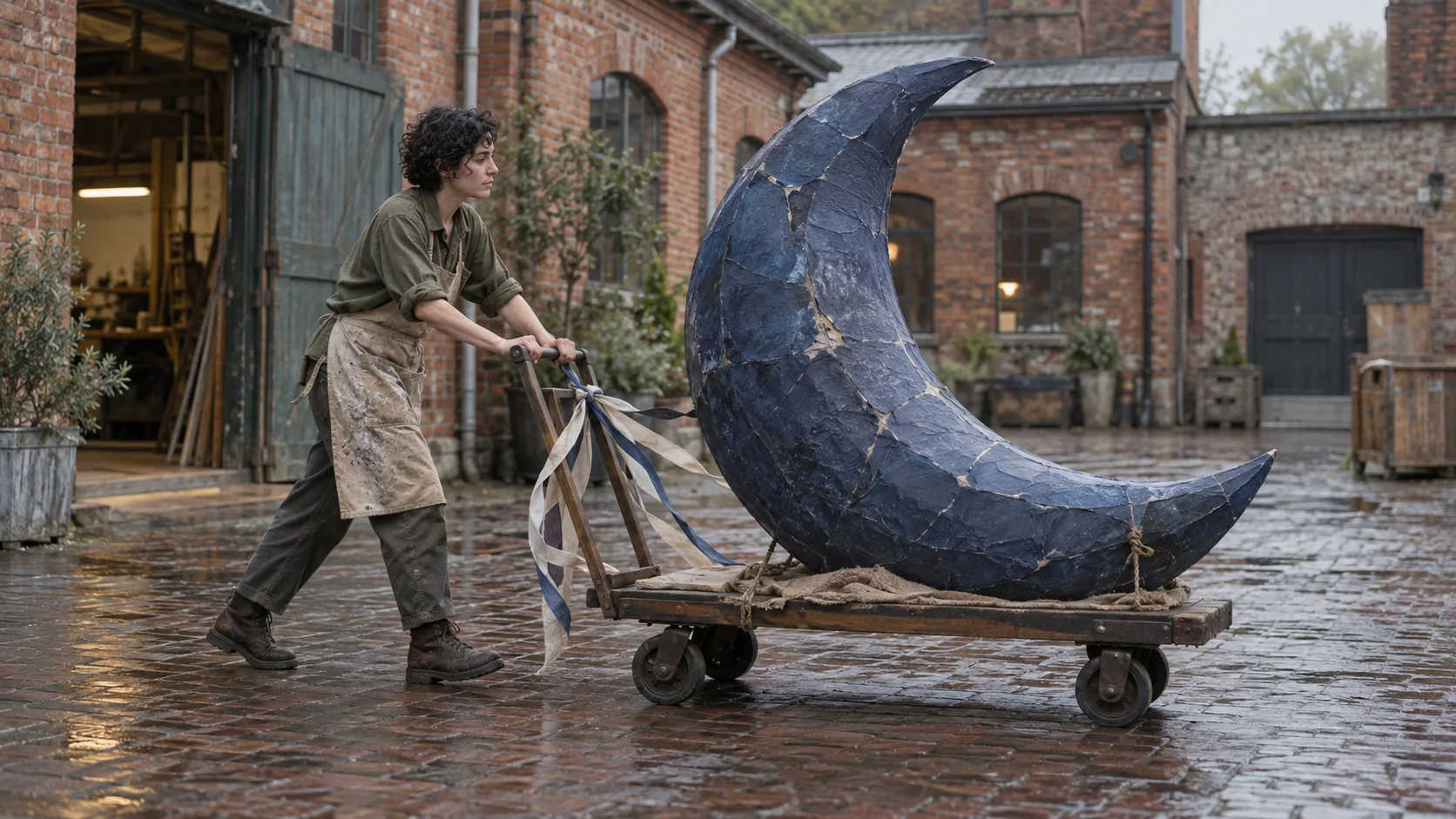
This editorial frame makes the motion test concrete: the trolley, feet, paper ribbons and crescent silhouette all need to remain physically connected.
Upscale only an accepted clip
Generation and enhancement solve different problems. Once motion and structure pass, inspect whether the exported resolution is enough for the destination. A small social preview may be usable as delivered; a larger display may need enhancement. The 4K video upscaling guide explains what enlargement can improve and which artifacts it cannot rescue.
This is an existing Seedance Agent output, not a head-to-head Upsampler test. Use it to inspect pacing, continuity and whether each shot ends cleanly enough for assembly.
Turn a Free Test into a Repeatable Workflow
Measure accepted output, not free clicks
The meaningful cost is time and paid spend per accepted clip. Log every run with model, mode, duration, aspect ratio, prompt version, result and reason for rejection. A free generation that takes six unrelated reruns is not operationally cheaper than a controlled paid run that passes. Conversely, a free model that reliably resolves your first creative question can be valuable even if it is not the finishing tool.
Archive the source image, prompt, downloaded video and a thumbnail together. Temporary result pages are not a production archive. Before commercial use, check the current terms that apply to your account and source material. Only animate people, artwork and brand assets you have permission to use.
Use Seedance Agent when the problem becomes coordination
Upsampler’s free generator is a practical place to test one prompt or animate one frame. The job changes when a concept needs several shots, reference roles, approval before spending credits, model choices by shot, continuity review and selective reruns. At that point, clicking Generate is not the hard part; keeping decisions and outputs connected is.
Seedance Agent turns the brief into a reviewable shot plan, keeps references with their intended scenes, generates actual outputs and lets you rerun only the weak part. That makes it a better production route after a free Upsampler test has answered the narrow question, “Is this motion idea worth pursuing?”
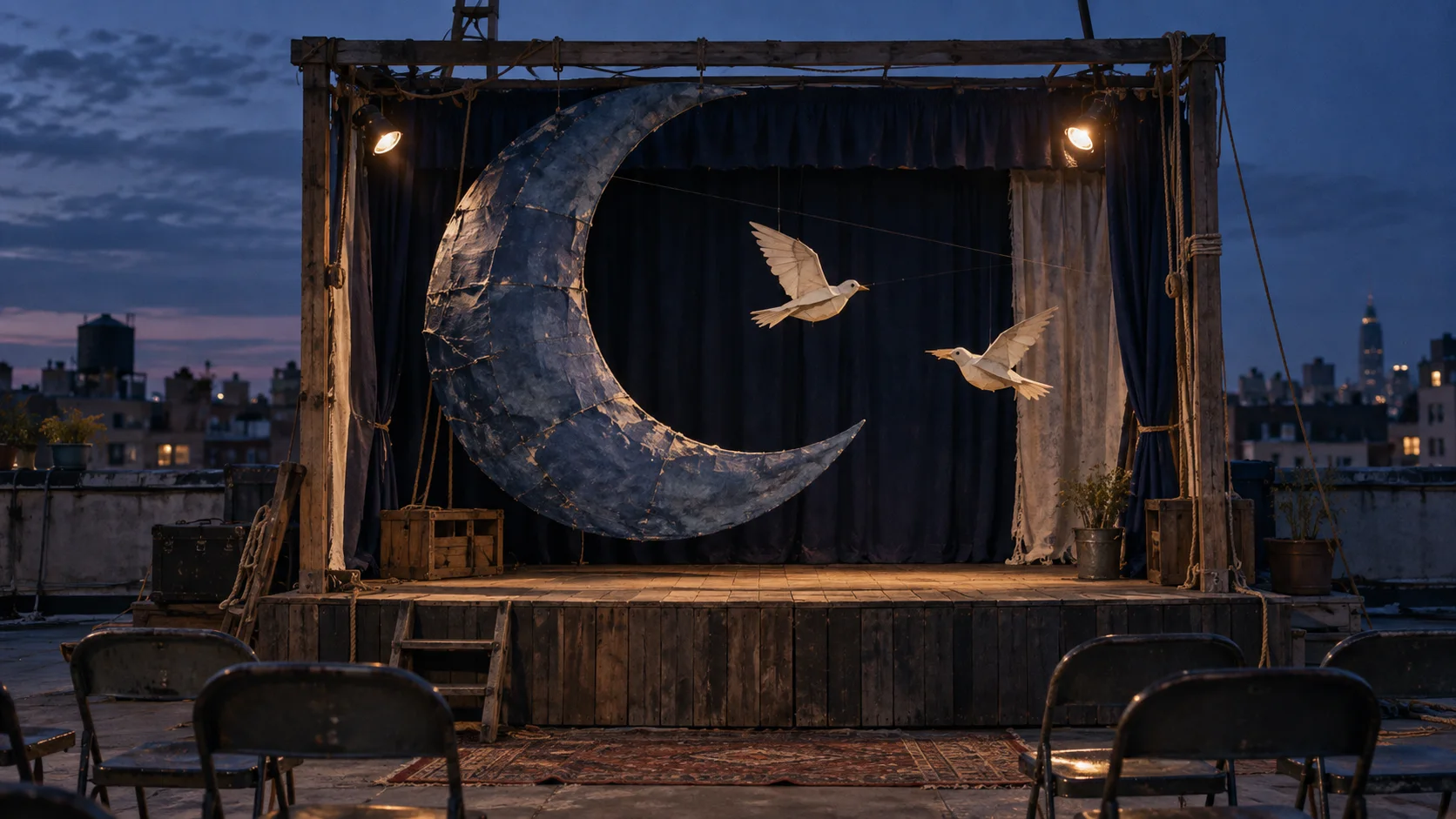
The closing editorial frame tests long-range continuity: the same paper construction and repaired seams remain recognizable after the location and lighting change.
Conclusion
Treat Upsampler AI video generator free as a controlled first-clip opportunity: confirm the current free allowance, choose text or image input deliberately, write one measurable shot, download the file and judge the complete motion before enhancing it. Preserve the prompt and settings that passed. When the idea grows into references, multiple shots, approvals and selective reruns, carry that evidence into Seedance’s production workflow instead of rebuilding the project from memory.
Ready to try it yourself?
Put the steps from this guide into practice with Seedance and turn prompts or images into polished videos in minutes.
Free credits on signup. Plans from $28/month.
Related Articles
More posts in the same locale you may want to read next.

Seedance App Preview Video Generator 2026: Create App Store and Product Launch Clips
Use Seedance to turn app screenshots, feature copy, and launch goals into App Store previews, Google Play promo videos, and product launch clips.
Read article
How to Make a Talking AI Avatar You Can Reuse
Make a talking AI avatar with Seedance: design one consistent character, give it a voice, and make it speak in a talking photo or a full Seedance 2.5 scene, episode after episode.
Read article
Best AI Video-to-Video Models in 2026
The best AI video-to-video models in 2026 for editing footage you already shot: Higgsfield Genjutsu, Seedance 2.x, Runway Aleph, Luma Modify and Kling Omni compared.
Read article