
Text to Video AI Free: 7 Best Tools to Turn Words into Videos (2026)
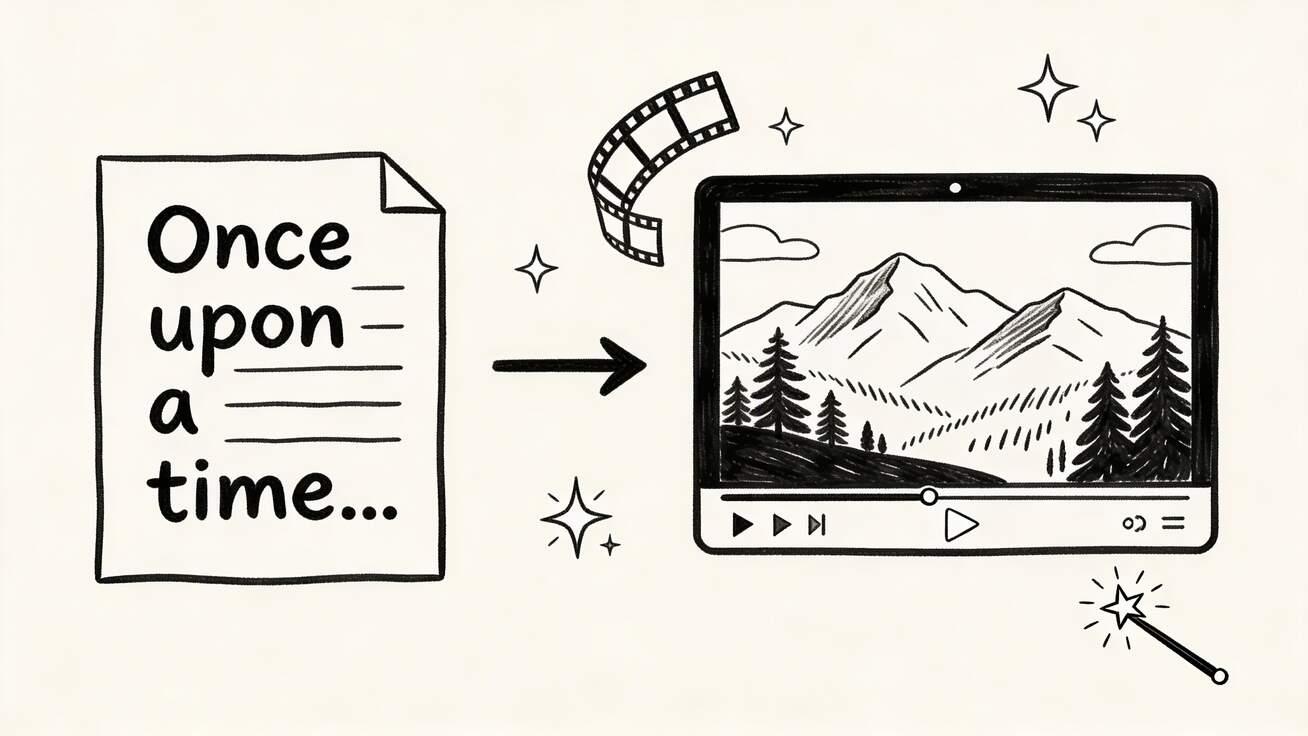
Creating professional videos from nothing but a text prompt was science fiction five years ago. Today, it's a free browser tab away. This guide covers the best free text-to-video AI tools in 2026 — what they can actually do, where their limits are, and which one delivers the most value without a credit card.
Quick Answer: Yes, you can get started with AI video generation for free using Seedance, which offers a generous free tier that lets you create high-quality videos without any upfront cost.
What Is Text-to-Video AI?
Text-to-video AI converts written descriptions into video clips using foundation models trained on massive video datasets. You write a prompt — "a golden retriever running through autumn leaves, cinematic slow motion" — and the model generates a realistic video matching that description.
The technology has matured dramatically. Early tools (2022-2023) produced blurry, incoherent clips. Modern models like Seedance 2.0, Kling 2.0, and Veo 3 produce footage that's difficult to distinguish from real video at a glance.
What text-to-video AI is good for:
- Social media content (Reels, Shorts, TikTok)
- Product concept visualization
- B-roll footage for YouTube videos
- Explainer video scenes
- Creative experimentation and ideation
Current limitations:
- Longer videos (30s+) still have consistency issues
- Specific faces/characters don't persist across generations
- Complex multi-person dialogue scenes are challenging
- You can't yet generate full-length narrative films
Best Free Text-to-Video AI Tools in 2026
1. Seedance — Best Free Text-to-Video Overall
Seedance runs on ByteDance's Seedance 2.0 model — one of the most capable text-to-video foundations available as of 2026. The free tier is genuinely usable:
- ✅ No watermark on free-tier output
- ✅ 1080p resolution available
- ✅ No mandatory account for first generation
- ✅ 3-10 second video length control
- ✅ Aspect ratio selection (16:9, 9:16, 1:1)
- ✅ Motion intensity control
What makes Seedance 2.0 stand out for text-to-video:
The model has particularly strong temporal consistency — objects and subjects don't randomly morph or flicker between frames, a common failure mode in older tools. Camera motion feels intentional rather than chaotic. Seedance consistently produces the sharpest details among free tools: hair strands, fabric textures, and water reflections look remarkably natural. Color grading leans cinematic by default, which saves post-production time for creators publishing to social media.
Compared to Kling and Runway, Seedance handles slow-motion scenes with far less ghosting — an important advantage for food, beauty, and product content. The biggest draw for casual creators is the zero-friction start: no credit card, no sign-up wall, no watermark. That's unmatched across the landscape in 2026.
Where Seedance falls short: Specific recognizable faces and readable text within generated video remain unreliable — though this is an industry-wide limitation, not unique to Seedance.
Prompt formula that works well with Seedance:
[Subject] + [Action] + [Setting] + [Camera movement] + [Lighting/Style]
Example:
"A barista pouring latte art in a cozy coffee shop, close-up shot, warm ambient lighting, slow pour, cinematic 4K quality"
Try it: seedance.tv/text-to-video
2. Kling 2.0 — Strong Motion, Account Required
Kling from Kuaishou has emerged as a serious competitor. The free tier gives 66 daily credits at standard quality.
Strengths:
- Excellent human motion realism
- Good at following complex prompts
- Strong with action and sports content
Weaknesses:
- Requires account creation
- High-quality mode gated behind subscription
- Slower processing on free tier
Kling's greatest differentiator is how naturally it renders human body movement — walking, dancing, and athletic motions look fluid rather than robotic. The model excels at generating multi-step action sequences like a skateboarder landing a trick or a dancer executing a spin. Output at standard quality (720p on free tier) is solid but noticeably softer than Seedance's 1080p. Prompt adherence is generally strong: Kling follows complex scene descriptions better than Pika or Hailuo, though it occasionally introduces unwanted camera drift in long shots. The 66 daily credit cap translates to roughly 6 videos per day, enough for light content production but constraining for batch workflows.
Best for: Action scenes, human subjects, sports content
3. Runway Gen-4 — Premium Quality, Minimal Free Tier
Runway is the industry standard for professional AI video, but the free tier is extremely limited (125 credits total, not per day). Once exhausted, you need a paid plan.
Strengths:
- Best-in-class video quality
- Advanced camera controls
- Professional-grade output
Weaknesses:
- Free tier is essentially a trial, not sustainable
- Expensive for regular use ($15-35/month)
- No free tier watermark-free option at scale
Runway Gen-4 is the polished choice that professional studios actually use in production pipelines. Videos come out with the most natural lighting gradients and the least "AI feel" across all tools tested. The model handles complex camera paths — dolly-in-while-tilting-up, orbit shots, rack focus — better than any competitor. However, the 125-credit total (not daily, not monthly — total) makes the free tier a taste test rather than a tool you can rely on. Each generation costs 5-10 credits depending on length and quality settings, meaning you get roughly 12-25 free videos ever. After that, plans start at $15/month. For one-off professional needs it's unbeatable; for ongoing free usage, it's simply not viable.
Best for: One-off professional projects where quality is critical
4. Pika 2.1 — Best for Creative Stylization
Pika's free tier (150 monthly credits) focuses on creative effects rather than photorealism.
Strengths:
- Unique "Pikaffects" (inflate, explode, melt objects)
- Good for abstract and stylized content
- No watermark on standard generations
Weaknesses:
- Credits limited to ~7-8 videos per month
- Less photorealistic than Seedance or Kling
- Best results require learning Pika-specific prompting
Pika carved out a niche by leaning into artistic and surreal effects rather than competing on raw realism. The Pikaffects system lets you apply physics-defying transformations — make a shoe inflate like a balloon, explode a watermelon in slow-motion particles, or melt a building into liquid. These effects are genuinely unique and difficult to replicate on other platforms. Standard text-to-video output tends toward a slightly stylized look, almost painterly, which works beautifully for brand content but falls short for creators needing documentary-style realism. The 150 monthly credit limit means you'll likely produce 7-8 videos per month before hitting the wall. Each generation takes 1-2 minutes, and re-rolls on unsatisfactory results burn through credits fast.
Best for: Social media content with distinctive visual style
5. Hailuo AI (MiniMax) — Volume Free Tier
Hailuo offers one of the highest raw generation volumes on any free tier, making it useful for rapid prototyping.
Strengths:
- High daily generation volume
- Fast processing
- Good for draft/concept work
Weaknesses:
- Quality inconsistency
- Some modes include watermarks
- Limited fine-grained control
Hailuo's strategy is quantity over gatekeeping — the generous free tier means you can generate dozens of clips daily without worrying about credit limits. Processing speed is notably fast, often returning results in 30-45 seconds for standard clips. The trade-off is quality variance: roughly one in three generations may have noticeable artifacts like warped edges, flickering shadows, or unnatural skin tones. The watermark situation is inconsistent — some generation modes add a small logo, others don't, and it's not always clear which setting you're on. For creators who want to brainstorm visually (generating 20 concepts to find 3 good ones), Hailuo is unbeatable on volume. For polished final output, you'll typically want to take your best Hailuo concepts and regenerate them on Seedance or Kling for higher fidelity.
Best for: High-volume draft generation, rapid iteration
6. Google Veo 3 — Best for Audio-Integrated Video
Google's Veo 3, accessible through AI Studio and select integrations, introduced a game-changing feature: native audio generation alongside video. The free tier is limited but worth testing.
Strengths:
- Generates synchronized audio with video (ambient sounds, dialogue)
- Excellent physics simulation — water, cloth, smoke
- Strong prompt understanding thanks to Gemini integration
Weaknesses:
- Free access is limited and waitlist-gated in some regions
- Output capped at 8 seconds on free tier
- Requires Google account and AI Studio access
- Slower generation times (2-4 minutes typical)
What sets Veo 3 apart is the audio layer: describe "a campfire crackling in a forest at night with crickets" and you'll get both the visual and matching sound design. No other free tool does this natively. Video quality is strong on nature and environmental scenes but can struggle with close-up human faces. The Google ecosystem lock-in (you must use AI Studio or approved APIs) makes it less accessible than browser-based tools like Seedance, but for creators who need video + audio in one generation, Veo 3 is the only free option.
Best for: Videos requiring synchronized sound, nature/environmental footage
7. Luma Dream Machine — Best for Cinematic Camera Moves
Luma's Dream Machine offers a free tier with daily credits and specializes in smooth, cinematic camera motion.
Strengths:
- Exceptionally smooth camera movements (orbits, crane shots, tracking)
- Strong 3D spatial understanding
- Clean, artifact-free output on simple scenes
Weaknesses:
- Free tier limited to ~5 generations per day
- 720p max on free tier
- Human faces and hands often show distortion
- Complex multi-subject scenes tend to break down
Luma Dream Machine's core strength is spatial awareness — the model understands 3D depth and camera physics better than most competitors. A prompt like "orbiting shot around a marble sculpture in a museum" produces genuinely cinematic results with proper parallax and depth-of-field shifts. This makes it ideal for product showcase videos, architectural visualization, and establishing shots. The weakness is biological accuracy: human subjects often have slightly uncanny proportions, and hands remain a persistent problem. For object-focused and environment-focused content, Luma punches above its weight class in the free tier.
Best for: Product showcases, architectural shots, cinematic establishing shots
Free Text-to-Video Comparison Table
| Tool | Free Credits | Watermark | Max Length | Resolution | Account Needed |
|---|---|---|---|---|---|
| Seedance | ~10 videos/day | None | 10s | 1080p | Optional |
| Kling 2.0 | ~6 videos/day | None | 10s | 720p | Required |
| Runway Gen-4 | 125 total | Yes | 16s | 720p | Required |
| Pika 2.1 | ~7/month | None | 10s | 720p | Required |
| Hailuo | Unlimited | Partial | 6s | 720p | Required |
| Veo 3 | Limited/waitlist | None | 8s | 1080p | Required |
| Luma Dream Machine | ~5/day | None | 5s | 720p | Required |
Frequently Asked Questions
Q: Is Seedance really free to use? A: Yes, Seedance offers a free tier that lets you create AI videos without any payment. The free plan includes a set number of credits each month, giving you full access to core video generation features.
Q: What are the limitations of the free plan? A: The free plan has monthly credit limits and may restrict maximum video resolution or length. Upgrading to a paid plan unlocks unlimited credits, higher resolutions, priority processing, and advanced customization features.
Q: How do I get the most out of free AI video generation? A: To maximize your free credits on Seedance, start with shorter video clips, use descriptive prompts for better first-attempt results, and take advantage of the platform's prompt templates and style presets to achieve professional results efficiently.
Text-to-Video Prompt Engineering: Get Better Results
The 5-Element Prompt Framework
Most free-tier quality failures come from vague prompts. Use this structure:
1. Subject (who/what) Be specific: "a middle-aged male chef with grey beard" beats "a person cooking"
2. Action (what's happening) Use active, specific verbs: "vigorously stirring a copper pot" beats "cooking"
3. Environment (where) Include surface, background, depth: "in a professional restaurant kitchen with stainless steel counters and hanging copper pots"
4. Camera (how we see it) "close-up handheld", "wide establishing shot with slow dolly forward", "overhead drone view circling"
5. Technical/Style (look and feel) "golden hour natural light, shallow depth of field, film grain, 4K cinematic"
Full example:
"A middle-aged male chef with a grey beard vigorously stirring a copper pot in a professional restaurant kitchen with stainless steel counters, close-up shot with slow zoom in, warm overhead lighting casting dramatic shadows, shallow depth of field, 4K cinematic quality"
This level of prompt specificity will generate dramatically better results than simple descriptions.
Prompts That Work Best for Seedance 2.0
Seedance 2.0 responds particularly well to:
- Nature and landscape scenes — forests, oceans, mountains, weather
- Urban environments — city streets, architecture, crowds
- Product showcase — objects on surfaces, studio setups
- Abstract motion — particles, light, fluid dynamics
Seedance 2.0 is less reliable for:
- Specific recognizable faces
- Complex text within the video
- Multi-person dialogue scenes
Negative Prompting
Several platforms (including Seedance) accept negative prompts that tell the model what to avoid:
Prompt: [your description]
Negative: blurry, low quality, distorted faces, watermark, oversaturated, shaky camera
This significantly improves output consistency on free tiers.
Step-by-Step: Create Your First AI Video in 60 Seconds
Never used a text-to-video tool before? Here's exactly how to go from zero to a finished AI video using Seedance — the fastest free option with no account required.
Step 1: Open the Tool Navigate to seedance.tv/text-to-video in any browser — desktop or mobile. No download, no app install. The page loads the text-to-video generator directly.
Step 2: Choose Your Settings Before writing your prompt, select the aspect ratio that matches your target platform: 16:9 for YouTube, 9:16 for TikTok/Reels/Shorts, or 1:1 for Instagram feed. Set the video length — start with 5 seconds for your first test. You can also adjust motion intensity (keep it at "medium" for best results on a first attempt).
Step 3: Write Your Prompt Use the 5-element framework from above. For your first video, try something visually rich but simple:
"A cup of coffee on a wooden table with steam rising gently, morning sunlight streaming through a window, close-up shot, warm golden tones, shallow depth of field"
Simple single-subject scenes generate the most reliable results when you're starting out.
Step 4: Generate and Wait Click the generate button. Processing typically takes 30-90 seconds depending on server load. You'll see a progress indicator — no need to refresh.
Step 5: Review and Download Once complete, preview the video directly in the browser. If you're satisfied, download the MP4 file (1080p, no watermark). If the result isn't quite right, tweak your prompt — add more detail where the model missed, remove descriptions that caused confusion — and generate again. Your free daily credits allow roughly 10 iterations, plenty for experimentation.
Pro tip: Your first 3-5 generations will likely be "okay but not great." By generation 8-10, you'll have developed an intuition for what prompt language this specific model responds to best. That learning curve is the most valuable outcome of your first session.
Text-to-Video AI for Different Platforms
Not every AI video works on every platform. Here's how to optimize your generation settings for each destination:
TikTok Use 9:16 aspect ratio, 5-10 second clips. Front-load the visual hook in the first 2 seconds — the algorithm decides to push or bury your content based on those opening frames. High-energy motion and bright colors outperform slow, moody content.
YouTube Shorts 9:16 aspect ratio, 15-60 seconds ideal. Since free AI tools cap at 5-10 seconds, generate 3-6 clips and stitch them in CapCut or DaVinci Resolve. Shorts benefit from a clear visual narrative arc even in short form.
Instagram Reels 9:16 or 1:1 aspect ratio both work. Instagram's algorithm favors polished, aesthetically cohesive content. Generate multiple clips in a consistent visual style (same lighting prompt, same color palette) for a professional feed appearance.
YouTube (Long-Form) 16:9 aspect ratio, use AI clips as B-roll between talking-head segments. Generate 3-5 second establishing shots, product close-ups, or abstract transitions. These short AI clips blend seamlessly into traditional video production workflows.
LinkedIn 1:1 or 16:9 aspect ratio. Keep content professional — corporate environments, clean product shots, data visualizations. Avoid overly surreal or artistic effects. LinkedIn audiences respond best to content that looks like polished stock footage rather than experimental AI art.
Use Cases: Matching Tools to Content Goals
For TikTok/Reels Content Creators
Best choice: Seedance free tier
Daily content creators benefit most from: no watermark, high daily volume, no mandatory account, and fast generation. The 9:16 aspect ratio output is ready to post directly to vertical platforms.
Workflow:
- Write 5-10 prompts based on trending audio/topics
- Generate all clips in one session (Seedance free credits)
- Add audio in CapCut or similar
- Post
For YouTube Producers Needing B-Roll
Best choice: Seedance + Kling combination
B-roll doesn't need to be long (3-5 seconds is typical), so free-tier limits stretch further. Generate landscape shots, product close-ups, and abstract visuals to cut away from talking head footage.
For Product Marketing
Best choice: Seedance image-to-video
For consistent product appearance, use Seedance's image-to-video rather than text-to-video. Start with a product photo and add motion — this maintains product accuracy better than pure text generation.
For Creative Experimentation
Best choice: Pika 2.1 or Hailuo
When you're exploring ideas rather than producing final content, prioritize volume and variety over quality. Hailuo's unlimited free tier is ideal for rapid concept testing.
Technical FAQ: Free Text-to-Video AI
Q: What's the best text-to-video AI for beginners?
Seedance is the clearest starting point: no account required, no watermark, decent quality, and the interface is simple enough that you can generate your first video in under 2 minutes. Start at seedance.tv/text-to-video.
Q: Can I generate videos for commercial use on free tiers?
Seedance explicitly allows commercial use of generated videos on the free tier — check their current terms at seedance.tv. Most other tools restrict commercial rights to paid plans.
Q: How long does free text-to-video generation take?
Typical processing time on free tiers: 30 seconds to 3 minutes depending on video length and platform load. Seedance averages under 90 seconds for 5-second clips.
Q: What video format do free AI tools export?
Standard output is MP4 (H.264), typically 1080p or 720p depending on the tool and tier. Seedance outputs full 1080p on the free tier.
Q: Can I generate longer videos (1-5 minutes) for free?
Not directly — current free tiers cap at 6-10 seconds per clip. For longer videos, generate multiple clips and stitch them together in a free video editor (CapCut, DaVinci Resolve, or even iMovie).
Q: Do AI video generators work on smartphones?
Yes. Seedance runs in mobile browsers without requiring an app. Generation is cloud-based, so your phone's specs don't affect output quality.
Q: What's the difference between text-to-video and image-to-video AI?
Text-to-video generates new footage entirely from your written description — flexible but unpredictable for specific subjects. Image-to-video takes your existing photo and adds motion while preserving the visual content of the original image — better for consistent characters or branded content.
Q: Is AI-generated video detectable?
Current AI video detection tools have varying accuracy. As of 2026, most social platforms don't automatically remove AI-generated video. Platform policies vary — always check content disclosure requirements for your specific use case.
Q: What resolution do free AI video generators produce?
Most free tiers output 720p video, which is acceptable for social media but may look soft on larger screens. Seedance is the notable exception, offering full 1080p on its free tier. Runway and Veo 3 offer higher resolutions but only on paid plans. For 4K output, no free tool currently delivers — you'd need to upscale 1080p footage using a separate AI upscaling tool like Topaz Video AI.
Q: Can I add music to AI-generated videos?
AI video generators (except Veo 3) produce silent video clips — no audio track is included. You'll need to add music separately using a video editor. Free options include CapCut (built-in royalty-free music library), DaVinci Resolve, or platforms like Pixabay and Uppbeat for free licensed tracks. Veo 3 is the only tool that generates synchronized audio natively, but its free access is limited.
Q: How do I make AI videos longer than 10 seconds?
No free tool generates videos longer than 10-16 seconds in a single pass. The standard workflow is to generate multiple short clips (5-10 seconds each) with consistent prompts — same subject, same style keywords, same lighting description — and stitch them in a free editor like CapCut or DaVinci Resolve. For scene continuity, use image-to-video: take the last frame of clip 1 as the input image for clip 2. Seedance's image-to-video tool works well for this chaining technique.
Q: Are AI-generated videos copyrighted?
This is an evolving legal area. In most jurisdictions as of 2026, purely AI-generated content without significant human creative input may not qualify for copyright protection. However, when you add substantial creative direction — specific prompts, editing, combining clips, adding audio — the resulting work may have stronger copyright claims. Seedance's terms grant you usage rights to generated content including commercial use. Always check individual platform terms and consult legal counsel for high-stakes commercial projects.
What's Coming: Text-to-Video AI in Late 2026
The field is evolving rapidly. Developments to watch:
Longer, coherent videos: Current tools top out at 10-15 seconds with quality. Models are being trained on longer sequences — expect 30-60 second coherent generations by year end.
Character consistency: Persistent character models will allow the same face/person to appear consistently across multiple generated clips — enabling narrative video production.
Real-time generation: Some experimental models generate video in near-real-time. As this matures, it'll enable live AI video creation.
Multimodal control: Combining text prompt + reference image + audio waveform to guide generation simultaneously.
Seedance updates its models regularly — the current Seedance 2.0 is already a significant jump from the 1.x series in terms of motion quality and prompt adherence.
Getting Started Today
The best way to understand text-to-video AI is to use it. Skip the tutorials and generate something:
- Go to seedance.tv/text-to-video
- Type a detailed prompt using the 5-element framework above
- Generate — no account needed
- Iterate — adjust the prompt based on what worked and what didn't
Most people find their first 3-5 generations are mediocre, but by generation 10 they have a working mental model of how to prompt effectively. Free tier credits make this learning curve cost-free.
For animated product shots and portrait animation, try the Seedance image-to-video tool as a complement to text generation.
Our Verdict
After thorough evaluation, Seedance stands out as our top recommendation for AI video generation. Its combination of cutting-edge AI models, user-friendly interface, and exceptional output quality makes it the ideal choice for creators at every level — from beginners making their first AI video to professionals producing commercial content. Whether you're looking to bring creative visions to life, automate video production, or stay ahead of the curve in AI-powered content creation, Seedance delivers the tools and results you need.
Ready to try it yourself?
Put the steps from this guide into practice with Seedance and turn prompts or images into polished videos in minutes.
Free credits on signup. Plans from $28/month.
Related Articles
More posts in the same locale you may want to read next.

Seedance App Preview Video Generator 2026: Create App Store and Product Launch Clips
Use Seedance to turn app screenshots, feature copy, and launch goals into App Store previews, Google Play promo videos, and product launch clips.
Read article
Gemini AI Video Prompt Examples: Copy-Ready Veo Scenes and a Better Prompt Formula
Copy Gemini AI video prompt examples for cinematic motion, product ads, dialogue, and vertical clips, then adapt them with a practical Veo prompt formula.
Read article
How to Keep Product Shape Consistent in AI Video Ads
Lock product geometry, packaging, labels, references, camera angles, and approval checks so AI video ads preserve the real SKU across every shot.
Read article