
Tensor Art vs Midjourney: Is the Free Option Actually Good Enough?
AI Overview
What is the main difference between Tensor Art and Midjourney?
Tensor.Art combines many models, detailed controls, and a free starting path. Midjourney is a subscription product focused on cohesive aesthetics, personalization, references, and a simpler workflow.
Is Tensor Art better than Midjourney?
Tensor.Art wins on model variety, technical control, and low-cost testing. Midjourney wins on polished first passes and cohesive art direction. Choose by deliverable.
Is Tensor Art free compared with Midjourney?
Tensor.Art has a free starting path, though credits and eligible models change. Midjourney has no general free plan and starts at $10/month. Compare total retry cost.
Which is easier to use: Tensor Art or Midjourney?
Both have web apps. Midjourney offers the simpler workflow; Tensor.Art suits creators who want models, LoRAs, parameters, and references. Beginners should start with one curated tool.
Tensor Art vs Midjourney — Quick Verdict
When to choose Tensor Art
Choose Tensor.Art when you want to explore many open and hosted models, use community LoRAs, tune generation settings, train or reuse custom assets, or test ideas before paying for a dedicated subscription. It is particularly useful for anime, character styles, model experimentation, and workflows where reproducible settings matter.
When to choose Midjourney
Choose Midjourney when you want a focused creative environment, polished composition, strong lighting and material rendering, style references, moodboards, personalization, and fewer technical decisions. It is a good fit for concept art, editorial images, campaign key art, environments, and rapid visual direction.
When to consider a third option like Seedance
Choose a third path when the still image is only one stage of the job. Seedance connects image generation, reference-based editing, image-to-video, multiple model routes, cost estimates, and finished media in one browser workflow. That reduces handoffs when the real deliverable is a product clip, campaign asset, or social video rather than a single image.
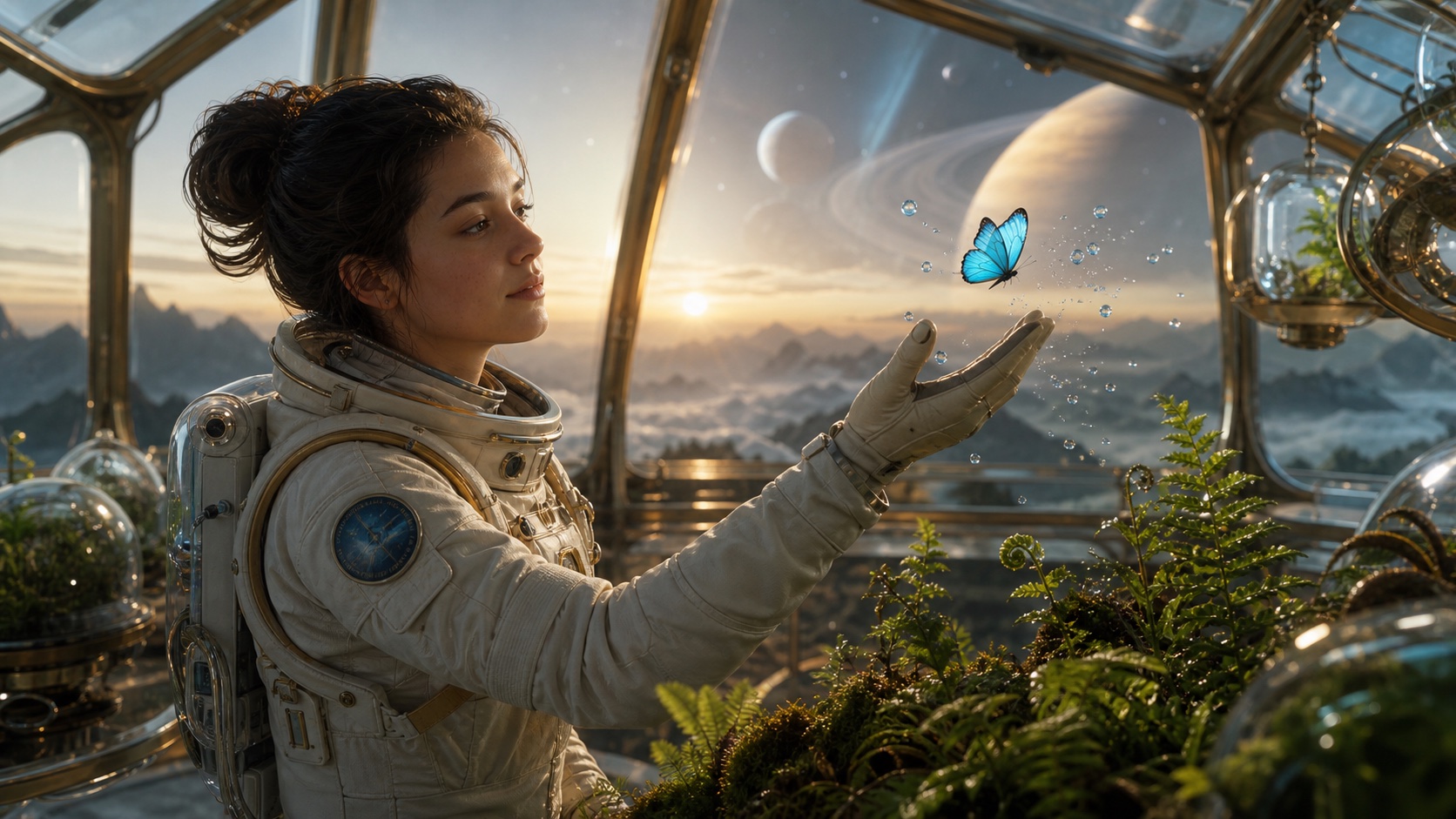
An original benchmark image created from a structured subject, action, environment, composition, lighting, palette, and exclusion brief. Use the same structure in the Text to Image workspace.
Image Quality Comparison
Tensor Art image quality — strengths and limitations
Tensor.Art quality depends heavily on the selected model and workflow. Its library covers photorealism, anime, illustration, design, characters, and specialist fine-tunes. That range is the advantage: a creator can pick a model close to the desired look, add a LoRA, reuse a seed, and tune steps, guidance, sampler, resolution, or references.
The tradeoff is variability. A popular community model may excel at one face or style but struggle with text, hands, products, or unfamiliar compositions. Good results require model selection and parameter judgment, and changing the model can change the visual language of the project.
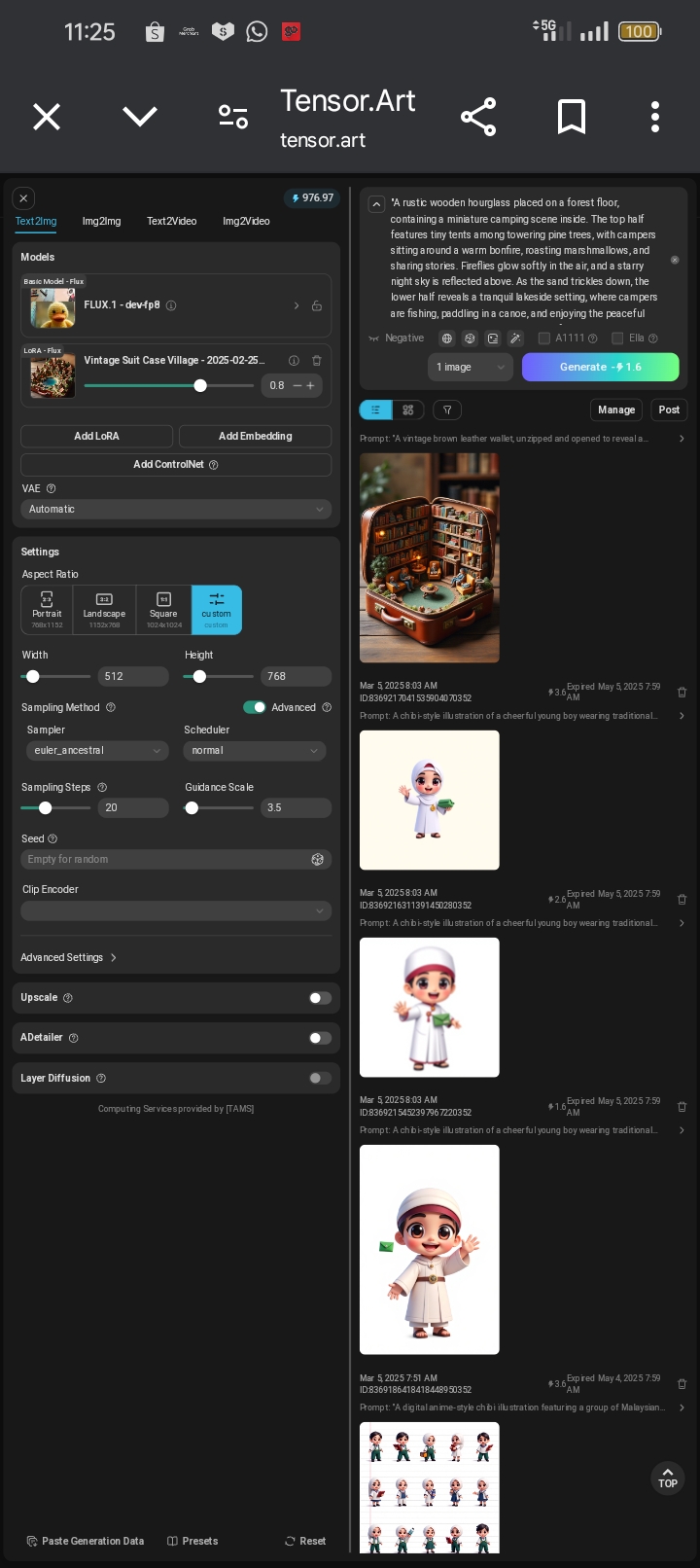
Tensor.Art's generation workspace brings model selection, LoRA strength, aspect ratio, sampler, steps, guidance, and recent outputs into one interface.
Midjourney image quality — why it remains a benchmark
Midjourney remains a benchmark for coherent art direction, cinematic composition, lighting, color, texture, and visually pleasing first passes. Its current web workflow also includes image prompts, style references, personalization, Raw mode, editing, and controllable variation. It is no longer accurate to describe Midjourney as Discord-only.
Its strength can also become a limitation: Midjourney may add aesthetic interpretation when a brief needs literal product fidelity, exact typography, or tightly repeatable technical settings. Raw mode and references help, but it is still a managed model rather than an inspectable pipeline.
Side-by-side prompt results
Use one fixed brief, aspect ratio, attempt count, and closest available quality setting. Score prompt adherence, subject identity, anatomy, materials, composition, text, artifacts, and the number of retries before the first directly usable image. Do not compare a curated four-attempt winner with another tool's first draft.
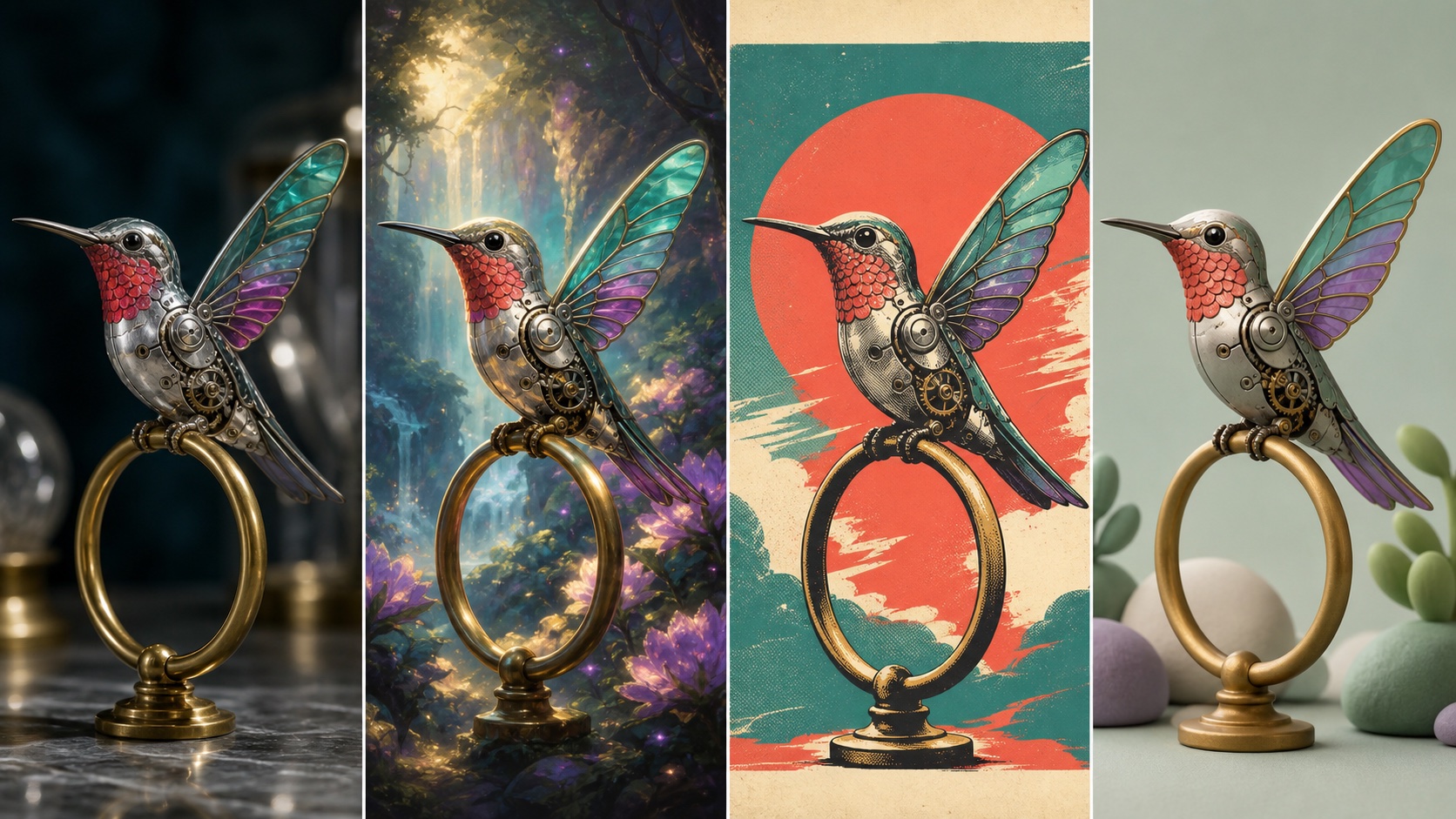
A controlled style study with the subject, colors, pose, and brass perch held constant. For more copy-ready test structures, see the ChatGPT trend prompt examples.
Pricing — Free vs Paid
Tensor Art pricing and free access
Tensor.Art offers free access to parts of its image ecosystem, while premium or hosted models may use different credit systems. Its Canvas workspace uses Energy separately from classic site credits, and free allocations can be model-specific or promotional. Treat “free” as a chance to validate a real brief, not a promise of unlimited generation.
Midjourney pricing — is it worth $10–$120 per month?
Midjourney's Basic, Standard, Pro, and Mega plans currently cost $10, $30, $60, and $120 per month. Standard and above include unlimited image generation in Relax mode; Pro and Mega add Stealth mode and Relax-mode video. It is worth paying when the cohesive output and faster decision-making replace hours of model hunting or setup.
Best free alternatives if neither fits your budget
If neither fits, compare broader options in the free Midjourney alternatives guide. Keep the test fair: one real deliverable, one attempt per tool, the same aspect ratio, and a record of wait time, retries, upscaling, privacy, and export restrictions.
Features Face-Off
Prompt style and control
Tensor.Art can expose negative prompts, seeds, samplers, steps, guidance, LoRAs, model weights, and reference controls. Midjourney favors natural-language prompts plus higher-level controls such as stylization, variety, Raw mode, image prompts, style references, and personalization.
Model variety and customization
Tensor.Art wins on breadth: community checkpoints, LoRAs, hosted premium models, training, workflows, and an infinite Canvas. Midjourney wins on product coherence: one evolving model family, shared creation settings, an editor, moodboards, folders, and consistent reuse of references.
Video generation
Both support video. Tensor.Art offers text-to-video and image-to-video through multiple models and workflows. Midjourney animates a starting image into a five-second clip, supports low or high motion, looping, extensions, and an optional end frame. For a broader view of dedicated video systems, read the best AI video generation models of 2026.
Community and sharing
Tensor.Art is built around discoverable community models, workflows, posts, and remixable assets. Midjourney combines a public discovery feed, profiles, style exploration, and Discord communities. In both products, check visibility defaults before using client or confidential media.
Ease of Use
Tensor Art — flexible web UI, more decisions
Tensor.Art's task-specific tools make common jobs approachable, while its advanced workspaces reward technical knowledge. Beginners can start from a model or template; experienced users can go deeper into parameters and custom assets. The interface is flexible, but the number of paths can feel dense.
Midjourney — streamlined web creation, optional Discord
Midjourney now lets subscribers create directly on the web, upload references, adjust settings, edit, organize, and animate images. Discord remains available for commands and community workflows, but it is optional. The learning curve is lower than it was when Discord was the primary interface.
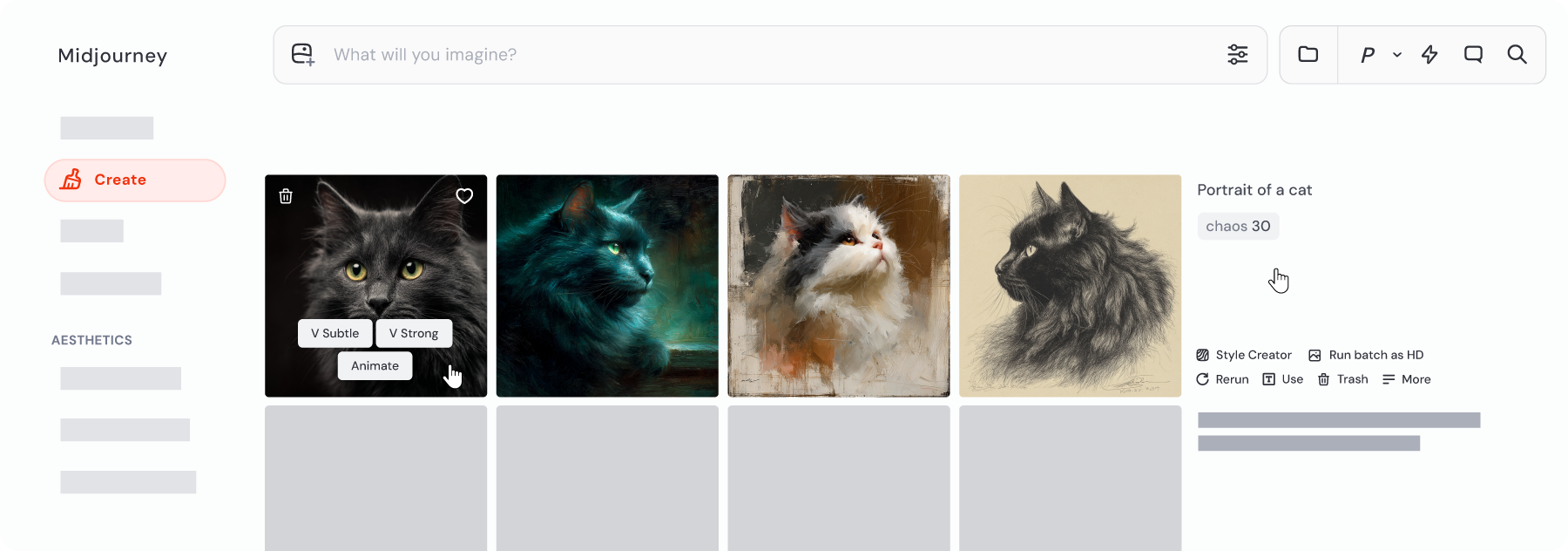
Midjourney's Create page centralizes prompting, references, settings, variations, animation, and image management in the browser.
Which is better for beginners?
Midjourney is easier if the beginner values polished results with fewer choices. Tensor.Art is easier on the budget and better for learning how models and controls affect output, but beginners should start with one curated tool or model rather than the entire library.
Tensor Art vs Midjourney — Full Comparison Table
| Category | Tensor.Art | Midjourney |
|---|---|---|
| Starting cost | Free starting path; model rules vary | Subscription from $10/month |
| Image quality | Model-dependent; wide style range | Consistently strong composition and aesthetics |
| Model choice | Large community and hosted catalog | One managed model family |
| Fine control | Seeds, samplers, steps, LoRAs, workflows | Stylize, Raw, variety, references, personalization |
| Web interface | Yes | Yes |
| Discord required | No | No; optional |
| Video | Multiple text/image-to-video models | Five-second image animation with extensions |
| Privacy | Depends on workflow and visibility settings | Stealth requires Pro or Mega |
| Best for | Experimentation, anime, custom models, technical control | Art direction, concepting, polished first passes |
Seedance as an Alternative to Both
Tensor.Art and Midjourney are strongest when the main output is an image. Seedance is the more practical third option when an approved image must become motion without rebuilding the project elsewhere. Generate or upload a still, lock the subject, then continue in Image to Video with one action, one camera move, and explicit details that must not change.
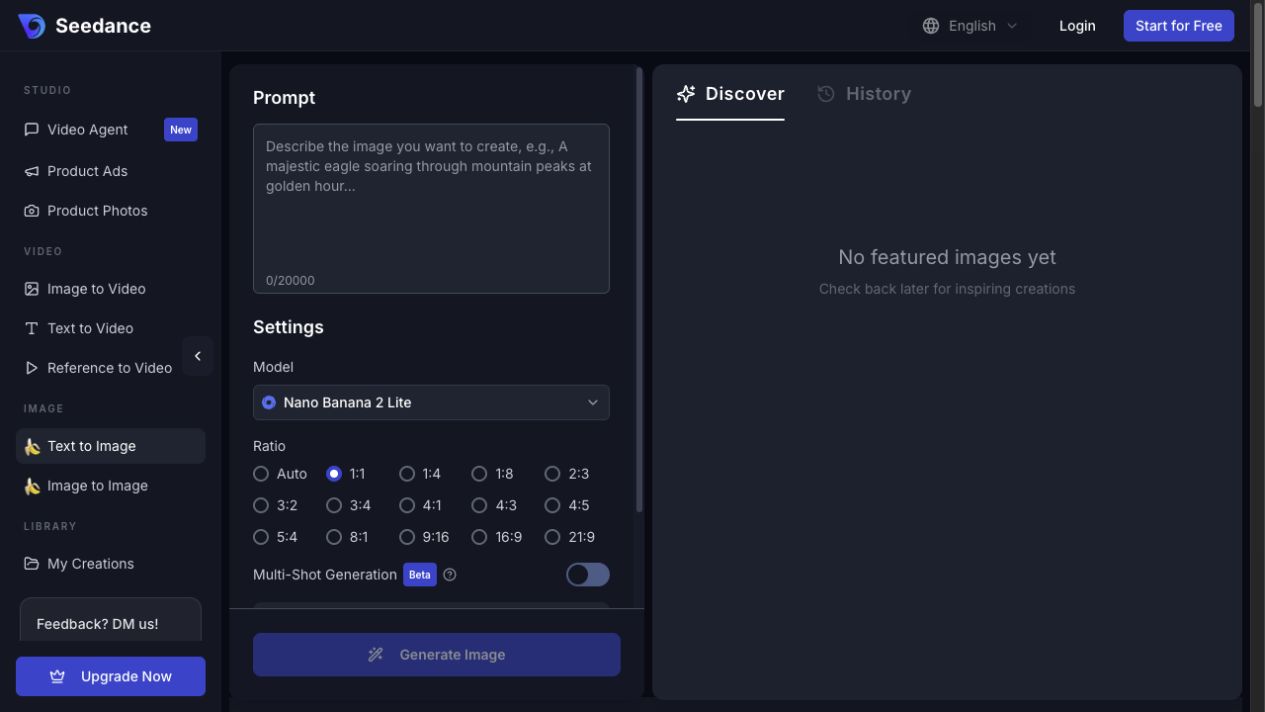
The still-to-motion path is the differentiator: evaluate whether the subject, materials, colors, action, and camera direction remain stable across the entire clip.
Conclusion
Choose Tensor.Art for free experimentation, community models, LoRAs, and technical control. Choose Midjourney for cohesive aesthetics, polished first passes, and a streamlined creative environment. Choose Seedance when the real task spans image creation, editing, and video. Whichever path you test, compare the first usable deliverable—not a showcase image, a provider success message, or the last result in a long retry chain.
Ready to create your own AI video?
Turn ideas, text prompts, and images into polished videos with Seedance. If this article helped, the fastest next step is to try the product.
Free credits on signup. Plans from $28/month.
Related Articles
More posts in the same locale you may want to read next.

Seedance App Preview Video Generator 2026: Create App Store and Product Launch Clips
Use Seedance to turn app screenshots, feature copy, and launch goals into App Store previews, Google Play promo videos, and product launch clips.
Read article
15 Faceless YouTube Channel Ideas You Can Make with AI (2026)
15 faceless YouTube channel ideas for 2026, with the format, a sample AI video prompt and difficulty for each, plus how to make them with Seedance AI.
Read article
How to Use Seedance in Claude: MCP Setup and Automated Video Workflows
Use Seedance 2.5 inside Claude: connect the Seedance MCP server, generate videos by chat, batch variations and schedule daily video jobs with Claude scheduled tasks.
Read article