
How to Make YouTube Videos with Seedance AI: Complete Guide 2026
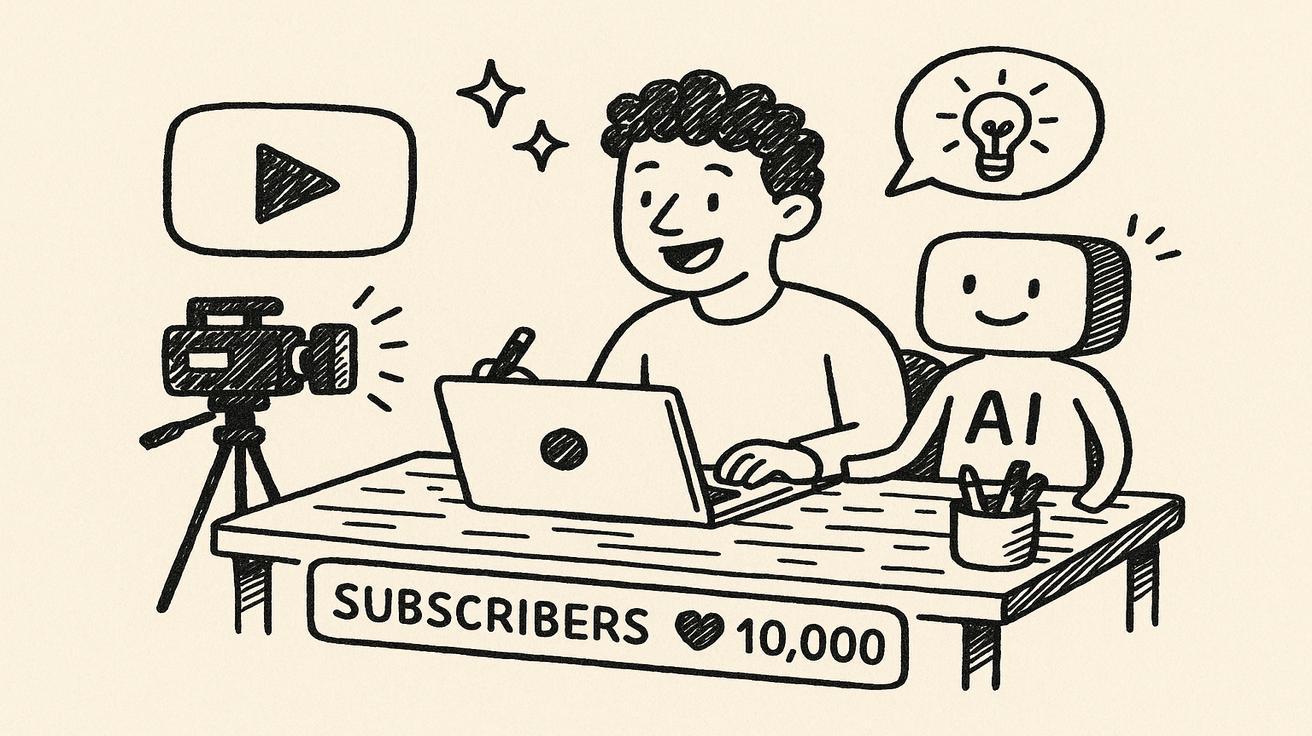
YouTube content creation is evolving at lightning speed, and AI video generators like Seedance are revolutionizing how creators produce engaging videos. Whether you're a seasoned YouTuber looking to scale production or a beginner wanting to launch your channel without expensive equipment, Seedance AI offers a powerful solution for creating professional-quality videos from simple text prompts. This comprehensive guide will walk you through everything you need to know about making YouTube videos with Seedance AI in 2026.
Why Seedance for YouTube?
Seedance AI has emerged as one of the most capable video generation platforms specifically optimized for content creators. Unlike generic AI video tools, Seedance offers features tailored to YouTube's unique requirements, including precise aspect ratio control, length optimization, and cinematic quality output that rivals traditional filming.
Unmatched Video Quality and Consistency
Seedance 2.0, released in early 2026, represents a significant leap forward in AI video generation. The platform's advanced motion synthesis engine creates fluid, natural movements that avoid the uncanny valley effect plaguing many AI video generators. For YouTube creators, this means your audience stays immersed in your content rather than being distracted by robotic or glitchy animations.
The consistency across frames ensures that characters, objects, and environments maintain their appearance throughout the video—critical for storytelling and brand building. This level of coherence was previously achievable only through traditional filming or labor-intensive animation.
Cost-Effective Content Scaling
Traditional YouTube production involves cameras, lighting, actors, locations, and extensive editing time. A single 10-minute video could cost hundreds or thousands of dollars and take days to produce. Seedance compresses this into minutes and dollars. The platform's generous free tier lets you test concepts without financial risk, while paid plans scale affordably as your channel grows.
For channels producing daily content, the cost savings multiply dramatically. A creator making 30 videos per month could save over $10,000 in production costs while maintaining or even improving quality.
Speed and Iteration Advantage
YouTube's algorithm rewards consistency and volume. Seedance enables you to:
- Generate multiple video variations in the time it takes to film one traditional video
- Test different hooks, thumbnails, and concepts rapidly
- Respond to trending topics within hours, not days
- Maintain daily upload schedules without burnout
This speed advantage creates a compound growth effect. Channels that can publish more quality content consistently outperform those with sporadic high-production-value uploads.
No Technical Expertise Required
Seedance's intuitive interface means you don't need filmmaking experience, animation skills, or complex software knowledge. If you can write a descriptive prompt, you can create compelling YouTube videos. This democratization allows storytellers and subject matter experts to focus on content rather than production logistics.
The platform handles lighting, camera angles, transitions, and visual effects automatically, applying professional cinematography principles that would take years to master manually.
What Types of YouTube Videos Can You Make with Seedance?
Seedance's versatility makes it suitable for virtually any YouTube niche. Understanding which formats work best helps you plan your content strategy effectively.
Educational and Tutorial Content
Explainer videos, how-to guides, and educational content perform exceptionally well with Seedance. The AI can visualize abstract concepts, create step-by-step demonstrations, and maintain viewer engagement with dynamic visuals. Complex topics like science, history, technology, and finance become accessible through compelling animations.
Example formats:
- "5 Ways to Improve Your Credit Score" with animated financial scenarios
- "How Quantum Computers Work" with visualized quantum mechanics
- "World War II Timeline" with historical reenactments
Storytelling and Entertainment
Narrative-driven content thrives with Seedance's cinematic capabilities. Create:
- Animated short stories and skits
- True crime recreations
- Horror stories with atmospheric visuals
- Comedy sketches with customizable characters
- Fantasy and sci-fi narratives
The AI's ability to generate consistent characters and settings makes serialized storytelling viable, allowing you to build audience loyalty through recurring elements.
Product Reviews and Comparisons
While Seedance can't film physical products, it excels at:
- Software and app demonstrations
- Digital service reviews
- Feature comparison videos
- "Top 10" lists with visual representations
- Conceptual product visualizations
Pair Seedance animations with screen recordings for hybrid reviews that show both conceptual benefits and actual interface walkthroughs.
Meditation and Relaxation Content
The AI's capacity for generating calm, aesthetic visuals makes it perfect for:
- Guided meditation videos
- Nature scenes with soothing narration
- ASMR-style visual content
- Sleep stories with gentle animations
- Ambient soundscapes with matching visuals
These videos often have high watch time and replay value, boosting algorithmic favorability.
Gaming Content
While not a game capture tool, Seedance can create:
- Game concept visualizations
- Lore explanation videos
- Character analysis with custom animations
- "What if" scenario videos
- Game development process explainers
Business and Entrepreneurship
Seedance excels at visualizing business concepts:
- Startup case studies
- Marketing strategy explainers
- Financial advice with animated scenarios
- Entrepreneur stories and biographies
- Industry trend analysis
These high-value topics attract engaged audiences and sponsorship opportunities.
Setting Up Seedance for YouTube Production
Getting started with Seedance requires minimal setup, but optimizing your workflow ensures maximum efficiency.
Account Creation and Configuration
- Sign up at seedance.tv using your preferred email
- Verify your account through the confirmation email
- Choose your plan: Start with the free tier to test capabilities, then upgrade based on your production volume
- Set up your profile with your channel information for personalized recommendations
Understanding Credits and Limits
Seedance operates on a credit system:
- Free tier: 50 credits/month (~10 short videos or 2-3 long-form videos)
- Creator tier: 500 credits/month for $29
- Pro tier: 2000 credits/month for $99
Credit consumption:
- 5-second clip: 2 credits
- 10-second clip: 4 credits
- 30-second clip: 10 credits
- 60-second clip: 20 credits
Plan your content calendar around these limits, focusing on quality over quantity within your budget.
Optimizing Your Workflow
Create a prompt library: Save successful prompts in a document or spreadsheet, categorized by video type. This builds your own template system.
Batch similar tasks: Generate all visuals for a week's content in one session to maintain stylistic consistency and maximize creative flow.
Use the Seedance gallery: Store and organize generated clips in your gallery for easy access and reuse across multiple videos.
Integration with YouTube Tools
Connect Seedance to your YouTube workflow:
- Thumbnail generation: Use Seedance to create custom thumbnails that match your video content
- Description templates: Create boilerplate descriptions with links and social media
- Tag research: Use Seedance's keyword suggestions alongside traditional SEO tools
- Scheduler integration: Plan upload times based on your audience analytics
Step-by-Step: Creating Your First YouTube Video with Seedance
Let's walk through creating a complete YouTube video from start to finish.
Step 1: Plan Your Video Concept
Before opening Seedance, define:
- Topic: What specific value will you provide?
- Target audience: Who are you making this for?
- Video length: Short-form (under 60 seconds) or long-form (5+ minutes)?
- Key points: 3-5 main ideas you must cover
- Call-to-action: What should viewers do after watching?
Example concept: "3 Productivity Hacks for Remote Workers" - 8-minute educational video for professionals working from home.
Step 2: Write Your Script
Seedance works best with clear, descriptive language. Structure your script:
Introduction (30-60 seconds):
- Hook: "Remote workers waste 2.5 hours daily on distractions"
- Promise: "These 3 hacks will save you 10+ hours per week"
- Credibility: "I've helped 500+ professionals optimize their workflow"
Body (5-7 minutes):
- Hack 1: Time-blocking with visual calendar animation
- Hack 2: Pomodoro technique with timer visualization
- Hack 3: Digital detox with before/after workspace scenes
Conclusion (30-60 seconds):
- Summary of key points
- Call-to-action: "Try one hack today and comment your results"
- Subscribe reminder
Step 3: Generate Visuals in Seedance
For each section, create specific prompts:
Introduction prompt:
Professional home office setting, frustrated remote worker looking at multiple screens with distracting notifications, stressed expression, modern workspace, natural lighting, 4K quality, cinematic camera movement from wide shot to close-up on worker's face
Duration: 8 seconds
Aspect ratio: 16:9
Hack 1 visualization:
Digital calendar interface floating in 3D space, time blocks color-coded for different tasks, smooth animation showing schedule organization, clean minimalist design, blue and white color scheme, professional aesthetic
Duration: 15 seconds
Aspect ratio: 16:9
Hack 2 visualization:
Classic tomato timer (Pomodoro) in elegant design, 25-minute countdown animation, focused workspace scene with timer prominent, warm lighting, inspirational but calm atmosphere, subtle motion blur on background
Duration: 12 seconds
Aspect ratio: 16:9
Generate multiple variations of each scene to have options during editing. Create 2-3 versions with slightly different camera angles, lighting, or pacing.
Step 4: Review and Select Clips
After generation, review each clip for:
- Visual quality: Check for any artifacts or inconsistencies
- Pacing: Does the timing match your script's rhythm?
- Relevance: Does it clearly communicate your point?
- Engagement: Will it hold viewer attention?
Download your selected clips in the highest quality available. Organize them in folders by video section for easy editing access.
Step 5: Add Voiceover or Text
Option A: Voiceover
- Record your script using a quality microphone
- Use Seedance's built-in voice sync feature to match audio timing
- Alternatively, use AI voice generation for consistency across videos
Option B: Text overlays
- Create dynamic text animations in Seedance
- Use bold, readable fonts with high contrast
- Time text appearance with key points in your script
Best practice: Combine both. Use voiceover for narration and text overlays for emphasis of key statistics or quotes.
Step 6: Compile and Edit
Import your Seedance clips into editing software:
- CapCut: Free, beginner-friendly, optimized for social media
- DaVinci Resolve: Professional-grade, free version available
- Adobe Premiere Pro: Industry standard, subscription-based
Editing workflow:
- Arrange clips in sequence according to your script
- Add transitions between scenes (subtle fades work best)
- Insert background music that matches your video's tone
- Add sound effects for emphasis (notification sounds, timer ticks)
- Include your branding elements (logo, color scheme)
- Create an engaging thumbnail from one of your Seedance frames
Step 7: Optimize for YouTube
Before uploading:
- Title: "3 Productivity Hacks for Remote Workers (Save 10+ Hours/Week)"
- Description: Include your main points, links to resources, and social media
- Tags: remote work, productivity hacks, work from home tips, time management
- Thumbnail: Custom Seedance-generated image with bold text overlay
- End screen: Promote related videos or your subscribe button
Upload settings:
- Set as "Not made for kids"
- Allow embedding
- Enable notifications for subscribers
- Schedule for optimal publishing time based on your analytics
Step 8: Publish and Promote
After uploading:
- Share on social media with engaging captions
- Embed in relevant blog posts if you have a website
- Send to your email list with a compelling preview
- Respond to comments within the first hour to boost engagement
- Create a Short version for additional reach
Best Seedance Prompts for YouTube Content
Mastering prompts is key to Seedance success. Here are proven templates for different video types.
Educational Content Prompts
Science Explanation:
[TOPIC] visualization, cross-section view showing internal processes, labeled components, educational animation style, clean white background, professional infographic aesthetic, smooth camera rotation revealing different angles, 4K detail
Historical Event:
Historical reenactment of [EVENT], period-accurate costumes and architecture, cinematic lighting, emotional performances, wide establishing shots mixed with intimate close-ups, film grain effect, documentary style, 16:9 aspect ratio
How-To Tutorial:
Step-by-step demonstration of [PROCESS], clear visual progression, before and after split screen, close-up detail shots, bright even lighting, instructional video style, minimal background distractions, text labels appearing at key moments
Entertainment Prompts
Horror Story:
Atmospheric horror scene, [SETTING], ominous shadows, flickering lights, psychological tension, subtle supernatural elements, dark color grading, first-person perspective, building suspense, unexpected jump scare at end
Comedy Skit:
Comedic scenario featuring [CHARACTERS], exaggerated expressions, slapstick timing, bright colorful setting, sitcom-style multi-camera angles, laugh track appropriate pacing, physical comedy emphasis, 16:9 aspect ratio
Fantasy Adventure:
Epic fantasy landscape, [CHARACTER] on quest, magical effects, sweeping camera movements, golden hour lighting, heroic cinematography, detailed world-building elements, adventure movie trailer style
Business Content Prompts
Case Study:
Professional business setting, [COMPANY] success story visualization, upward trending graphs, team collaboration scenes, modern office environment, confident professionals, bright optimistic lighting, corporate documentary style
Product Demo:
Sleek product showcase, 360-degree rotation, feature highlights with zoom effects, minimalist background, professional studio lighting, tech review aesthetic, detailed close-ups of key features, smooth motion graphics
Meditation/Relaxation Prompts
Nature Scene:
Serene [ENVIRONMENT], gentle natural movements, soft natural lighting, ASMR-appropriate details, slow peaceful pacing, mindfulness video style, 4K nature documentary quality, ambient atmosphere
Guided Visualization:
Abstract calming visuals, flowing organic shapes, soft color transitions, hypnotic motion, meditation-appropriate pacing, ethereal lighting, spiritual wellness aesthetic, immersive full-screen composition
YouTube Shorts Prompts (9:16)
Quick Tip:
Dynamic vertical video, [TIP] demonstration, fast cuts, bold text overlays, mobile-optimized composition, trending audio sync, bright attention-grabbing colors, 9:16 aspect ratio, loopable ending
Trending Challenge:
Vertical video of [CHALLENGE], energetic pacing, reaction shots, viral trend aesthetics, quick transitions, text callouts, 9:16 format, optimized for TikTok/YouTube Shorts, engaging from first frame
Prompt Engineering Tips
Be specific about:
- Camera movements ("slow dolly in," "handheld shake," "aerial drone shot")
- Lighting ("golden hour," "neon cyberpunk," "soft window light")
- Style references ("documentary style," "movie trailer," "music video")
- Emotional tone ("inspiring," "mysterious," "urgent," "calm")
- Technical specs ("4K," "cinematic," "sharp focus," "shallow depth of field")
Use negative prompts to avoid unwanted elements:
[POSITIVE PROMPT], no watermark, no text overlays, no logos, no blurry footage, no shaky camera, no amateur lighting
Test and iterate: Generate 3-5 versions of important scenes with slight variations. Keep a log of what worked for future reference.
YouTube Format Guide: Aspect Ratios and Lengths
Understanding YouTube's technical requirements ensures your Seedance videos look professional and perform well.
Aspect Ratios Explained
16:9 (Standard YouTube)
- Resolution: 1920x1080 (1080p) minimum, 3840x2160 (4K) recommended
- Use for: Main channel content, long-form videos, tutorials, vlogs
- Best practices: Fill the frame with relevant visuals, avoid excessive headroom
- Seedance settings: Default horizontal mode, "YouTube 16:9" preset
9:16 (YouTube Shorts)
- Resolution: 1080x1920
- Use for: Shorts, mobile-first content, quick tips, viral challenges
- Best practices: Center important elements, use large text overlays, capture attention in first 3 seconds
- Seedance settings: "Vertical video" mode, "Shorts 9:16" preset
1:1 (Square)
- Resolution: 1080x1080
- Use for: Social media cross-posting, Instagram/Facebook compatibility
- Best practices: Frame subjects centrally, consider how it crops in different platforms
- Seedance settings: "Square" aspect ratio option
4:5 (Vertical)
- Resolution: 1080x1350
- Use for: Pinterest, some social platforms
- Best practices: Slightly taller than square, good for portrait-style content
- Seedance settings: "Vertical" mode with custom dimensions
Optimal Video Lengths
YouTube Shorts:
- Maximum: 60 seconds
- Sweet spot: 15-30 seconds
- Strategy: Hook in first 3 seconds, deliver value quickly, strong call-to-action
- Seedance efficiency: Generate multiple 5-10 second clips and combine
Medium-Form Content:
- Length: 2-10 minutes
- Sweet spot: 5-8 minutes for monetization
- Strategy: Detailed explanations, multiple examples, moderate depth
- Seedance approach: 10-15 clips of 30-45 seconds each
Long-Form Content:
- Length: 10+ minutes
- Sweet spot: 12-20 minutes for maximum ad revenue
- Strategy: Comprehensive coverage, multiple sections, deep dives
- Seedance approach: 20-30 clips, variety of visuals to maintain engagement
Livestream VODs:
- Length: 30+ minutes
- Strategy: Seedance for intro/outro graphics, highlight reels, and promotional clips
- Hybrid approach: Combine live footage with AI-generated segments
Resolution and Quality Settings
Minimum viable quality:
- 1280x720 (720p) at 30fps
- Acceptable for Shorts and quick content
Standard quality:
- 1920x1080 (1080p) at 30fps
- Good for most content, balances quality and file size
Premium quality:
- 1920x1080 (1080p) at 60fps
- Smooth motion for action-packed content
Ultra quality:
- 3840x2160 (4K) at 30fps
- Future-proof content, best for high-value videos
- Note: 4K generation uses more credits but provides professional-grade output
File Format and Size
Export settings from Seedance:
- Format: MP4 (H.264 codec)
- Audio: AAC, 128kbps minimum
- File size: Keep under 128GB for YouTube upload
- Bit rate: 8 Mbps for 1080p, 35-45 Mbps for 4K
Optimization tips:
- Use Seedance's built-in compression for faster uploads
- Maintain original quality for your archive, compress for upload
- Test playback on different devices before publishing
Frame Rate Considerations
24fps: Cinematic look, slightly blurred motion, professional feel 30fps: Standard for most YouTube content, clean and clear 60fps: Smooth motion, great for gaming, sports, and action content
Seedance default: 30fps for balanced performance and quality
Seedance for YouTube Shorts vs Long-Form Videos
Different strategies are needed for Shorts and long-form content. Here's how to optimize Seedance for each format.
YouTube Shorts Strategy
Characteristics:
- Maximum 60 seconds
- Vertical 9:16 aspect ratio
- Mobile-first viewing
- Algorithm-driven discovery
- High volume potential
Seedance Workflow for Shorts:
- Conceptualize in seconds: Plan 3-second hook, 10-second value delivery, 2-second CTA
- Generate punchy visuals: Use dynamic camera movements, bright colors, quick cuts
- Text-heavy approach: Large, bold text overlays since many watch without sound
- Trending audio sync: Time visuals to match popular sounds (you'll add audio in editing)
- Loopable endings: Create endings that flow back to beginnings for repeated views
Shorts Prompt Template:
Energetic vertical video: [CONCEPT], fast-paced cuts, bold text overlay "[TEXT]", trending audio visualization, bright attention-grabbing colors, 9:16 aspect ratio, mobile-optimized composition, loop-friendly ending
Content Ideas for Shorts:
- Quick tips and life hacks
- "3 things you didn't know about [topic]"
- Before/after reveals
- Challenge videos
- "This or that" comparisons
- News reaction clips
- Tutorial snippets
- Motivational quotes with visuals
Publishing Strategy:
- Post 1-3 Shorts daily
- Use relevant hashtags: #Shorts #AI #YourNiche
- Respond to comments immediately to boost engagement
- Convert successful Shorts into long-form content
Analytics to Watch:
- View count velocity in first hour
- Average view duration (target 80%+)
- Subscribe conversion rate
- Traffic source (Browse vs. Direct)
Long-Form Video Strategy
Characteristics:
- 10+ minutes optimal for monetization
- 16:9 horizontal format
- Search-driven discovery
- Deeper audience relationships
- Higher production value expected
Seedance Workflow for Long-Form:
- Comprehensive scripting: Detailed storyboard with timestamp markers
- Segmented generation: Create visuals chapter by chapter
- Visual variety: Use wide, medium, and close-up shots to maintain interest
- B-roll abundance: Generate extra footage for cutaways and examples
- Consistent branding: Use similar color grading and styles across all clips
Long-Form Prompt Template:
[SCENE DESCRIPTION] for YouTube tutorial, professional production quality, 16:9 aspect ratio, cinematic lighting, [CAMERA MOVEMENT], [STYLE REFERENCE], 4K resolution, consistent with brand colors [COLOR SCHEME], educational video aesthetic
Content Ideas for Long-Form:
- Detailed tutorials and courses
- Documentary-style deep dives
- Comprehensive product reviews
- Case studies and analysis
- Storytelling and narratives
- Interviews (with AI-generated visuals)
- Weekly news recaps
- Behind-the-scenes content
Retention Strategy:
- Hook viewers in first 30 seconds
- Use pattern interrupts every 30-45 seconds
- Tease upcoming content throughout
- Include timestamps in description
- End with strong call-to-action
Analytics to Watch:
- Average view duration (target 50%+)
- Audience retention curve
- Click-through rate from impressions
- Subscriber growth per video
- Revenue per mille (RPM)
Hybrid Strategy: Converting Between Formats
Long-form to Shorts:
- Extract key moments as standalone clips
- Add vertical cropping and text overlays
- Use as promotional content linking to full video
- Create "best of" compilations
Shorts to Long-form:
- Expand successful Short concepts into detailed tutorials
- Create compilation videos of themed Shorts
- Use Shorts as "teasers" for upcoming long-form content
- Build playlists around Short topics
Content Repurposing Workflow:
- Create long-form video first (establishes authority)
- Identify 3-5 key moments for Shorts extraction
- Generate additional vertical-specific visuals if needed
- Edit each Short with platform-appropriate pacing
- Publish Shorts over several days, linking to full video
- Analyze which moments perform best for future content planning
Editing Your Seedance Videos for YouTube
Raw Seedance footage benefits from thoughtful editing to maximize YouTube performance.
Essential Editing Steps
1. Trim and Pace:
- Remove any dead space or slow moments
- Aim for 1 cut every 3-5 seconds for dynamic content
- Use J-cuts and L-cuts for smooth audio transitions
- Match visual pace to music rhythm when appropriate
2. Color Correction:
- Adjust brightness and contrast for consistency across clips
- Apply color grading that matches your brand
- Use LUTs (Look-Up Tables) for professional color schemes
- Seedance footage typically needs slight saturation boost
3. Audio Enhancement:
- Normalize audio levels across all clips
- Add background music (30-40% volume under voiceover)
- Include sound effects for emphasis
- Use noise reduction if needed
4. Text and Graphics:
- Add lower thirds for speaker identification
- Use text overlays for key points and statistics
- Include subscribe buttons and end screen elements
- Animate text for dynamic Shorts content
5. Transitions:
- Use subtle fades between similar scenes
- Apply more dynamic transitions for genre shifts
- Match transition speed to video pacing
- Avoid overuse of flashy effects
Advanced Editing Techniques
Motion Tracking:
- Attach text or graphics to moving objects in Seedance footage
- Highlight specific areas of the screen
- Create interactive-style elements
Speed Ramping:
- Slow down key moments for emphasis
- Speed up repetitive processes
- Create dynamic montage sequences
Split Screen:
- Show before/after comparisons
- Display multiple perspectives simultaneously
- Create reaction-style content
Green Screen Replacement:
- Seedance can generate green screen footage
- Replace backgrounds with custom environments
- Create virtual sets and studios
Software Recommendations
Beginner-Friendly:
- CapCut: Free, intuitive, excellent for Shorts
- iMovie: Mac users, simple and reliable
- Canva Video: Template-based, great for quick edits
Intermediate:
- Filmora: Affordable, feature-rich, easy learning curve
- DaVinci Resolve: Free professional version, powerful color grading
- Adobe Premiere Rush: Simplified Premiere, cross-device sync
Professional:
- Adobe Premiere Pro: Industry standard, extensive plugin ecosystem
- Final Cut Pro: Mac-optimized, magnetic timeline
- DaVinci Resolve Studio: Complete post-production suite
Editing Workflow Optimization
Template creation:
- Save project templates with your branding, intros, and music
- Create preset effects and transitions you use frequently
- Build a library of sound effects and b-roll clips
Keyboard shortcuts:
- Learn essential shortcuts for your chosen software
- Customize shortcuts to match your workflow
- Use macro programs for complex repetitive actions
Collaboration:
- Use cloud-based storage for project files
- Implement version control for iterative improvements
- Share templates and assets across team members
Real Examples: YouTube Niches That Work with Seedance
Let's examine specific channel types successfully using AI video generation.
1. Educational Explainers (Example: "Kurzgesagt" Style)
Channel concept: Complex topics explained through colorful animations
Seedance approach:
- Generate flat-design style animations
- Use consistent color palette across videos
- Create character animations for storytelling
- Visualize abstract concepts (time, space, economics)
Example video structure:
- Hook with intriguing question
- Animated timeline of topic history
- Character-driven examples
- Data visualizations
- Summary with key takeaways
Monetization: Ad revenue, sponsorships, course sales
Growth potential: High - evergreen content with search traffic
2. True Crime Documentaries
Channel concept: Criminal case analyses with reenactments
Seedance approach:
- Generate realistic scene recreations
- Create character likenesses based on descriptions
- Animate timeline of events
- Produce atmospheric crime scene visuals
Ethical considerations:
- Use fictionalized characters, not real photos
- Focus on factual storytelling
- Respect victims and families
- Include disclaimers about recreations
Example video structure:
- Mysterious opening scene
- Case background and context
- Timeline of events with visual reenactment
- Investigation details
- Resolution and lessons learned
Monetization: Ad revenue, podcast cross-promotion, Patreon
Growth potential: Very high - dedicated niche audience
3. Motivational and Self-Improvement
Channel concept: Inspirational content with cinematic visuals
Seedance approach:
- Generate aspirational lifestyle scenes
- Create metaphorical visual representations of concepts
- Produce calming nature sequences
- Animate quote graphics
Example video structure:
- Powerful opening statement
- Personal story or example
- 3-5 key principles with visual metaphors
- Action steps for viewers
- Inspirational closing
Content themes:
- Morning routines
- Productivity systems
- Mindset shifts
- Goal setting
- Overcoming adversity
Monetization: Courses, coaching, book sales, affiliate marketing
Growth potential: High - broad appeal, shareable content
4. Gaming Lore and Analysis
Channel concept: Video game universe explanations and theories
Seedance approach:
- Create character models in game art style
- Generate environmental scenes from game worlds
- Animate battle sequences and story moments
- Produce concept art for theories
Example video structure:
- Game footage (Fair Use) + Seedance recreations
- Story summary with visual storytelling
- Character analysis with custom animations
- Theory exploration with conceptual visuals
- Community discussion prompts
Monetization: Ad revenue, game affiliate links, Patreon
Growth potential: High - passionate gaming communities
5. Financial Education
Channel concept: Personal finance and investing explained visually
Seedance approach:
- Animate financial concepts (compound interest, inflation)
- Create scenario comparisons (renting vs. buying)
- Generate charts and graph animations
- Produce lifestyle visuals for different income levels
Example video structure:
- Relatable financial problem
- Data-driven explanation
- Visual comparisons
- Step-by-step solutions
- Resource recommendations
Monetization: Affiliate links, courses, financial tool partnerships
Growth potential: Very high - high CPM niche, service provider partnerships
6. Meditation and Wellness
Channel concept: Guided meditations with calming visuals
Seedance approach:
- Generate serene natural environments
- Create slow, peaceful animations
- Produce visual breathing guides
- Animate abstract calming patterns
Example video structure:
- Gentle introduction
- Breathing exercise with visual guide
- Immersive environment visualization
- Affirmations with text overlays
- Gradual return to awareness
Monetization: Ad revenue (lower due to nature of content), premium subscriptions, app partnerships
Growth potential: Moderate - loyal audience, consistent watch time
Tips for Growing Your YouTube Channel with AI Videos
Building a successful channel requires more than just great content. Implement these growth strategies.
Content Strategy
Find your unique angle: Even in crowded niches, specificity wins. "AI-generated productivity tips" is broad; "AI-generated productivity tips for ADHD developers" is targeted and valuable.
Create content silos: Produce 5-10 videos on related topics to establish authority. YouTube's algorithm favors channels that demonstrate expertise in specific areas.
Balance search and browse content:
- Search content: Evergreen tutorials with clear keywords
- Browse content: Trending topics, entertainment, personality-driven
Analyze competitors: Use tools like VidIQ or TubeBuddy to see what's working in your niche, then create better versions with Seedance's unique capabilities.
Audience Building
Engage immediately: Respond to every comment in the first 24 hours. Early engagement signals value to YouTube's algorithm.
Create community posts: Use YouTube's Community tab to share behind-the-scenes Seedance prompts, ask for video ideas, and build relationships.
Collaborate strategically: Partner with creators in complementary niches. Share Seedance techniques and cross-promote content.
Leverage other platforms:
- Post Shorts to TikTok and Instagram Reels
- Share long-form videos to Facebook and LinkedIn
- Create Pinterest pins with Seedance thumbnails
- Tweet video highlights with engaging captions
Optimization Techniques
Title optimization:
- Include primary keyword within first 60 characters
- Use numbers and brackets for attention: "7 Ways [2026 Guide]"
- Test emotional triggers: "Shocking," "Essential," "Proven"
Thumbnail mastery:
- Generate 3-5 thumbnail options in Seedance
- Use high contrast and readable text
- Include human faces or expressive characters
- A/B test thumbnails when possible
Description strategy:
- Front-load important keywords in first 100 characters
- Include timestamps for long-form content
- Add links to related videos and social media
- Use relevant hashtags (3-5 maximum)
Tag implementation:
- Mix broad and specific tags
- Include variations and misspellings
- Add trending tags when relevant
- Update tags based on performance data
Monetization Beyond Ads
Affiliate marketing:
- Promote tools and resources related to your niche
- Create honest review videos with Seedance demonstrations
- Include affiliate links in description
- Disclose partnerships transparently
Digital products:
- Sell prompt packs for Seedance
- Create courses on AI video creation
- Offer consulting services
- Build membership communities
Sponsorships:
- Pitch AI-friendly brands (software, tech, education)
- Create integrated Seedance demos of sponsor products
- Maintain authenticity by sponsoring products you use
Channel memberships:
- Offer exclusive Seedance prompts to members
- Provide behind-the-scenes content
- Give early access to videos
- Create members-only tutorials
Analytics and Iteration
Key metrics to track:
- Click-through rate (target 4%+)
- Average view duration (target 50%+)
- Subscriber conversion per video
- Traffic source distribution
- Audience retention curve
Data-driven improvements:
- Identify drop-off points in retention graph
- Analyze which topics drive most subscriptions
- Test different visual styles from Seedance
- Double down on what works, cut what doesn't
Continuous learning:
- Stay updated on Seedance feature releases
- Follow YouTube algorithm updates
- Study successful channels in your niche
- Experiment with new content formats monthly
FAQ
Q: How much does Seedance cost for YouTube creators?
A: Seedance offers a free tier with 50 monthly credits (enough for ~10 Shorts or 2-3 long-form videos). Paid plans start at $29/month for 500 credits, which supports daily Shorts production or 3-4 long-form videos weekly. Most creators start free and upgrade as their channel monetizes.
Q: Can I monetize YouTube videos made with Seedance AI?
A: Yes, absolutely. YouTube's monetization policies allow AI-generated content as long as you have commercial rights to the visuals. Seedance grants full commercial usage rights to all videos you create on their platform. Ensure your content provides original value through scripting, voiceover, and editing—don't just upload raw AI generations.
Q: Will viewers know my videos are AI-generated?
A: Quality Seedance videos are often indistinguishable from traditionally produced content. The key is in the editing, scripting, and presentation. Many successful creators use AI-generated visuals without disclosure, but transparency can build trust. Consider mentioning "AI-assisted production" in your description if you want to be open with your audience.
Q: How do I avoid copyright issues with Seedance?
A: Seedance generates original visuals from your prompts, giving you full rights to the output. Avoid prompts that reference copyrighted characters, logos, or specific movies/shows. For example, instead of "Star Wars-style lightsaber battle," use "energy sword duel with glowing blades in sci-fi setting."
Q: What's the ideal video length for Seedance-generated YouTube content?
A: It depends on your niche and goals. Shorts (under 60 seconds) work great for quick tips and viral content. Long-form (10-15 minutes) performs best for monetization and building deep audience relationships. Most successful creators use both: Shorts for discovery and long-form for monetization and community building.
Conclusion + CTA
Seedance AI represents a paradigm shift in YouTube content creation, democratizing professional-quality video production for creators at all levels. By combining Seedance's powerful generation capabilities with strategic planning, compelling scripting, and thoughtful editing, you can build a thriving YouTube channel that competes with traditionally-produced content at a fraction of the cost and time.
The platform's continuous improvements in 2026 have made it more capable than ever for creating engaging, monetizable content across every niche imaginable. Whether you're explaining complex topics, telling stories, reviewing products, or entertaining audiences, Seedance provides the visual foundation for your creative vision.
Ready to start your AI-powered YouTube journey? Visit seedance.tv today and claim your free credits. Experiment with different video types, find your unique voice, and join the growing community of creators who are redefining what's possible on YouTube.
Remember: the algorithm rewards consistency, quality, and audience engagement. Seedance handles the production complexity, freeing you to focus on what matters most—creating content that informs, entertains, and inspires your audience.
Start generating your first YouTube video with Seedance AI now and transform your channel's potential into reality.
Ready to try it yourself?
Put the steps from this guide into practice with Seedance and turn prompts or images into polished videos in minutes.
Free credits on signup. Plans from $28/month.
Related Articles
More posts in the same locale you may want to read next.

Seedance App Preview Video Generator 2026: Create App Store and Product Launch Clips
Use Seedance to turn app screenshots, feature copy, and launch goals into App Store previews, Google Play promo videos, and product launch clips.
Read article
AI Halloween Costume Transformation Video Guide
Turn one photo into a Halloween costume transformation video with AI: vampire, witch, zombie, and skeleton glow-ups, with prompts and step-by-step tips.
Read article
AI Halloween Dance Video: Skeleton & Zombie Dances
Make a viral AI Halloween dance video: dancing skeletons, zombie dance-offs, witches, and costume dance trends. Step-by-step with prompts and motion control.
Read article