
Seedance 2.0 Complete Features Guide: Everything You Can Do in 2026
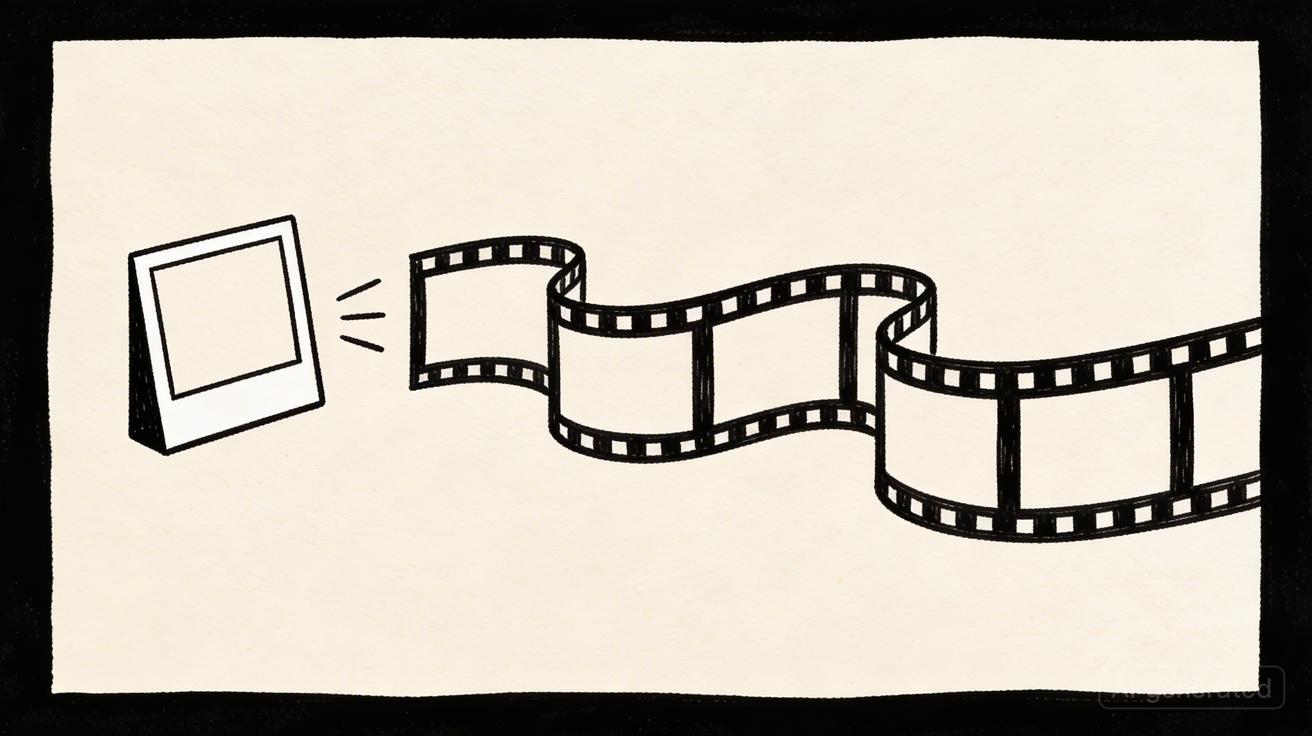
Seedance 2.0 has emerged as one of the most capable AI video generators available in 2026, offering a comprehensive suite of features that rival tools costing significantly more. Whether you're a content creator, marketer, or developer, this guide covers everything Seedance can do — and how to get the most from every feature.
Core Generation Modes
Text to Video
The primary mode in Seedance converts natural language descriptions into video clips. You type what you want to see, and the AI renders it in seconds.
How it works:
- Enter a text prompt describing your scene, subject, and desired action
- Select your duration, aspect ratio, and quality settings
- Click Generate and receive your video in 30–90 seconds
What text-to-video excels at:
- Creating establishing shots and b-roll footage from scratch
- Generating abstract or stylized visuals that would be expensive to film
- Producing product demonstration videos without physical props
- Creating visual effects sequences that require no post-production
Prompt depth matters: Seedance 2.0 responds well to detailed, specific prompts. Rather than "a forest scene," try "ancient redwood forest at dawn, shafts of golden light filtering through misty canopy, slow forward tracking shot, cinematic."
Image to Video
Upload any still image and Seedance animates it into a video clip. This mode is particularly powerful for:
- Product photography: Turn static product shots into dynamic showcase videos
- Portrait animation: Add subtle motion to headshots and profile photos
- Art animation: Bring illustrations, paintings, and digital art to life
- Real estate: Animate exterior and interior photos to create immersive walkthroughs
Supported input formats: JPEG, PNG, WebP up to 10MB. The model maintains the original image's composition while adding plausible, physics-consistent motion.
Style Transfer and Aesthetic Control
Seedance 2.0 supports a wide range of visual styles that can be specified in your prompt:
| Style Category | Examples |
|---|---|
| Cinematic | Film noir, Hollywood blockbuster, indie documentary |
| Animation | Anime, 2D cartoon, 3D CGI, stop motion |
| Photographic | Portrait, landscape, macro, street photography |
| Artistic | Oil painting, watercolor, charcoal sketch, impressionist |
| Digital | Cyberpunk, synthwave, glitch art, vaporwave |
Video Output Settings
Resolution Options
Seedance 2.0 offers multiple resolution tiers:
- Standard (720p): Faster generation, suitable for social media drafts and testing
- HD (1080p): Full high definition, suitable for all professional applications
- 4K (2160p): Ultra-high definition output available on Pro and Enterprise plans
For most content creators, 1080p provides the ideal balance of quality and generation speed. Use 4K only when your final delivery platform supports and requires it.
Aspect Ratios
Seedance generates video in any standard aspect ratio:
| Ratio | Use Case |
|---|---|
| 16:9 | YouTube, desktop websites, TV, presentations |
| 9:16 | TikTok, Instagram Reels, YouTube Shorts, Stories |
| 1:1 | Instagram feed, Facebook, LinkedIn posts |
| 4:3 | Older display formats, some presentation contexts |
| 21:9 | Cinematic ultrawide, film-style output |
Pro tip: Always generate in the native aspect ratio of your target platform. Cropping a 16:9 video for TikTok often cuts off important subjects and degrades quality.
Video Duration
Current duration options in Seedance 2.0:
- 3 seconds: Micro-content, loops, reaction clips
- 4 seconds: Standard social media cutaway (most popular)
- 5 seconds: Product showcases, travel moments
- 6 seconds: Moderate narrative scenes
- 7 seconds: Complex action sequences
- 8 seconds: Establishing shots, longer moments
For anything longer, generate multiple clips and combine them in your video editor of choice.
Motion Intensity Settings
Seedance provides motion intensity control that affects how much movement appears in your video:
- Subtle: Minimal movement, gentle camera drift, suitable for background loops and ambient content
- Natural: Balanced motion that feels realistic and organic
- Dynamic: High-energy movement, dramatic camera work, intense action
- Custom: Advanced users can specify exact camera movements and motion types in their prompt text
Camera and Cinematography Controls
One of Seedance 2.0's most powerful capabilities is responding to explicit cinematographic direction in prompts:
Camera Movement Types
Horizontal movements:
- Pan left / pan right: Camera rotates on its axis
- Dolly left / dolly right: Camera physically moves sideways
Vertical movements:
- Tilt up / tilt down: Camera rotates vertically
- Crane up / crane down: Camera physically moves up or down
Depth movements:
- Zoom in / zoom out: Focal length change (no camera movement)
- Push in / pull out: Camera physically moves toward or away from subject
- Dolly zoom: Combined zoom and dolly for surreal Vertigo effect
Rotational movements:
- Dutch tilt: Camera tilts on its roll axis for dramatic effect
- 360 orbit: Camera circles completely around subject
Aerial movements:
- Drone rise: Camera ascends from low position
- Overhead bird's eye view: Straight-down perspective
- Low angle worm's eye view: Straight-up perspective
Tracking shots:
- Follow shot: Camera tracks alongside moving subject
- Leading shot: Camera moves ahead of subject
Lighting Specifications
Seedance responds accurately to lighting descriptions:
- Golden hour: Warm, low-angle light just after sunrise or before sunset
- Blue hour: Cool, diffused light just before sunrise or after sunset
- Overcast: Soft, even, shadowless natural light
- Studio lighting: Clean, controlled artificial lighting
- Rim lighting: Subject outlined with bright backlight
- Chiaroscuro: Dramatic contrast between light and shadow
- Neon: Colorful urban artificial lighting
- Candlelight: Warm, flickering intimate light
Commercial Rights and Licensing
This is where Seedance sets itself apart from most competitors:
Free plan commercial rights: All videos generated on the Seedance free plan include commercial usage rights. You can:
- Post monetized content on YouTube, TikTok, and other platforms
- Use videos in paid client work
- Include generated content in commercial advertisements
- Sell videos on stock footage marketplaces
- License videos to third parties
No watermarks on any plan: Seedance does not add watermarks to any generated content, including free plan outputs. This is exceptional — most free AI video tools watermark their outputs.
IP ownership: You retain ownership of the prompts and inputs you provide. The generated videos are yours to use under the commercial license.
Compare this to competitors:
- Runway ML: Commercial rights only on paid plans ($12+/month)
- Pika: Watermarked free outputs, commercial rights require Pro plan
- Kling AI: Limited commercial rights on free tier
Advanced Features
Batch Generation
Pro and Enterprise users can generate multiple video variations simultaneously. Use this for:
- A/B testing different visual approaches to the same concept
- Creating multiple angles or takes of the same scene
- Producing variations with different color grades or styles
API Access
Seedance offers API access for developers and enterprise users, enabling:
- Integration into existing workflows and applications
- Automated video generation pipelines
- Custom interface development
- Bulk processing with programmatic control
API capabilities:
- Full access to all generation modes (text-to-video, image-to-video)
- Webhook support for asynchronous generation notifications
- Batch submission and queue management
- Custom preset creation and storage
Custom Style Presets
Pro users can save custom style configurations as presets, enabling:
- Consistent visual style across all content for a brand
- One-click application of complex multi-parameter prompts
- Team sharing of style configurations
- Rapid iteration without re-entering repetitive prompt components
Seedance vs Competitors: Feature Comparison
| Feature | Seedance | Runway ML | Kling AI | Pika |
|---|---|---|---|---|
| Free plan | ✅ Yes | ✅ Limited | ✅ Limited | ✅ Limited |
| Free watermark | ❌ None | ✅ Yes | ✅ Yes | ✅ Yes |
| Free commercial rights | ✅ Yes | ❌ No | ❌ No | ❌ No |
| Max resolution | 4K | 4K | 1080p | 1080p |
| Max clip length | 8 sec | 18 sec | 10 sec | 5 sec |
| Image to video | ✅ | ✅ | ✅ | ✅ |
| Camera control | ✅ | ✅ | Limited | Limited |
| API access | ✅ Pro+ | ✅ Pro+ | Enterprise | Limited |
| 9:16 vertical | ✅ | ✅ | ✅ | ✅ |
Plan Overview
Free Plan
- 2–5 daily video generations (refreshes every 24 hours)
- HD 1080p output
- Commercial rights included
- No watermarks
- No credit card required
Basic Plan
- 20–30 daily generations
- Priority queue access
- HD 1080p output
- All free plan features
Pro Plan
- 50–200+ daily generations
- 4K output option
- Batch generation
- API access
- Custom presets
- Fastest queue priority
Enterprise Plan
- Unlimited generations
- Full API access with dedicated infrastructure
- Custom model fine-tuning
- SLA and dedicated support
- White-label options
Frequently Asked Questions
Q: What file formats does Seedance export? A: Videos export as MP4 (H.264/H.265) in the selected resolution. Audio is not currently included in generated videos.
Q: Can Seedance generate videos with people? A: Yes. Seedance can generate videos featuring human subjects. For best results, describe the person's appearance, clothing, action, and camera angle specifically.
Q: How long does generation take? A: Standard generation typically takes 30–90 seconds. HD and 4K generations may take 2–5 minutes. Pro users receive priority queue access for consistently faster results.
Q: Can I use Seedance to generate videos of real people or brands? A: You are responsible for complying with applicable laws. Seedance's terms of service prohibit generating deceptive content, non-consensual depictions of real people, or content that violates third-party rights.
Q: Does Seedance work in my language? A: The interface is available in multiple languages. Prompts can be written in any language, though English prompts currently produce the most consistent and accurate results.
Q: What's new in Seedance 2.0 vs the original? A: Seedance 2.0 delivers significantly improved temporal consistency (subjects stay stable throughout the clip), better physics simulation, faster generation speeds, and enhanced instruction following for complex prompts.
Getting Started
Ready to explore everything Seedance can do?
- Visit seedance.tv and create your free account (no credit card needed)
- Start with text-to-video using the prompt formula: Subject + Action + Setting + Style + Camera Movement
- Experiment with image-to-video to animate your existing visual assets
- Use the style and camera controls to refine your outputs
- Export your videos and use them commercially — your free plan includes full commercial rights
Seedance 2.0 is one of the most powerful and accessible AI video generators available today. The combination of free commercial rights, no watermarks, and consistently high output quality makes it the top choice for creators who need professional results without professional budgets.
Start creating with Seedance for free →
Optimizing Your Seedance Workflow
The Iterative Refinement Method
Professional creators rarely accept the first generation of any AI video. Instead, they use a systematic refinement process that gets better results faster.
Round 1: Test the concept Generate in Standard quality with a basic prompt. You're evaluating whether the AI understands your scene intent, not judging the final quality. This uses your least-valuable credits.
Round 2: Refine the prompt Based on what Round 1 produces, identify what was right and what was wrong. Make ONE specific change — not five — and regenerate. This isolates what caused the improvement.
Round 3: Lock the final Once you have a prompt that produces consistently good conceptual results, switch to HD quality for your final generation.
This three-round method is faster than doing five HD generations hoping one works perfectly.
Building a Personal Prompt Library
The most effective Seedance users maintain a prompt library organized by content type. Each entry records:
- The exact prompt text that produced great results
- The settings used (duration, aspect ratio, motion intensity)
- The output rating (1-5)
- What content category it belongs to (landscape, product, character, abstract, etc.)
Over time, your prompt library becomes a competitive advantage. You can produce consistent, high-quality content faster than creators who start from scratch every time.
Content Batching Strategy
Rather than generating one video at a time when inspiration strikes, batch your Seedance work into focused sessions:
Weekly content batch (recommended for creators):
- Monday: Plan the week's content needs (what videos, what platforms, what topics)
- Tuesday: Write all prompts in advance, review and refine the text before generating
- Wednesday: Execute all generations in one session (maximizes your daily credit usage)
- Thursday: Download, organize, and edit the best outputs
- Friday: Schedule and publish the week's content
This approach prevents wasted credits on impulse generations that don't serve your content strategy.
Integrating Seedance into Your Production Pipeline
Seedance works best as one component of a larger video production workflow, not as a complete replacement for all video:
B-roll generation: Use Seedance to create supplementary footage that would be expensive or impossible to film — time-lapse sequences, aerial shots, stylized transitions, abstract visuals.
Title sequences and intros: Generate atmospheric openers for YouTube videos, podcast episodes, or presentations.
Social media cutaways: Create quick reaction clips, mood-setter b-roll, or standalone short-form content.
Product showcases: Animate product photography into dynamic marketing videos.
Concept visualizations: Turn abstract ideas (for pitches, presentations, or creative briefs) into visual demonstrations.
Technical Specifications Summary
For developers and technical users, here's a complete overview of Seedance's current capabilities:
| Parameter | Specification |
|---|---|
| Generation modes | Text-to-video, Image-to-video |
| Input text length | Up to ~500 characters |
| Input image formats | JPEG, PNG, WebP |
| Input image max size | 10MB |
| Output format | MP4 (H.264) |
| Output resolutions | 720p, 1080p, 4K (plan dependent) |
| Output aspect ratios | 16:9, 9:16, 1:1, 4:3, 21:9 |
| Clip duration range | 3–8 seconds |
| Generation time | 30–90 seconds (standard); 2–5 min (4K) |
| Audio | Not included in current version |
| API | REST API (Pro+ plans) |
| Commercial license | All plans including free |
| Watermark | None on any plan |
Seedance continues to update its feature set regularly. Check the official changelog at seedance.tv for the latest additions to the platform.
Real-World Use Cases by Industry
Understanding how different industries use Seedance helps you apply the right features to your specific needs.
E-commerce and Retail
Online retailers use Seedance to transform static product photography into compelling video content without expensive video shoots. A clothing brand can animate flat-lay photos to show fabric movement and texture. An electronics company can create dynamic product reveal sequences from a single hero image. Beauty brands generate slow-motion ingredient showcases from still product photography.
The commercial license on all plans is especially valuable for e-commerce: you can use Seedance content in paid social advertising without upgrading to a more expensive plan.
Content Creators and YouTubers
YouTube creators benefit most from Seedance's b-roll generation capabilities. Instead of relying on stock footage libraries or scheduling filming sessions, creators can generate exactly the visual they need to accompany a voiceover or script. A finance creator explaining compound interest can generate abstract visualizations of money growing. A travel creator without footage of a destination can generate atmospheric establishing shots.
The 16:9 format native to YouTube and the ability to match specific visual styles (documentary, cinematic, travel vlog) make Seedance a natural fit for the YouTube production workflow.
Marketing and Advertising
Marketing teams use Seedance to rapidly prototype video concepts before committing to expensive production. A concept that would require a $10,000 shoot can be visualized with Seedance for free in under two minutes. This dramatically accelerates the creative review and approval process.
For small businesses without video budgets, Seedance enables professional-quality promotional content at zero cost. Social media managers can maintain consistent video output schedules without hiring videographers.
Education and Training
Educators use Seedance to create visual demonstrations of concepts that are difficult to explain with text or static images. A chemistry teacher can generate a visualization of molecular interactions. A history teacher can create atmospheric recreations of historical settings. Corporate trainers can generate scenario illustrations for compliance and safety training.
The ability to specify exact visual scenarios makes Seedance particularly useful for instructional design, where the visual must precisely match the narrative.
Common Questions About Seedance Features
As you explore Seedance 2.0, these are the questions creators most commonly ask after their first few sessions.
Can I control exactly where the camera starts and ends? Not with frame-level precision, but you can specify camera direction and movement type in your prompt. For example, "starting with a close-up on the subject's hands, slowly pulling back to reveal the full scene" gives the model directional guidance that produces consistent results across multiple generations.
Does Seedance support text overlays or captions? Text overlay is not a built-in Seedance feature. Add text, captions, or graphics in a post-processing tool like CapCut, DaVinci Resolve, or Adobe Premiere after downloading your generated video.
Can I generate longer videos by combining clips? Yes. Generate multiple sequential clips (keeping consistent style parameters across all prompts) and combine them in any video editing application. Many creators use free tools like CapCut or DaVinci Resolve for this assembly step.
Is there a limit to how many times I can regenerate the same prompt? Each generation consumes one credit regardless of whether it's a new prompt or a regeneration of a previous one. Your daily credit limit applies to all generations equally.
Can I use Seedance for client work? Yes. The commercial license on all Seedance plans, including the free plan, covers client work. You can deliver Seedance-generated videos to paying clients without any additional licensing fees or plan upgrades.
The combination of these features — free commercial rights, professional output quality, accessible pricing, and a constantly expanding capability set — makes Seedance 2.0 the right choice for creators at every level in 2026. Get started for free at seedance.tv →
Ready to try it yourself?
Put the steps from this guide into practice with Seedance and turn prompts or images into polished videos in minutes.
Free credits on signup. Plans from $28/month.
Related Articles
More posts in the same locale you may want to read next.

Seedance App Preview Video Generator 2026: Create App Store and Product Launch Clips
Use Seedance to turn app screenshots, feature copy, and launch goals into App Store previews, Google Play promo videos, and product launch clips.
Read article
AI Halloween Costume Transformation Video Guide
Turn one photo into a Halloween costume transformation video with AI: vampire, witch, zombie, and skeleton glow-ups, with prompts and step-by-step tips.
Read article
AI Halloween Dance Video: Skeleton & Zombie Dances
Make a viral AI Halloween dance video: dancing skeletons, zombie dance-offs, witches, and costume dance trends. Step-by-step with prompts and motion control.
Read article