
Kling AI vs Dreamina AI: Which Video Generator Is Better in 2026?
AI Overview
Is Kling AI better than Dreamina AI?
Kling is the stronger first test for motion-heavy cinematic shots. Dreamina is often easier when you want an integrated canvas, Seedance-powered generation, and a faster path from idea to edited asset.
Which is better for image-to-video?
Choose by failure risk: test Kling for demanding motion and camera movement, then test Dreamina for reference-led storytelling and creative iteration. The best answer comes from one identical source image and prompt.
Which platform is easier for beginners?
Dreamina usually feels more guided because image creation, video generation, and editing live in one creative workspace. Kling offers deeper generation choices, but those controls can take longer to learn.
Can I test Kling and Seedance without switching platforms?
Yes. Seedance lets you open current Kling and Seedance model workflows in one place, so you can compare the underlying generation paths without rebuilding your brief in separate tools.
What Are You Actually Comparing: Platforms, Models, and Versions?
The phrase “Kling AI vs Dreamina AI” sounds like a simple model comparison, but it mixes two different layers. Kling is both a consumer creation platform and a family of video models. Dreamina is a wider creative platform whose video workflow can use ByteDance’s Seedance model family. A fair comparison therefore needs to name the model, mode, duration, resolution, and reference inputs—not only the logo above the prompt box.
Current versions matter. Kling 3.0 adds multi-shot control, references, editing, and native audio options. Seedance 2.5 emphasizes synchronized sound, reference-led generation, and longer multi-shot output. Compare the modes you can select today with the Kling 3.0 generator and Seedance 2.5 generator.
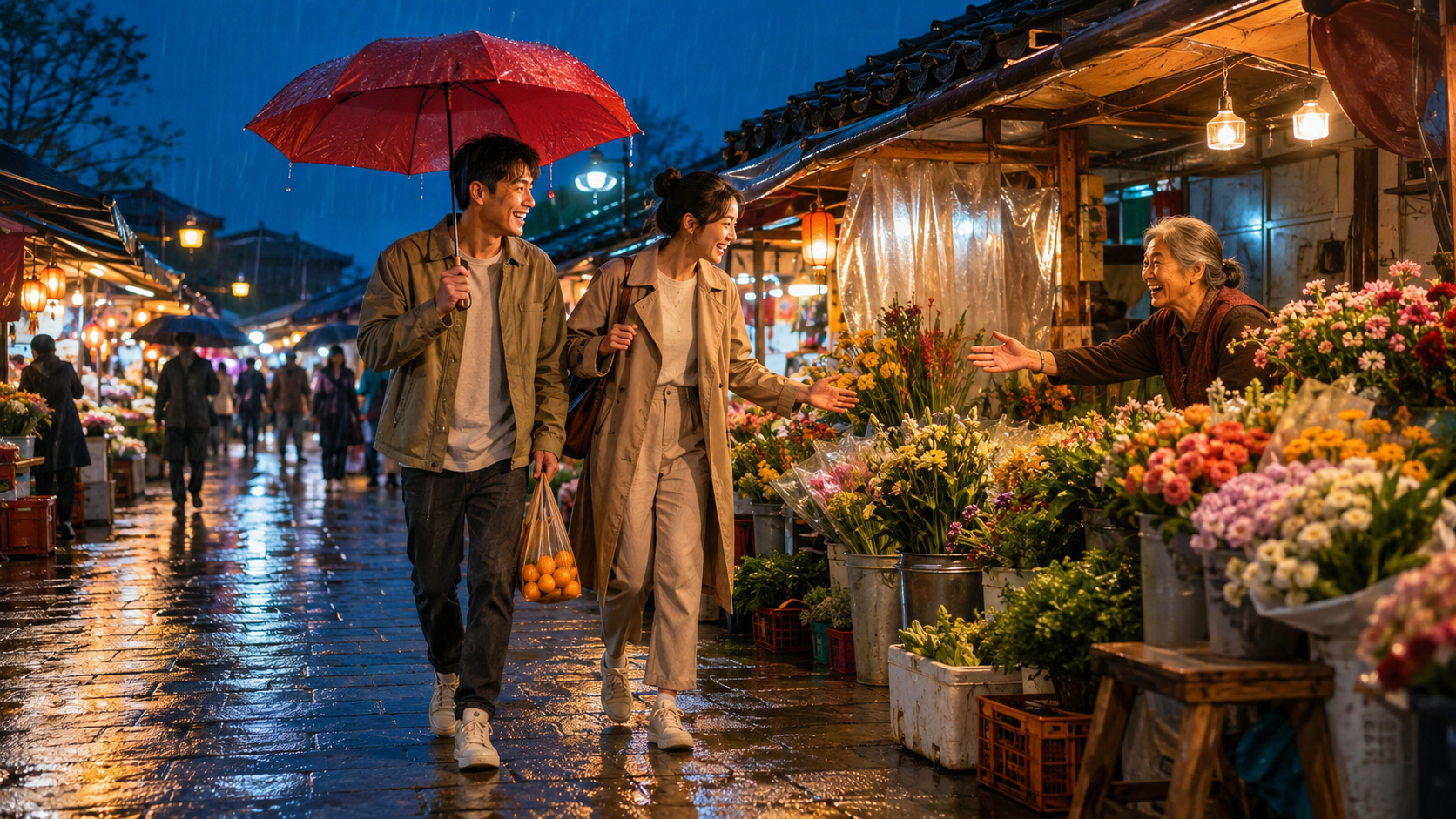
A useful comparison begins with a difficult finished scene. Here, three people, hand gestures, one umbrella, moving feet, flowers, rain, and reflective depth give both generation paths the same visible acceptance checks.
Kling AI vs Dreamina AI: Quick Comparison
Short on time? Kling is the more direct choice for creators who prioritize cinematic movement and granular video controls. Dreamina is the more approachable creative suite for users who want to move from image ideation to Seedance-powered video and then continue editing in the same environment.
| Decision factor | Kling AI | Dreamina AI |
|---|---|---|
| Core experience | Video-first platform and model family | Integrated image, video, and editing workspace |
| Best first test | Physics, camera motion, action, complex choreography | Reference-led stories, concept exploration, creative assembly |
| Image-to-video | Strong controls for motion and camera behavior | Guided route from source image to generated sequence |
| References | Useful for people, objects, style, and multi-shot direction | Built around a broader creative canvas and Seedance reference workflows |
| Native audio | Available in supported current modes | Available through supported Seedance modes |
| Learning curve | More controls to understand | Easier guided starting point |
| Cost question | Credits vary by mode and settings | Credits vary by generation mode and region |
| Best for | Motion-first filmmakers and technical creators | Designers, marketers, and fast-moving content teams |
This is a workflow verdict, not a universal quality score. The useful winner produces more approved clips from the same brief and budget. For another model-level benchmark, see Wan 3.0 vs Kling 3.0.
Head-to-Head Output Tests
Use the same aspect ratio, duration, source image, prompt structure, and acceptance checklist. Generate three variations per path, review each full clip at normal speed, and record failures as well as the best take.
Test 1: Motion physics and camera control
Use one subject, one continuous action, and one camera move. A motorcycle taking a wet bend, a dancer crossing a station, or a runner clearing a puddle exposes sliding feet, warped objects, inconsistent speed, and camera drift. Keep the prompt concrete: describe direction, pace, surface contact, camera position, and final state.
Check whether the subject travels through space rather than moving in place. Inspect wheels, shadows, splashes, clothing, and background parallax in both workflows.
Test 2: Character and environment consistency
Start with a distinctive outfit and readable environment. The coat, scarf, suitcase, tram, glass roof, and body action below make identity and spatial drift easy to spot.
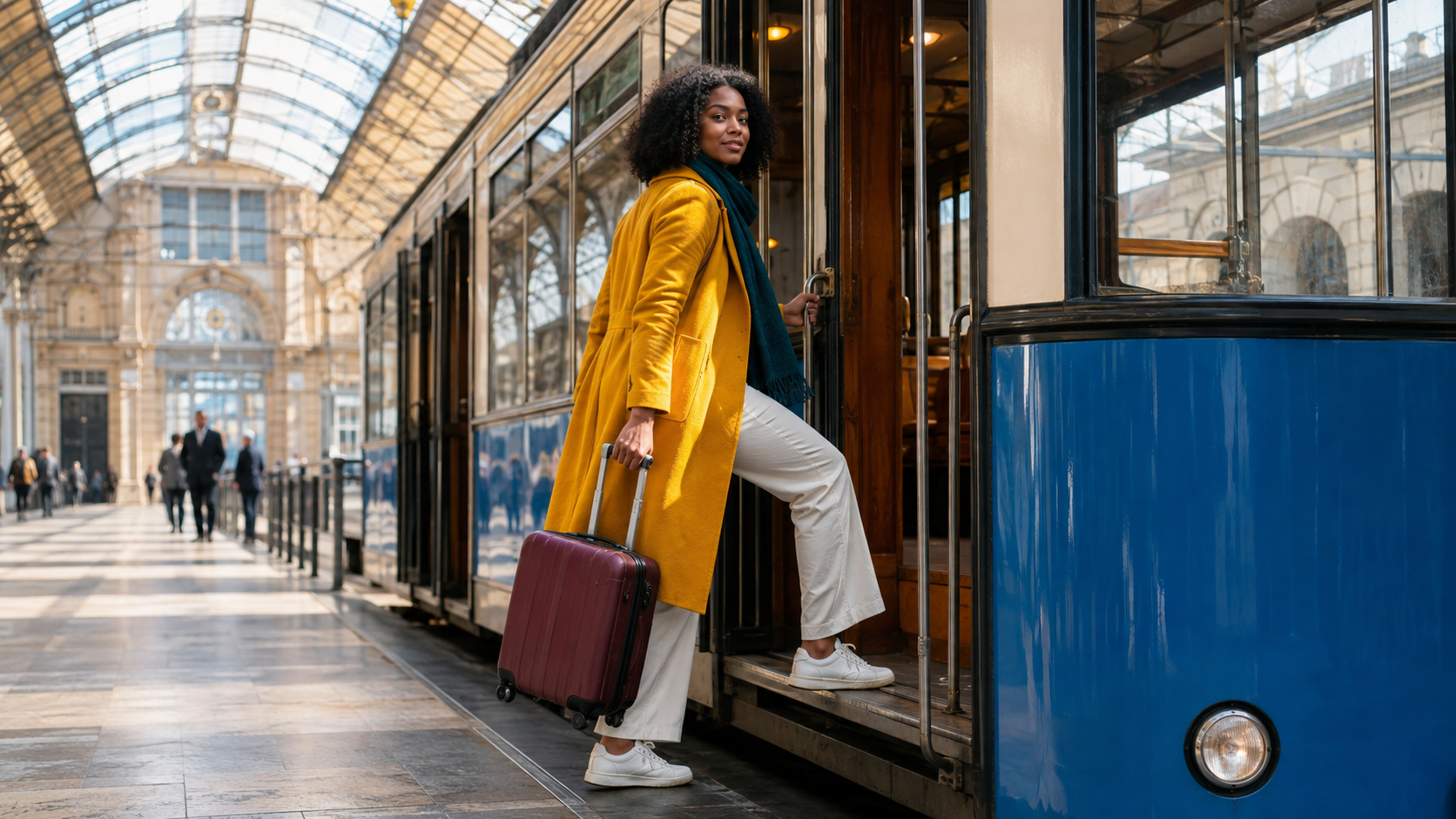
Use the complete frame rather than a tight face crop. A strong output should preserve the person, clothing colors, suitcase, tram doorway, floor contact, and station architecture while the action progresses.
Review the opening, fastest movement, and final second. A stable face cannot excuse a changing suitcase or bending doorway. Run the source-frame test in the image-to-video workspace.
Test 3: Product geometry and hands
Product shots reveal errors that cinematic landscapes can hide. Use a faceted bottle, watch, shoe, or packaged item with an unmistakable silhouette. Ask the subject to pick it up, rotate it once, and place it on a marked surface. Avoid multiple actions until that contact sequence works.
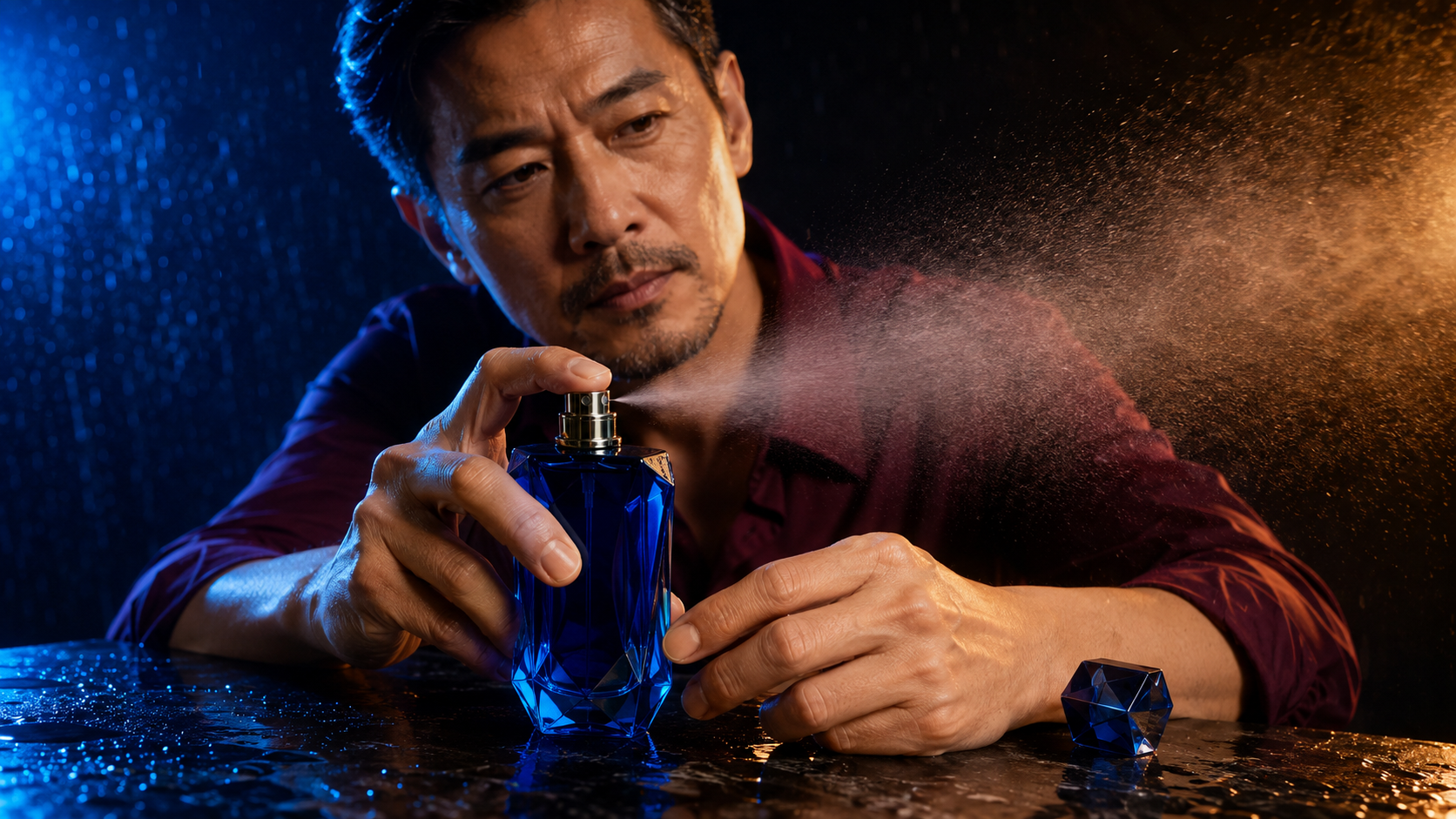
Check the fingers pressing the atomizer, the supporting hand, cap geometry, bottle facets, reflections, and the direction of the spray. A dramatic frame with changing product geometry is still not a usable ad asset.
Score brand fidelity, hand contact, material realism, and retries. Dreamina simplifies source preparation; Kling can expose more motion tuning. Choose the lower cost per approved product shot.
Test 4: Native audio and synchronization
If the selected modes generate sound, do not mute the benchmark. Use a scene with visible causes and audible effects: drumstick impacts, footsteps, a closing door, dialogue, or liquid hitting glass. Listen for timing, stable room tone, believable loudness, and audio that continues naturally across camera changes.
This is an actual Seedance-generated performance sample, not a claimed Kling-versus-Dreamina benchmark result. Use it to define the standard: hands, sticks, cymbal response, impact timing, and room ambience should agree throughout the playable clip.
Workflow, Creative Control, and Learning Curve
Dreamina: guided creative assembly
Dreamina makes sense when the job begins before the video prompt. Visual ideation, reference preparation, motion generation, and editing stay in one creative flow—useful for beginners and fast-moving social teams. Save the exact prompt, source, mode, aspect ratio, and date so a successful shot remains reproducible.
Kling: video-first control
Kling makes sense when movement is the central problem. Creators who think in lenses, camera paths, blocking, and shot duration may prefer its video-first controls. Change one setting at a time so you know why a clip improved.
Build prompts in layers. Start with subject and action, add the environment, then one camera move, then constraints. Use a short text-to-video test to approve composition and motion before spending more credits on longer or higher-quality output.
A neutral approval workflow
Create one shared brief with source assets, non-negotiable details, prompt, constraints, duration, and acceptance checks. Name outputs by model, mode, attempt, and date. Review blind if possible, then promote only shots that pass identity, geometry, motion, audio, and editability.
Pricing, Free Credits, and Cost per Usable Video
Pricing pages and promotional credits change, so compare the amounts shown in your account on the day of the test. Record the cost of the exact mode, duration, resolution, audio option, and upscale. Do not compare the cheapest Kling draft with a premium Dreamina render—or the reverse—and call the difference a platform result.
The key metric is cost per usable video:
total credits spent ÷ clips that pass the acceptance checklist
Ten cheap renders with two usable clips can cost more than six renders with four approvals. Add time spent rebuilding prompts, repairing hands, replacing audio, and re-exporting.
Use free credits to validate access and basic behavior, not to declare a winner. Test the smallest representative shot first, then estimate attempts per approved deliverable. Teams should also evaluate queues, reference reuse, collaboration, and output rights.
Which One Should You Choose—and How to Test Both on Seedance
Choose Kling AI if:
- Your hardest shots depend on action, camera movement, or physical interaction.
- You want a video-first interface with detailed generation choices.
- You are comfortable testing settings methodically and tracking versions.
- You need to compare several motion variants before choosing an edit.
Choose Dreamina AI if:
- Your workflow begins with visual ideation or reference-image creation.
- You value a guided canvas that connects generation and editing.
- Your team wants a simpler route to Seedance-powered video.
- You create frequent social, concept, or marketing assets in one workspace.
Use Seedance when the real question is model routing
On Seedance, keep one brief and test current Kling and Seedance paths in the same workspace. Start with the riskiest five-to-eight-second shot, generate three variants per path, and score them with one checklist. Route motion-led shots to Kling when it wins; route reference, sound, or multi-shot work to Seedance when those results pass more reliably.
Conclusion
Kling AI and Dreamina AI solve overlapping but different problems. Kling is the stronger first stop for creators who want a video-first workflow and demanding motion control. Dreamina is attractive for beginners, designers, and marketers who want visual ideation, Seedance-powered generation, and editing in one guided environment. Neither is automatically better for every shot: compare the current modes with identical inputs, review full clips instead of posters, and calculate cost per approved result. If you want to test both model directions without rebuilding the project in separate workspaces, compare Kling and Seedance on Seedance →
Ready to create your own AI video?
Turn ideas, text prompts, and images into polished videos with Seedance. If this article helped, the fastest next step is to try the product.
Free credits on signup. Plans from $28/month.
Related Articles
More posts in the same locale you may want to read next.

Seedance App Preview Video Generator 2026: Create App Store and Product Launch Clips
Use Seedance to turn app screenshots, feature copy, and launch goals into App Store previews, Google Play promo videos, and product launch clips.
Read article
Best AI Video-to-Video Models in 2026
The best AI video-to-video models in 2026 for editing footage you already shot: Higgsfield Genjutsu, Seedance 2.x, Runway Aleph, Luma Modify and Kling Omni compared.
Read article
Kling 4.0 vs Seedance 2.5: Full Comparison
Kling 4.0 vs Seedance 2.5 compared by spec: 30-second clips, keyframes vs 50 references, audio, 4K and 10-bit color, editing, and which model fits which job.
Read article