
AI Video Prompt Guide: How to Write Prompts That Actually Work (2026)
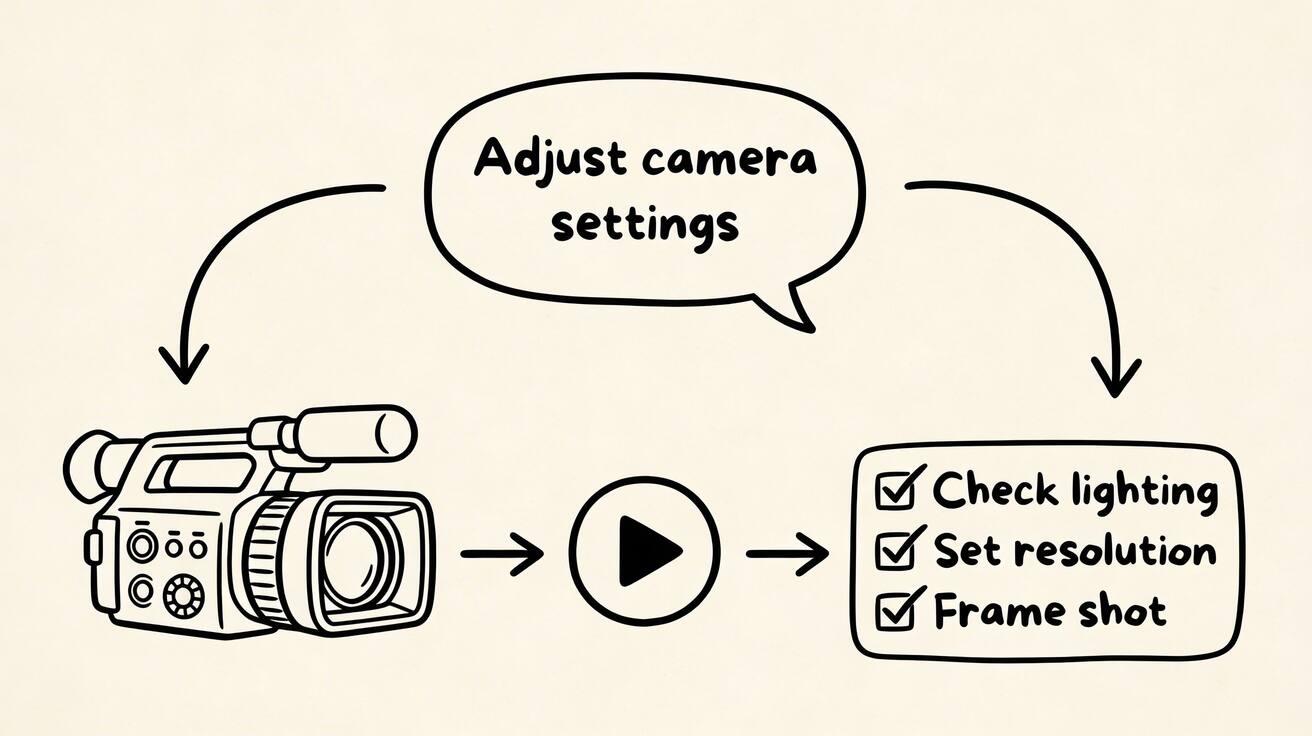
The difference between impressive AI video and mediocre output is almost always the prompt. This guide covers the prompting techniques that consistently produce professional results across all major AI video tools in 2026.
Quick Answer: AI Video Prompt Guide: How to Write Prompts That Actually Work (2026) — this step-by-step guide shows you how to use Seedance's AI-powered tools to achieve professional results in minutes, even if you're a complete beginner.
Why Prompts Matter More Than the Tool
The same AI model produces wildly different outputs from different prompts. Experienced users of Seedance, Kling, Pika, and Runway consistently outperform beginners not because they have better tools, but because they've learned to communicate precisely with the model.
A weak prompt: "person walking" A strong prompt: "a woman in a red coat walking confidently down a rain-slicked cobblestone street in Paris, camera tracking alongside her at eye level, golden streetlight reflections, cinematic depth of field, slow motion"
Both are valid. Only one is usable.
The Anatomy of an Effective AI Video Prompt
Core Elements (Use All 5)
1. Subject — Who or what Be specific. Not "a person" but "a middle-aged man with grey stubble wearing a navy suit." Not "a car" but "a matte black vintage muscle car."
2. Action — What's happening Use active, specific verbs. Not "driving" but "accelerating aggressively down an empty highway." Not "cooking" but "carefully plating a delicate sauce with a squeeze bottle."
3. Environment — Where Include surface, background, depth cues, and atmosphere. Not "outside" but "in a misty Japanese forest, pine trees receding into fog, soft diffused morning light."
4. Camera — How we see it This is the most commonly omitted element and the biggest upgrade you can make. Specify:
- Distance: close-up, medium shot, wide establishing shot
- Movement: "slow dolly forward," "handheld camera," "orbital shot," "static locked-off"
- Angle: "low angle looking up," "bird's eye view," "eye level"
5. Style/Quality — Visual feel
- "cinematic 4K" (generic quality boost)
- "documentary style" (naturalistic)
- "commercial photography" (clean, product-friendly)
- "film noir" (high contrast, shadows)
- "nature documentary" (observational, atmospheric)
Prompt Templates by Content Type
Landscape and Nature
[Specific landscape] at [time of day], [weather/atmosphere],
[camera movement] revealing the scene, [quality descriptor]
Example: Rolling hills of green Irish countryside at golden hour, low clouds casting moving shadows, slow drone pull-back revealing the full panorama, cinematic nature documentary
Works well in: Seedance (landscape strength), Hailuo (environment scenes)
Product Showcase
[Product description] on [surface/environment],
[lighting setup], [camera movement], [style]
Example: A premium perfume bottle on a marble surface with water droplets, soft side lighting with highlight sweep, slow 360-degree rotation revealing the label, commercial luxury product photography
Works well in: Seedance (product consistency), Luma (product realism)
Portrait and Character
[Character description] [specific action],
[environment with detail], [camera framing and movement],
[lighting], [style]
Example: A young chef with flour-dusted hands and focused expression delicately crimping the edge of a fresh pie, rustic kitchen with morning light through a small window, close-up medium shot with gentle pull focus from hands to face, warm natural light, cinematic food film
Works well in: Kling (human motion realism), Seedance (expression and atmosphere)
Abstract and Motion Graphics
[Abstract description], [color palette],
[motion type], [background], [style]
Example: Flowing ribbons of iridescent light interweaving and separating in slow motion, deep navy and gold palette, organic fluid movement, near-black background, 4K macro abstract art
Works well in: Seedance (temporal consistency), Pika (stylization effects)
Urban and Architecture
[Building/location], [time of day], [atmospheric elements],
[camera movement], [style]
Example: Glass-and-steel skyscraper in Singapore financial district, blue hour twilight with office lights flickering on, slow upward tilt from street level revealing the full height, architectural photography style, 4K
Works well in: Seedance, Runway (architectural precision)
Frequently Asked Questions
Q: How long does it take to generate an AI video? A: With Seedance, most AI videos are generated within 1-3 minutes depending on length and complexity. The platform uses optimized processing pipelines to deliver fast results without compromising on quality.
Q: What kind of prompts work best for AI video generation? A: The most effective prompts are specific and descriptive — include details about the scene, lighting, camera movement, mood, and style. Seedance's AI responds well to cinematic language like "slow pan", "golden hour lighting", or "documentary style".
Q: Can I edit the AI-generated video after it's created? A: Yes, Seedance provides built-in editing tools that let you trim, extend, add music, adjust pacing, and apply style effects to your generated videos. You can also regenerate specific sections if you're not satisfied with the initial output.
Camera Movement Reference
These phrases produce reliable camera results across most AI video tools:
| Effect | Prompt Phrase |
|---|---|
| Zoom in | "slow dolly forward," "slow push in," "gentle zoom in" |
| Zoom out | "slow pull back," "dolly out to reveal," "zoom out" |
| Circle subject | "slow orbital shot," "360-degree rotation," "circling camera" |
| Side movement | "slow pan left," "lateral tracking shot," "camera glides left" |
| Vertical | "slow tilt up," "crane rising," "camera drifts upward" |
| No movement | "static shot," "locked-off camera," "no camera movement" |
| Handheld | "handheld camera," "slight camera shake," "documentary movement" |
| Aerial | "aerial drone view," "bird's eye view," "overhead looking down" |
What Is Ai Video Prompt Guide and Why Does It Matter?
Ai Video Prompt Guide is an essential capability for modern content creators and marketers. The best tools for ai video prompt guide combine AI-powered automation with professional-quality outputs — saving hours of manual work while delivering results that meet commercial standards.
In 2025, platforms like Veo 3 and Seedance have made ai video prompt guide more accessible than ever, offering free-tier access alongside professional plans.
How Do You Get Started with Ai Video Prompt Guide?
Getting started with ai video prompt guide requires just a few steps:
- Choose the right tool for your needs (see comparison above)
- Sign up for a free account — no payment required to start
- Follow the step-by-step guide in this article
- Test with simple examples first, then scale up
Most users can produce their first professional result within 30 minutes of starting.
What Are the Best Tools for Ai Video Prompt Guide in 2025?
The top tools for ai video prompt guide in 2025 are:
- Veo 3 — best overall quality, free via Google Gemini
- Kling AI — best mobile experience and free tier generosity
- Runway Gen-4 — best for artistic and cinematic styles
- Pika 2.1 — best for beginners with simple interface
Each tool has strengths in different areas — the best choice depends on your specific use case, volume requirements, and budget.
Lighting Reference
| Look | Prompt Phrase |
|---|---|
| Golden hour | "golden hour light," "late afternoon sun," "warm directional sunlight" |
| Dramatic | "dramatic side lighting," "strong shadows," "chiaroscuro" |
| Studio | "clean studio lighting," "three-point lighting," "product lighting" |
| Moody | "low-key lighting," "single candle/lamp light," "film noir" |
| Natural outdoor | "overcast diffused light," "cloudy day," "soft ambient" |
| Night/neon | "neon signs reflecting," "nighttime city lights," "cyberpunk lighting" |
Common Prompt Mistakes
Mistake 1: No camera movement specified The AI will improvise camera movement, often producing jittery or unmotivated results. → Fix: Always specify what the camera does, even if it's "static locked-off camera"
Mistake 2: Contradictory style descriptors Combining "photorealistic" with "cartoon style" confuses the model. → Fix: Pick one visual aesthetic and stick to it
Mistake 3: Too many subjects Multiple subjects competing for attention produces inconsistent output. → Fix: Focus on one primary subject per generation
Mistake 4: Vague actions "Walking" gives the model too many options. → Fix: "walking briskly with purpose, arms swinging naturally" is unambiguous
Mistake 5: Neglecting environment depth Flat backgrounds produce flat video. → Fix: Describe foreground, midground, and background separately
Platform-Specific Tips
Seedance 2.0
- Responds well to cinematic language: "cinematic 4K," "film-quality"
- Strong on landscape, environment, and product
- Motion prompts like "slow dolly" are reliably executed
- Image-to-video: keep motion prompts under 20 words for best adherence
Kling 2.0
- Prioritize the human subject description first
- Body mechanics language works: "natural gait," "fluid arm movement"
- Shorter prompts (under 50 words) often perform better than long ones
Pika 2.1
- Effect names work: "inflate," "explode," "melt," "crush," "cake"
- Specify what to apply the effect to clearly
- Clean subjects on simple backgrounds produce the best effect results
Runway Gen-4
- Use camera preset names when possible: "orbit," "dolly," "pan"
- Motion brush regions override text prompt motion for specified areas
- Reference footage (Act One) > text description for human subjects
Testing and Iteration
The 3-Generation Test
For any new prompt formula, generate 3 variations before deciding if it works:
- First generation: assess basic concept execution
- Second generation: adjust the weakest element
- Third generation: refine the camera or lighting
Three generations is usually enough to determine if a prompt direction is viable.
Prompt Logging
Keep a simple log of prompts that worked well. Over time, you build a personal library of reliable patterns for your specific content type.
Quick Prompt Builder
Combine one from each column:
| Subject | Action | Environment | Camera | Style |
|---|---|---|---|---|
| coffee cup | steaming gently | marble countertop, morning | slow zoom in | commercial photography |
| ancient temple | bathed in sunset | jungle clearing, mist | aerial pull back | nature documentary |
| product bottle | rotating elegantly | clean white surface | 360-degree orbit | luxury brand |
| city street | filling with people | downtown, golden hour | time-lapse, static | cinematic 4K |
| abstract particles | flowing and swirling | dark background | slow camera drift | 4K macro art |
Mix and match. Start generating at seedance.tv — no account required.
Conclusion: Our Final Recommendation on Ai Video Prompt Guide
After reviewing all available options and strategies, our verdict is clear: the best approach to ai video prompt guide in 2025 combines AI-powered tools like Veo 3 with proven content strategies.
We recommend:
- Start with free tools to test and learn
- Focus on quality and consistency over volume
- Use AI to accelerate production, not replace creative direction
Bottom line: Ai Video Prompt Guide is more accessible than ever in 2025. The tools and strategies in this guide are tested and proven — start applying them today for immediate results.
Ready to try it yourself?
Put the steps from this guide into practice with Seedance and turn prompts or images into polished videos in minutes.
Free credits on signup. Plans from $28/month.
Related Articles
More posts in the same locale you may want to read next.

Seedance App Preview Video Generator 2026: Create App Store and Product Launch Clips
Use Seedance to turn app screenshots, feature copy, and launch goals into App Store previews, Google Play promo videos, and product launch clips.
Read article
Gemini AI Video Prompt Examples: Copy-Ready Veo Scenes and a Better Prompt Formula
Copy Gemini AI video prompt examples for cinematic motion, product ads, dialogue, and vertical clips, then adapt them with a practical Veo prompt formula.
Read article
How to Keep Product Shape Consistent in AI Video Ads
Lock product geometry, packaging, labels, references, camera angles, and approval checks so AI video ads preserve the real SKU across every shot.
Read article