
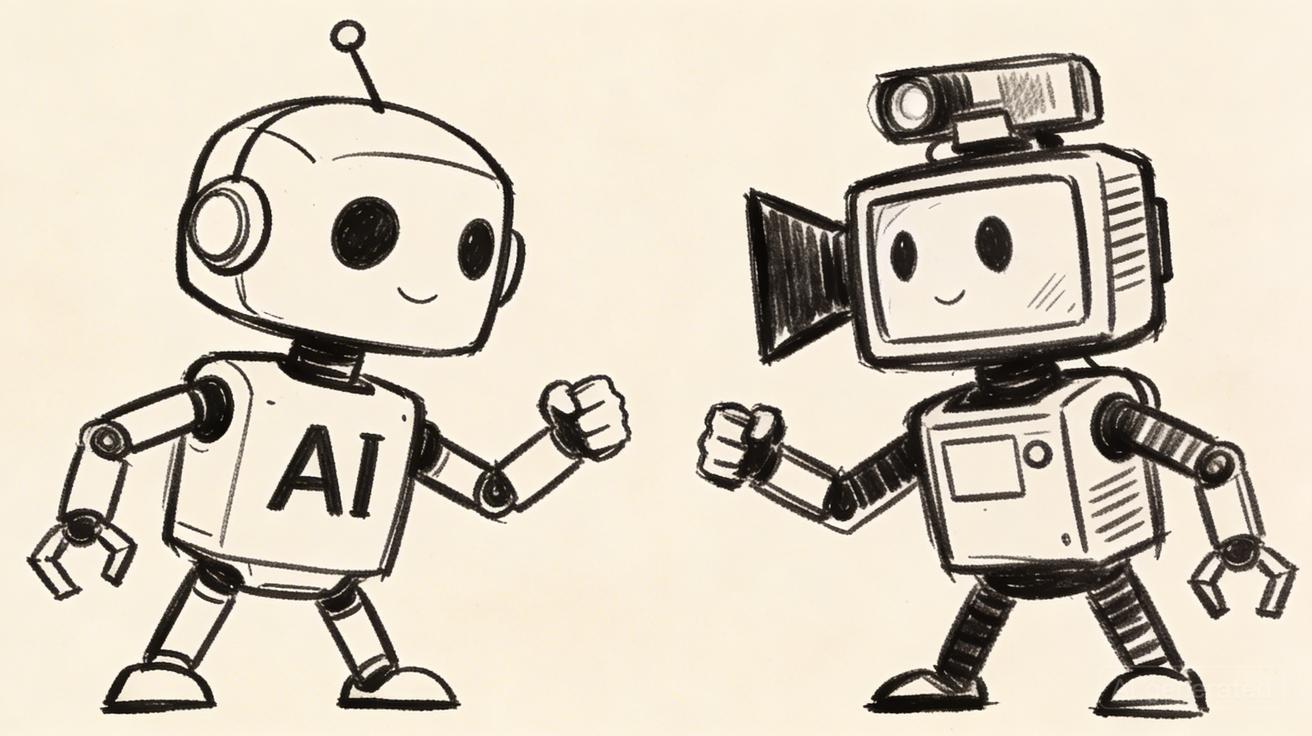
Quick Verdict: Seedance wins for video quality, prompt flexibility, and value. Pika wins for ease of use and fun stylized effects. If you're a content creator who wants the best possible output, choose Seedance. If you're a casual user who wants quick, fun transformations with minimal effort, Pika is enjoyable — but you'll hit its quality ceiling fast.
Quick Answer: Both Seedance and Pika 2026: Which AI Video Generator Wins? have their strengths, but Seedance stands out with its advanced AI video generation capabilities, intuitive interface, and powerful customization options — making it the top choice for creators who need professional-quality results fast.
At a Glance: Seedance vs Pika Comparison Table
| Feature | Seedance | Pika 2.0 |
|---|---|---|
| Video Quality | ⭐⭐⭐⭐⭐ Photorealistic, cinematic | ⭐⭐⭐⭐ Stylized, artistic |
| Free Plan | ✅ Yes, no watermark | ✅ Yes, watermarked |
| Starting Price | Free / Pro ~$24/mo | Free / Basic $8/mo |
| Generation Speed | ~30–90 seconds | ~15–45 seconds |
| Text-to-Video | ✅ Excellent | ✅ Good |
| Image-to-Video | ✅ Excellent | ✅ Good |
| Max Resolution | 1080p | 1080p |
| Aspect Ratios | 9:16, 16:9, 1:1, more | 9:16, 16:9, 1:1 |
| Prompt Complexity | Handles complex prompts well | Best with simple prompts |
| Best For | Content creators, marketers, professionals | Beginners, social media fun, quick edits |
Seedance 2026 — Overview and Key Features
Seedance has positioned itself as one of the leading AI video generation platforms in 2026. The platform focuses on delivering cinematic, high-quality video output that can compete with professionally produced content. Let's break down what makes Seedance stand out.
Core Technology: Seedance 2.0
The latest generation model — Seedance 2.0 — is the platform's crown jewel. Built on advanced video diffusion architecture with significant improvements in temporal consistency (meaning objects and characters maintain their identity across frames without drifting or morphing), Seedance 2.0 produces videos that are noticeably more stable and professional than the first generation.
Key improvements in Seedance 2.0 include:
- Temporal consistency: Characters and objects maintain visual integrity throughout the video
- Motion naturalness: Physics-based motion that looks organic rather than AI-generated
- Prompt adherence: The model follows complex, multi-element prompts with greater accuracy
- Lighting realism: Dynamic lighting that responds to movement and environment
Text-to-Video
Seedance's text-to-video capability is among the most sophisticated available. The model understands nuanced prompt language, responds to camera direction instructions ("slowly orbiting the subject," "drone shot ascending"), and handles abstract concepts with surprising creativity.
Unlike some competitors that struggle with multi-subject scenes, Seedance handles prompts with multiple characters, complex environmental interactions, and simultaneous movements without losing coherence.
Image-to-Video
The image-to-video tool is particularly powerful for brand and marketing use. Upload any image — a product photo, a portrait, a landscape — and Seedance generates a video that animates the scene while preserving the original image's aesthetic identity. This means your brand colors, product details, and visual style remain consistent in the output video.
Free Tier
One of Seedance's most competitive features is its watermark-free free tier. Competitors often use watermarks as a conversion lever — you get free access but can't use the output professionally. Seedance removes this friction, allowing creators to build their content pipeline and test the platform before committing financially.
Supported Formats
- Aspect ratios: 9:16 (TikTok/Reels), 16:9 (YouTube/widescreen), 1:1 (Instagram square)
- Duration: Up to 10 seconds (standard), longer on paid plans
- Output quality: Up to 1080p HD
Pika 2026 — Overview and Key Features
Pika has carved out a distinct niche in the AI video market. Rather than competing head-to-head with Seedance on photorealism, Pika has leaned into being the most accessible, fun, and social-first AI video tool.
Pikaffects
The headline feature of Pika's current generation is Pikaffects — a library of pre-built transformation effects that can be applied to images with a single click. Categories include:
- Melt: Subjects appear to melt and liquify
- Explode: Dramatic explosion particle effect around the subject
- Squish: Playful squishing transformation
- Cake-ification: Transforms subjects to appear made of cake
- Deflate: Subjects appear to lose air and collapse
These effects are entertaining, highly shareable, and generate the "wow, what did I just watch" reaction that's valuable for social media. However, they're a relatively limited toolkit — you're choosing from Pika's effects library rather than directing the AI with creative prompts.
Text-to-Video
Pika's text-to-video handles simple, clear prompts effectively. "A dog playing fetch on a beach at sunset" generates a pleasant, visually appealing video. Where Pika struggles is with complex, multi-element, or technically specific prompts — the kind of prompts that produce truly unique viral content.
Image-to-Video
Like Seedance, Pika can animate still images. The output quality is generally good for stylized content but tends to look more "AI-ish" than Seedance on photorealistic subjects.
Pika 2.0 Improvements
Pika's 2.0 update brought:
- Improved scene consistency
- Longer video durations (up to 15 seconds in standard)
- Better handling of human subject motion
- Improved lip sync in character videos
Ease of Use
Pika's user interface is genuinely the most beginner-friendly in the AI video space. The onboarding is smooth, the controls are intuitive, and the effect-based workflow means even complete beginners get satisfying output within minutes.
Video Quality Face-Off
This is where the comparison becomes most consequential for content creators. Let's break down video quality across four key dimensions:
Photorealism
Seedance wins decisively. Seedance 2.0's photorealistic output is genuinely impressive — human faces, material textures, and environmental details are rendered with a level of realism that's difficult to distinguish from real footage in many cases. Pika's output is more stylized and artistic, which is appealing in its own right but clearly AI-generated.
For creators targeting a professional, high-production-value aesthetic, Seedance is the clear choice. For creators who want content that reads as clearly creative/artistic AI video, Pika has a distinct visual character.
Temporal Consistency
Seedance wins. One of the classic AI video failure modes is "temporal drift" — where a character's face changes slightly between frames, or an object morphs unexpectedly. Seedance 2.0 has substantially reduced this problem. Pika 2.0 has improved but still shows more drift on complex subjects.
Motion Quality
Roughly equal, different strengths. Seedance excels at complex, physics-appropriate motion for objects and environments. Pika's pre-built Pikaffects deliver polished, intentional motion for its specific effect categories. For general motion prompts (someone walking, wind moving through trees, water flowing), Seedance is more reliable.
Color Grading and Aesthetic
Personal preference determines this one. Seedance outputs tend toward neutral, cinematic color grading that's easy to post-process. Pika's outputs often have a more saturated, vibrant look that plays well on social media without additional editing.
Frequently Asked Questions
Q: Which tool is better for beginners? A: For beginners, Seedance offers the most intuitive interface and guided workflow. You can start creating professional AI videos within minutes of signing up, with no technical expertise required.
Q: How do the pricing plans compare? A: Seedance offers competitive pricing with a free tier to get started. Paid plans unlock higher resolution outputs, more credits, and advanced features — providing excellent value compared to alternatives that charge significantly more for similar capabilities.
Q: Is the video quality comparable between these tools? A: Seedance consistently produces high-quality video outputs with smooth motion, accurate text-to-video rendering, and impressive visual fidelity. Its underlying models are among the most advanced available, making it a top performer in quality benchmarks.
Pricing Comparison: Seedance vs Pika
Pricing is a major consideration for content creators building a sustainable workflow. Let's look at the full picture:
Seedance Pricing
Free Plan:
- Access to video generation
- No watermark (a major differentiator)
- Monthly generation credits
- Standard resolution output
- Access to both text-to-video and image-to-video
Pro Plan: ~$24/month
- Significantly more monthly credits
- Priority generation queue (faster turnaround)
- Higher resolution output
- Access to Seedance 2.0
- Commercial use rights
Creator Plan: Higher tier pricing
- Maximum monthly credits
- Batch generation support
- API access for workflow integration
- Maximum resolution and quality settings
Pika Pricing
Free Plan:
- 30 credits on signup (replenishes weekly)
- Pika watermark on all output
- Standard generation queue
- Access to core features including Pikaffects
Basic Plan: $8/month
- ~700 videos/month capacity
- Watermark removed
- Priority queue
- HD quality
Standard Plan: $28/month
- ~2,000 videos/month
- All features unlocked
- Maximum quality output
Pro Plan: $78/month
- Unlimited generations (fair use)
- Fastest generation queue
- API access
Value Analysis
For casual users: Pika's $8/month Basic plan is hard to beat on price if you just need occasional AI videos.
For serious content creators: Seedance offers significantly better quality per dollar at the Pro tier. When you factor in the watermark-free free plan, Seedance is also the better value at the entry level.
For professionals and businesses: Both platforms' pro tiers are competitively priced. The choice comes down to quality requirements — Seedance's output quality is better for professional applications.
Feature Comparison: Text-to-Video, Image-to-Video, Editing Tools
Text-to-Video Capabilities
| Capability | Seedance | Pika |
|---|---|---|
| Complex multi-element prompts | ✅ Excellent | ⚠️ Limited |
| Camera movement instructions | ✅ Supported | ⚠️ Partial |
| Style keywords (cinematic, anime, etc.) | ✅ Strong | ✅ Good |
| Consistent character across clips | ⚠️ Improving | ⚠️ Limited |
| Abstract/conceptual prompts | ✅ Strong | ⚠️ Basic |
Image-to-Video Capabilities
| Capability | Seedance | Pika |
|---|---|---|
| Subject identity preservation | ✅ Excellent | ✅ Good |
| Motion realism | ✅ High | ⚠️ Stylized |
| Product photo animation | ✅ Excellent | ✅ Good |
| Portrait/person animation | ✅ Strong | ✅ Good |
| Special effects (Pikaffects-style) | ❌ None | ✅ Signature feature |
Editing Tools
Both platforms offer basic in-platform editing. Neither offers the depth of a dedicated video editing suite — for professional editing workflows, both are designed to integrate with external editing software rather than replace it.
Seedance: Focused on generation quality; editing tools are functional but minimal Pika: Includes more in-platform effect layers and simple adjustment tools
Generation Speed
Speed matters for content creators operating on tight schedules.
Pika is faster on simple prompts: Pika's standard generation time is approximately 15–45 seconds for a basic prompt. The platform has optimized for rapid iteration.
Seedance trades some speed for quality: Seedance generation typically takes 30–90 seconds, with complex or high-resolution prompts taking longer. Priority queue on paid plans reduces this substantially.
Real-world workflow impact: For professional content creators generating 5–20 videos per day, the speed difference is minimal. Both platforms can support high-volume content workflows. Where speed becomes meaningful is during creative iteration sessions where you're rapidly testing prompt variations — Pika's faster turnaround is an advantage here.
Infrastructure notes: Both platforms use GPU cluster infrastructure that scales with demand. Peak usage hours (typically 2–6 PM Pacific) can add 30–60 seconds to generation times on either platform. Paid plans on both services include priority queue access that reduces peak-hour slowdowns.
Use Cases — When to Choose Each
Choose Seedance When:
You're a professional content creator or marketer. If your AI videos need to meet professional quality standards — for client work, branded content, or monetized channels — Seedance's output quality is the better choice.
You need photorealistic output. For product visualization, architectural visualization, or any content where "it needs to look real" is the requirement, Seedance is the clear winner.
You write detailed, specific prompts. If you invest time in crafting precise prompts with camera direction, lighting description, and specific stylistic instructions, Seedance's model will respond better to that detail.
You're building at scale. For agencies or creators producing high volumes of content, Seedance's API access and batch generation support make it more scalable.
You want no watermark on the free plan. If you want to evaluate professional-quality output without financial commitment, Seedance's free tier is uniquely valuable.
Choose Pika When:
You're a beginner. If you're new to AI video generation, Pika's interface and Pikaffects make getting started immediately rewarding. The learning curve is minimal.
You want quick fun effects. For personal social media, meme content, or casual creative experiments, Pika's Pikaffects library delivers instantly entertaining results.
You prioritize speed over quality. If fast iteration is more important than the best possible output, Pika's faster generation times are an advantage.
Your content style is intentionally stylized/artistic. If your brand aesthetic is colorful, fun, and clearly AI-ish (rather than aiming for photorealism), Pika's output style matches this vision.
Budget is the primary constraint. Pika's $8/month Basic plan is the lowest entry point for watermark-free, paid AI video generation.
Community and Support
Seedance Community
Seedance has built a growing community around its platform, with active social media presence and a user base that regularly shares prompt strategies and generation results. The brand maintains transparency about model updates and improvements, which has cultivated trust among serious users.
Support options: Email support, documentation, active social media channels.
Pika Community
Pika has one of the most active AI video communities. Its Discord server is a hub of sharing, feedback, and creative experimentation. The relatively low barrier to entry (beginner-friendly) means the community includes a wide range of creators from casual users to professionals.
Support options: Active Discord community, email support, comprehensive help documentation.
Which Has Better Community Resources for Learning?
Pika's community is larger and more active, which means more user-generated tutorials, prompt sharing, and creative inspiration. For learning how to use AI video tools from a community perspective, Pika has an advantage.
For structured, documentation-based learning about maximizing video quality, Seedance's technical documentation is comprehensive and well-maintained.
Final Verdict
After comparing every major dimension of Seedance vs Pika in 2026, here's the bottom line:
Seedance is the better tool for most serious creators. The output quality advantage is significant and meaningful for professional use cases. The watermark-free free plan is uniquely valuable. The model's ability to interpret complex prompts opens up creative possibilities that Pika simply can't match.
Pika is the better tool for specific use cases. Beginners, casual users, and creators who love the Pikaffects library will find more immediate joy in Pika's interface. The $8/month entry point makes it accessible for anyone experimenting with AI video on a budget.
The real-world recommendation: Start with Seedance's free tier. If you find yourself wanting Pika's specific effects library, use Pika for those cases. Most professional creators end up with Seedance as their primary tool.
FAQ
Is Seedance better than Pika for professional use?
Yes. Seedance produces more photorealistic, temporally consistent output that meets professional quality standards. Its ability to handle complex prompts and its watermark-free free tier make it the better choice for professional content creators, marketers, and businesses. Pika is excellent for specific use cases (Pikaffects, beginner-friendly workflow) but doesn't match Seedance's output quality at the professional level.
Does Pika have a free plan?
Yes, Pika offers a free plan with 30 credits per week. However, the free plan includes a Pika watermark on all generated videos, which limits its professional usability. To remove the watermark, you need at least the Basic plan ($8/month). Seedance's free plan does not include a watermark, making it more useful for professional evaluation and content creation without financial commitment.
Which AI video tool generates videos faster?
Pika typically generates videos faster than Seedance on equivalent prompts — approximately 15–45 seconds vs. 30–90 seconds for Seedance. However, Seedance's paid plans include priority queue access that can bring generation times below Pika's average. For most content workflows, the speed difference is not practically significant.
Can I use Seedance or Pika for commercial work?
Both platforms allow commercial use of generated content on paid plans. Seedance's Pro plan and above include explicit commercial use rights. Pika's paid plans also include commercial use rights. Check the current terms of service for both platforms before using generated content for commercial purposes, as these terms evolve with the platforms.
Is Seedance 2.0 worth upgrading to?
Seedance 2.0 is a significant quality improvement over the original model, particularly in temporal consistency and motion realism. If you use Seedance regularly for professional content creation, upgrading to access Seedance 2.0 is worthwhile. The improvement in output quality is visible and meaningful for high-stakes content.
Try Both and See for Yourself
The best way to make the Seedance vs Pika decision is to generate the same prompt on both platforms and compare the output side by side. Both offer free tiers that let you do exactly this.
Try Seedance now:
- 👉 Text-to-Video — Generate cinematic video from text
- 👉 Seedance 2.0 — Access the latest and most powerful model
The quality speaks for itself. Generate your first video and see why creators who try Seedance rarely go back to the alternatives.
Ready to create your own AI video?
Turn ideas, text prompts, and images into polished videos with Seedance. If this article helped, the fastest next step is to try the product.
Free credits on signup. Plans from $28/month.
Related Articles
More posts in the same locale you may want to read next.

Seedance App Preview Video Generator 2026: Create App Store and Product Launch Clips
Use Seedance to turn app screenshots, feature copy, and launch goals into App Store previews, Google Play promo videos, and product launch clips.
Read article
Gemini AI Video Prompt Examples: Copy-Ready Veo Scenes and a Better Prompt Formula
Copy Gemini AI video prompt examples for cinematic motion, product ads, dialogue, and vertical clips, then adapt them with a practical Veo prompt formula.
Read article
How to Keep Product Shape Consistent in AI Video Ads
Lock product geometry, packaging, labels, references, camera angles, and approval checks so AI video ads preserve the real SKU across every shot.
Read article