
Seedance vs Magnific 2026: Access, Free Limits, Watermark & Quality
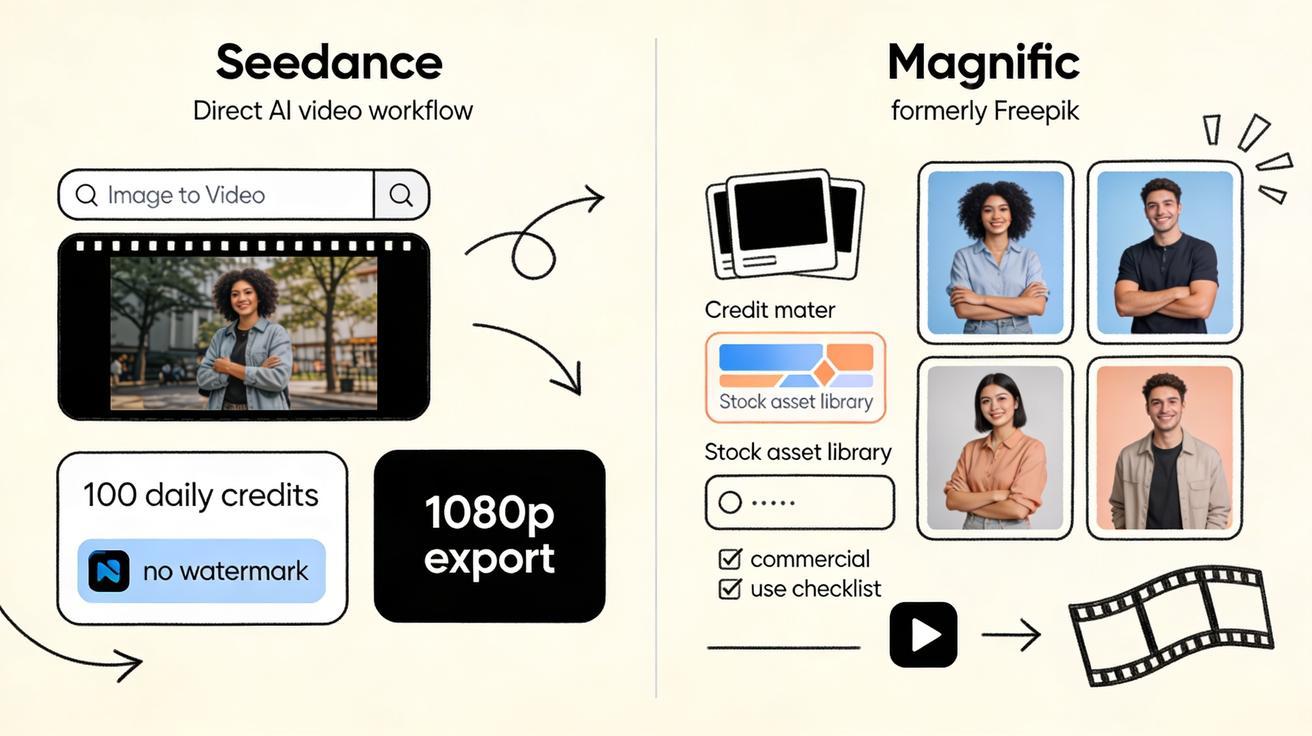
If you are comparing Seedance vs Magnific, you are probably not asking a vague “which AI tool is better?” question. You are asking a production question: which platform lets you create more usable AI video, faster, with fewer credit surprises, fewer watermark problems, and a workflow that actually fits daily content production in 2026?
The short answer: Seedance is the better default for creators and marketing teams who want direct AI video generation, repeatable image-to-video workflows, no-watermark exports, and a generous daily free workflow. Magnific, formerly Freepik, is more of a broad creative platform and multi-model aggregator. It can be useful if your team already depends on a stock asset library, design templates, image tools, and a paid commercial-rights plan. But when the job is specifically AI video generation, the Seedance workflow is cleaner: choose the video mode, choose the model, generate variants, compare outputs, and export.
This comparison covers the practical details that matter: model access, model choice, output quality, image-to-video control, Magnific free limits, watermark and commercial-use considerations, and the best use cases for each platform. It is written for creators, growth teams, product marketers, agencies, YouTube Shorts editors, TikTok teams, ecommerce brands, and founders who need more than a demo clip.
Quick verdict: Seedance vs Magnific
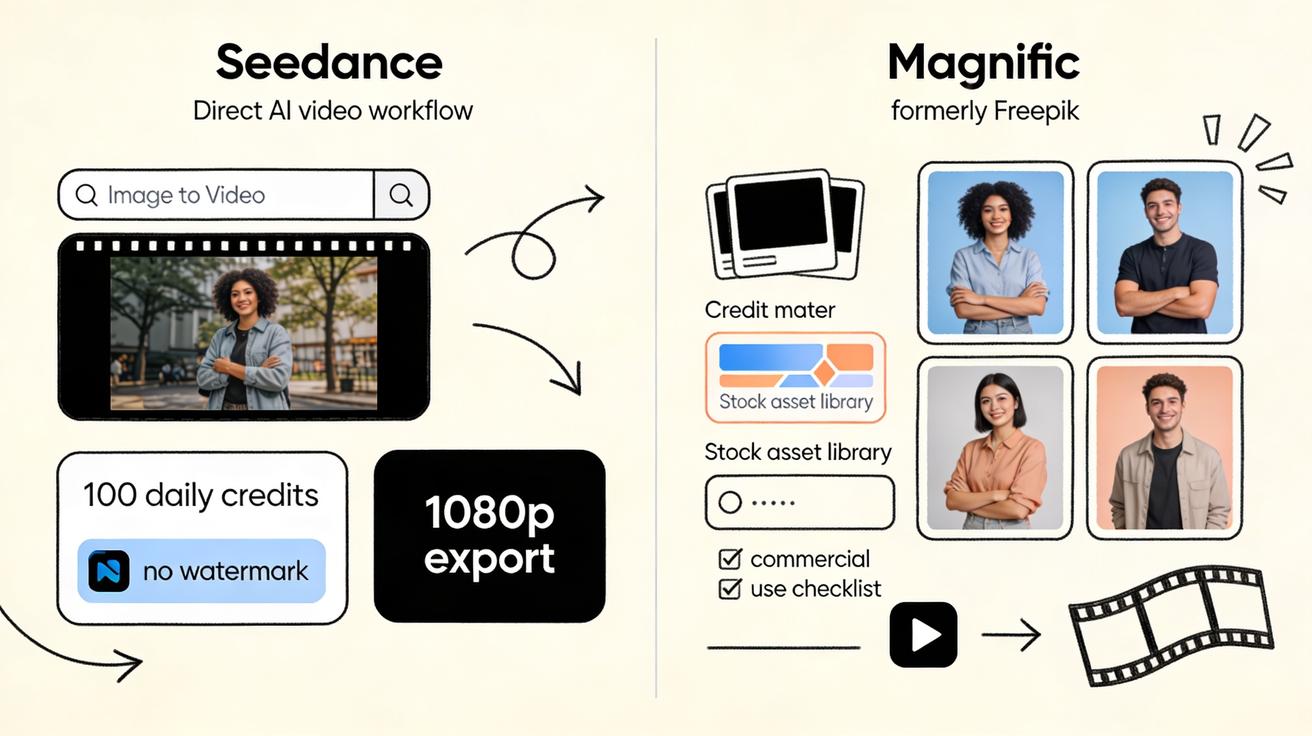
Choose Seedance if your primary goal is to make AI videos every day. Seedance is built around the video workflow itself: text-to-video, image-to-video, model comparison, fast iteration, free daily credits, and clean exports. It is especially strong when you need short clips for social, product storytelling, paid creative testing, hero visuals, b-roll, visual hooks, and image-driven animation.
Choose Magnific if your primary goal is a larger creative suite where AI video is one tool inside a broader platform. Magnific can be attractive for teams that already use Freepik-style stock assets, design resources, image generation, upscaling, and collaborative creative operations. It gives access to multiple AI models, but the experience is more credit-plan and suite oriented. For video-only users, that can feel heavier than necessary.
The core difference is simple:
- Seedance is a direct AI video generator workflow. It is optimized for starting with a prompt or an image and leaving with a video.
- Magnific is a multi-tool creative platform with AI video inside it. It is optimized for teams that want many creative asset functions under one account.
For most creators searching “Seedance AI video generator vs Magnific,” Seedance is the more focused choice.
Side-by-side comparison
| Category | Seedance | Magnific / Freepik-style workflow |
|---|---|---|
| Best fit | Daily AI video creation, social clips, marketing visuals, image-to-video | Broad creative suite, stock assets, design resources, team creative operations |
| Workflow style | Direct: prompt/image → model → video → export | Suite-based: choose tool/model inside a larger creative platform |
| Model access | Multiple leading video models in one focused video interface | Multiple models including major video providers, presented as model choices inside the platform |
| Free workflow | Seedance promotes 100 daily free credits, no credit card to start, no watermark workflow | Free access is limited, credit-based, and plan-dependent; public docs describe free use as personal with attribution |
| Commercial use | Designed for creator and marketing output; verify project-specific legal requirements | Public pricing docs indicate commercial use requires Essential or higher, not the Free plan |
| Watermark concern | Strong advantage for clean social exports | Depends on plan, tool, and licensing conditions; check export screen before production use |
| Image-to-video | Core workflow; good for product shots, characters, thumbnails, ads, and b-roll | Available, but often framed as one mode among many AI/video/design tools |
| Best quality strategy | Generate several variants quickly, compare models, keep the most usable clip | Use the right paid model and enough credits; quality varies by selected model and settings |
| Learning curve | Lower for video-first users | Higher if you only need video, lower if your team already uses the suite |
What Seedance does differently
Seedance is not trying to be a generic design dashboard first. It is built around the question: “How do I turn this idea or reference image into a useful video clip?” That matters because AI video production is highly iterative. The first generation is rarely the final generation. You test prompts, adjust camera motion, change the first frame, tighten the product story, and compare models.
A focused interface saves credits because it reduces workflow friction. If you are making a TikTok hook, an ecommerce product shot, a launch teaser, or a SaaS onboarding visual, you do not want to navigate through unrelated assets before each generation. You want to upload the reference, write the motion prompt, pick the model, generate two or three versions, and export the winner.
Seedance also gives teams a practical free starting point. The platform has been positioned around 100 daily free credits, no-credit-card onboarding, and watermark-free outputs. That daily refresh is important. Monthly free limits are easy to burn in one experiment session. Daily credits encourage a habit: test a few clips every morning, keep the best results, and build a library of usable motion assets over time.
For more production workflows, Seedance also connects naturally with use cases such as text-to-video, image-to-video, and Seedance 2.0. That makes it easier to build repeatable content systems rather than treating AI video as a one-off novelty.
What Magnific does differently
Magnific is the rebranded evolution of Freepik into a broader AI creative platform. Public pages describe it as a place for images, video, audio, 3D, collaborative tools, and a large asset library. In video generation, Magnific presents multiple model options, including major names such as Google Veo, Kling, Runway, Seedance, Wan, PixVerse, and MiniMax according to current search snippets from its official AI video page.
That model access is valuable. If your company already works inside a Freepik/Magnific creative environment, having AI video next to stock images, vectors, templates, and image tools can reduce operational switching. A designer can search assets, generate images, upscale, and try video inside the same account system.
The tradeoff is that Magnific is less direct for people who only care about video output. Its model choice is tied to a credit economy and plan structure. Public docs and pricing snippets indicate that free access is limited, that the Free plan is for personal use and requires attribution, and that commercial use requires upgrading to Essential or higher. One official docs snippet also describes the Essential plan as including 8,000 AI credits per month. Video model credit costs can vary significantly by selected model, length, quality, and generation mode, so the real “free limit” is not just one number; it depends on what you generate.
That is the most important Magnific free-limits point: do not evaluate Magnific by account signup alone. Evaluate it by the exact model and export you plan to use. A cheap or free image task does not mean a high-quality video task will be cheap. A video generator that looks flexible can become expensive if the model you need consumes a large number of credits per attempt.
Model access: focused choice vs broad catalog
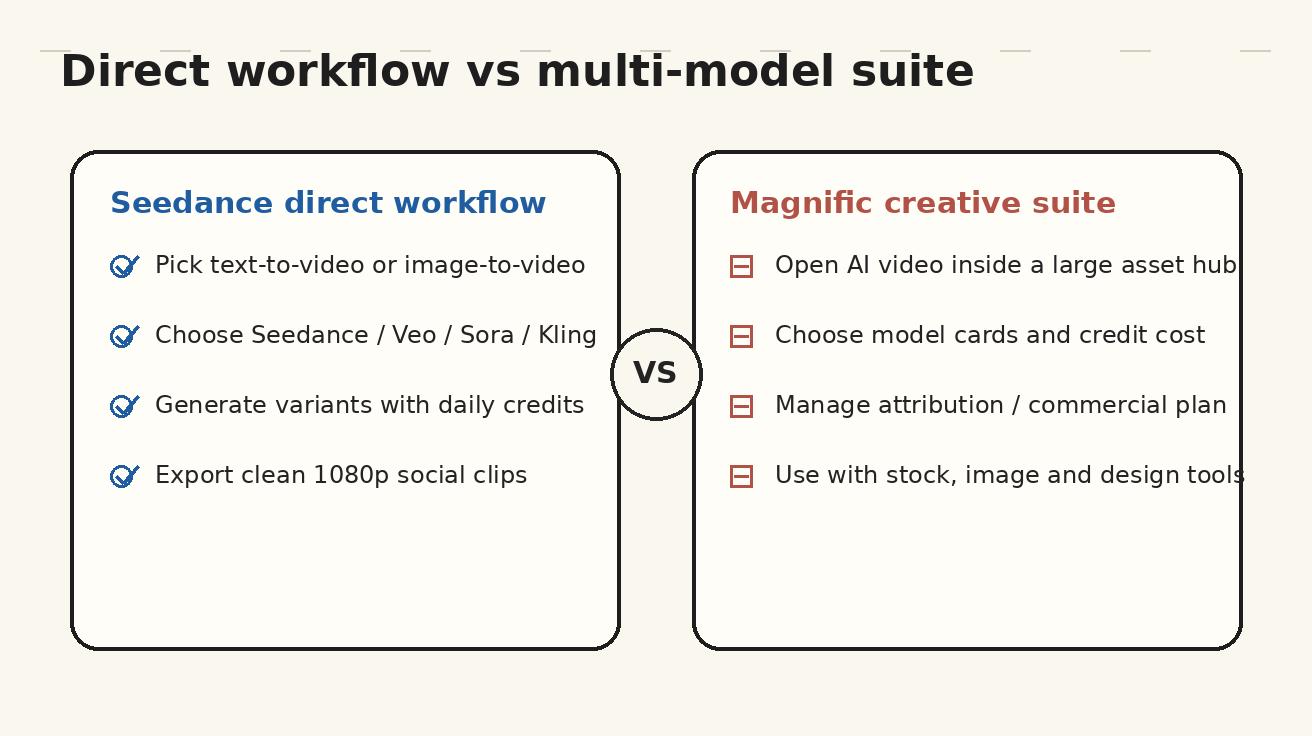
Both Seedance and Magnific can give users access to multiple AI video models. The difference is how that access feels in practice.
In Seedance, model access is organized around video creation. The user starts with the output goal: text-to-video or image-to-video. Then the model is a production choice. You might use one model for realistic b-roll, another for cinematic motion, another for stylized social content, and another for faster experimentation. The comparison happens close to the prompt and the output.
In Magnific, model access is part of a larger creative platform. That can be powerful for teams that want one account for many types of visual assets. But it can also create decision overhead. You are not only choosing a model; you are choosing a model inside a credit system, a plan system, a licensing system, and a broader tool suite.
For AI video teams, the practical question is not “which platform lists more model names?” The question is “which platform lets me test the right model with the least friction?” On that question, Seedance has the clearer advantage for video-first users.
A good model strategy in Seedance looks like this:
- Start with a reference image when visual consistency matters.
- Write a motion prompt that describes camera movement, subject movement, and final mood.
- Generate two or three variants rather than betting everything on one clip.
- Compare outputs for motion stability, face/object consistency, prompt adherence, and editability.
- Export the clip that can actually be used in the campaign, not just the clip that looks impressive for two seconds.
A good model strategy in Magnific looks different:
- Check which models are available on your current plan.
- Check credit cost before generating.
- Confirm whether the output can be used commercially under your plan.
- Generate fewer, more deliberate attempts if the selected model is credit-expensive.
- Use the broader asset library when you also need background images, source references, or design elements.
Output quality: what actually matters
AI video quality is not one metric. A clip can look cinematic and still be useless if it breaks the product, changes a character's face, produces unreadable interface text, or adds strange motion in the final second. For production work, quality means the clip is usable.
When comparing Magnific AI video Seedance workflows, evaluate quality across five dimensions:
1. Prompt adherence
Does the clip follow the instruction? If the prompt asks for a slow push-in on a product bottle, does the camera actually push in, or does the product drift and deform? If the prompt asks for a clean app interface scene, does the UI stay stable, or does it mutate into fake buttons?
Seedance is strong here because the workflow encourages users to test prompt variants directly. You can refine motion language quickly. Magnific can also produce strong results, but because model selection and credit usage vary, users may become conservative and generate fewer tests.
2. Image-to-video consistency
For ecommerce, SaaS, personal branding, and character content, image-to-video consistency is often more important than raw cinematic style. You need the product, face, packaging, interface, or brand scene to stay recognizable.
Seedance is especially useful when the reference image is the source of truth. Upload the product shot, thumbnail, hero frame, or UI screenshot, then ask for controlled motion. This is often more efficient than asking text-to-video to invent everything from scratch.
Magnific supports image-to-video too, but users should watch the exact model behavior. Some models are more creative and may alter the source image more aggressively. That can be good for fantasy visuals and bad for brand-controlled assets.
3. Motion stability
AI video fails when motion looks impressive for one second and then collapses. Look for stable hands, consistent object edges, believable camera movement, and smooth transitions. For social media, a small artifact may be acceptable if the clip is short and fast. For ads or product pages, artifacts are more damaging.
Seedance's advantage is iteration volume. With daily credits and a direct interface, you can test multiple motion patterns and keep the stable one. Magnific's advantage is model breadth, but the best model may cost more credits.
4. Editability
A beautiful clip is not necessarily a useful clip. A useful clip has clean start and end frames, enough negative space for captions, predictable pacing, and no important action hidden under where subtitles will go. This is where Seedance works well for marketers. You can create short, modular clips that are easy to cut into Reels, Shorts, ads, landing page backgrounds, or product explainers.
Magnific can be useful if the clip is part of a larger design system. For example, a team might create a video background, combine it with stock assets, and use other Magnific tools for campaign materials. But if the final destination is a video editor or social publishing workflow, Seedance is faster.
5. Export cleanliness
Watermarks, attribution requirements, resolution caps, and commercial-use restrictions all affect output quality. A clip that looks good but cannot be used in a paid ad is not production quality. This is where creators should be strict.
Seedance's no-watermark positioning is a major advantage for social and commercial workflows. Magnific users need to read the plan details carefully, especially if using the Free plan. Public docs snippets describe free use as personal and attribution-required, with commercial use requiring a paid tier.
Image-to-video: where Seedance usually wins
Image-to-video is the most practical AI video mode for many teams. Text-to-video is fun for ideation, but it gives the model too much freedom. Image-to-video starts with a visual anchor. That means fewer surprises and more usable outputs.
Seedance is strong for image-to-video because the entire workflow supports this kind of controlled generation. You can start from:
- an ecommerce product photo,
- a product mockup,
- a SaaS dashboard screenshot,
- a YouTube thumbnail,
- a character design,
- a brand illustration,
- a real estate image,
- a food photo,
- a fashion lookbook image,
- or a storyboard frame.
Then you add motion. The key is to describe how the camera and subject should move, not just what the image contains.
Weak prompt:
Make this product photo into a video.
Better Seedance prompt:
Animate this product photo as a clean 6-second ecommerce hero shot. Slow camera push-in, subtle parallax between product and background, soft studio lighting, product remains centered and unchanged, no new text, no logo distortion, smooth ending frame for a caption overlay.
That prompt is production-minded. It tells Seedance what to preserve, what to animate, and what not to invent. This is the difference between a clip that looks like an AI experiment and a clip that can be used in an actual campaign.
Magnific can also do image-to-video, but the user needs to choose the right model and credit setting. If you already have Magnific credits and need to combine video with stock assets, it can work. If your only goal is to animate source images repeatedly, Seedance is the cleaner default.
Free limits: Seedance vs Magnific
Free limits are where the comparison becomes especially practical.
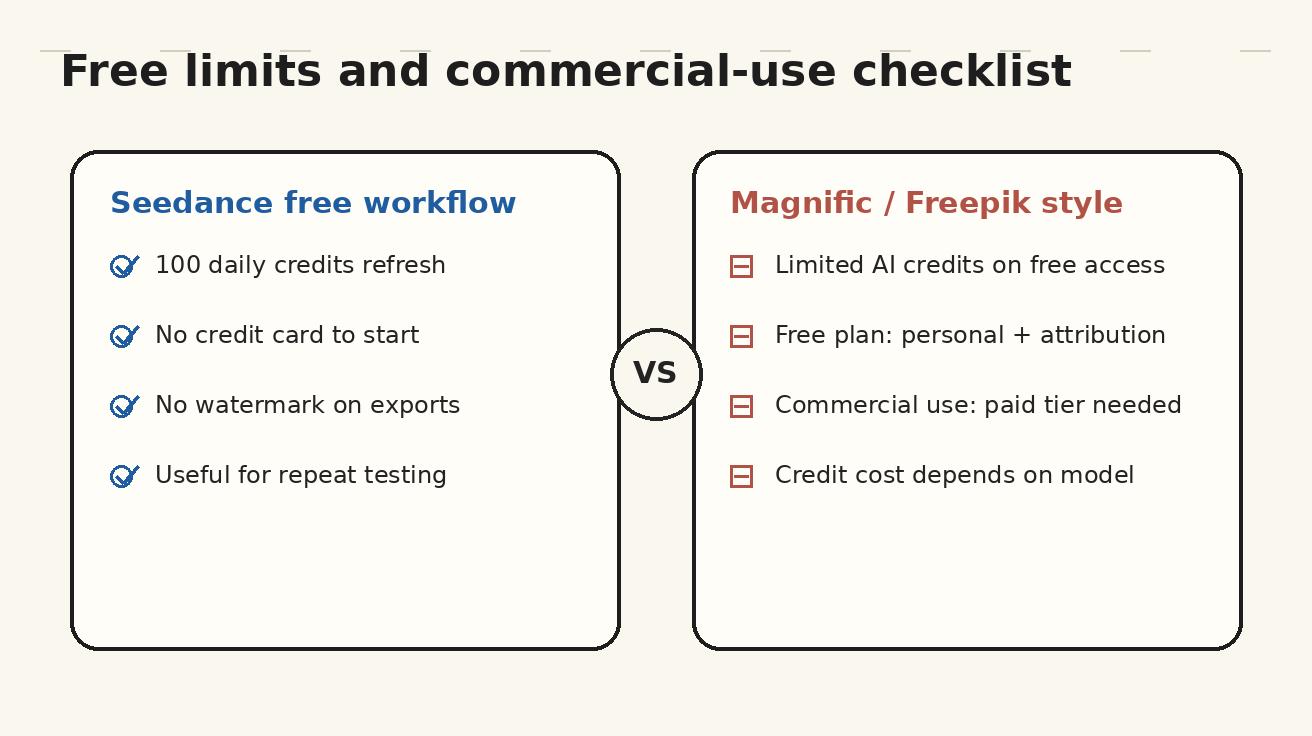
Seedance is easy to understand: the free workflow is positioned around 100 daily credits, a no-credit-card start, and no-watermark exports. The exact number of videos you can make depends on the model and settings, but the daily refresh is the important part. You can keep testing every day without waiting for a monthly reset.
Magnific is more plan-dependent. Public documentation snippets indicate:
- Free accounts have limited AI credits.
- The Free plan is described as personal use only and requiring attribution.
- Commercial use requires upgrading to Essential or higher.
- Essential is described in public snippets as including 8,000 AI credits per month.
- Video generation consumes credits depending on the selected model and mode.
- Extra credits may be purchased separately on certain plans and can remain valid for an extended period.
That makes “Magnific free limits” a moving target. The limit is not only the free account allowance. It is also the credit cost of the model you select, whether the export is allowed for your use case, whether attribution is required, and whether you need paid commercial rights.
For casual testing, Magnific free access may be enough to understand the interface. For daily video production, it is less predictable than Seedance because the effective limit depends on model cost. If you need ten or twenty short clips for testing hooks, variations, ads, thumbnails, and b-roll, Seedance's daily free workflow is easier to plan.
Watermark and commercial-use considerations
This is the part many comparison articles skip, but it matters more than model lists.
A social team needs clean exports. An agency needs commercial rights. An ecommerce brand needs confidence that it can use the generated video on product pages and paid media. A creator needs to know whether a watermark will appear after spending credits. A founder needs to know whether attribution is required in places where attribution would look unprofessional.
Seedance is attractive because its free workflow is positioned around watermark-free output. That is a big deal for creators who publish to TikTok, Instagram Reels, YouTube Shorts, landing pages, and ad tests. Watermarks reduce perceived quality and can violate brand guidelines.
Magnific's commercial-use story is more connected to plan level. Based on public docs snippets, the Free plan is for personal use and requires attribution, while commercial use requires Essential or higher. That does not make Magnific bad; it just means it is better evaluated as a paid creative suite. If your company already wants the asset library and paid AI credits, commercial rights may fit naturally. If you only want a few clean video exports, Seedance is simpler.
Before publishing any AI-generated video commercially, use this checklist:
- Does the platform allow commercial use on your current plan?
- Does the export include a watermark?
- Is attribution required?
- Did the prompt use third-party trademarks, celebrity likenesses, copyrighted characters, or restricted brand assets?
- Does the generated clip accurately represent your product?
- Are faces, product packaging, UI text, and logos stable enough for public use?
- Can you reproduce a similar style later if the campaign needs more clips?
Seedance helps with the last point because it encourages a repeatable prompt-and-reference workflow. Magnific helps if your team wants a broader managed creative environment with plan-based rights.
Best use cases for Seedance
Seedance is the better fit when video output is the main job.
1. Social media clips
Short-form social requires volume. One clip is not enough. Teams need hooks, variants, captions, product moments, background loops, b-roll, and style tests. Seedance's daily credits and no-watermark workflow are built for that rhythm.
Use Seedance for TikTok hooks, Instagram Reels backgrounds, YouTube Shorts intros, visual metaphors, creator talking-point cutaways, and product reveal clips.
2. Ecommerce product motion
Upload a product photo and create a subtle animated hero shot. Keep the product stable, add camera motion, add environment mood, and export a clean clip. This can be much faster than arranging a physical product shoot for every SKU variation.
3. SaaS and app storytelling
Seedance is useful for turning screenshots and interface concepts into guided motion scenes. You can create onboarding videos, feature teasers, release-note visuals, help center clips, and product walkthrough b-roll. The key is to preserve the real UI and use motion to clarify the workflow.
4. Ad creative testing
Paid social teams need multiple angles quickly. Seedance can generate visual variations for the same offer: problem scene, transformation scene, product scene, testimonial-style background, and final CTA. Because exports are clean, the clips are easier to test.
5. Creator b-roll
Creators often need visual support for a script. Seedance can create b-roll from text prompts or animate still images. That reduces dependence on generic stock footage and helps videos feel more custom.
Best use cases for Magnific
Magnific is the better fit when AI video is part of a larger creative stack.
1. Teams already using Freepik/Magnific assets
If your design team already uses the asset library, templates, vectors, images, and other platform tools, keeping video inside the same environment can reduce procurement and team switching.
2. Creative operations with shared credits
Magnific appears oriented toward teams, shared credits, and broader creative management. Agencies or companies that want centralized plan control may prefer that approach.
3. Multi-format campaigns
If one campaign needs stock assets, image generation, upscaling, design templates, and video variations, Magnific can be convenient. The value is not only the AI video generator; it is the surrounding suite.
4. Paid commercial-rights workflows
If your team is already on a paid plan that unlocks commercial use, the commercial-rights requirement may be less of a friction point. In that case, Magnific can be a managed platform for many asset types.
Which one should you choose?
Here is the simple decision tree.
Choose Seedance if:
- You mainly need AI video, not a full design suite.
- You want a fast text-to-video and image-to-video workflow.
- You care about no-watermark exports.
- You want daily free credits rather than a tiny monthly experiment budget.
- You need to test many short clips for social or ads.
- You want to compare models without turning every generation into a plan-management exercise.
- You want a workflow that is easy for marketers, creators, founders, and editors.
Choose Magnific if:
- You already use Freepik/Magnific for stock assets and design resources.
- You need AI video as one part of a larger creative suite.
- Your team values centralized creative operations and shared credits.
- You are comfortable with plan-based commercial rights.
- You are willing to monitor model-specific credit consumption.
- You want to combine video generation with image tools, upscaling, and asset libraries.
For most people searching “Seedance vs Magnific” because they want to create video, Seedance is the stronger first stop. Magnific becomes more compelling when the surrounding creative suite matters as much as the video generator.
Practical workflow: testing both platforms fairly
If you want to test Seedance and Magnific fairly, do not use one random prompt. Use a small benchmark set.
Create five prompts:
- A product hero shot from an uploaded image.
- A human lifestyle scene from text only.
- A SaaS dashboard animation from a screenshot.
- A cinematic b-roll scene for a YouTube intro.
- A short ad hook with a clear final frame.
For each platform, track:
- credits consumed,
- number of usable clips,
- export resolution,
- watermark status,
- commercial-use eligibility,
- generation time,
- prompt adherence,
- image consistency,
- and how much manual cleanup was needed.
This will show the real difference. A platform is not better because one generation looks good. It is better if it reliably turns ideas into usable clips at a cost and rights level your team can sustain.
In most video-first tests, Seedance should feel faster because it is designed around repeated AI video output. Magnific may win when the test includes asset library work, broader design tasks, or paid team management.
Prompt templates for Seedance users switching from Magnific
If you have been using Magnific as a general creative suite and want to test Seedance directly, start with these templates.
Product image-to-video prompt
Animate this product image into a clean 6-second commercial video. Keep the product shape, label, color, and proportions unchanged. Add a slow camera push-in, soft studio reflections, subtle background parallax, premium ecommerce lighting, smooth final frame, no new text, no logo distortion.
SaaS screenshot prompt
Turn this dashboard screenshot into a calm product walkthrough shot. Keep the interface stable and readable. Add a slow zoom toward the primary chart area, subtle cursor motion, modern SaaS onboarding mood, clean background, no invented UI elements, no fake extra text.
Social hook prompt
Create a 5-second vertical-ready video hook about solving [problem]. Fast first-second movement, clear subject, high contrast, space at top for captions, modern creator style, smooth motion, no watermark, no readable fake text.
Brand illustration prompt
Animate this brand illustration with gentle parallax, small background motion, and a confident product-launch mood. Preserve the original character design and color palette. Keep the motion subtle and professional for a landing page hero.
These prompts show why Seedance is useful: the workflow is about controlling motion, preserving source assets, and producing clips that can be edited.
FAQ: Seedance vs Magnific AI video generator
Is Seedance better than Magnific for AI video generation?
Seedance is usually better if your main goal is AI video generation. It has a more direct video-first workflow, daily free credits, no-watermark positioning, and strong image-to-video use cases. Magnific is better if you want AI video inside a broader creative suite with stock assets and design tools.
Does Magnific include Seedance as a model?
Current public search snippets for Magnific's AI video generator page list multiple video models, including Seedance, alongside Google Veo, Kling, Runway, Wan, PixVerse, and MiniMax. Availability can change by region, plan, and platform update, so check the current model selector before relying on it.
What are Magnific free limits for AI video?
Magnific free limits are credit-based and plan-dependent. Public docs snippets describe free accounts as having limited AI credits, free use as personal with attribution, and commercial use as requiring Essential or higher. Video credit cost depends on the selected model and mode, so the practical free limit varies.
Does Seedance have a free AI video generator?
Yes. Seedance is positioned around a free workflow with 100 daily credits, no credit card to start, and no-watermark exports. The exact number of clips depends on selected model and settings, but the daily refresh makes it more practical for repeated testing than many monthly free tiers.
Which platform is better for image-to-video?
Seedance is the better default for image-to-video if you want a focused workflow for animating product shots, screenshots, thumbnails, brand illustrations, and storyboards. Magnific can also support image-to-video, but its value is stronger when you also need the surrounding asset and design suite.
Can I use Magnific AI videos commercially?
Commercial use depends on your Magnific plan and the content you generate. Public pricing/docs snippets indicate that the Free plan is personal use with attribution and that commercial use requires Essential or higher. Always verify the current license terms inside your account before using output in ads, client work, or paid campaigns.
Which is better for agencies?
It depends on the agency workflow. A video-first social or performance creative agency will likely prefer Seedance for speed, clean exports, and repeated clip testing. A design-heavy agency that already manages stock assets, templates, and shared creative credits may prefer Magnific as a broader platform.
Final recommendation
If you want the simplest answer: start with Seedance for AI video generation. It is more focused, easier to test daily, cleaner for no-watermark social output, and better aligned with practical text-to-video and image-to-video workflows. Magnific is worth evaluating if you need a full creative suite and are comfortable with credit-based model selection and paid commercial-use requirements.
The best AI video tool is not the one with the longest model list. It is the one that lets you create usable clips repeatedly without wasting time, credits, or rights-checking energy. For creators and marketing teams in 2026, that is why Seedance is the stronger first choice in the Seedance AI video generator vs Magnific comparison.
<script type="application/ld+json"> { "@context": "https://schema.org", "@type": "FAQPage", "mainEntity": [ { "@type": "Question", "name": "Is Seedance better than Magnific for AI video generation?", "acceptedAnswer": { "@type": "Answer", "text": "Seedance is usually better if your main goal is AI video generation because it offers a direct video-first workflow, daily free credits, no-watermark positioning, and strong image-to-video use cases. Magnific is better if you want video inside a broader creative suite." } }, { "@type": "Question", "name": "What are Magnific free limits for AI video?", "acceptedAnswer": { "@type": "Answer", "text": "Magnific free limits are credit-based and plan-dependent. Public docs snippets describe limited AI credits on free accounts, personal use with attribution on the Free plan, and commercial use requiring Essential or higher. Video credit cost depends on the selected model and mode." } }, { "@type": "Question", "name": "Does Seedance have a free AI video generator?", "acceptedAnswer": { "@type": "Answer", "text": "Yes. Seedance is positioned around a free workflow with 100 daily credits, no credit card to start, and no-watermark exports. The number of generated clips depends on the selected model and settings." } }, { "@type": "Question", "name": "Which platform is better for image-to-video?", "acceptedAnswer": { "@type": "Answer", "text": "Seedance is the better default for image-to-video when you want a focused workflow for animating product shots, screenshots, thumbnails, brand illustrations, and storyboards. Magnific is useful when image-to-video is part of a larger asset and design workflow." } } ] } </script>
Ready to create your own AI video?
Turn ideas, text prompts, and images into polished videos with Seedance. If this article helped, the fastest next step is to try the product.
Free credits on signup. Plans from $20/month.
Related Articles
More posts in the same locale you may want to read next.

Seedance App Preview Video Generator 2026: Create App Store and Product Launch Clips
Use Seedance to turn app screenshots, feature copy, and launch goals into App Store previews, Google Play promo videos, and product launch clips.
Read article
Google Vids Slides to Video: Convert a Deck into a Publishable Video
Convert Google Slides into Google Vids scenes, use speaker notes and optional Gemini narration, replace static slides with motion, and export a publishable work video.
Read article
MiniMax H3 Plastic Skin Fix for Video Ads: A Realism Workflow
Fix plastic-looking skin in MiniMax H3 video ads with better references, natural lighting, controlled prompts, motion review, and a clear regenerate-or-finish checklist.
Read article