
How to Make Product Demo Videos with Seedance AI (2026 Guide)
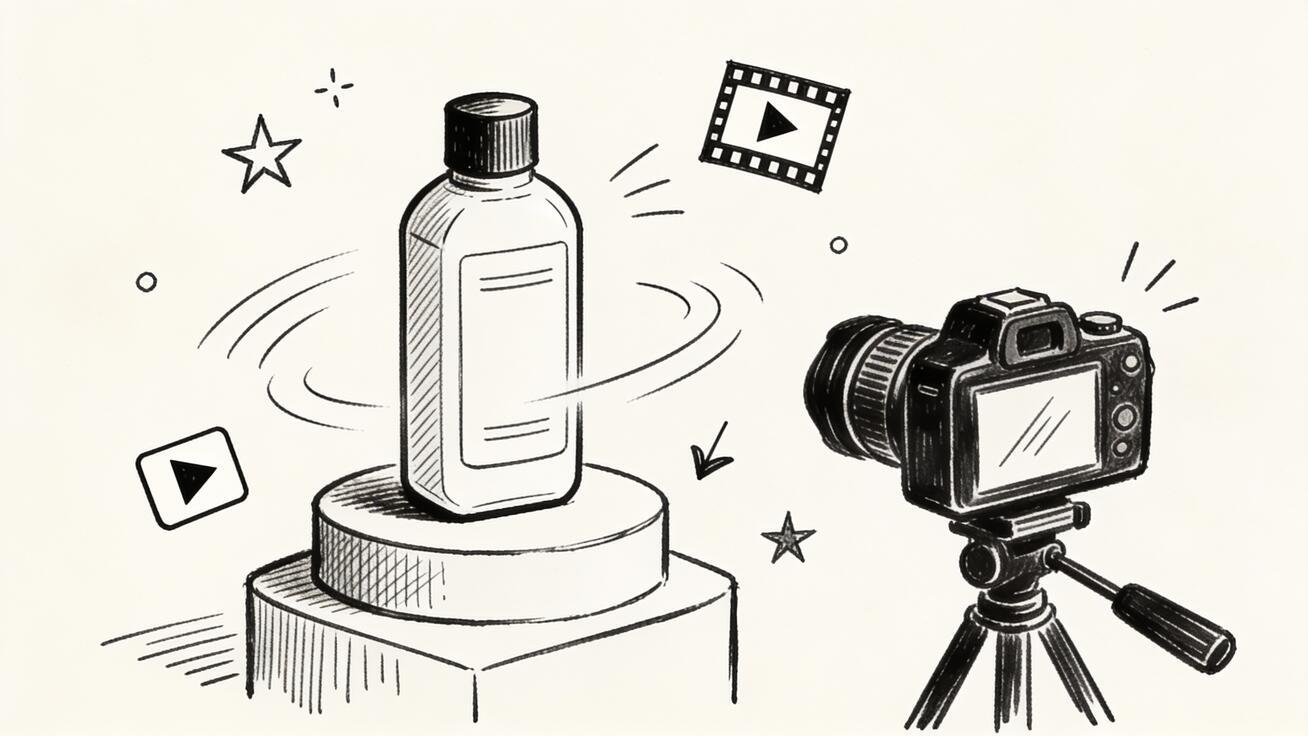
Creating a compelling product demo video used to require a full production team, a camera setup, and post-production editing. With Seedance AI, you can turn a single product image into a polished, motion-rich demo video in minutes — no studio needed.
This guide walks you through the complete workflow for making product demo videos with Seedance, from crafting the right prompt to exporting a clip ready for your landing page, ads, or social media.
What Is a Product Demo Video?
A product demo video shows a product in action. It highlights key features, demonstrates how it works, and gives potential customers a visual reason to buy or try. The best product demos are short (15–60 seconds), visually clear, and focused on one core use case or benefit.
Seedance is particularly well-suited for this format because it excels at:
- Animating still product images with realistic motion
- Generating clean camera movements (zoom-in, orbit, push) that feel intentional
- Maintaining product consistency across multiple generated clips
- Outputting at high resolution and multiple aspect ratios (16:9 for YouTube, 9:16 for Reels, 1:1 for ads)
Quick Answer: How to Make a Product Demo Video with Seedance
- Upload your product image (clean background preferred)
- Write a short motion prompt describing how the product should move
- Choose Seedance 2.5 or Seedance 2.0 as your model
- Generate 2–3 versions and compare
- Export at the right aspect ratio for your channel
- Layer narration or music in your editor
That's the core loop. Read on for prompts, tips, and use cases.
Step-by-Step: Product Demo Video Workflow in Seedance
Step 1: Prepare Your Product Image
The quality of your input image directly affects the output video. Use a clean, high-resolution product photo — ideally on a white, light gray, or gradient background. If your product photo has a cluttered background, crop or remove it first.
Tips:
- Use a front-facing or 3/4-angle shot for maximum detail
- Avoid logos or text overlays in the image (these can distort in animation)
- JPG or PNG both work; minimum 512×512, ideally 1024×1024 or higher
Step 2: Write a Motion Prompt
This is the most important step. Seedance responds to explicit motion and camera instructions. Generic prompts like "show the product" produce mediocre results. Specific prompts produce cinematic ones.
Prompt formula:
[Camera movement] + [Subject action] + [Lighting/atmosphere]
Example prompts for product demo videos:
| Product Type | Prompt Example |
|---|---|
| Skincare bottle | "Slow zoom-in on skincare bottle, soft studio lighting, droplets of serum falling in slow motion, white background" |
| Sneakers | "360-degree orbit around sneaker, clean white background, sharp shadows, product photography style" |
| Tech gadget | "Camera push forward toward laptop, screen glows on, keys illuminate in sequence, dark ambient lighting" |
| Food product | "Close-up pour of sauce over dish, slow motion, steam rising, warm golden light from above" |
| Jewelry | "Macro zoom on ring, light refracts through gem, clean white surface, sparkle effect" |
Step 3: Choose Your Model
In Seedance, you can choose between available models including Seedance 2.5 and Seedance 2.0. For product demos:
- Seedance 2.5: Best for detailed product shots with fine textures (fabrics, liquids, reflective surfaces). Higher physical realism.
- Seedance 2.0: Great for clean, fast-moving product animations and simpler compositions.
Generate 2–3 versions with the same prompt to get variations you can compare. Minor differences in how Seedance interprets camera motion can make a big difference — one version might have a tighter zoom that works perfectly for a 15-second ad.
Step 4: Check Consistency and Quality
Before exporting, review your generated clips for:
- Subject consistency: Does the product look the same throughout the video? Watch for distortion on text labels, logos, or fine details.
- Motion clarity: Is the camera movement smooth and intentional, or does it feel random?
- Background stability: Especially important for white/studio backgrounds — they should stay clean.
- Unintended edits: Seedance 2.5 can occasionally reinterpret product colors or shapes when the input image has low contrast. Regenerate if needed.
If a clip has issues, adjust your prompt — often adding "maintain exact product shape and color, studio product photography" reduces unwanted changes.
Step 5: Export and Use
Seedance exports at multiple aspect ratios:
- 16:9 — YouTube, website hero sections, email embeds
- 9:16 — Instagram Reels, TikTok, YouTube Shorts
- 1:1 — Instagram feed, Facebook ads
Download the clip and bring it into your editor (CapCut, Premiere, DaVinci, or even iMovie) to add:
- Text overlay with key features
- Voiceover or product narration
- Background music
- Call-to-action end card
Prompt Templates for Common Product Demo Scenarios
E-commerce Product Reveal
Slow cinematic push forward toward [product name], soft studio lighting,
clean white background, slight camera rotation left to right,
product photography style, 4K quality
App or SaaS UI Demo
Screen recording style zoom-in on [device/laptop] with [app name] open,
cursor clicks feature, smooth transition, light office background,
professional and clean
Food and Beverage Close-up
Overhead shot tilts to eye level, [product] placed on wooden surface,
warm light from left, small pour/steam/bubbles effect, slow motion,
rich color grade
Cosmetics / Beauty
Close-up of [product] on marble surface, soft diffused light,
product cap opens slowly, liquid/powder texture visible,
luxury beauty editorial style
Best Use Cases for Seedance Product Demo Videos
Landing pages: A 5–10 second looping product clip on a landing page increases time-on-page and conversion. Seedance clips export cleanly for web embed.
Social media ads: 15-second product demos outperform static images in Meta and TikTok ad performance benchmarks. Seedance lets you generate multiple creative variations from a single image to run A/B tests.
Email campaigns: Animated GIFs or short clips from Seedance can be embedded in product launch emails — they load faster than full videos while preserving the motion effect.
Marketplaces: Amazon, Shopify stores, and Etsy listings that include video thumbnails see higher click-through rates. Seedance lets small sellers create professional demo content without a video budget.
Crowdfunding: Kickstarter and Indiegogo campaigns with product demo videos raise significantly more. Seedance makes it possible to create campaign video assets before you have a physical product prototype — just use a 3D render or high-quality mockup as your input.
How to Write Better Product Demo Prompts
The single biggest lever for improving your product demo video quality is prompt specificity. Here is a deeper guide to crafting prompts that consistently produce professional results.
Camera Movement Keywords
Seedance responds well to explicit camera direction. Use these terms in your prompts:
- Slow zoom in — camera moves toward the product, creating an intimate reveal
- Orbit / 360-degree spin — camera rotates around the product, showing all angles
- Pull back / zoom out — camera retreats from product, useful for context reveals
- Push forward — camera advances toward the product or screen
- Tilt up / tilt down — camera angle shifts vertically, good for tall products
- Pan left / pan right — camera moves horizontally across a scene
- Dolly shot — smooth lateral camera travel, cinematic feel
- Rack focus — foreground-to-background focus shift, adds depth
Lighting Keywords
Lighting dramatically changes the mood of a product video:
- Soft studio lighting — diffused, even light from multiple angles; clean product photography look
- Dramatic side lighting — single light source from one side; high contrast, editorial feel
- Warm golden hour — warm orange-yellow tones; good for food, lifestyle, outdoor products
- Cold blue light — tech, modern, clinical; good for electronics, medical devices, software UIs
- Overhead rim lighting — light from above and behind the product; separates it from background
- Backlit silhouette — product shape visible against bright background; cinematic and mysterious
Atmosphere and Style Keywords
- Product photography style — clean, commercial, sharp focus
- Cinematic — film-grade color, depth of field, smooth motion
- Luxury editorial — premium look, soft shadows, high-end brand feel
- Minimal and clean — lots of white space, sparse composition
- Macro detail — extreme close-up on texture, material, or feature
- Lifestyle context — product in use, natural setting
Combining These into a Strong Prompt
[Camera: slow zoom in] on [product name] placed on [surface],
[Lighting: soft studio lighting with warm rim light],
[Style: luxury editorial product photography style],
[Motion: product rotates gently, 4K, smooth]
The more specific you are, the less you rely on luck between generations. Write prompts like a cinematographer giving direction, not a description of the finished video.
Comparing Models: Seedance 2.5 vs Seedance 2.0 for Product Videos
Seedance offers multiple models, and for product demo videos, the choice between them matters.
Seedance 2.5
Best for: High-detail products with fine textures, reflective surfaces, liquids, fabrics, and complex packaging.
Seedance 2.5 uses a more advanced physical simulation layer. It handles:
- Liquid motion (serums, beverages, oils) with realistic viscosity and light refraction
- Fabric movement (clothing, bags, upholstery) with proper drape physics
- Reflective surfaces (watches, glass, chrome) without over-blurring
- Fine-detail preservation on product labels and embossing
Trade-off: Slightly slower generation; may use more credits per run.
Seedance 2.0
Best for: Clean, fast product animations where motion simplicity is preferable — electronics on plain backgrounds, boxed products, simple geometric shapes.
Seedance 2.0 is excellent for:
- Fast turnaround when you need many variations
- Products where label accuracy is less critical
- UI and screen-based demos
- Simple camera movement (push, pan) without needing realistic physics
Trade-off: May produce less realistic liquid or fabric motion compared to 2.5.
When to Use Other Available Models
Seedance also makes third-party models like Sora 2, Veo 3, and Kling available inside the platform. For product demos specifically:
- Veo 3 — Strong on photorealistic motion, excellent for lifestyle product shots where the product is in use (cooking, fitness, beauty routines). Native audio generation can add ambient sound to product clips.
- Kling 3.0 Master — Good for extreme slow-motion product reveals and high-resolution close-ups.
- Sora 2 — Handles complex environment and context integration well; good when you want the product in a lifestyle scene rather than a studio setting.
The practical workflow: start with Seedance 2.5 for your hero shot, and if you want a lifestyle variation, generate a second version with Veo 3.
Multi-Angle Product Demo Strategy
One of the most effective ways to build a product demo library quickly with Seedance is to generate multiple angles and cuts from a single input image, then assemble them in your editor.
A complete 30-second product demo sequence might include:
- Hero reveal (0–5 sec): Slow zoom in from wide to close-up. Shows the product in full with your hero lighting.
- Detail close-up (5–10 sec): Macro shot of the most compelling feature — texture, finish, mechanism, screen, logo.
- 360-degree orbit (10–18 sec): Full rotation showing all sides of the product. This is the most information-dense segment.
- In-use moment (18–24 sec): A lifestyle-adjacent shot — product held by a hand, product on a relevant surface, product in context.
- Brand close-out (24–30 sec): Clean final frame, product centered, with room for text overlay of product name or CTA.
For each of these segments, write a distinct prompt in Seedance, generate 2–3 versions, pick the best take, and sequence them in your editor. Total generation time: under 30 minutes for a full 5-segment library.
Building a Product Demo Template for Recurring Use
If you regularly create product demo videos — for an e-commerce store, a SaaS product, or a physical product line — it pays to build a reusable template in Seedance.
Template components to standardize:
- Base prompt structure — Fix your camera movement, lighting, and style keywords as constants. Only change the product name and surface material.
- Aspect ratio presets — Decide your three primary output formats (16:9, 9:16, 1:1) and create a prompt variant for each. Aspect ratio affects how you frame the camera movement.
- Image preparation checklist — Clean white/gradient background, front 3/4 angle, minimum resolution, removed text overlays.
- Review checklist — Label accuracy, color consistency, background stability, motion smoothness, duration check.
- Export naming convention —
[product-slug]-[angle]-[aspect].mp4keeps your library organized as it scales.
With a template in place, producing a new product demo drops from 2 hours to 20 minutes.
Distributing Your Seedance Product Demo Videos
Once you have your clips, a smart distribution plan maximizes every video you create.
Landing Pages
Product demo videos on landing pages typically see the highest ROI. Place the video above the fold — either as an autoplay muted loop (background hero) or as a click-to-play featured video just below the headline. A well-produced 6–10 second product loop can replace a static hero image entirely.
Paid Social Ads
Facebook and Instagram video ads have higher click-through and lower CPM than static image ads in most product categories. With Seedance, you can affordably A/B test multiple product angles and calls to action — generate one video per variant, run a small budget test, and double down on the winner.
For TikTok, Reels, and Shorts, use the 9:16 export. Add a text hook in the first 1–2 seconds (either as a subtitle overlay or burned into the clip in your editor). Seedance clips work well as the product "before" moment before you cut to a testimonial or results frame.
Product Marketplace Listings
Amazon A+ Content supports video in the product gallery. Shopify product pages, Etsy listings, and independent DTC stores all benefit from video. Seedance lets you produce marketplace-ready content without filming the product — use your existing product photography as the input.
Email and SMS Campaigns
For email, export a short clip (3–6 seconds) and convert it to an animated GIF for broad compatibility. For platforms that support embedded video (like some email clients and SMS with MMS), use the MP4 directly. Animated product previews in email consistently outperform static thumbnails for click-to-site rates.
Frequently Asked Questions About Seedance Product Demo Videos
Do I need a professional camera to create product demo videos with Seedance?
No. Seedance animates still images, so a high-quality smartphone photo or existing product photography is sufficient. What matters most is image clarity, background simplicity, and prompt specificity. A good smartphone shot on a clean white background often produces better results than a poorly lit professional photo.
What image formats does Seedance accept for product videos?
Seedance accepts standard image formats including JPG and PNG. For best results with product demos, use images with a minimum resolution of 1024 by 1024 pixels. Images with transparent backgrounds or isolated product shots on clean backgrounds consistently produce the cleanest animation output.
Can I create product demo videos for multiple products from one Seedance account?
Yes. Seedance does not limit the number of different products you can animate. You can upload a new product image for each video generation session. This makes it practical for agencies, freelancers, and brands with large product catalogs to produce demo content at scale.
How long are the product demo videos Seedance generates?
Seedance generates short clips typically ranging from four to eight seconds per generation. For longer product demos of thirty seconds or more, plan to generate multiple clips covering different product angles or moments, then sequence them together in a video editor such as CapCut, Adobe Premiere, DaVinci Resolve, or iMovie.
Can Seedance generate product demo videos with audio or voiceover?
Seedance focuses on visual video generation. Audio layers including voiceover, background music, and sound effects are added in post-production using your preferred video editing software. The exception is Veo 3, which is available inside Seedance and can generate native audio alongside video when selected as the active model.
Is Seedance suitable for making product demo videos for Amazon listings?
Yes. Seedance output can be exported and used in Amazon A-plus Content video galleries, Shopify product pages, Etsy listings, and other marketplace video sections. Generate your clips in sixteen by nine aspect ratio for standard marketplace video requirements, then encode to MP4 before uploading.
How do I prevent the product label or logo from distorting in my Seedance video?
To minimize label distortion, add the instruction to maintain exact product shape, label, and color to your prompt. Also try including product photography style, sharp focus on product surface, and no morphing or deformation. If critical text or logo accuracy is needed in the final deliverable, add text overlays as a post-production layer in your video editor rather than relying on Seedance to preserve fine typographic detail.
Can I use Seedance product demo videos in paid advertising campaigns?
Yes. Seedance-generated videos can be used in paid social advertising on platforms including Meta Ads, TikTok Ads, YouTube Ads, and Google Display. You own the output you generate. Review the current Seedance terms of service to confirm commercial use rights for your account tier.
Limitations to Know
- Text on product labels: Seedance may animate text in ways that distort readability. If label text is critical, add it as a static text overlay in post.
- Complex multi-part products: Products with many moving parts (mechanical devices, furniture with drawers) may not animate predictably. Focus on the hero angle.
- Long videos: Seedance generates short clips (typically 4–8 seconds). For a 30-second product demo, plan to stitch 4–6 clips together in your editor.
- Exact color matching: If brand color accuracy is critical (Pantone-matched packaging), review each generated clip carefully and regenerate if colors shift.
Conclusion
Making product demo videos with Seedance AI is one of the highest-ROI use cases for the platform. With the right input image and a well-written motion prompt, you can generate professional-quality product clips in minutes — ready for landing pages, ads, social media, and marketplaces.
The key steps: clean product image, specific motion prompt, model selection (Seedance 2.5 for detail, 2.0 for speed), multi-version comparison, and final export at the right aspect ratio. Start with the prompt templates above and adjust from there.
Try it now at Seedance.tv — upload your product image and see what a well-crafted motion prompt can do.
Ready to try it yourself?
Put the steps from this guide into practice with Seedance and turn prompts or images into polished videos in minutes.
Free credits on signup. Plans from $28/month.
Related Articles
More posts in the same locale you may want to read next.

Seedance App Preview Video Generator 2026: Create App Store and Product Launch Clips
Use Seedance to turn app screenshots, feature copy, and launch goals into App Store previews, Google Play promo videos, and product launch clips.
Read article
How to Make a Talking AI Avatar You Can Reuse
Make a talking AI avatar with Seedance: design one consistent character, give it a voice, and make it speak in a talking photo or a full Seedance 2.5 scene, episode after episode.
Read article
Best AI Video-to-Video Models in 2026
The best AI video-to-video models in 2026 for editing footage you already shot: Higgsfield Genjutsu, Seedance 2.x, Runway Aleph, Luma Modify and Kling Omni compared.
Read article