
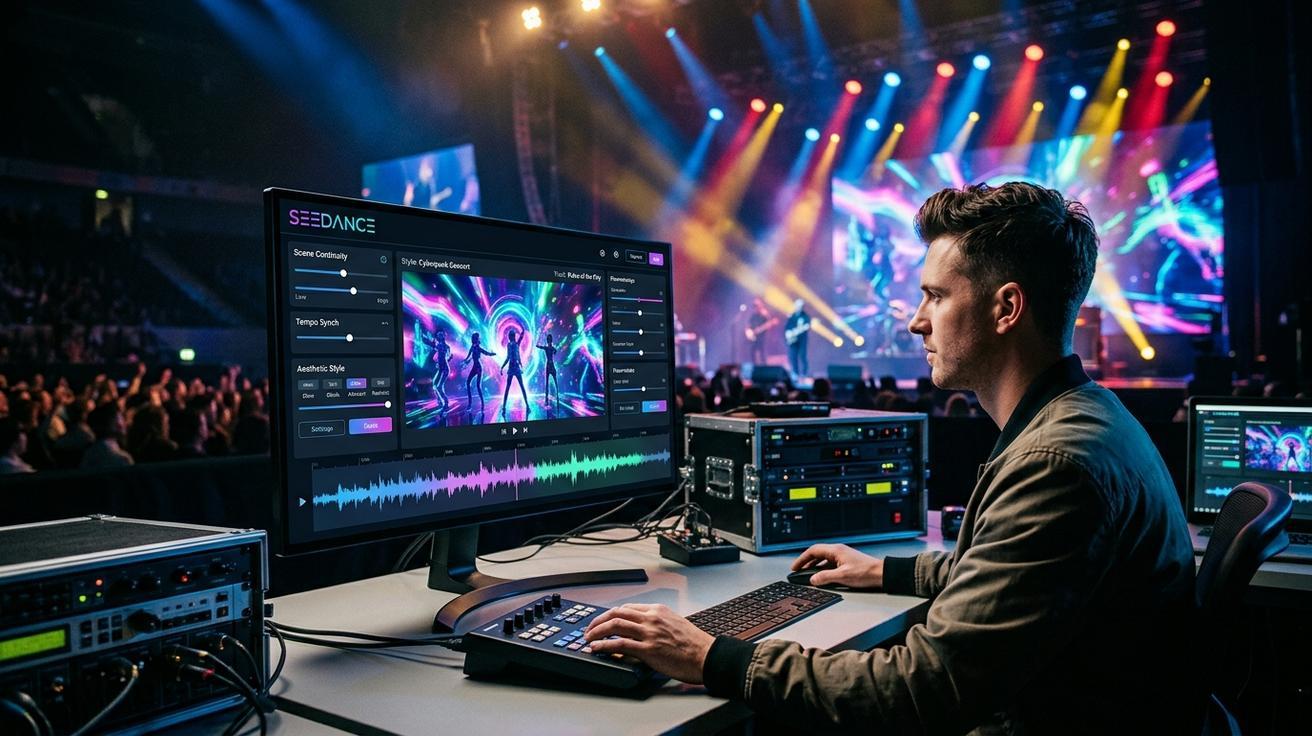
Creating a professional music video used to mean renting a studio, hiring a director, scouting locations, and spending anywhere from $5,000 to $50,000 before a single frame was cut. That barrier kept most independent artists locked out of visual storytelling — forced to choose between a phone-shot performance clip or nothing at all.
In 2026, a music video AI generator like Seedance changes that equation entirely. Using text-to-video and image-to-video generation, indie musicians, content creators, and social media teams can produce cinematic, beat-synced visual content in hours rather than weeks. No camera crew. No location permits. No post-production team. Just a browser, a prompt, and a clear vision for what you want your music to look like.
This complete guide covers every part of the music video production pipeline in Seedance: which video styles work best with AI generation, step-by-step workflows for both text-to-video and image-to-video modes, copy-paste prompt examples for five major music video styles, a model comparison to help you pick the right engine for fast-cut or cinematic work, and a practical multi-shot assembly workflow that turns individual clips into a cohesive visual story.
What Types of Music Videos Work Best with AI Generation?
Not all music video styles are equally suited to AI generation. Understanding the strengths and limitations of each format helps you pick the right approach before you write your first prompt.
Lyric Videos
Lyric videos are the easiest entry point for AI-generated music video content. The core visual is abstract or thematic — flowing backgrounds, animated textures, color-reactive motion — overlaid with animated lyrics in post. Because you don't need consistent characters or storyline continuity, every clip can stand on its own. This makes lyric videos ideal for beginners and for fast turnaround releases.
Best for: Lo-fi, indie pop, hip-hop, R&B, acoustic singer-songwriter releases.
Performance / Concert Footage
Simulated stage performance footage creates the illusion of a live show — dramatic lighting, crowd energy, smoke machines, and camera angles that mimic professional concert cinematography. These clips are visually striking and resonate strongly with rock, EDM, and pop audiences who associate music video quality with live performance production value.
Best for: Rock, EDM, pop, K-pop, and any genre where the "artist on stage" image matters for branding.
Visualizer / Abstract
Abstract visualizers use fluid dynamics, particle systems, geometric motion, and color-reactive patterns to give music a visual representation without literal narrative. These are the music video equivalent of album cover art in motion — and they're one of the strongest formats for AI generation because they reward pure creative prompt writing.
Best for: Electronic, ambient, instrumental, experimental, and lo-fi genres.
Narrative / Cinematic
Short-film style storytelling with characters, locations, emotional arcs, and plot beats produces the most cinematic results but requires the most prompt discipline. You'll need visual consistency across shots — same character appearance, same location lighting, coherent continuity. Image-to-video generation is essential for this style.
Best for: Indie folk, alternative, country, pop ballads, and any artist building a long-form visual identity.
Dance / Choreography
Stylized dancer footage in specific settings — urban streets, lit warehouses, rooftops, dance studios — is one of the highest-engagement music video formats on platforms like TikTok and Instagram Reels. AI generation handles dancer movement best when you start from a strong reference image in image-to-video mode.
Best for: Hip-hop, R&B, K-pop, Latin, dance pop.
Step-by-Step: Creating Music Video Clips in Seedance
Seedance supports two primary generation modes for music video production: text-to-video and image-to-video. Each serves a different production need.
Text-to-Video Workflow
Text-to-video is the fastest way to start. You write a prompt describing the scene, pick your model, and generate clips without needing any source material.
Step 1: Open Seedance and select Text to Video mode. Navigate to seedance.tv and choose the text-to-video generation workspace from the main dashboard.
Step 2: Write your scene prompt. Describe the visual scene in detail: setting, lighting, camera angle, movement style, color mood, and any atmospheric details. The more specific your prompt, the more predictable the output. (See the Prompt Examples section below for copy-ready templates.)
Step 3: Choose your model. For fast-cut music video clips — high motion, short duration, stylized visuals — Seedance 2.0 is the fastest and most efficient option. For slower, more cinematic hero shots, Veo 3 produces stronger detail and realism. See the full model comparison table below.
Step 4: Set clip duration. Music video cuts are short. Set clip duration to 4–6 seconds per clip. Longer clips (7–10 seconds) are appropriate only for slow, atmospheric verse sections or emotional holds.
Step 5: Generate multiple versions. Always generate 2–3 versions from the same prompt before selecting. Motion quality, framing, and timing vary between generations. The second or third version is often the strongest.
Step 6: Download and organize by section. Label your clips by song section (intro, verse 1, chorus 1, bridge, outro) as you download. This makes the editing stage dramatically faster.
Image-to-Video Workflow
Image-to-video generation is essential for maintaining visual consistency across a multi-shot sequence, especially for narrative and dance-style music videos.
Step 1: Prepare your reference image. Your reference can be an AI-generated illustration, a photo, or an album artwork asset. The image sets the visual baseline for character appearance, color tone, and environment.
Step 2: Select Image to Video in Seedance. Upload your reference image to the image-to-video workspace.
Step 3: Write a motion prompt. Instead of describing the full scene (which your image already shows), focus your prompt on what should move and how. Examples: "slow camera drift left," "hair blowing in the wind," "crowd moving in background," "soft lighting flicker."
Step 4: Generate and review motion quality. Check that the motion feels natural and matches your track's energy. If the movement is too fast or too slow, adjust the motion intensity parameter.
Step 5: Reuse the same reference image across multiple clips. This is the key to visual consistency in narrative videos. Generate 4–6 clips from the same source image with different motion prompts. The character and environment stay recognizable while the motion changes, giving you edit options without breaking the visual story.
Pro tip: For dance videos, prepare 3–5 reference images of the same dancer in different poses. Use each as a starting frame for a different choreography clip. The visual style stays consistent; only the movement changes.
Prompt Examples for Every Music Video Style
These prompts are designed for direct use in Seedance. Customize the lighting colors, character details, and settings to match your track's mood and genre.
Prompt 1: Concert / Performance Stage
Wide shot of a female vocalist performing on a stadium stage, dramatic spotlights
in red and gold, crowd silhouettes in the foreground, smoke machine haze filling
the air, cinematic 24fps grain, slow push-in camera move, shallow depth of field
on performer, high production value, concert photography aesthetic
Prompt 2: Ambient / Abstract Visualizer
Abstract fluid simulation, deep indigo and violet color palette, slow morphing
geometric shapes, luminous particles drifting upward through dark space, soft
glow bloom effect, seamless looping motion, 4K quality, no text, no people,
purely atmospheric
Prompt 3: Dance / Choreography — Urban Street
Young male dancer in a neon-lit Brooklyn alleyway at night, executing popping
and locking choreography, low-angle tracking camera shot following the movement,
wet pavement reflections of red and blue neon signs, golden street lamp bokeh
in background, high contrast, sharp focus on dancer, cinematic color grade
Prompt 4: Cinematic Narrative — Emotional Close-Up
Extreme close-up of a young woman's face illuminated by flickering candlelight,
tears forming in her eyes, slow-motion, very shallow depth of field, analog
film grain, moody blue-orange color grade, slight handheld camera shake,
photorealistic skin detail, golden hour color cast
Prompt 5: Lyric Video Background — Ink in Water
Flowing ink clouds dissolving in slow motion through clear water, deep black
background, crimson and amber ink tendrils spreading outward, macro lens
perspective, no text, no people, seamless 6-second loop, high contrast,
photographic quality, meditative pace
Prompt 6: EDM Drop — High-Energy Impact
Lightning storm over a festival crowd, massive stage LED wall flashing in sync,
pyrotechnic explosions on stage, slow-motion crowd with arms raised, drone
camera descending toward stage, extremely high contrast, strobing light effects,
electric blue and white color palette, cinematic epic scale
Model Comparison: Which Seedance Model Works Best for Music Videos?
Seedance gives you access to multiple generation models through a single interface. Choosing the right model for each type of clip makes a significant difference in both output quality and generation speed.
| Model | Best For | Speed | Motion Quality | Notes |
|---|---|---|---|---|
| Seedance 2.0 | Fast-cut clips, abstract visualizers, lyric backgrounds | Fast | Smooth, consistent | Best for high-volume clip production |
| Veo 3 | Cinematic narrative, realistic performance footage | Slower | Highly detailed, photorealistic | Use for hero shots and emotional holds |
| Kling | Dance, natural character body movement | Medium | Natural human motion | Best for choreography and body movement clips |
| Sora 2 | Complex multi-element scene composition | Medium | Strong spatial coherence | Good for crowd scenes and environmental shots |
Recommended strategy for music video production:
Use Seedance 2.0 for the majority of your clips — verse backgrounds, transition shots, atmospheric fillers, and any abstract or lyric video content. It generates the fastest, giving you the high clip volume a full music video requires.
Switch to Veo 3 for your three to five hero shots — the visuals you plan to hold on screen for more than four seconds. These are typically the chorus centerpiece and the emotional peak of the video. Veo 3's photorealistic detail justifies the longer generation time for these critical moments.
Use Kling specifically for dance and performance clips where the human body needs to move naturally. Kling's motion model handles limb physics and weight transfer better than pure stylized models.
Building a Multi-Shot Music Video Sequence
Generating individual clips is one skill. Assembling them into a coherent music video is another. Here's a structured workflow for producing a complete multi-shot video.
Step 1: Map Your Shot List to the Song Structure
Break the track into sections: intro, verse 1, pre-chorus, chorus 1, verse 2, bridge, chorus 2, outro. Assign a visual concept and mood to each section. A typical 3-minute song at 4–6 seconds per clip needs approximately 25–35 clips total.
Write a simple shot list table before generating anything:
| Section | Duration | Clip Count | Visual Concept | Model |
|---|---|---|---|---|
| Intro | 0:00–0:15 | 3 | Atmospheric fog, slow reveal | Seedance 2.0 |
| Verse 1 | 0:15–0:45 | 6 | Performance stage, medium shots | Veo 3 |
| Chorus 1 | 0:45–1:15 | 8 | High-energy crowd, impact cuts | Kling / Seedance 2.0 |
Step 2: Define Your Visual Style Guide
Before generating any clips, lock down three style parameters that will appear in every prompt:
- Color palette: Choose 2–3 dominant colors and name them specifically (e.g., "deep indigo, burnt amber, electric white"). Avoid generic terms like "warm" or "cool."
- Lighting style: Pick one consistent approach (e.g., "high-contrast single spotlight," "soft diffuse window light," "neon signs as only light source").
- Camera movement type: Standardize your movement vocabulary (e.g., "all shots use slow push-in" for verses, "all shots use static wide frame" for choruses).
Include these three parameters in every prompt you write. Visual consistency across clips is what separates a polished music video from a random clip collection.
Step 3: Generate Clips in Section Batches
Generate all clips for one section before moving to the next. Keep prompts within each section stylistically similar — only the specific action or framing changes. This makes it easy to compare and select the best clips before you open your editor.
Step 4: Edit to the Beat
Import clips into your video editor (Premiere Pro, DaVinci Resolve, CapCut, or Final Cut Pro). Place cut points on downbeats and high-energy transients. Fast-cut sequences work at 2–3 seconds per clip during chorus sections. Atmospheric and emotional sequences should hold at 5–8 seconds during verses and bridges.
Use the waveform display in your editor to place cuts visually. If your BPM is 120, one beat lands every 0.5 seconds. Generating clips at 4-second durations gives you 8 beats per clip — a natural edit rhythm for most pop and hip-hop tracks.
Step 5: Apply a Unified Color Grade
Even with a consistent prompt color palette, individual clips will vary slightly in tone. Apply a single LUT or manual color grade across all clips in your final edit. This is the single most effective post-production step for making AI-generated clips look like they came from the same shoot.
Use Cases: Who Benefits Most from AI Music Video Generation
Indie Musicians and Independent Artists
For artists releasing music without label support, Seedance provides a complete visual production pipeline at a fraction of traditional costs. Upload your album artwork as a reference image, establish a visual style guide that matches your brand, and produce a full-length music video over a weekend. The result is professional enough for YouTube and streaming platform editorial consideration.
Content Creators and YouTubers
Music-driven visual content consistently outperforms static thumbnail posts across YouTube, TikTok, and Instagram. Content creators who produce AI music video content — whether original compositions or viral audio trends — can generate platform-specific clip formats (YouTube Shorts at 9:16, TikTok at 9:16, Instagram Reels at 4:5) quickly and in high volume.
Social Media Marketing Teams
Brand campaigns that use music and visual storytelling convert at higher rates than product-only content. Social media teams can use Seedance to produce music-synced campaign clips for product launches, seasonal promotions, and brand identity content without the cost of a video production company.
Record Labels and A&R Teams
For pre-release visual content, lyric video rollouts, and album campaign assets, Seedance provides a rapid prototyping layer. Generate visual concepts for artist approval before committing to a full production budget.
Tips for Beat Sync and Visual Consistency
Syncing clips to the beat:
- Calculate your track's BPM before generating any clips. At 120 BPM, one beat = 0.5 seconds. Generate clips at durations that align with natural beat multiples: 4s (8 beats), 6s (12 beats), 8s (16 beats).
- Generate high-energy, high-contrast "impact" clips — close-ups, fast motion, stark lighting — specifically for chorus drops, snare hits, and bass kicks.
- Use slower, atmospheric clips with gentle motion for verse sections; reserve the maximum visual energy for chorus and bridge peaks.
Maintaining visual consistency:
- Include the same core prompt descriptors (lighting, color palette, camera style) in every clip prompt within a section.
- For character-based or narrative videos, always use image-to-video with the same reference image as the starting frame.
- If a clip doesn't match the visual style of the sequence, regenerate it with the same prompt rather than attempting to color-correct it in post-production.
- Generate extras. For every 25 clips you need, generate 30–35. Plan to discard the 20–30% that don't meet your visual consistency standard.
- Keep a reference still from your strongest clip visible while writing prompts for subsequent clips. This helps you unconsciously calibrate your language choices toward the established visual style.
Conclusion
A music video AI generator like Seedance removes the biggest barrier to professional music video production: cost and access to crew. Whether you're making a lyric video for a bedroom pop single, a cinematic narrative for an indie film score, a high-energy visualizer for an EDM drop, or fast-cut dance clips for a TikTok campaign, the production workflow follows the same principles — define your visual style guide, write targeted prompts for each section, iterate quickly on multiple versions, and edit your cuts to the beat.
Start with Seedance 2.0 for speed and high-volume clip generation. Use the six prompt templates above as your baseline and customize to your genre and mood. Apply the multi-shot assembly workflow to transform individual AI clips into a cohesive visual narrative that makes your music hit harder on every platform.
Try Seedance free at seedance.tv and generate your first music video clip in under two minutes — no camera crew required.
Ready to try it yourself?
Put the steps from this guide into practice with Seedance and turn prompts or images into polished videos in minutes.
Free credits on signup. Plans from $28/month.
Related Articles
More posts in the same locale you may want to read next.

Seedance App Preview Video Generator 2026: Create App Store and Product Launch Clips
Use Seedance to turn app screenshots, feature copy, and launch goals into App Store previews, Google Play promo videos, and product launch clips.
Read article
How to Make a Talking AI Avatar You Can Reuse
Make a talking AI avatar with Seedance: design one consistent character, give it a voice, and make it speak in a talking photo or a full Seedance 2.5 scene, episode after episode.
Read article
Best AI Video-to-Video Models in 2026
The best AI video-to-video models in 2026 for editing footage you already shot: Higgsfield Genjutsu, Seedance 2.x, Runway Aleph, Luma Modify and Kling Omni compared.
Read article